The Samsung Q70D is the mid-range option in Samsung's 2024 QLED lineup and replaces the Samsung Q70C. It sits between the lower-end Samsung Q60D and the higher-end Samsung Q80D. Like its predecessor, it's a 120Hz model and has modern gaming features like HDMI 2.1 bandwidth on all four ports, 4k @ 120Hz, and VRR support. The TV doesn't have a local dimming feature to improve contrast. Although it supports Samsung's HDR10+, it doesn't support Dolby Vision or DTS audio formats. It does feature Samsung's Multi View feature that allows for two sources to be displayed on the screen at the same time, and has other features like voice control. The TV runs the 2024 version of Samsung's Tizen OS and has a built-in 20W 2.0 channel speaker system. We bought and tested the 65-inch model, but it's also available in 55, 75, and 85-inch sizes.
Our Verdict
The Samsung Q70D is passable for mixed usage. It's bright enough in SDR to handle glare from indirect light sources in a well-lit room, and the TV has modern gaming features, so it can take advantage of most of the features offered by modern consoles. However, this model isn't the best choice at all for reference conditions, since it has poor black levels. Furthermore, HDR content doesn't look as impactful as it should, since the TV lacks the contrast and HDR brightness to really make content pop. Unfortunately, the TV's narrow viewing angle means it's unsuitable for wide seating arrangements.
Good enough SDR brightness to handle glare in well-lit rooms.
- HDMI 2.1 bandwidth, 4k @ 120Hz, and VRR support.
- Narrow viewing angle leads to a degraded image when viewed from the sides.
No local dimming to improve contrast, resulting in poor black levels.
- Struggles with reflections from direct light sources.
The Samsung Q70D is mediocre for a home theater. Although the TV has alright HDR brightness and color volume, its poor black levels really hold back its performance in a dark room, since blacks are raised and look gray during most scenes. The TV does a good job upscaling low-resolution content. However, even though it does an alright job cleaning up low-quality content, there are still artifacts present. Fortunately, there's only some minor stutter during scenes with slow camera movements.
Good pre-calibration SDR color accuracy.
- Good upscaling capabilities.
- Doesn't remove 24p judder from external sources.
No local dimming to improve contrast, resulting in poor black levels.
- No Dolby Vision or DTS audio support.
The Samsung Q70D is decent for use in a bright room. It has good SDR brightness, so it overcomes glare from indirect light sources in most well-lit rooms. However, direct reflections are quite visible on this model, since it doesn't do a very good job of lessening the intensity of mirror-like reflections. Fortunately, colors and black levels are mostly unaffected by ambient lighting, so you get similar image quality as you do in a dark room.
Good enough SDR brightness to handle glare in well-lit rooms.
Black levels and colors are barely affected by ambient lighting.
- Struggles with reflections from direct light sources.
The Samsung Q70D is decent for watching sports. It has the SDR brightness needed to overcome glare from indirect light sources in a well-lit room, but it doesn't do the best job handling mirror-like reflections, so it's best to avoid placing a light source directly in front of the screen. Low-resolution feeds and streams are upscaled well enough that the image doesn't look sharp, but the TV doesn't completely remove artifacts from heavily compressed feeds. There's little blur behind fast-paced action thanks to the TV's decent response time, but there's some dirty screen effect towards the centre of the screen that's a bit distracting. Unfortunately, the TV's viewing angle is too narrow for wide seating arrangements.
Good enough SDR brightness to handle glare in well-lit rooms.
- Good upscaling capabilities.
- Narrow viewing angle leads to a degraded image when viewed from the sides.
Some noticeable dirty screen effect towards the center of the screen.
- Struggles with reflections from direct light sources.
The Samsung Q70D is an alright gaming TV. It supports HDMI 2.1 bandwidth, 4k @ 120Hz, and VRR, so it has solid compatibility with modern consoles. Pixel response times are fairly quick for an LED model, so there's only some minor blur behind fast motion. Unfortunately, the TV's image quality doesn't make games look as good as they can, since it has poor black levels, only adequate colors, and mediocre HDR brightness.
- HDMI 2.1 bandwidth, 4k @ 120Hz, and VRR support.
Low input lag.
No local dimming to improve contrast, resulting in poor black levels.
The Samsung Q70D has okay brightness overall. Its SDR peak brightness is good, so it handles glare from indirect lighting in most well-lit rooms. On the other hand, its HDR brightness is mediocre, so highlights and bright scenes don't pop nearly as much as they should in HDR.
Good enough SDR brightness to handle glare in well-lit rooms.
The Samsung Q70D has poor black levels. Its contrast is inadequate to display anything resembling deep blacks outside of purely dark scenes, so blacks look gray most of the time. The TV's black uniformity is passable, but there are patches of cloudiness during scenes with uniform blacks.
No local dimming to improve contrast, resulting in poor black levels.
The Samsung Q70D has adequate colors overall. The TV's overall color volume is unremarkable, so even though most SDR content looks vibrant enough to please, it doesn't display very bright or very dark colors in HDR. Colors have good accuracy in SDR and decent accuracy in HDR out of the box, so most people will be pleased with color accuracy, but enthusiasts will feel the need to get the TV calibrated.
Good pre-calibration SDR color accuracy.
Note: We're in the process of improving our tests related to image processing, but this score should give you a general idea of how a TV performs overall with its image processing capabilities.
The Samsung Q70D has reasonable image processing overall. The TV has good upscaling capabilities, so low-resolution content looks detailed enough that it doesn't look soft. It does an alright job reducing artifacts in low-quality content, but it doesn't eliminate them completely, so you still see macro-blocking during dark scenes. Its PQ EOTF tracking is decent, but blacks are raised, and highlights are displayed a bit dimmer than intended by the filmmaker. Unfortunately, its gradient handling is mediocre, so there's some visible banding in most color gradients.
- Good upscaling capabilities.
The Samsung Q70D has good responsiveness in its dedicated gaming mode. It has HDMI 2.1 bandwidth, 4k @ 120Hz, and VRR, making it compatible with the features offered by modern consoles. The TV's input lag is low, so gaming feels snappy, especially at 120Hz. Although there's some motion blur when the actions ramp up, it's not too bad for an LED model, so motion in fast-paced games isn't distractingly blurry.
- HDMI 2.1 bandwidth, 4k @ 120Hz, and VRR support.
Low input lag.
We're in the process of fixing the way we evaluate a TV's overall motion handling. This section is currently broken, and the score isn't indicative of how well a TV handles motion overall.
Performance Usages
Changelog
- Updated Sep 24, 2025: Converted to Test Bench 2.0.1. We did this to fix an issue with our scoring in the Supported Resolutions section, since TVs with a refresh rate higher than 144Hz were being penalized for not supporting 144Hz.
-
Updated Sep 24, 2025:
We wrote text for the new tests and rewrote text throughout the review after updating pre-existing tests and scores for Test Bench 2.0.
- Updated Sep 24, 2025: We converted the review to Test Bench 2.0. With this new methodology, we've added new tests to expand the scope of our testing, adjusted our scoring to better align with current market conditions, and added performance usages that group related tests together to give more insight into specific aspects of a TV's performance. You can find a full list of changes in the TV 2.0 changelog.
-
Updated Nov 12, 2024:
Mentioned the newly-reviewed LG QNED85T in the Response Time section.
Check Price
Differences Between Sizes And Variants
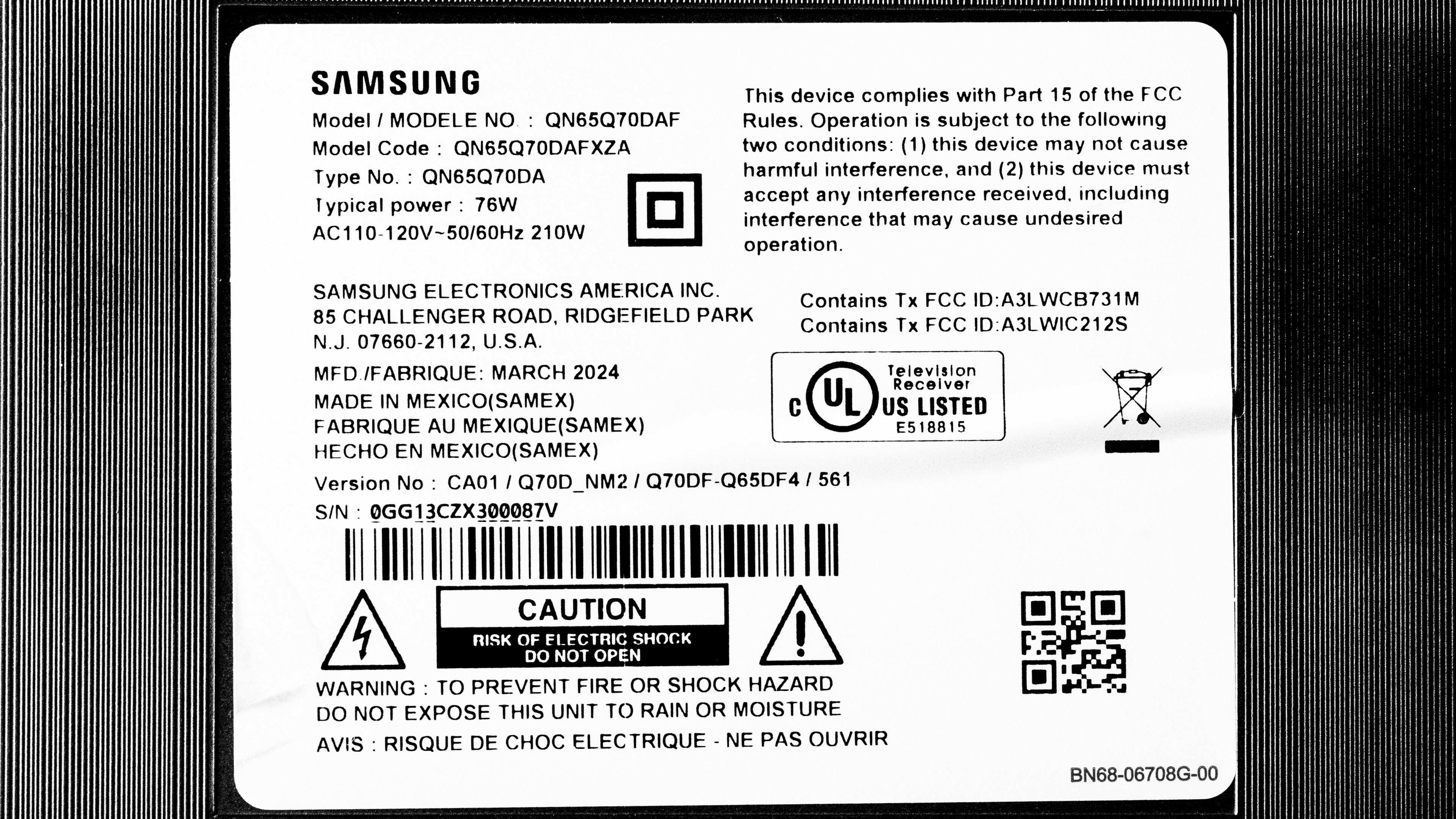
We've bought and tested the 65-inch Samsung Q70D, which is also available in 55, 75, and 85-inch sizes. All sizes offer the same picture quality and overall performance. Note that with Samsung TVs, the five letters after the short model code (AFXZA in this case) vary between different retailers and regions, but there's no difference in performance.
Costco and Sam's Club sell a variant of this TV known as the Samsung Q72D. This variant performs the same but comes with an extended warranty and other store-specific perks.
| Size | US Model | Warehouse Model (US) |
|---|---|---|
| 55" | QN55Q70DAFXZA | QN55Q72DDFXZA |
| 65" | QN65Q70DAFXZA | QN65Q72DDFXZA |
| 75" | QN75Q70DAFXZA | QN75Q72DDFXZA |
| 85" | QN85Q70DAFXZA | QN85Q72DDFXZA |
Our unit was manufactured in March 2024.
Popular TV Comparisons
The Samsung Q70D is a decent TV overall, but it's really held back by its lack of a local dimming feature. It's also very overpriced for what it does, and it doesn't do anything special that makes it stand out in the sea of mid-range QLEDs. You're much better off saving some money and going with TVs like the Hisense U75QG or the TCL QM7K, as those models are brighter, support 144Hz, display a wider range of colors with less banding, support Dolby Vision and DTS audio formats, and have effective local dimming features to drastically increase their black levels.
For more options, check out our recommendations for the best TVs under $1,000, the best QLED TVs, and the best TVs for gaming.
The Samsung Q80D is better than the Samsung Q70D, as it offers a noticeable upgrade in every way. The Q80D has a local dimming feature, giving it way better contrast than the Q70D. The Q80D is also brighter in HDR and SDR, and has better color volume, so all content is more impactful on that model.
The LG QNED85 is better than the Samsung Q70D QLED. While they're closely matched in many respects, the LG delivers much deeper blacks thanks to its local-dimming solution, as well as a wider viewing angle and slightly faster response time. The Samsung is a bit brighter, but that doesn't quite offset the LG's contrast advantage.
The Samsung Q70D is better than the Samsung Q60D in most ways. The Q70D gets brighter in SDR, so it fights more glare in a well-lit room. The Q70D also gets brighter in HDR and has better PQ EOTF tracking, so it delivers a more impactful and accurate HDR experience. The Q70D is the better gaming TV, as it has HDMI 2.1 bandwidth, 4k @ 120Hz, and VRR; it pairs much better with modern consoles. However, the Q60D has better contrast, so its blacks are deeper in a dark room.
The Samsung Q70D is a bit better than the 2023 Samsung Q70C. The Q70D is brighter overall, so it overcomes more glare in a bright room and displays brighter highlights in HDR content. It also has a slightly better contrast ratio for deeper blacks during dark scenes and is the more accurate TV.

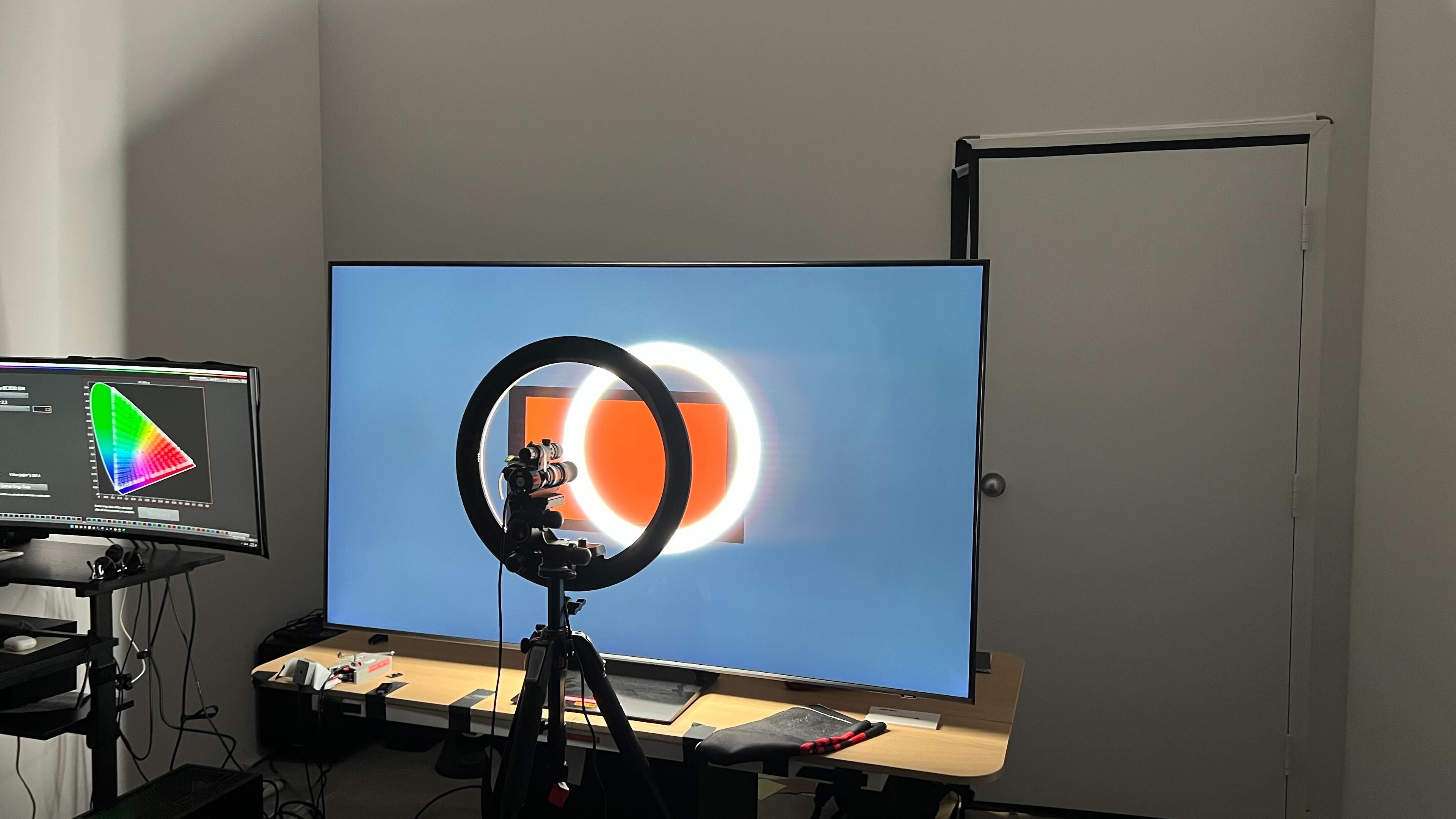
We buy and test dozens of TVs yearly, taking an objective, data-driven approach to deliver results you can trust. Our testing process is complex, with hundreds of individual tests that take over a week to complete. Most of our tests use specially designed test patterns that mimic real content, but we also use the same sources you have at home to ensure our results match the real-world experience. We use two main tools for our testing: a Colorimetry Research CR-100 colorimeter and a CR-250 spectroradiometer.
Test Results
for pictures & test results

for pictures & test results

for pictures & test results

The Samsung Q72D has mediocre HDR brightness. Entirely bright scenes look okay, but the TV doesn't provide a very good HDR experience since its contrast isn't good enough to have brighter highlights stand out very much against a darker background.
These measurements are after calibrating the HDR white point with the following settings:
- HDR Picture Mode: FILMMAKER
- Brightness: 50
- Contrast: 50
- Color: 25
- HDR Tone Mapping: Static
- Color Tone: Warm 2
- Color Space: Auto
- Gamma: ST.2084 (0)
Results with 'HDR Tone Mapping' set to 'Active':
- Hallway Lights: 503 cd/m²
- Yellow Skyscraper: 403 cd/m²
- Landscape Pool: 194 cd/m²
for pictures & test results

for pictures & test results

for pictures & test results

The Samsung Q72D is slightly brighter in Game Mode, but it's barely noticeable.
These measurements are after calibrating the HDR white point, with the following settings:
- HDR Picture Mode: Game
- Brightness: 50
- Contrast: 50
- Color: 25
- HDR Tone Mapping: Static
- Color Tone: Warm 2
- Color Space: Auto
- Gamma: ST.2084 (0)
- Game HDR: Basic
- HDR10+ Gaming: Basic
Results with HDR Tone Mapping set to 'Active':
- Hallway Lights: 507 cd/m²
- Yellow Skyscraper: 481 cd/m²
- Landscape Pool: 253 cd/m²
The TV has good SDR brightness and is bright enough to overcome glare from indirect light sources in a well-lit room.
These measurements are after calibration with the following settings:
- Picture Mode: Movie
- Brightness: 50
- Contrast: 45
- Color: 25
- Color Tone: Warm 2
- Gamma: 2.2
for pictures & test results

The Samsung Q72D has inadequate contrast. Its native contrast ratio is good enough that blacks are somewhat deep during purely dark scenes, but since it lacks local dimming, blacks become raised and grayish when brighter highlights are also on screen. If you'd like better contrast than this model offers, look up the higher-end Samsung Q80D.
for pictures & test results

The TV doesn't have a local dimming feature, so there's no haloing around bright objects or subtitles during dark scenes.
for videos & test results

This TV doesn't have a local dimming feature, so it doesn't adjust the backlight of individual areas to brighten up highlights without impacting the rest of the image. This means that there are no distracting flickers or brightness changes as bright highlights move across the screen.



for pictures & test results

The TV has passable black uniformity overall, but sections of the screen are noticeably blueish and cloudy.
for pictures & test results

for pictures & test results

The TV has acceptable SDR color volume. It covers the entirety of the most commonly used BT.709 SDR color space, so it doesn't have any problems displaying colors in most SDR content. However, it lacks the color volume in DCI-P3 to fully display dark colors, and it struggles even more with lighter ones. Furthermore, it has poor coverage of the widest BT.2020 color space, covering only about half of it.
| Volume ΔE³ | DCI-P3 Coverage |
BT.2020 Coverage |
|---|---|---|
| L10 | 88.44% | 64.78% |
| L20 | 88.27% | 63.37% |
| L30 | 87.73% | 62.79% |
| L40 | 85.98% | 62.46% |
| L50 | 85.16% | 62.24% |
| L60 | 81.76% | 58.73% |
| L70 | 75.13% | 48.64% |
| L80 | 74.07% | 45.86% |
| L90 | 72.37% | 44.56% |
| L100 | 78.15% | 51.67% |
| Total | 80.04% | 54.43% |
for pictures & test results

for pictures & test results

The TV's color volume is alright. It doesn't display darker colors well due to its inadequate contrast, and it doesn't display vibrant colors very brightly.
for pictures & test results

for pictures & test results

for pictures & test results

The TV has very good pre-calibration SDR accuracy. Blues and greens are underrepresented in darker shades of gray, and reds are underrepresented in all grays. The color temperature is cooler than the 6500K we aim for, and the gamma is a bit off of 2.2, with most scenes being displayed darker than they should be. Color accuracy is very good overall, but saturated reds and magentas, lighter yellows, and whites do have some noticeable inaccuracies.
for pictures & test results

for pictures & test results

for pictures & test results

The TV has fantastic accuracy after calibration, and it's easy to calibrate. The color temperature is much closer to 6500K, and the white balance and gamma are now almost perfect. Color accuracy is better now, but there are still some minor inaccuracies with reds.
See our full calibration settings.
for pictures & test results

for pictures & test results

The TV has decent color accuracy in HDR before calibration. Reds are underrepresented in brighter grays, while blues are overrepresented. This makes the TV's color temperature noticeably cooler than 6500K. The overall accuracy of colors is satisfactory, but there are mapping errors throughout that will bother people who want the most accurate colors possible.
for pictures & test results

for pictures & test results

After calibration, the TV has excellent HDR color accuracy. The TV's white balance and the color temperature are now fantastic, with only minor errors in white balance that are hardly noticeable. The overall accuracy of colors has improved, but they still aren't perfect, so calibrating this model doesn't give you the very best color accuracy.
for pictures & test results

The TV has decent PQ EOTF tracking, but it's not perfect. Blacks are displayed a bit brighter than intended, while midtones and highlights are displayed a bit darker than intended. Other than that, the TV follows the curve closely until there's a roll-off near the TV's peak brightness to maintain details in highlights. With content mastered at 4,000 nits, the roll-off is even more gradual.
for pictures & test results

The TV has just alright low-quality content smoothing. It removes some artifacts in low-bitrate content, but there's still noticeable macro-blocking in darker scenes and a loss of details.
for pictures & test results

The Samsung Q72D does a good job at upscaling low-resolution content like DVDs or lower-resolution streams. Details are clear enough, but finer details are hard to make out.
Sharpness processing was calibrated with no over-sharpening for low-resolution content with the following settings:
- Sharpness: 5
- Picture Clarity Settings: Off
for pictures & test results

The TV has mediocre HDR gradient handling. There's some noticeable banding in almost all color gradients. Brighter reds fare better and have minimal banding.
This TV has low input lag when set to Game Mode, especially at 120Hz, which ensures a very responsive gaming experience.
The Samsung Q72D supports all common resolutions up to 4k @ 120Hz. It displays chroma 4:4:4 properly with any signal as long as the input label is set to PC, but sometimes 4:4:4 doesn't work properly, and the TV requires a power cycle. 1440p @ 120Hz @ 4:4:4 isn't supported.
The Samsung Q72D is compatible with all three variable refresh rate (VRR) formats, and it works across a very wide refresh rate range, which ensures that your games remain nearly tear-free when gaming. It also supports sources with Low-Frame-Compensation (LFC), which ensures your games remain nearly tear-free even when your frame rate drops very low.
for pictures & test results
for pictures & test results

The Samsung Q70D's CAD at its maximum refresh rate of 120Hz is alright. It's slower when entering and exiting a dark state, which leads to some black smearing. There's some minor overshooting with certain transitions, which causes some minor inverse ghosting, but overall, the TV's pixel response times are pretty good for an LED model, so fast motion isn't distractingly blurry.
for pictures & test results

for pictures & test results

The TV's CAD at its maximum refresh rate of 120Hz is alright. It's slower when entering and exiting a dark state, which leads to some black smearing. There's some minor overshooting with certain transitions, which causes some minor inverse ghosting, but overall, the TV's pixel response times are pretty good for an LED model, so fast motion isn't distractingly blurry.
for pictures & test results

for pictures & test results

The TV's CAD at 60Hz is decent. Like at 120Hz, it's slower when transitioning to and from a dark states, which leads to some black smearing. There's also some overshooting with certain transitions. However, the TV's pixel transitions are pretty quick overall for an LED model, so motion blur is kept to a minimum.
for pictures & test results

The TV is fully compatible with everything the PS5 offers, like 1440p @ 120Hz and 4k @ 120Hz, as well as HDMI Forum VRR. It also supports Auto Low Latency Mode, so you don't have to worry about manually switching to Game Mode to get the lowest input lag.
for pictures & test results

The TV is fully compatible with almost everything the Xbox Series X|S offers, including 1440p @ 120Hz, 4k @ 120Hz, HDMI Forum VRR, and FreeSync Premium Pro. It also supports Auto Low Latency Mode, so you don't have to worry about manually switching to Game Mode to get the lowest input lag. Unfortunately, Dolby Vision isn't supported on the TV, so gaming in Dolby Vision isn't possible.
Due to the TV's slower response time, there's very little noticeable stutter when watching 24p content.
The Samsung Q70D automatically removes judder from the native apps. Unfortunately, it doesn't remove judder from any external sources.
for pictures & test results

for pictures & test results

The Samsung Q72D has a satisfactory response time when watching content. There's no severe motion blur when watching movies and TV shows, but there's some blur trails behind quick motion in fast-paced sports.
for pictures & test results

The TV uses pulse-width modulation (PWM) to dim its backlight, which introduces flicker that can bother people who are sensitive to it. The amount of flicker varies depending on what picture mode the TV is set to and what settings you're using.
It flickers at a very fast 960Hz in the 'Movie' picture mode at all brightness levels. In all other picture modes, it flickers at a slower 120Hz at all brightness levels. With 'LED Clear Motion' enabled, the TV flickers at 60Hz, and with the 'Picture Clarity' settings enabled, it flickers at 120Hz.
for pictures & test results

for pictures & test results

The TV supports backlight strobing, more commonly known as black frame insertion (BFI). The feature is designed to improve the appearance of motion by strobing its backlight and reducing the amount of persistence blur. The BFI feature on the TV only flickers at 60Hz, and there's still some minor image duplication present.
for pictures & test results

for pictures & test results

This TV has an optional motion interpolation feature to improve the clarity of motion, but it doesn't work very well. Even slower-moving scenes have some noticeable artifacts and haloing present. In faster-moving scenes, it can't keep up, and there are distracting artifacts and haloing, and sometimes the TV stops interpolating altogether.
for pictures & test results

for pictures & test results

The Samsung Q70D's direct reflection handling is unremarkable. It reduces the intensity of direct reflections a bit, but mirror-like reflections are still very visible on the screen, especially during dark scenes.
for pictures & test results

for pictures & test results

The TV does a fantastic job retaining its black levels in a bright room. Blacks are barely raised as more light is added to your room, so you get very similar black levels regardless of your lighting.


for pictures & test results

The TV has okay color saturation when used in a well-lit room. Overall, there's barely any difference in the vibrancy of colors, whether you're in a dark room or a bright one, although darker colors look slightly more washed out. Still, it has somewhat limited color volume to begin with, so colors lack vibrancy regardless of your lighting conditions.
for videos & test results

for pictures & test results

for pictures & test results

for pictures & test results

The Samsung Q72DD has a mediocre viewing angle, so it's not suitable for a wide seating arrangement. There's significant gamma shifting, black level rise, and brightness loss as you move off-center, and colors look increasingly washed out as you move further away to the sides.
for pictures & test results

for pictures & test results

The Samsung Q72D has unremarkable gray uniformity. The sides of the screen are quite a bit darker than the middle, and there's noticeable dirty screen effect towards the center of the screen. On a very dark or near-black screen, its uniformity is very good, but the corners and the bottom edge are a bit brighter than the rest of the screen.
for pictures & test results

for pictures & test results

The TV uses a BGR (Blue-Green-Red) subpixel layout instead of the traditional RGB layout. This doesn't cause any issues for video or gaming content, but it can be a problem for PC monitor use, as it impacts the text clarity, although not everyone will notice this.
The TV uses quantum dot color converters to produce red and green light.
for pictures & test results

for pictures & test results

Although the TV supports HDMI 2.1 bandwidth on all four HDMI ports, all four ports are limited to 40Gbps. In practice, this doesn't cause any issues or limitations with any current source. Unfortunately, Samsung still doesn't support Dolby Vision. However, it supports HDR10+ instead, which is similar overall but not as widely supported.
The TV has eARC support, which allows it to pass uncompressed high-quality audio from a connected source to your home theater system or soundbar. Unfortunately, it doesn't support any DTS formats commonly used on Blu-rays.
for pictures & test results

The Samsung Q70D has the same design as the 2023 Samsung Q70C, with a clean and simple look.
for pictures & test results

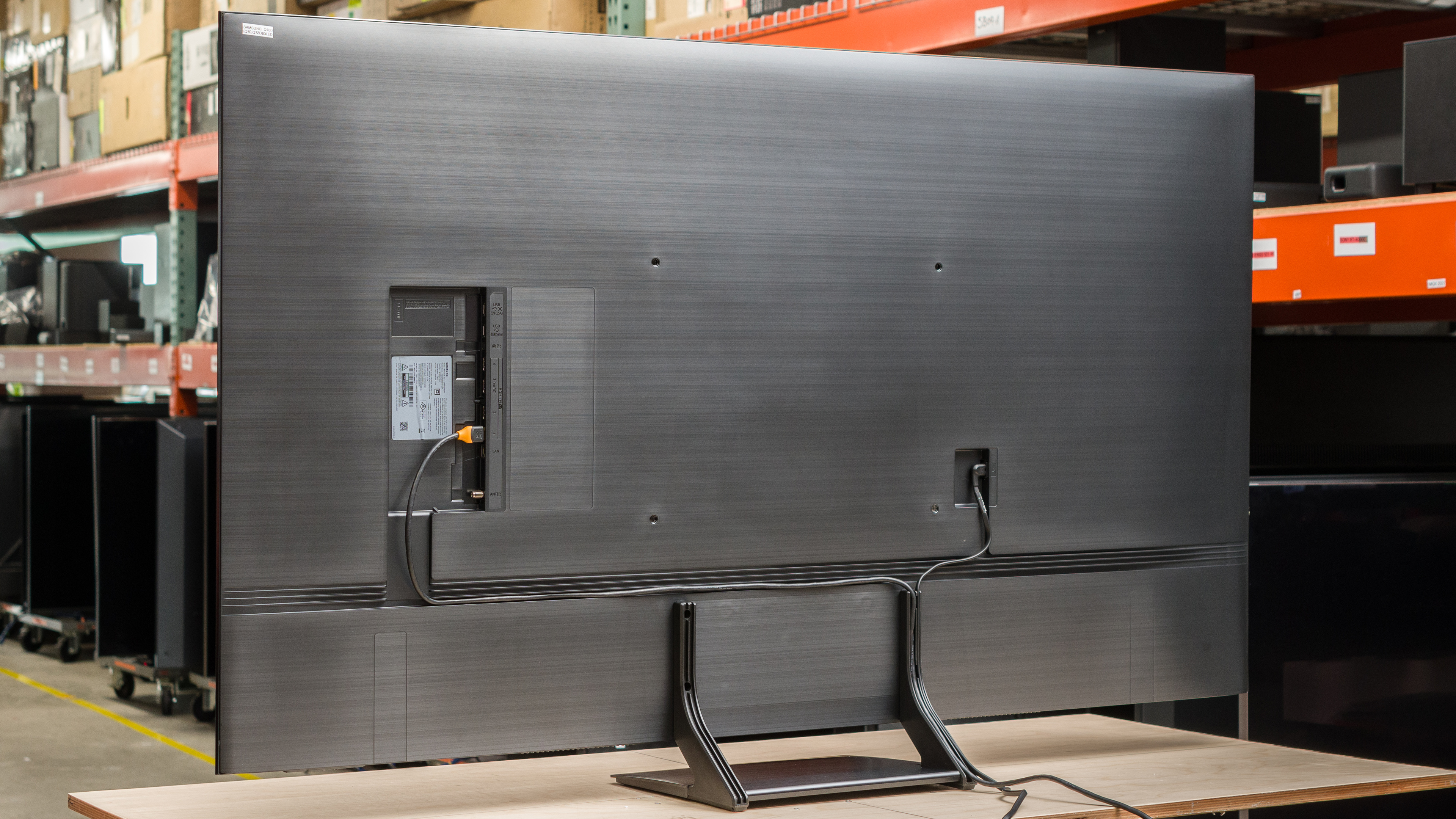
The center-mounted stand is mostly made of plastic and feels a bit flimsy, but it does a good job of supporting the TV with minimal wobble. The stand lifts the TV about 3.19", so most soundbars fit underneath without blocking the screen.
Footprint of the 65-inch stand: 13.54" x 11.8"
for pictures & test results

The back of the TV is plastic with fine horizontal etchings, and it feels solid overall, without excessive flex around the VESA holes or inputs. There are grooves on the back of the TV and the stand for cable management. Unfortunately, the inputs are recessed into the TV, so they're hard to reach if you wall-mount it with a fixed bracket.


for pictures & test results

The Samsung 65Q72D has good build quality. The TV has an all-plastic build that makes it feel a bit cheap, but it still feels pretty solid overall. The stand holds the TV well, and there's minimal wobbling when pushing or moving the TV. There are no major flaws with build quality and no issues with quality control.
for pictures & test results

The Samsung Q72D runs the 2024 version of the Tizen OS, and it's fast and easy to use.
for pictures & test results

Like most TVs, there are ads on the home screen. You can't disable them completely, although you can turn off targeted ads.
for pictures & test results

The TV comes with the same minimalistic remote as the 2023 Samsung Q70C. The remote has a rechargeable battery that can be charged via USB-C or solar power. It has buttons for popular streaming services, and the voice control gives you access to Bixby and Alexa. You can ask it to change settings, switch inputs, and answer basic questions, but it can't search for content within apps.
for pictures & test results

There's a single button underneath the Samsung branding on the right side of the TV, allowing you to turn the TV on/off, change channels, adjust the volume, and select inputs.

for pictures & test results

The TV's frequency response is sub-par. Like most TVs, bass is pretty much non-existent. The sound is well-balanced at moderate listening levels, so the dialogue is clear, but it sounds progressively unbalanced as the volume increases. Since the TV doesn't get very loud, it's best suited for a quiet environment.