ASUS ROG Strix OLED XG32UQWMS  Monitor Review

Reviewed Nov 27, 2026 at 12:13pm
Tested using Methodology v2.2 
ASUS ROG Strix OLED XG32UQWMS

Track

Track

 14

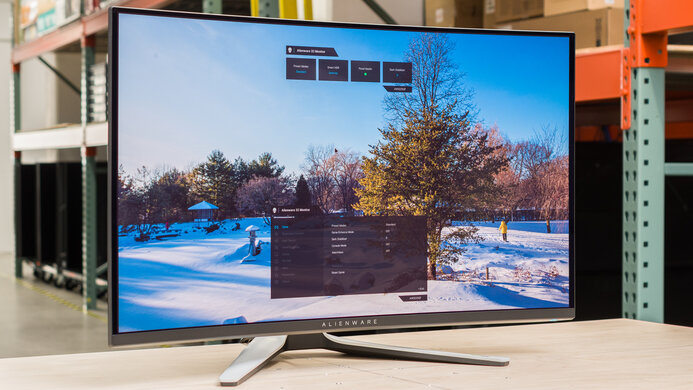
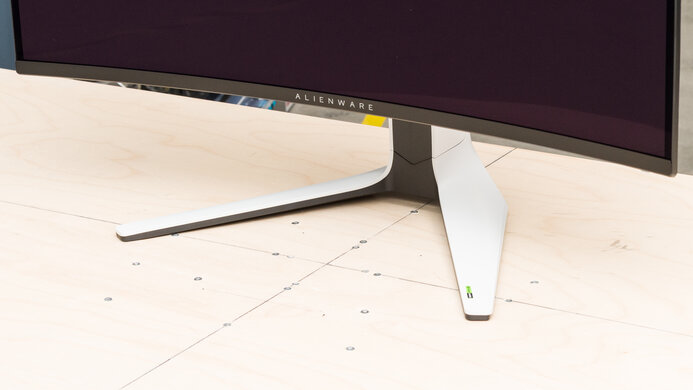
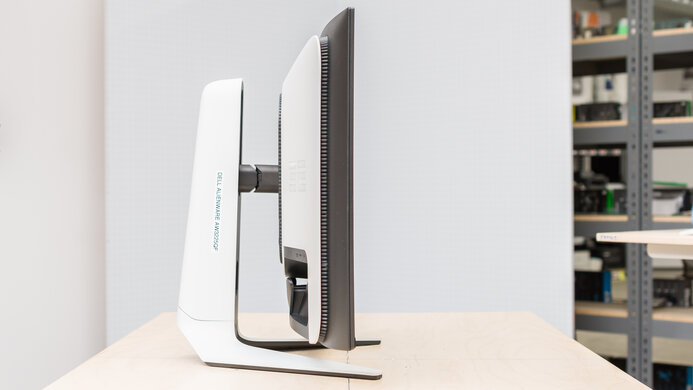
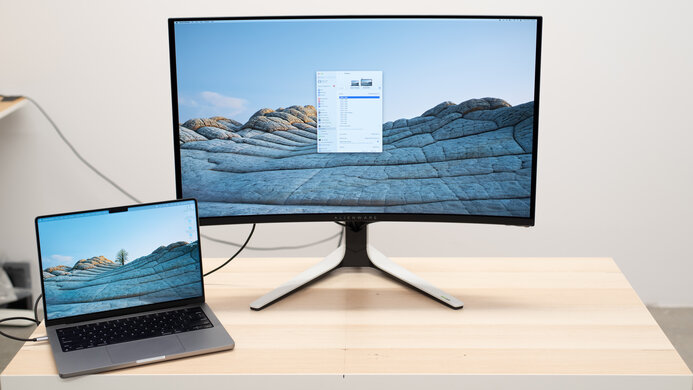
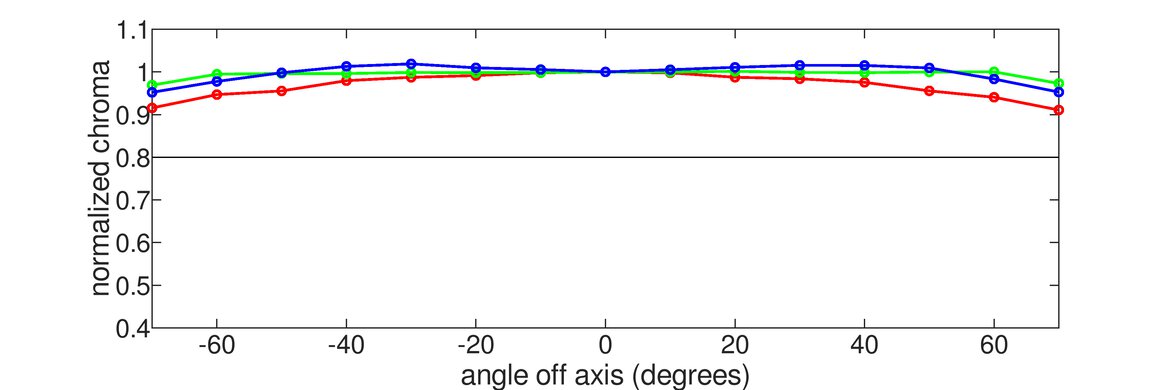
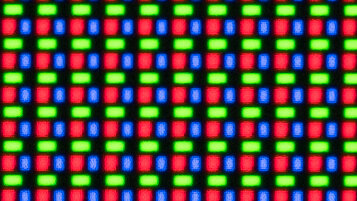
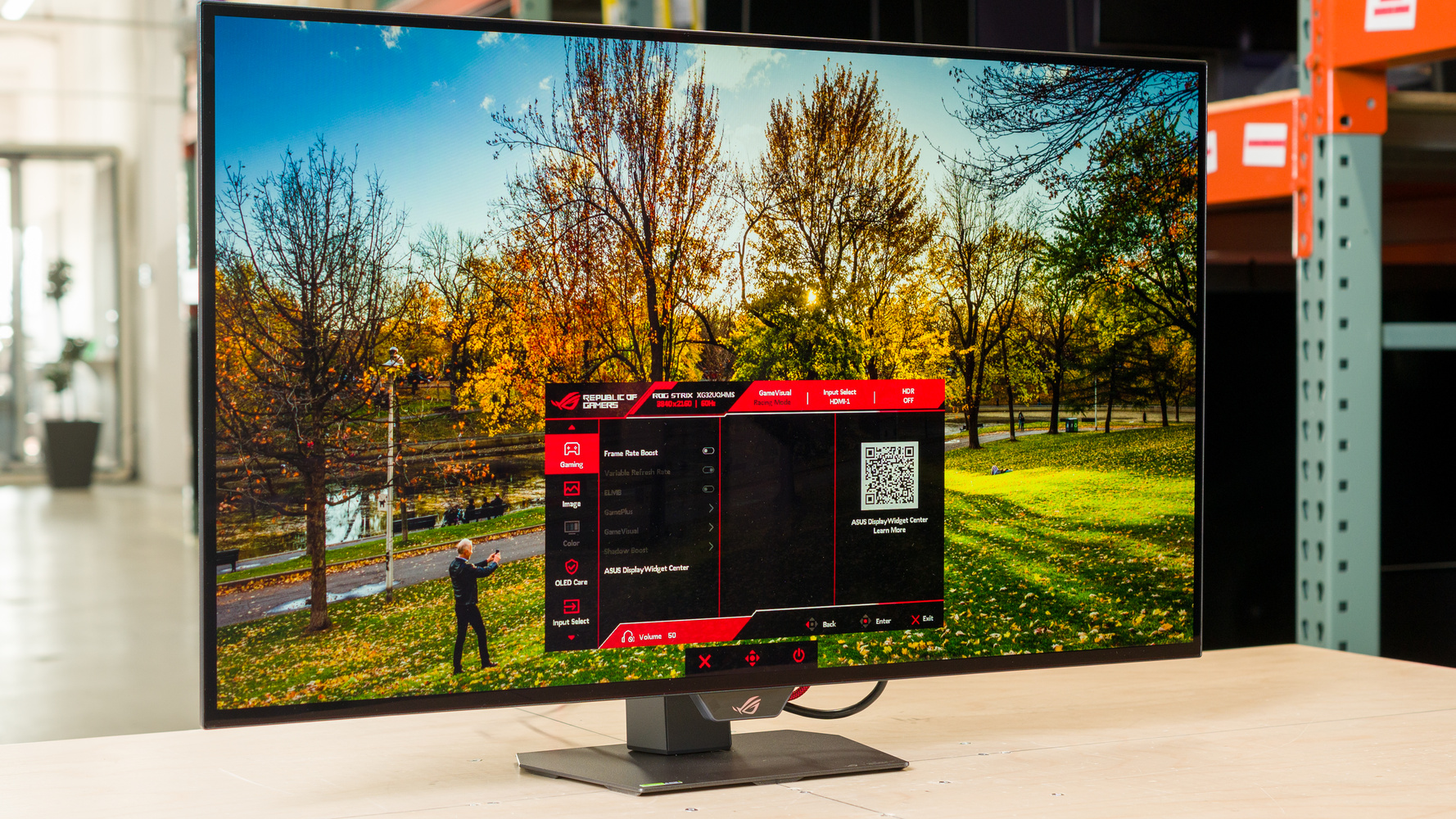
The ASUS ROG Strix OLED XG32UQWMS is a 32-inch, 4k OLED gaming monitor. It uses a fourth-gen Tandem WOLED panel with an RGWB subpixel and a TrueBlack Glossy coating. It has a native 240Hz refresh rate that you can boost to 480Hz with a 1080p resolution in its dual mode. It competes against other models with the same panel, like the LG 32GX870B-B. As an updated version of the ASUS ROG Strix OLED XG32UCWMG, it's an upper mid-range model in the ASUS ROG gaming lineup, sitting below the ASUS ROG Swift OLED PG32UCWM and alongside the ASUS ROG Strix OLED XG32UQDMS, which uses a different panel type. The XG32UQWMS is lacking some features the higher-end PG32UCWM has, like DisplayPort 2.1 bandwidth, Dolby Vision support, and a KVM switch. 

That said, this monitor still has features you'd expect from a modern gaming monitor, like HDMI 2.1 bandwidth, FreeSync Premium Pro and G-SYNC Compatibility, and Extreme Low Motion Blur to reduce persistence blur. It also has some features to help reduce the risk of burn-in, like a custom heatsink to dissipate heat and a Neo Proximity Sensor that turns the screen off when you step away from it.

Our Verdict

N/A
PC Gaming 

The ASUS XG32UQWMS is incredible for PC gaming. It has a fast 240Hz refresh rate with its native 4k resolution, and you can boost it to 480Hz with a lower 1080p resolution, so it's versatile for playing different types of games. Motion looks sharp at any refresh rate; it has low input lag that's ideal for playing games that need fast reactions, and it supports all common VRR formats to reduce screen tearing. Unfortunately, it has noticeable VRR flicker with fluctuating frame rates, but it has a flicker reduction setting to help avoid this. On the plus side, it delivers fantastic picture quality, especially in HDR, as it has deep blacks, highlights that pop, and no haloing around bright objects. Although it covers a wide range of colors, vivid colors are a bit washed out.

Pros
  • 4k, 240Hz & 1080p, 480Hz dual mode.

  • Supports all common VRR formats.

  • HDMI 2.1 ports.

  • Motion looks sharp at any refresh rate.

  • Low input lag for a responsive feel.

  • Deep, inky blacks with no haloing.

Cons
  • Distracting VRR flicker in dark scenes.

  • Lack of DisplayPort 2.1 bandwidth.

  • Vivid colors are a bit washed out.

N/A
Console Gaming 

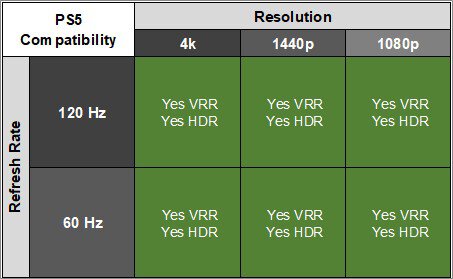
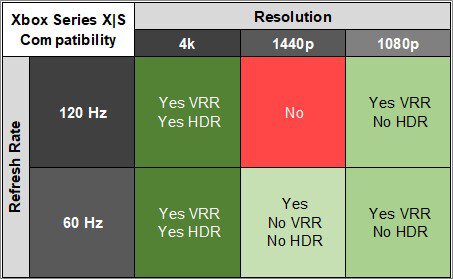
The ASUS XG32UQWMS is superb for console gaming. It supports 4k signals up to 120Hz with a PS5, PS5 Pro, and Xbox Series X|S for detailed images. Motion looks sharp thanks to its near-instantaneous response time, and its low input lag helps if you play games that need fast reactions. It's also a fantastic choice for gaming in HDR as it delivers deep and inky blacks in dark scenes alongside highlights that pop without any haloing around them. However, vivid colors are a bit washed out, and it doesn't support Dolby Vision with games that also support it on an Xbox.

Pros
  • HDMI 2.1 ports.

  • Motion looks sharp at any refresh rate.

  • Low input lag for a responsive feel.

  • Deep, inky blacks with no haloing.

Cons
  • Vivid colors are a bit washed out.

  • No Dolby Vision support.

N/A
Office 

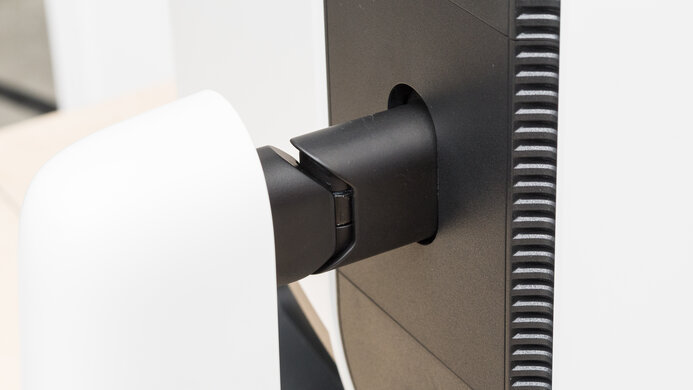
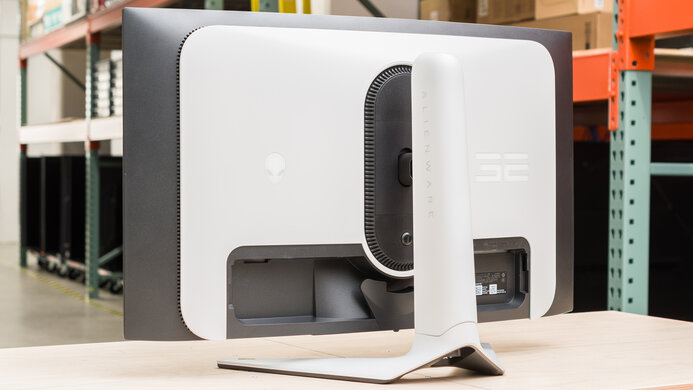
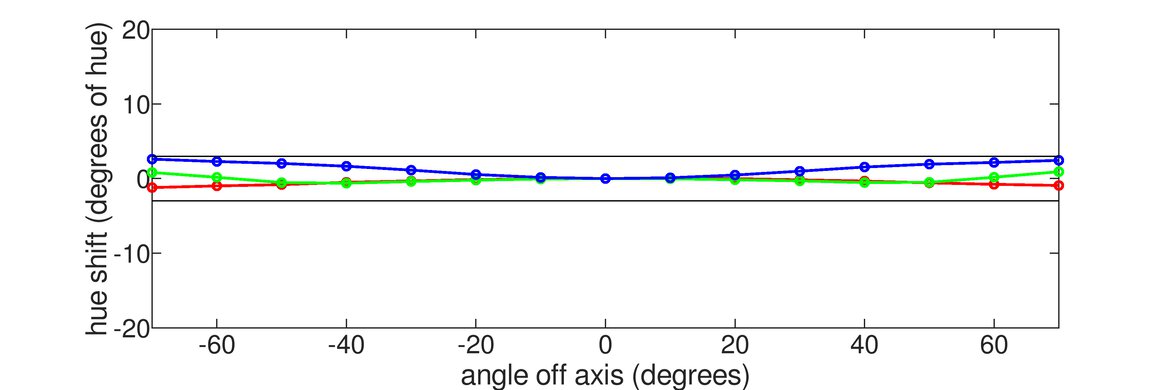
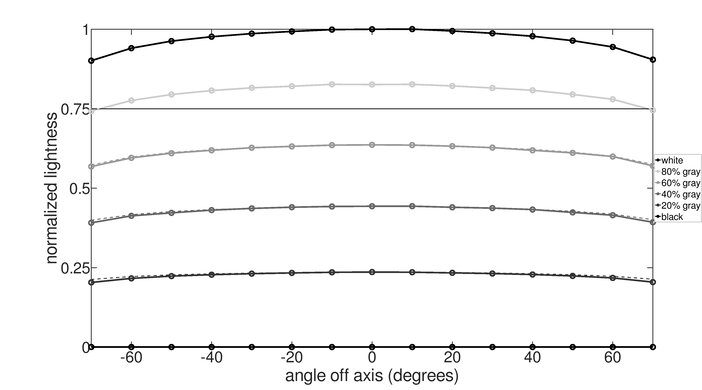
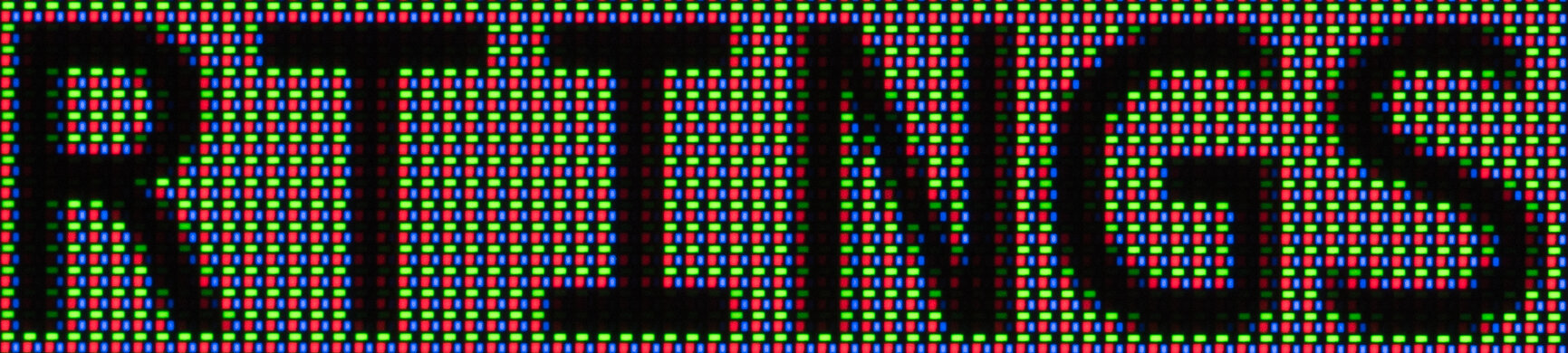
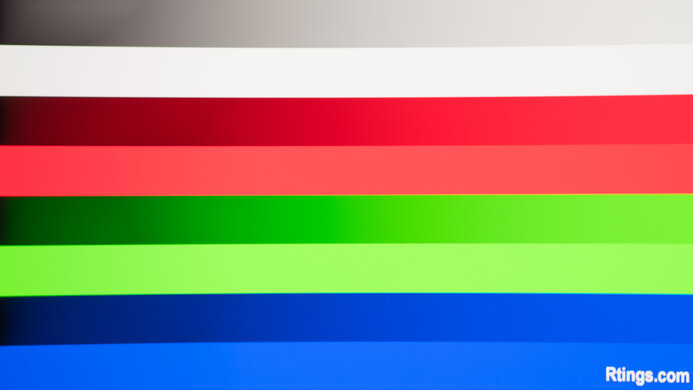
The ASUS XG32UQWMS is great for office use. Its 32-inch screen is big enough to view two windows next to each other, and it has sharp text thanks to its high pixel density, but there’s fringing around letters. It also gets bright enough to fight glare in most well-lit office spaces, but reflections are a distraction if you have it in a sunny space. Its wide viewing angle helps if you need to share the screen with someone next to you, and it has an ergonomic stand that's easy to adjust. The downside is that it risks burn-in from exposure to static elements over time, like if you have a taskbar on-screen while you work.

Pros
  • Large 32-inch screen.

  • Fights glare well in most rooms.

  • Includes an ergonomic stand.

  • Wide viewing angle.

Cons
  • Fringing around letters.

  • Risk of burn-in.

  • Reflections are distracting in a sunny room.

N/A
Editing 

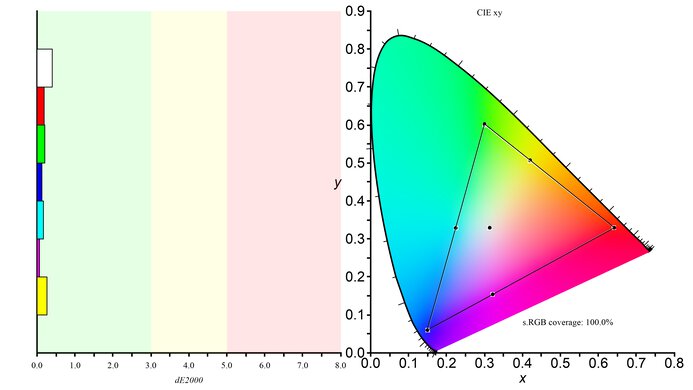
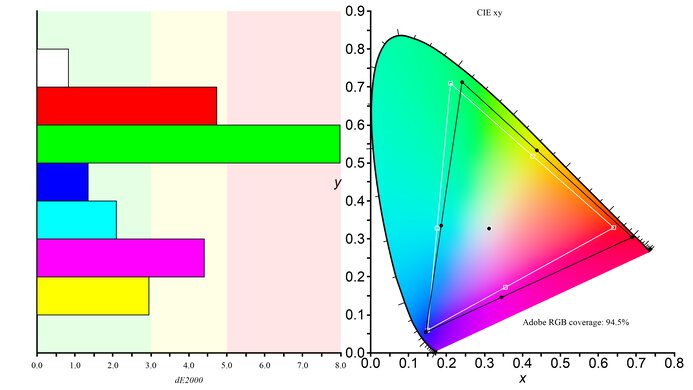
The ASUS XG32UQWMS is remarkable for content creation. It comes with an extremely accurate sRGB mode, and calibrating it only benefits you if you want access to color settings that are locked out in the sRGB mode. It covers a wide range of colors in common color spaces, but vivid colors look a bit washed out in HDR. Images are detailed thanks to its 4k resolution, and its 32-inch screen helps you view more of your editing program at once. It also has a wide viewing angle that keeps the image consistent no matter where you view it from, and its ergonomic stand helps if you need to share the screen with someone else. Unfortunately, it risks burn-in with exposure to static elements, which is a downside if you only use it for editing.

Pros
  • Deep, inky blacks with no haloing.

  • Large 32-inch screen.

  • Fights glare well in most rooms.

  • Very accurate sRGB mode.

  • Covers a wide range of colors.

  • Wide viewing angle.

Cons
  • Vivid colors are a bit washed out.

  • Fringing around letters.

  • Risk of burn-in.

  • Reflections are distracting in a sunny room.

N/A
Brightness 

The ASUS XG32UQWMS has good brightness. Highlights pop in HDR, and it fights glare well in most bright rooms. However, visibility is an issue if you have it in front of a sunny window.

Pros
  • Fights glare well in most rooms.

  • Highlights pop in HDR.

Cons
  • Reflections are distracting in a sunny room.

N/A
Response Time 

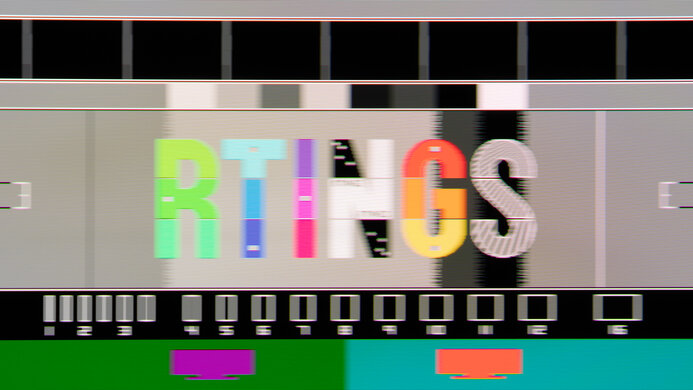
The ASUS XG32UQWMS has a near-instantaneous response time for sharp motion at any refresh rate.

Pros
  • Motion looks sharp at any refresh rate.

Cons
N/A
HDR Picture 

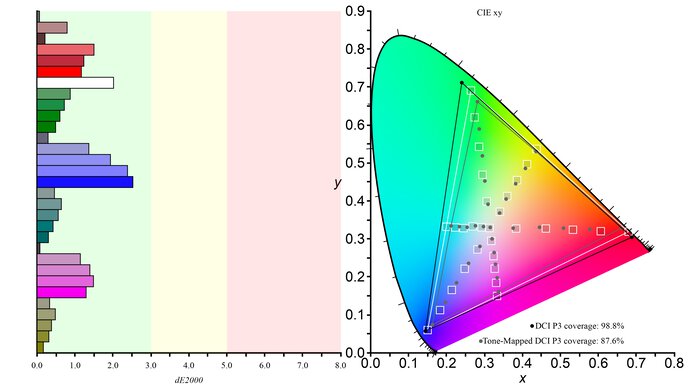
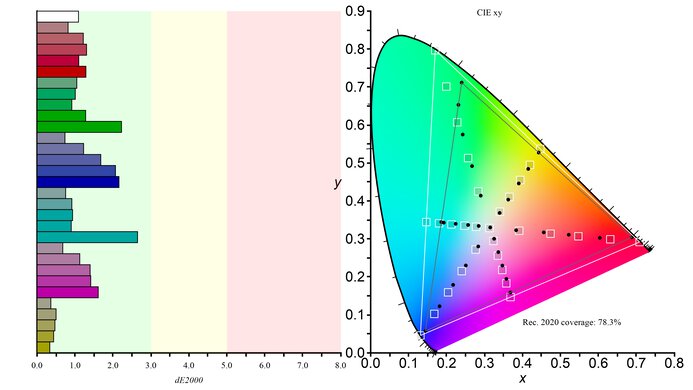
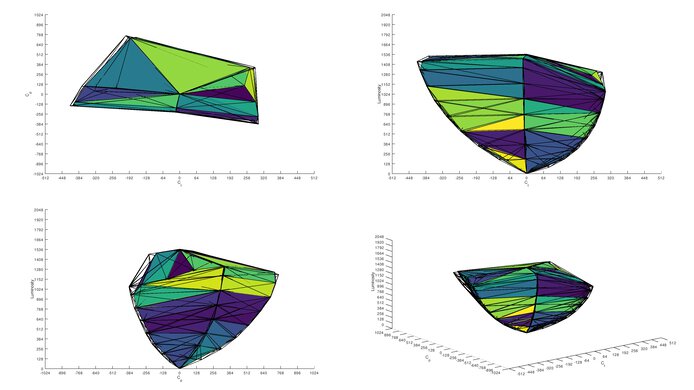
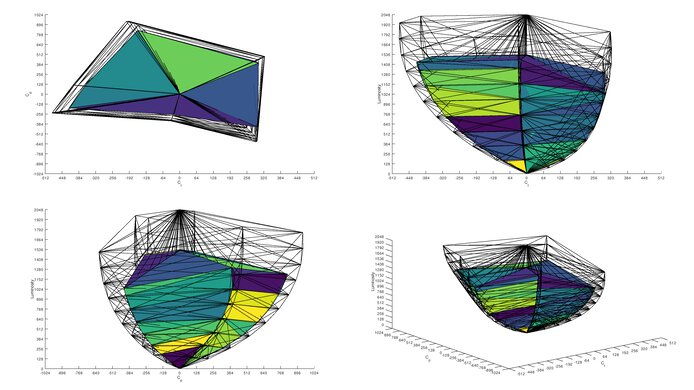
The ASUS XG32UQWMS has superb HDR picture quality. It displays deep blacks in any environment without any haloing around bright objects. It also covers a wide range of colors in HDR color spaces, but vivid colors are a bit washed out.

Pros
  • Deep, inky blacks with no haloing.

  • Covers a wide range of colors.

Cons
  • Vivid colors are a bit washed out.

N/A
SDR Picture 

The ASUS XG32UQWMS has remarkable SDR picture quality. Blacks are deep and inky in any type of room, and it covers a wide range of colors.

Pros
  • Deep, inky blacks with no haloing.

  • Covers a wide range of colors.

Cons
N/A
Color Accuracy 

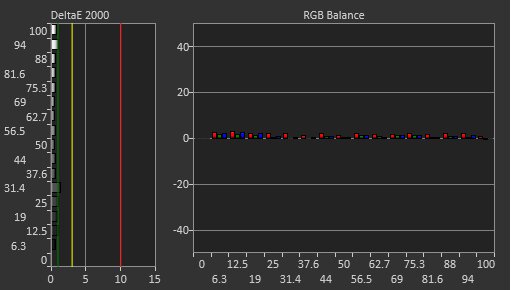
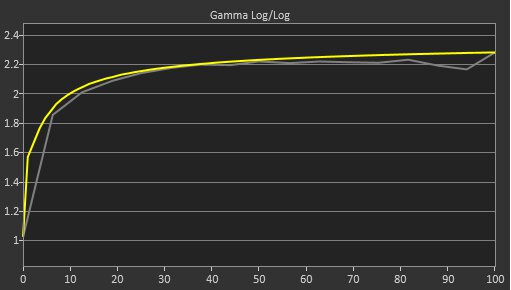
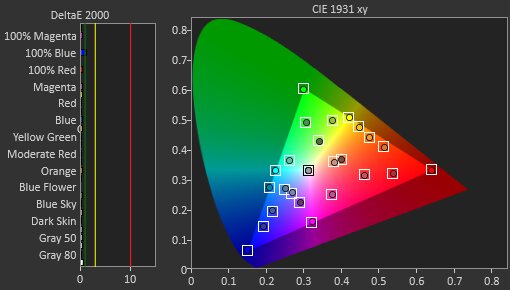
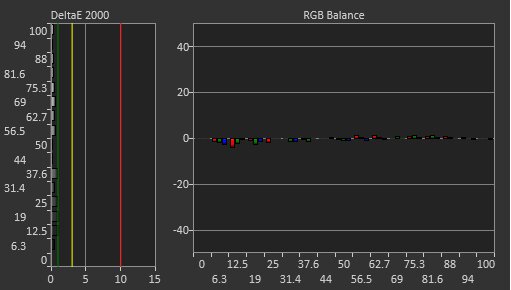
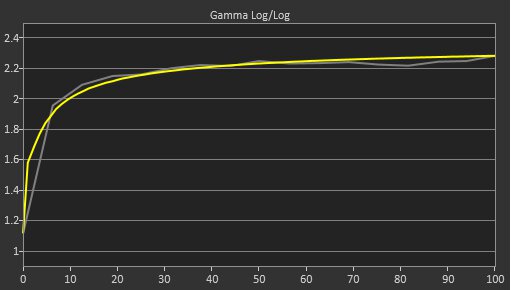
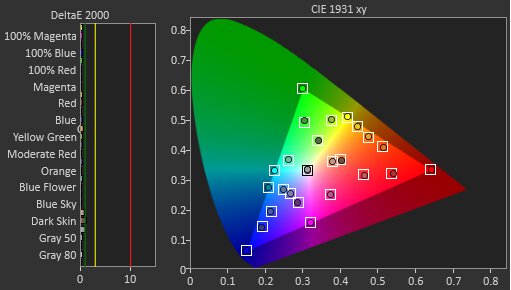
The ASUS XG32UQWMS has remarkable color accuracy. Its sRGB mode is very accurate out of the box. Calibrating it only marginally improves accuracy, and the main benefit of calibrating it is if you want access to settings that are locked out in its sRGB mode.

Pros
  • Very accurate sRGB mode.

Cons
  • N/A
    PC Gaming
  • N/A
    Console Gaming
  • N/A
    Office
  • N/A
    Editing

  • Performance Usages

  • N/A
    Brightness
  • N/A
    Response Time
  • N/A
    HDR Picture
  • N/A
    SDR Picture
  • N/A
    Color Accuracy
  • Changelog

    1.  Updated Nov 27, 2026: Review published.
    2.  Updated Nov 26, 2026: Early access published.
    3.  Updated Nov 17, 2026: Our testers have started testing this product.
    4.  Updated Nov 06, 2026: The product has arrived in our lab, and our testers will start evaluating it soon.

    Check Price

    32"ROG Strix OLED XG32UQWMS
    SEE PRICE
    ASUS
    32"ROG Strix OLED XG32UQWMS
    Amazon
    32"ROG Strix OLED XG32UQWMS
    SEE PRICE
    BestBuy.com
    32"ROG Strix OLED XG32UQWMS
    B&H
    32"ROG Strix OLED XG32UQWMS
    Walmart.com
    32"ROG Strix OLED XG32UQWMS
    Staples.com

    Differences Between Sizes And Variants

    We bought and tested the 32-inch ASUS XG32UQWMS, which is the only size available. There are other 4k @ 240Hz, 32-inch OLEDs in the ROG gaming lineup, but they're are different monitors, as you can see below. The results are only valid for this model.

    Model Panel Type Subpixel Layout Inputs Features
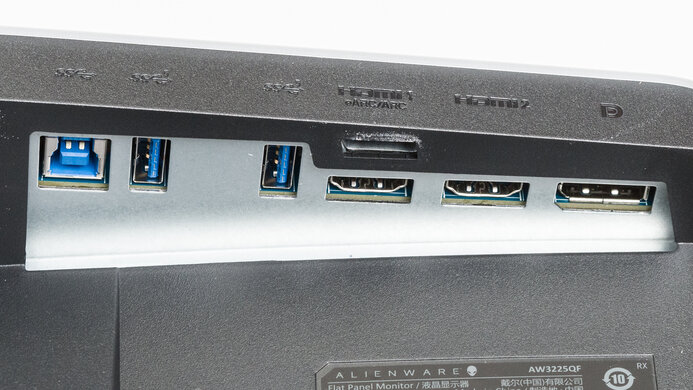
    XG32UQWMS WOLED RGWB 2x HDMI 2.1
    1x DP 1.4
    2x USB-A
    1x USB-B
    480Hz Dual Mode
    XG32UQDMS QD-OLED Triangular RGB 2x HDMI 2.1
    1x DP 1.4
    2x USB-A
    1x USB-B
    -
    PG32UCWM WOLED RGB 2x HDMI 2.1
    2x DP 2.1
    3x USB-A
    1x USB-B
    1x USB-C
    480Hz Dual Mode
    KVM Switch
    Dolby Vision

    Our unit's label indicates it was manufactured in June 2026 in China. We tested it on firmware MCM102.

    Popular Monitor Comparisons

    The ASUS ROG Strix OLED XG32UQWMS is an upper mid-range OLED gaming monitor that's an updated model of the ASUS ROG Strix OLED XG32UCWMG. This monitor carries over many of the same features as the older model, like 4k @ 240Hz and 1080p @ 480Hz dual modes, and an OLED panel with sharp motion and incredible picture quality. An advantage of the XG32UQWMS is that it has a newer Tandem WOLED display that gets bright while delivering a wide range of colors. It's also a glossy alternative to the LG 32GX870B-B, so you get those clear images at the cost of worse reflection handling.

    Like most OLED gaming monitors, you can't go wrong with it unless you need the latest features. That's where it takes a step back compared to the ASUS ROG Swift OLED PG32UCWM. It lacks DisplayPort 2.1 bandwidth to take advantage of high-end graphics cards, and it doesn't have a USB-C port or a KVM switch to help with multitasking. If you don't need these features, the XG32UQWMS offers good value.

    Also see our recommendations for the best OLED monitors, the best HDR gaming monitors, and the best 240Hz monitors.

    ASUS ROG Strix OLED XG32UCWMG

    Track

    The ASUS ROG Strix OLED XG32UQWMS is an updated model of the ASUS ROG Strix OLED XG32UCWMG. The main difference is that the XG32UQWMS has a newer Tandem WOLED panel that has better colors and gets brighter in SDR. The XG32UQWMS is also more accurate before any sort of calibration. However, an advantage of the XG32UCWMG is that it has a USB-C port to connect a laptop, which the XG32UQWMS lacks.

    ASUS ROG Swift OLED PG32UCWM

    Track

    The ASUS ROG Swift OLED PG32UCWM is higher-end than the ASUS ROG Strix OLED XG32UQWMS. Although they both use WOLED panel types, the PG32UCWM has a newer display with an RGB subpixel layout, which doesn't have the same fringing around letters that the XG32UQWMS has. That said, the XG32UQWMS gets brighter, so it's the better choice for a well-lit room. The PG32UCWM has more features, though, like a KVM switch, a USB-C port to connect your laptop, DisplayPort 2.1 bandwidth, and Dolby Vision support.

    LG 32GX870B-B

    Track

    The ASUS ROG Strix OLED XG32UQWMS and the LG 32GX870B-B are competing 4k OLED gaming monitors. They both use the same Tandem WOLED panel and have 1080p, 480Hz dual modes to boost their refresh rates. They're similar, but the ASUS gets brighter, while the LG has a few extra perks, like a USB-C port to connect a laptop. They also use different screen coatings as the ASUS has a glossy coating with clearer images, while the matte coating of the LG has better reflection handling.

    Samsung Odyssey OLED G73SH S32HG732S

    Track

    The ASUS ROG Strix OLED XG32UQWMS and the Samsung Odyssey OLED G73SH S32HG732S are both upper mid-range OLED gaming monitors. They both use 4k panels, but there are a few differences, as the ASUS uses a Tandem WOLED display that gets brighter and has better colors. The ASUS also has higher refresh rates both in its native and dual modes. They're very similar in terms of features, but the ASUS has a couple of USB-A ports to connect your devices, which the Samsung lacks.
    How We Test Monitors
    How We Test Monitors

    We buy and test more than 30 monitors each year, all of which we purchase ourselves, without cherry-picked units or samples. We put a lot into each unbiased, straight-to-the-point review, and there's a whole process from purchasing to publishing, involving multiple teams and people. We do more than just use the monitor for a week; we use specialized, custom tools to measure various aspects and deliver objective, data-driven results. We also consider multiple factors before making any recommendations, including the monitor's cost, its performance compared to the competition, and whether it's easy to find.

    Test Results
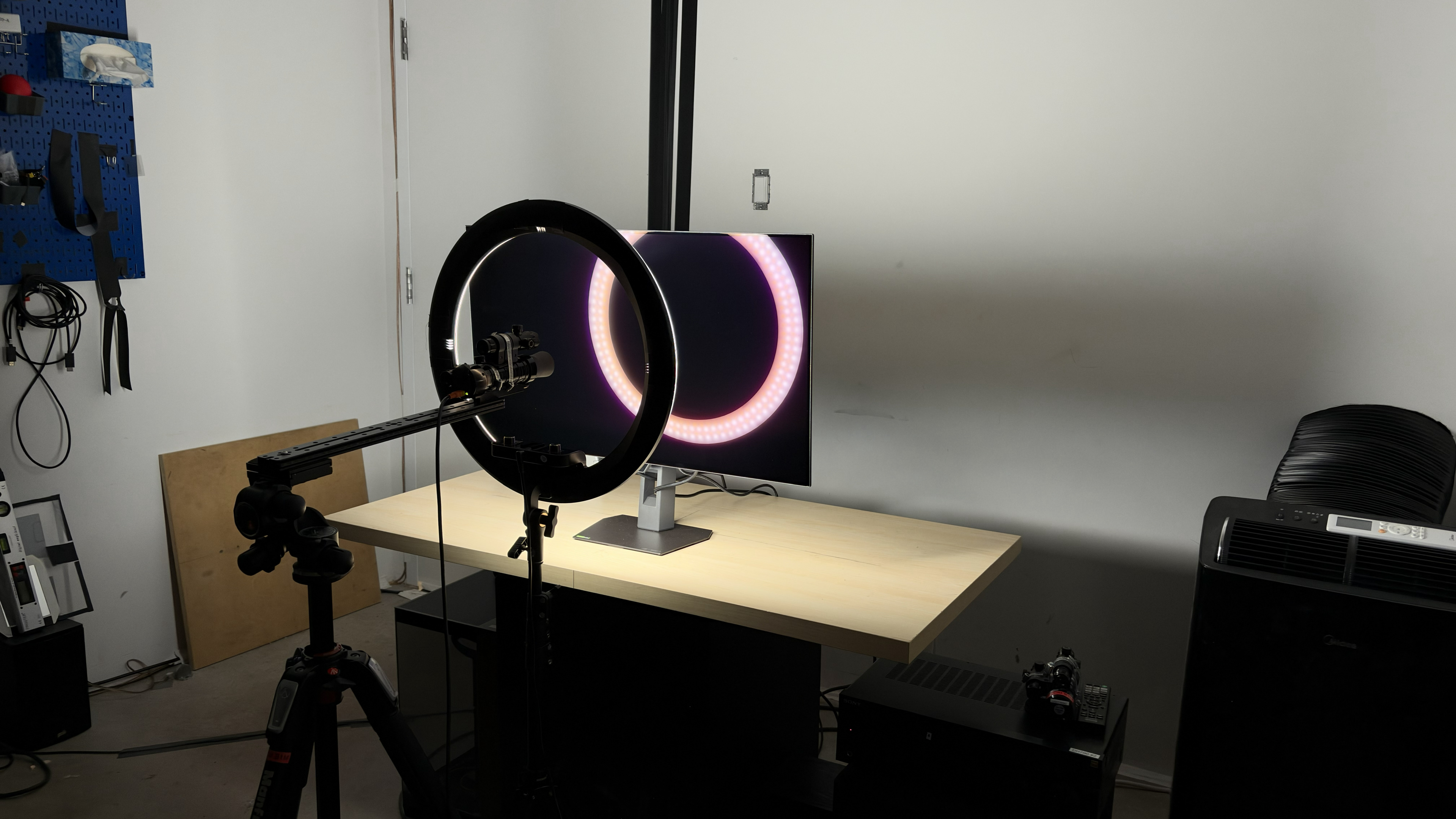
    perceptual testing image
    Sort:
    RATINGS
    Category:
    All
    Design
    8 tests
    Longevity
    Uniformity PicturesN/A
    Style
    Curved
    LockedLocked
    Curve Radius
    LockedLocked

    Become a member to view the full test results and text of the reviews, as well as extra website features and tools with no ads.

    N/A
    Build Quality

    Become a member to view the full test results and text of the reviews, as well as extra website features and tools with no ads.

    N/A
    Ergonomics
    Min Height To Top Of Panel
    LockedLock" (Lock cm)
    Height Adjustment
    LockedLock" (Lock cm)
    Tilt Range
    LockedLocked
    Rotate Portrait/Landscape
    LockedLocked
    Swivel Range
    LockedLocked
    Wall Mount
    LockedLocked

    Become a member to view the full test results and text of the reviews, as well as extra website features and tools with no ads.

    Stand
    Base Width
    LockedLock" (Lock cm)
    Base Depth
    LockedLock" (Lock cm)
    Thickness (With Display)
    LockedLock" (Lock cm)
    Weight (With Display)
    LockedLock lbs (Lock kg)

    Become a member to view the full test results and text of the reviews, as well as extra website features and tools with no ads.

    Display
    Size
    Locked32"
    Housing Width
    LockedLock" (Lock cm)
    Housing Height
    LockedLock" (Lock cm)
    Thickness (Without Stand)
    LockedLock" (Lock cm)
    Weight (Without Stand)
    LockedLock lbs (Lock kg)
    Borders Size (Bezels)
    LockedLock" (Lock cm)

    Become a member to view the full test results and text of the reviews, as well as extra website features and tools with no ads.

    Controls

    Become a member to view the full test results and text of the reviews, as well as extra website features and tools with no ads.

    In The Box
    Power Supply
    LockedLocked

    Become a member to view the full test results and text of the reviews, as well as extra website features and tools with no ads.

    Picture Quality
    18 tests
    N/A
    Contrast
    Native Contrast
    LockedLock : 1
    Contrast With Local Dimming
    LockedLock : 1

    Become a member to view the full test results and text of the reviews, as well as extra website features and tools with no ads.

    N/A
    Local Dimming
    SAMPLE
    Join Now

    for videos & test results
    ASUS ROG Strix OLED XG32UQWMS Local Dimming Video Sample
    Local Dimming
    LockedLocked
    Backlight
    LockedLocked

    Become a member to view the full test results and text of the reviews, as well as extra website features and tools with no ads.

    N/A
    SDR Brightness
    Real Scene
    LockedLock cd/m²
    Peak 2% Window
    LockedLock cd/m²
    Peak 10% Window
    LockedLock cd/m²
    Peak 25% Window
    LockedLock cd/m²
    Peak 50% Window
    LockedLock cd/m²
    Peak 100% Window
    LockedLock cd/m²
    Sustained 2% Window
    LockedLock cd/m²
    Sustained 10% Window
    LockedLock cd/m²
    Sustained 25% Window
    LockedLock cd/m²
    Sustained 50% Window
    LockedLock cd/m²
    Sustained 100% Window
    LockedLock cd/m²
    Automatic Brightness Limiting (ABL)
    LockedLock
    Minimum Brightness
    LockedLock cd/m²

    Become a member to view the full test results and text of the reviews, as well as extra website features and tools with no ads.

    N/A
    HDR Brightness
    VESA DisplayHDR Certification
    LockedLocked
    Real Scene
    LockedLock cd/m²
    Peak 2% Window
    LockedLock cd/m²
    Peak 10% Window
    LockedLock cd/m²
    Peak 25% Window
    LockedLock cd/m²
    Peak 50% Window
    LockedLock cd/m²
    Peak 100% Window
    LockedLock cd/m²
    Sustained 2% Window
    LockedLock cd/m²
    Sustained 10% Window
    LockedLock cd/m²
    Sustained 25% Window
    LockedLock cd/m²
    Sustained 50% Window
    LockedLock cd/m²
    Sustained 100% Window
    LockedLock cd/m²
    Automatic Brightness Limiting (ABL)
    LockedLock

    Become a member to view the full test results and text of the reviews, as well as extra website features and tools with no ads.

    N/A
    Gray Uniformity
    50% Std. Dev.
    LockedLock%
    50% DSE
    LockedLock%

    Become a member to view the full test results and text of the reviews, as well as extra website features and tools with no ads.

    N/A
    Black Uniformity
    Native Std. Dev.
    LockedLock%
    Std. Dev. w/ L.D.
    LockedN/A

    Become a member to view the full test results and text of the reviews, as well as extra website features and tools with no ads.

    N/A
    Color Accuracy (Pre-Calibration)
    Picture Mode
    LockedLocked
    sRGB Gamut Area xy
    LockedLock%
    White Balance dE (Avg.)
    LockedLock
    Color Temperature (Avg.)
    LockedLock K
    Gamma (Avg.)
    LockedLock
    Color dE (Avg.)
    LockedLock
    Contrast Setting
    LockedN/A
    RGB Settings
    LockedLocked
    Gamma Setting
    LockedLocked
    Brightness Setting
    LockedLock
    Measured Brightness
    LockedLock cd/m²
    Brightness Locked
    LockedLocked

    Become a member to view the full test results and text of the reviews, as well as extra website features and tools with no ads.

    N/A
    Color Accuracy (Post-Calibration)
    Picture Mode
    LockedLocked
    sRGB Gamut Area xy
    LockedLock%
    White Balance dE (Avg.)
    LockedLock
    Color Temperature (Avg.)
    LockedLock K
    Gamma (Avg.)
    LockedLock
    Color dE (Avg.)
    LockedLock
    Contrast Setting
    LockedLock
    RGB Settings
    LockedLocked
    Gamma Setting
    LockedLocked
    Brightness Setting
    LockedLock
    Measured Brightness
    LockedLock cd/m²
    ICC Profile
    Download

    Become a member to view the full test results and text of the reviews, as well as extra website features and tools with no ads.

    N/A
    SDR Color Gamut
    sRGB Coverage xy
    LockedLock%
    sRGB Picture Mode
    LockedLocked
    Adobe RGB Coverage xy
    LockedLock%
    Adobe RGB Picture Mode
    LockedLocked

    Become a member to view the full test results and text of the reviews, as well as extra website features and tools with no ads.

    N/A
    HDR Color Gamut
    Wide Color Gamut
    LockedLocked
    DCI-P3 Coverage xy
    LockedLock%
    DCI-P3 Picture Mode
    LockedLocked
    Rec. 2020 Coverage xy
    LockedLock%
    Rec. 2020 Picture Mode
    LockedLocked

    Become a member to view the full test results and text of the reviews, as well as extra website features and tools with no ads.

    N/A
    HDR Color Volume
    1,000 cd/m² DCI-P3 Coverage ICtCp
    LockedLock%
    DCI-P3 Picture Mode
    LockedLocked
    10,000 cd/m² Rec. 2020 Coverage ICtCp
    LockedLock%
    Rec. 2020 Picture Mode
    LockedLocked

    Become a member to view the full test results and text of the reviews, as well as extra website features and tools with no ads.

    N/A
    Viewing Angle
    SAMPLE
    Join Now

    for videos & test results
    ASUS ROG Strix OLED XG32UQWMS Viewing Angle Video Sample
    Color Washout From Left
    LockedLock°
    Color Washout From Right
    LockedLock°
    Color Shift From Left
    LockedLock°
    Color Shift From Right
    LockedLock°
    Brightness Loss From Left
    LockedLock°
    Brightness Loss From Right
    LockedLock°
    Black Level Raise From Left
    LockedLock°
    Black Level Raise From Right
    LockedLock°
    Gamma Shift From Left
    LockedLock°
    Gamma Shift From Right
    LockedLock°

    Become a member to view the full test results and text of the reviews, as well as extra website features and tools with no ads.

    N/A
    Text Clarity

    Become a member to view the full test results and text of the reviews, as well as extra website features and tools with no ads.

    Panel Technology
    Panel Type
    LockedOLED
    Sub-Type
    LockedWOLED
    Subpixel Layout
    LockedLocked

    Become a member to view the full test results and text of the reviews, as well as extra website features and tools with no ads.

    N/A
    Direct Reflections
    Peak Direct Reflection Intensity
    LockedLock%
    Screen Finish
    LockedLocked

    Become a member to view the full test results and text of the reviews, as well as extra website features and tools with no ads.

    N/A
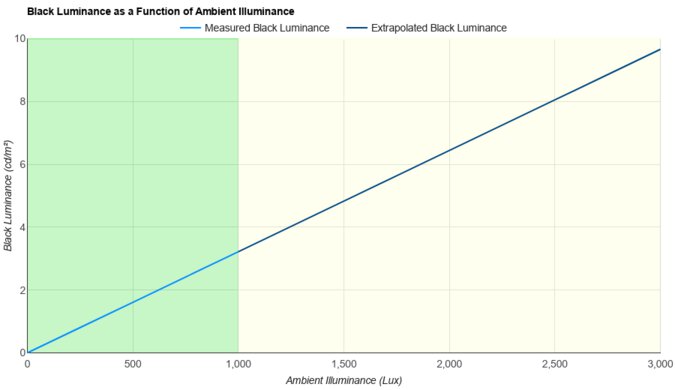
    Ambient Black Level Raise
    Black Luminance @ 0 lx
    LockedLock cd/m²
    Black Luminance @ 1000 lx
    LockedLock cd/m²

    Become a member to view the full test results and text of the reviews, as well as extra website features and tools with no ads.

    N/A
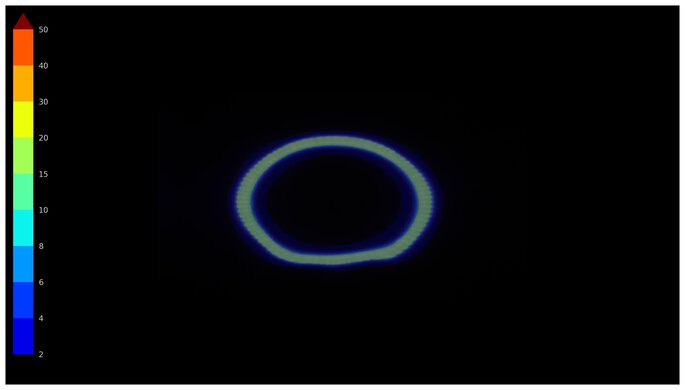
    Total Reflected Light
    Total Reflected Light Intensity
    LockedLock% ⋅ pixel
    Diffraction Artifacts
    LockedLocked

    Become a member to view the full test results and text of the reviews, as well as extra website features and tools with no ads.

    N/A
    Gradient
    Color Depth
    LockedLock Bit

    Become a member to view the full test results and text of the reviews, as well as extra website features and tools with no ads.

    Motion
    13 tests
    N/A
    Refresh Rate
    Dual Mode Setting
    LockedLocked
    Native Refresh Rate
    LockedLock Hz
    Max Refresh Rate
    Locked480 Hz
    Max Refresh Rate Over DP
    LockedLock Hz
    Max Refresh Rate Over HDMI
    LockedLock Hz
    Max Refresh Rate Over DP @ 10-bit
    LockedLock Hz
    Max Refresh Rate Over HDMI @ 10-Bit
    LockedLock Hz
    DSC Toggle
    LockedLocked
    DSC Off Max Refresh Rate Over DP
    LockedLock Hz
    DSC Off Max Refresh Rate Over HDMI
    LockedLock Hz

    Become a member to view the full test results and text of the reviews, as well as extra website features and tools with no ads.

    Variable Refresh Rate (VRR)
    Variable Refresh Rate
    LockedLocked
    FreeSync
    LockedLocked
    G-SYNC
    LockedLocked
    VRR Maximum
    LockedLock Hz
    VRR Minimum
    LockedLocked
    VRR Supported Connectors
    LockedLocked

    Become a member to view the full test results and text of the reviews, as well as extra website features and tools with no ads.

    N/A
    VRR Motion Performance
    Recommended VRR OD Setting
    LockedLocked
    Variable Overdrive Advertised
    LockedLocked
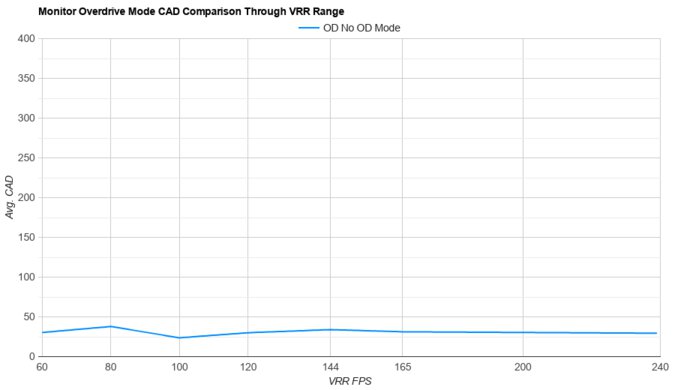
    Avg. CAD
    LockedLock
    Best CAD
    LockedLock
    Worst CAD
    LockedLock

    Become a member to view the full test results and text of the reviews, as well as extra website features and tools with no ads.

    N/A
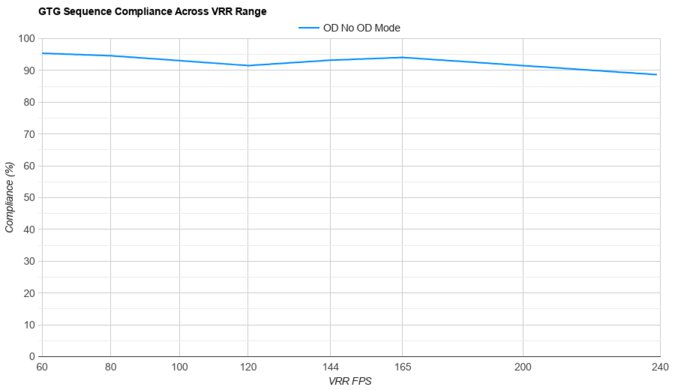
    Refresh Rate Compliance
    Compliance @ Max Hz
    LockedLock%
    Compliance @ 120 FPS
    LockedLock%
    Compliance @ 60 FPS
    LockedLock%

    Become a member to view the full test results and text of the reviews, as well as extra website features and tools with no ads.

    N/A
    CAD @ Max Refresh Rate
    OD Transition Max Refresh Rate
    Join nowfor multiple image controls
    Recommended Overdrive Setting
    LockedLocked
    Avg. CAD
    LockedLock
    Best 10% CAD
    LockedLock
    Worst 10% CAD
    LockedLock

    Become a member to view the full test results and text of the reviews, as well as extra website features and tools with no ads.

    Response Time @ Max Refresh Rate
    Recommended Overdrive Setting
    LockedLocked
    First Response Time
    LockedLock ms
    Total Response Time
    LockedLock ms
    RGB Overshoot
    LockedLock RGB
    Worst 10% First Response Time
    LockedLock ms
    Worst 10% Total Response Time
    LockedLock ms
    Worst 10% RGB Overshoot
    LockedLock RGB

    Become a member to view the full test results and text of the reviews, as well as extra website features and tools with no ads.

    N/A
    CAD @ 120Hz
    OD Transition 120Hz
    Join nowfor multiple image controls
    Recommended Overdrive Setting
    LockedLocked
    Avg. CAD
    LockedLock
    Best 10% CAD
    LockedLock
    Worst 10% CAD
    LockedLock

    Become a member to view the full test results and text of the reviews, as well as extra website features and tools with no ads.

    Response Time @ 120Hz
    Recommended Overdrive Setting
    LockedLocked
    First Response Time
    LockedLock ms
    Total Response Time
    LockedLock ms
    RGB Overshoot
    LockedLock RGB
    Worst 10% First Response Time
    LockedLock ms
    Worst 10% Total Response Time
    LockedLock ms
    Worst 10% RGB Overshoot
    LockedLock RGB

    Become a member to view the full test results and text of the reviews, as well as extra website features and tools with no ads.

    N/A
    CAD @ 60Hz
    OD Transition 60Hz
    Join nowfor multiple image controls
    Recommended Overdrive Setting
    LockedLocked
    Avg. CAD
    LockedLock
    Best 10% CAD
    LockedLock
    Worst 10% CAD
    LockedLock

    Become a member to view the full test results and text of the reviews, as well as extra website features and tools with no ads.

    Response Time @ 60Hz
    Recommended Overdrive Setting
    LockedLocked
    First Response Time
    LockedLock ms
    Total Response Time
    LockedLock ms
    RGB Overshoot
    LockedLock RGB
    Worst 10% First Response Time
    LockedLock ms
    Worst 10% Total Response Time
    LockedLock ms
    Worst 10% RGB Overshoot
    LockedLock RGB

    Become a member to view the full test results and text of the reviews, as well as extra website features and tools with no ads.

    Backlight Strobing (BFI)
    Backlight Strobing (BFI)
    LockedLocked
    Maximum Frequency
    LockedLock Hz
    Minimum Frequency
    LockedLock Hz
    Longest Pulse Width Brightness
    LockedLock cd/m²
    Shortest Pulse Width Brightness
    LockedLock cd/m²
    Pulse Width Control
    LockedLocked
    Pulse Phase Control
    LockedLocked
    Pulse Amplitude Control
    LockedLocked
    VRR At The Same Time
    LockedLocked

    Become a member to view the full test results and text of the reviews, as well as extra website features and tools with no ads.

    N/A
    VRR Flicker
    SAMPLE
    Join Now

    for videos & test results
    ASUS ROG Strix OLED XG32UQWMS VRR Flicker Video Sample
    Dark Gray Flicker
    LockedLock RGB
    Middle Gray Flicker
    LockedLock RGB
    Light Gray Flicker
    LockedLock RGB
    VRR Flicker Control Setting
    LockedLocked

    Become a member to view the full test results and text of the reviews, as well as extra website features and tools with no ads.

    N/A
    Image Flicker
    Flicker-Free
    LockedLocked
    PWM Dimming Frequency
    LockedLocked

    Become a member to view the full test results and text of the reviews, as well as extra website features and tools with no ads.
    Inputs
    7 tests
    N/A
    Input Lag
    Native Resolution @ Max Hz
    LockedLock ms
    Native Resolution @ 120Hz
    LockedLock ms
    Native Resolution @ 60Hz
    LockedLock ms
    Backlight Strobing (BFI)
    LockedLock ms

    Become a member to view the full test results and text of the reviews, as well as extra website features and tools with no ads.
    N/A
    Resolution
    Native Resolution
    Locked3840 x 2160
    Aspect Ratio
    LockedLocked
    Megapixels
    LockedLock MP
    Pixel Density
    LockedLock PPI

    Become a member to view the full test results and text of the reviews, as well as extra website features and tools with no ads.
    N/A
    PS5 Compatibility
    4k @ 120Hz
    LockedLocked
    4k @ 60Hz
    LockedLocked
    1440p @ 120Hz
    LockedLocked
    1440p @ 60Hz
    LockedLocked
    1080p @ 120Hz
    LockedLocked
    1080p @ 60Hz
    LockedLocked

    Become a member to view the full test results and text of the reviews, as well as extra website features and tools with no ads.
    N/A
    Xbox Series X|S Compatibility
    4k @ 120Hz
    LockedLocked
    4k @ 60Hz
    LockedLocked
    1440p @ 120Hz
    LockedLocked
    1440p @ 60Hz
    LockedLocked
    1080p @ 120Hz
    LockedLocked
    1080p @ 60Hz
    LockedLocked

    Become a member to view the full test results and text of the reviews, as well as extra website features and tools with no ads.
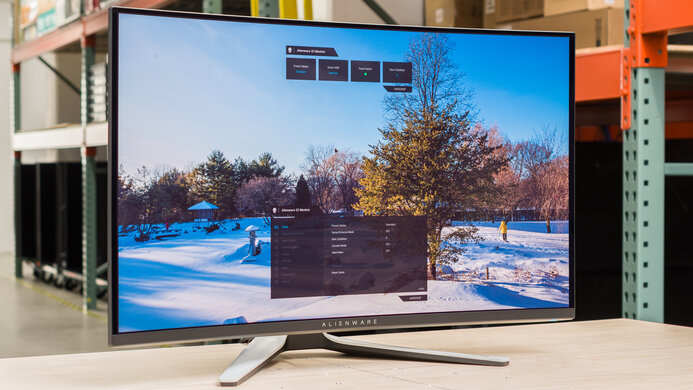
    Inputs
    DisplayPort
    LockedLocked
    DisplayPort Transmission Bandwidth
    LockedLocked
    Mini DisplayPort
    LockedLocked
    HDMI
    LockedLocked
    HDMI 2.1 Bandwidth
    LockedLocked
    Daisy Chaining
    LockedLocked
    3.5mm Audio Out
    LockedLocked
    Ethernet
    LockedLocked
    HDR10
    LockedLocked
    Dolby Vision
    LockedLocked
    USB
    USB-A Ports
    LockedLocked
    USB-A Rated Speed
    LockedLocked
    USB-B Upstream Port
    LockedLocked
    USB-C Ports
    LockedLocked
    USB-C Upstream
    LockedLocked
    USB-C Rated Speed
    LockedLocked
    USB-C Power Delivery
    LockedLocked
    USB-C DisplayPort Alt Mode
    LockedLocked
    Thunderbolt
    LockedLocked
    macOS Compatibility

    Become a member to view the full test results and text of the reviews, as well as extra website features and tools with no ads.
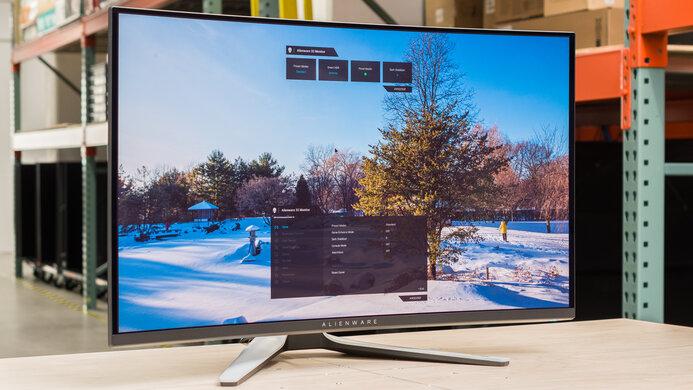
    Features
    2 tests
    Additional Features
    Speakers
    LockedLocked
    RGB Illumination
    LockedLocked
    Multiple Input Display
    LockedLocked
    KVM Switch
    LockedLocked
    Smart OS
    LockedLocked

    Become a member to view the full test results and text of the reviews, as well as extra website features and tools with no ads.
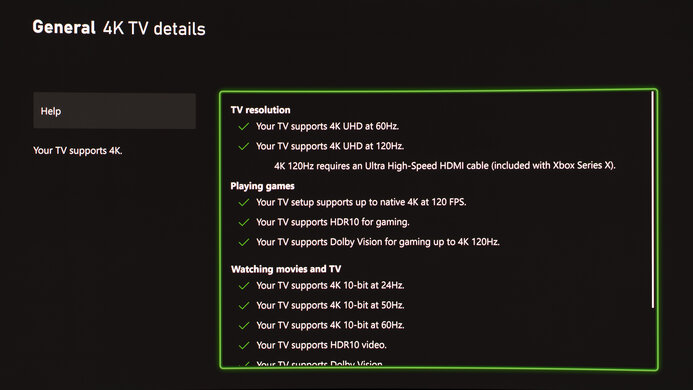
    On-Screen Display (OSD)