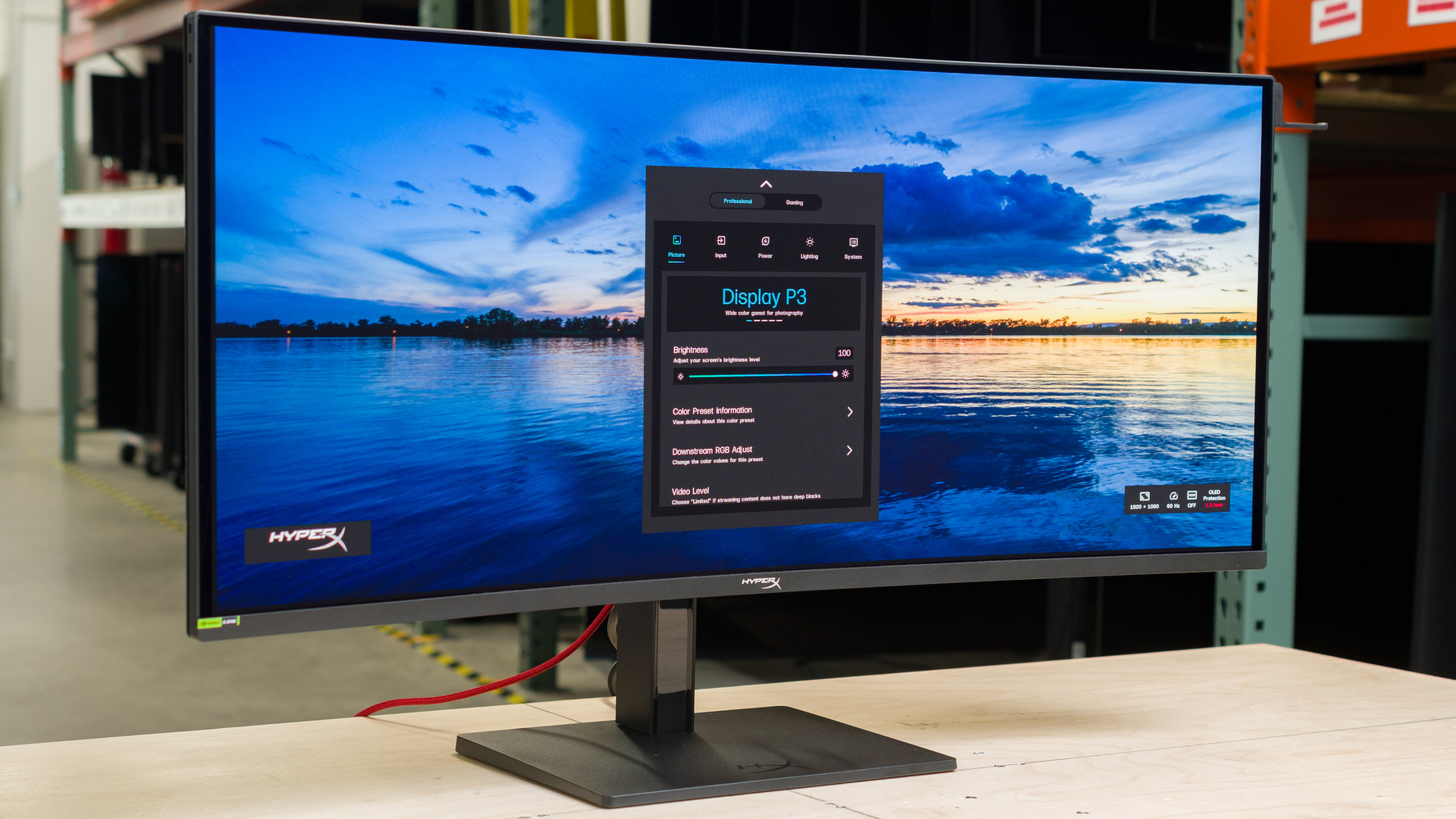
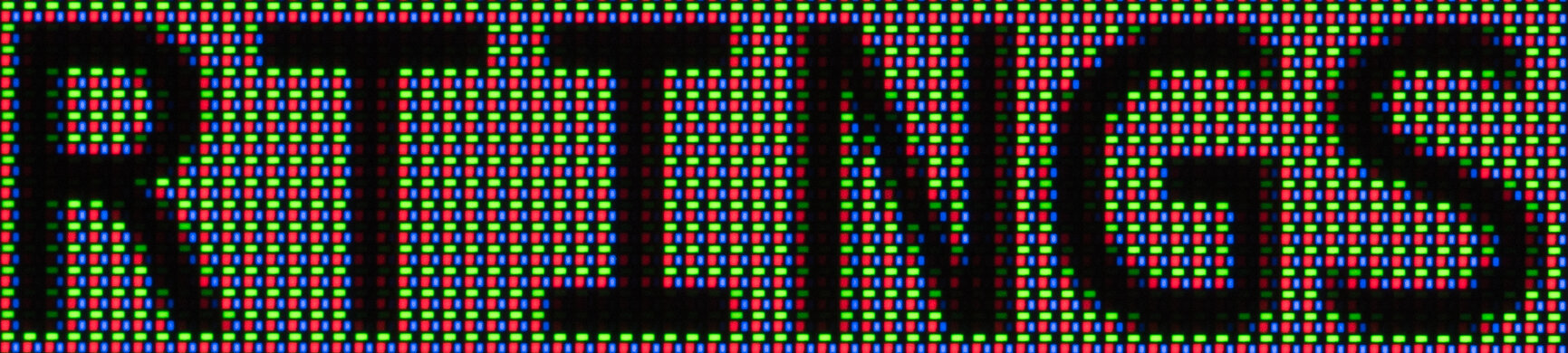
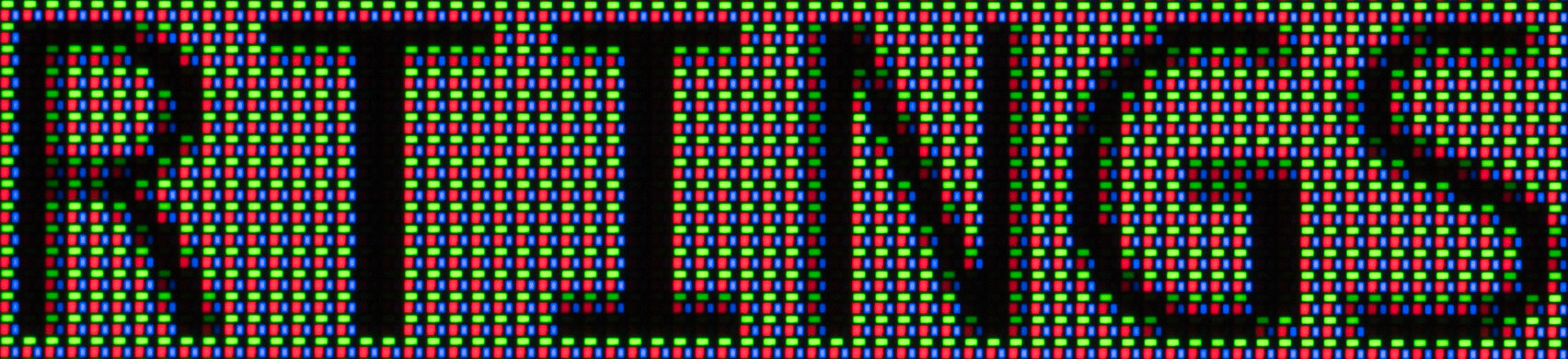
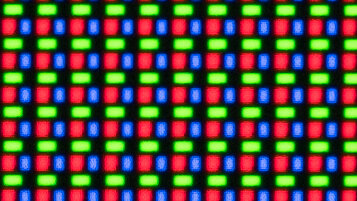
The HyperX OMEN OLED 34 is a premium OLED gaming monitor released in 2026. Its a 34-inch ultrawide screen with an 1800R curve radius and 3440x1440, with a fast 360Hz refresh rate. It features the same fifth-generation QD-OLED panel as the MSI MPG 341CQR QD-OLED X36, Dell Alienware AW3426DW, and the ASUS ROG Swift OLED PG34WCDN, which features an RGB Strip subpixel layout designed to improve text clarity and reduce color fringing compared to the older triangular RGB layout. It's a feature-packed model with VRR support, HDMI 2.1 bandwidth, and a wide range of extra features for gamers and office users alike.
Our Verdict
The HyperX OMEN OLED 34 is a fantastic monitor for PC gaming. It delivers stunning motion performance thanks to its high refresh rate and nearly instantaneous response time, resulting in almost no noticeable blur behind fast-moving objects. Games feel responsive thanks to its incredibly low input lag, and its VRR feature works with any recent graphics card to reduce tearing. Games look fantastic thanks to its impressive image quality, with high peak brightness, bright colors, and perfect contrast.
360Hz refresh rate and VRR support.
No motion blur when gaming.
Incredibly low input lag.
HDMI 2.1 bandwidth.
Very little VRR flicker.
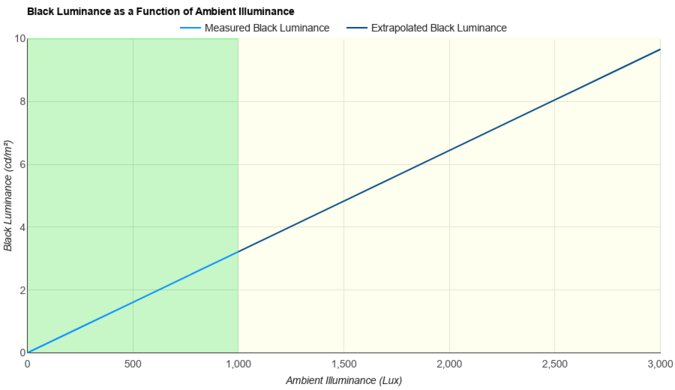
Blacks look gray in bright rooms.
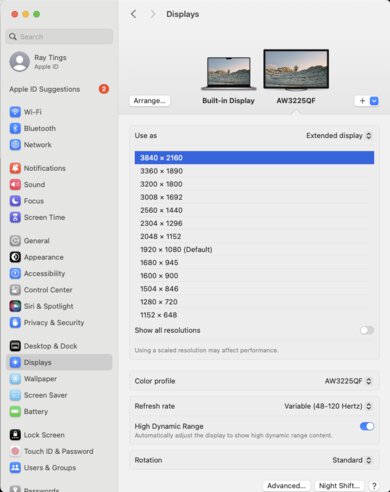
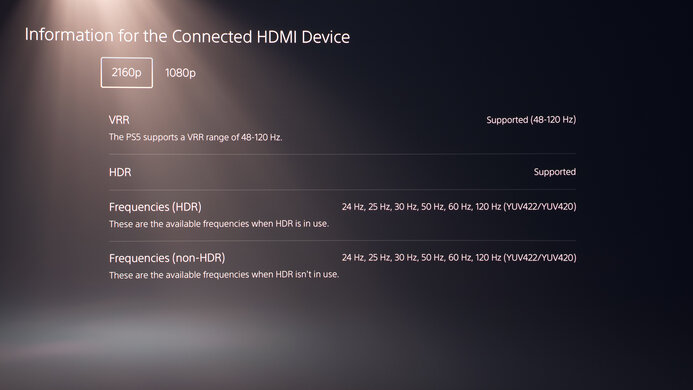
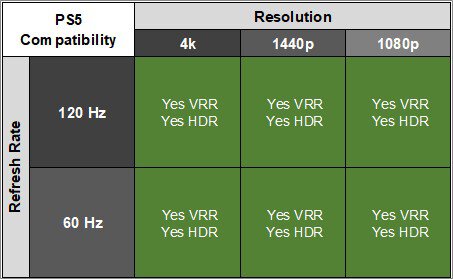
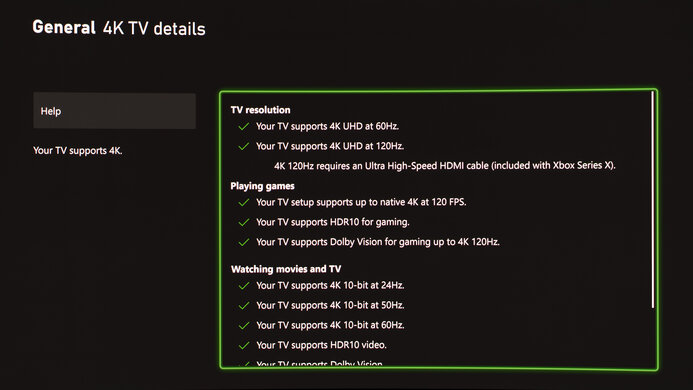
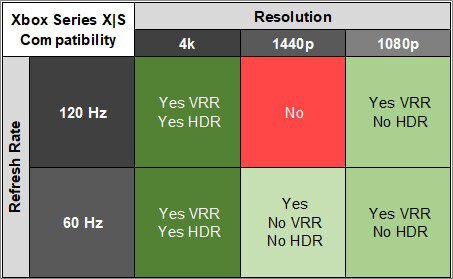
The HyperX OMEN OLED 34 isn't a good choice for console gaming. While games look and perform amazingly, there are some significant compatibility issues with the PS5, and it's even worse with the Xbox. You can't take full advantage of either console, as it's limited to 4k @ 60Hz with the PS5 and 1440p @ 60Hz with the Xbox. If that's okay with you, though, then games do look fantastic thanks to its crystal clear motion handling, low input lag, and fantastic picture quality.
No motion blur when gaming.
Incredibly low input lag.
Has to downscale 4k signals.
Blacks look gray in bright rooms.
Significant compatibility issues with consoles, especially Xbox.
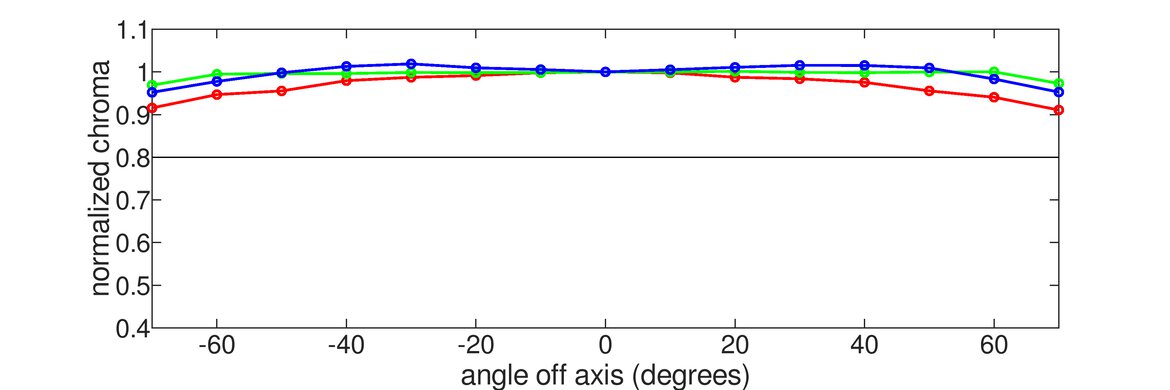
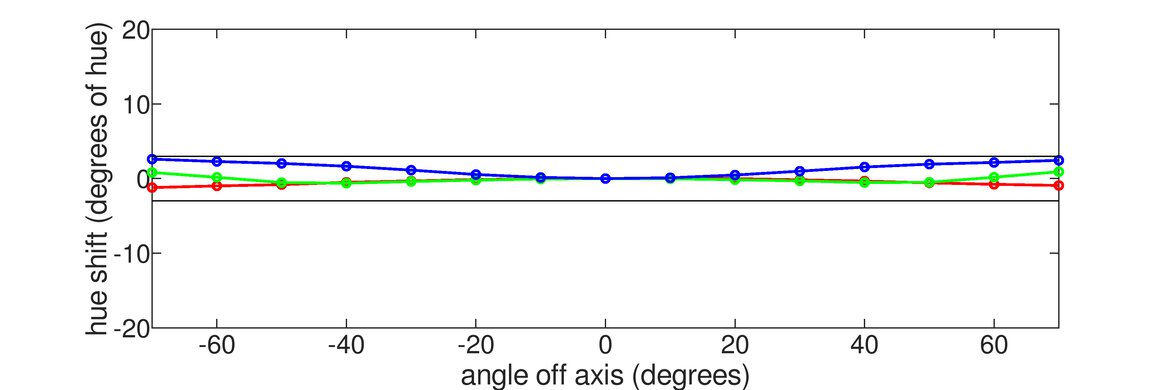
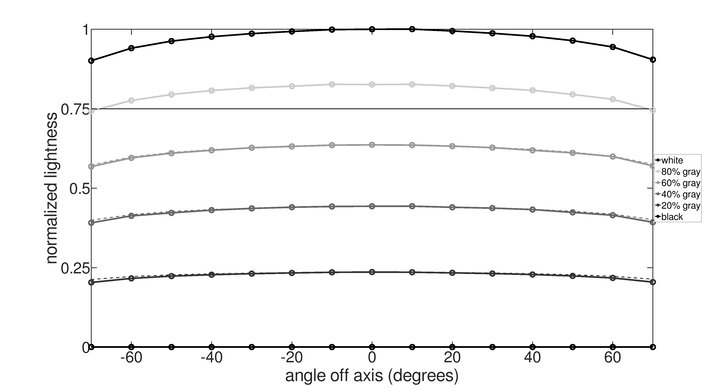
The HyperX OMEN OLED 34 is a good office monitor. It has good text clarity with no color fringing thanks to its new RGB Stripe panel technology. Text is clear and crisp, and the screen is incredibly uniform. It also has a fantastic viewing angle, so the sides of the image don't shift or fade if you're sharing the screen with someone else. Unfortunately, there's a high risk of burn-in, though, especially with static elements like the taskbar or borders around windows.
Bright enough to overcome moderate glare.
Good text clarity.
Includes office features like a USB hub and KVM switch.
Great reflection handling.
Incredibly accurate sRGB mode.
Risk of burn-in.
The HyperX OMEN OLED 34 is a fantastic monitor for editing content. Its sRGB picture mode delivers incredible accuracy, so you don't need to worry about having it calibrating. It delivers stunning image quality, with vibrant colors, perfect contrast, and high peak brightness. Plus, images and text look sharp for the most part, and its 34-inch ultrawide screen helps if you're editing a long video timeline. There's a risk of permanent burn-in, though, especially when the monitor is displaying static elements like the Windows taskbar or the toolbar in your favorite editing suite.
Deep, inky blacks.
Colors are bright and vibrant.
Bright enough to overcome moderate glare.
Good text clarity.
Includes office features like a USB hub and KVM switch.
Great reflection handling.
Incredibly accurate sRGB mode.
Gaming settings are locked out in all Professional modes.
Risk of burn-in.
Blacks look gray in bright rooms.
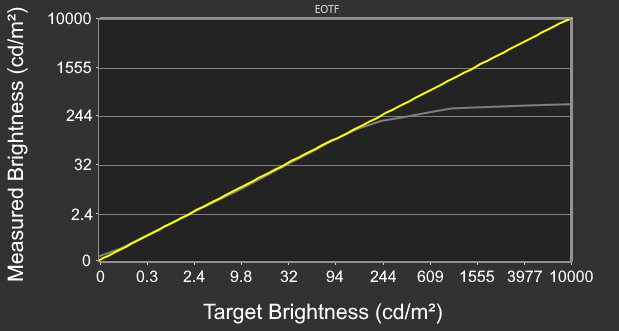
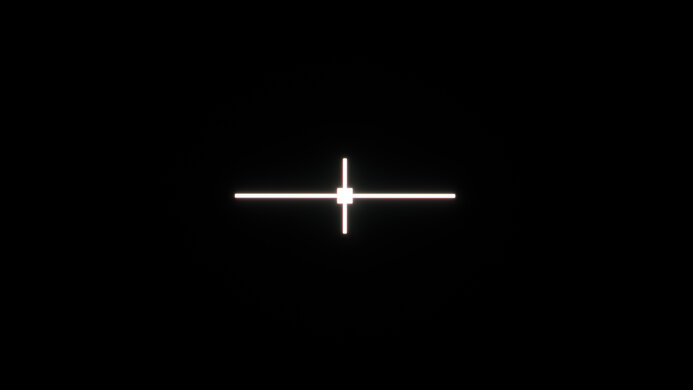
The HyperX OMEN OLED 34 has decent brightness. It's bright enough to handle moderate amounts of ambient light during the day. It gets bright enough to bring out small highlight details in multimedia well, but very bright scenes aren't nearly as bright and don't stand out quite as well.
Bright enough to overcome moderate glare.
Bright details stand out incredibly well when gaming or watching content.
Very bright scenes aren't as bright as they should be.
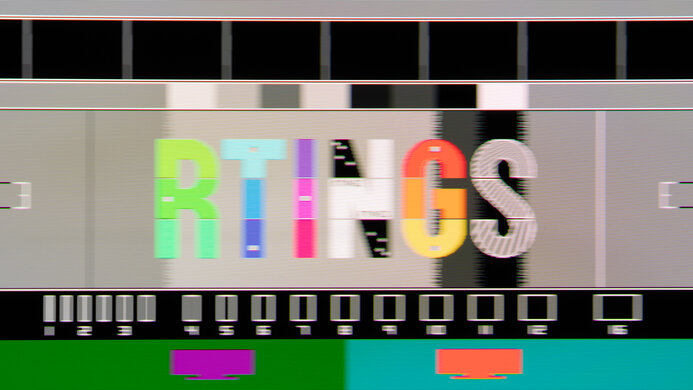
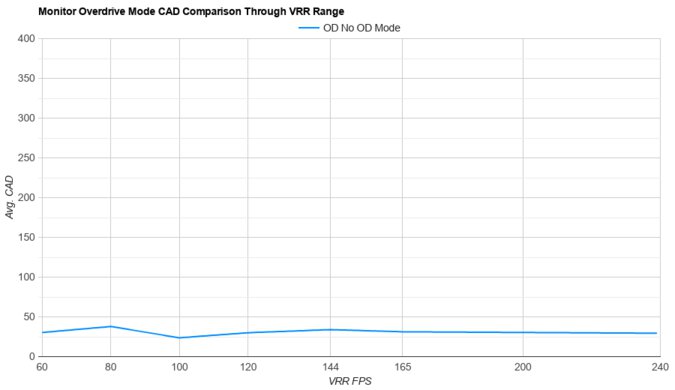
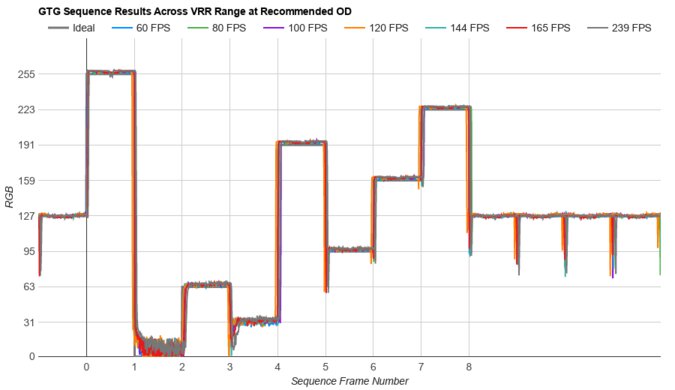
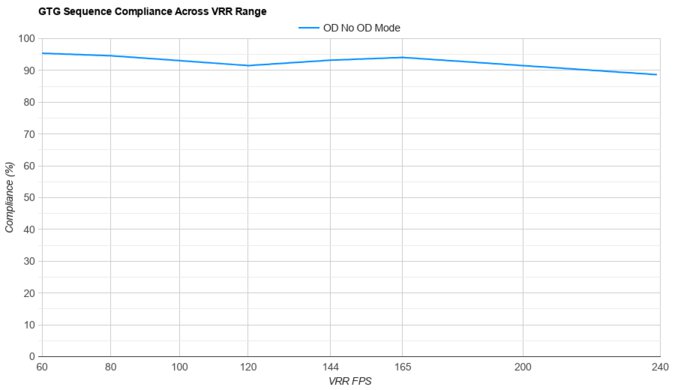
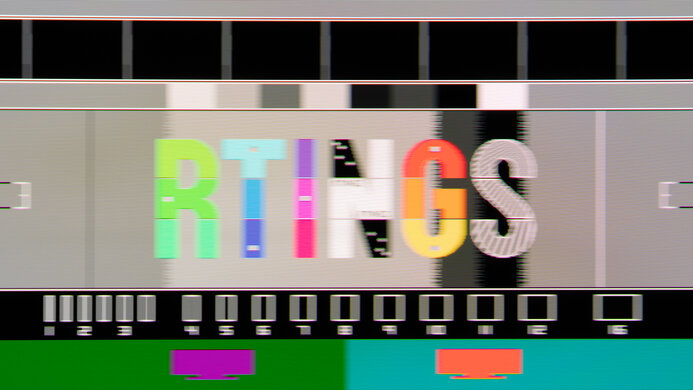
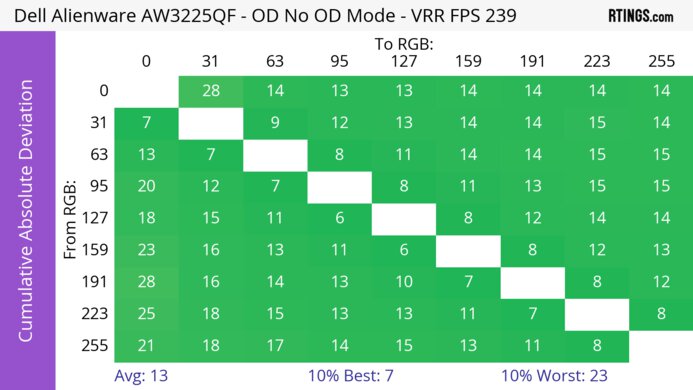
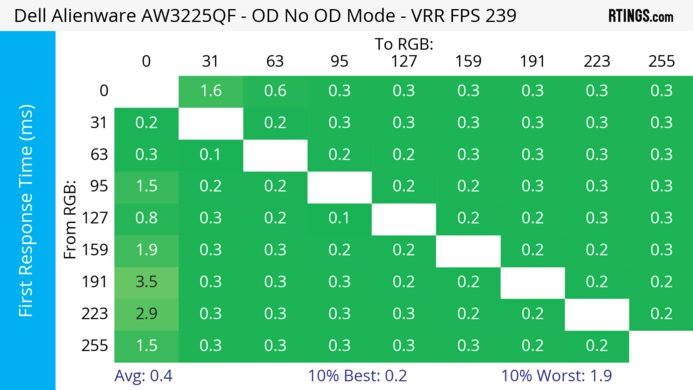
The HyperX OMEN OLED 34 has a near-instantaneous response time for sharp motion at any refresh rate.
No motion blur when gaming.
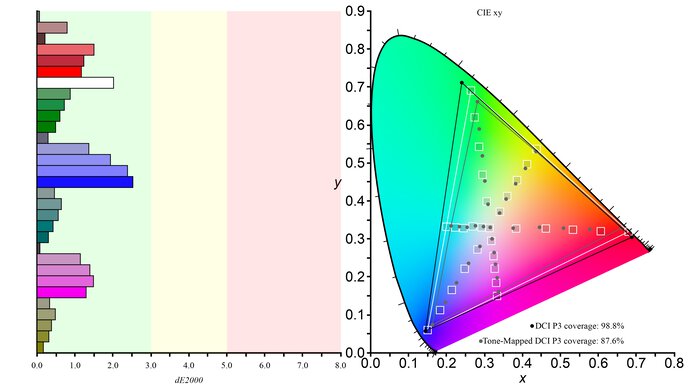
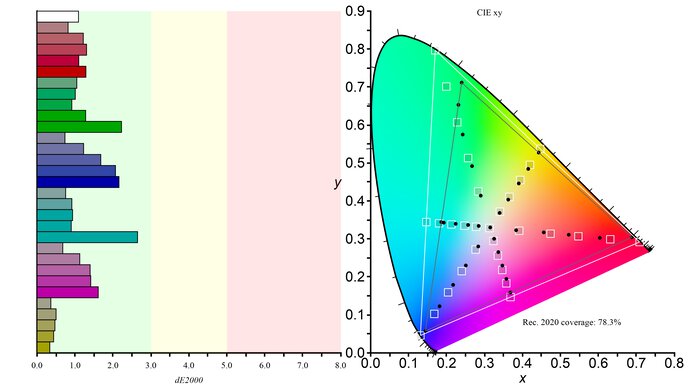
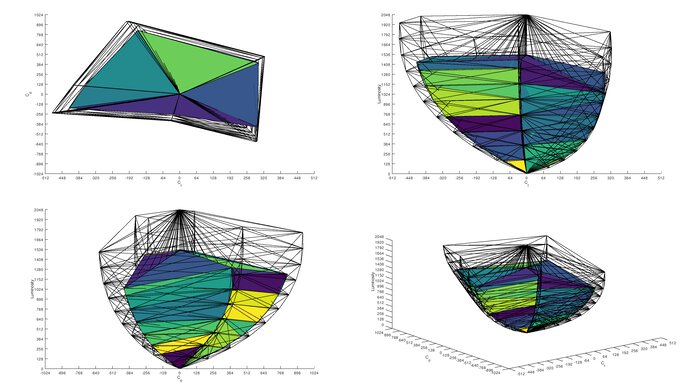
The HyperX OMEN OLED 34 delivers stunning picture quality in HDR. Thanks to its nearly infinite contrast ratio, blacks are deep and inky in dark scenes, and bright highlight details stand out incredibly well. It also has stellar color volume, so colors are bright and vibrant in most content.
Deep, inky blacks.
Colors are bright and vibrant.
Blacks look gray in bright rooms.
Very bright scenes aren't as bright as they should be.
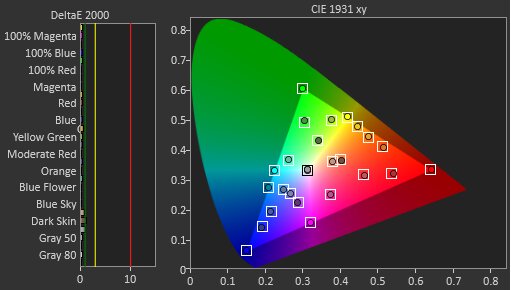
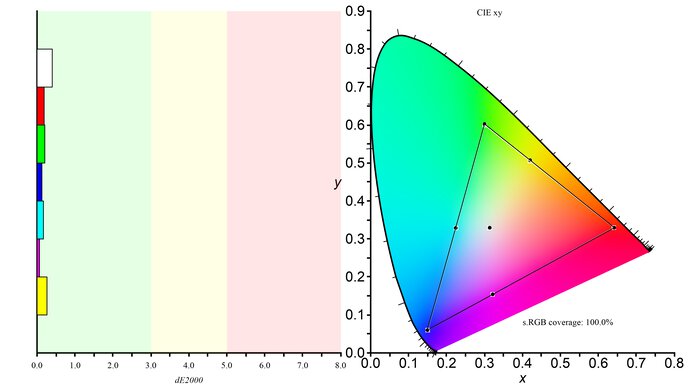
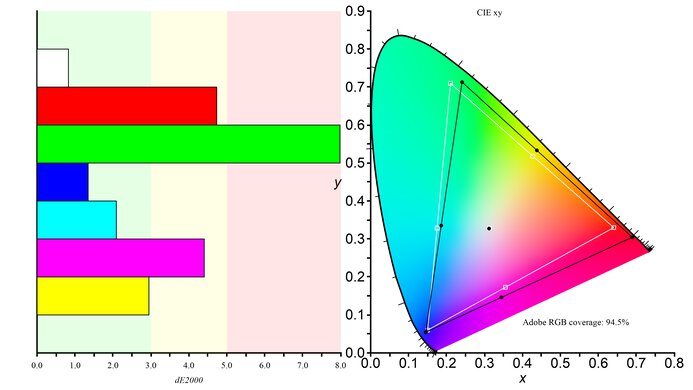
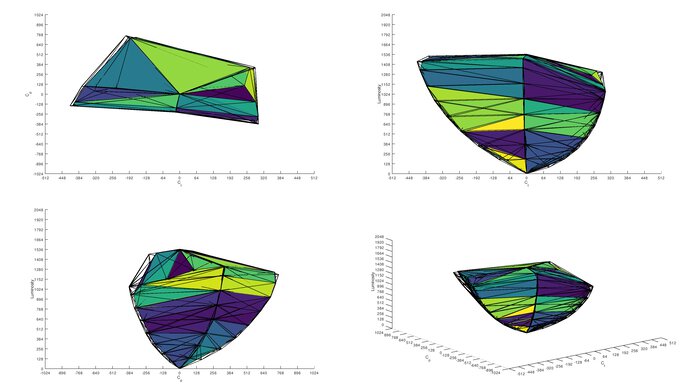
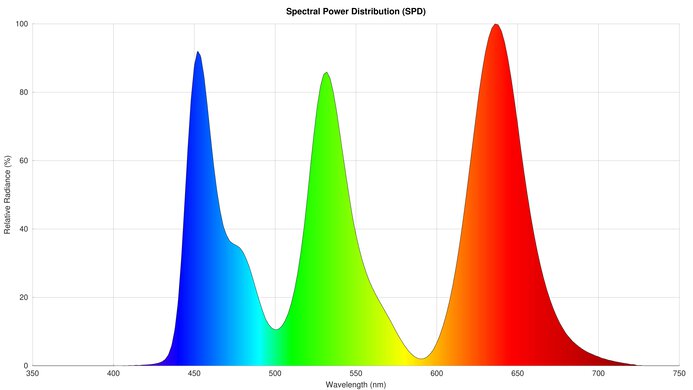
The HyperX OMEN OLED 34 has amazing picture quality in SDR. It has nearly perfect contrast, resulting in incredibly deep blacks even when they're next to bright objects. It also has fantastic colors, with a nearly perfect SDR color gamut.
Deep, inky blacks.
Blacks look gray in bright rooms.
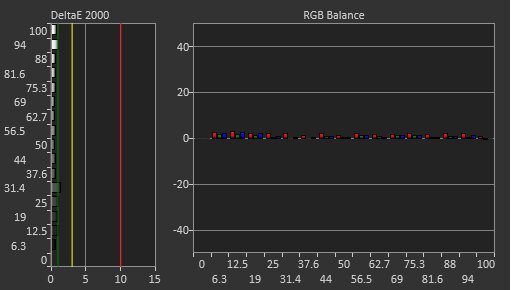
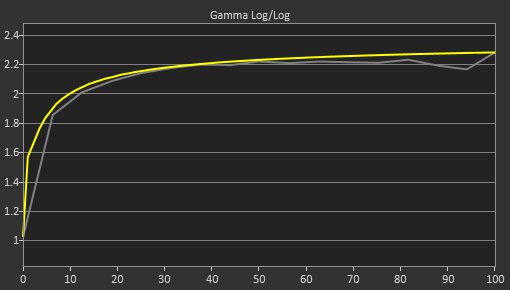
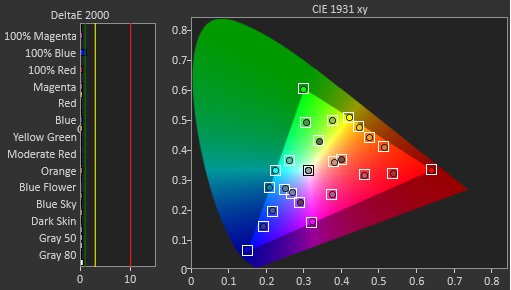
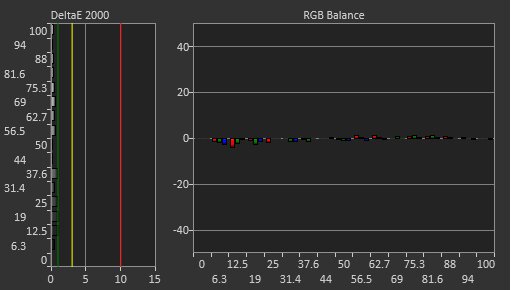
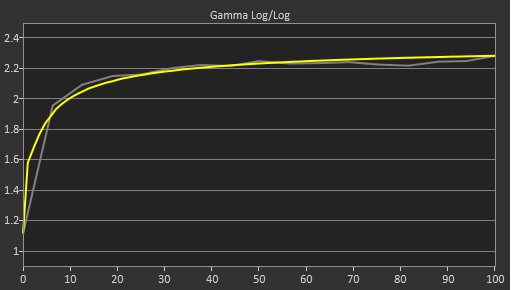
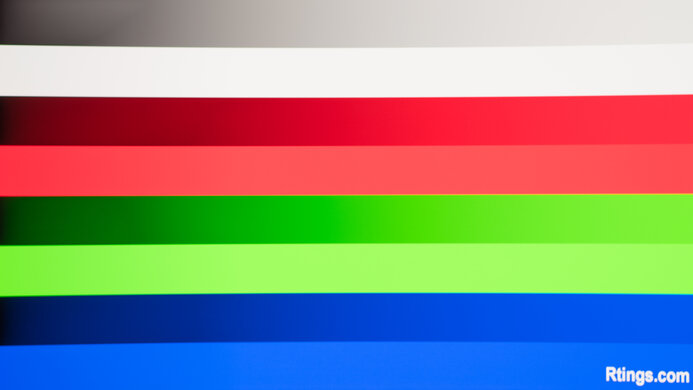
The HyperX OMEN OLED 34 has amazing accuracy. Its sRGB mode is extremely accurate out of the box, with no noticeable issues at all. It also has excellent uniformity and fantastic gradient handling.
Incredibly accurate sRGB mode.
Gaming settings are locked out in all Professional modes.
Performance Usages
Check Price
Differences Between Sizes And Variants
We bought and tested the HyperX OMEN OLED 34, which is the only size available. There are other OMEN monitors available that have similar model names, like the OMEN 34c G2, but they're all different from this model and don't perform the same.
| Model | Refresh Rate | Curve | Inputs | KVM Switch |
|---|---|---|---|---|
| HyperX OMEN OLED 34 | 360Hz | 1800R |
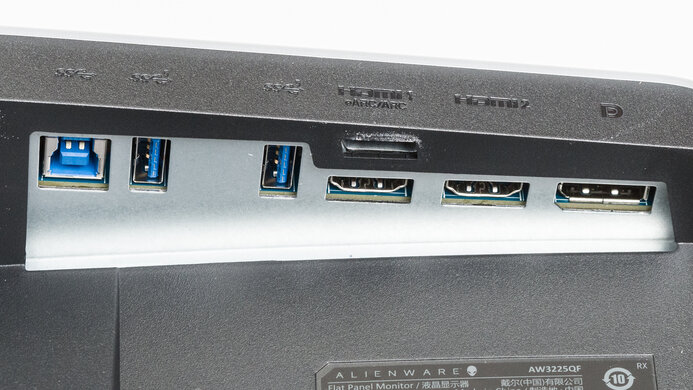
2x HDMI 2.1 1x DP 1.4 1x USB-C (90W) |
Yes |
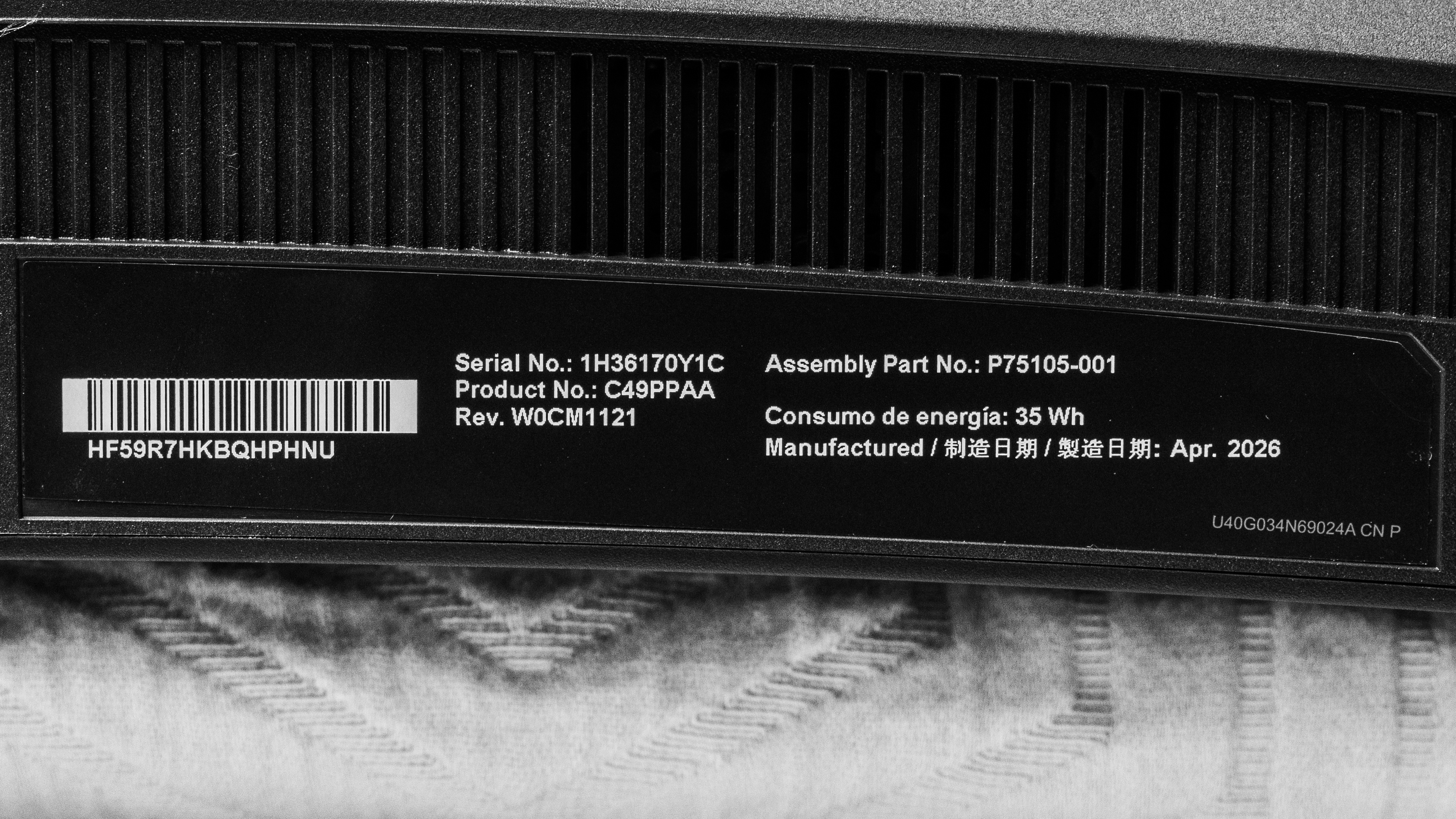
The label on the unit we bought indicates it was made in April, 2026, but the manufacturing location isn't listed. We tested it with firmware 1.10.4.0.
Popular Monitor Comparisons
The HyperX OMEN OLED 34 is a premium OLED monitor with fantastic picture quality, stellar motion handling, and a superb selection of extra features for both gaming and productivity. It faces stiff competition from other monitors with fifth-generation QD-OLED panels, like the MSI MPG 341CQR QD-OLED X36, Dell Alienware AW3426DW, and the ASUS ROG Swift OLED PG34WCDN, and unfortunately, there's not much that sets it apart from those models. It delivers similar picture quality to the other models, but like the Dell, it lacks a BFI feature and unlike the MSI and ASUS it lacks DisplayPort 2.1.
For other options, check out our picks for the best ultrawide gaming monitors, the best curved gaming monitors, and the best high refresh rate gaming monitors.
The Dell Alienware AW3426DW and the HyperX OMEN OLED 34 are extremely similar overall, and most of the differences between them boil down to features and connectivity. The HyperX offers better USB-C Power Delivery, as the 15W support on the Dell isn't enough to keep your laptop or MacBook charged while working. The Dell also has a lower refresh rate, so motion isn't quite as smooth. On the other hand, the Dell has better console compatibility, so if you plan on gaming with a PS5 or Xbox, it's by far the better choice.
The ASUS ROG Swift OLED PG34WCDN and the HyperX OMEN OLED 34 are extremely similar. They share the same panel and offer nearly identical picture quality, but the HyperX is slightly more accurate out of the box. The ASUS, on the other hand, has better connectivity, since it supports DisplayPort 2.1 and can reach a higher refresh rate over DisplayPort without using DSC. Finally, the ASUS has much better console compatibility, so it's definitely the better choice if you plan on ever pairing it with a PS5 or Xbox.
The MSI MPG 341CQR QD-OLED X36 and HyperX OMEN OLED 34 are extremely similar overall, as they share the same underlying panel. There are a few connectivity and design differences between them, though. The MSI supports DisplayPort 2.1, so you can reach a higher refresh rate over DisplayPort without relying on compression. The MSI also has much better console compatibility, so it's by far the better choice if you plan on pairing the monitor with an Xbox or PS5.
The HyperX OMEN OLED 27q and the HyperX OMEN OLED 34 are very similar overall, and the best one ultimately depends more on your personal preferences than any performance metric. The 34 is roughly the same height as the 27q, but it fills more of your field of view. This is better for multitasking and delivers a more immersive gaming experience, but it may be less suited for certain genres. The 34 also uses a more recent QD-OLED panel with an RGB Stripe layout. This results in better text clarity and no color fringing.
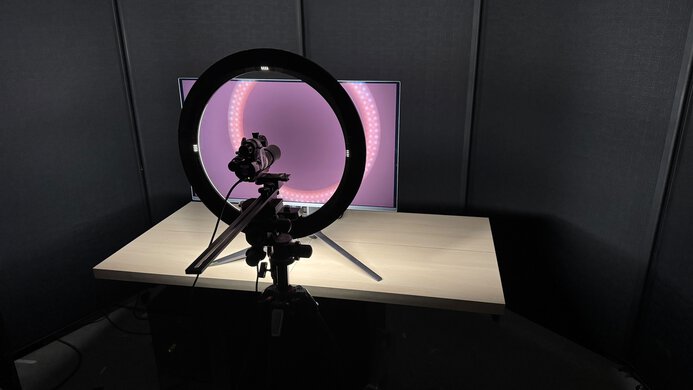
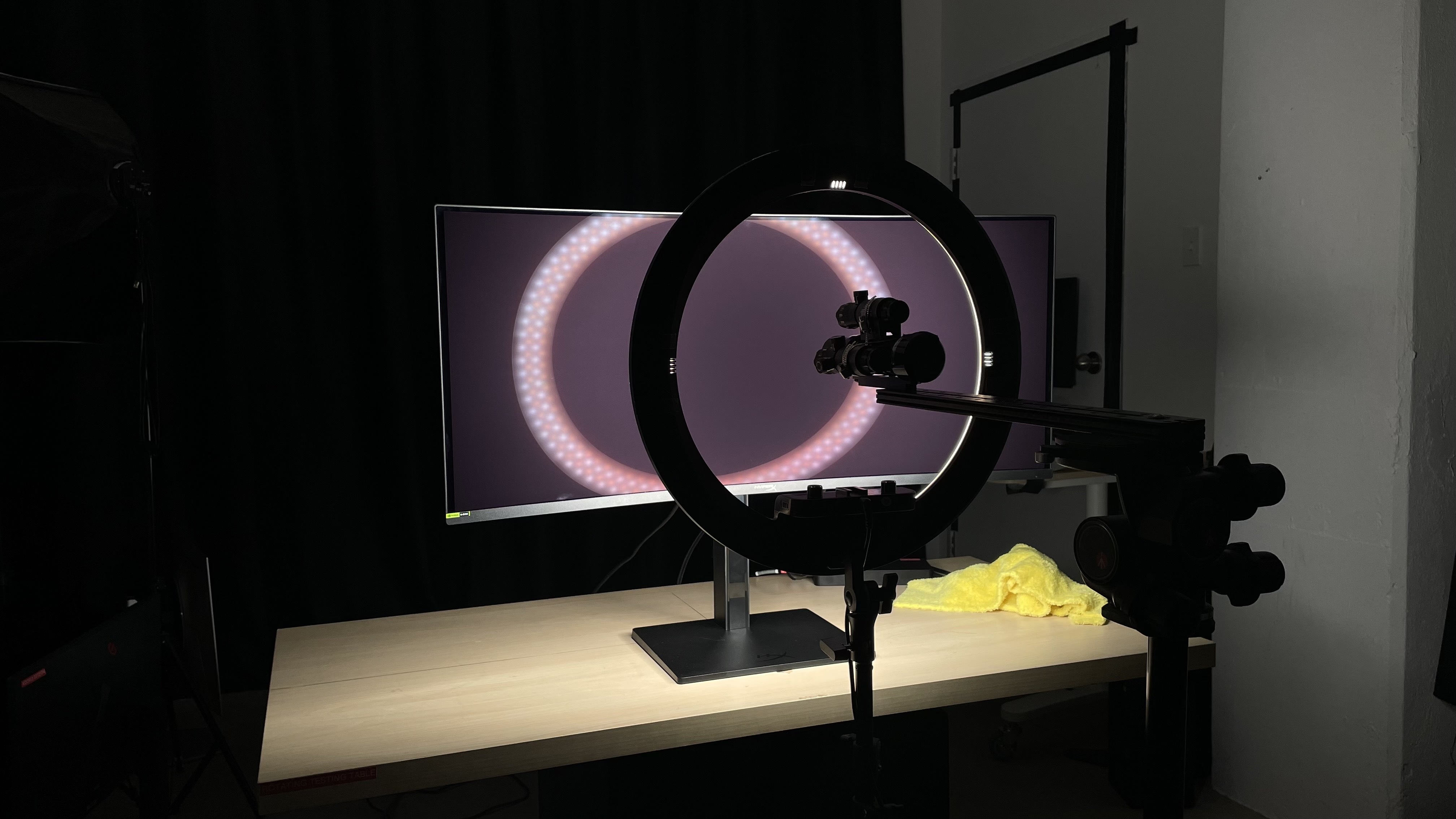
We buy and test more than 30 monitors each year, all of which we purchase ourselves, without cherry-picked units or samples. We put a lot into each unbiased, straight-to-the-point review, and there's a whole process from purchasing to publishing, involving multiple teams and people. We do more than just use the monitor for a week; we use specialized, custom tools to measure various aspects and deliver objective, data-driven results. We also consider multiple factors before making any recommendations, including the monitor's cost, its performance compared to the competition, and whether it's easy to find.
Test Results
for pictures & test results

for pictures & test results

for pictures & test results
for pictures & test results
for pictures & test results
for pictures & test results
for pictures & test results
for pictures & test results
for videos & test results

for pictures & test results
for pictures & test results
for pictures & test results





for pictures & test results