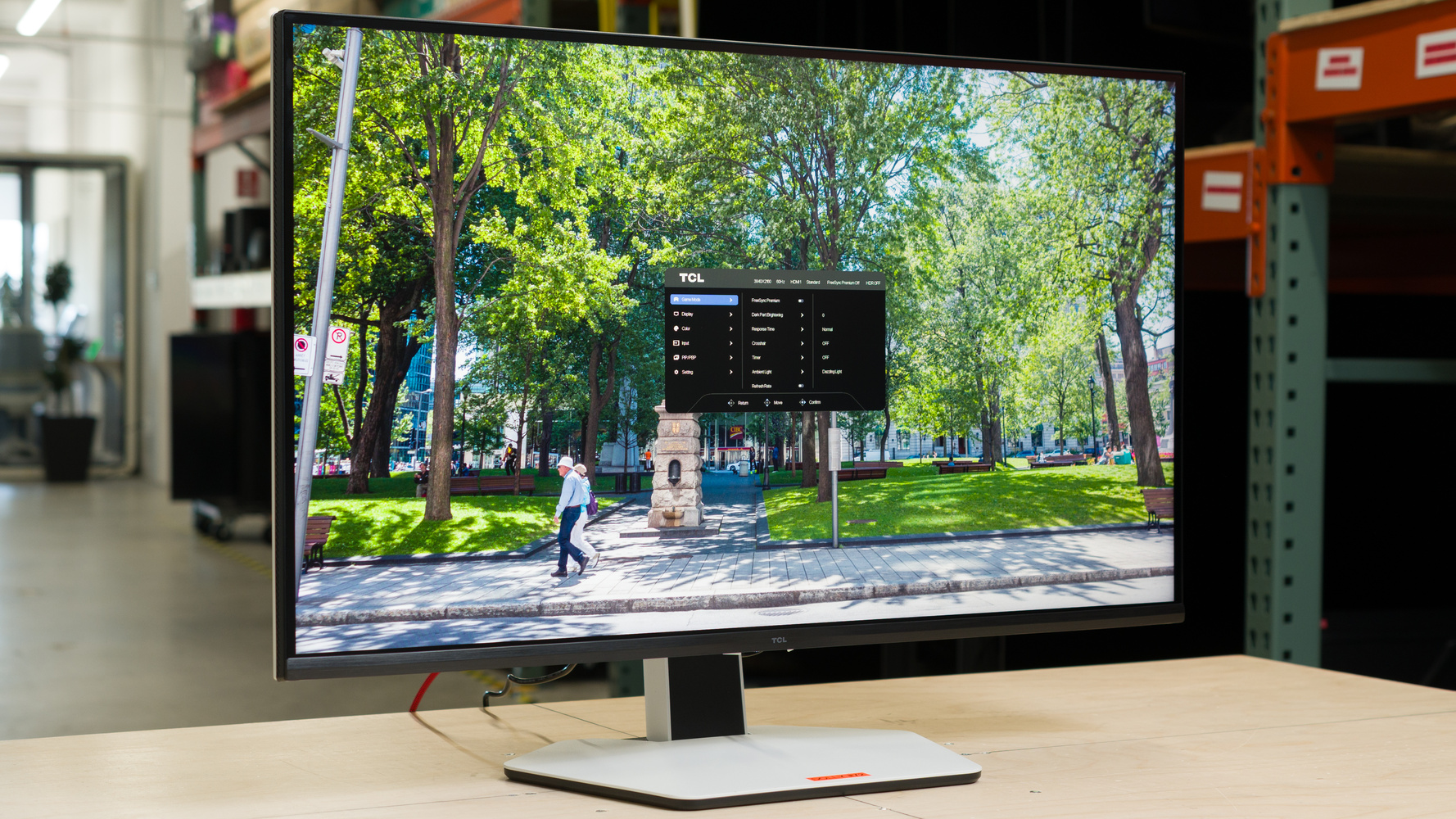
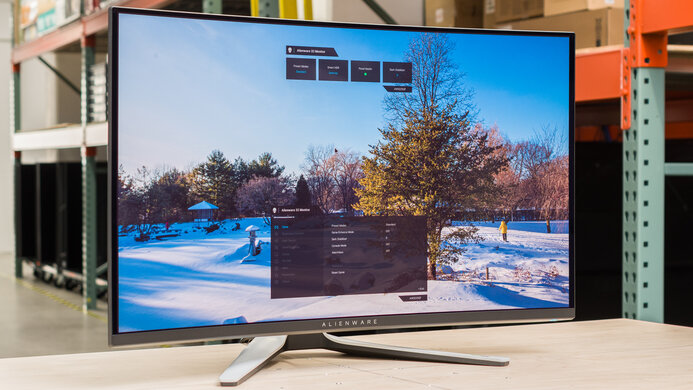
The TCL 32R84 is a 4k, 32-inch Mini LED monitor. It's a bigger alternative to TCL's other monitors, like the 27R94 and the 27C2A models, and it competes with other options with Mini LED backlighting in the same price range, like the MSI MPG 274URDFW E16M and the Acer Nitro XV275K P5biipruzx. It uses a VA panel with quantum dot technology to display a wide range of colors, and it has 1,400 dimming zones and VESA DisplayHDR 1400 certification for high brightness levels. In terms of gaming, it has a 165Hz refresh rate alongside typical gaming perks, like HDMI 2.1 bandwidth and FreeSync Premium. It also has some features to help with productivity, like a USB-C port with DisplayPort Alt Mode and 90W of power delivery to connect a laptop. Plus, its KVM switch and Picture-in-Picture/Picture-by-Picture mode help you multitask between different computers.
Our Verdict
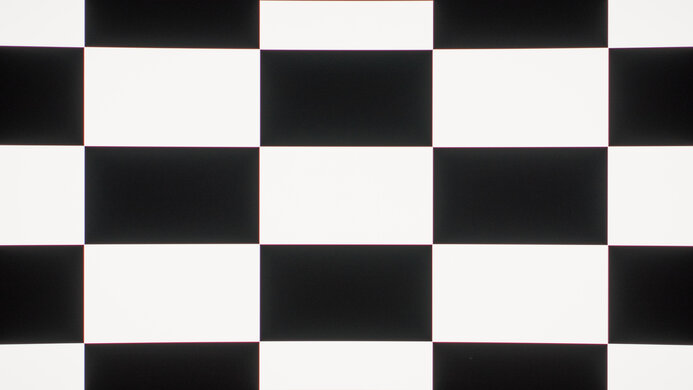
The TCL 32R84 is great for PC gaming. It has a max refresh rate of 165Hz and supports all common VRR formats to reduce screen tearing. It also has a fast response time at most refresh rates for minimal motion blur, but a downside is that it has black smearing in dark scenes. It at least has low input lag, making it a fantastic choice for reaction-based games. On top of its excellent pure gaming performance, it delivers great picture quality. It displays a wide range of vivid colors, highlights pop, and it displays deep blacks next to bright highlights. It uses an effective local dimming feature that improves the black levels even further, at the cost of haloing around bright objects. Sadly, it has flickering in dark scenes with local dimming or VRR enabled, which is distracting.
Max 165Hz refresh rate.
Low input lag at any refresh rate.
Quick response time across refresh rate range.
High native contrast ratio for deep blacks.
Good local dimming improves black levels.
Displays wide range of vivid colors.
Black smearing behind fast objects in dark scenes.
Distracting VRR flicker.
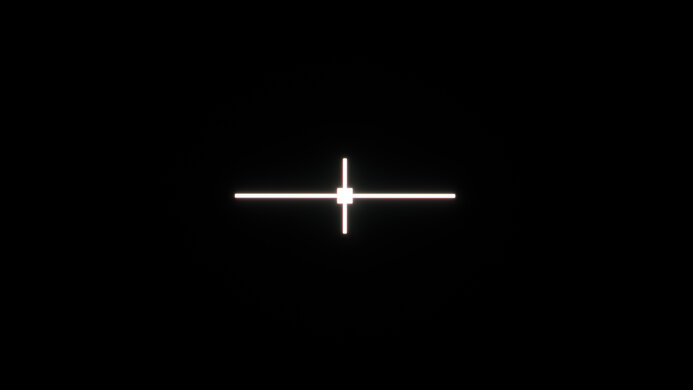
Haloing around bright objects with local dimming enabled.
Limited to 144Hz with 10-bit signals over HDMI.
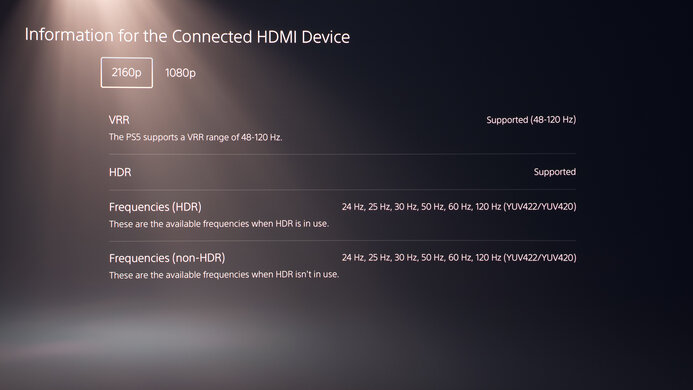
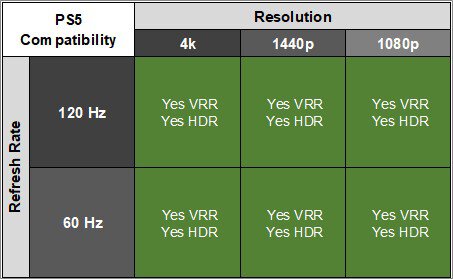
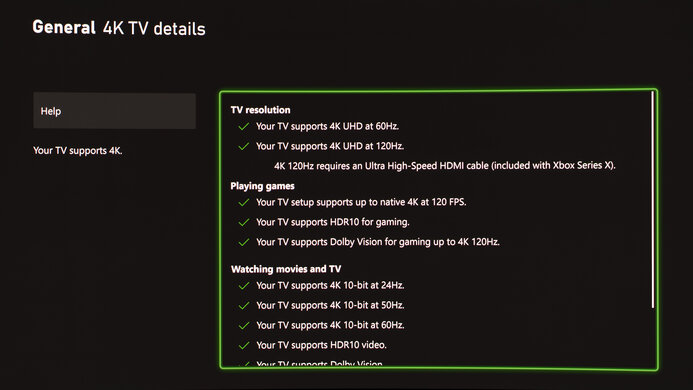
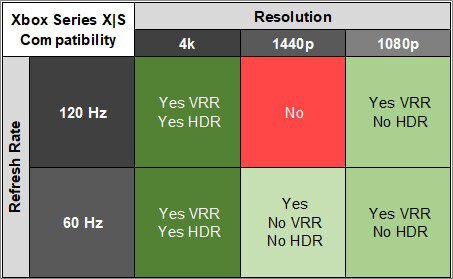
The TCL 32R84 is excellent for console gaming. It supports all signals from gaming consoles up to 4k @ 120Hz. It also supports VRR and HDR with a PS5 or Xbox Series X|S, but it doesn't work with Dolby Vision with an Xbox. It has great picture quality for HDR gaming as it displays deep blacks, has a wide range of vivid colors, and larger highlights pop. Its local dimming feature performs well, but it causes haloing around bright objects and mutes small highlights. In terms of gaming, motion looks sharp for the most part, but there's black smearing in dark scenes. It also has low input lag, which helps for playing reaction-based games.
Low input lag at any refresh rate.
Quick response time across refresh rate range.
High native contrast ratio for deep blacks.
Good local dimming improves black levels.
Supports signals up to 4k @ 120Hz from consoles.
Displays wide range of vivid colors.
Black smearing behind fast objects in dark scenes.
Haloing around bright objects with local dimming enabled.
No Dolby Vision support.
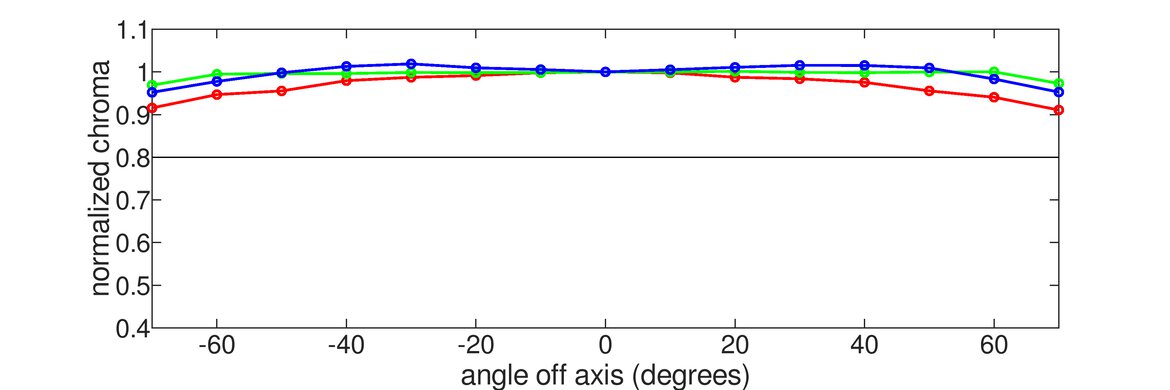
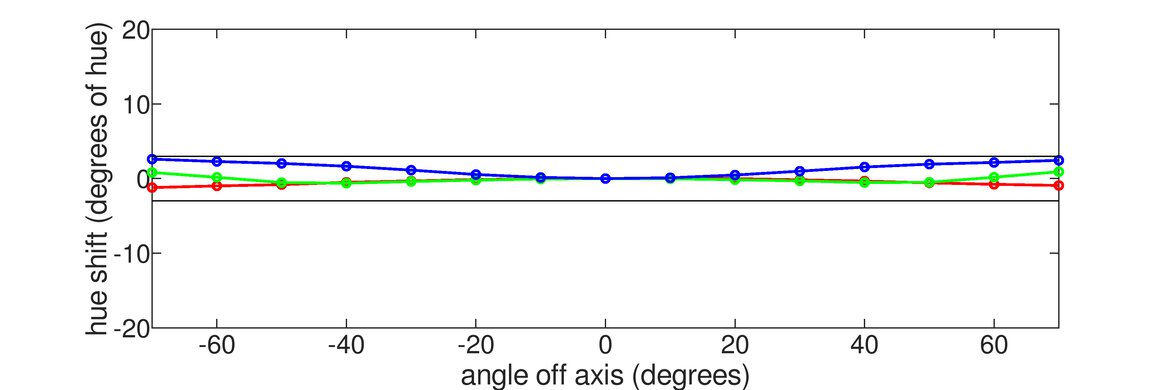
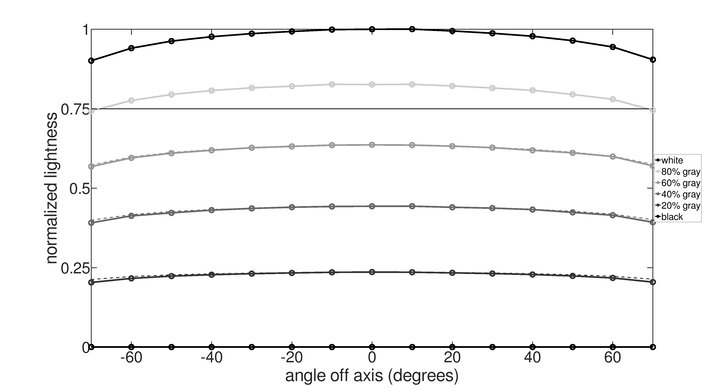
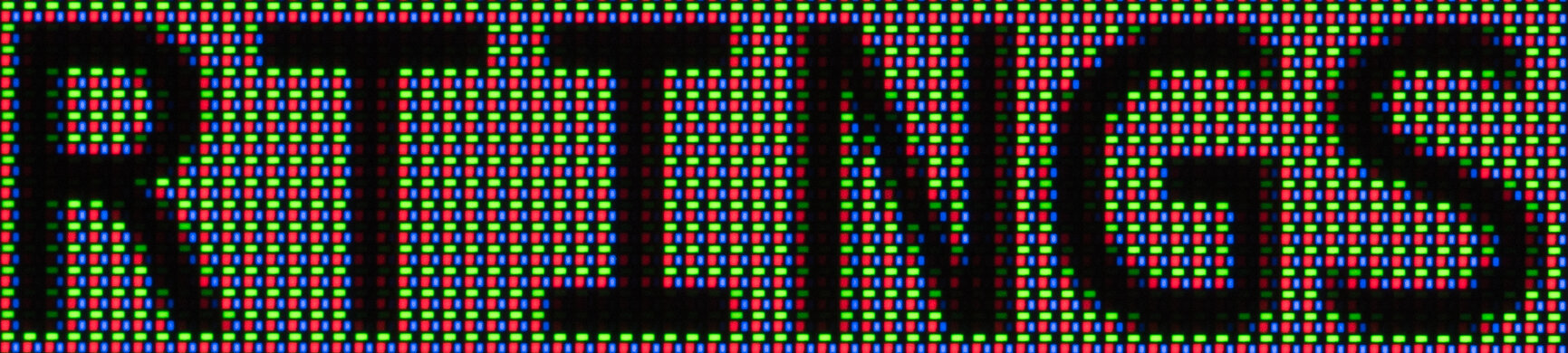
The TCL 32R84 is excellent for office work. Text looks sharp thanks to its high pixel density, and it's a solid choice if you work in a well-lit room, as it gets very bright. However, reflections are distracting if you have the monitor in front of a sunny window. On the plus side, it includes a few productivity features, like a USB hub that includes a USB-C port with 90W of power delivery to charge a laptop, and a KVM switch to easily change between sources. It also has an ergonomic stand that makes it easy to adjust, but its narrow viewing angle means the image looks washed out from the sides.
Sharp text.
USB hub with USB-C port and KVM switch.
Gets very bright in SDR and HDR.
Ergonomic stand.
Visibility is an issue in front of sunny windows.
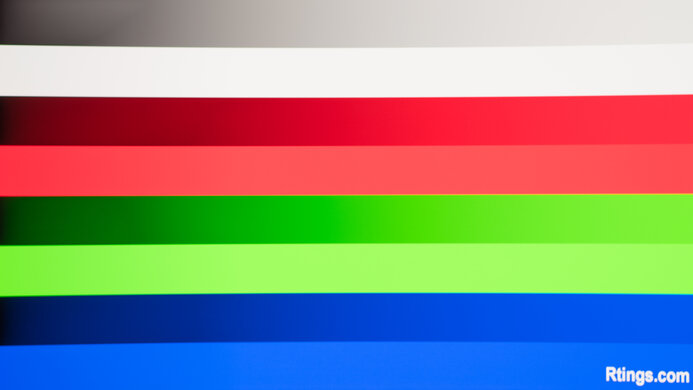
Narrow viewing angle; image washes out from sides.
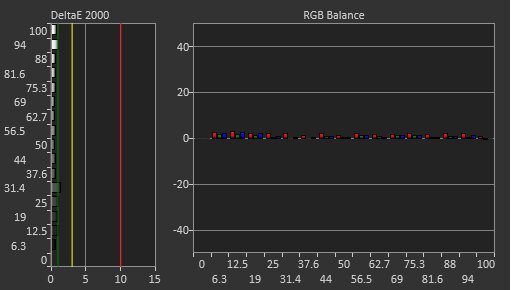
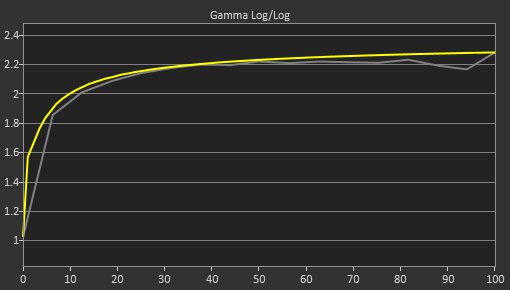
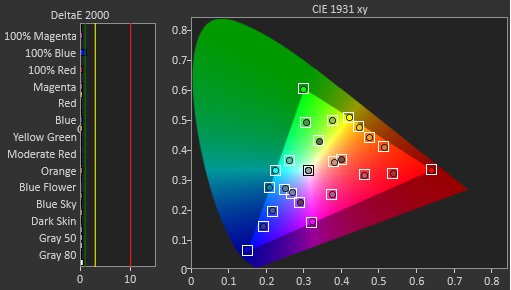
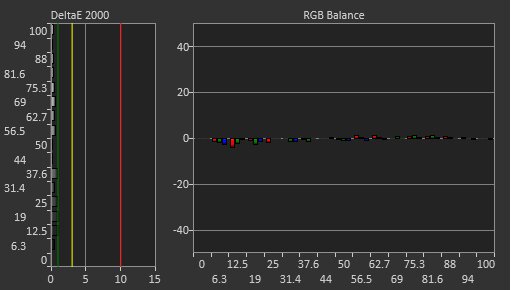
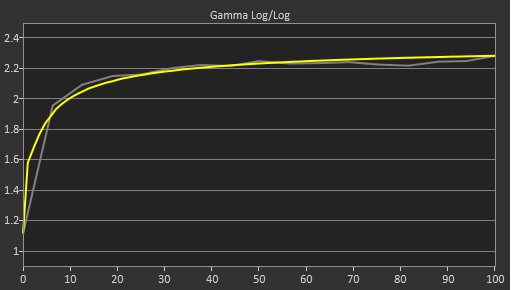
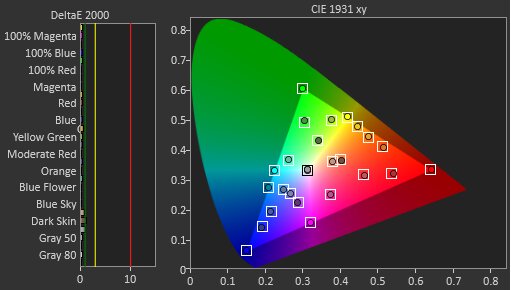
The TCL R84 is great for content creation. Its biggest strength is its accurate colors in its sRGB mode, with a full calibration only fixing a few minor white balance and gamma tracking issues. It also displays a wide range of vivid colors and has deep blacks next to bright highlights. Its local dimming feature is also effective at improving the picture quality, but there's haloing around bright objects against dark backgrounds. Besides that, images are detailed and sharp thanks to its 4k resolution and high pixel density. Its USB-C port is also useful if you want to connect your work laptop and charge it with one cable. A downside is that it has a narrow viewing angle, so the image washes out if you view it from off-center.
High native contrast ratio for deep blacks.
Good local dimming improves black levels.
Sharp text.
USB hub with USB-C port and KVM switch.
Gets very bright in SDR and HDR.
Accurate sRGB mode.
Haloing around bright objects with local dimming enabled.
Visibility is an issue in front of sunny windows.
Narrow viewing angle; image washes out from sides.
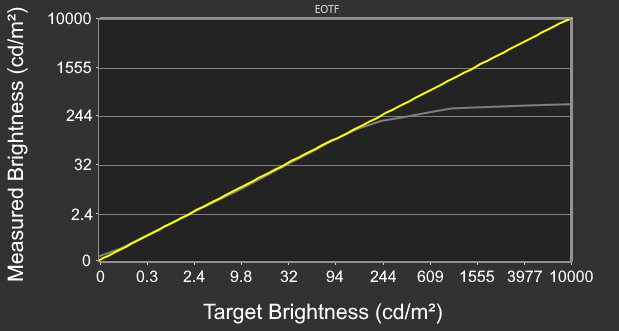
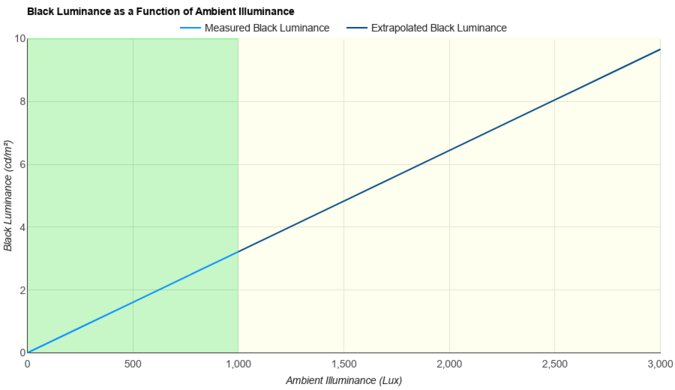
The TCL 32R84 has incredible brightness. It gets bright enough to fight glare in most environments, unless you have it in front of a sunny window. Most highlights also pop in HDR.
Gets very bright in SDR and HDR.
Visibility is an issue in front of sunny windows.
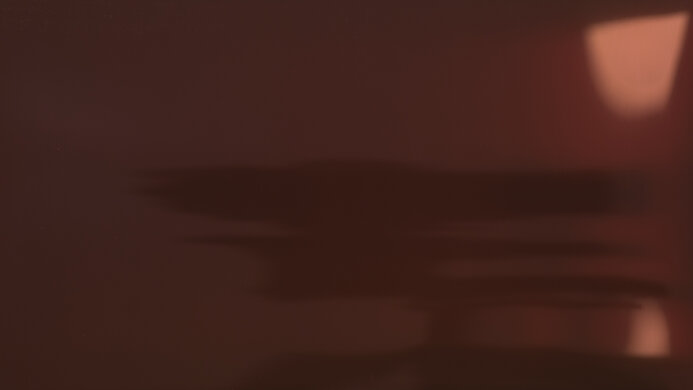
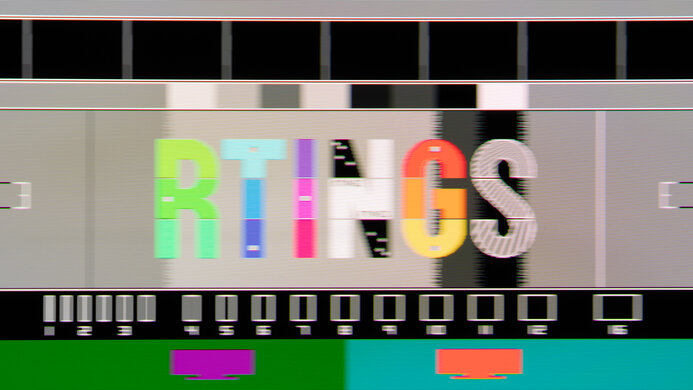
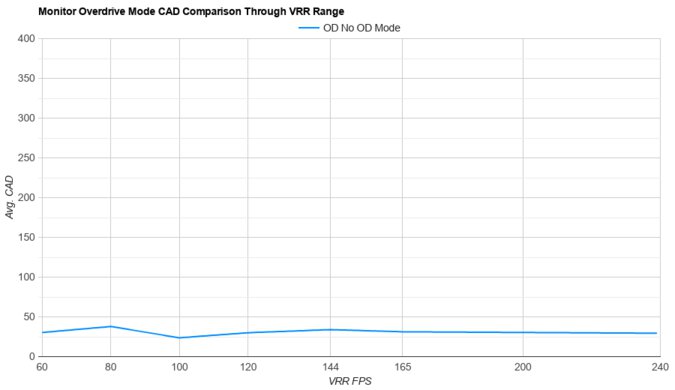
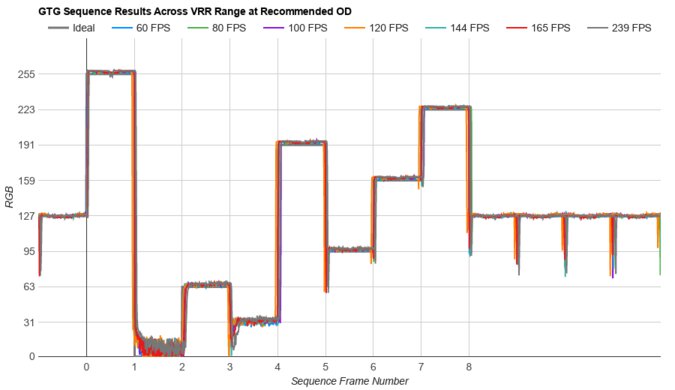
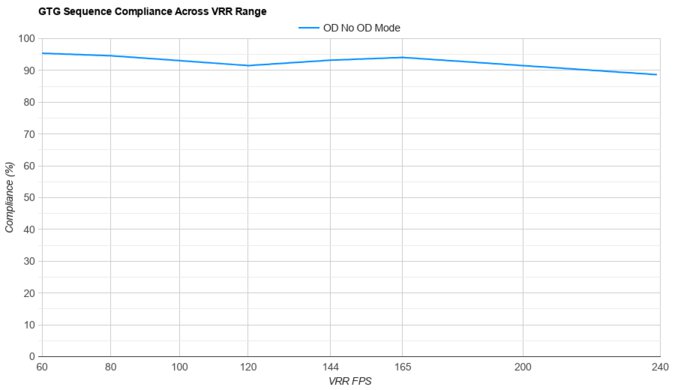
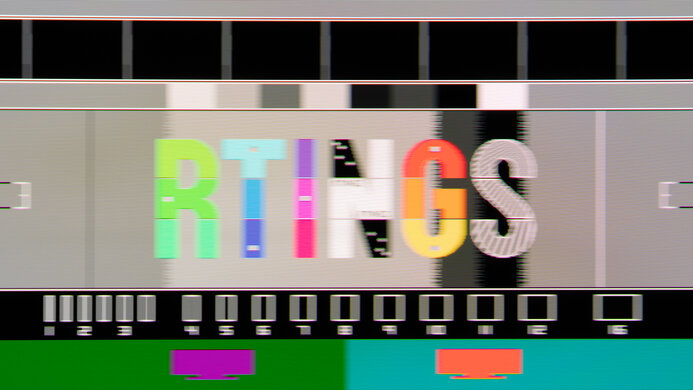
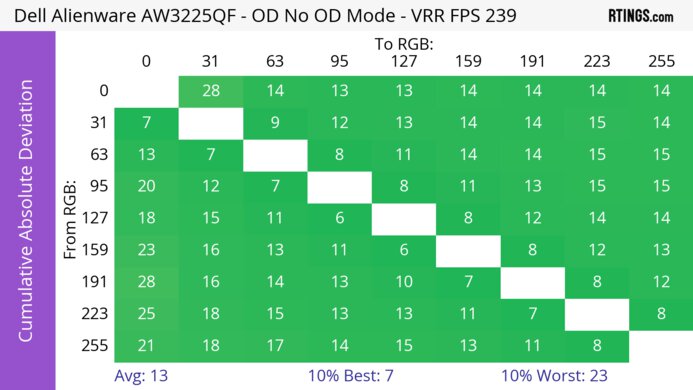
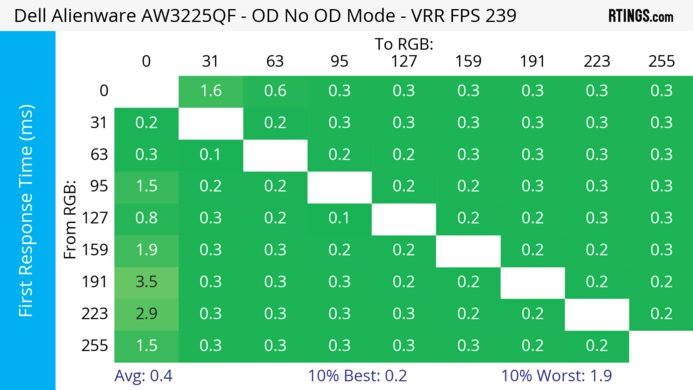
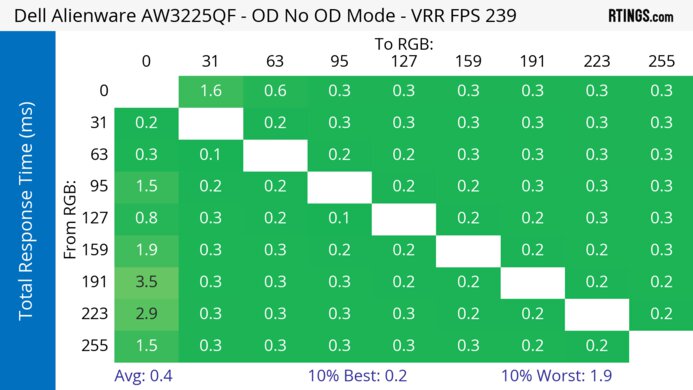
The TCL 32R84 has a great response time. It's consistently quick at any refresh rate, leading to minimal blur, but there's black smearing in dark scenes.
Quick response time across refresh rate range.
Black smearing behind fast objects in dark scenes.
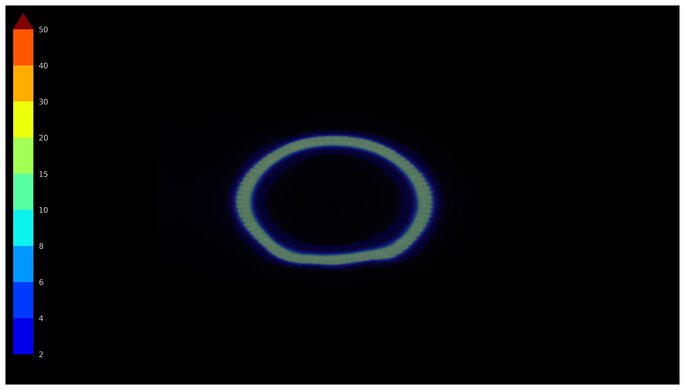
The TCL 32R84 has great HDR picture quality. It displays deep blacks against bright highlights, and its local dimming feature improves this further. It also displays a wide range of vivid colors. However, there's haloing around bright objects.
High native contrast ratio for deep blacks.
Good local dimming improves black levels.
Displays wide range of vivid colors.
Haloing around bright objects with local dimming enabled.
The TCL R84 has great SDR picture quality. It displays a wide range of colors and has a high native contrast ratio, so blacks are deep next to bright highlights. However, it has haloing around bright objects if you use its local dimming feature.
High native contrast ratio for deep blacks.
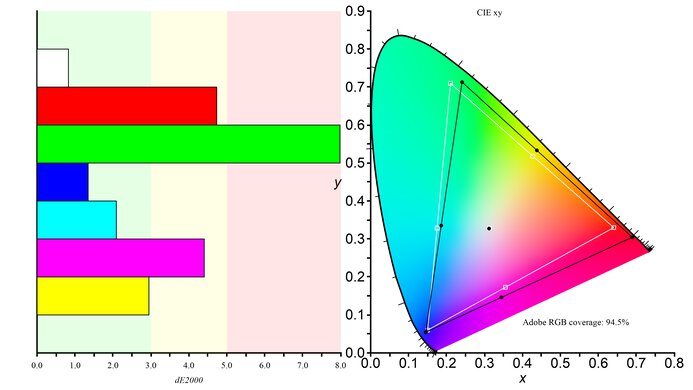
Displays wide range of vivid colors.
Haloing around bright objects with local dimming enabled.
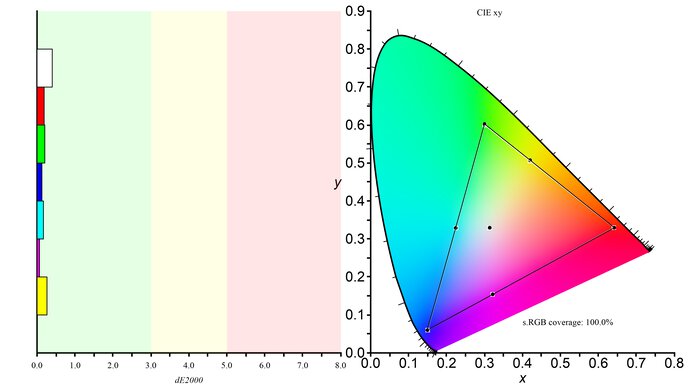
The TCL R84 Monitor has excellent color accuracy. Its dedicated sRGB mode is very accurate out of the box as it limits colors to the sRGB color space. You can still calibrate it to fix minor white balance and gamma tracking issues, though.
Accurate sRGB mode.
Performance Usages
Check Price
Differences Between Sizes And Variants
We bought and tested the 32-inch TCL 32R84, which is the only size available. It's bigger than the TCL 27R94, which is a different model, as you can see below. This means the results are only valid for the 32R84.
| Model | Size | Resolution | Refresh Rate | Panel Type | Dimming Zones |
|---|---|---|---|---|---|
| 27R94 | 27" | 4k | 165Hz | VA | 2,304 |
| 32R84 | 32" | 4k | 165Hz | VA | 1,400 |
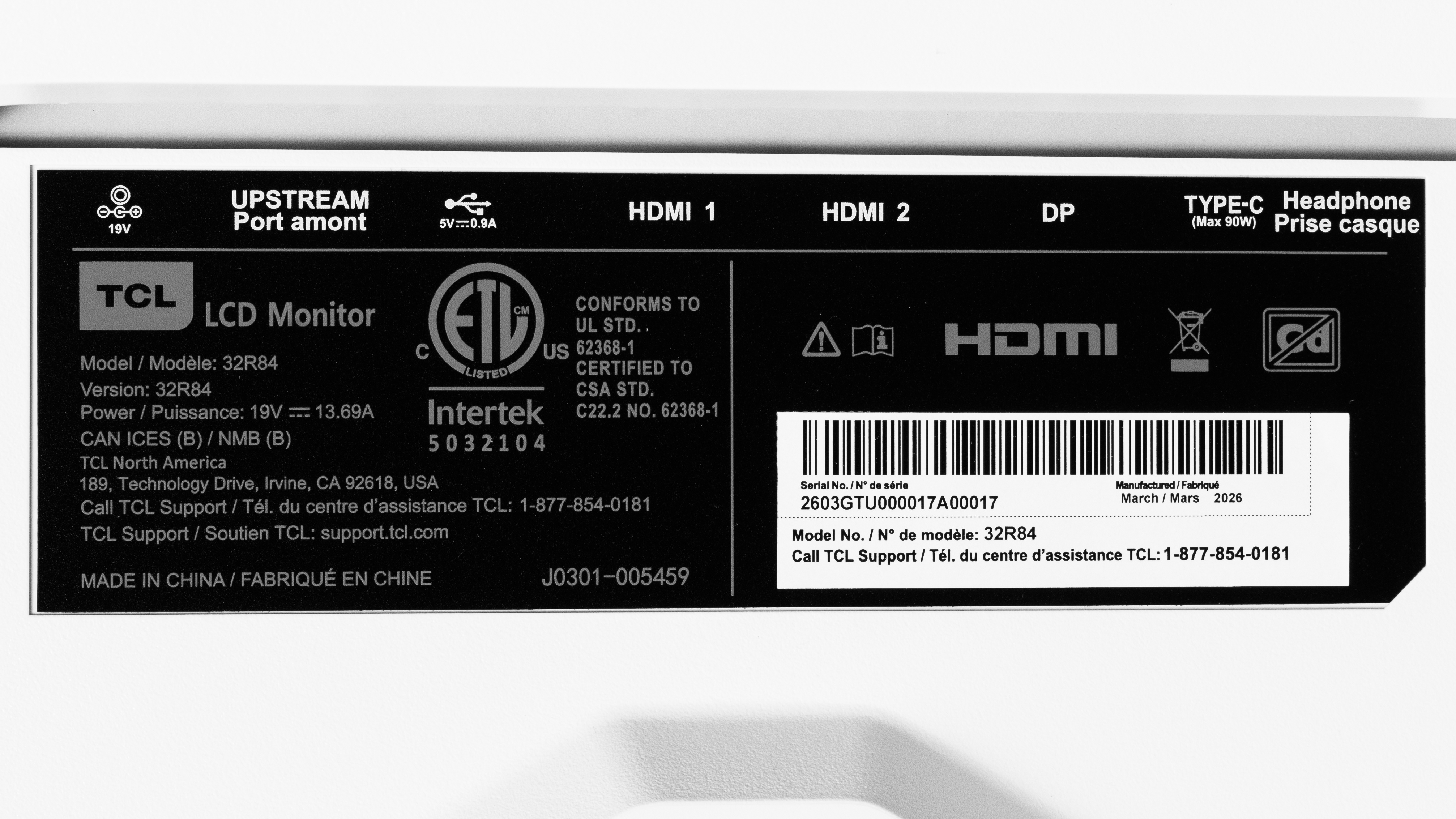
Our unit's label indicates it was manufactured in March 2026 in China. We tested it on firmware V8-T801T04-LF1V027.
Popular Monitor Comparisons
The TCL 32R84 is a 4k gaming monitor with a 165Hz native refresh rate and Mini LED local dimming. Its biggest strength against the competition is its effective local dimming feature and high native contrast ratio, thanks to its VA panel, so it displays deep blacks in dark scenes alongside bright highlights. While there's haloing around bright objects, it performs well for a Mini LED monitor, especially when compared to other options, like the Acer Nitro XV275K P5biipruzx. It's also a solid choice for gaming thanks to its 165Hz refresh rate, and even though there's black smearing in dark scenes, its fast response time means it has minimal motion blur with fast-moving objects. It's versatile for work as its USB-C port with DisplayPort Alt Mode and 90W of power delivery, alongside a KVM switch, makes it easy to quickly connect a laptop.
There are trade-offs compared to other options, though. There's a distracting flicker when you use its local dimming feature or VRR in dark scenes, and it has a narrow viewing angle. You'd have to get an IPS monitor if you want to avoid those issues, like the MSI MPG 274URDFW E16M, but that means you're getting a lower native contrast ratio instead. Choosing to get the TCL over another Mini LED option really depends on which trade-offs you're willing to deal with, but overall, it's a solid 4k gaming monitor.
Also see our recommendations for the best Mini LED monitors, the best 32-inch monitors, and the best 4k gaming monitors for more options.
The TCL 32R84 and the Samsung Odyssey Neo G8 S32BG85 are both 4k, 32-inch monitors with Mini LED backlighting. Local dimming on the TCL has the slight edge as it has less black crush and gets brighter than the Samsung, leading to better overall picture quality. The TCL also has a few extra productivity perks, like a USB-C port with DisplayPort Alt Mode to connect a laptop and 90W of power delivery. The advantage of the Samsung is that it has a higher 240Hz refresh rate, leading to a smoother feel when gaming.
The TCL 32R84 and the MSI MAG 274QPF X30MV are both Mini LED monitors with VA panels. The TCL is higher-end because it has a higher 4k resolution for more detailed images, and it has a bigger screen. That said, the overall picture quality is similar between them, as they each get bright and have effective local dimming features. The faster refresh rate on the MSI leads to a smoother gaming feel, though the TCL has a faster response time for less motion blur. The TCL also has a few more productivity perks, like a USB hub and a KVM switch, which the MSI doesn't have.
The TCL 32R84 and the MSI MPG 274URDFW E16M are competing 4k Mini LED monitors. They have a few differences, as the TCL has a higher native contrast ratio and a better overall local dimming feature, so it displays deeper blacks in dark scenes. The TCL is also more accurate out of the box, but both monitors display a wide range of colors regardless. The MSI has the advantage when it comes to gaming because it has a dual mode feature to boost its refresh rate to 320Hz with a lower resolution, offering versatility for playing different games. The MSI also doesn't have distracting VRR flicker in dark scenes, which is a downside of the TCL.
The TCL 32R84 and the Acer Nitro XV275K P5biipruzx are competing 4k Mini LED monitors. They have a few differences, as the TCL has a higher native contrast ratio and a better overall local dimming feature, so it displays deeper blacks in dark scenes. Plus, you can use the TCL's local dimming feature in SDR and HDR, whereas it's limited to HDR only on the Acer, so the SDR picture quality is much better on the TCL. On the flip side, the Acer has the advantage when it comes to gaming because it has a dual mode feature to boost its refresh rate to 320Hz with a lower resolution, offering versatility for playing different games. The Acer also doesn't have distracting VRR flicker in dark scenes, which is a problem with the TCL.
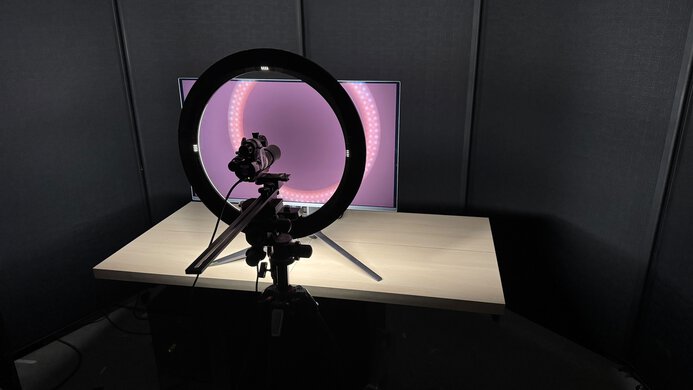
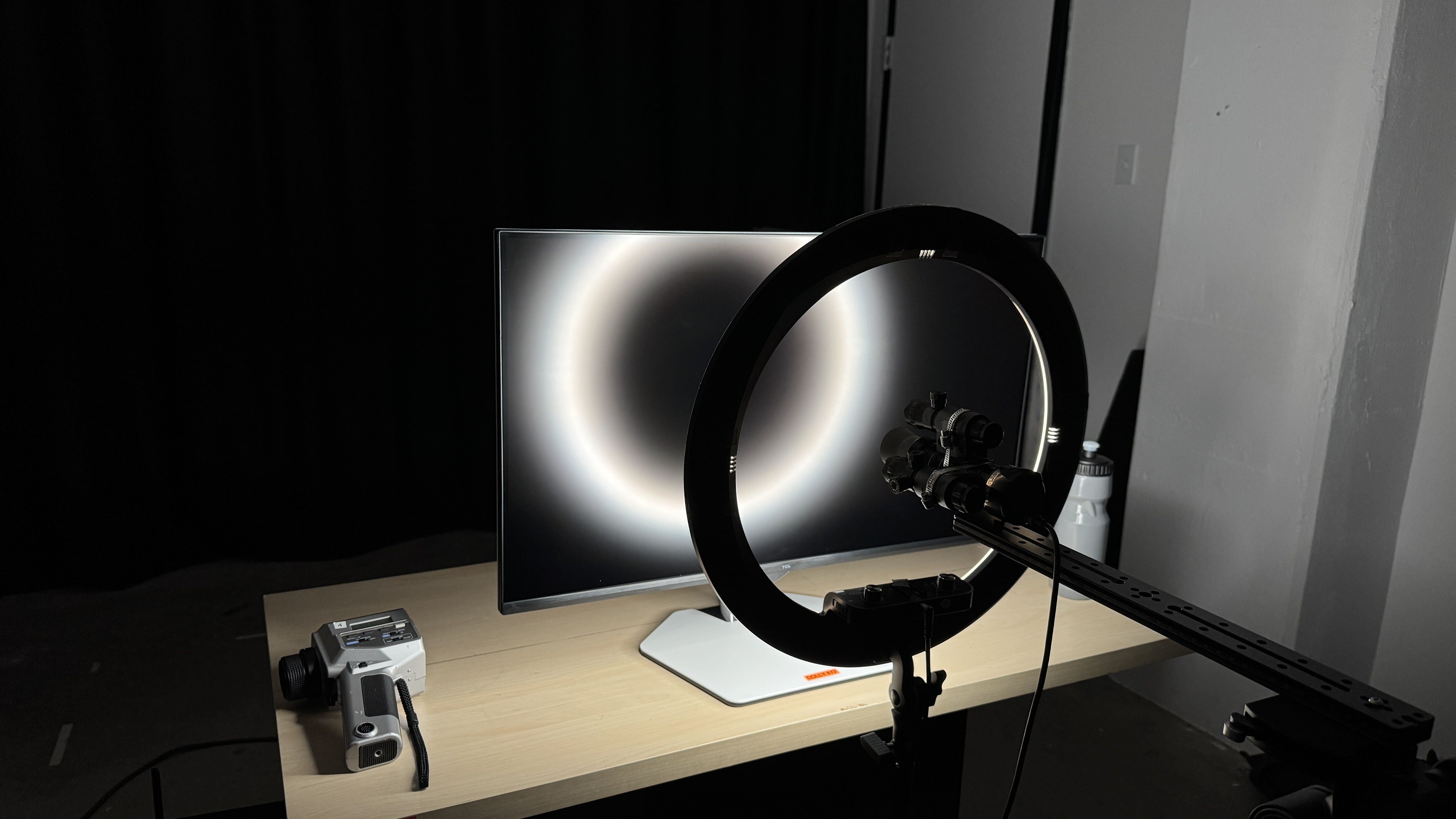
We buy and test more than 30 monitors each year, all of which we purchase ourselves, without cherry-picked units or samples. We put a lot into each unbiased, straight-to-the-point review, and there's a whole process from purchasing to publishing, involving multiple teams and people. We do more than just use the monitor for a week; we use specialized, custom tools to measure various aspects and deliver objective, data-driven results. We also consider multiple factors before making any recommendations, including the monitor's cost, its performance compared to the competition, and whether it's easy to find.
Test Results
for pictures & test results

for pictures & test results

for pictures & test results
for pictures & test results
for pictures & test results
for pictures & test results
for pictures & test results
for pictures & test results
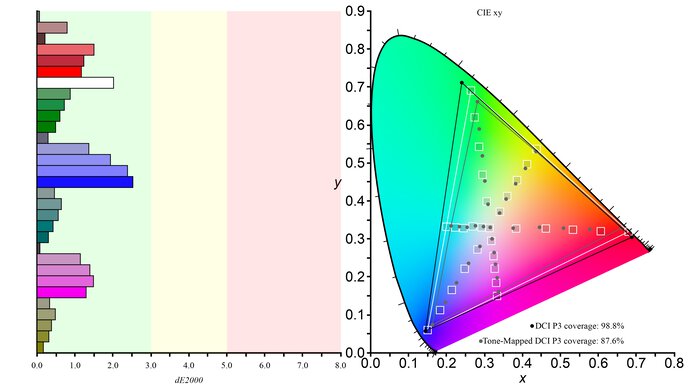
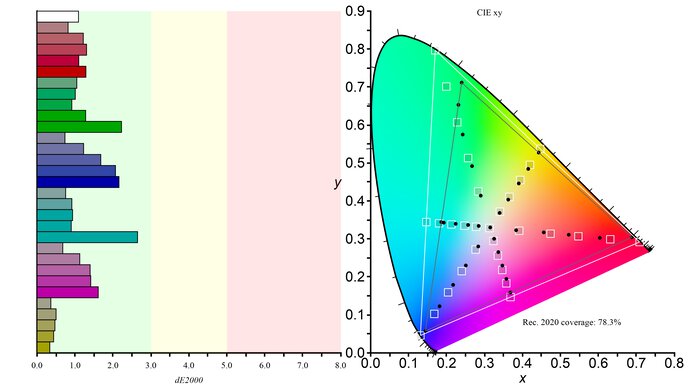
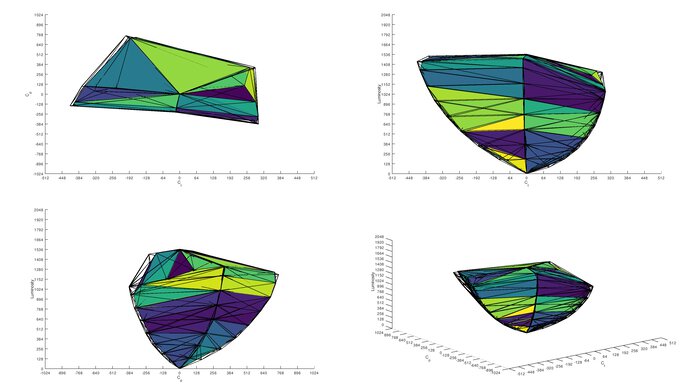
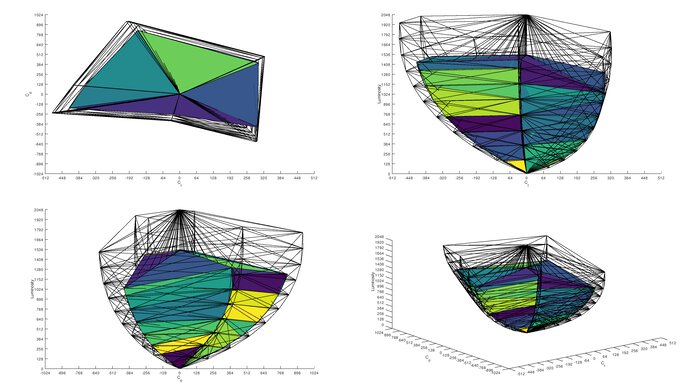
for videos & test results

for pictures & test results
for pictures & test results
for pictures & test results



for pictures & test results