The Samsung DU6900 is an entry-level model in Samsung's 2024 lineup and sits just below the Samsung DU7200. It's a versatile TV with fully adjustable feet and comes with Samsung's proprietary Tizen OS. It has some optional features like Motion Xcelerator to help smooth out motion, Mega Contrast to automatically adjust the brightness and contrast of the image, and a VRR feature to provide a mostly tear-free 4k @ 60Hz gaming experience on its two HDMI 2.0 ports. The TV has a 20W 2.0 channel speaker system built-in and is available in a wide variety of sizes, from a small 43-inch model to a large 85-inch model. We bought and tested the 65-inch model.
Our Verdict
The Samsung DU6900 is okay for mixed usage. It's best suited for gaming or to use as a PC monitor, as it's a very responsive TV with good enough SDR brightness and reflection handling to overcome some glare from moderately lit rooms. It falters a bit for watching HDR movies, as its HDR brightness is disappointing, and its contrast is quite poor, providing a muted HDR viewing experience. The TV is also very inaccurate in SDR out of the box, so SDR content doesn't respect the content creator's intent. The TV's low-quality content smoothing is also poor, so any low-bitrate content ends up with noticeable macro-blocking. Finally, it's a sub-par choice for any wide seating arrangement due to its narrow viewing angle.
Good response time.
Easy to use interface and smart features.
Handles glare well.
No local dimming to improve contrast.
Narrow viewing angle.
Poor low-quality content smoothing with noticeable artifacts present.
The Samsung DU6900 is okay for watching TV shows. Its SDR brightness is alright, and it handles reflections well, so it overcomes glare from moderately lit rooms. Still, its viewing angle is narrow, so the image degrades quickly when viewed from the sides. It also has poor low-quality content smoothing, so low-bitrate streams have noticeable macro-blocking in them. Fortunately, Samsung's app store is loaded with all of the most popular streaming apps, so it's easy to find your favorite shows.
Easy to use interface and smart features.
Handles glare well.
Narrow viewing angle.
Poor low-quality content smoothing with noticeable artifacts present.
The Samsung DU6900 is just decent for watching sports, as it's bright enough to overcome glare when watched in moderately lit rooms, especially with its satisfactory reflection handling. Its response time is also good, so there's minimal blur behind quick-moving players and objects. Unfortunately, its viewing angle is pretty narrow, so anyone watching the game from the side ends up seeing a degraded image. Its uniformity is okay, but there's some noticeable dirty screen effect when watching sports with large areas of uniform color, like hockey or soccer.
Good response time.
Easy to use interface and smart features.
Handles glare well.
Narrow viewing angle.
Poor low-quality content smoothing with noticeable artifacts present.
The Samsung DU6900 is satisfactory for playing video games. It has incredibly low input lag, so there's little delay between your controller inputs and what happens on screen. The TV also has a good response time, which means there's minimal blur behind quick motion. If you like to play games in moderately lit rooms, then the TV`s SDR brightness and reflection handling are good enough to provide a pleasant gaming experience. But, if you regularly game in a dark room, blacks become raised when bright highlights are on screen due to the TV's poor contrast.
Incredibly low input lag for a responsive experience.
Good response time.
Basic VRR feature for nearly tear-free gaming.
Handles glare well.
No local dimming to improve contrast.
Limited to 60Hz on all ports.
Only two HDMI ports.
The Samsung DU6900 is barely acceptable for watching movies in a dark room. Its contrast just isn't good enough to provide an impactful HDR experience due to not having a local dimming feature; blacks become raised and washed out when bright highlights are on screen. HDR content further lacks impact due to the TV's disappointing HDR brightness, so highlights don't stand out much at all. The TV's SDR calibration is quite poor out of the box, so purists who like to watch movies in SDR need to get it calibrated for the best image quality. Finally, the TV has poor low-quality content smoothing, which means low-bitrate content is soft, with noticeable artifacts present.
Removes judder from 24p sources.
Easy to use interface and smart features.
Stutter isn't very noticeable when watching movies.
No local dimming to improve contrast.
No Dolby Vision or DTS audio support.
Poor low-quality content smoothing with noticeable artifacts present.
Hard to calibrate.
The Samsung DU6900 is decent for playing games in HDR, but that's mostly due to its SDR gaming capabilities, as HDR adds very little. Switching the TV to Game Mode makes no difference in dark scene performance, although the TV does set itself to max brightness when VRR is enabled. Still, you get incredibly low input lag with no noticeable delay between controller inputs and what happens on screen without sacrificing picture quality. The TV also has a good response time, so there's minimal blur behind fast motion. Unfortunately, the TV just doesn't get bright enough in HDR to make highlights stand out, and its contrast is unremarkable, so HDR content lacks impact.
Incredibly low input lag for a responsive experience.
Good response time.
Basic VRR feature for nearly tear-free gaming.
Handles glare well.
No local dimming to improve contrast.
Limited to 60Hz on all ports.
Only two HDMI ports.
The Samsung DU6900 is good for use as a PC monitor, as it has extremely low input lag and a good response time; this means that the TV is responsive enough to provide a good user experience, as your inputs register quickly, and there's minimal blur behind fast cursor movements. The TV is also bright enough in SDR to overcome some glare in moderately lit rooms, especially with its effective reflection handling. On the other hand, the TV has a narrow viewing angle, so the sides of the screen don't stay uniform with the center when sitting close to the screen. It displays chroma 4:4:4 properly, but since it uses a BGR subpixel layout, there are some readability issues with text that can bother some people.
Incredibly low input lag for a responsive experience.
Good response time.
Handles glare well.
No local dimming to improve contrast.
Narrow viewing angle.
Limited to 60Hz on all ports.
Only two HDMI ports.
Changelog
-
Updated Nov 12, 2024:
We clarified that the similarly-named DU6950 doesn't perform the same in the Differences Between Sizes And Variants section.
-
Updated Nov 07, 2024:
Mentioned the newly-reviewed Samsung DU7200/DU7200D in the Contrast section.
-
Updated Nov 05, 2024:
We retested the TV's reflection handling and updated the scoring and text in the Reflections section.
- Updated Nov 04, 2024: Review published.
Check Price
Differences Between Sizes And Variants
We bought and tested the 65-inch Samsung DU6900 (UN65DU6900FXZC), but our results are also valid for all other model sizes. In the US market, only four sizes are available: the 50-inch (UN50DU6900FXZA), 55-inch (UN55DU6900FXZA), 60-inch (UN60DU6900FXZA), and 75-inch (UN75DU6900FXZA) models. Note that the last four letters in the model number (FXZA and FXZC in this case) vary between retailers and individual regions, but there's no difference in performance.
Best Buy and Costco sell a similarly-named 75-inch model known as the DU6950. However, that model performs differently since it's direct-lit, so our results aren't valid for it. Costco and Sam's Club also sell a 50-inch (UN50DU6900DXZA) variant of the DU6900 that comes with an extended warranty, and it performs the same.
| Size | US Model | Canadian Model | Short Model Code | Costco Variant |
|---|---|---|---|---|
| 43" | - | UN43DU6900FXZC | UN43DU6900 | |
| 50" | UN50DU6900FXZA | UN50DU6900FXZC | UN50DU6900 | UN50DU6900DXZA |
| 55" | UN55DU6900FXZA | UN55DU6900FXZC | UN55DU6900 | |
| 60" | UN60DU6900FXZA | UN60DU6900FXZC | UN60DU6900 | |
| 65" | - | UN65DU6900FXZC | UN65DU6900 | |
| 70" | - | UN70DU6900FXZC | UN70DU6900 | |
| 75" | UN75DU6900FXZA | UN75DU6900FXZC | UN75DU6900 | |
| 85" | - | UN85DU6900FXZC | UN85DU6900 |
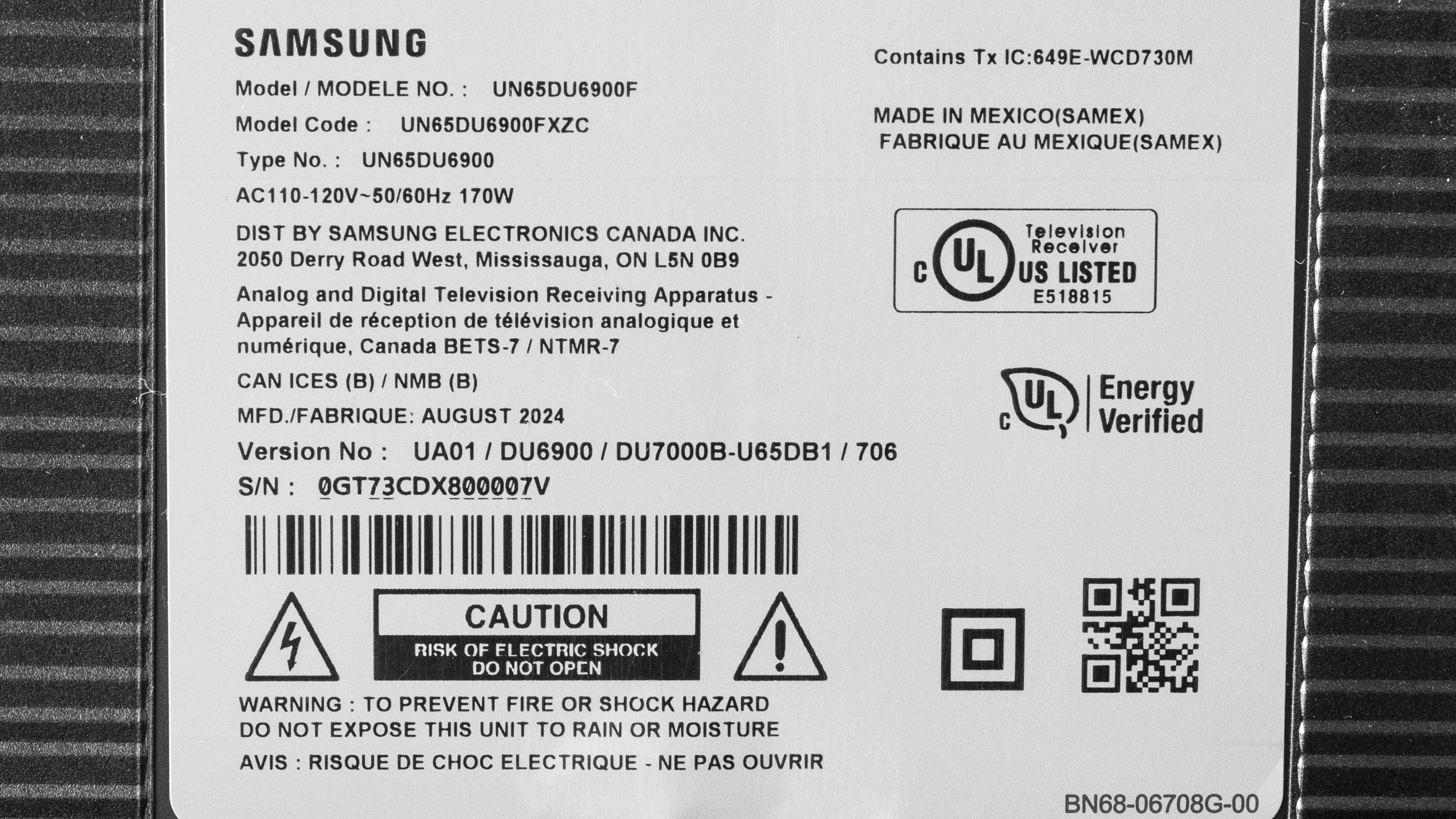
Our unit was manufactured in August 2024, as shown on the label.
Popular TV Comparisons
The Samsung DU6900 is not a great performer, as its contrast and HDR brightness aren't good enough to provide an impactful HDR experience. Still, it performs well when compared to other entry-level products, such as the Hisense A6N and the Samsung DU8000, as its reflection handling is quite good overall, and the TV is bright enough in SDR to overcome some glare when used in moderately lit rooms. Still, you shouldn't buy the DU6900 while the similarly priced Hisense A7N is available, as the A7N outperforms it in almost every way.
For more options, check out our recommendations for the best budget TVs, the best TVs under $1,000, and the best 4k TVs.
The Samsung DU7200 and the Samsung DU6900 are very similar overall. The DU7200 has better contrast, so it displays deeper blacks. The DU7200 also has much better pre-calibration accuracy, so colors in SDR are more accurate. However, the DU6900 has a slight edge with SDR brightness and reflection handling, meaning it's a bit better for bright rooms.
The Samsung CU7000/CU7000D is the better choice for dark rooms due to its noticeably better contrast, but the Samsung DU6900 is the brighter the two TVs, with better reflection handling, giving it the edge in brighter contexts. The DU6900 also has a barebones VRR feature, which is still better than the CU7000's lack of VRR, making the DU6900 the better option for gaming.
The Samsung CU8000 and Samsung DU6900 trade blows, but the latter is definitely the better option for gamers due to its noticeably faster response time, and inclusion of a barebones VRR feature. The DU6900 is also slightly brighter in HDR, with better reflection handling, making it a bit easier to use in rooms with a few lights. Inversely the CU8000 has slightly better contrast and a far wider color gamut, so HDR movies watched in dark rooms are a bit more impactful than on the DU6900.
The Samsung DU6900 is better than the TCL S350G. While the TCL has the better contrast, the Samsung is brighter in HDR and SDR, with a wider color gamut, offering a more impactful viewing experience with all content. The TCL is the more accurate of the two TVs in SDR out of the box, but inversely, the Samsung is more accurate in HDR content. The Samsung is also the better option for gamers due to its wider resolution range, barebones VRR feature, and faster response time. The TCL, for its part, is limited to 1080p, has no VRR, and has a truly awful response time.

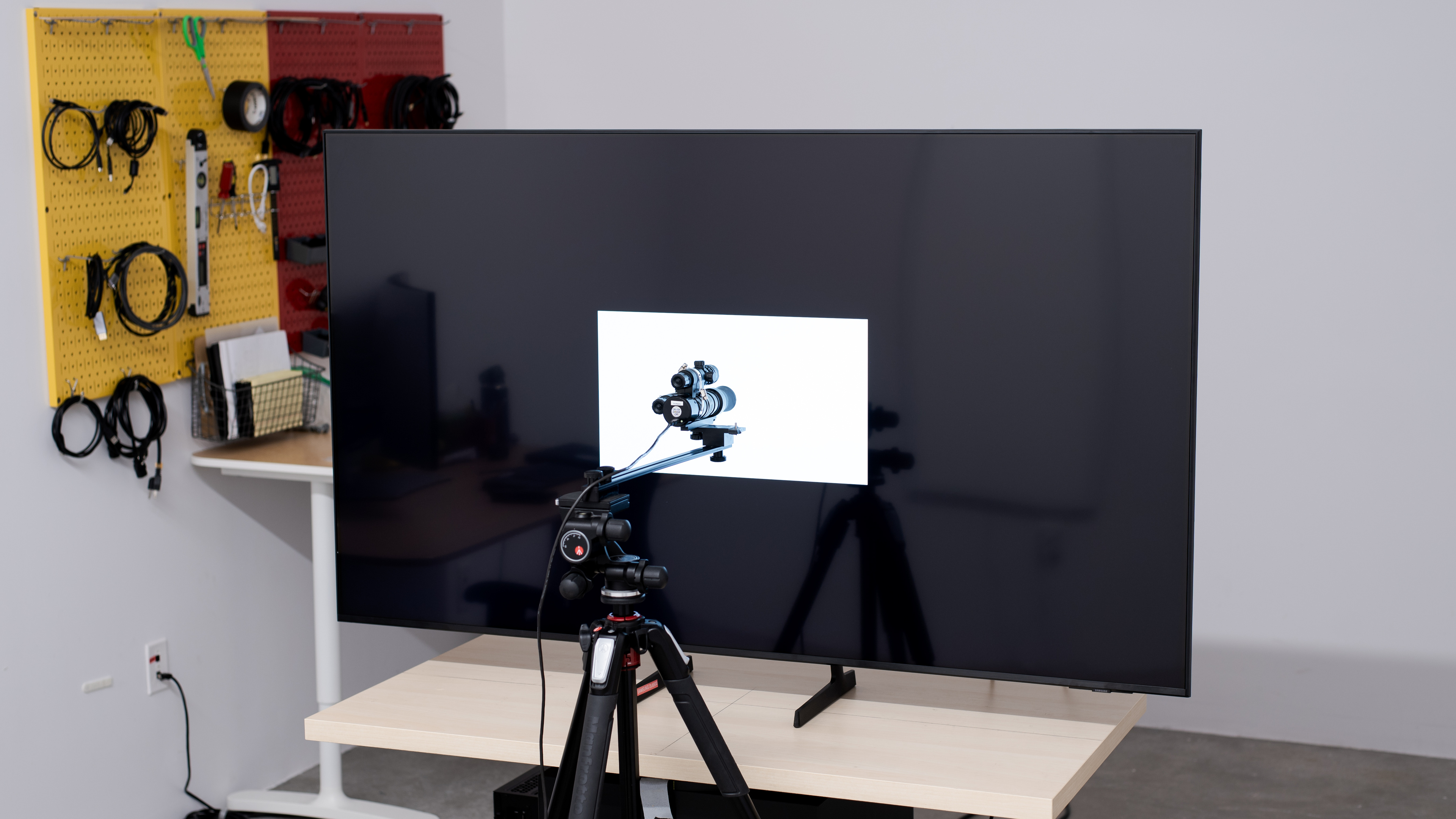
We buy and test dozens of TVs yearly, taking an objective, data-driven approach to deliver results you can trust. Our testing process is complex, with hundreds of individual tests that take over a week to complete. Most of our tests use specially designed test patterns that mimic real content, but we also use the same sources you have at home to ensure our results match the real-world experience. We use two main tools for our testing: a Colorimetry Research CR-100 colorimeter and a CR-250 spectroradiometer.
Test Results
Older Test Bench: We tested this product using an older TV test methodology before a major update. Some of the test results below aren't directly comparable with other TVs. Learn more
for pictures & test results

The Samsung DU6900 is a thin TV with slim bezels on three sides and a thicker one on the bottom. It won't stand out in any room, but it's functional.
for pictures & test results

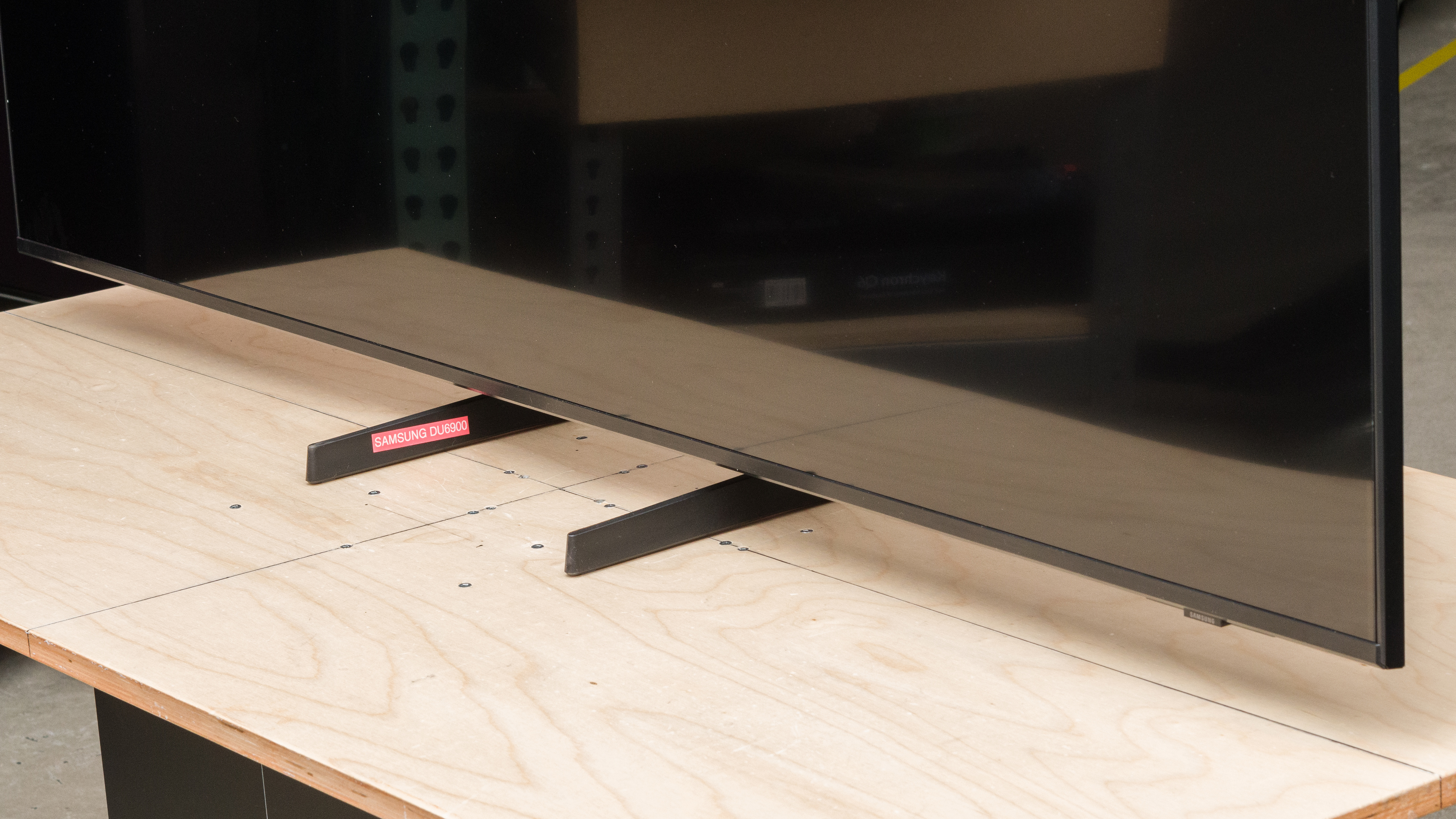
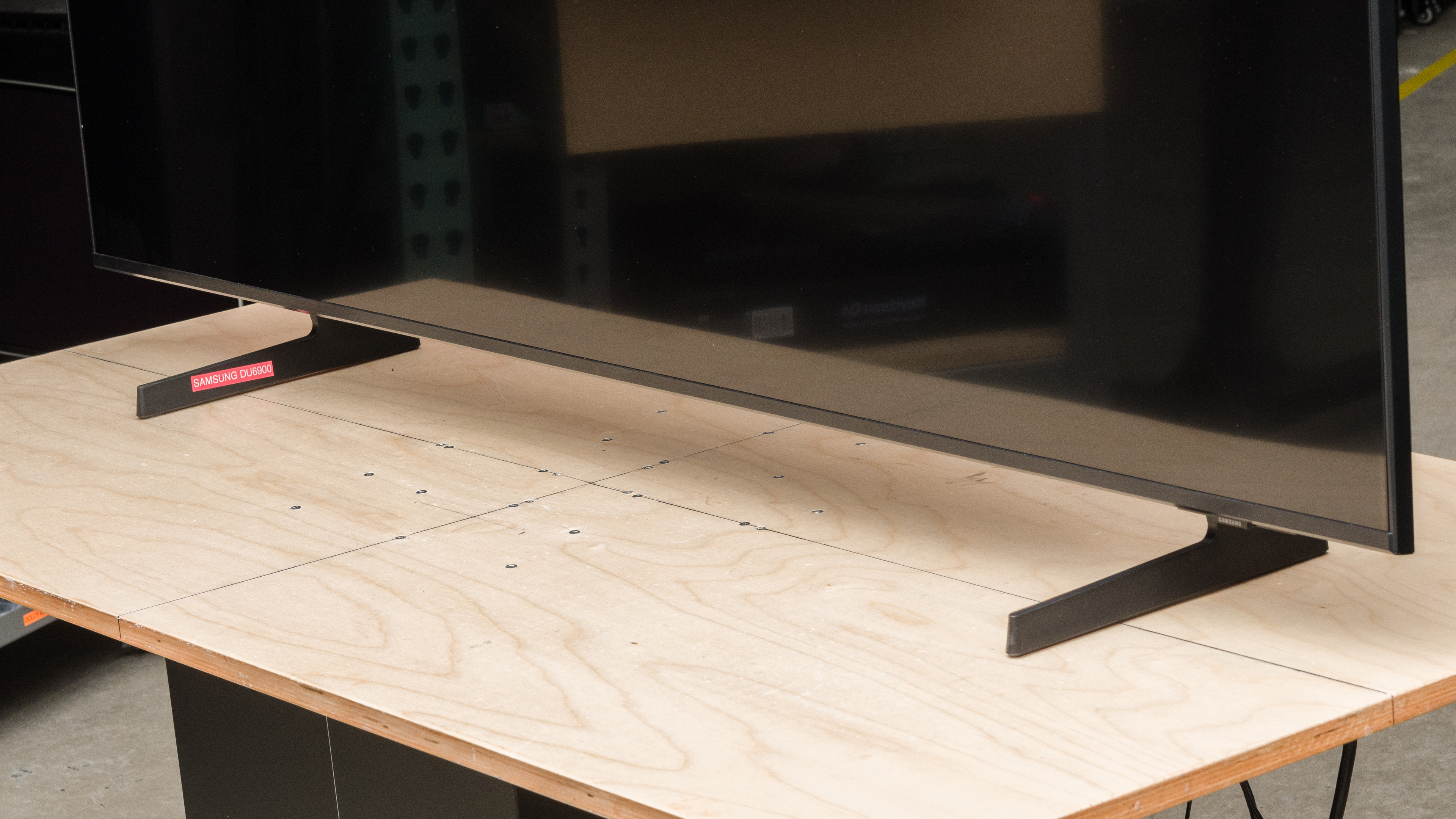
The TV uses two adjustable plastic feet. You can set them to two different height positions and two width positions. Their footprint in the narrow position is 11.9" x 10.6" and 40.3" x 10.6" in the wider setting.
As for height, the lower position puts the screen about 2.6" from the table. The higher position pushes the screen to about 3.6" from the table, high enough that most soundbars fit below the screen.
The photo above shows the feet in their high and narrow position, but here are photos in the narrow and low, wide and low, and wide and high positions.
for pictures & test results

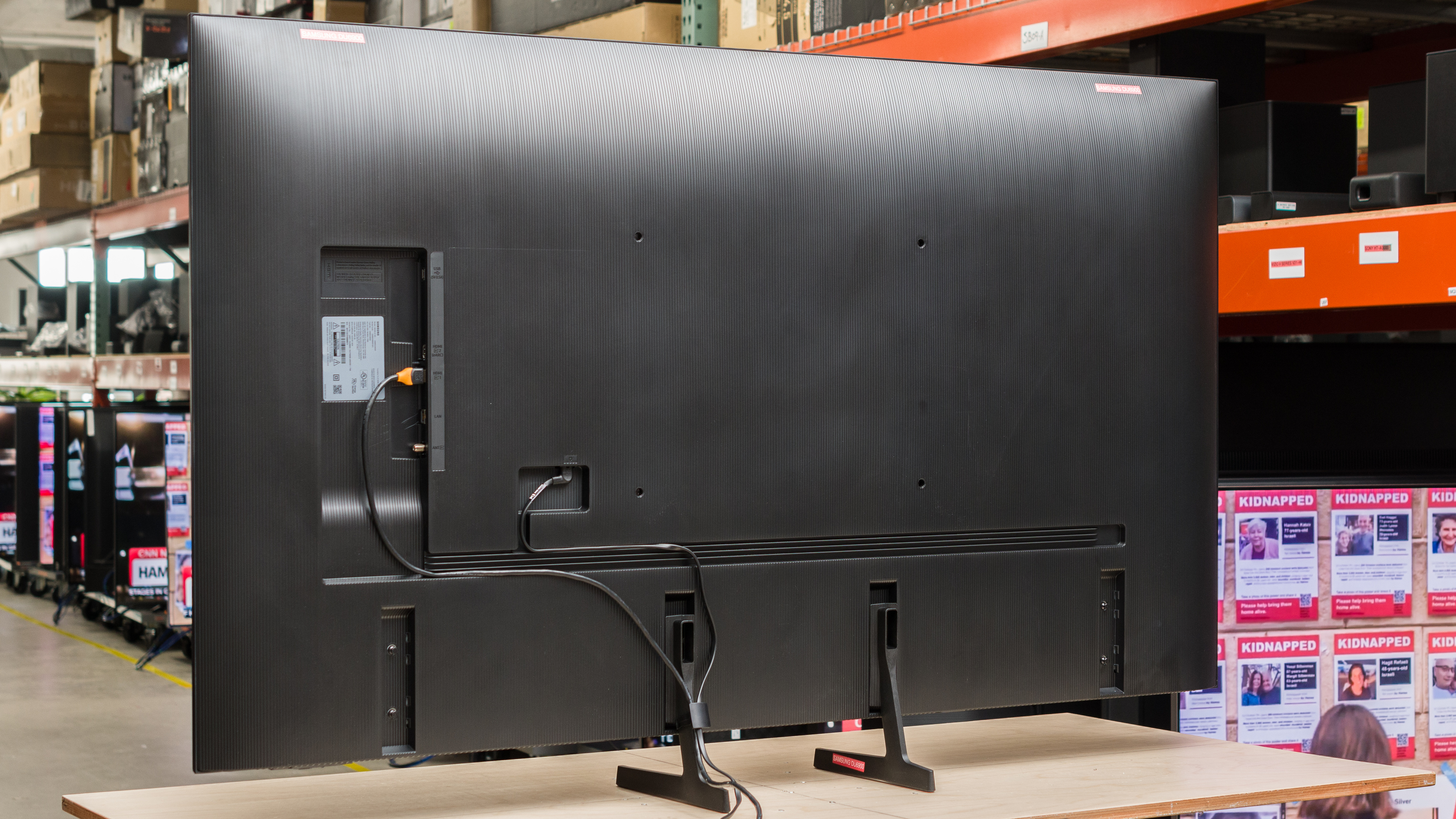
The TV is made entirely out of plastic and has etched vertical lines. The inputs are in a cutout on the right side of the TV, and there are channels on the back to funnel cables through. The TV comes with a clip that can be attached to either foot for cable management.


for pictures & test results

The Samsung DU6900 has okay build quality. It's made entirely of plastic, and there's some wobble from front to back, but the TV recovers quickly.
for pictures & test results

The Samsung DU6900 has poor contrast. Its native contrast is mediocre, but it lacks a local dimming feature, so blacks are raised and washed out when bright highlights are on the screen.
If you want a Samsung model with better contrast, check out the similar Samsung DU7200/DU7200D.
for pictures & test results

The TV doesn't have a local dimming feature, so there's no blooming around bright objects or subtitles during dark scenes.
for videos & test results

This TV doesn't have a local dimming feature, so it can't adjust the backlight of individual zones to brighten up highlights without impacting the rest of the image. This means that there's no distracting flicker or brightness changes when bright highlights move between dimming zones, as it doesn't have any.
for pictures & test results

for videos & test results

for videos & test results

Switching to Game Mode doesn't result in any noticeable difference in dark scene performance. While our local dimming transition video looks different here than it did outside of Game Mode, this is due to a bug; the TV maxes out its brightness whenever you turn on VRR.
for pictures & test results

for pictures & test results

for pictures & test results

The Samsung DU6900 has disappointing peak brightness in HDR. Its low peak brightness combined with poor contrast results in a very flat HDR experience, and bright areas of the scene don't stand out at all.
for pictures & test results

for pictures & test results

for pictures & test results

Switching to the 'Game' Picture Mode makes no noticeable difference in the HDR brightness.
for pictures & test results

This TV has fantastic PQ EOTF tracking. Its near-blacks are noticeably raised due to its poor contrast, but afterwards, it hugs the curve throughout, meaning that all content is almost exactly as the content creator intended. Of course, the TV isn't bright enough to display very bright highlights, but it rolls off in all mastered content to try and preserve as much bright detail as it can.
The peak brightness in SDR is okay. Its bright enough that it can handle some glare in a moderately lit room, especially with its good reflections handling.
for pictures & test results

for pictures & test results

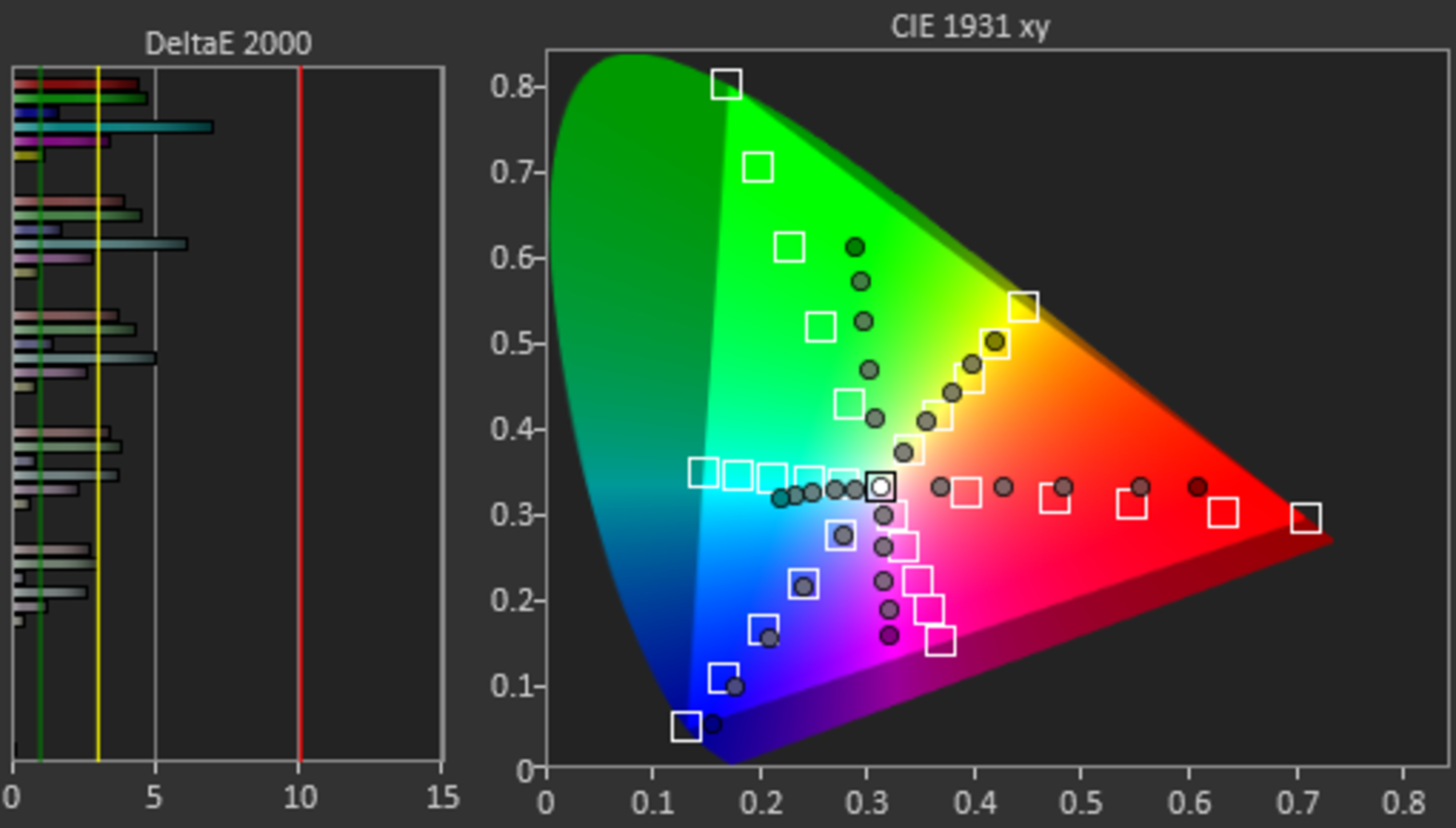
Unfortunately, the color gamut on this TV is just decent. It does have great coverage of the widely used DCI-P3 color space, but it has very noticeable color mapping issues throughout. Its coverage of the wider Rec. 2020 color space is disappointing, and all colors are still off the mark.
Our results are done with a 75% stimulus, but the TV performs much better with a lower 50% stimulus in the DCI-P3 and Rec. 2020 color space, as it doesn't tone map as aggressively. Colors are still off the mark, but with significantly less color mapping errors.
for pictures & test results

for pictures & test results

The Samsung DU6900 has mediocre color volume in the 'Movie' Picture Mode, as it suffers from the clamping bug as detailed in the Color Gamut section, on top of having low peak brightness in HDR and poor contrast.
for pictures & test results

for pictures & test results

for pictures & test results

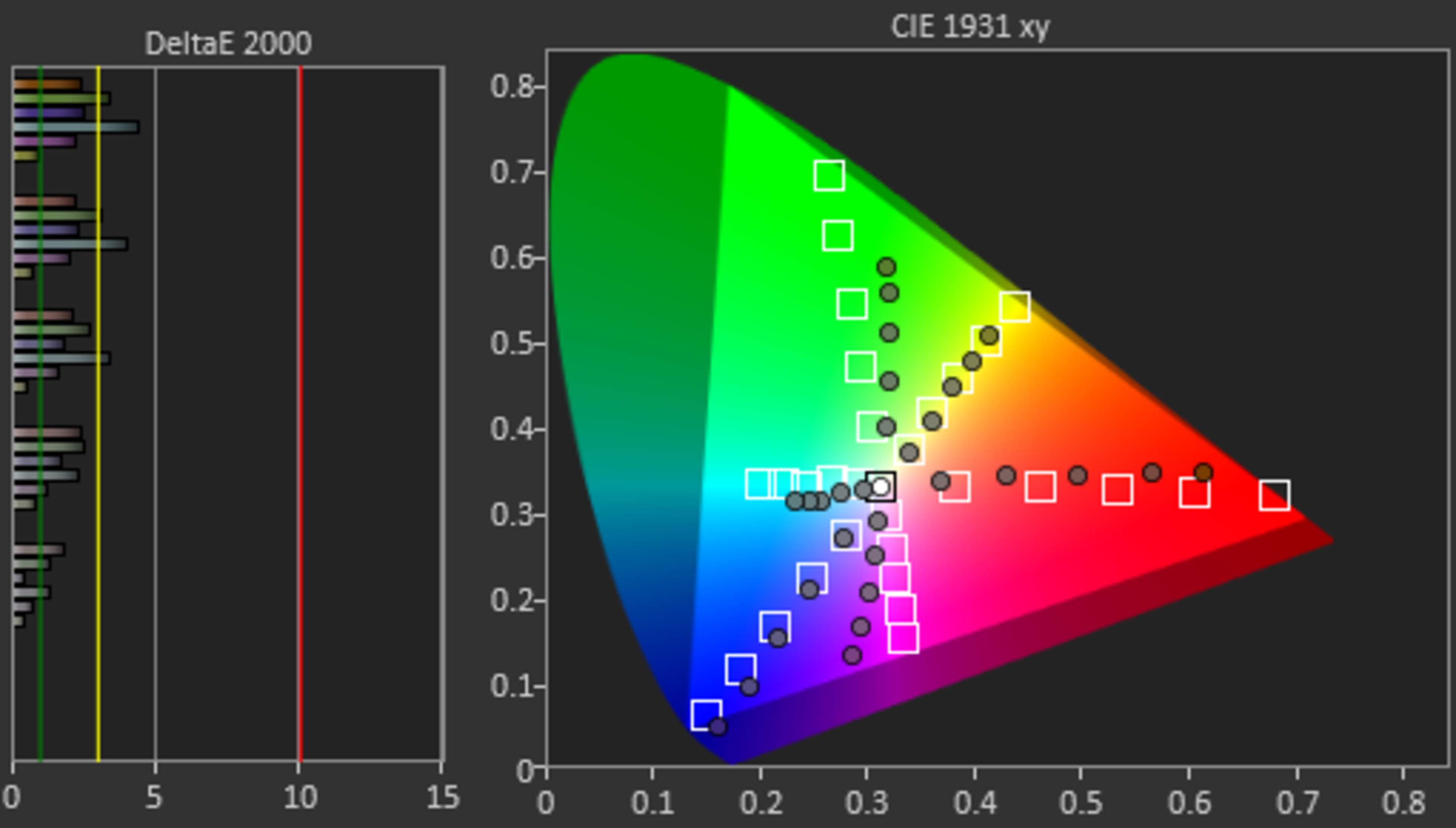
This TV's pre-calibration accuracy in SDR is very poor. Its white balance is terrible, with reds being massively underrepresented in all shades of gray, greens being overrepresented in brighter grays, and both greens and blues being underrepresented in darker shades. Overall, this makes the TV`s color temperature lean too cold. There are noticeable color mapping issues in all colors, especially undersaturated ones. While gamma is close to our 2.2 target, dark scenes are too dark while bright scenes are too bright.
for pictures & test results

for pictures & test results

for pictures & test results

This TV looks vastly better after a full calibration, with a few issues remaining. Unfortunately, the calibration system itself is a bit buggy, as some of the settings don't adequately register, requiring more finagling with settings than there should be.
See our full calibration settings.
for pictures & test results

for pictures & test results

The gray uniformity on this TV is okay. There's some noticeable dirty screen effect in the center, and the corners of the screen are noticeably darker than the center. On a very dark or near-black screen, the sides are noticeably brighter than the center.
for pictures & test results

The TV has decent black uniformity overall, but large areas of the screen are noticeably cloudy and blueish.
for videos & test results

for pictures & test results

for pictures & test results

for pictures & test results

The Samsung DU6900's viewing angle is sub-par, so the TV isn't a good choice for wide seating arrangements. There's significant color shifting and brightness loss as you move off-center, and the image looks increasingly washed out as you move further away to the sides.
for pictures & test results

for pictures & test results

for pictures & test results

The TV has satisfactory reflection handling overall. Its semi-gloss screen finish does an excellent job of reducing the intensity of indirect reflections, like when glare from a ceiling light isn't directly facing the screen. The TV's handling of direct reflections is not as competent but still okay overall, so reflections caused by something like a lamp positioned in front of the screen are still noticeable.
for pictures & test results

The TV's gradient handling is alright. There's significant banding in dark grays and noticeable banding in dark reds, greens, and blues. All other colors have minimal banding.
for pictures & test results

The low-quality content processing on this TV is nearly non-existent. It doesn't reduce macro-blocking and pixelization when watching low-bandwidth streaming services, but there's no loss of fine details, either.
for pictures & test results

The TV's upscaling and sharpness processing is satisfactory overall. Fine details are upscaled well for the most part, but hardcoded text is a bit hard to make out.
for pictures & test results

The Samsung DU6900 uses a BGR (blue-green-red) subpixel layout instead of the traditional RGB layout. For video or gaming content, this doesn't cause any issues, but for PC monitor use, it can be a problem as it can impact text clarity.
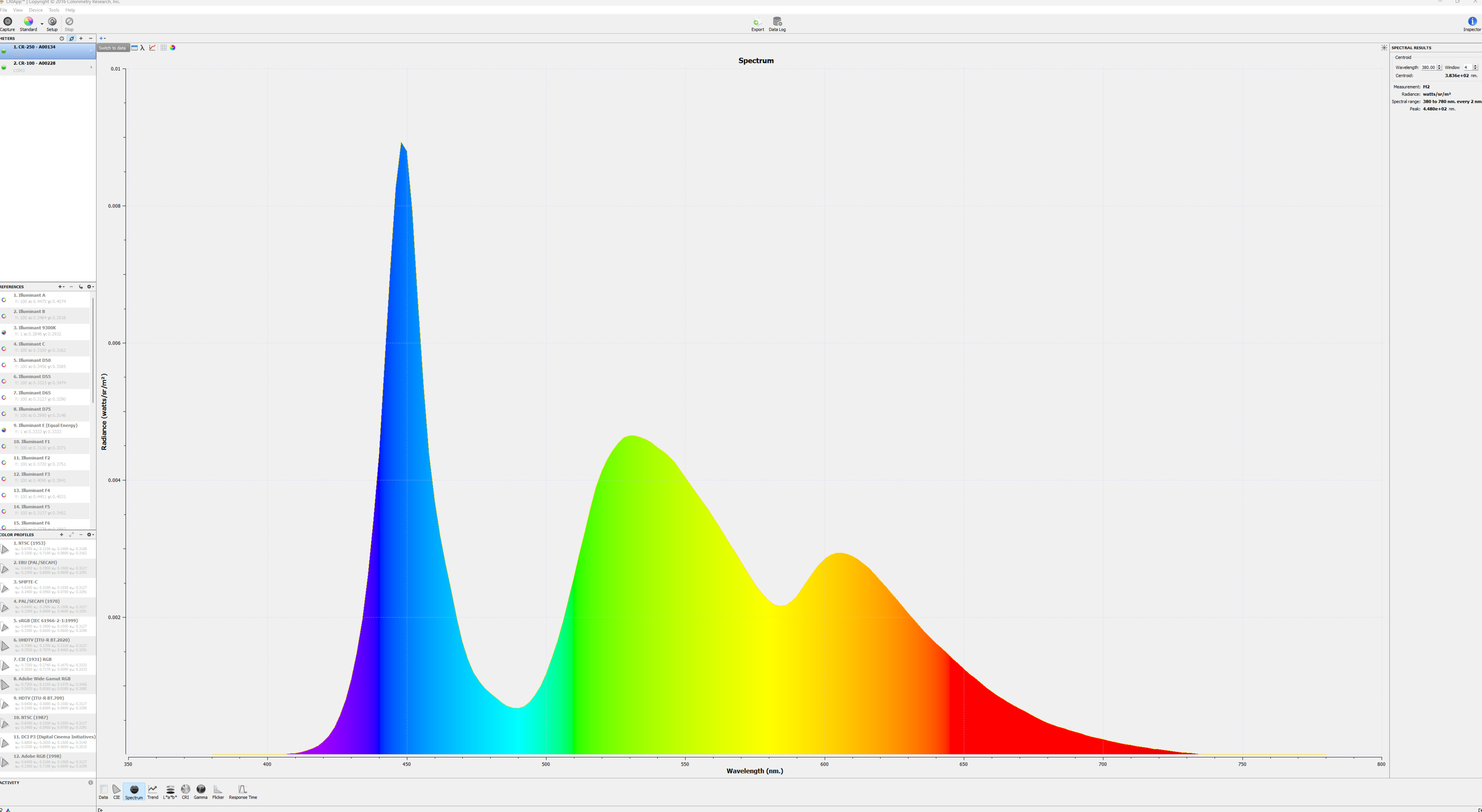
Its spectral power distribution shows that the panel doesn't use any KSF phosphor or Quantum Dot enhancement film to achieve better color separation.
for pictures & test results

for pictures & test results

The Samsung DU6900 has a good response time. Fast motion is clear, but there's still some noticeable blur behind very quick-moving objects. Unfortunately, transitions in dark scenes are slow, which results in black smearing behind dark objects. There’s also significant overshoot when the TV transitions from a dark state, resulting in noticeable inverse ghosting in shadow details.
for pictures & test results

The TV uses pulse-width modulation (PWM) to dim its backlight, which introduces flicker that can bother people who are sensitive to it. The amount of flicker varies depending on what picture mode the TV is set to and what settings you're using.
- In 'Game,' 'Dynamic,' 'Standard,' 'Eco,' 'Entertain,' and 'Graphics' modes, the backlight flickers at 120Hz with the brightness at '19' and below, and it is flicker-free at all brightness levels above that.
- In 'Movie' mode, the backlight flickers at 480Hz at all brightness levels.
- In 'Filmmaker' mode, the backlight flickers at 120Hz at all brightness levels.
- With BFI enabled, the TV flickers at 60Hz.
for pictures & test results

for pictures & test results

The Samsung DU6900 supports backlight strobing, more commonly known as black frame insertion (BFI). The feature is designed to improve the appearance of motion by strobing its backlight and reducing the amount of persistence blur. The BFI feature on the TV flickers at 60Hz, so there's still some image duplication present.
for pictures & test results

The TV has optional motion interpolation to help smooth out low frame rate content. It does an okay job with smoothing slower-moving scenes, but it struggles with sudden motion in otherwise slow scenes.
Due to this TV's relatively slow response time, it does a good job with stutter in 24 fps content like movies.
The Samsung DU6900 removes judder from native 24p signals, like DVD or Blu-ray players, as well as from native apps. Unfortunately, it doesn't fully remove judder from 60i or 60p sources, so movies played from satellite/cable boxes aren't judder-free.
This TV supports variable refresh rate technology to help reduce tearing. Due to its narrow refresh rate range, however, it can't take advantage of sources that support low frame rate compensation, so you'll see tearing in games that can't maintain close to 60 fps.
The TV has incredibly low input lag when used in Game Mode and also surprisingly low input lag outside of it. To have low input lag while transmitting a chroma 4:4:4 signal, you'll need to set the input to 'PC' and enable Game Mode.
Unfortunately, 1440p @ 60Hz doesn't work while in Game Mode, so the 1440p @ 60Hz results are done with it off, although the input was still set to 'PC.'
The TV supports all common resolutions at 60Hz. Unfortunately, 1440p doesn't work in Game Mode, even though 1440p works fine outside it.
for pictures & test results

The Samsung DU6900 is a 60Hz TV, so it only supports 4k @ 60Hz on the P55. It has Auto Low Latency Mode, so it'll automatically switch to Game Mode when the TV detects a game console as its input device, which gives you the lowest possible input lag for games. Unfortunately, the TV doesn't display 1440p properly inside of Game Mode, so you can't game in 1440p with the lowest input lag possible.
for pictures & test results

The Samsung DU6900 is a 60Hz TV, so it only supports 4k @ 60Hz on the Xbox Series X|S. It has Auto Low Latency Mode, so it'll automatically switch to Game Mode when the TV detects a game console as its input device, which gives you the lowest possible input lag for games. Unfortunately, the TV doesn't display 1440p properly inside of Game Mode, so you can't game in 1440p with the lowest input lag possible. It also doesn't support Dolby Vision gaming.


The TV has eARC support, which allows it to pass uncompressed high-quality audio from a connected source to your home theater system or soundbar. Unfortunately, it doesn't support any DTS formats, which are commonly used on many Blu-rays.
7.1 channel LPCM only works with sources that allow you to manually override the EDID, like a PC. If you can't override the EDID, it's limited to 5.1.
for pictures & test results

The TV's frequency response is mediocre. Like almost all TVs, it sounds well-balanced at moderate levels but sounds progressively worse as the volume increases. At maximum volume, which isn't very loud, the TV doesn't sound great, so it's better suited for a quiet environment. Like most TVs, it lacks bass.
for pictures & test results

The TV's distortion performance is unremarkable. Distortion is audible near and at max volume, so you'll need to listen at lower volume levels for no distortion.
for pictures & test results

The TV comes with the 2024 version of Samsung's proprietary Tizen OS but has a reduced feature set compared to more expensive models. Still, it's fast and easy to use and supports Samsung's popular Multi View feature.
for pictures & test results

Like most TVs, there are ads on the home screen. You can't disable them completely, although you can turn off targeted ads.
for pictures & test results

Samsung's app store has all of the most common streaming services, so it's easy to find your favorite content. It also includes a great selection of additional apps.
for pictures & test results

The Samsung DU6900 comes with a simpler remote than the Samsung DU8000. It requires external batteries—though some are included—and lacks solar charging. It still has buttons for popular streaming services, but it doesn't have an integrated microphone for voice controls. Overall, a very simplistic, but functional, remote.
for pictures & test results

There's a single button underneath the Samsung branding on the bottom right side of the TV. You can use it to turn the TV on/off, change channels, adjust the volume, and select inputs.
for pictures & test results

- Remote control
- Power cable (Not in picture)
- 2x AAA batteries
- Clip for cable management
- User guides