The Vizio Quantum QLED is an entry-level LED TV released in 2023. It's one of only two Vizio TVs released in 2023, at least at the time of publication, sitting below the Vizio Quantum Pro QLED. It offers Quantum Dot colors and a wide selection of gaming features, including 1080p @ 120Hz gaming from the latest consoles and VRR support. Unfortunately, it's still powered by Vizio's lackluster SmartCast smart interface. It's available in 55-inch, 65-inch, and 75-inch sizes, so there's something for most rooms.
Our Verdict
The Vizio Quantum is an alright TV overall. It's best suited for watching sports or shows in a moderately-lit room, as it gets bright enough to overcome some glare. It doesn't look good in a dark room due to its terrible contrast and lack of a local dimming feature, so it's a disappointing choice for a home theater setup. It has a surprisingly good array of gaming features, though, and with its low input lag, it's an okay choice for casual gamers.
- Wide viewing angle.
- Terrible contrast.
- SmartCast interface has a limited selection of streaming apps.
- Poor speaker quality.
The Vizio Quantum is an okay TV for watching shows in a moderately-lit room. It's bright enough to overcome some glare from windows or bright lights, but it has just decent reflection handling. On the other hand, its image processing features are very basic, and it can't smooth out or upscale low-quality or low-resolution content well. Its smart features are also limited, as you can't add new streaming channels, and only a few are available.
- Wide viewing angle.
- SmartCast interface has a limited selection of streaming apps.
- Very limited image processing.
- Poor speaker quality.
The Vizio Quantum is a decent choice for watching sports in a moderately-lit room. It's bright enough to overcome some glare from windows or bright lights, but it has just decent reflection handling. It has a great viewing angle, which makes it a great choice for afternoon parties as you won't have to fight over the best spot in the room; everyone watching will enjoy a consistent image. Unfortunately, there's some noticeable dirty screen effect in the center, and the smart interface has a very limited selection of apps, and many sports apps aren't available.
- Wide viewing angle.
- SmartCast interface has a limited selection of streaming apps.
- Very limited image processing.
- Poor speaker quality.
The Vizio Quantum TV is alright for gaming. It has incredibly low input lag, ensuring a responsive gaming experience with very little input delay. There's also a surprisingly good array of extra gaming features, including VRR support and a 1080p @ 120Hz mode, which is great for performance-driven games. It looks best in a moderately lit room, as it gets bright enough to overcome glare, but it looks bad in a dark room due to its low contrast and lack of a local dimming feature.
- Incredibly low input lag.
- 1080p @ 120Hz mode.
- VRR support.
- Terrible contrast.
- Poor speaker quality.
The Vizio Quantum is a disappointing choice for watching movies in a dark room. It has terrible contrast and sub-par black uniformity, so dark or dim scenes look washed out. It also lacks a local dimming feature and it can't get very bright in HDR, so although most midtones are displayed well, bright highlights don't stand out in any way. Despite its wide color gamut, HDR in general looks flat and dull and adds little to the experience.
- Excellent color gamut.
- Terrible contrast.
- SmartCast interface has a limited selection of streaming apps.
- No local dimming.
- Low peak brightness in HDR.
- Poor speaker quality.
The Vizio Quantum is an okay TV for gaming in HDR, but mainly due to its raw gaming performance, as HDR adds very little to the experience. It has incredibly low input lag and a wide array of gaming features, including VRR support to reduce tearing and a 1080p @ 120Hz gaming mode. Despite its wide color gamut, HDR looks dull and flat as it has terrible contrast, low peak brightness, and no local dimming feature. Bright highlights don't stand out, and colors aren't bright or vibrant.
- Excellent color gamut.
- Incredibly low input lag.
- 1080p @ 120Hz mode.
- VRR support.
- Terrible contrast.
- No local dimming.
- Low peak brightness in HDR.
- Poor speaker quality.
The Vizio Quantum is a very good TV for use as a PC monitor. It has incredibly low input lag, ensuring a smooth and responsive desktop experience. With its wide viewing angle, you can sit close to the screen without losing uniformity at the edges. Speaking of, it has just decent uniformity, as the sides of the screen are darker than the center, but there's relatively little dirty screen effect in the center. It displays chroma 4:4:4 or RGB signals properly, which is essential for clear text from a PC.
- Wide viewing angle.
- Incredibly low input lag.
- Chroma 4:4:4 is displayed properly for clear text from a PC.
- 1080p @ 120Hz mode.
- VRR support.
- Poor speaker quality.
Check Price
Differences Between Sizes And Variants
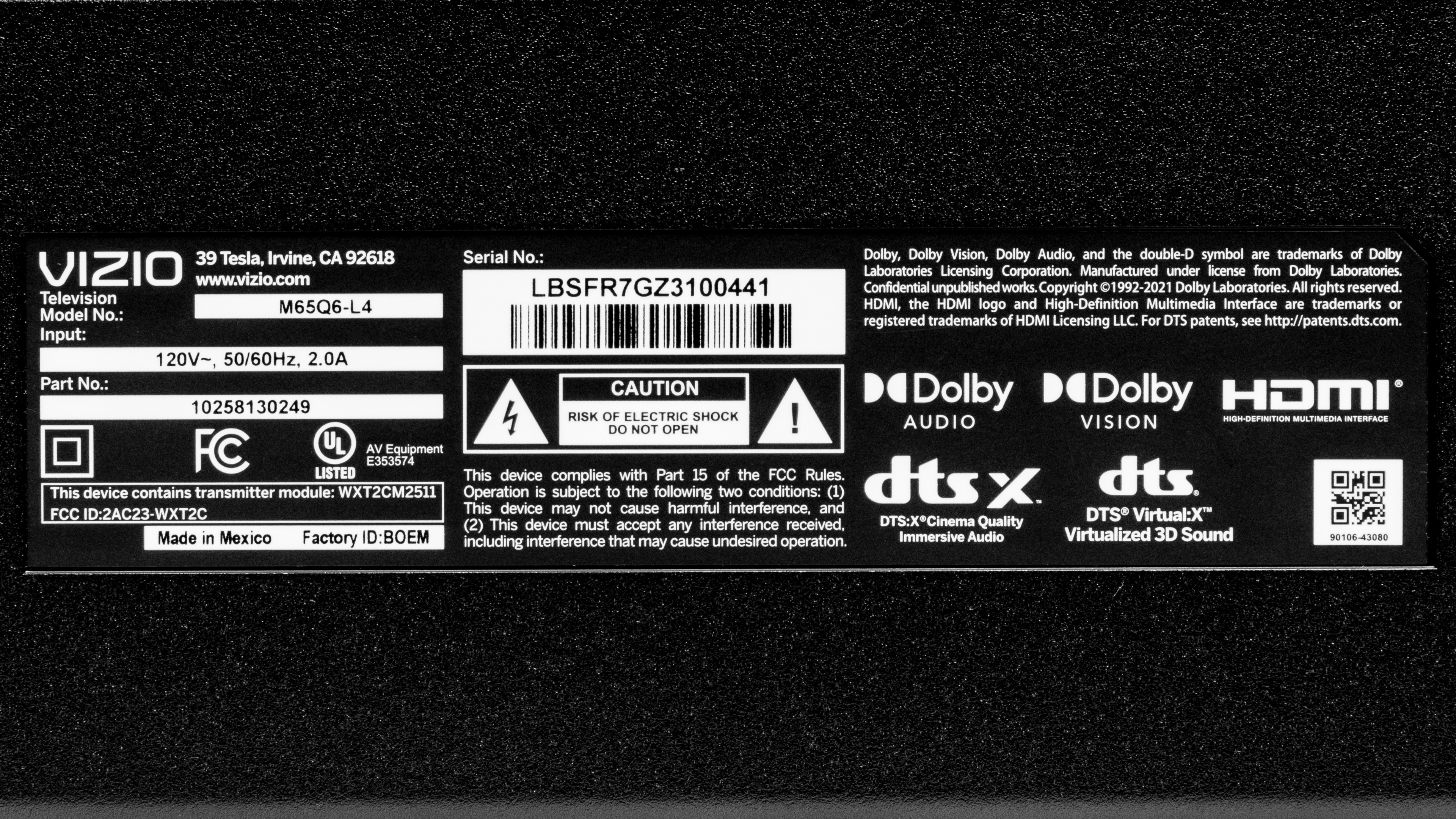
We bought and tested the 65-inch Vizio M65Q6-L4, and these results are also valid for the 55-inch and 75-inch sizes. There's no difference in performance between the three sizes.
| Size | Model Number |
|---|---|
| 55" | M55Q6-L4 |
| 65" | M65Q6-L4 |
| 75" | M75Q6-L4 |
You can see the label for our unit here.
Popular TV Comparisons
The Vizio Quantum is a very basic TV with poor picture quality and a lackluster smart interface but a good selection of gaming features. It offers better gaming features than most comparably-priced TVs on the market but worse picture quality. You should only consider this TV if you're never in a dark room and plan on using it primarily for gaming.
See our recommendations for the best budget TVs, the best 65-inch TVs, and the best gaming TVs.
The step-up Vizio Quantum Pro QLED is significantly better than the Vizio Quantum QLED. The Pro model gets a lot brighter, so it can handle more glare in a bright room, and HDR looks more vivid overall. The Pro also adds a full array local dimming feature, and while this increases the amount of blooming around bright objects, it also drastically increases the TV's dynamic range, so bright highlights stand out in bright scenes, and dark scenes aren't as washed out.
Unless you're in a completely dark room, the Vizio Quantum QLED is slightly better than the Amazon Fire TV 4-Series. The Vizio has much better accuracy even before it's calibrated and has a much wider color gamut. The Vizio also has a very wide viewing angle, which is great if you have a wide seating arrangement, as the image doesn't look washed out at an angle.
The Vizio V Series 2022 is better than the Vizio Quantum QLED only if you're in a dark room; for everyone else, the Quantum is a better choice. The Quantum has a much wider viewing angle and better uniformity, and it gets brighter to overcome glare in a bright room. The Quantum is also a bit better for gamers, thanks to its support for 1080p @ 120Hz gaming. On the other hand, the older V Series is only better for use in a dark room, as it has much higher contrast and better black uniformity.
The Hisense A65K is much better than the Vizio Quantum QLED. The Hisense has a much higher contrast ratio, delivering deeper blacks that aren't washed out as much when bright highlights are on the screen. The Hisense also has better processing when upscaling low-resolution content. Finally, the Hisense features a far more robust smart interface with a huge selection of streaming apps, so you can quickly find your favorite shows directly on the TV without having to cast content from your phone.

We buy and test dozens of TVs yearly, taking an objective, data-driven approach to deliver results you can trust. Our testing process is complex, with hundreds of individual tests that take over a week to complete. Most of our tests use specially designed test patterns that mimic real content, but we also use the same sources you have at home to ensure our results match the real-world experience. We use two main tools for our testing: a Colorimetry Research CR-100 colorimeter and a CR-250 spectroradiometer.
Test Results
Older Test Bench: We tested this product using an older TV test methodology before a major update. Some of the test results below aren't directly comparable with other TVs. Learn more
for pictures & test results

The Vizio M65Q6-L4 has a surprisingly nice design for an entry-level model. The bezels are extremely thin on three sides, but there's some dead space between the bezels and the first pixels, which is a bit distracting.
for pictures & test results

The flat feet are set near the ends of the TV, so you'll need a large cabinet if you're not planning on wall-mounting the TV. It supports the TV well, though, with just a bit of wobble. Unlike the step-up model, the Vizio Quantum Pro QLED, there's no raised Soundbar position, but the feet are a bit taller, so you can still place a soundbar in front of the TV without blocking the screen.
Footprint of the 65" stand: 44.9" x 12.7" x 3.3"
for pictures & test results

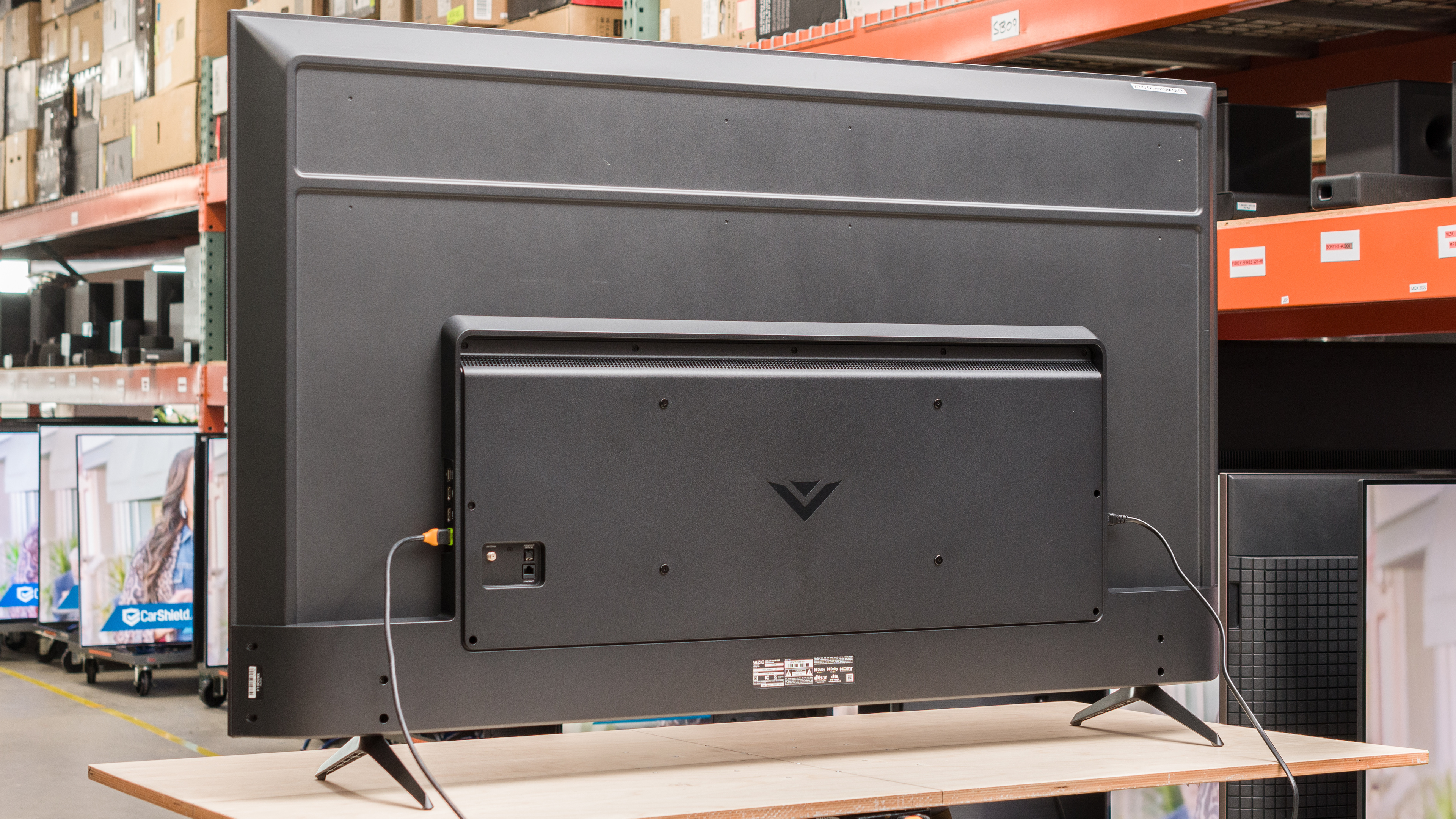
The back of the TV is simple and looks cheaper than the rest of it. The inputs face the side and are easily accessible, even when the TV is wall-mounted. There's nothing to help with cable management, though.


for pictures & test results

The build quality is decent overall, with no significant issues. There's some flex on the back panel, but this is common and won't cause any issues. There's some pinching along the top right side of the panel, and a small gap between the bottom bezel of the TV and the screen.
for pictures & test results

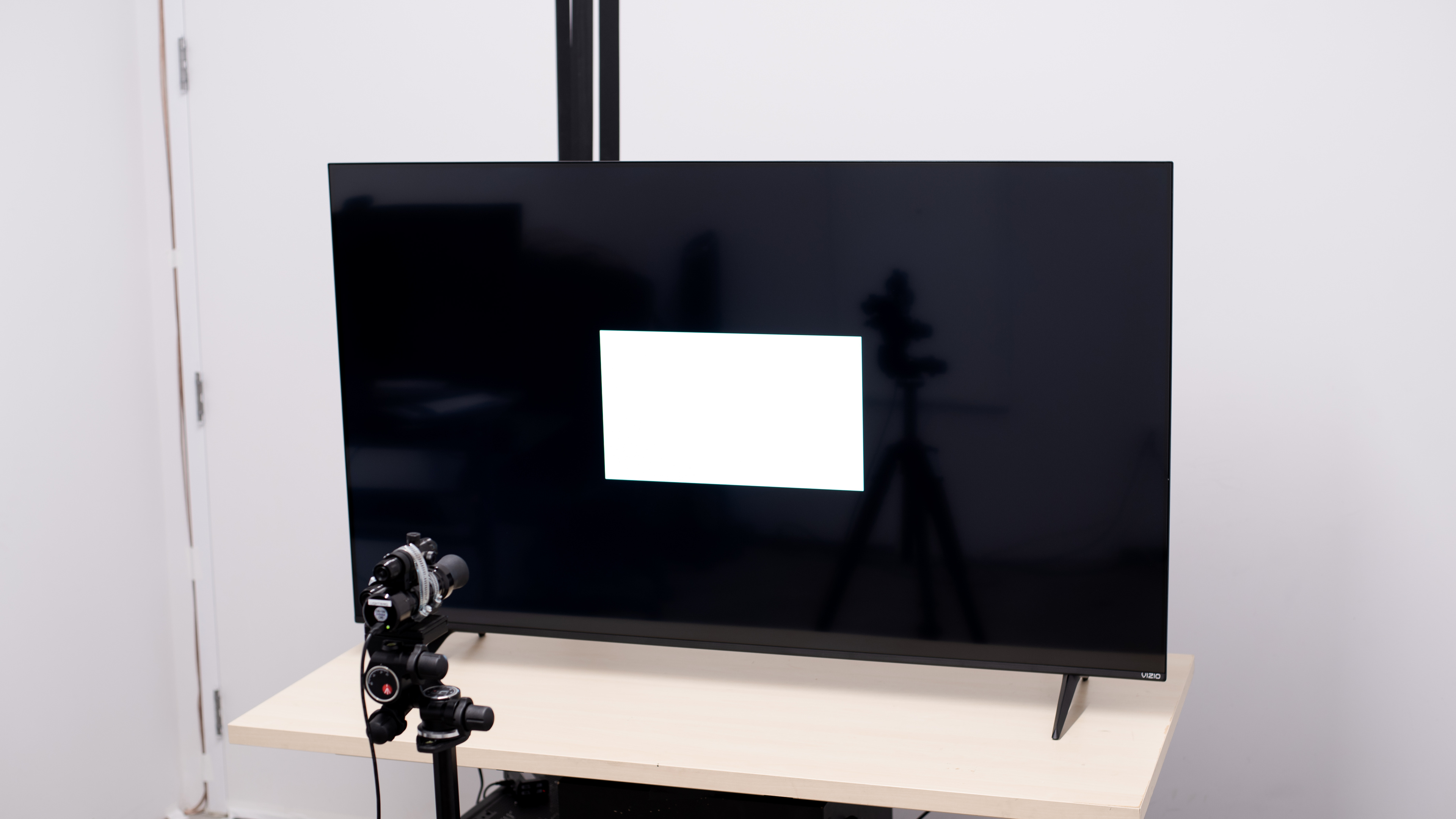
Unfortunately, the Vizio Quantum has a terrible contrast ratio, and there's no local dimming feature. Blacks are raised when any bright highlights are visible on the screen, causing shadow details to appear washed out.
for pictures & test results

This TV doesn't have a local dimming feature, so there's no blooming around bright objects or subtitles in dark scenes, but the entire screen looks washed out when bright highlights are on the screen.
for videos & test results

This TV doesn't have a local dimming feature, so it can't adjust the backlight of individual zones to brighten up highlights without impacting the rest of the image. But this means that there's no distracting flicker or brightness changes as bright highlights move between zones.



for pictures & test results

for pictures & test results

for pictures & test results

Unfortunately, this TV isn't bright enough in HDR to deliver an impactful HDR experience. Simple scenes in HDR are bright enough to stand out, but since it lacks a local dimming feature, bright specular highlights don't stand out at all. Although it supports it, HDR content looks dull and flat on this TV, with none of the punchiness you'd expect.
These measurements are after calibrating the HDR white point with the following settings:
- HDR Picture Mode: Calibrated Dark
- Tone Mapping: 50
- Color Temperature: Warm
- Gamma: 2.2
- Color: 50
for pictures & test results

for pictures & test results

for pictures & test results

The brightness in the 'Game' Picture Mode is nearly identical to the calibrated HDR settings.
These measurements are after calibrating the HDR white point with the following settings:
- HDR Picture Mode: Game
- Tone Mapping: 50
- Color Temperature: Warm
- Gamma: 2.2
- Color: 50
for pictures & test results

The PQ EOTF tracking on this TV is great overall. Near-blacks are considerably brighter than they should be due to the low contrast and lack of a local dimming feature, so shadow details are always raised. Midtones look much better, though, tracking the creator's intent almost perfectly. Of course, this TV can't get very bright, so it can't display bright details, and there's a sharp cutoff at the TV's peak brightness, causing a loss of fine bright details.
The peak brightness in SDR is excellent. It's bright enough to easily overcome glare, which is great if you have a lot of windows or bright lights in your room.
These measurements are after calibration with the following settings:
- Picture Mode: Calibrated
- Brightness: 50
- Contrast: 50
- Color: 50
- Color Temperature: Warm
- Gamma: 2.2
for pictures & test results

for pictures & test results

The Vizio Quantum has an amazing color gamut. It displays nearly the entire DCI-P3 color space used by most current HDR content, but the accuracy is off, and most colors appear undersaturated. It has decent coverage of the wider Rec. 2020 color space, but the accuracy is poor, and saturated colors, especially greens and blues, are noticeably inaccurate.
for pictures & test results

for pictures & test results

Despite its amazing color gamut, this TV has just decent color volume. It can't display bright colors well due to its low peak brightness. It can't display dark saturated colors properly due to its terrible contrast ratio and lack of a local dimming feature.
for pictures & test results

for pictures & test results

for pictures & test results

Unfortunately, even after switching the TV to the most accurate mode out-of-the-box, the Vizio Quantum has just okay accuracy in SDR. The white balance is bad, as almost all shades of gray are displayed incorrectly, and there's too much red in bright highlights. Gamma isn't close to the 2.2 target at all, and bright scenes especially are significantly darker than they should be. Colors fare a bit better overall, as the TV's overall color accuracy is good, but most saturated colors are a bit off.
for pictures & test results

for pictures & test results

for pictures & test results

The TV's calibration system is very easy to use, and the TV is easy to calibrate overall. After calibration, the SDR accuracy is significantly better, with no noticeable issues remaining.
You can see the full settings used for our calibration here.
for pictures & test results

for pictures & test results

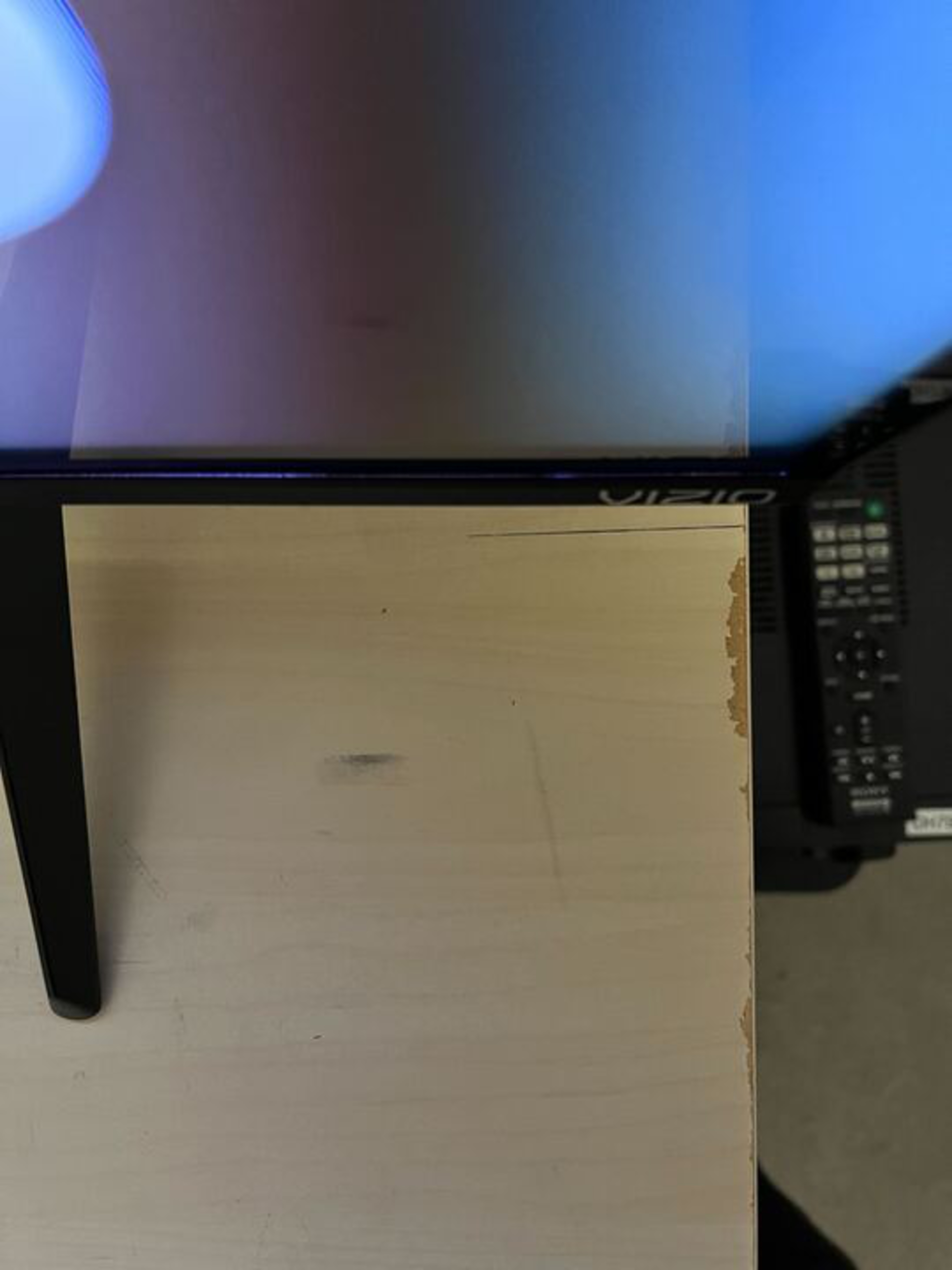
The gray uniformity on this TV is decent overall. There's a bit of dirty screen effect in the center, which is a bit distracting when watching sports, but it's not too bad. The sides of the screen are noticeably darker than the center, though, which is a far more distracting issue when using the TV as a PC monitor.
for pictures & test results

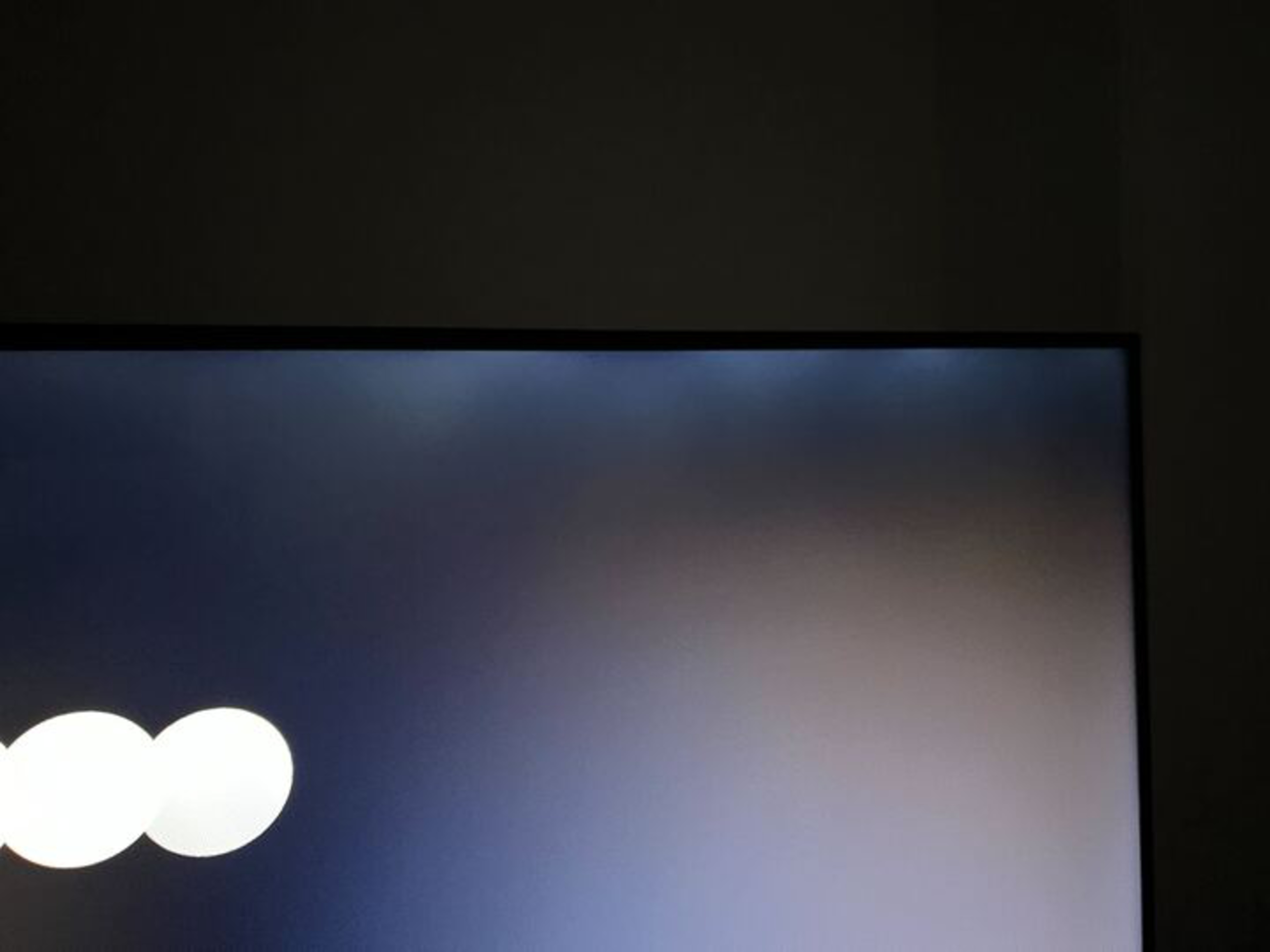
Unfortunately, the black uniformity is poor on this TV. The entire screen is cloudy, and there's some pinching along the top edge of the screen that causes noticeable backlight bleed. There's no local dimming feature to improve dark-scene performance on this TV.
for videos & test results

for pictures & test results

for pictures & test results

for pictures & test results

The viewing angle on this TV is impressive. It's a great choice for a wide seating arrangement, as people sitting to the side will still see a consistent, clear image. This also means you can move around the room with the TV on, and it won't fade or wash out, even at a wide angle.
for pictures & test results

for pictures & test results

for pictures & test results

The reflection handling on the Vizio Quantum is just decent. The semi-gloss coating doesn't do much to reduce the intensity of direct reflections, but as a result, there's very little indirect reflections or smearing.
for pictures & test results

Gradients look decent on the Vizio Quantum. There's significant banding in shades of gray and white, and dark shades of green are mediocre. Other colors look great, though, especially in brighter shades.
for pictures & test results

The low-quality content smoothing on this TV is disappointing. The Contour Smoothing setting, which is supposed to help smooth out macro-blocking and pixelization in dark scenes, doesn't appear to do anything, as there's very little difference between setting it to 'High' and disabling it entirely.
for pictures & test results

The sharpness processing on this TV is sub-par. Text and fine details aren't upscaled well and look soft. Some fine details are lost, and upscaled text is hard to read.
Sharpness processing was calibrated for low-resolution or low-bitrate content, with no over-sharpening, with the following setting:
- Sharpness: 20

for pictures & test results

for pictures & test results

The Vizio M65Q6-L4 has a decent response time. Motion is clear for the most part, with a short blur trail behind fast-moving objects. Shadow details look worse, though, as there's noticeable overshoot when coming out of black, resulting in some inverse ghosting in shadows.
for pictures & test results

The Vizio M65Q6-L4 is flicker-free at max backlight, but any setting below that introduces a fixed backlight flicker. It flickers at a high enough frequency that it won't bother most people who aren't usually sensitive to flicker, and it doesn't cause any noticeable image duplication.
for pictures & test results

for pictures & test results

Surprisingly for a budget model, this TV has an optional backlight strobing feature, commonly known as black frame insertion or BFI. This feature is extremely effective at reducing the amount of persistence blur, resulting in much clearer motion. The timing is a bit off, though, as there's a secondary flicker that creates a trailing double image on the screen. Unfortunately, the BFI feature isn't available when in 'Game' mode.
This TV doesn't have a motion interpolation feature.
Thanks to this TV's relatively slow response time, there's just a bit of stutter when watching movies or shows. It's still noticeable in some very slow panning shots, but otherwise, it looks good.
The Vizio Quantum can only remove judder from the native apps and true 24p sources. This includes any DVD or Blu-ray player or streaming sticks with a 'Match Frame Rate' feature like an Apple TV.
Surprisingly for a TV at this price point, the Vizio M65Q6-L4 supports VRR. Although its native refresh rate is only 60Hz, it supports a 120Hz maximum refresh rate with a 1080p resolution, delivering a nearly tear-free gaming experience.
The Vizio M65Q6-L4 has incredibly low input lag, ensuring a smooth and responsive gaming or desktop experience.
This TV supports most common resolutions and formats. Chroma 4:4:4 or RGB signals are displayed properly with all supported resolutions, which is essential for clear text from a PC. Although its native refresh rate is only 60Hz, it fully supports gaming at 1080p @ 120Hz, with no frame skipping or interlacing. The 120Hz refresh rate is only supported with 1080p signals; it doesn't work with a 1440p or 4k resolution.
for pictures & test results

This TV has good compatibility with the PS5. It supports 1080p @ 120Hz gaming, which is great if you prefer smooth motion handling over graphics fidelity. It also supports VRR and HDR, even in the 1080p @ 120Hz mode.
for pictures & test results

This TV has good compatibility with the Xbox Series S|X. It supports 1080p @ 120Hz gaming, which is great if you prefer smooth motion handling over graphics fidelity. It also supports VRR and HDR, even in the 1080p @ 120Hz mode.
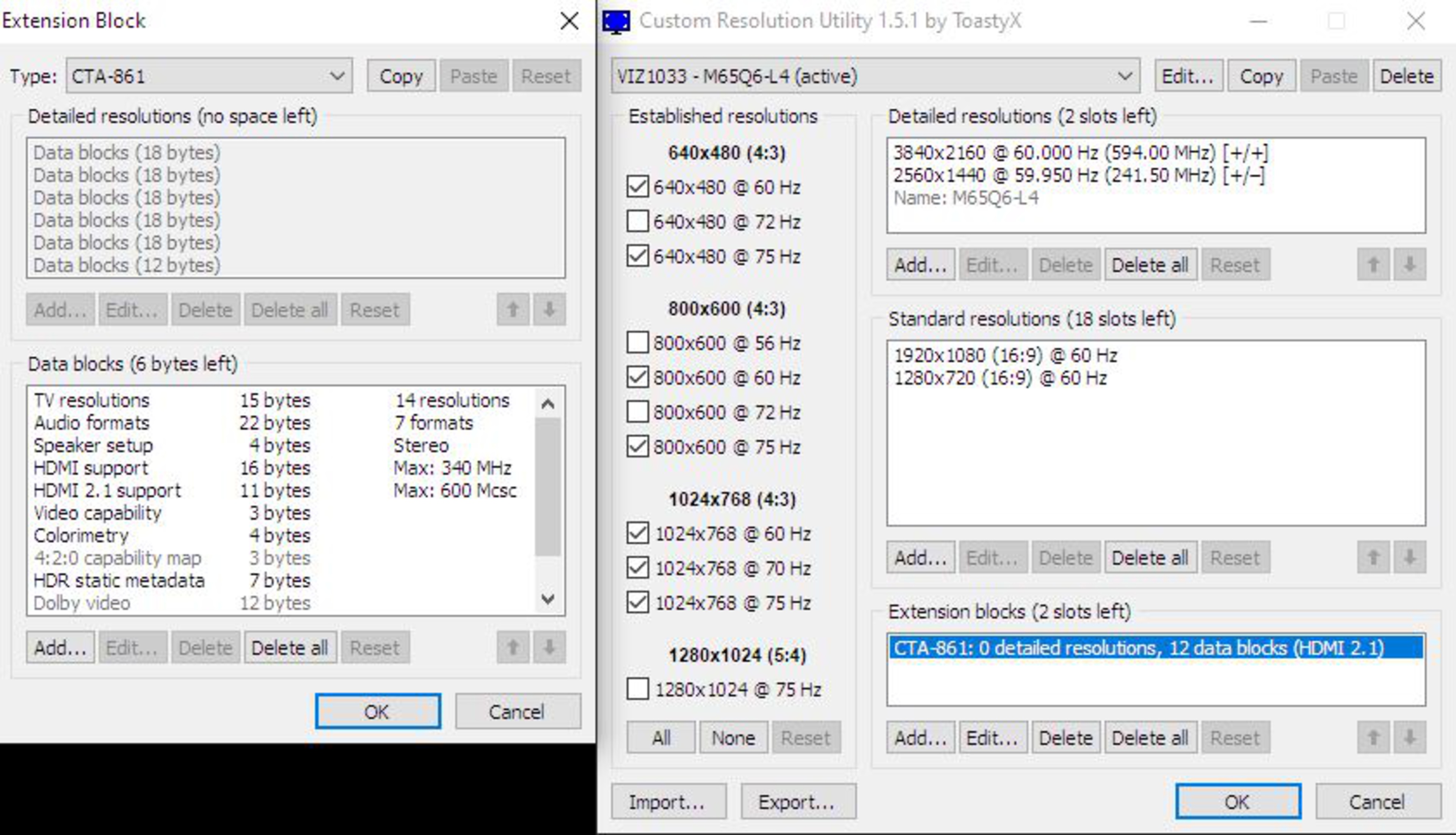
Vizio advertises this TV to support HDMI 2.1. The TV's EDID information in Custom Resolution Utility (CRU) shows that it supports some features of HDMI 2.1 but that it's still limited to 18Gbps. This TV also supports Wi-Fi 6E, delivering higher speeds if your router supports it.


This TV supports eARC, or Enhanced Audio Return Channel, allowing you to pass high-quality, uncompressed audio to a compatible receiver or soundbar. It supports most of the common audio formats, so you won't have any issues using it to watch movies on Blu-ray, but it's limited to 2 channels on devices that only output LPCM, like the Nintendo Switch.
for pictures & test results

Unfortunately, the built-in speakers on the Vizio Quantum are sub-par at best. It has very little bass, no thump or rumble at all, and it can't get very loud, so it's not suitable for a noisy environment. Dialogue is clear and understandable, but it's disappointing overall.
for pictures & test results

The distortion performance on this TV is alright. There's some noticeable distortion at moderate volume levels, and it hardly increases at max since it just can't get very loud.
for pictures & test results

The Vizio SmartCast platform differs from other operating systems as the apps are web-based, and the interface feels slower. It's easy to learn, but there are a few bugs, as the SmartCast was unavailable when we first started the TV, and we had to reset it for it to work.
for pictures & test results

Unfortunately, like most TVs, there are ads throughout the SmartCast user interface, and they can't be disabled.
for pictures & test results

The Vizio SmartCast platform doesn't have an app store. There's an okay selection of apps built-in to the TV, and you can cast content from your phone if your favorite streaming service isn't available.
for pictures & test results

The included remote is simple. It has all the basic functions, including quick-access buttons to popular streaming services, and there's a mic for voice control. You can ask it to open apps and switch inputs, but you can't use it to search for content in apps or change the TV's settings.
for pictures & test results

A single button on the bottom left side turns it on/off and changes inputs.
for pictures & test results

- Power cable
- Remote control
- 2x AAA batteries
- User guides