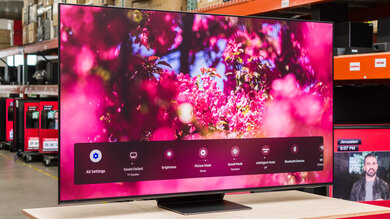
The Sony A80K/A80CK OLED is one of two entry-level OLEDs in Sony's 2022 lineup. It sits behind the Sony A90K OLED and the QD-OLED Sony A95K OLED; in Europe, it sits ahead of the Sony A75K. It replaces the Sony A80J OLED from 2021 and is largely unchanged from its predecessor. It uses the same Cognitive Processor XR and has many of the same features like HDMI 2.1 bandwidth, variable refresh rate (VRR) support, and the S-Center speaker input to use the TV's speakers as a center channel when connecting a compatible Sony soundbar. It also uses the same Google TV smart platform, and like its predecessor, it's available in 55-inch, 65-inch, and 77-inch models.
Our Verdict
The Sony A80K is excellent for most uses. It performs best in dark rooms while watching movies because it displays deep blacks without any blooming in dark scenes. It's excellent for HDR because of that dark room performance and the fact that it displays a wide range of colors, but its HDR brightness isn't high enough for the best HDR experience. It's great for watching TV shows and excellent for sports in well-lit rooms thanks to its wide viewing angle and incredible reflection handling, but it doesn't get bright enough to fight a ton of glare. Lastly, it's fantastic for gaming as it has variable refresh rate (VRR) support with HDMI 2.1 bandwidth, a quick response time, and low input lag.
- Near-infinite contrast ratio for deep blacks.
- No issues upscaling lower-resolution content.
- Incredible reflection handling.
- Wide viewing angle.
- Low peak brightness, especially before calibration.
- Limited HDR peak brightness.
The Sony BRAVIA XR A80K is incredible for watching movies in dark rooms. It displays deep blacks without any blooming, meaning it looks amazing in dark rooms. It also removes 24p judder from any source and doesn't have trouble upscaling lower-resolution content. Sadly though, low-frame-rate content like movies stutter because of the TV's quick response time.
- Perfect black uniformity.
- Near-infinite contrast ratio for deep blacks.
- Removes 24p judder from any source.
- No issues upscaling lower-resolution content.
- Stutter due to near-instantaneous response time.
The Sony A80K is great for watching TV shows in well-lit rooms. It has incredible reflection handling that reduces the amount of glare from some light sources, but it doesn't get very bright, so it isn't ideal for placing it opposite a bright window. Luckily, it has a wide viewing angle so that the image remains consistent from the sides, which is great if you watch shows with the entire family. It also has no trouble upscaling content from cable boxes and has a great smart system, so watching streaming content is easy on this TV.
- No issues upscaling lower-resolution content.
- Incredible reflection handling.
- Wide viewing angle.
- Low peak brightness, especially before calibration.
The Sony BRAVIA XR A80K is excellent for watching sports. Fast-moving balls and players look excellent thanks to the near-instantaneous response time, so there isn't any motion blur. It also has incredible reflection handling, so the TV still looks good if you have a few lights around, although it doesn't get bright enough to fight a ton of glare. Lastly, it has a wide viewing angle, which is great if you want to watch the game with a few friends, as everyone sees the same image from the sides.
- No issues upscaling lower-resolution content.
- Incredible reflection handling.
- Wide viewing angle.
- Fast-moving objects look smooth.
- Low peak brightness, especially before calibration.
The Sony A80K is fantastic for gaming. It has features most gamers would expect, like HDMI 2.1 bandwidth on two ports and HDMI Forum VRR and G-SYNC support, but it doesn't support FreeSync, which is disappointing if you have a PC with an AMD graphics card. It has a near-instantaneous response time for smooth motion, and it has low enough input lag for a responsive feel. It's also incredible for dark room gaming as it displays deep blacks without blooming.
- Near-infinite contrast ratio for deep blacks.
- Fast-moving objects look smooth.
- VRR support and HDMI 2.1 bandwidth.
- Low input lag.
- No FreeSync support.
The Sony A80K is excellent for watching HDR movies. It performs very well in dark rooms as it has a near-infinite contrast ratio, resulting in perfect black levels and no blooming around bright objects. It also displays a wide range of colors in HDR. Its HDR peak brightness is okay, and it's enough to make some bright highlights stand out in a dark room, but the TV is not bright enough to look vibrant and colorful if you have a few lights on.
- Perfect black uniformity.
- Near-infinite contrast ratio for deep blacks.
- Removes 24p judder from any source.
- Displays wide range of colors.
- Stutter due to near-instantaneous response time.
- Limited HDR peak brightness.
The Sony A80K is fantastic for HDR gaming. It has fantastic gaming performance thanks to its fast response time, low input lag, HDMI 2.1 bandwidth, and VRR support. HDR also looks excellent in a dark room as it displays deep and inky blacks and a wide range of colors, but it doesn't get bright enough for an HDR image that pops and looks vivid when a few lights are on.
- Perfect black uniformity.
- VRR support and HDMI 2.1 bandwidth.
- Low input lag.
- Displays wide range of colors.
- No FreeSync support.
- Limited HDR peak brightness.
The Sony A80K is excellent for use as a PC monitor. It has low input lag for a responsive desktop feel, and the wide viewing angle ensures the edges of the screen aren't washed out if you sit close to it. It has incredible reflection handling if you use it in a room with a few lights, but its peak brightness is limited. Sadly, OLEDs risk permanent burn-in, and this TV shows signs of temporary image retention with exposure to static elements.
- Incredible reflection handling.
- Wide viewing angle.
- Fast-moving objects look smooth.
- Low input lag.
- Low peak brightness, especially before calibration.
- No FreeSync support.
Changelog
- Updated Jul 27, 2023: Added mention of the newly reviewed Sony A80L OLED in this review's Compared To Other TVs section.
- Updated Jul 21, 2023: Refreshed the text for accuracy and consistency.
- Updated Jul 10, 2023: Unfortunately, our TV failed completely during the longevity test. We've updated the Accelerated Longevity Test section with details of the failure.
- Updated Jun 07, 2023: We uploaded the latest brightness measurements and uniformity photos for the Accelerated Longevity Test.
Check Price
Differences Between Sizes And Variants
We tested the 65-inch Sony A80K, and the results are also valid for the 55 and 75-inch models. It's also known as the A80CK at Costco, and it's the same TV, but the only difference is that it comes with a backlit remote, a three-year warranty, and a two-year subscription to the Bravia Core Streaming Service. In Europe, there's both the Sony A80K and the Sony A84K, and while both TVs perform like the North American A80K, the European A84K is the closest equivalent because it has a built-in mic like the North American version.
| Size | Model | Costco |
|---|---|---|
| 55" | Sony XR55A80K | Sony XR55A80CK |
| 65" | Sony XR65A80K | Sony XR65A80CK |
| 77" | Sony XR77A80K | Sony XR77A80CK |
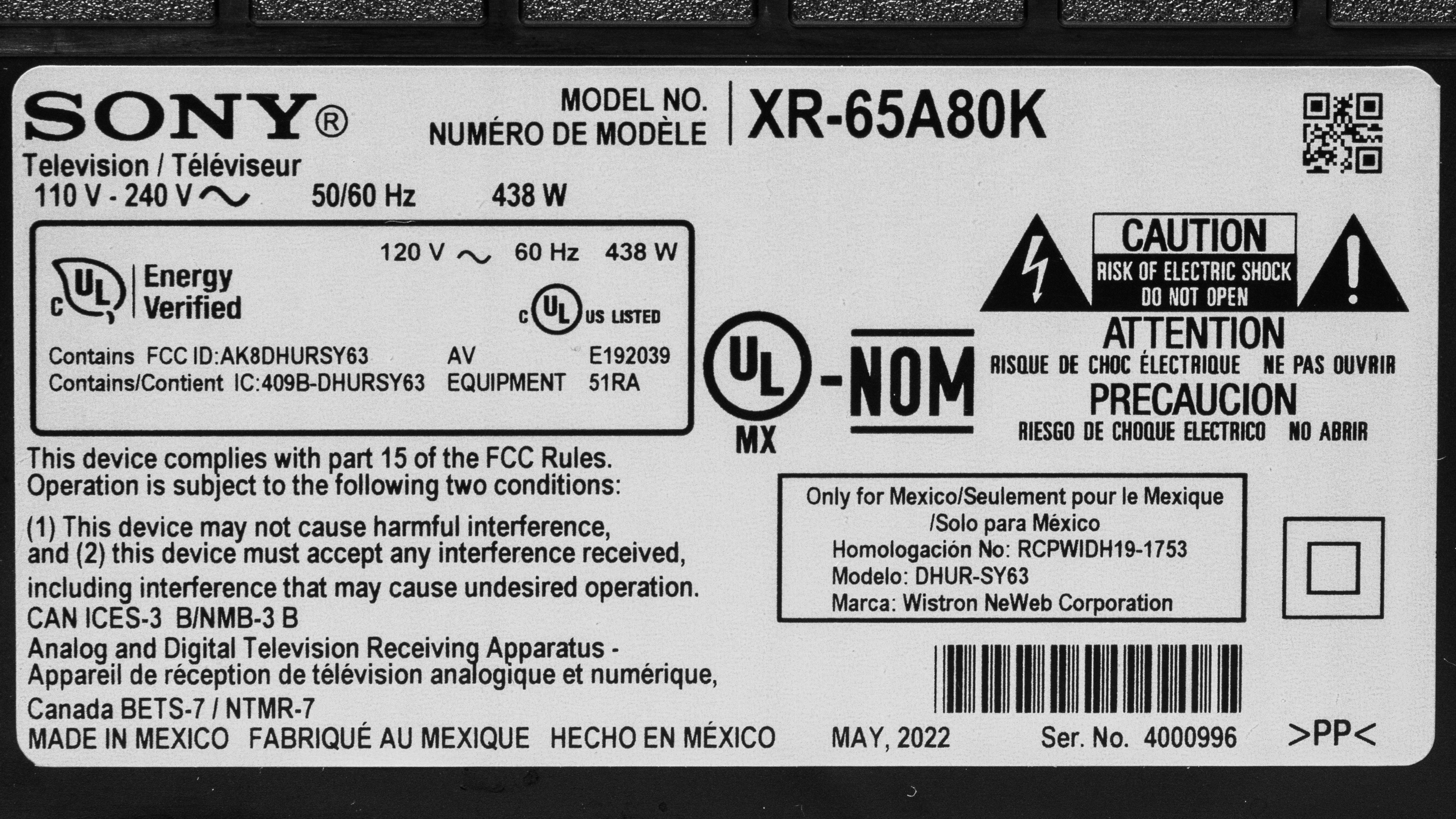
Our unit was manufactured in May 2022, and you can see the label here.
Popular TV Comparisons
The Sony A80K is an excellent TV with deep blacks, perfect black uniformity, and great gaming features. It's very similar to the Sony A80J OLED overall, so it's not worth an upgrade if you already own that panel. It's also nearly identical to its successor, the Sony A80L/A80CL OLED, so don't worry about upgrading if you own the A80K. It doesn't match up to the brighter OLEDs that came out in 2022, and if you want the best OLED for picture quality, you can find other options, like the LG C2 OLED or Samsung S95B OLED.
See our recommendations for the best smart TVs, the best TVs for movies, and the best 4k HDR TVs.
The Sony A80K/A80CK OLED and the Sony A80J OLED are extremely similar TVs with the same features. They're so similar that deciding between these two TVs comes down to which you can find for cheaper.
Although the Sony A90K OLED is positioned as a higher-end model than the Sony A80K/A80CK OLED, they offer nearly identical performance, but they're available in different sizes. The A80K is available in a 55", 65", and 77" size, while the A90K is only available in 42" and 48" sizes.
The Sony A80L OLED and Sony A80K/A80CK OLED are basically identical; they look identical, and while the A80L is slightly brighter, you'd be hard-pressed to notice even if both TVs were side by side. The A80L is available in a bigger 83-inch size, but aside from that, get the one you can find for cheaper, as they're effectively the same TV.
The LG C1 OLED and the Sony A80K/A80CK OLED are very similar TVs. They each have similar peak brightness and overall picture quality. The main advantage the LG has is that it has lower input lag for gaming, and if you're a PC gamer, it has FreeSync VRR support.

We buy and test dozens of TVs yearly, taking an objective, data-driven approach to deliver results you can trust. Our testing process is complex, with hundreds of individual tests that take over a week to complete. Most of our tests use specially designed test patterns that mimic real content, but we also use the same sources you have at home to ensure our results match the real-world experience. We use two main tools for our testing: a Colorimetry Research CR-100 colorimeter and a CR-250 spectroradiometer.
Test Results
Older Test Bench: We tested this product using an older TV test methodology before a major update. Some of the test results below aren't directly comparable with other TVs. Learn more
for pictures & test results

The TV looks very similar to the Sony A80J OLED. It has a premium design with metal feet and an all-black plastic body. It also has thin bezels that aren't distracting while watching TV.
for pictures & test results
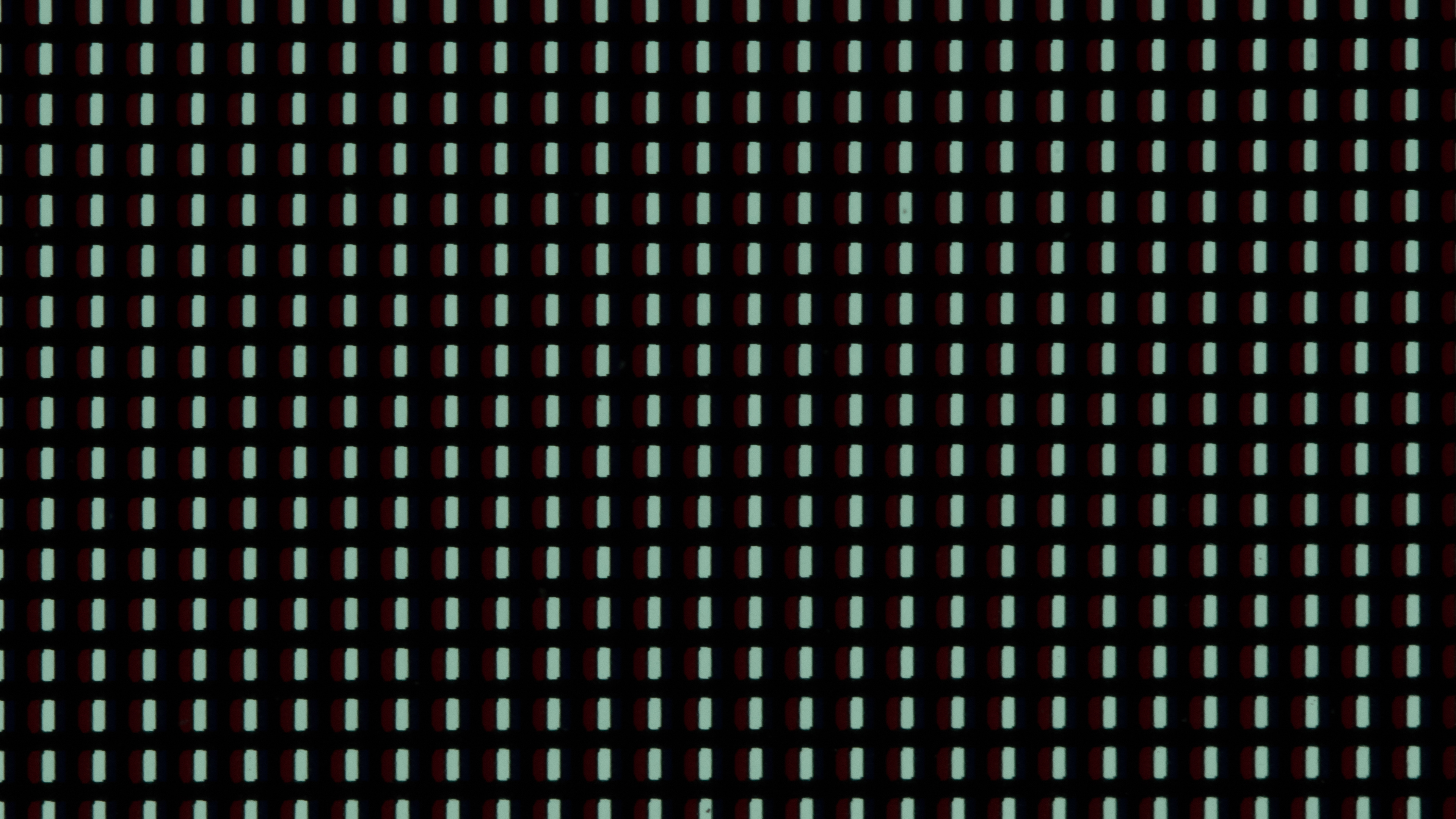
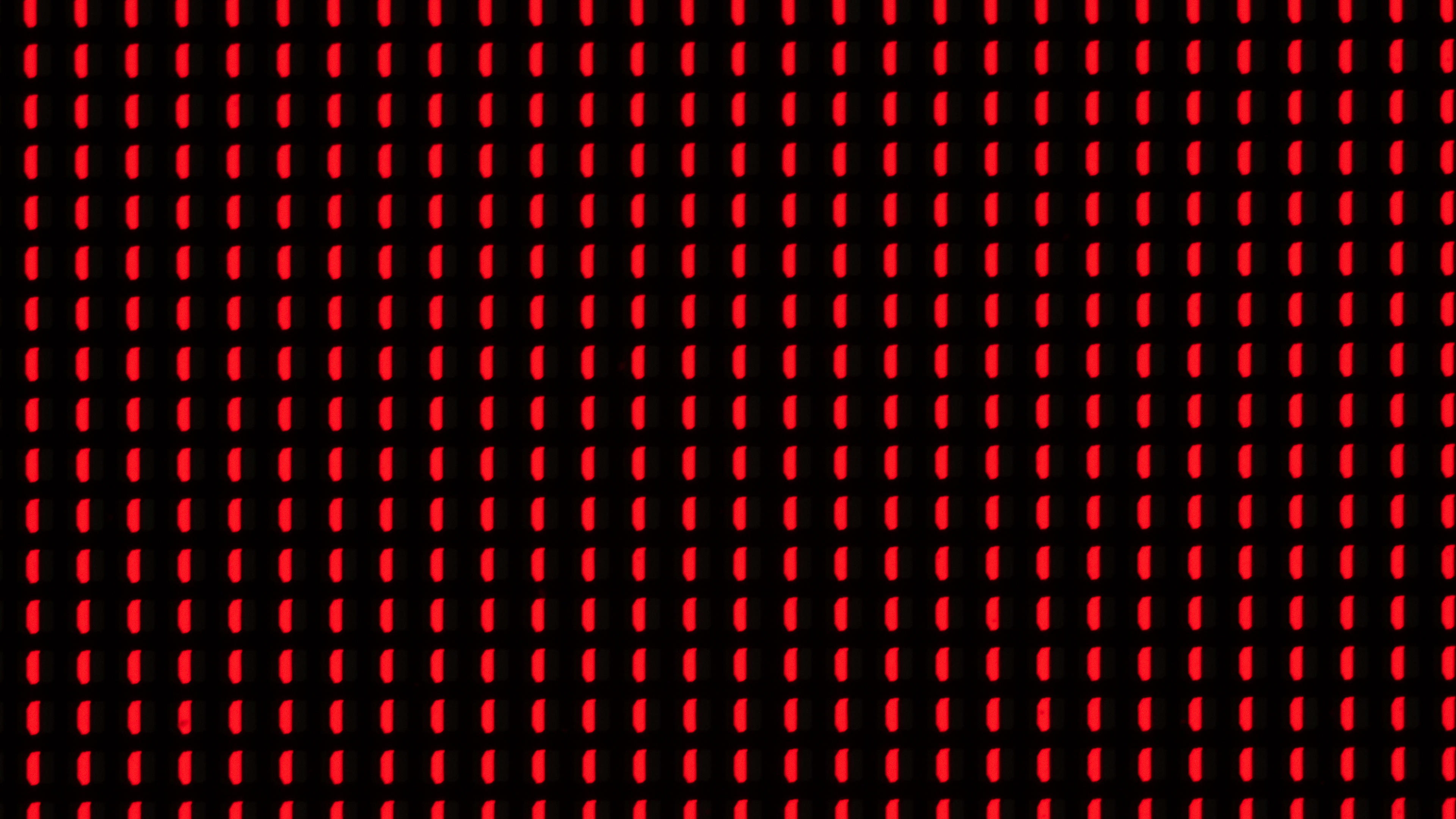
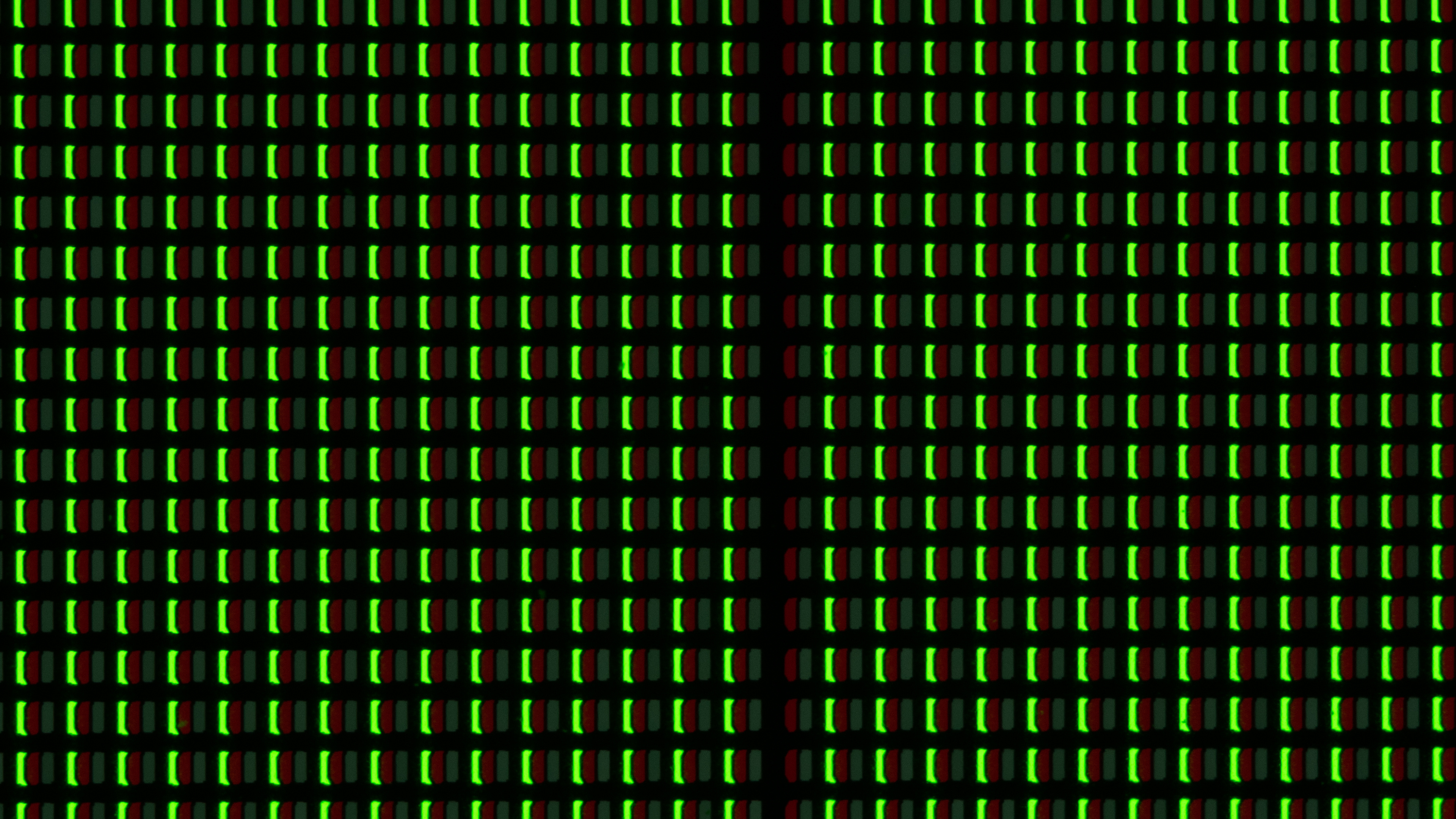
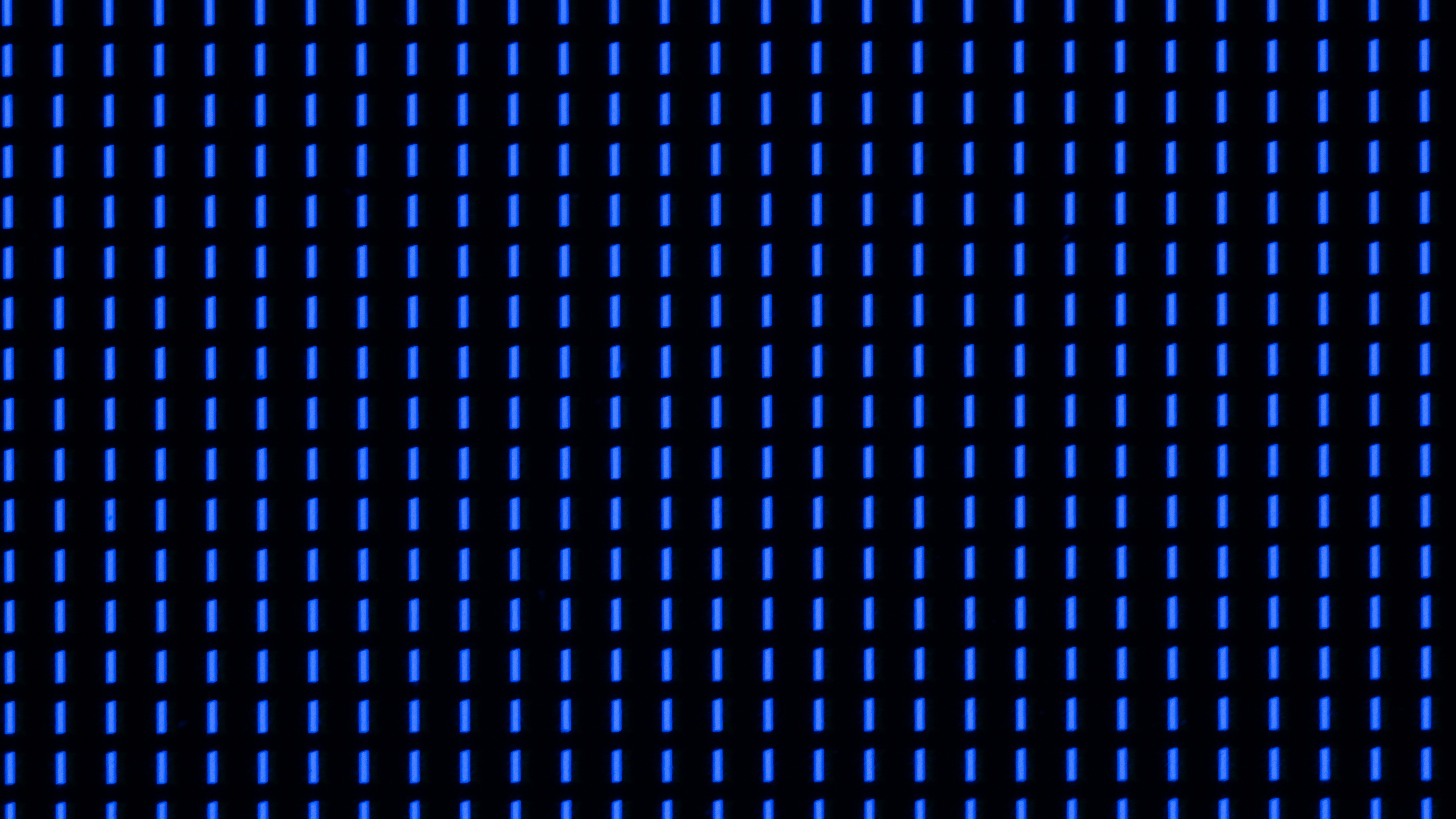
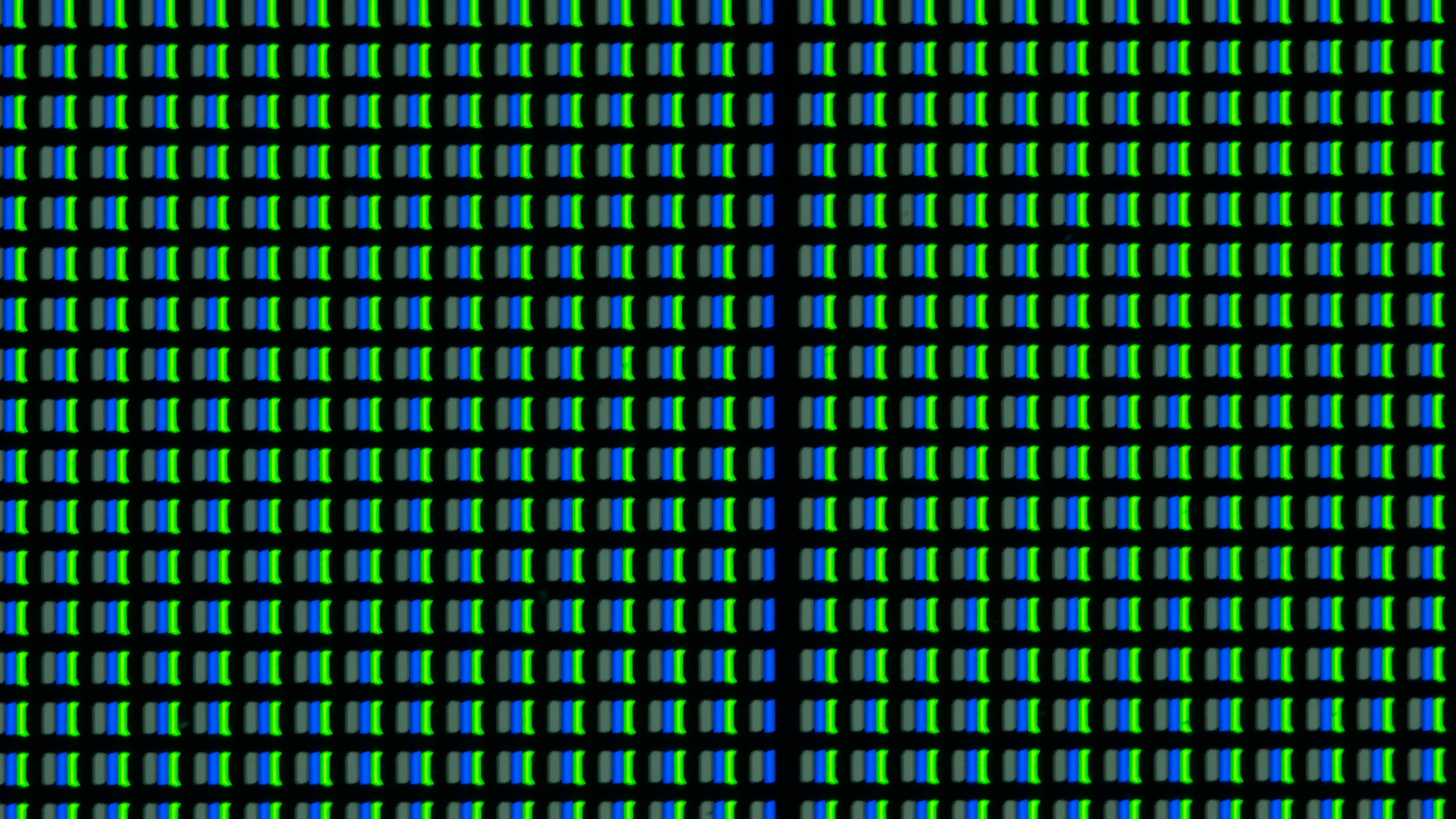
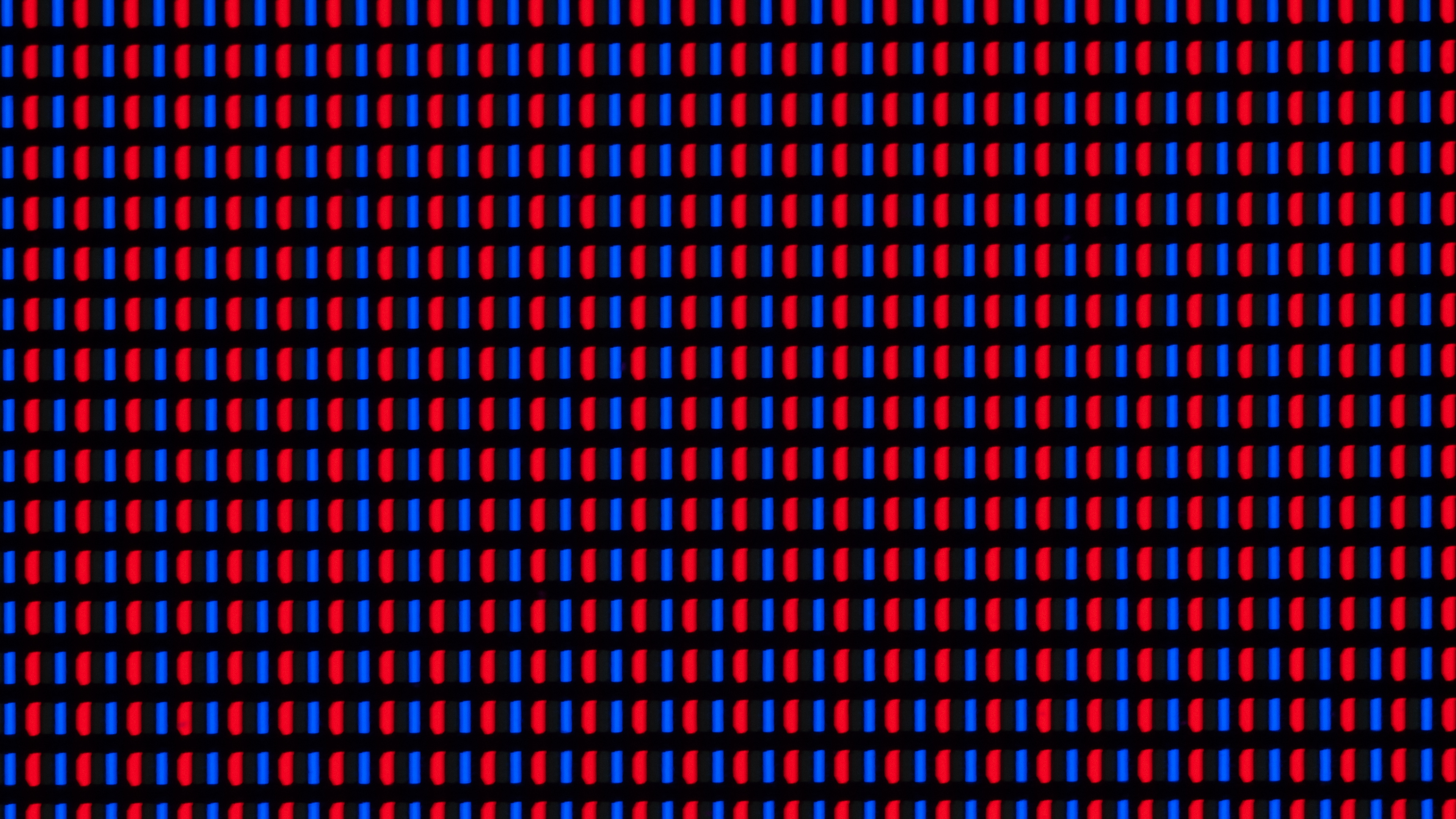
Unfortunately, our Sony A80K has developed a column of dead green subpixels. It's mainly noticeable in cyan, green, and yellow uniformity slides, all of which use the green subpixel. Even after running a pixel refresh cycle, the line remains. You can see pictures before and after running the pixel refresher below.
| Color | Before Pixel Refresh | After Pixel Refresh |
| 50% Gray | 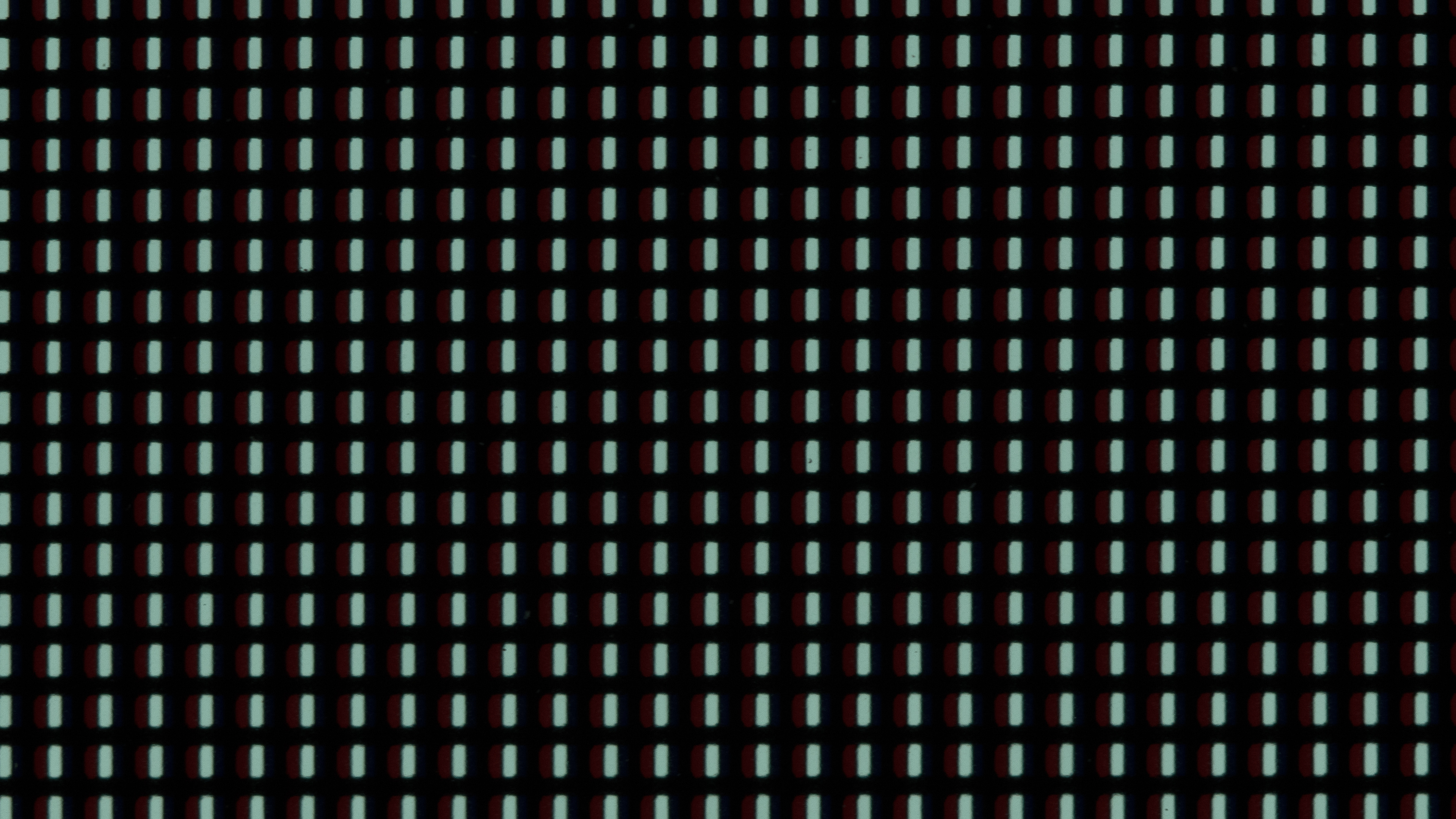 |
 |
| Red |  |
 |
| Green | 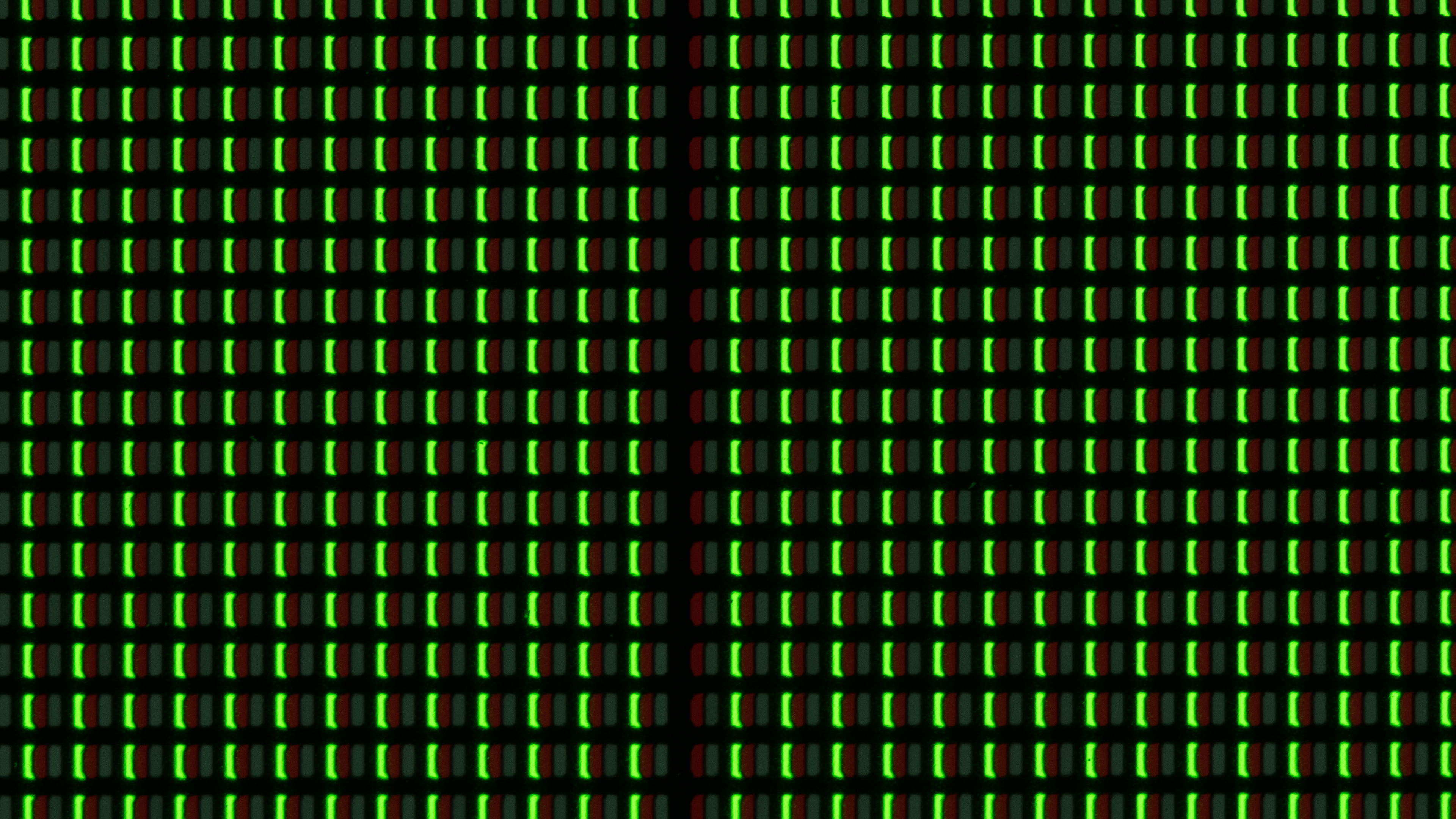 |
 |
| Blue | 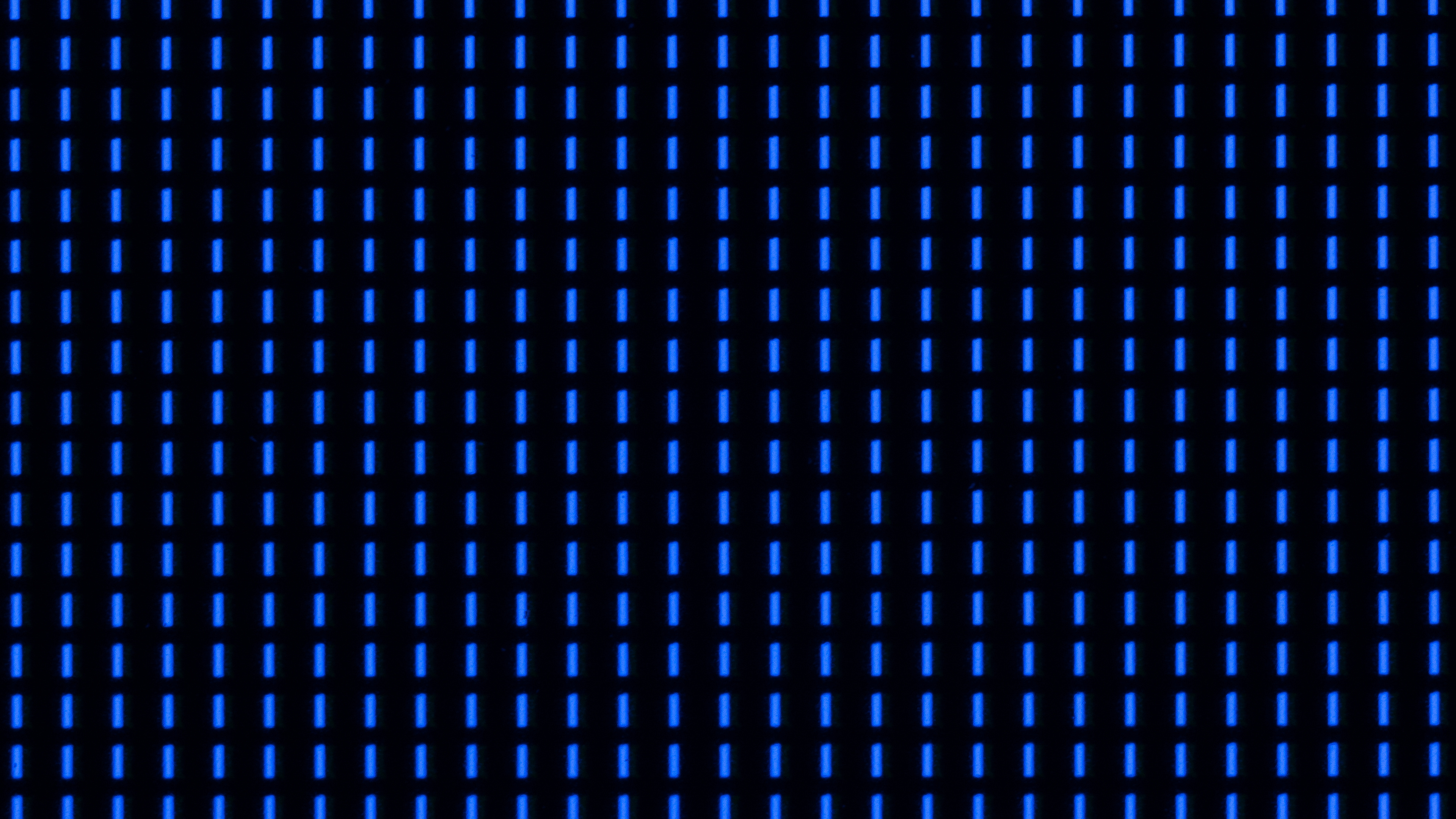 |
 |
| Cyan | 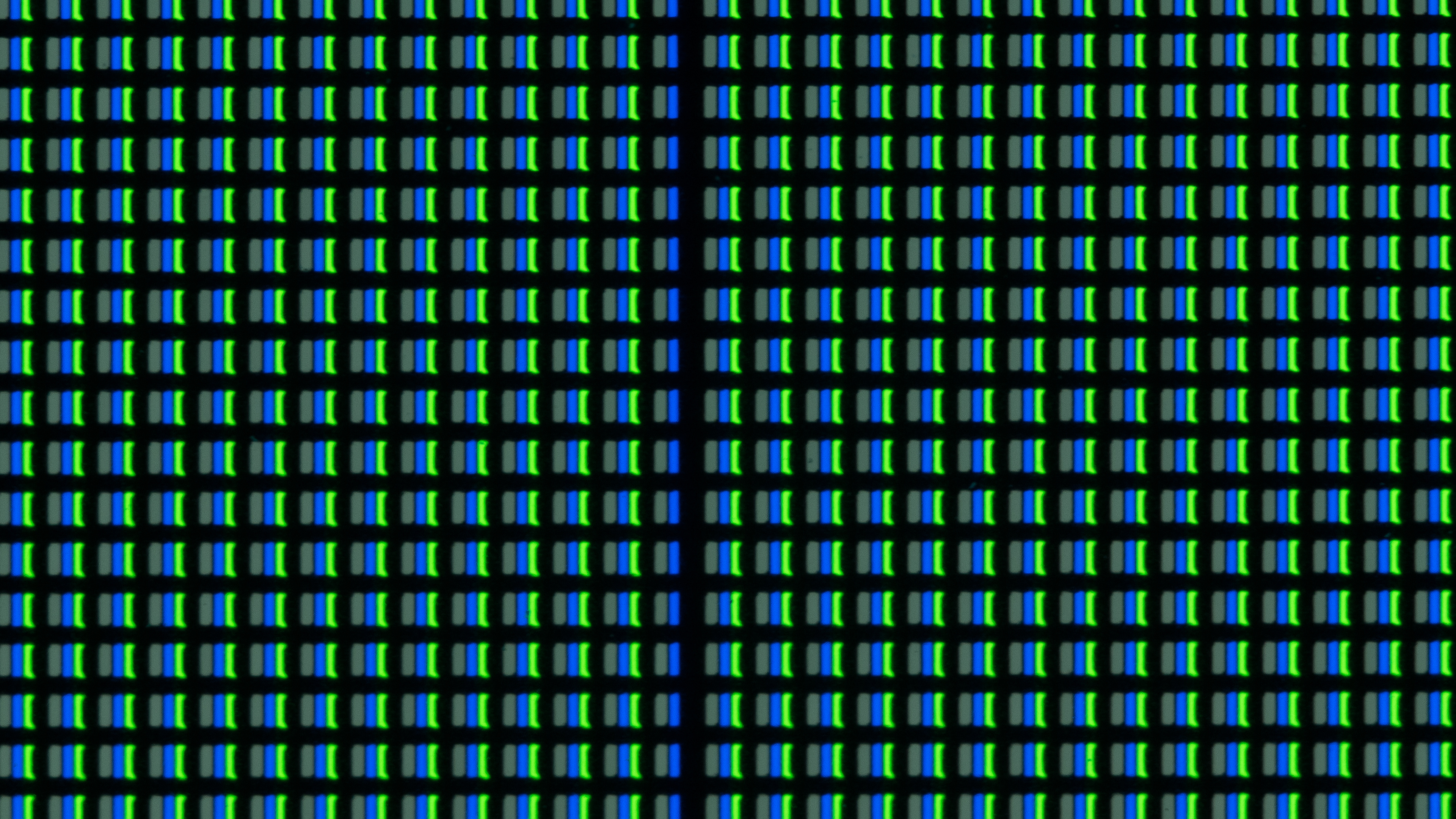 |
 |
| Magenta | 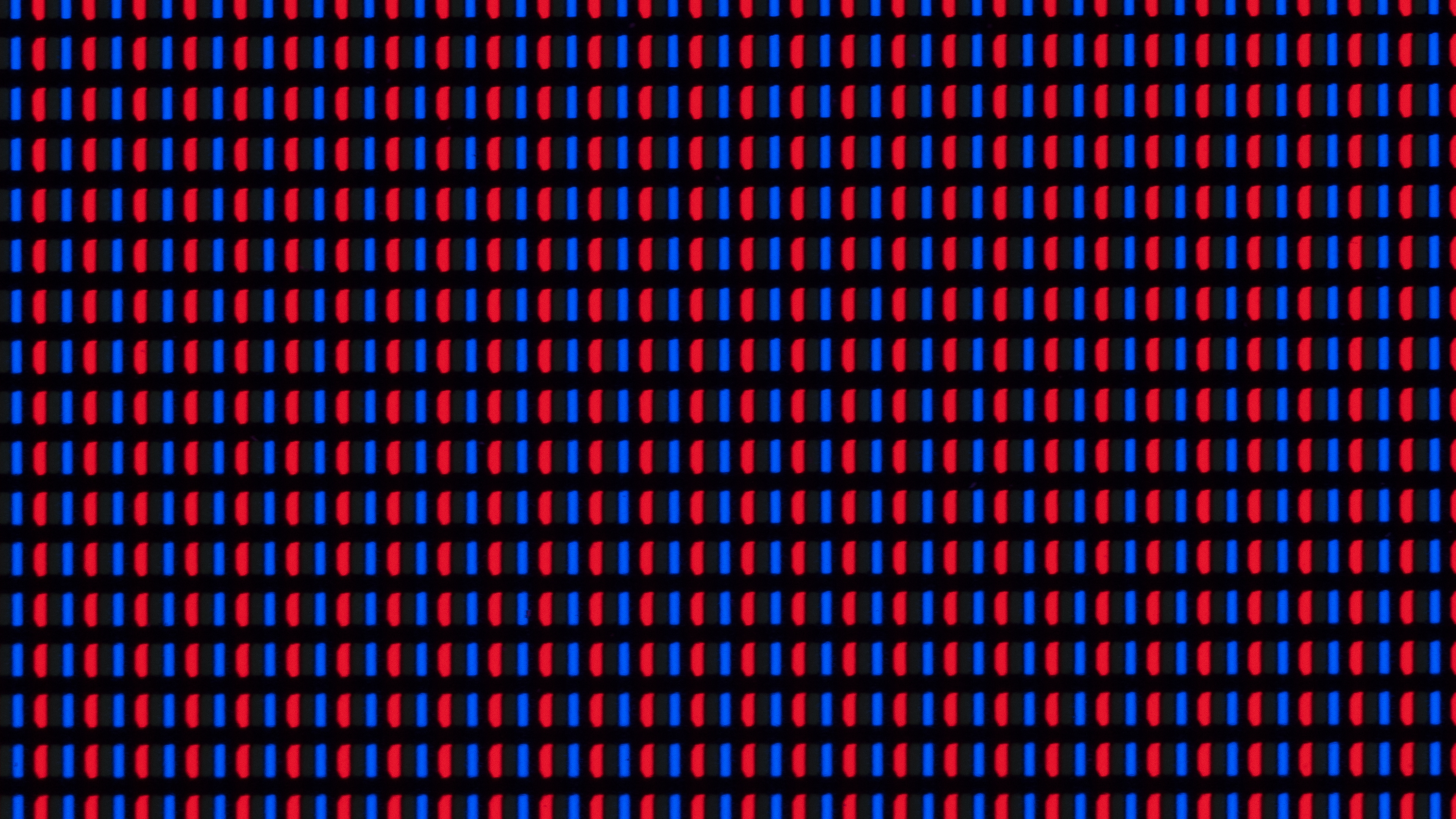 |
 |
| Yellow | 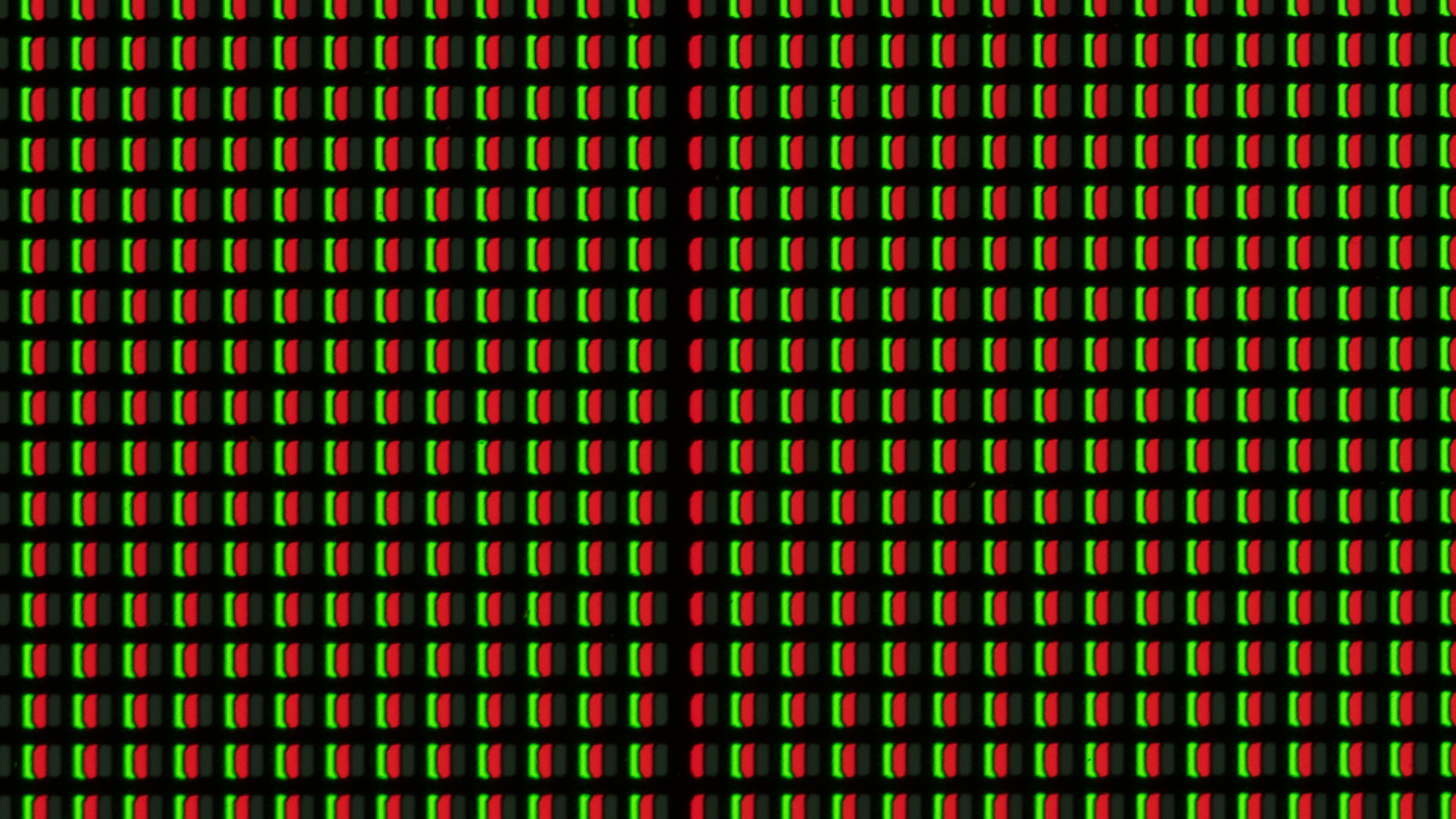 |
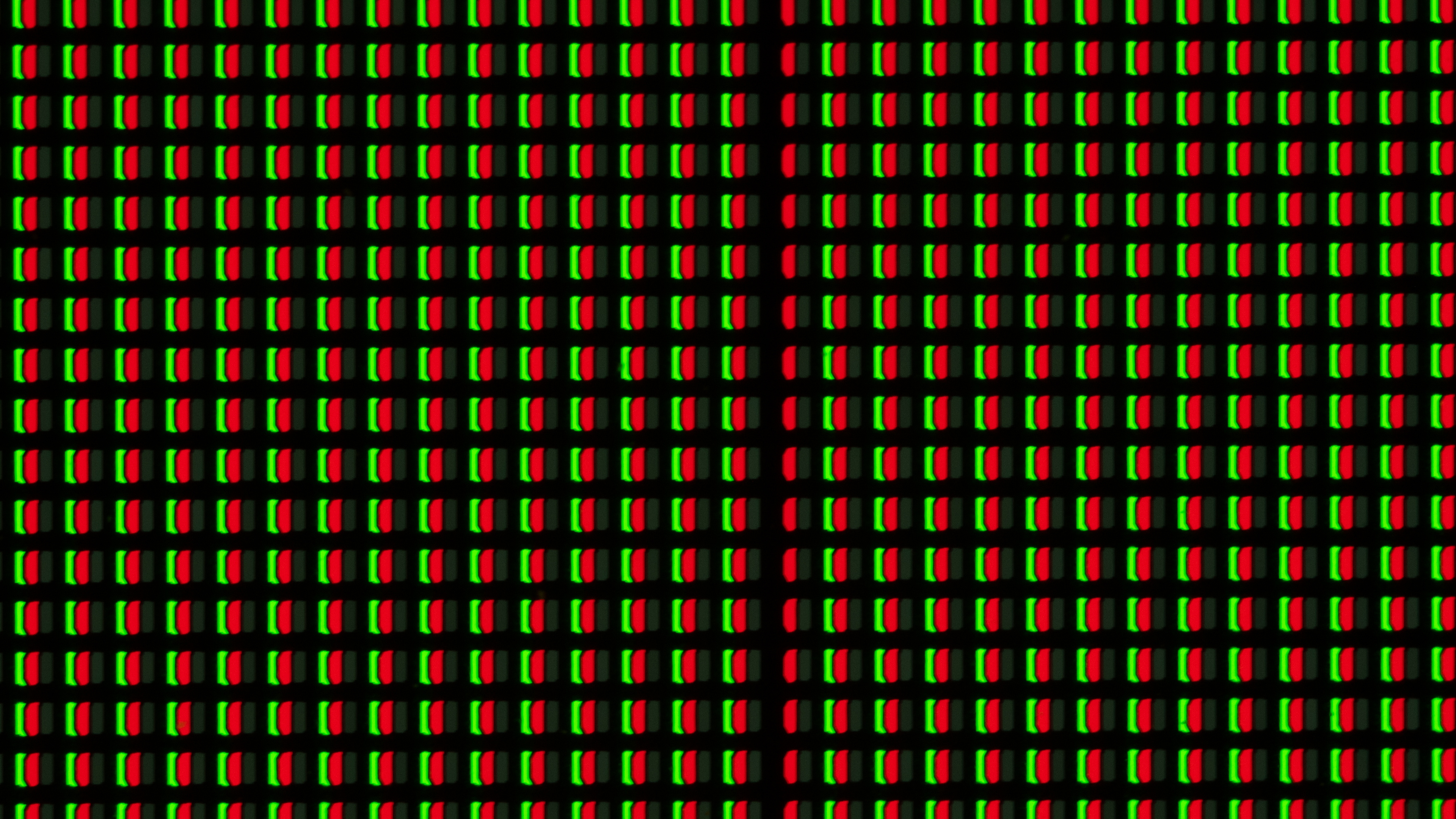 |
Unfortunately, about two weeks after the green line appeared, the A80K failed completely. It's now stuck in a boot loop, and Google TV fails to load. Since it's no longer possible to display an external source on the TV, we can't continue testing it, and we've removed it from the longevity test.
for pictures & test results

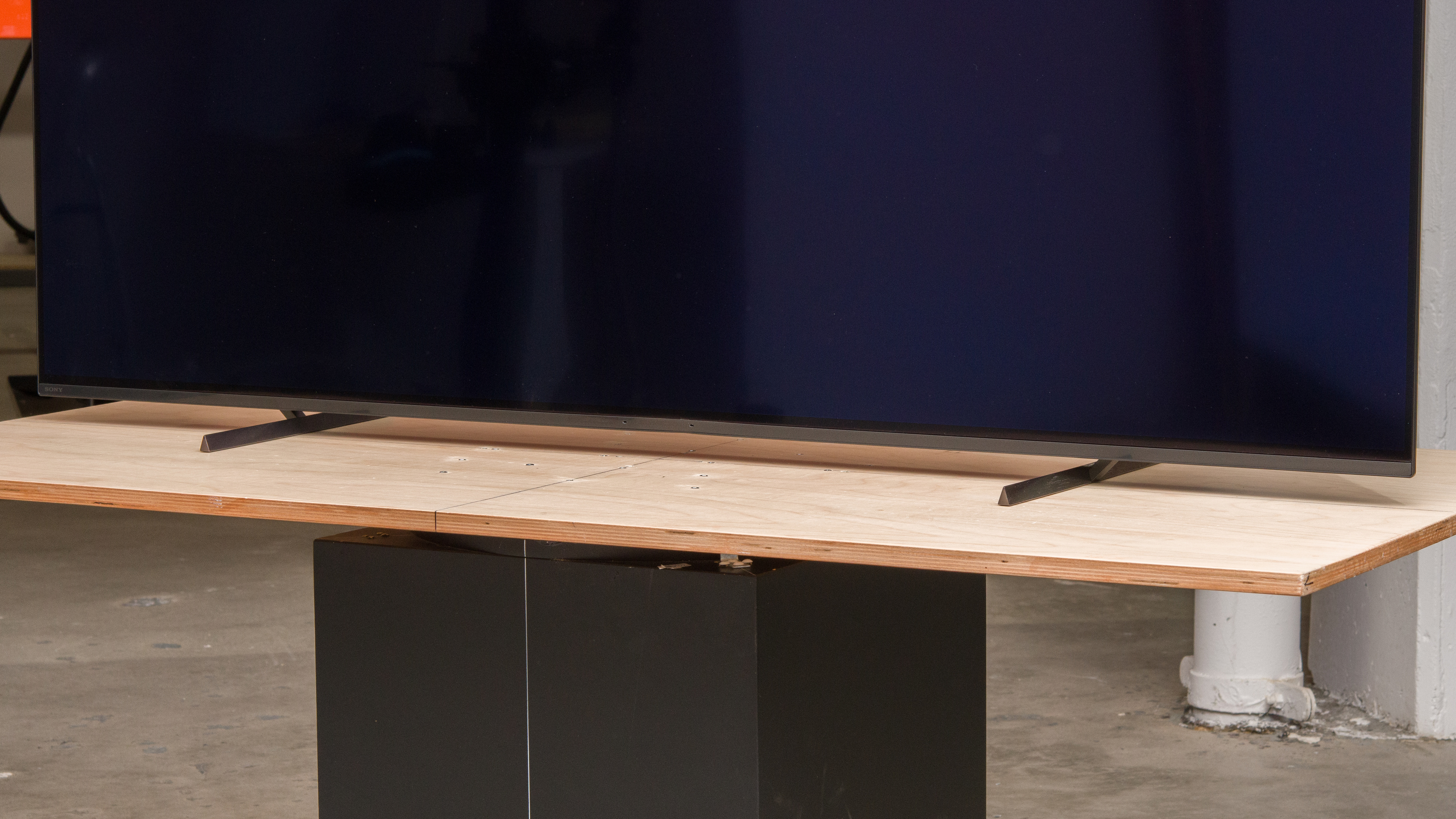
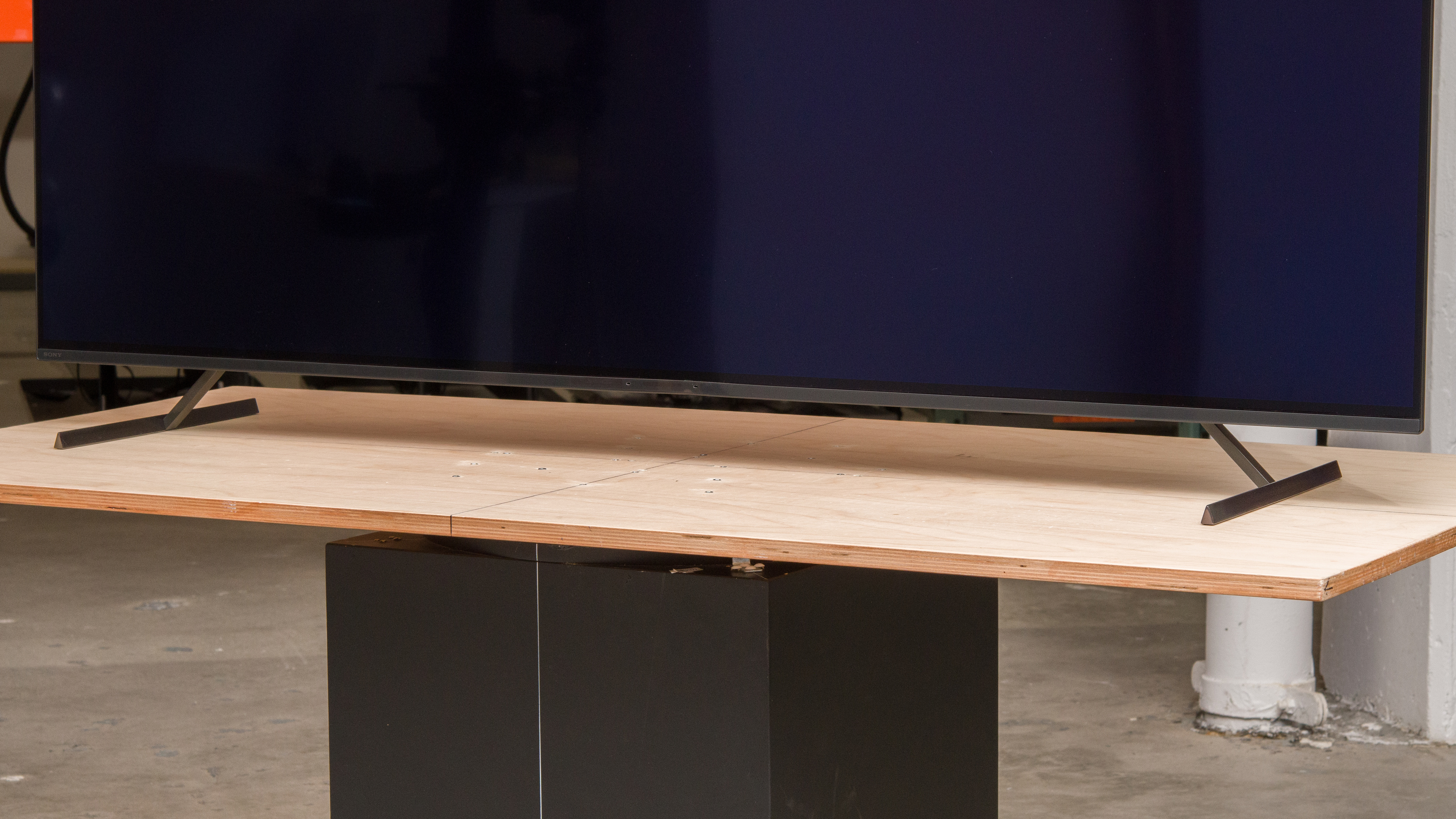
The TV has metal feet that support the screen very well, with minimal wobble. Like some other Sony TVs, it has three different stand positions: a narrow position perfect for small tables, a wide position with minimal space between the table and screen for a clean look, and a high position that is high enough to fit a soundbar in front without blocking the screen. You can see the dimensions of the 65-inch TV below (W x D x H to the bottom of the screen):
- Wide position (pictured above): 46.6" x 13" x 2.3"
- Narrow position: 33" x 13" x 2.3"
- Soundbar position: 46.6" x 13" x 4.0"
for pictures & test results

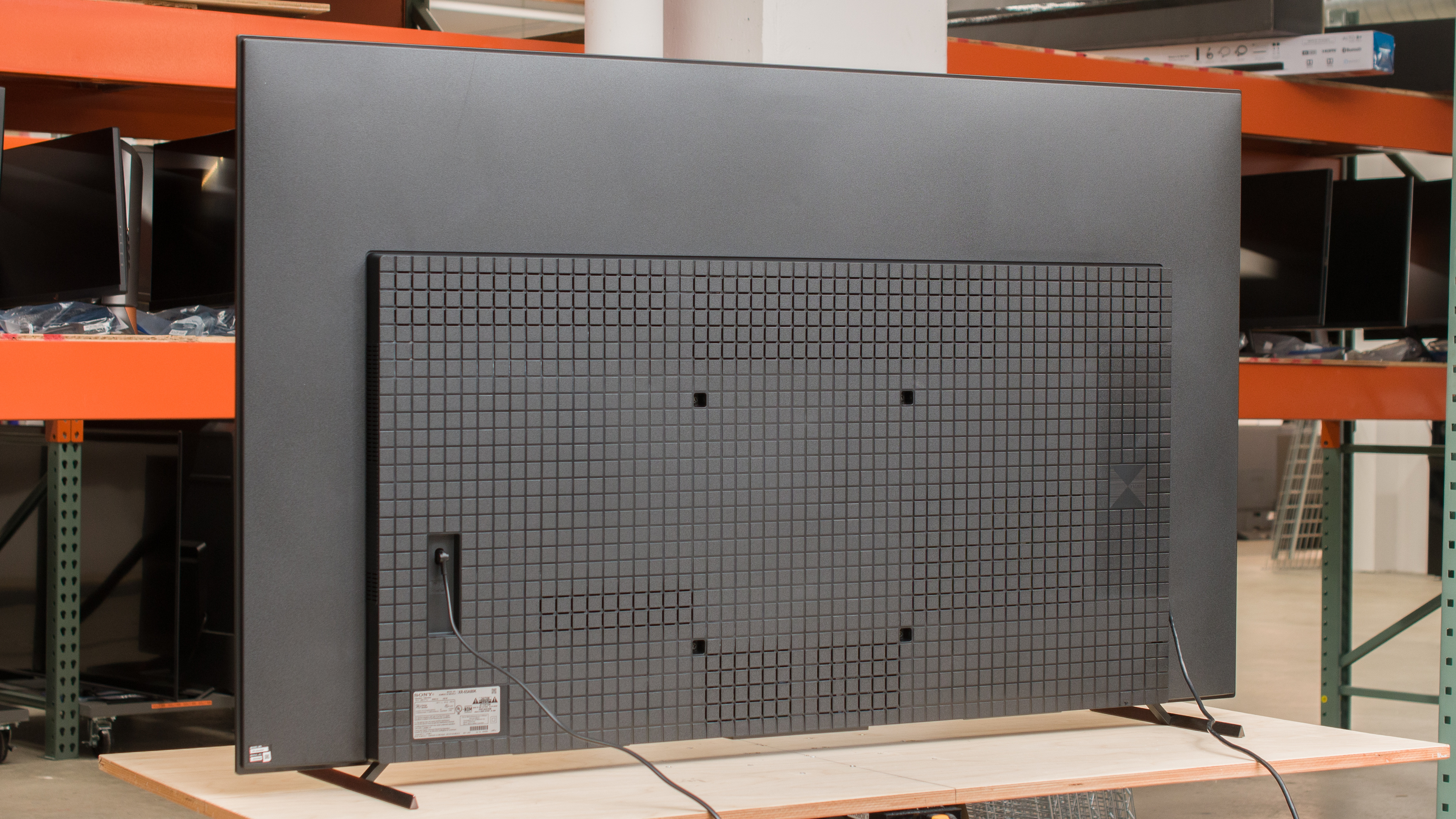
The back of the TV is entirely plastic, and there's a cover for cable management, but otherwise, it doesn't have clips to route your cables to the inputs. As the inputs are side-facing, they're hard to reach with the TV wall-mounted and nearly impossible to get to if you mount it with the cover on.


for pictures & test results

The TV has fantastic build quality. The stand supports the TV very well, and there aren't any quality control issues as the panel is attached to the back properly, and the cable management cover also stays in place well. There's a bit of flex on the back panel, but it isn't a major concern.
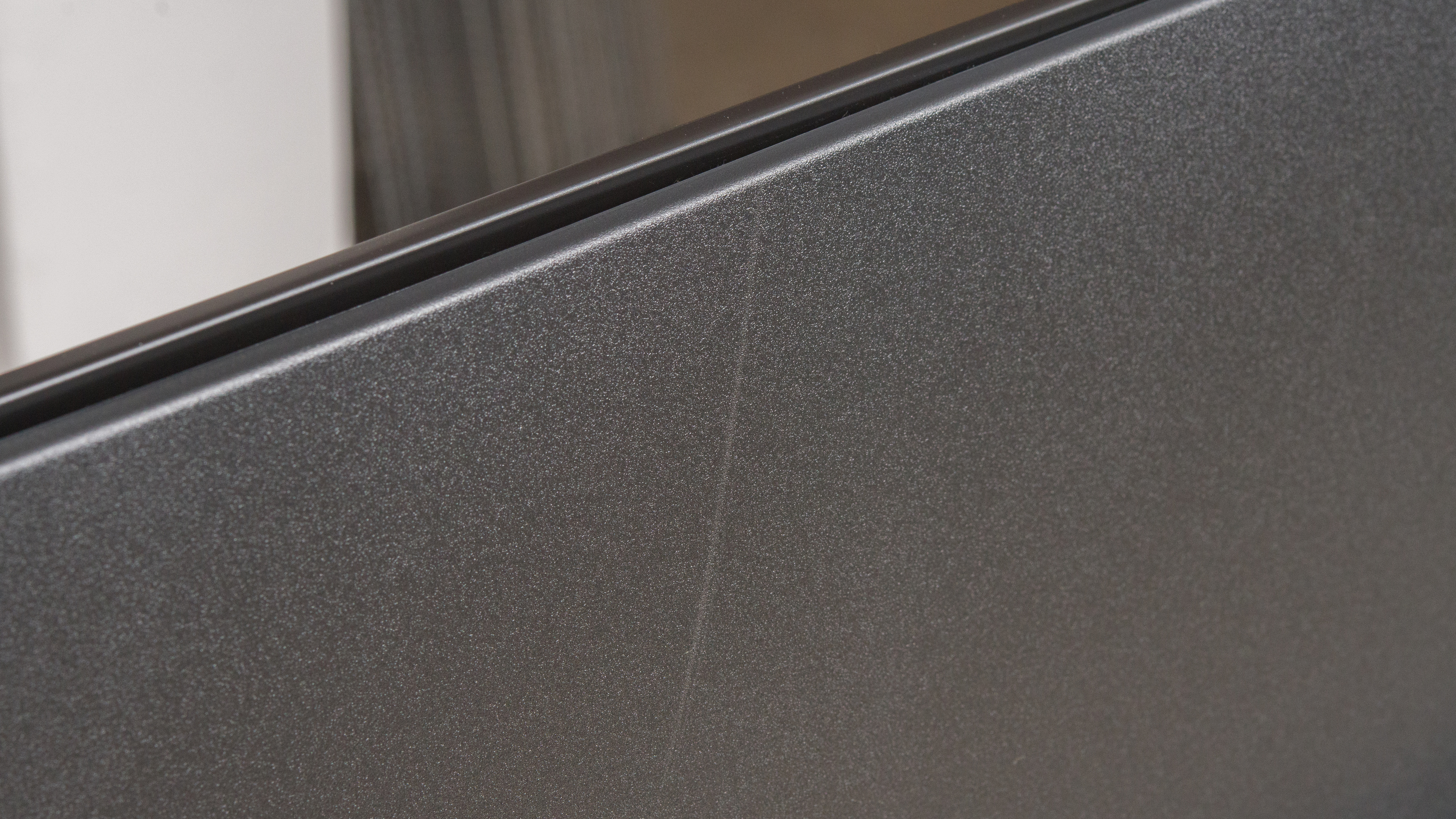
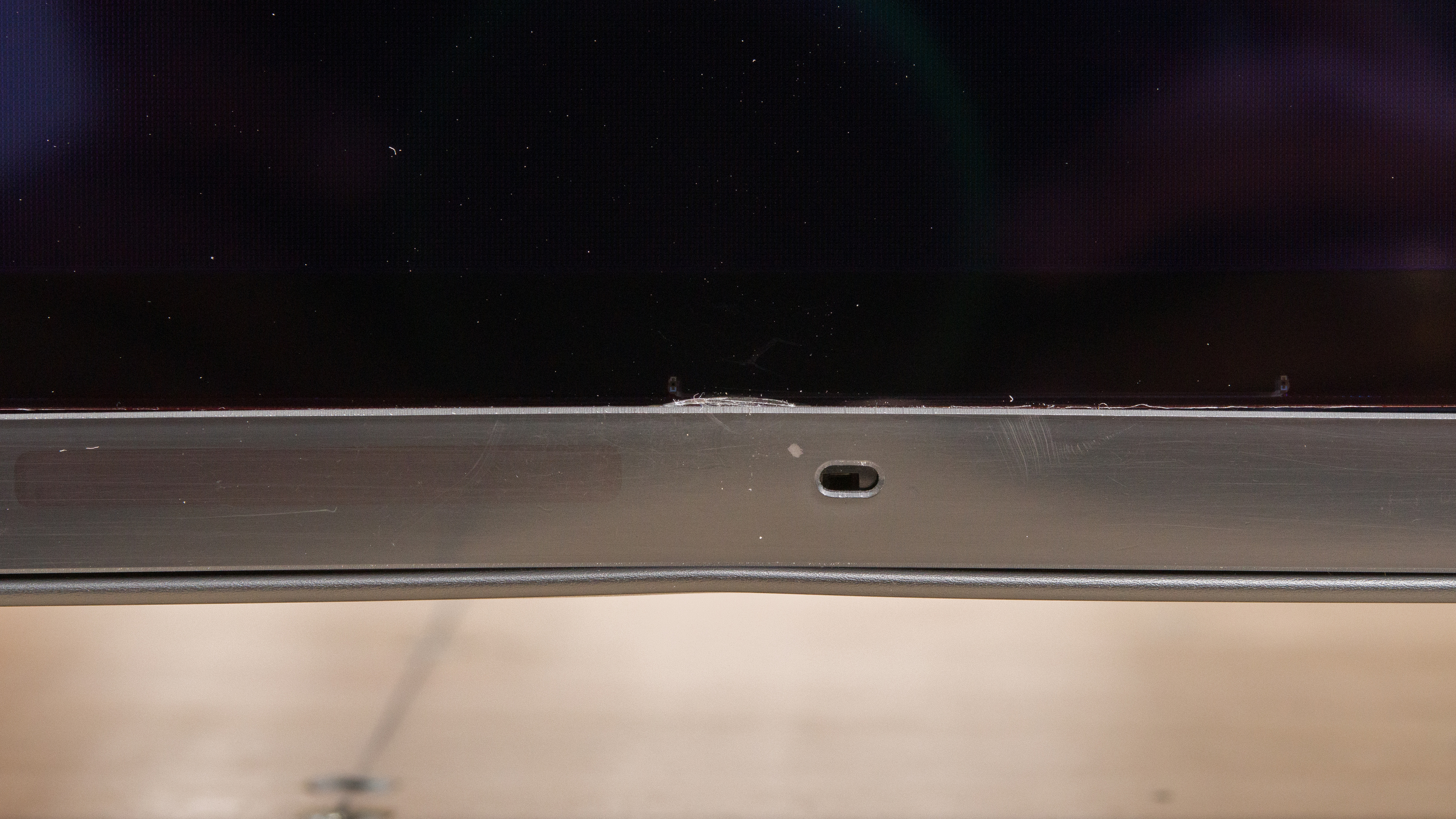
Unfortunately, our unit sustained some damage during shipping with a scratch on the back and a bent bottom bezel. However, we don't suspect it's a common problem, and it doesn't affect the TV's performance. Because of this, the damage doesn't impact the build quality score.
for pictures & test results

The TV has a near-infinite contrast ratio with perfect black levels in dark rooms. It means it's a fantastic choice for watching content in dark environments.
for pictures & test results

Due to OLED technology's self-emissive pixels, each pixel can be completely turned off next to pixels that are lit up to their maximum brightness. This leads to perfect blacks around bright highlights, as there's no blooming whatsoever.
for pictures & test results

This TV's black crush performance is okay. While blacks look great and inky, shadow detail is lost.
for videos & test results

This TV doesn't have a backlight, but its self-emissive pixels give it the equivalent of a perfect local dimming feature with no zone transitions. We still film the zone transition video on the TV so you can see how the screen performs and compare it with a TV that has local dimming.



The TV's SDR peak brightness is just okay, as it doesn't get bright enough to fight a ton of glare. It also has an aggressive Automatic Brightness Limiter (ABL) that makes large bright areas dimmer, which isn't ideal if you use it as a PC monitor or watch sports like hockey.
We tested it again in an air-conditioned room at about 73 F (23 C). It didn't change the brightness results in the individual windows compared to our original testing. However, we measured the Real Scene brightness after letting the TV cool down enough following the peak brightness, and this resulted in an increased brightness of nearly 20 nits, which isn't a significant difference, but cooling the display down a bit lets it get brighter.
These measurements are after calibration with the following settings:
- Picture Mode: Custom
- Brightness: Max
- Contrast: 90 (default)
- Color Temperature: Expert 1
- Peak Luminance: High
- Gamma: 0
Disabling Peak Luminance results in a much dimmer overall image but with no brightness variation between different scenes, as you can see below:
- Peak 2% Window: 116 cd/m²
- Peak 10% Window: 128 cd/m²
- Peak 25% Window: 126 cd/m²
- Peak 50% Window: 126 cd/m²
- Peak 100% Window: 119 cd/m²
- Sustained 2% Window: 114 cd/m²
- Sustained 10% Window: 125 cd/m²
- Sustained 25% Window: 122 cd/m²
- Sustained 50% Window: 122 cd/m²
- Sustained 100% Window: 118 cd/m²
If you want the brightest image possible and you don't care about accuracy, then use the 'Vivid' Picture Mode with the Brightness and Contrast at their max, Live Color, Advanced Contrast Enhancer, and Peak Luminance on 'High', and the Color Temperature on 'Cool'. It results in a peak brightness of 766 cd/m² in the 2% window.
for pictures & test results

for pictures & test results

for pictures & test results

The TV has decent HDR peak brightness. Due to the TV being an OLED, highlights still stand out in dark rooms when they are next to the TV's perfect blacks. However, the TV isn't bright enough for a truly satisfying HDR experience if watching in a moderately lit room. Its Automatic Brightness Limiter (ABL) is aggressive and significantly dims the TV's peak brightness when large bright highlights are present. If you care about HDR peak brightness on an OLED, then look into the Sony A95K OLED.
These measurements are after calibration with the following settings:
- HDR Picture Mode: Custom
- Brightness: Max
- Contrast: 90 (default)
- Color Temperature: Expert 2
- HDR Tone Mapping: Gradation Preferred
If you find the image too dim, set the Contrast to its max, Advanced Contrast Enhancer and Peak Luminance to 'High', and HDR Tone Mapping to 'Brightness Preferred'. This results in a brighter image, but it doesn't change the peak luminance.
for pictures & test results

for pictures & test results

for pictures & test results

The HDR brightness in Game Mode is nearly the same as in other picture modes, and the difference isn't noticeable.
These measurements are after calibration with the following settings:
- HDR Picture Mode: Game
- Brightness: Max
- Contrast: 90 (default)
- Color Temperature: Expert 2
- HDR Tone Mapping: Gradation Preferred
for pictures & test results

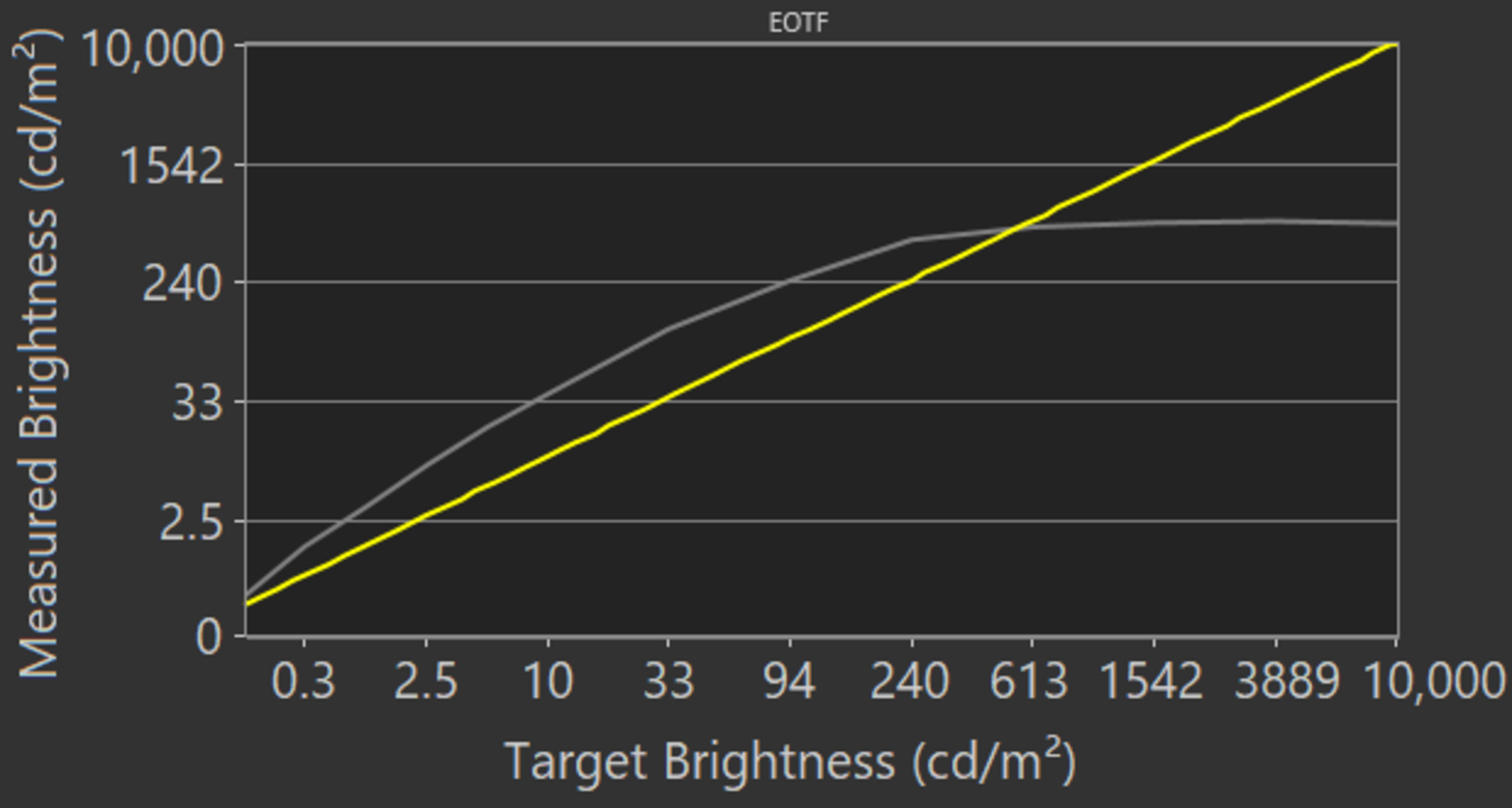
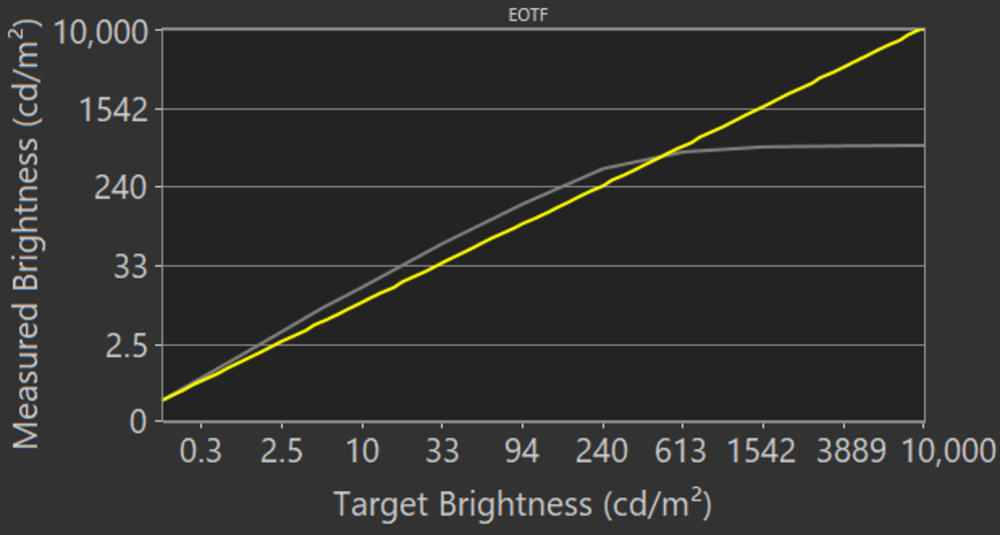
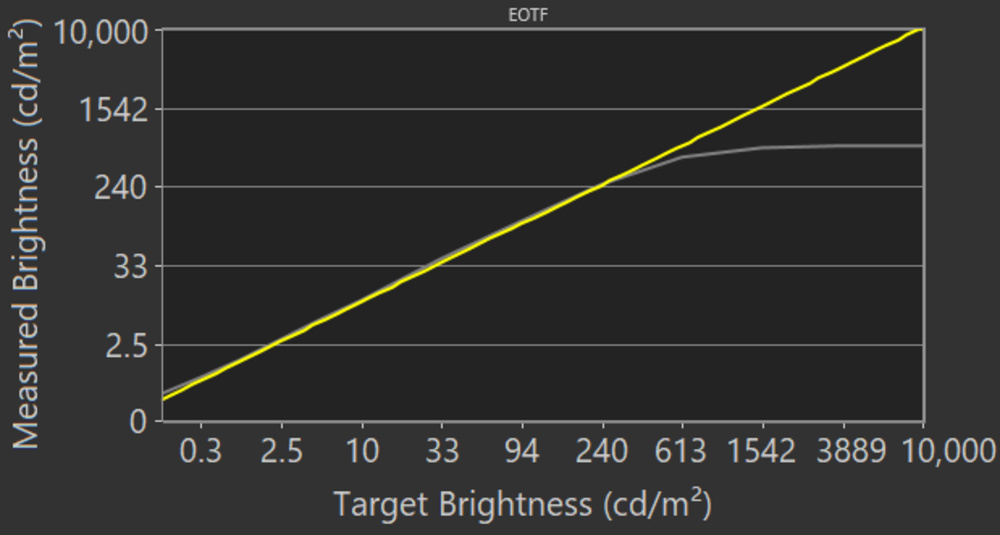
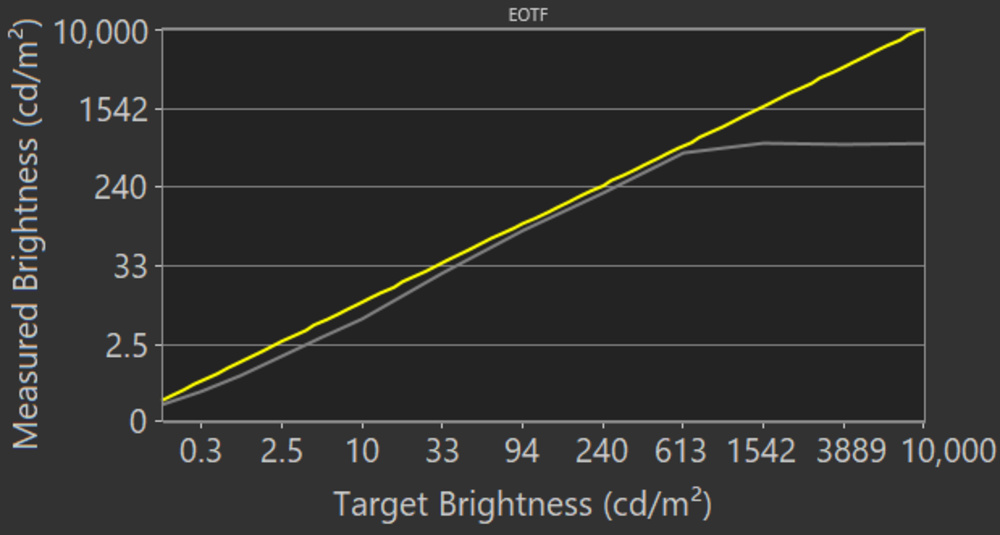
The TV's PQ EOTF tracking is superb; it follows the target PQ curve almost perfectly until there's a sharp roll-off at the peak brightness, causing a loss of fine details in bright scenes.
The EOTF changes according to the settings you use for HDR Tone Mapping, and you can see the differences below:
for pictures & test results

The TV's HDR gradient handling is very good. However, there's noticeable banding in dark grays, bright greens, and blues. Setting Smooth Gradation to 'Medium' or 'High' smooths out gradients with real content but also causes a loss of fine details with high-quality content.
for pictures & test results

for pictures & test results

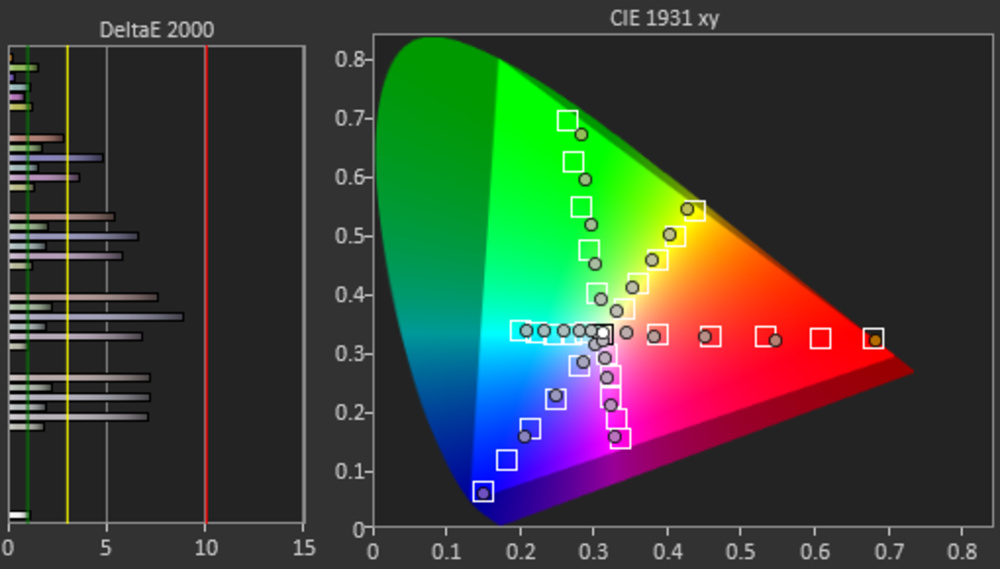
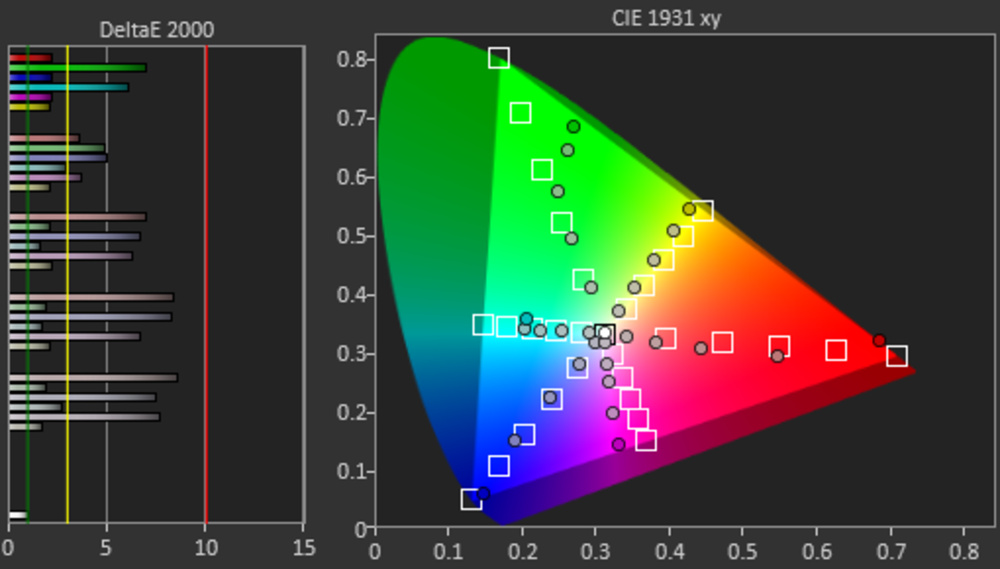
The TV has an excellent color gamut. It displays a wide range of colors in the commonly-used DCI-P3 color space, and it has decent Rec. 2020 coverage, so it's future-proof as more content will start coming out with that color space. The tone mapping with the tested 75% stimulus is good, but some brighter colors are a bit off in Rec. 2020.
These results are with the same settings used for the HDR Brightness tests, including with HDR Tone Mapping set to 'Gradation Preferred'. However, the gamut coverage changes depending on which HDR Tone Mapping setting you use, as you can see below:
| Brightness Preferred | DCI-P3 | Rec. 2020 |
| Gradation Preferred (Judd White Point) |
DCI-P3 | Rec. 2020 |
| Off | DCI-P3 | Rec. 2020 |
for pictures & test results

for pictures & test results

The TV has a decent color volume. It displays dark colors well because of its near-infinite contrast ratio, but it isn't as good as the Samsung S95B OLED at displaying bright colors because it doesn't get nearly as bright.
for pictures & test results

for pictures & test results

for pictures & test results

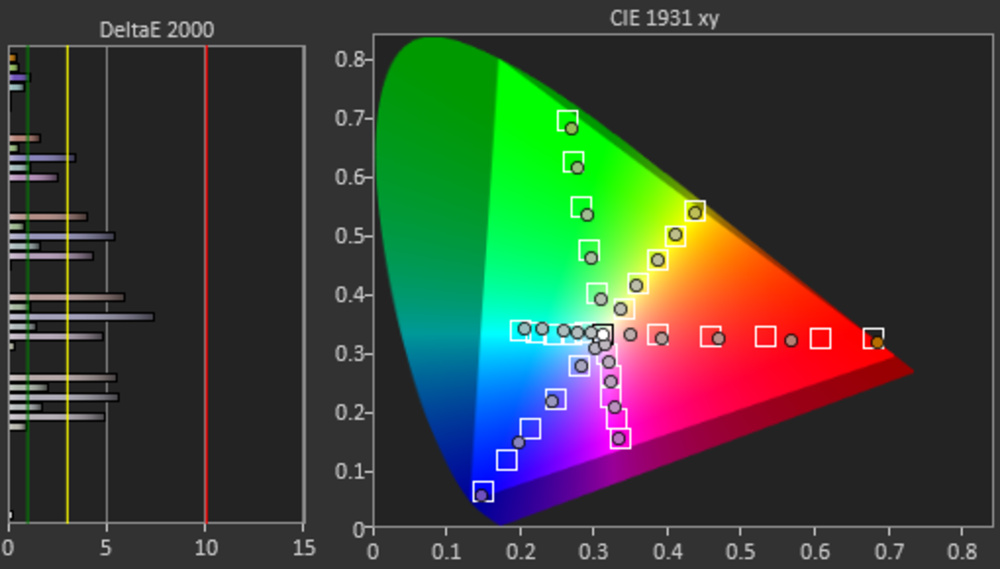
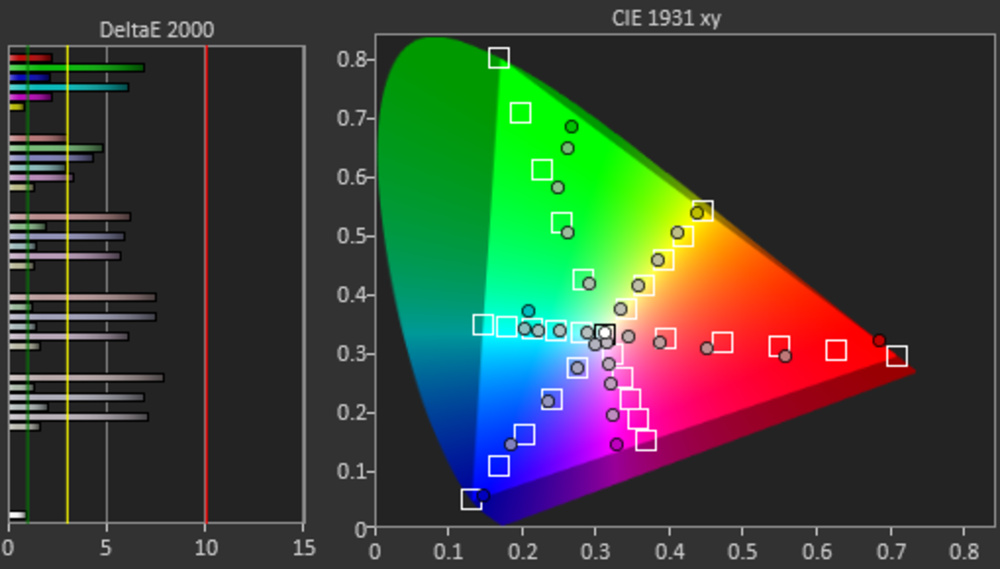
The TV has great pre-calibration accuracy in SDR. Most colors are accurate, and even if the white balance is a bit off, it's still great. The color temperature is slightly on the cold side, giving the image a blue tint, but it's still close to the 6500K target. Gamma follows the 2.2 target for moderately-lit rooms fairly well, except some brighter scenes are too bright.
for pictures & test results

for pictures & test results

for pictures & test results

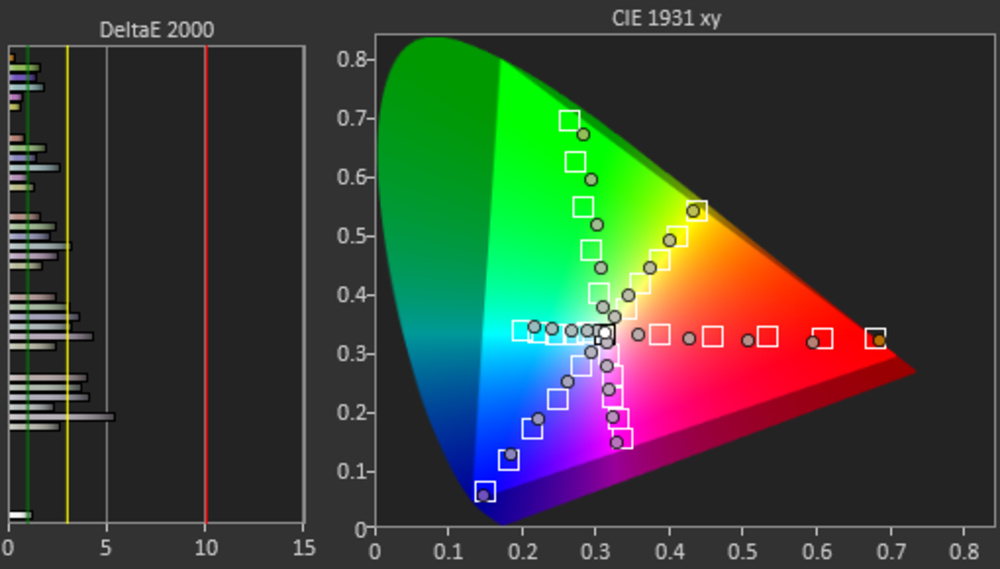
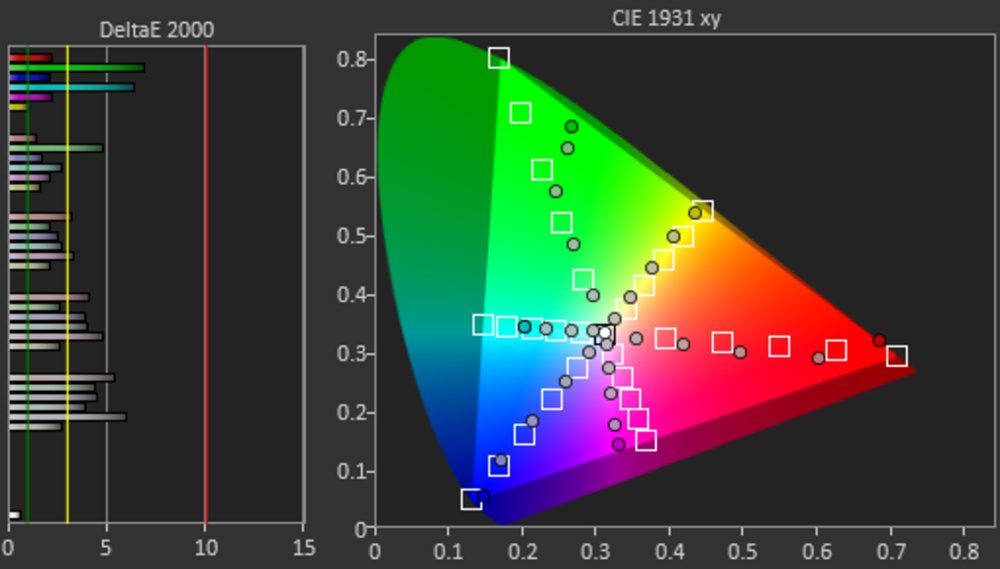
The TV has incredible accuracy after calibration to the D65 white point. It's easy to calibrate the white balance, but calibrating any colors worsens the image. The color temperature and gamma are both spot-on with their targets, too.
You can see our full calibration settings here.
for pictures & test results

for pictures & test results

The TV's gray uniformity is excellent. The screen is uniform throughout, and there isn't much dirty screen effect that could distract during sports. Like any OLED, there are thin vertical lines in near-black scenes, but they're hard to spot unless you sit close.
for pictures & test results

Like any OLED TV, it has perfect black uniformity, as there isn't any blooming around bright objects.
for videos & test results

for pictures & test results

for pictures & test results

for pictures & test results

The TV has a fantastic viewing angle. The image remains consistent when viewed from the sides. Even if colors start to shift at a moderate viewing angle, it's still a great choice for wide seating areas.
for pictures & test results

for pictures & test results

for pictures & test results

The TV has incredible reflection handling. Reflections from bright light sources aren't too distracting, and even if there's a bit of a purple tint, it isn't distracting or too noticeable like on the Samsung S95B OLED.
for pictures & test results

The TV has excellent low-quality content smoothing. There's no noticeable macro-blocking in dark scenes, and fine details are preserved very well.
for pictures & test results

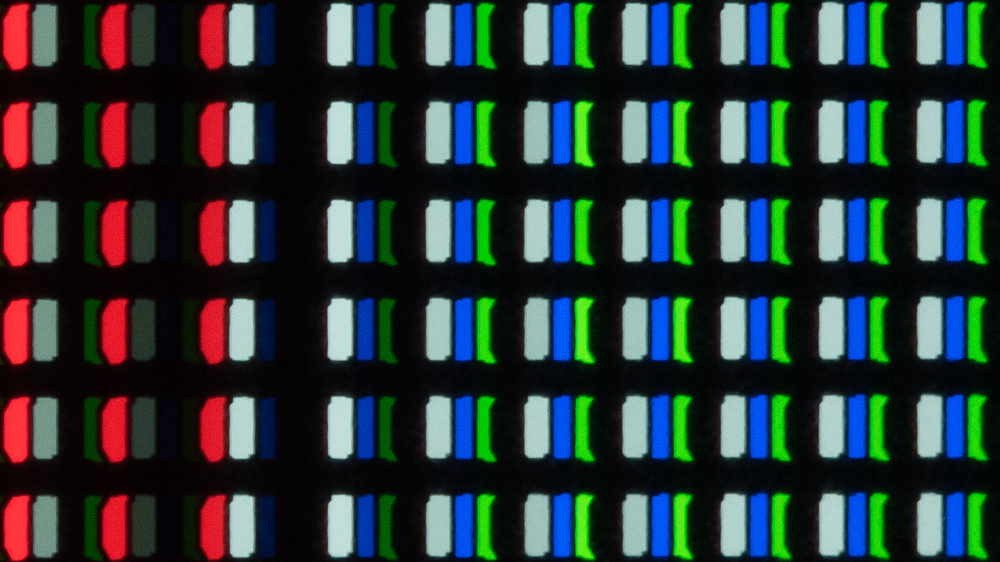
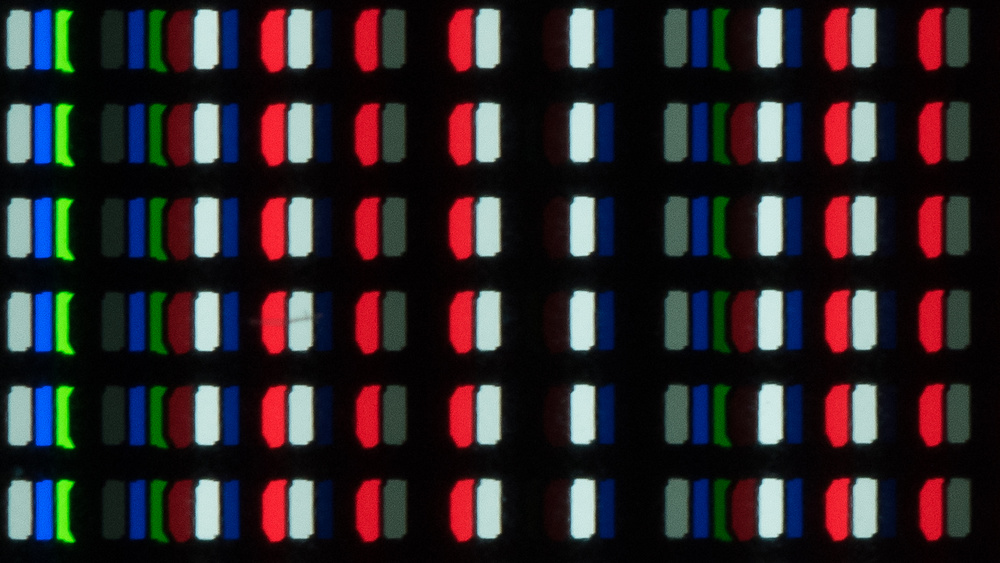
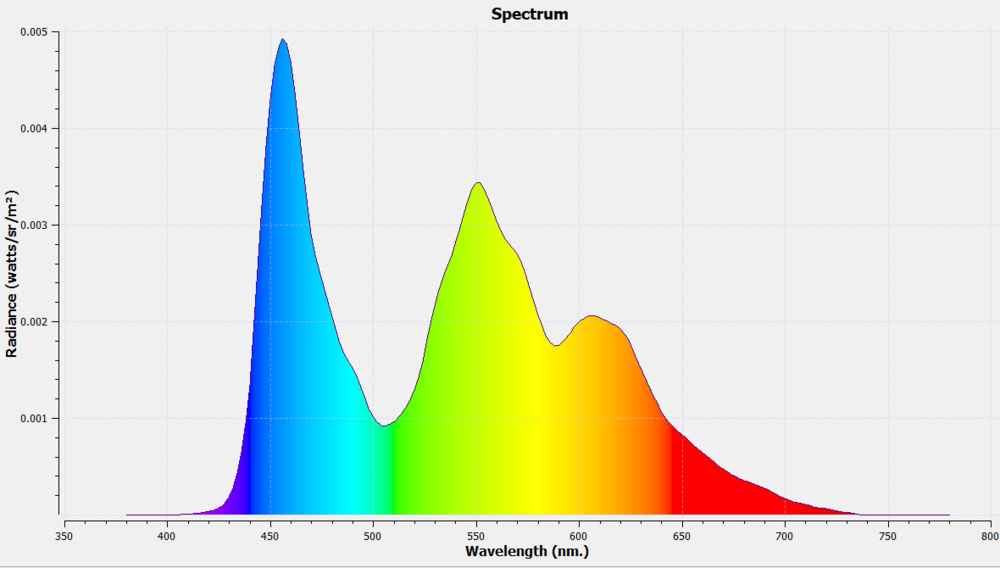
The Sony BRAVIA XR A80K uses an RWBG panel, known as WOLED, with four subpixels. Because all four pixels are never all on at the same time, you can see different pixel configurations here and here. You can also see the spectral power distribution of the panel.
for pictures & test results

The TV upscales lower-resolution content from DVDs without issue.
for pictures & test results

720p content, like from HD cable channels, looks great.
for pictures & test results

The Sony BRAVIA A80K displays 1080p content almost as good as native 4k content.
for pictures & test results

There aren't any issues with native 4k content on this TV.
for pictures & test results

for pictures & test results

The TV has a near-instantaneous response time that results in almost no motion blur behind fast-moving objects. It has a bit of overshoot in dark transitions, but it isn't visible. However, due to the sample-and-hold nature of OLEDs, there's still some persistence blur.
for pictures & test results

The TV isn't technically flicker-free because there's a slight dip in brightness every 8 ms, which corresponds to the refresh rate of the TV. However, it isn't noticeable and isn't the same as pulse width modulation (PWM) on LED-backlit TVs because it isn't a full-screen on-and-off cycle.
for pictures & test results

for pictures & test results

The TV has an optional black frame insertion feature to reduce persistence blur. It only works with 60 fps content, which is disappointing if you want to use it with 120 fps games.
for pictures & test results

for pictures & test results

The TV has a motion interpolation feature to bring 30 and 60 fps content up to 120 fps. Strangely, it looks bad with the test pattern at 30 fps, as seen in the image above, but it doesn't look like that with real content. With regular content, it looks great, especially in slow scenes, and even if there are a few more artifacts with fast-moving scenes, it isn't as bad as on some other TVs.
Due to the near-instantaneous response time, there's stutter with lower-frame-rate content as each frame is held on longer. Enabling motion interpolation can help reduce this, but that comes with its own caveats, such as the soap opera effect or motion artifacting, so it isn't a perfect solution.
The TV removes 24p judder from any source, including 60p/i sources that don't have a Match Frame Rate feature, which helps with the appearance of motion in movies. However, if you enable the BFI feature, it can't remove judder from 60p/i sources.
The TV supports variable refresh rate technology to reduce screen tearing. HDMI Forum VRR and G-SYNC compatibility work over the entire refresh rate range, and it supports Low Framerate Compensation (LFC) with compatible sources to enable nearly-tear free gaming with very low frame rates. Sadly, the lack of FreeSync support is disappointing if you have a PC with an AMD graphics card.
VRR works with 1440p @ 60Hz signals, but the TV is upscaling 1440p to 4k, so it isn't a real 1440p signal, which is why we left the 1440p VRR range as Unknown.
The TV has low input lag as long as you're in Game Mode. Although it's a bit higher than most other OLEDs, like the LG A2 OLED, it's still good enough for a responsive gaming feel. The input lag is very high outside of Game Mode, so if you feel the delay while navigating through menus or using the on-screen keyboard, switch to Game Mode for a more responsive feel.
The TV supports most common resolutions up to 4k @ 120Hz with HDMI ports 3 and 4, and there aren't any resolution-halving issues with 4k @ 120Hz signals, which is great. It displays proper chroma 4:4:4 with all of its supported resolutions, which is important for clear text while using it with a PC, except you need to send an RGB signal for it to work with 1440p @ 60Hz. Sadly, it doesn't support 1440p @ 120Hz at all.
for pictures & test results

The Sony BRAVIA XR A80K works well with the PS5 as long as it's connected to ports 3 or 4, which are the TV's two full HDMI 2.1 bandwidth ports. It has a few PS5-oriented features like Auto HDR Tone Mapping and Auto Low Latency Mode (ALLM), with the latter working automatically on the PS5 without needing to enable it first.
for pictures & test results

The Sony BRAVIA XR A80K works well with the Xbox Series X|S as long as you have it connected to ports 3 or 4, which are the TV's two full HDMI 2.1 bandwidth ports. It has Auto Low Latency Mode (ALLM) support, although you need to set it to 'On' before it can work with the Xbox, and then it only switches into Game Mode when a game is launched. The TV only supports Dolby Vision up to 4k @ 60Hz from the Xbox, as this TV doesn't support Dolby Vision with 4k @ 120Hz signals.
The TV supports HDMI 2.1 bandwidth on HDMI ports 3 and 4, while HDMI ports 1 and 2 are limited to HDMI 2.0 bandwidth. As HDMI 3 is an HDMI 2.1 and eARC port, you lose an HDMI 2.1 slot if you connect a receiver, so you can't use HDMI 2.1 bandwidth on multiple devices simultaneously unless the receiver also supports it. The tuner supports ATSC 3.0, allowing you to stream over-the-air 4k channels.


The Sony A80CK has one less USB port than the Sony A80J OLED and doesn't have an analog audio output, so you can't connect speakers that require this connection or headphones.
The TV supports eARC, allowing you to pass high-quality, uncompressed audio to a compatible receiver through an HDMI cable. You can also connect a compatible Sony soundbar to the S-Center speaker input and use the TV's speakers as a center channel.
for pictures & test results

The TV has decent frequency response. It sounds best for dialogue in the mid-range, but it struggles to output much bass. These tests were done with the TV in the wide stand position using the digital room correction feature.
for pictures & test results

The Sony A80K has decent distortion handling. It's good at moderate listening levels but gets more noticeable at its max volume.
for pictures & test results

The Sony A80K has the same Google TV smart platform as other Sony TVs. It's user-friendly with smooth menu navigation.
for pictures & test results

Unfortunately, like most TVs, there are ads throughout the interface. You can opt out of personalized ads; however, you'll get non-targeted ads.
for pictures & test results

The Google Play Store has tons of apps available to download, and they run very smoothly. It has Google Chromecast built-in, meaning you can cast content from your phone. You can also connect the BRAVIA webcam for video calls.
for pictures & test results

The Sony A80CK has an updated remote compared to the Sony A80J OLED. It's smaller as there's no numpad, and instead, the '123' button brings up a virtual numpad on the screen. There's a mic in the remote and built into the TV that you can use for voice control with Google Assistant, and you can ask it to change inputs, search for content, open apps, and adjust certain settings like brightness. Note that the Sony A80CK version sold at Costco comes with a premium remote with backlighting.
for pictures & test results

There's a single button underneath the center of the TV to turn it On/Off, change channels, adjust the volume, or switch inputs. It also has a switch to turn the built-in mic on or off if you're concerned about privacy.
for pictures & test results

- Remote control
- 2x AAA batteries
- 4x VESA adapters
- Power cable
- User guides