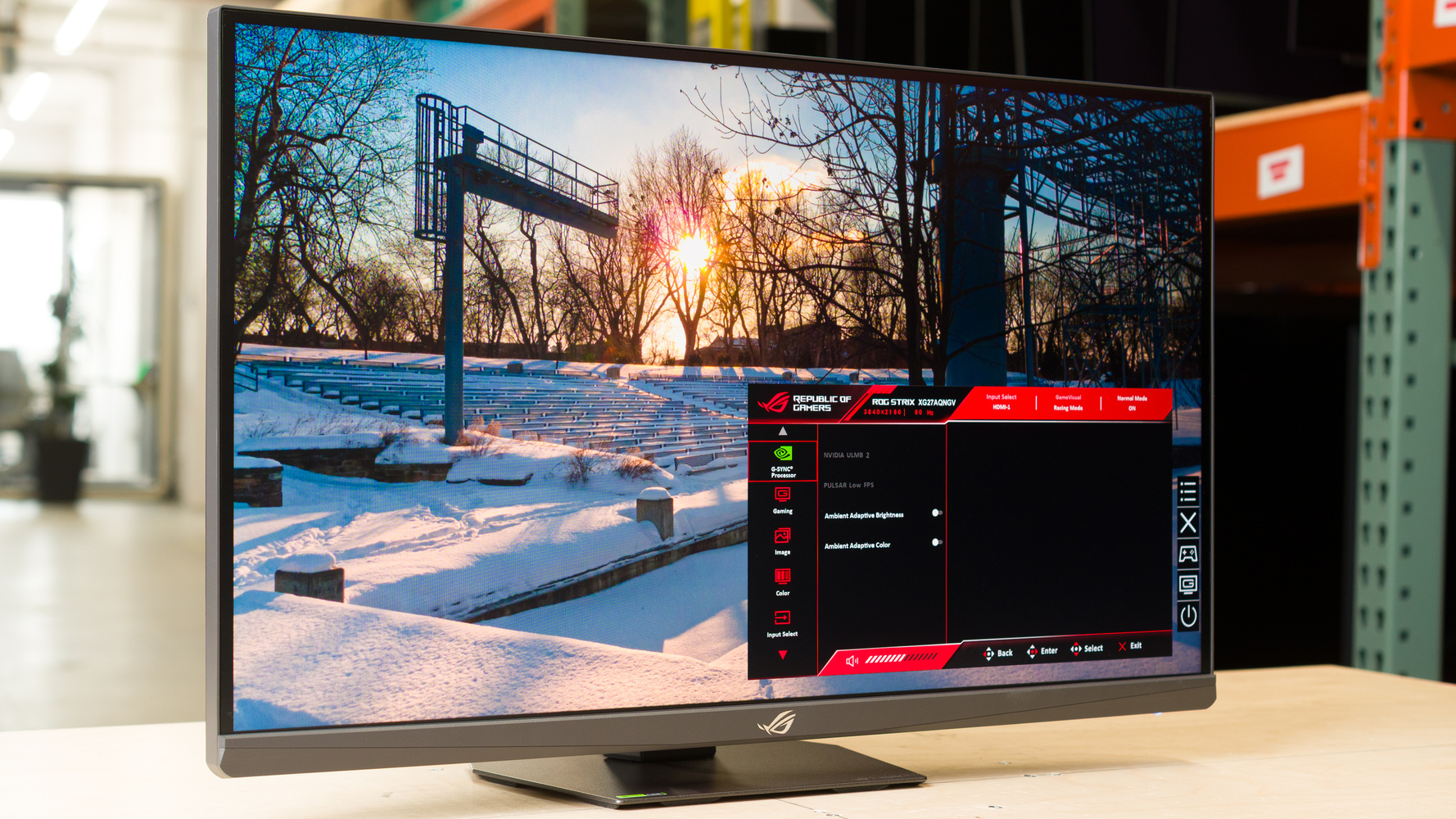
The ASUS ROG Strix Pulsar XG27AQNGV is a 27-inch, 1440p gaming monitor. As a newer version of the ASUS ROG Swift 360Hz PG27AQN, it carries over many of the same specs, including its Ultrafast IPS panel, 360Hz refresh rate, and native G-SYNC VRR support. It also has new perks, like G-SYNC Pulsar technology, which is a backlight strobing feature that aims to reduce persistence blur while using VRR. It competes against models with the same features, like the Acer Predator XB273U F5 and the MSI MPG 272QRF X36. It also includes G-SYNC Ambient Adaptive that changes the color temperature and brightness based on the room's ambient lighting. It has typical gaming features as part of its GamePlus setting, like crosshairs, and it has a 25-inch mode to simulate a smaller screen, making it easier to see your game within your field of vision. Lastly, it offers the basics in terms of inputs, with a small USB hub, and DisplayPort 1.4 and HDMI 2.1 ports.
Our Verdict
The ASUS ROG Strix Pulsar XG27AQNGV is good for PC gaming. It has a high 360Hz refresh rate that you can only reach with a DisplayPort connection. It also has native G-SYNC support and works with any VRR format. Motion looks incredibly sharp at any refresh rate thanks to its fast response time, and it has low input lag for a responsive feel. Its PULSAR backlight strobing feature also reduces persistence blur with VRR enabled, but it's not perfect as there's still some image duplication at times. The downside of gaming with this monitor is that it has limited picture quality with a low contrast ratio and highlights that don't pop.
Fast response time with no overshoot.
PULSAR backlight strobing reduces persistence blur.
Low input lag in any mode or refresh rate.
360Hz refresh rate with native G-SYNC support.
Bright enough to fight some glare.
Some image duplication with PULSAR.
Low contrast ratio.
No local dimming results in muted highlights.
Max of 120Hz over HDMI.
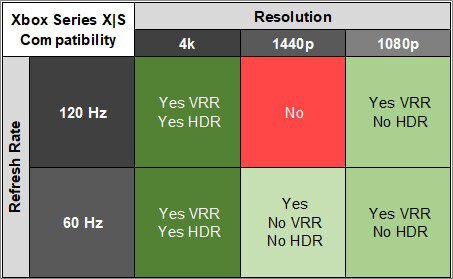
The ASUS ROG Strix Pulsar XG27AQNGV is great for console gaming. It supports most signals with gaming consoles, including downscaled 4k signals. Motion looks sharp at any refresh rate, and it has low input lag for a responsive feel. You can also use ULMB 2 backlight strobing to reduce persistence blur. Unfortunately, it has limited picture quality because blacks look gray due to its low contrast ratio, and it lacks a local dimming feature to improve this. Highlights don't pop in HDR either, so your favorite games lack that punch in HDR.
Fast response time with no overshoot.
Low input lag in any mode or refresh rate.
Supports almost any signal from a console.
ULMB 2 available at 120Hz over HDMI.
Low contrast ratio.
No local dimming results in muted highlights.
The ASUS ROG Strix Pulsar XG27AQNGV is good for office use. Its 27-inch screen is big enough to view two windows side by side, and it has decent text clarity. It also comes with an ergonomic stand and has a fairly wide viewing angle that helps if you need to share the screen with someone next to you. It even has a small USB hub to connect your devices, but it lacks a USB-C port for a laptop. While it gets bright enough to fight some glare, reflections are still distracting in a sunny room.
Bright enough to fight some glare.
Ergonomic stand.
Small USB hub.
Distracting reflections in sunny rooms.
Colors washout at wide angles.
The ASUS ROG Strix Pulsar XG27AQNGV is decent for content creation. It has an accurate sRGB mode, but it still needs a full calibration to fix its cold temperature. It has limited picture quality otherwise, especially if you edit content in HDR. Blacks look gray due to its low contrast ratio, highlights don't pop, and colors aren't vivid in HDR. Although it doesn't perform well in a dark room, it's fine if you want to use it in a room with a few lights around. However, reflections are distracting in a sunny environment.
Bright enough to fight some glare.
Ergonomic stand.
Excellent out-of-the-box accuracy.
Small USB hub.
Low contrast ratio.
Distracting reflections in sunny rooms.
Colors washout at wide angles.
Cold color temperature before calibration.
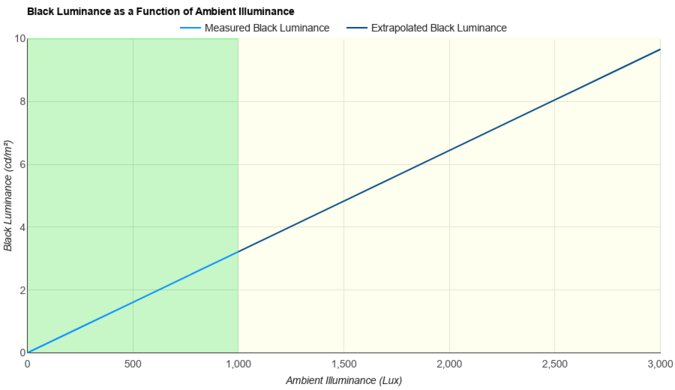
The ASUS ROG Strix Pulsar XG27AQNGV has decent brightness. It fights glare well in rooms with a few lights around, except sunny ones. Unfortunately, highlights don't pop in HDR due to its high contrast ratio.
Bright enough to fight some glare.
No local dimming results in muted highlights.
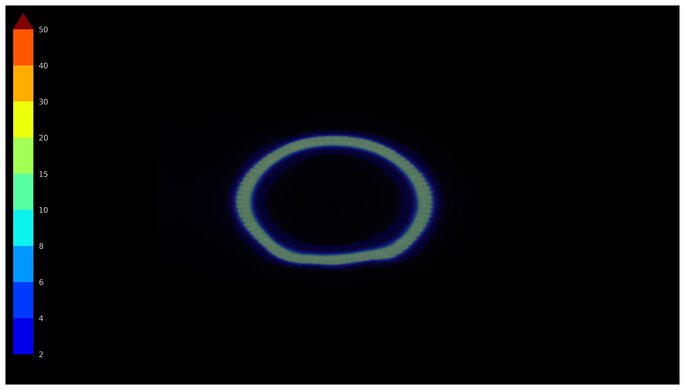
The ASUS ROG Strix Pulsar XG27AQNGV has an amazing response time. Motion looks sharp at any refresh rate, with no perceivable inverse ghosting. Its PULSAR backlight strobing feature also reduces persistence blur at low refresh rates, but has some image duplication.
Fast response time with no overshoot.
PULSAR backlight strobing reduces persistence blur.
Some image duplication with PULSAR.
The ASUS ROG Strix Pulsar XG27AQNGV is poor for HDR. Blacks look gray due to its low contrast ratio, and the monitor lacks a local dimming feature to improve this.
Low contrast ratio.
No local dimming results in muted highlights.
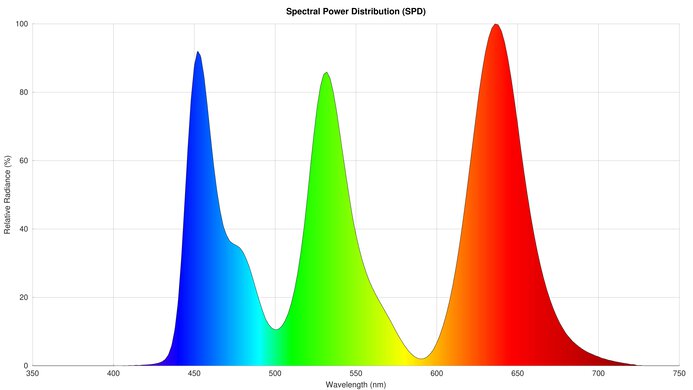
The ASUS ROG Strix Pulsar XG27AQNGV has decent SDR picture quality. It displays a wide range of colors, but its biggest downside is that it has a low contrast ratio, causing blacks to look gray.
Displays a wide range of colors.
Low contrast ratio.
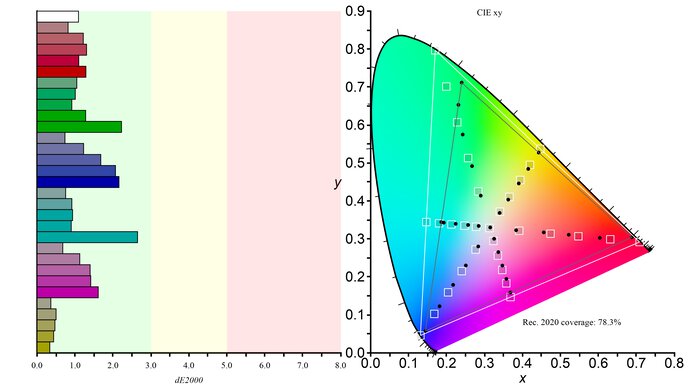
The ASUS ROG Strix Pulsar XG27AQNGV has excellent color accuracy. Its sRGB mode is accurate out of the box, but it has a cold color temperature that needs a full calibration to fix.
Excellent out-of-the-box accuracy.
Cold color temperature before calibration.
Performance Usages
Changelog
-
Updated Sep 09, 2026:
We updated the text in the Image Flicker box to clarify when it starts to flicker.
-
Updated Jun 18, 2026:
We added that the ASUS ROG Strix 5K XG27JCG is another 5k option with better text clarity.
- Updated Mar 26, 2026: Review published.
- Updated Mar 24, 2026: Early access published.
Check Price
Differences Between Sizes And Variants
We bought and tested the 27-inch ASUS ROG Strix Pulsar XG27AQNGV, which is the only size available. As there are no variants or similar models, the results are only valid for this monitor.
| Model | Size | Panel Type | Max Refresh Rate | Native Resolution |
|---|---|---|---|---|
| XG27AQNGV | 27" | LCD - IPS | 360Hz | 1440p |
Our unit's label indicates it was manufactured in November 2025 in Vietnam. We tested it on firmware 1.14.
Popular Monitor Comparisons
The ASUS ROG Strix Pulsar XG27AQNGV is a solid 1440p, 360Hz gaming monitor. It's a nice improvement over the ASUS ROG Swift 360Hz PG27AQN, mainly due to its implementation of NVIDIA's PULSAR backlight strobing feature. It competes against other monitors that have the same PULSAR feature, like Acer Predator XB273U F5 and the MSI MPG 272QRF. It's effective at improving persistence blur, and unlike most other monitors, you can use it with VRR enabled. Combined with the monitor's incredibly fast response time, motion looks much sharper than other IPS monitors.
While it falls short of OLEDs in terms of overall motion handling, it's a fantastic alternative if you prefer an IPS display for high-refresh-rate gaming. The main downside of getting this over an OLED, though, is that it has limited picture quality due to its low contrast ratio and lack of local dimming.
Also see our recommendations for the best G-SYNC monitors, the best high refresh rate monitors, and the best 27-inch gaming monitors.
The ASUS ROG Strix Pulsar XG27AQNGV is an updated version of the ASUS ROG Swift 360Hz PG27AQN with many of the same features. The main difference is that the XG27AQNGV uses the newer PULSAR backlight strobing feature to reduce persistence blur. It works at the same time as VRR, which isn't the case with the PG27AQN's backlight strobing feature. The XG27AQNGV also has HDMI 2.1 bandwidth to support more signals with consoles.
The ASUS ROG Strix Pulsar XG27AQNGV and the ASUS ROG Strix OLED XG27AQWMG are 1440p gaming monitors with a few differences. The XG27AQWMG has an OLED panel that has much better picture quality thanks to its deeper blacks, brighter highlights, and improved color volume. While the XG27AQNGV has a higher refresh rate, motion looks better on the XG27AQWMG due to its faster response time. That said, the XG27AQNGV has a more versatile backlight strobing feature to reduce persistence blur. It works across a wide refresh rate range, and you can use it with VRR.
The ASUS ROG Strix Pulsar XG27AQNGV and the Dell Alienware AW2524H are both native G-SYNC monitors with different specs. The ASUS has a bigger screen with a higher resolution, delivering more details, while the Dell has a higher refresh rate. Despite this, the ASUS has better motion, and it has a more effective backlight strobing feature that results in less image duplication than on the Dell. The ASUS also has a few extra features, like HDMI 2.1 bandwidth to take advantage of gaming consoles.
The ASUS ROG Strix Pulsar XG27AQNGV and the ASUS ROG Strix OLED XG27ACDNG are both 1440p, 360Hz gaming monitors with different panel types. The OLED panel of the XG27ACDNG delivers far superior picture quality with deeper blacks, brighter highlights, and more vivid colors. The XG27ACDNG also has better motion handling, but the XG27AQNGV has a more versatile backlight strobing feature that works at the same time as VRR and reduces persistence blur. The XG27AQNGV has a lot less VRR flicker with changing frame rates, too. On the other hand, the XG27ACDNG has a few extra perks, including a USB-C port with DisplayPort Alt Mode to quickly connect a laptop.

We buy and test more than 30 monitors each year, all of which we purchase ourselves, without cherry-picked units or samples. We put a lot into each unbiased, straight-to-the-point review, and there's a whole process from purchasing to publishing, involving multiple teams and people. We do more than just use the monitor for a week; we use specialized, custom tools to measure various aspects and deliver objective, data-driven results. We also consider multiple factors before making any recommendations, including the monitor's cost, its performance compared to the competition, and whether it's easy to find.
Test Results
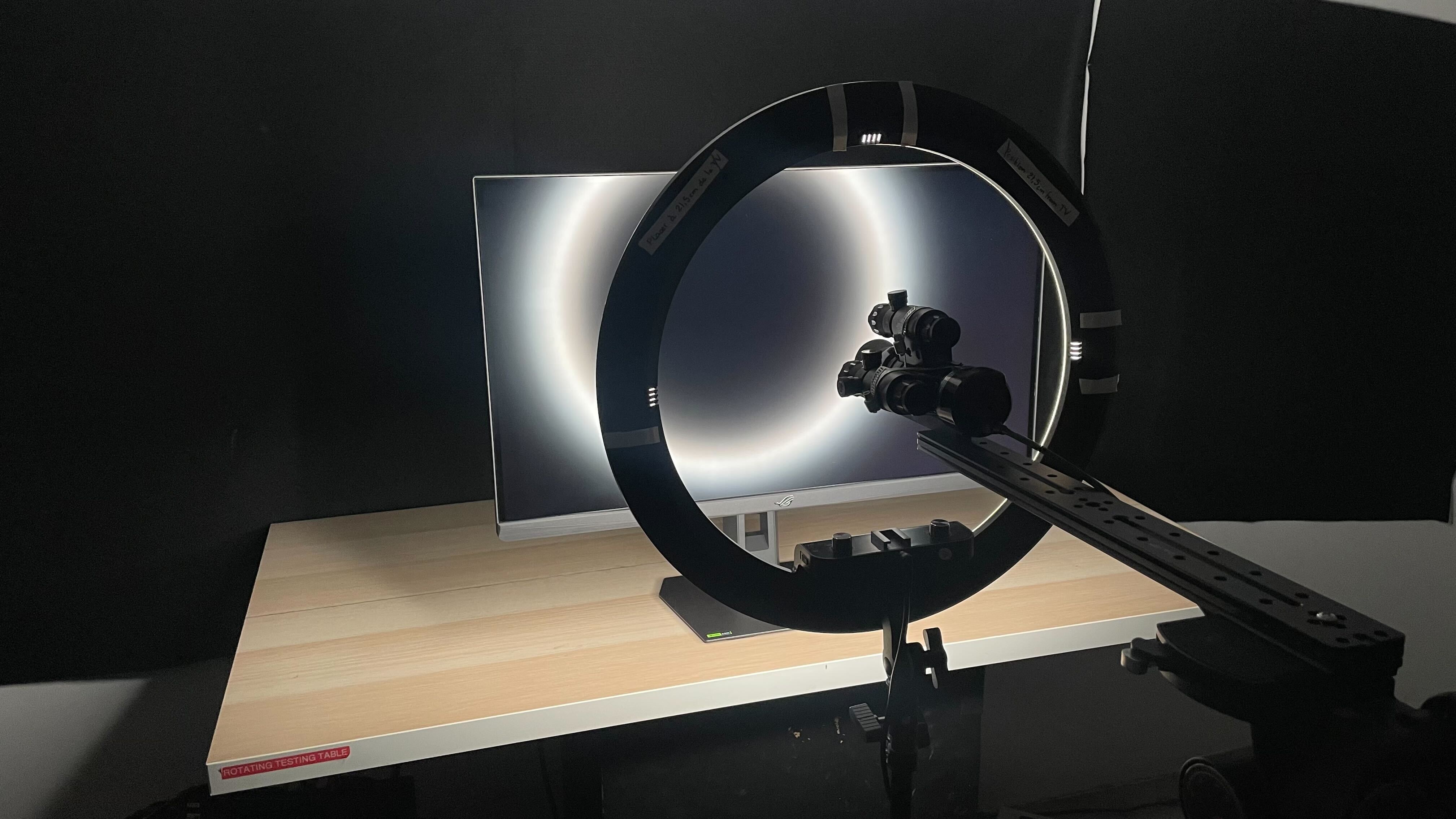






for pictures & test results





for pictures & test results
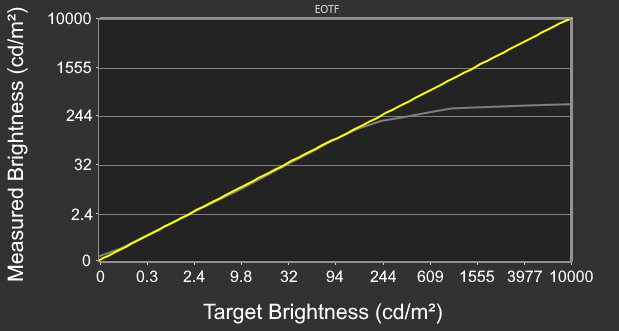


for pictures & test results

for pictures & test results

for pictures & test results

for pictures & test results

for pictures & test results

for pictures & test results



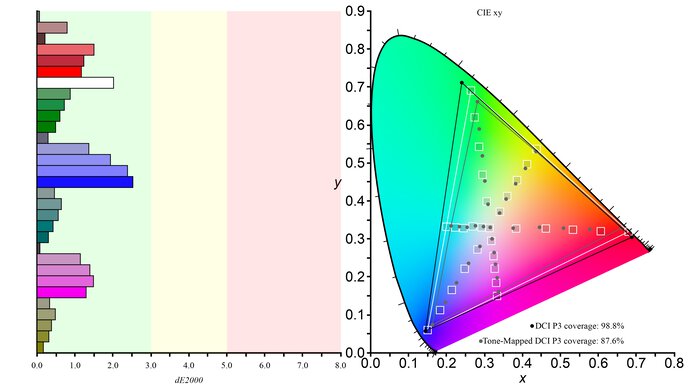


for videos & test results

for pictures & test results

for pictures & test results

for pictures & test results




























for pictures & test results