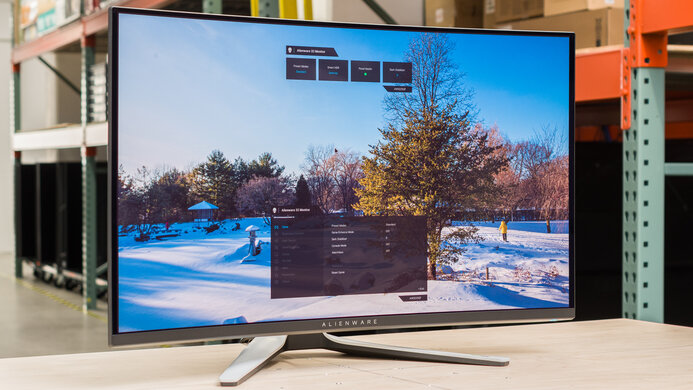
HP OMEN X 27  Monitor Review

Reviewed Oct 22, 2019 at 08:35am
Tested using Methodology v1.1 
HP OMEN X 27
7.6
Mixed Usage 
7.3
Office 
8.3
Gaming 
7.4
Multimedia 
7.4
Media Creation 
6.8
HDR Gaming 
 0
The HP OMEN X 27 is a good 1440p monitor with great gaming performance. It has an impressive 240Hz refresh rate and an outstanding response time, resulting in exceptionally clear motion with no noticeable motion artifacts. It also has excellent low input lag, for an extremely responsive gaming experience.

Unfortunately, it isn't very versatile as, like most TN monitors, the image degrades when viewed at an angle, and it has a low contrast and bad black uniformity. This monitor also has a limited range of ergonomic adjustments, so it might be difficult to place in an ideal viewing position.

How We Test Monitors

We buy and test more than 30 monitors each year, with units that we buy completely on our own, without any cherry-picked units or samples. We put a lot into each unbiased, straight-to-the-point review, and there's a whole process from purchasing to publishing, involving multiple teams and people. We do more than just use the monitor for a week; we use specialized and custom tools to measure various aspects with objective data-based results. We also consider multiple factors before making any recommendations, including the monitor's cost, its performance against the competition, and whether or not it's easy to find.

Our Verdict

7.6
Mixed Usage 

The HP OMEN X 27 is a good monitor for most uses. It's a great gaming monitor, with low input lag and a fast response time. The 27 inch, 1440p screen is great for watching videos or working, and it has great reflection handling. Unfortunately, the image degrades at an angle and it has limited ergonomics.

Pros
  • Outstanding response time.
  • Excellent low input lag.
Cons
  • Image degrades at an angle.
  • Low contrast ratio.
7.3
Office 

Decent monitor for office use. The 27 inch, 1440p screen is great for multitasking, and it has excellent low input lag. Unfortunately, the image degrades when viewed at an angle, and it has a limited range of ergonomic adjustments.

8.3
Gaming 

This is a great gaming monitor. It has an extremely fast response time and fast refresh rate, resulting in clear motion with very little blur. It also has impressive low input lag, and it supports FreeSync, for a nearly tear-free gaming experience. Unfortunately, it has limited ergonomics, so it might be difficult to place in an ideal viewing position.

7.4
Multimedia 

Decent monitor for multimedia. The 27 inch, 1440p screen is great for watching videos, and it has impressive low input lag. The HP OMEN X27 has great reflection handling and good SDR peak brightness, so glare shouldn't be an issue. Unfortunately, the image degrades at an angle, so it isn't great for watching videos with a group of friends, and it doesn't look as good in a dark room.

7.4
Media Creation 

The HP OMEN X 27 is a decent monitor for media creation. The 27 inch, 1440p screen allows you to see more of your project at once, and it has outstanding low input lag. Unfortunately, the image degrades at an angle, and it has a limited range of ergonomic adjustments.

6.8
HDR Gaming 

This is a decent monitor for gaming in HDR, mainly due to its great gaming performance. It has outstanding low input lag and an outstanding response time. Unfortunately, it has a low contrast ratio, bad black uniformity, and the local dimming feature isn't very effective. Although it can display a wide color gamut, it can't get very bright in HDR.

  • 7.6
    Mixed Usage
  • 7.3
    Office
  • 8.3
    Gaming
  • 7.4
    Multimedia
  • 7.4
    Media Creation
  • 6.8
    HDR Gaming
  • Changelog

    1.  Updated Aug 17, 2020: We've retested the SDR and HDR peak brightness, as well as the HDR color gamut and HDR color volume with local dimming enabled.
    2.  Updated Jul 24, 2020: Converted to Test Bench 1.1.
    3.  Updated Oct 22, 2019: Review published.
    4.  Updated Oct 20, 2019: Our testers have started testing this product.

    Check Price

    27"OMEN X 27
    SEE PRICE
    Amazon.com
    27"OMEN X 27
    SEE PRICE
    BestBuy.com
    27"OMEN X 27
    SEE PRICE
    Walmart.com
    27"OMEN X 27
    B&H

    Differences Between Sizes And Variants

    We tested the 27" OMEN X 27. There are a few other sizes in HP's OMEN X lineup, some of which are listed below, but as they have different specifications, our review isn't representative.

    If someone comes across a different type of panel or if their HP OMEN X 27 doesn't correspond to our review, let us know and we will update the review. Note that some tests such as the gray uniformity may vary between individual units.

    This monitor should not be confused with the HP OMEN 27 (non-'X'), which has a slower refresh rate.

    Model Size Refresh rate Resolution
    OMEN X 25f 25" 240Hz FHD(1920x1080)
    OMEN X 27 27" 240Hz QHD(2560x1440)
    OMEN 27 27" 144Hz QHD(2560x1440)
    OMEN 35" Curve 35" 100Hz WQHD(3440x1440)

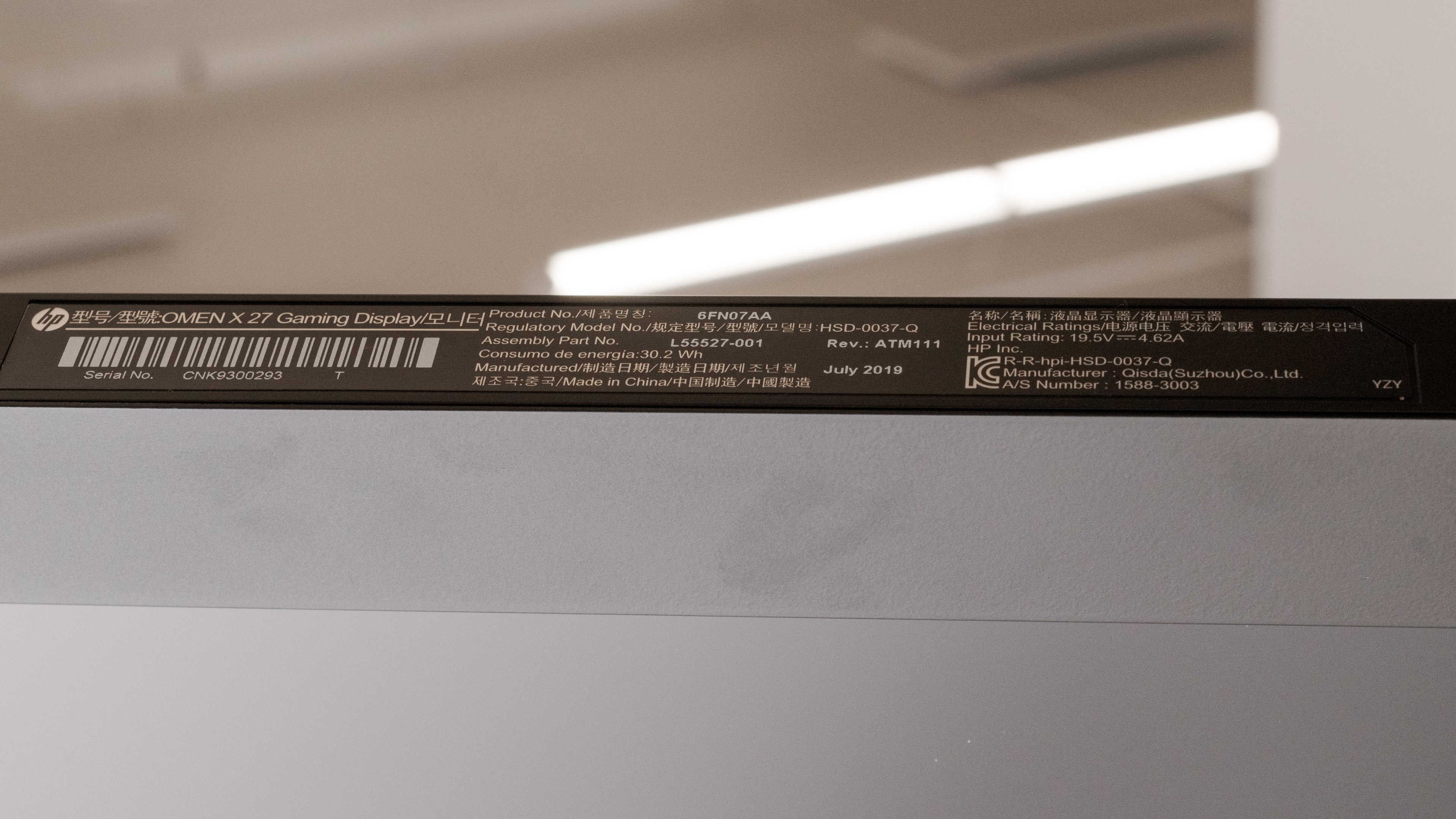
    The HP OMEN X 27 we tested was manufactured in July 2019.

    Popular Monitor Comparisons

    The HP OMEN X 27 is a great gaming monitor, with an extremely fast response time and low motion blur. It isn't very versatile, though, due to its low native contrast and limited ergonomics. See also our recommendations for the best 1440p gaming monitors, the best 27 inch monitors, and the best gaming monitors.

    Acer Nitro XF252Q Xbmiiprzx

    The HP OMEN X 27 is slightly better than the Acer Nitro XF252Q Xbmiiprzx for most uses, but the Acer is slightly better for gaming. The HP has a larger, higher-resolution screen, making it a better choice for multitasking. The XF252Q has much better ergonomics and an optional black frame insertion feature.

    ASUS VG279Q

    The ASUS VG279Q is better than the HP OMEN X 27. The VG279Q has much better ergonomics, better viewing angles, and an optional black frame insertion feature. The OMEN X has a higher refresh rate and a higher native resolution, and it supports HDR, although this doesn't add much.

    HP OMEN 27

    The HP OMEN X 27 is a bit better than the HP OMEN 27. The 'X' version has a higher native refresh rate and supports HDR. The non-'X' version supports G-SYNC instead of FreeSync and has an optional black frame insertion feature.

    HP OMEN X 25f

    The HP OMEN X 27 is better than the HP OMEN X 25f. The 27-inch model has a higher native resolution and larger screen, and it supports HDR, although this doesn't add much.

    Gigabyte AORUS FI27Q-X

    The Gigabyte AORUS FI27Q-X is a better gaming monitor than the HP OMEN X 27, mainly because of its different panel types. The Gigabyte's IPS panel has much wider viewing angles than the HP's TN panel. It also gets brighter, so it fights glare easily in brighter rooms. However, the HP does a better job at rendering clear text, mainly because it uses an RGB sub-pixel layout compared to the BGR layout on the Gigabyte, and not all programs can use this layout.

    ASUS ROG Strix XG17AHPE

    The HP OMEN X 27 and the ASUS ROG Strix XG17AHPE are very different monitors with different target users. The ASUS is a portable gaming monitor with a small screen and limited ergonomics. Despite those limitations, the ASUS delivers a very similar gaming experience, with only slightly slower response times and nearly identical input lag. The HP supports HDR and has much better reflection handling.

    HP OMEN 27c

    The HP OMEN X 27 and the HP OMEN 27c are part of the same product lineup, and they have many of the same features, like a 240Hz refresh rate, but there are a few differences. They have different panel types, as the X 27 has a TN panel with much better motion handling, while the VA panel on the 27c has better contrast. The X 27 is also better for use in bright rooms because it has better reflection handling, and it gets brighter. While they're each a 27-inch monitor, the 27c has a curved screen while the X 27 is flat, but other than that, there aren't many big differences.

    Test Results

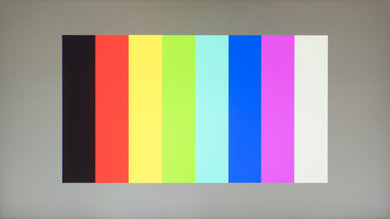
    perceptual testing image
    Sort:
    RATINGS
    Category:
    All
    Design
    Style
    Size27"
    CurvedNo
    Curve RadiusNot Curved
    Weight (without stand)
    9.9 lbs (4.5 kg)
    Weight (with stand)
    14.6 lbs (6.6 kg)
    Stand
    Width
    10.3" (26.2 cm)
    Depth
    10.3" (26.2 cm)

    The stand is slim but supports the monitor well.

    5.3
    Ergonomics
    Height Adjustment
    5.2" (13.2 cm)
    Switch Portrait/LandscapeNo
    Swivel RangeNo swivel
    Tilt Range-20° to 5°

    The stand has a good height adjustment range and a great tilt range. It can't swivel, and can't be rotated to portrait orientation, though, which might disappoint some users. If you need a monitor with better ergonomics, check out the ViewSonic Elite XG270.

    Back
    Wall MountVESA 100x100

    The back of the HP OMEN X 27 looks identical to the other OMEN monitors we've tested. It has a clean look, but only basic cable management. There's a quick-release on the back, and it can be VESA mounted using the included mounting bracket.

    Borders
    Borders
    0.3" (0.8 cm)

    The borders are thin on three sides, great for a multi-monitor setup.

    Thickness
    Thickness (with stand)
    7.5" (19.1 cm)
    Thickness (without stand)
    3.8" (9.7 cm)

    The HP OMEN X 27 is a bit thicker than most similar monitors we've tested.

    8.5
    Build Quality

    Just like the HP OMEN 27 and the HP OMEN X 25f, the HP OMEN X 27 has excellent build quality. The stand is made of metal and feels well-built, and although the panels are made of plastic, they have a premium feel to them.

    Picture Quality
    5.6
    Contrast
    Native Contrast
    798 : 1
    Contrast With Local Dimming
    831 : 1

    Like most TN monitors, the HP OMEN X 27 has mediocre contrast. This causes blacks to look gray and is especially noticeable in a dark room. Unfortunately, the local dimming feature is ineffective at noticeably improving contrast. The HP OMEN 27c is a similar monitor with a VA panel and a better contrast, if that's what you're looking for.

    3.0
    Local Dimming
    Local Dimming
    Yes
    Backlight
    Edge

    The optional local dimming feature is bad, but it isn't as bad as most monitors we've tested. It does a good job dimming dark areas on the screen, but due to the limited number of zones, it can only dim relatively large portions of the screen. Some transitions are slow, causing a glowing trail behind fast-moving objects.

    7.6
    SDR Peak Brightness
    SDR Real Scene
    298 cd/m²
    SDR Peak 2% Window
    306 cd/m²
    SDR Peak 10% Window
    306 cd/m²
    SDR Peak 25% Window
    306 cd/m²
    SDR Peak 50% Window
    306 cd/m²
    SDR Peak 100% Window
    306 cd/m²
    SDR Sustained 2% Window
    306 cd/m²
    SDR Sustained 10% Window
    306 cd/m²
    SDR Sustained 25% Window
    306 cd/m²
    SDR Sustained 50% Window
    305 cd/m²
    SDR Sustained 100% Window
    306 cd/m²
    SDR ABL
    0.000

    Update 08/17/2020: We've retested the SDR peak brightness to ensure that it's measured with local dimming enabled, as per our methodology. The results haven't changed. We also retested 7 other monitors, and some results changed.

    Good peak brightness, bright enough for most viewing environments. We measured peak brightness with our calibrated settings, and with local dimming enabled. If you want a similar monitor that gets even brighter, then check out the Gigabyte AORUS FI27Q-X.

    6.2
    HDR Peak Brightness
    HDR Real Scene
    312 cd/m²
    HDR Peak 2% Window
    332 cd/m²
    HDR Peak 10% Window
    327 cd/m²
    HDR Peak 25% Window
    327 cd/m²
    HDR Peak 50% Window
    329 cd/m²
    HDR Peak 100% Window
    329 cd/m²
    HDR Sustained 2% Window
    332 cd/m²
    HDR Sustained 10% Window
    327 cd/m²
    HDR Sustained 25% Window
    327 cd/m²
    HDR Sustained 50% Window
    328 cd/m²
    HDR Sustained 100% Window
    329 cd/m²
    HDR ABL
    0.001

    Update 08/17/2020: We've retested the HDR peak brightness to ensure that it's measured with local dimming enabled, as per our methodology. The results haven't changed. We also retested 7 other monitors, and some results changed.

    Unfortunately, the HP OMEN X 27 has mediocre peak brightness in HDR. Small, bright objects in some scenes don't stand out the way they should. We measured HDR peak brightness with the 'HDR Standard' mode, with local dimming enabled, before calibration.

    6.4
    Horizontal Viewing Angle
    Color Washout From Left
    34°
    Color Washout From Right
    34°
    Color Shift From Left
    28°
    Color Shift From Right
    34°
    Brightness Loss From Left
    48°
    Brightness Loss From Right
    48°
    Black Level Raise From Left
    27°
    Black Level Raise From Right
    23°
    Gamma Shift From Left
    23°
    Gamma Shift From Right
    29°

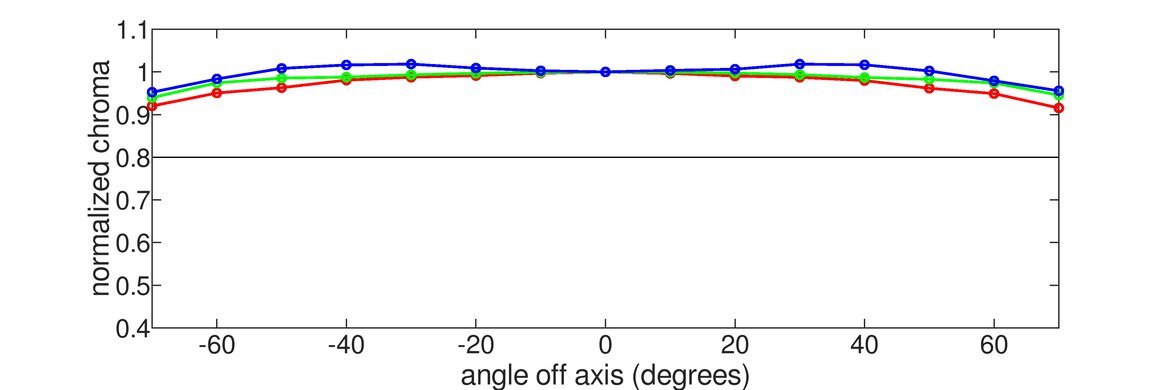
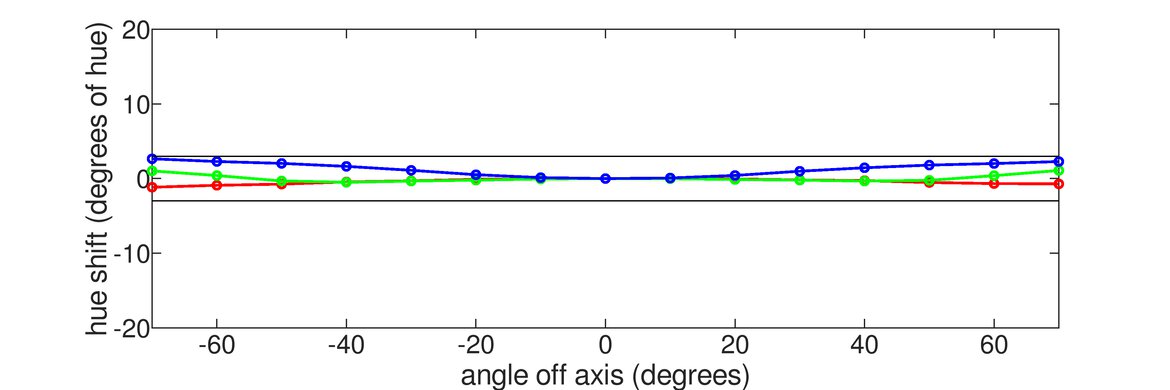
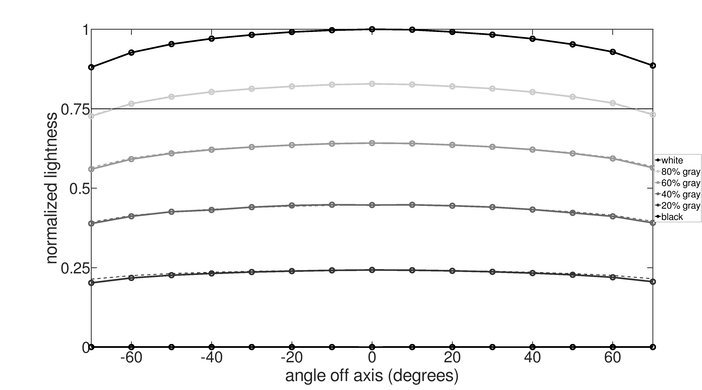
    Unfortunately, like all TN monitors, the image degrades noticeably when viewed at an angle. This isn't a great choice for co-op gaming. If viewing angles are important for you, an IPS monitor like the LG 27GL850-B/27GL83A-B is a better choice.

    5.1
    Vertical Viewing Angle
    Color Washout From Below
    12°
    Color Washout From Above
    61°
    Color Shift From Below
    17°
    Color Shift From Above
    47°
    Brightness Loss From Below
    22°
    Brightness Loss From Above
    54°
    Black Level Raise From Below
    18°
    Black Level Raise From Above
    24°
    Gamma Shift From Below
    Gamma Shift From Above

    Like all TN monitors, the image degrades noticeably when viewed at an angle. Even sitting close to the screen, the top and bottom can appear non-uniform. If vertical viewing angles are important to you, then check out the HP X24ih.

    7.6
    Gray Uniformity
    50% Std. Dev.
    5.658%
    50% DSE
    0.124%
    5% Std. Dev.
    2.097%
    5% DSE
    0.075%

    The HP OMEN X 27 has good gray uniformity. The sides and top of the screen are a bit darker than the rest, but this isn't very noticeable with most content.

    3.7
    Black Uniformity
    Native Std. Dev.
    3.165%
    Std. Dev. w/ L.D.
    8.823%

    Unfortunately, this monitor has bad black uniformity. There is significant clouding throughout the screen, but very little backlight bleed, which is good. The local dimming feature is effective at dimming some areas of the screen, but due to the limited number of zones, it can't dim very tightly around the test cross.

    6.8
    Pre Calibration
    Picture Mode
    Gaming
    Luminance
    247 cd/m²
    Luminance Settings
    70
    Contrast Setting
    80
    RGB Controls
    228-245-244
    Gamma Setting
    2.2
    Color Temperature
    6,054 K
    White Balance dE
    3.84
    Color dE
    3.32
    Gamma
    2.28

    Decent accuracy out of the box. Gamma is above the sRGB target curve, so almost all scenes are darker than they should be. There are a few inaccuracies in shades of gray and a few colors, but most people won't notice this.

    9.6
    Post Calibration
    Picture Mode
    Gaming
    Luminance
    99 cd/m²
    Luminance Settings
    25
    Contrast Setting
    75
    RGB Controls
    216-234-243
    Gamma Setting
    2.2
    Color Temperature
    6,453 K
    White Balance dE
    0.66
    Color dE
    0.42
    Gamma
    2.17

    After calibration, the HP OMEN X 27 has outstanding accuracy. Gamma follows the target curve almost perfectly, and there are no noticeable inaccuracies in any colors or shades of gray.

    You can download our ICC profile calibration here. This is provided for reference only and should not be used, as the calibration values vary per individual unit even for the same model due to manufacturing tolerances.

    9.0
    SDR Color Gamut
    sRGB xy
    100.0%
    Adobe RGB xy
    79.9%
    sRGB Picture Mode
    Gaming
    Adobe RGB Picture Mode
    Gaming

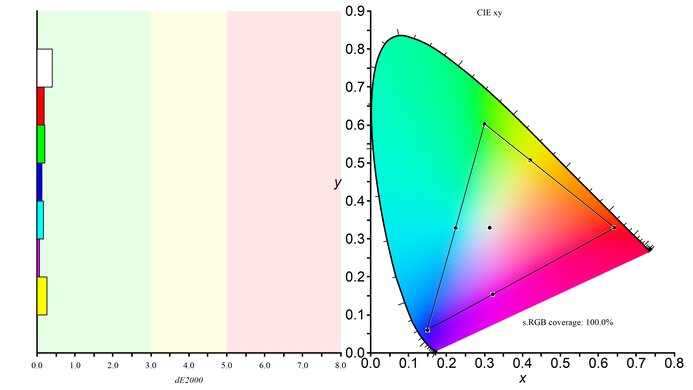
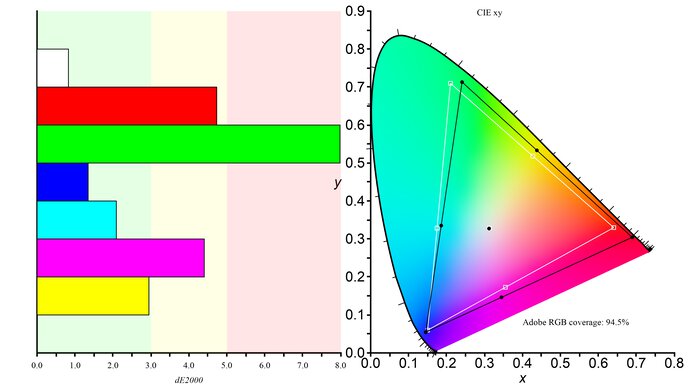
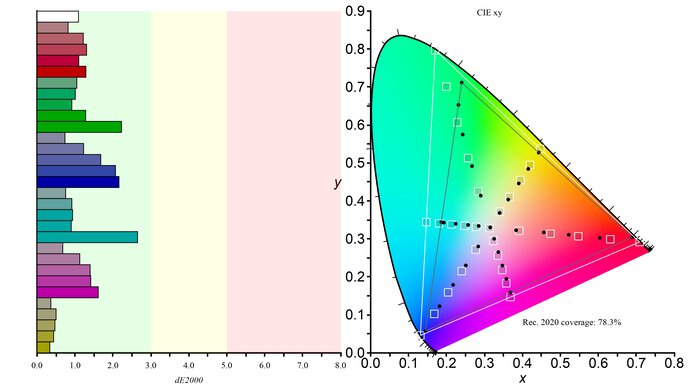
    Excellent SDR color gamut, with perfect coverage of the most commonly used sRGB color space. This monitor also has very good coverage of the wider Adobe RGB color space, which is mainly used for professional photo editing.

    9.0
    SDR Color Volume
    sRGB In ICtCp
    96.3%
    Adobe RGB In ICtCp
    84.3%
    sRGB Picture Mode
    Gaming
    Adobe RGB Picture Mode
    Gaming

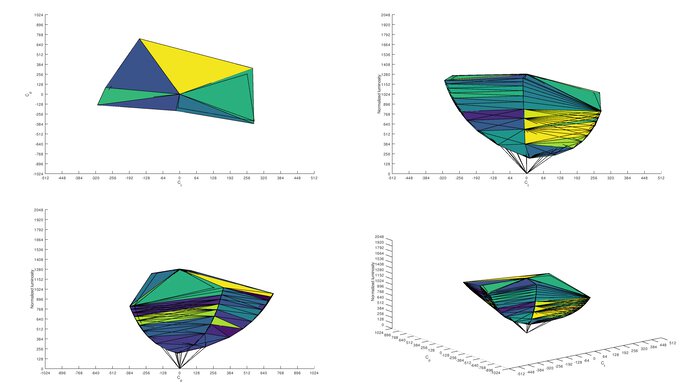
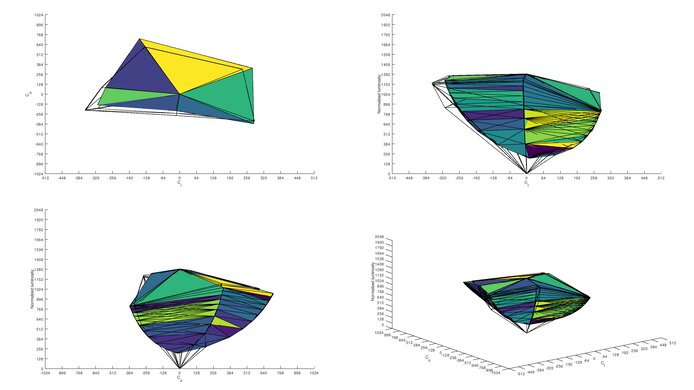
    Excellent SDR color gamut. It can't display dark, saturated colors very well, and like almost all LED monitors, it can't displays very bright blues.

    6.9
    HDR Color Gamut
    Wide Color Gamut
    Yes
    DCI P3 xy
    75.5%
    Rec. 2020 xy
    61.9%
    DCI P3 Picture Mode
    HDR Standard
    Rec. 2020 Picture Mode
    HDR Standard

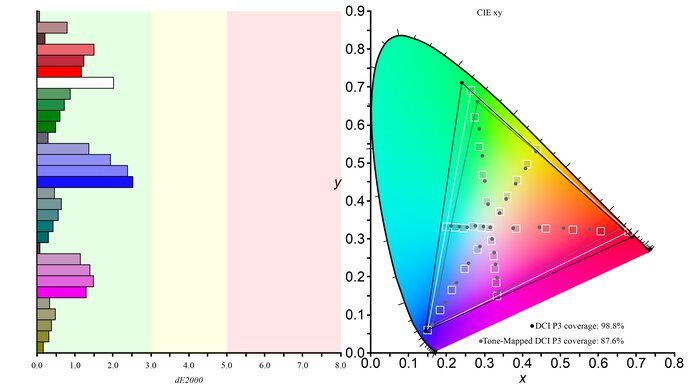
    Update 08/17/2020: We've retested the HDR color gamut to ensure that it's measured with local dimming enabled, as per our methodology. The DCI P3 coverage has increased from 66.2% to 75.5%, and the Rec. 2020 coverage has increased slightly from 62.1% to 62.9%. The score has been adjusted accordingly. We also retested 7 other monitors, and some results changed.

    Okay HDR color gamut. It can display a wide color gamut, but it has only decent coverage of the DCI P3 color space used by the majority of today's HDR content. If you want a monitor with better DCI P3 coverage, check out the LG 27GN850-B/27GN880-B.

    6.3
    HDR Color Volume
    DCI-P3 In ICtCp
    63.9%
    Rec. 2020 In ICtCp
    62.1%
    DCI P3 Picture Mode
    HDR Standard
    Rec. 2020 Picture Mode
    HDR Standard

    Update 08/17/2020:We've retested the HDR color volume to ensure that it's measured with local dimming enabled, as per our methodology. The results have changed. The P3 color volume has increased from 59.6% to 63.9%, while the Rec. 2020 color volume stays about the same, changing from 61.0% to 62.1%. The score has been adjusted accordingly. We also retested 7 other monitors, and some results changed.

    Mediocre HDR color volume. It's limited by the low native contrast ratio and limited HDR color gamut.

    10
    Image Retention
    IR After 0 Min Recovery
    0.00%
    IR After 2 Min Recovery
    0.00%
    IR After 4 Min Recovery
    0.00%
    IR After 6 Min Recovery
    0.00%
    IR After 8 Min Recovery
    0.00%
    IR After 10 Min Recovery
    0.00%

    There are no signs of temporary image retention on the HP OMEN X 27, even immediately after displaying our high-contrast, static test image for 10 minutes.

    8.8
    Gradient
    Color Depth
    8 Bit

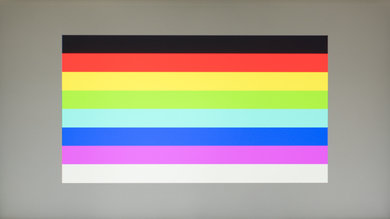
    Excellent gradient handling. There is some noticeable banding, mainly due to this display's 8-bit color gamut. Although it supports HDR, it can't display 10-bit colors.

    9.5
    Color Bleed
    Pixel Row Error
    0.000%
    Pixel Column Error
    0.109%

    There is very little color bleed on this monitor. The very slight bleed isn't noticeable with regular content.

    8.4
    Reflections
    Screen Finish
    Matte
    Total Reflections
    4.5%
    Indirect Reflections
    4.1%
    Calculated Direct Reflections
    0.4%

    This monitor has great reflection handling. This is great for use in a bright room, and glare shouldn't be an issue for most people.

    8.0
    Text Clarity
    Pixel Type
    TN
    Sub-Pixel Layout
    RGB
    Motion
    9.8
    Response Time @ Max Refresh Rate
    Best Overdrive Setting
    Level 3
    Rise / Fall Time
    2.6 ms
    Total Response Time
    5.5 ms
    Overshoot Error
    1.4%
    Dark Rise / Fall Time
    1.6 ms
    Dark Total Response Time
    4.2 ms
    Dark Overshoot Error
    3.9%

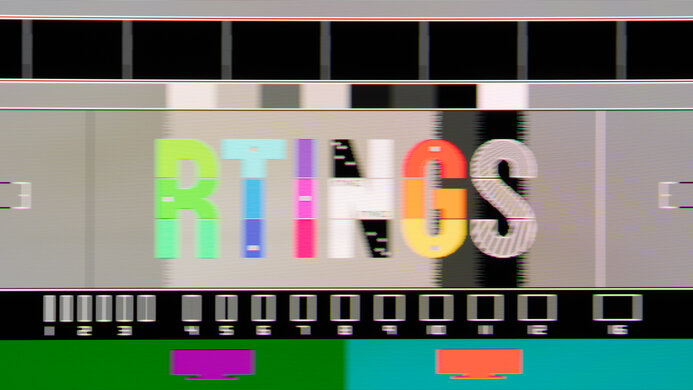
    Mode Response Time Chart Motion Blur Photo
    Level 1 Chart Photo
    Level 2 Chart Photo
    Level 3 Chart Photo
    Level 4 Chart Photo

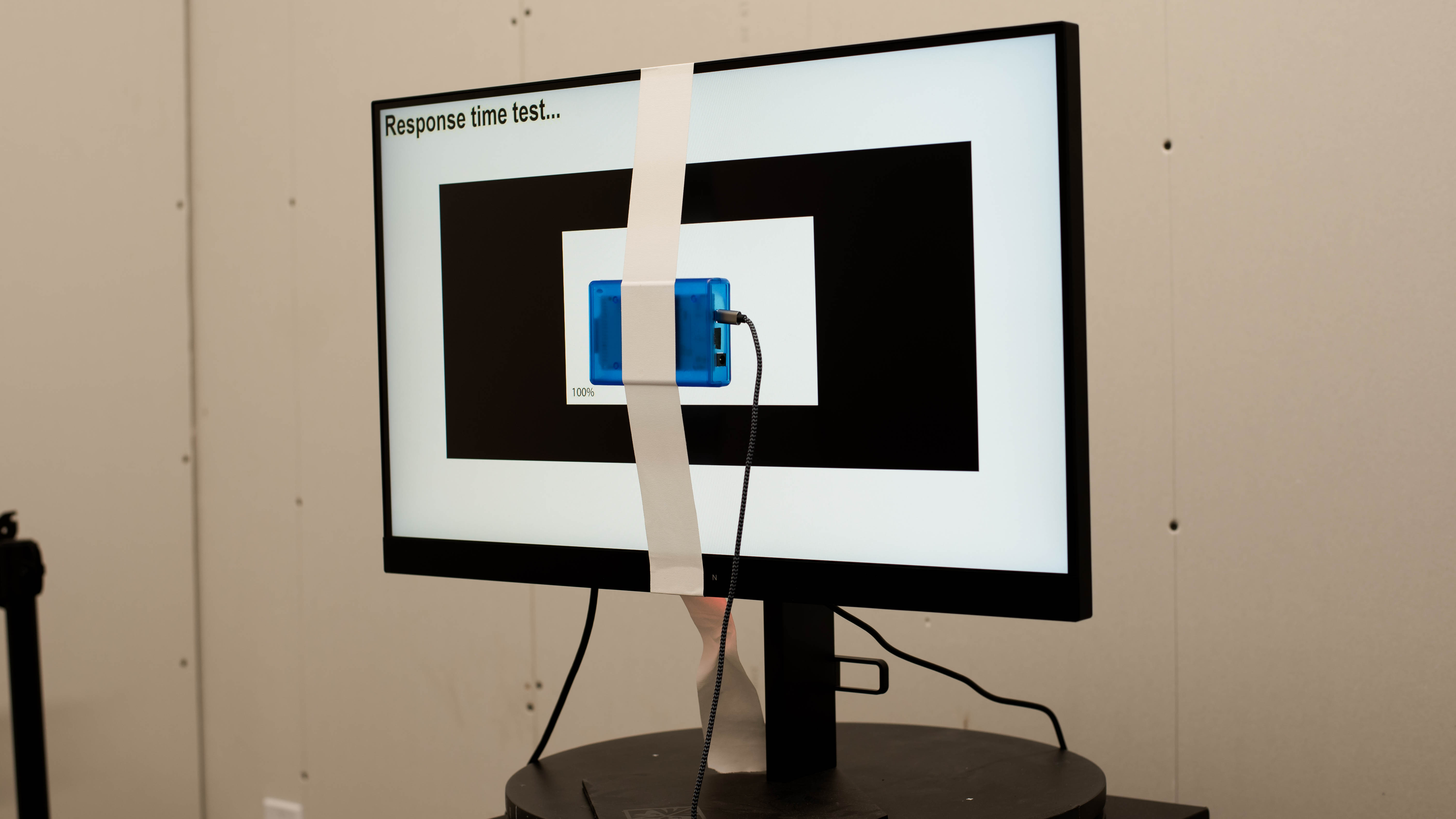
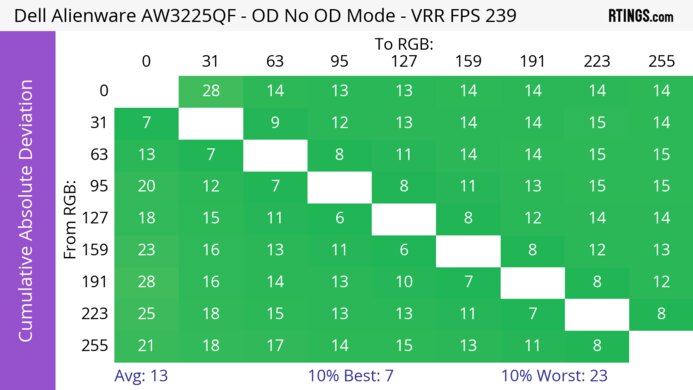
    The HP OMEN X 27 has an incredibly fast response time, resulting in clear motion with almost no blur behind fast-moving objects, and no noticeable motion artifacts. There are four overdrive settings; we recommend 'Level 2', as it delivers the fastest response time with almost no overshoot. Level 3 is slightly faster, with an 80% response time of 1.9ms and a 100% response time of 4.6ms, but there is some overshoot, causing noticeable ghosting in some transitions. Level 4 has significant overshoot in many transitions, and we don't recommend it.

    9.3
    Response Time @ 60Hz
    Best Overdrive Setting
    Level 2
    Rise / Fall Time
    4.3 ms
    Total Response Time
    10.3 ms
    Overshoot Error
    0.5%
    Dark Rise / Fall Time
    1.6 ms
    Dark Total Response Time
    4.8 ms
    Dark Overshoot Error
    0.0%
    10
    Image Flicker
    Flicker-FreeNo
    PWM Dimming Frequency
    >1000 Hz

    The backlight is nearly flicker-free at all brightness levels. Below max brightness, the backlight flickers, but it's at an extremely high frequency and doesn't cause any motion artifacts, and shouldn't bother anyone. Unlike the HP OMEN 27, there is no optional black frame insertion feature.

    0.0
    Black Frame Insertion (BFI)
    Black Frame Insertion (BFI)
    No BFI
    BFI Maximum Frequency
    N/A
    BFI Minimum Frequency
    N/A
    9.6
    Refresh Rate
    Variable Refresh Rate
    FreeSync
    Native
    240 Hz
    Max Refresh Rate
    240 Hz
    Variable Refresh Rate
    Yes
    FreeSync
    Yes
    G-SYNC
    Compatible (Tested)
    VRR Maximum
    240 Hz
    VRR Minimum
    < 20 Hz
    VRR Supported ConnectorsDisplayPort, HDMI

    The HP OMEN X 27 has an outstanding refresh rate, and it supports AMD's FreeSync variable refresh rate technology. The full 240Hz refresh rate and 1440p native resolution is only supported over DisplayPort. Over HDMI, the maximum refresh rate at 1440p is 144Hz. The 240Hz refresh rate over HDMI is only available at 1080p.

    Inputs
    9.5
    Input Lag
    Native Resolution
    2.8 ms
    Native Resolution @ 60Hz
    14.9 ms
    Variable Refresh Rate
    5.2 ms
    Variable Refresh Rate @ 60Hz
    15.4 ms
    10 Bit HDR
    6.4 ms
    Black Frame Insertion (BFI)
    N/A

    The HP OMEN X 27 has outstanding low input lag, great for a responsive gaming experience. When gaming at the native refresh rate and resolution, the input lag is one of the lowest we've ever measured and is great for even the most demanding gamers. The 60Hz input lag is a bit higher than average, which might be disappointing for some console gamers.

    If input lag is important to you and you want the best gaming experience possible, check out our recommendations for the best gaming mice.

    8.3
    Resolution And Size
    Native Resolution2560 x 1440
    Aspect Ratio16:9
    Megapixels3.7 MP
    Pixel Density
    109 PPI
    Screen Diagonal27.0"
    Screen Area310 in²

    The 1440p resolution and 27 inch screen are great for most uses.

    Inputs
    Total Inputs
    DisplayPort1 (DP 1.4)
    Mini DisplayPortNo
    HDMI1 (HDMI 2.0)
    DVINo
    VGANo
    DisplayPort OutNo
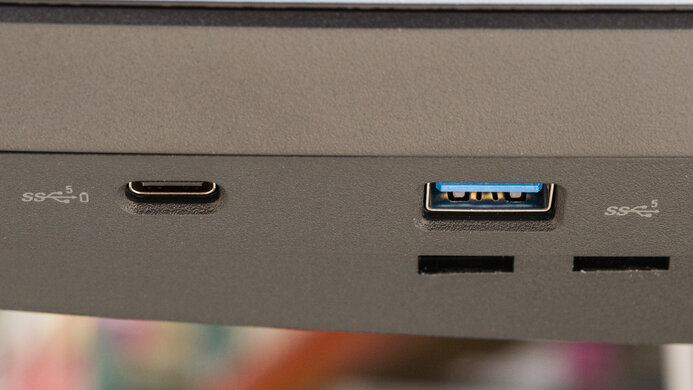
    USB2 (USB 3.0)
    USB CNo
    Analog Audio Out 3.5mm1
    Microphone In 3.5mmNo
    Digital Optical Audio OutNo
    Analog Audio Out RCANo
    Power SupplyExternal Brick
    Features
    Additional Features
    RGB Illumination
    Presets
    Speakers
    No
    HDR10Yes
    Multiple Input Display
    No

    The HP OMEN X 27 has a few additional features. There's a down-facing RGB ambient lighting feature, and you can choose from a few different effects. Like many gaming monitors, there's an optional aim assist virtual crosshair function, as well as a frame counter overlay.

    These additional features can be enabled directly through the monitor's on-screen display, or through HP's OMEN Command Center software.

    On-Screen Display (OSD)
    Controls

    The controls are nearly identical to the HP OMEN 27. Unfortunately, they aren't as easy to use as the joystick on the HP OMEN X 25f.

    In The Box

    • Manual
    • USB-A to USB-B Cable
    • VESA Screws
    • Power Cable
    • Power Adapter
    • DisplayPort Cable
    • HDMI Cable
    • VESA Mounting Adapter