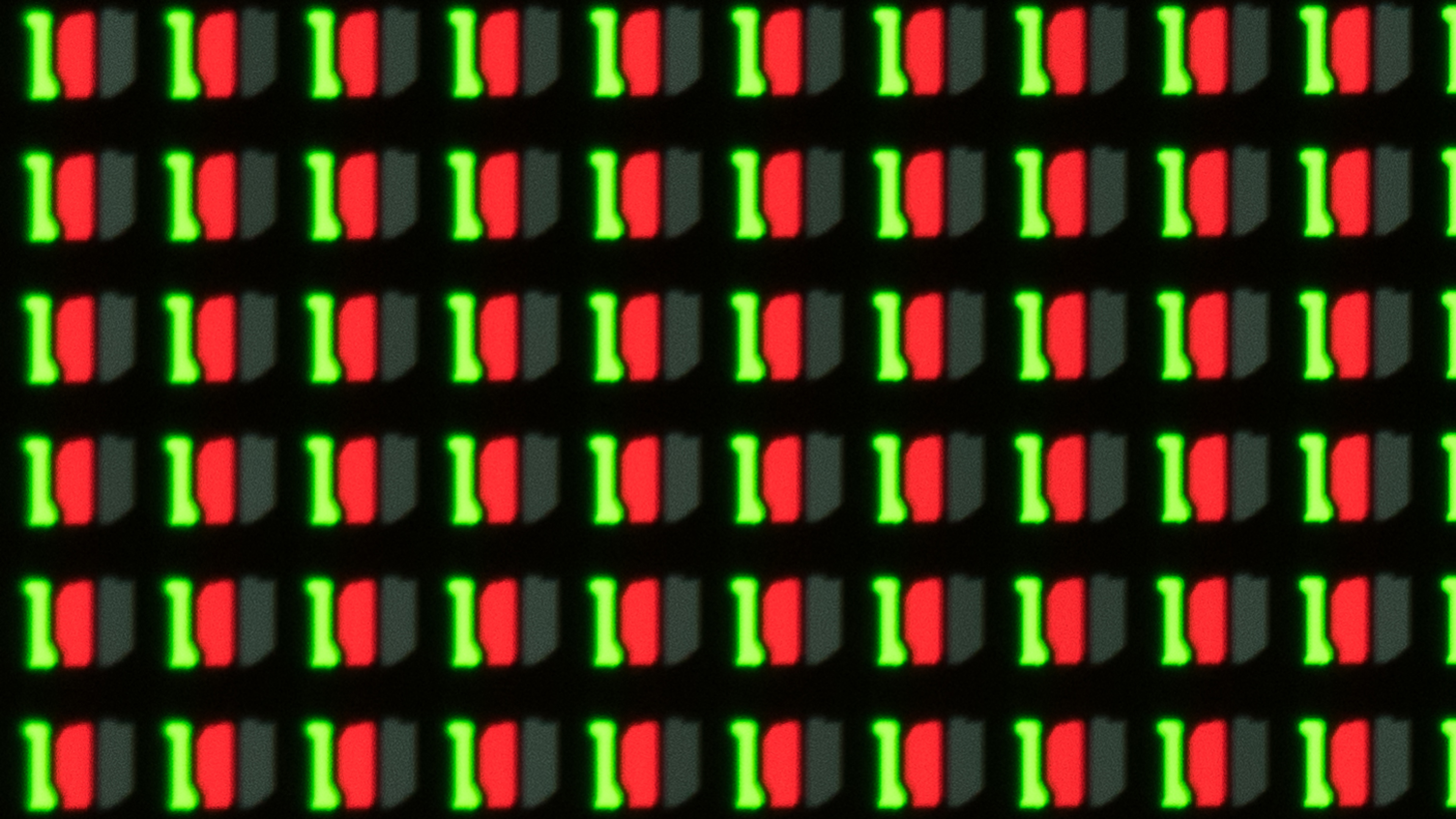
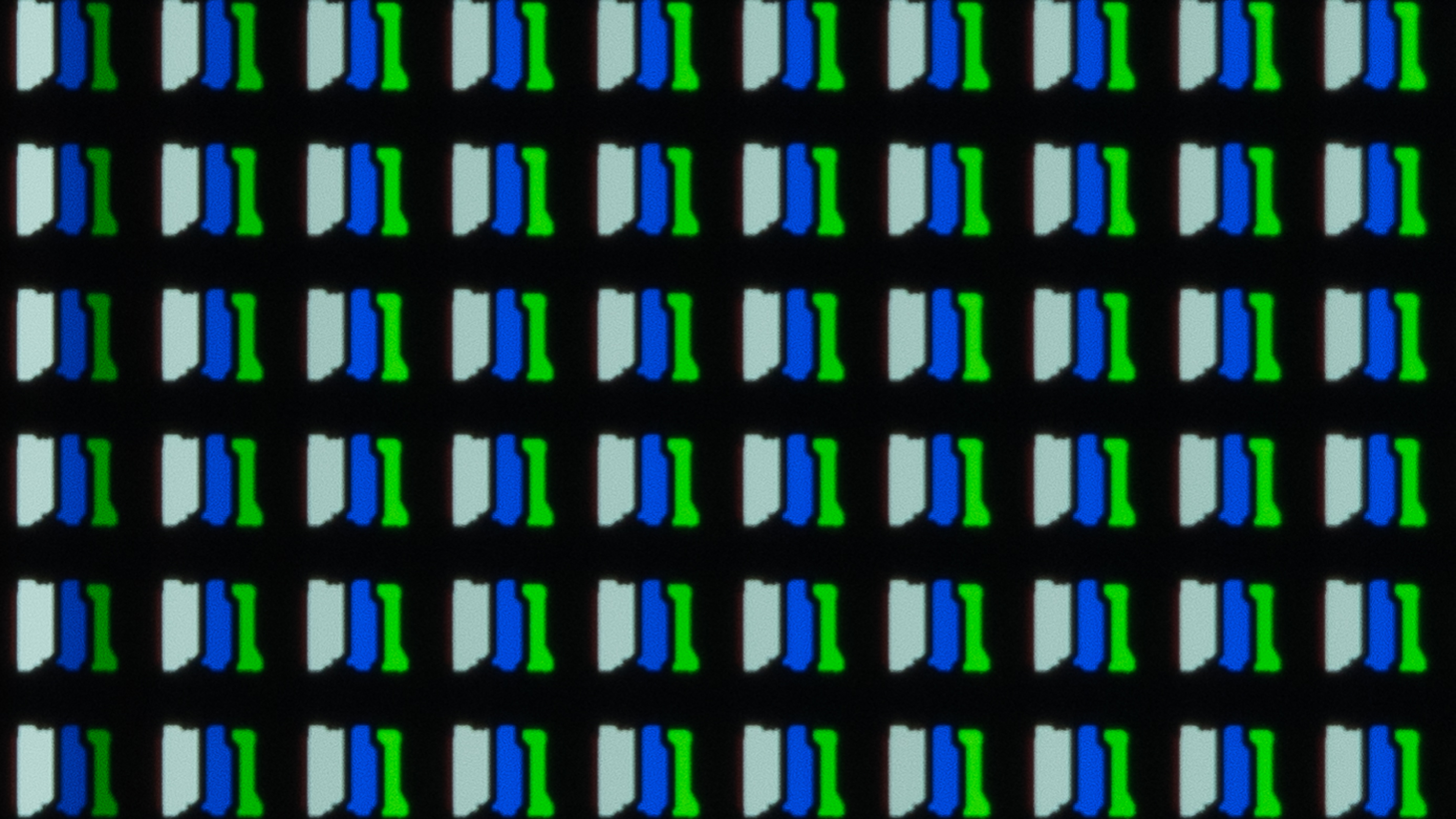
The LG G1 OLED is an amazing flagship 4k OLED TV. It comes with LG's new evo panel, which aims to increase brightness compared to typical OLED panels. It provides a significant improvement over its predecessor, the LG GX OLED, in HDR content, but there's not much of a difference in SDR content. The TV has a unique slim design meant to sit flush against the wall with its dedicated wall mount, and it doesn't come with a stand. It delivers the same exceptional picture quality as other OLEDs with a near-infinite contrast ratio and perfect black uniformity. It's packed with gaming features like variable refresh rate (VRR) support, four HDMI 2.1 inputs, and a near-instant response time for a smooth gaming experience. Unfortunately, OLEDs risk permanent burn-in, which could be a problem if you constantly watch the same content with static elements, like leaving it on the same news channel all day, but we don't expect it to be an issue if you watch varied content.
Our Verdict
The LG G1 OLED is an amazing overall TV. It delivers stunning picture quality for dark room viewing because of its near-infinite contrast ratio and perfect black uniformity. It's also good to use in well-lit rooms for watching sports or TV shows as it has fantastic reflection handling, and the wide viewing angles make it suitable for wide seating areas. HDR content looks amazing as it displays a wide color gamut and has decent HDR peak brightness, enough to make highlights stand out. Gamers should appreciate the variable refresh rate (VRR) support and HDMI 2.1 inputs. Unfortunately, it has the risk of permanent burn-in, so it may not be the best choice to use solely as a PC monitor.
- Near-infinite contrast ratio for perfect blacks.
- FreeSync, G-SYNC, and HDMI Forum VRR support.
- 120Hz panel with four HDMI 2.1 inputs.
- HDR brightness better than most OLEDs.
- Risk of permanent burn-in.
- Aggressive ABL can get distracting with large areas of brightness.
The LG G1 is fantastic for watching movies. Thanks to its near-infinite contrast ratio, it displays perfect blacks without any blooming around bright objects. It can remove 24p judder from any source, which is great, but lower-frame rate content may appear to stutter due to the quick response time. It also doesn't have any trouble upscaling lower-resolution content.
- Near-infinite contrast ratio for perfect blacks.
- No blooming around bright objects.
- Automatically removes 24p judder from any source.
- Fantastic reflection handling.
- Risk of permanent burn-in.
The LG G1 is great for watching TV shows. It upscales lower-resolution content, like from cable boxes, without issues. It has wide viewing angles if you want to use it in a wide seating arrangement, so the image remains accurate from the side. The reflection handling is fantastic if you place it in a well-lit room, but it doesn't get extremely bright in SDR. Also, OLEDs have the risk of burn-in, which could be a problem if you constantly watch the same news channel all day.
- Fantastic reflection handling.
- Wide viewing angles.
- Upscales lower-resolution content without issues.
- Risk of permanent burn-in.
- Aggressive ABL can get distracting with large areas of brightness.
The LG G1 OLED is excellent for watching sports. Fast-moving content like players or balls look great thanks to the near-instant response time. It has wide viewing angles, making it a great choice for a wide seating arrangement. Even though it doesn't get very bright in SDR, it still has fantastic reflection handling, so glare shouldn't pose much of an issue. It also upscales 720p content, like from cable boxes, without any artifacts.
- Fantastic reflection handling.
- Wide viewing angles.
- Upscales lower-resolution content without issues.
- Motion looks smooth due to near-instant response time.
- Risk of permanent burn-in.
- Aggressive ABL can get distracting with large areas of brightness.
The LG G1 is outstanding for video games. It's packed with gaming features like VRR support, HDMI 2.1 inputs, and a 120Hz panel, so you can easily play 4k games up to 120fps. It has a near-instant response time and low input lag for a responsive gaming experience. OLEDs can turn off individual pixels, resulting in a near-infinite contrast ratio and perfect black uniformity, with no blooming around bright objects, so it's a great choice for dark room gaming.
- Near-infinite contrast ratio for perfect blacks.
- Motion looks smooth due to near-instant response time.
- FreeSync, G-SYNC, and HDMI Forum VRR support.
- 120Hz panel with four HDMI 2.1 inputs.
- Risk of permanent burn-in.
The LG G1 OLED is amazing for watching HDR content. It's fantastic for dark room viewing because it has a near-infinite contrast ratio and perfect black uniformity. It displays a wide color gamut for HDR content, and even though it doesn't get as bright as LED TVs, it's still one of the brightest OLEDs we've tested, so small highlights pop in HDR. It supports Dolby Vision and HDR10, but not HDR10+, so some content may use the standard HDR10 format instead.
- Near-infinite contrast ratio for perfect blacks.
- No blooming around bright objects.
- HDR brightness better than most OLEDs.
- Displays wide color gamut.
- Risk of permanent burn-in.
The LG G1 is incredible for HDR gaming. It has a bunch of gamer-friendly features like FreeSync support, G-SYNC compatibility, and HDMI 2.1 inputs. It delivers a responsive gaming experience thanks to its near-instant response time and low input lag. HDR content looks excellent because it has a high native contrast ratio that displays perfect blacks, and there's no blooming around bright objects. It has okay peak brightness in Game Mode, but small highlights still pop how they should.
- Near-infinite contrast ratio for perfect blacks.
- Motion looks smooth due to near-instant response time.
- FreeSync, G-SYNC, and HDMI Forum VRR support.
- 120Hz panel with four HDMI 2.1 inputs.
- HDR brightness better than most OLEDs.
- Risk of permanent burn-in.
The LG G1 OLED is excellent to use as a PC monitor. It provides a responsive gaming experience because it has low input lag and a quick response time. It has wide viewing angles, so the image remains accurate if you sit too close or need to share your screen with someone else. It has fantastic reflection handling if you want to use it in a well-lit room, but its peak brightness is only okay. Sadly, OLEDs risk permanent burn-in, which could pose a problem if it constantly displays the same UI elements.
- Fantastic reflection handling.
- Wide viewing angles.
- Displays chroma 4:4:4 at any resolution.
- Low input lag.
- Risk of permanent burn-in.
- Aggressive ABL can get distracting with large areas of brightness.
Changelog
- Updated Sep 26, 2025: We uploaded the latest brightness measurements and uniformity photos for the Accelerated Longevity Test.
- Updated Jul 08, 2025: We uploaded the latest brightness measurements and uniformity photos for the Accelerated Longevity Test.
- Updated Apr 17, 2025: We uploaded the latest brightness measurements and uniformity photos for the Accelerated Longevity Test.
- Updated Feb 11, 2025: We uploaded the latest brightness measurements and uniformity photos for the Accelerated Longevity Test.
Check Price
Differences Between Sizes And Variants
We tested the LG 65 inch G1 (OLED65G1), which also comes in 55 inch and 77 inch models. For the most part, we expect our results to be valid for those models as well.
| Size | North America Model | UK Model |
|---|---|---|
| 55" | OLED55G1PUA | OLED55G16LA |
| 65" | OLED65G1PUA | OLED65G16LA |
| 77" | OLED77G1PUA | OLED77G16LA |
If you come across a different type of panel or your LG G1 doesn't correspond to our review, let us know, and we'll update the review. Note that some tests like gray uniformity may vary between individual units.
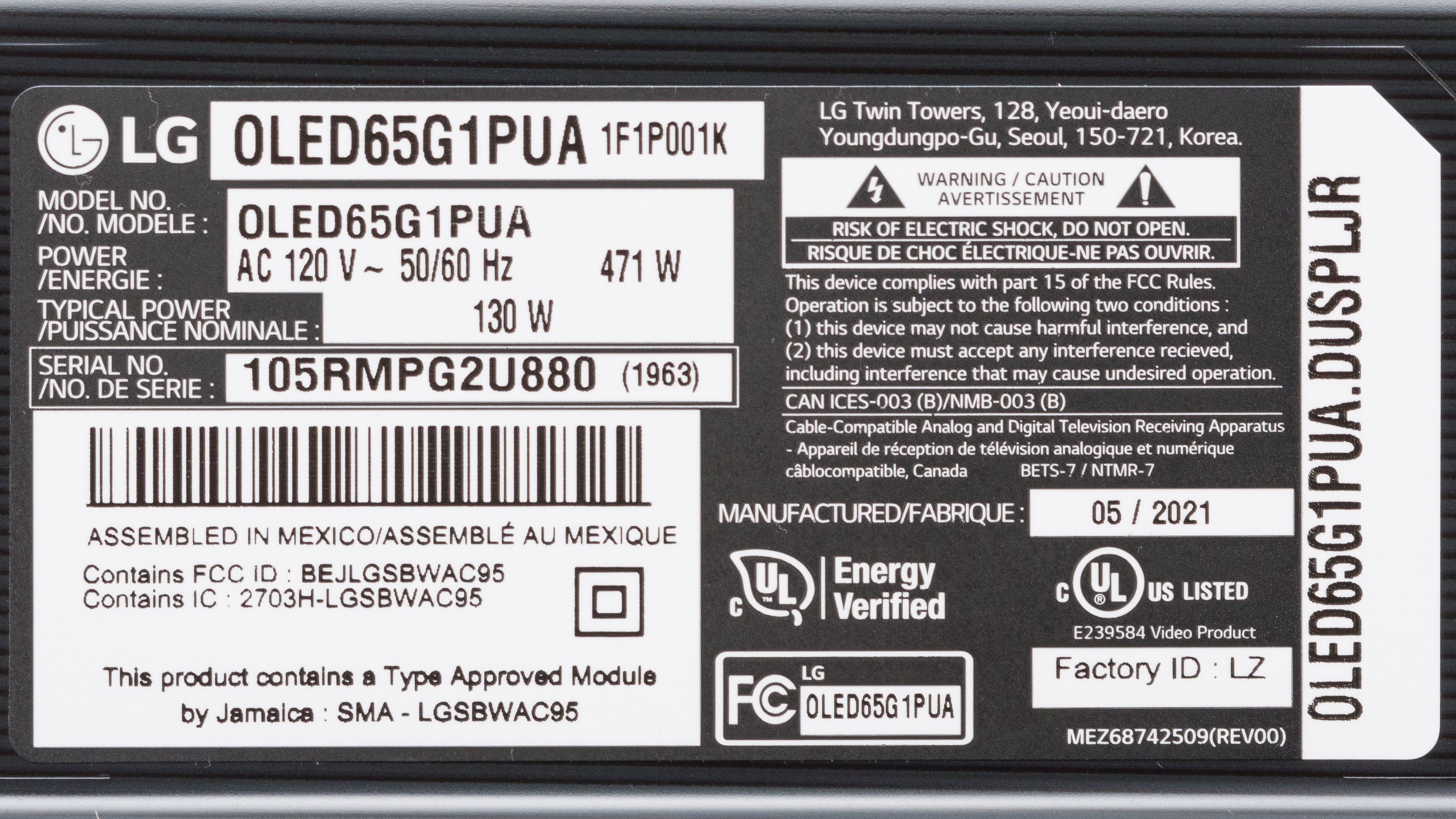
Our unit was manufactured in May 2021, and you can see the label here.
Popular TV Comparisons
The LG G1 is an amazing OLED TV that delivers exceptional picture quality. It performs best in dark environments, and it has a bunch of features for gamers too. The new evo panel allows it to get brighter than the LG GX OLED, but if you truly care about brightness, you'll go for an LED TV anyways. The unique design looks nice if you plan on using the dedicated slim wall mount, but if not, it's worth getting the LG C1 OLED instead.
See our recommendations for the best OLED TVs, the best 4k TVs, and the best TVs for watching movies.
The LG C1 OLED and the LG G1 OLED are both excellent OLEDs. They have similar features and picture quality, except the G1 uses LG's new evo panel. It allows it to get brighter in HDR, making small highlights pop. The G1 also has a unique design meant to sit flush against the wall, and it doesn't come with a stand like the C1. The G1 has better accuracy, but this can vary between units. However, overall the TVs are very similar, and if you aren't going to wall-mount it, the C1 is likely the better choice for you.
The LG G1 OLED and the Sony A80J OLED are both excellent TVs with a few differences. The LG has more gaming features like lower input lag. The LG has the new evo panel, allowing it to get brighter in HDR, but the Sony still gets a bit brighter in SDR. They're built differently as the LG is meant to sit flush against a wall and comes with a dedicated wall mount, while the Sony is a more typical TV that comes with a stand.
The LG G1 OLED and the LG CX OLED are two excellent TVs. They each have an OLED panel with a near-infinite contrast ratio and similar gaming features. The main difference is that the G1 has the new evo OLED panel, allowing small highlights to get brighter in HDR, but the CX still gets brighter in SDR. The GX has a unique design meant to sit flush against the wall with the dedicated wall-mount, while the CX comes with a stand. Other than that, there's very little difference between each TV, and they each deliver exceptional picture quality.
There aren't many significant differences between them, but the LG G2 OLED is a bit better overall than the LG G1 OLED. The G2 is a lot brighter, especially when displaying small, bright highlights in HDR. The G2 also has slightly improved smart features, including hands-free voice control and an updated smart interface that now supports multiple user profiles. Finally, the G2's HDMI ports support 48Gbps bandwidth instead of the 40Gbps limit on the G1.

We buy and test dozens of TVs yearly, taking an objective, data-driven approach to deliver results you can trust. Our testing process is complex, with hundreds of individual tests that take over a week to complete. Most of our tests use specially designed test patterns that mimic real content, but we also use the same sources you have at home to ensure our results match the real-world experience. We use two main tools for our testing: a Colorimetry Research CR-100 colorimeter and a CR-250 spectroradiometer.
Test Results
Older Test Bench: We tested this product using an older TV test methodology before a major update. Some of the test results below aren't directly comparable with other TVs. Learn more
for pictures & test results

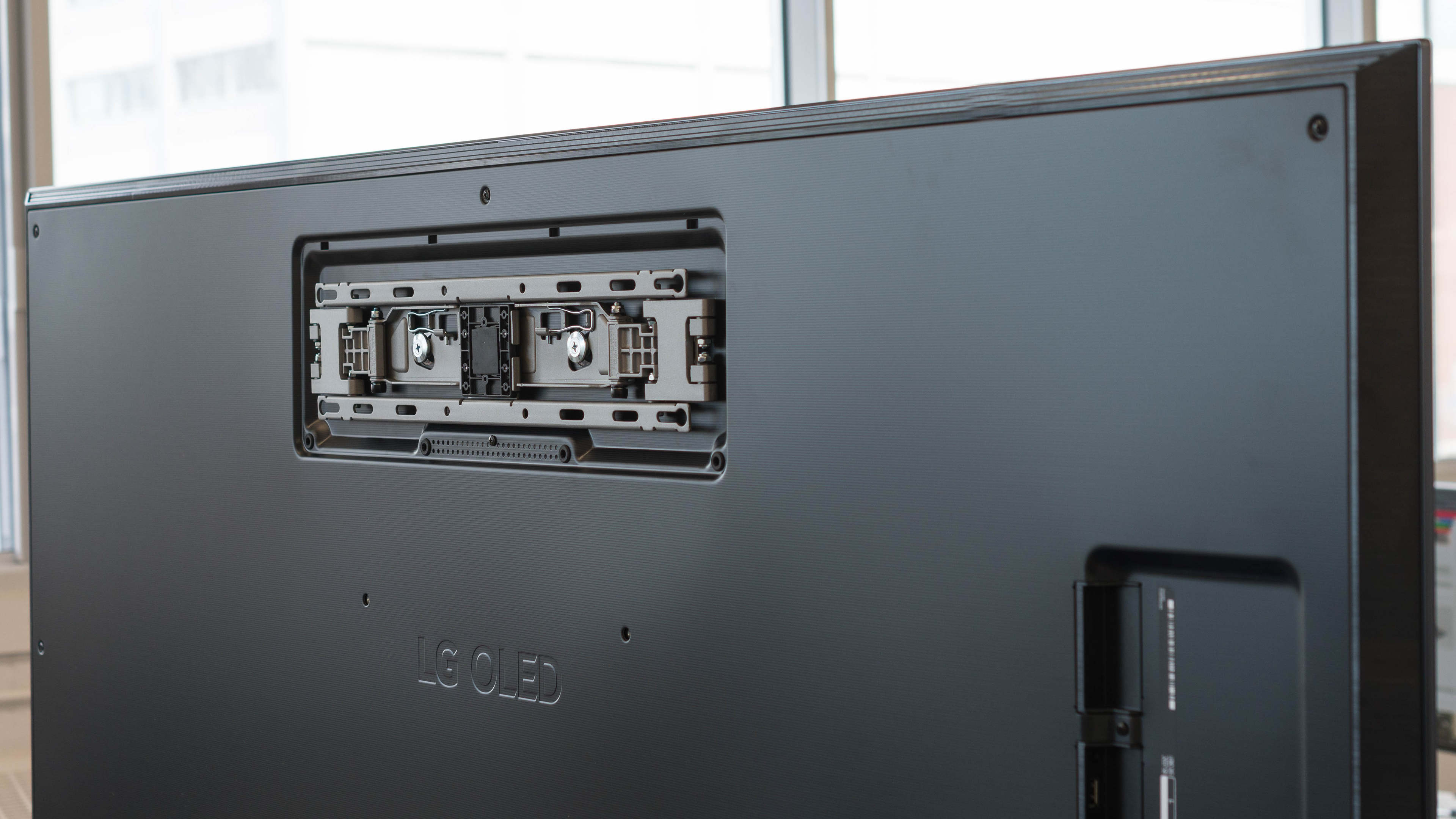
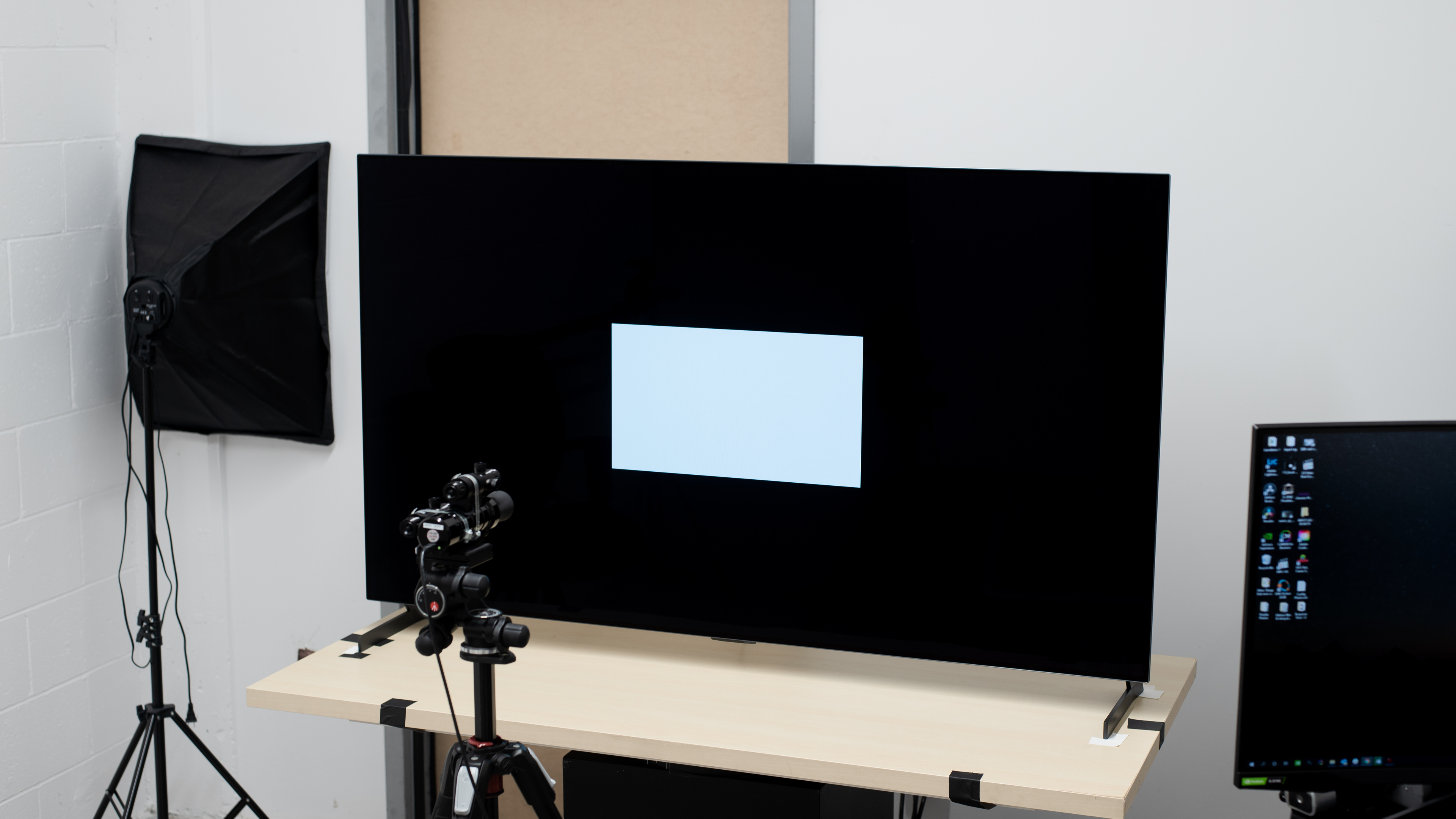
The LG G1 has a premium design meant to sit flush against the wall using the dedicated slim wall mount. The back looks a bit more robust than the LG C1 OLED, but that's just part of the design. It has thin borders with tapered edges that look like they retreat into a wall.
for pictures & test results

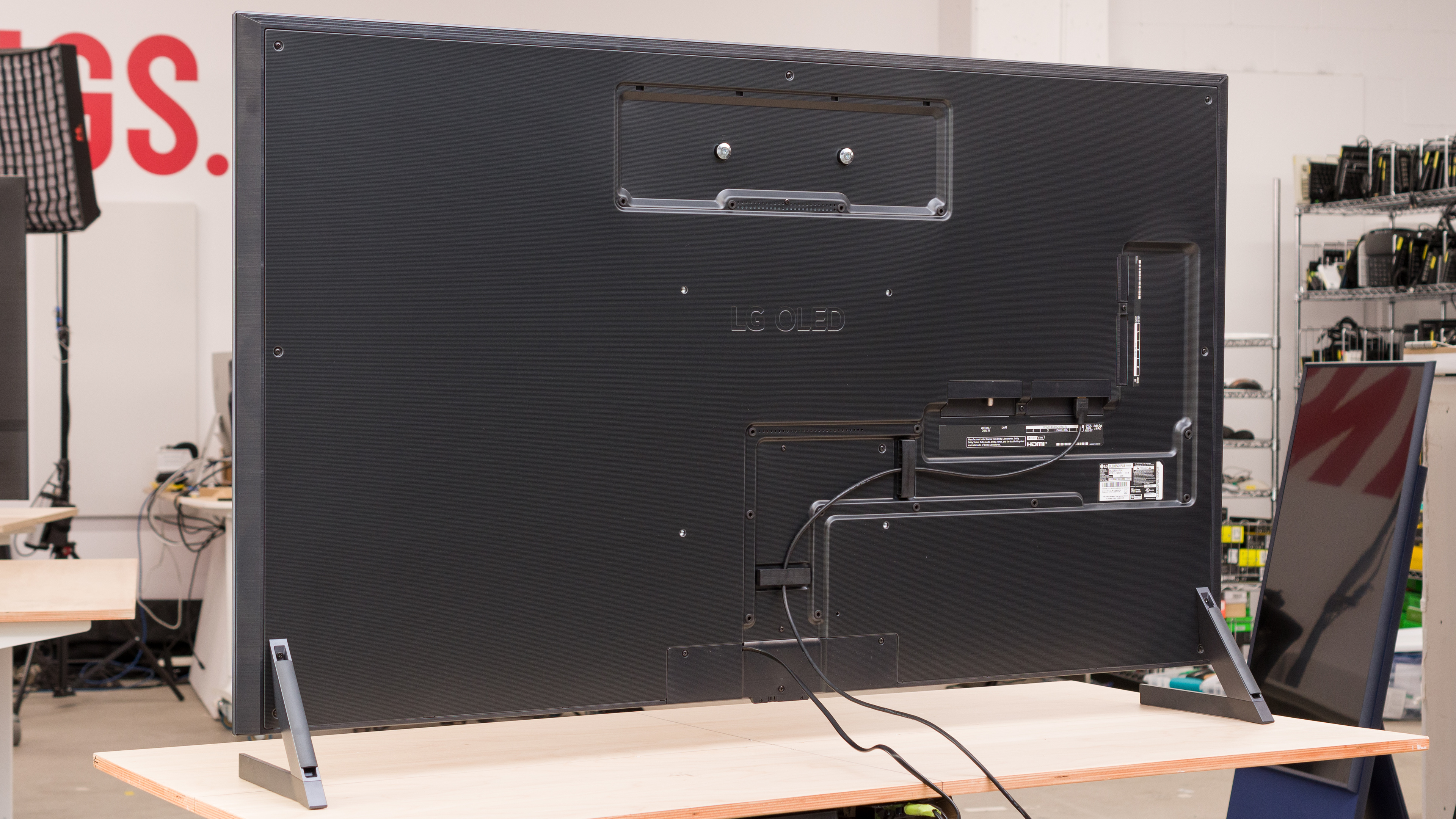
The LG G1 doesn't come with a stand unless you buy one separately; we used the same one we did for the LG GX OLED, so we don't know if the ones you can purchase with the G1 are the same. There's also a tripod Gallery Stand that you can purchase. The dedicated slim wall mount is pictured above, and you can see it from a wider angle here. However, we didn't test how to set it up. The feet raise the screen 2.9 inches off the table, but there are 2.2 inches between the table and the bottom of the IR receiver, meaning a soundbar may block it, so it may be harder for the remote to work. Regardless, the TV isn't meant to be used in this configuration.
Footprint of the 65" TV: 54.3" x 10.7".
Note: If you buy the feet separately, you also get the input covers.
for pictures & test results

The back of the LG G1 looks similar to the LG GX OLED. There are clips for cable management to keep your setup clean, and if you use the legs, you can route wires through them too.
Note: Unlike the LG GX, we don't have input covers with this TV because they come with the feet if you buy them separately. We used the same feet as the GX and didn't use the input covers. This is meant to hide the inputs if you place the TV on a table.

for pictures & test results

The LG G1 is extremely thin and will sit flush against a wall when mounted.
for pictures & test results

The LG G1's build quality is outstanding. It's made mainly out of metal with a bit of plastic on the vents on top. It's extremely sturdy throughout, except there's a bit of flex on the back near the VESA holes. Overall, it's very solid, and you shouldn't experience any issues with it.
for pictures & test results

Like any OLED, the LG G1 can turn off individual pixels, resulting in a near-infinite contrast ratio. Blacks are extremely deep and inky.
The LG G1 has okay peak brightness. Despite having the new evo panel, it's actually about the same brightness as the LG C1 OLED. It may not be bright enough for a room with a ton of lights, but it should be fine for moderately-lit environments. Small highlights are the brightest, but larger areas get more dim due to the aggressive Automatic Brightness Limiter (ABL).
We tested the SDR brightness after calibration in the 'Expert (dark space, night)' Picture Mode with OLED Pixel Brightness at its max, Peak Brightness on 'High', and Color Temperature set to 'Warm 50'. If you want a slightly brighter image, set the Picture Mode to 'Standard', OLED Pixel Brightness and Contrast to their max, and Auto Dynamic Contrast and Peak Brightness on 'High'. However, we only reached 427 cd/m² in the 2% window using these settings, so it doesn't make the screen much brighter and results in a less accurate image.
We also measured the test windows without the Peak Brightness setting enabled:
- Peak 2% Window: 280 cd/m²
- Peak 10% Window: 277 cd/m²
- Peak 25% Window: 274 cd/m²
- Peak 50% Window: 270 cd/m²
- Peak 100% Window: 187 cd/m²
- Sustained 2% Window: 268 cd/m²
- Sustained 10% Window: 264 cd/m²
- Sustained 25% Window: 262 cd/m²
- Sustained 50% Window: 258 cd/m²
- Sustained 100% Window: 178 cd/m²
So the Peak Brightness setting results in a dimmer image, but there's a less aggressive ABL.
for videos & test results

for videos & test results

for videos & test results

The LG G1 doesn't have a backlight, but thanks to its near-infinite contrast ratio, it's equivalent to a perfect local dimming feature. There's no blooming around bright objects in dark scenes, and bright white pixels are displayed perfectly even if they're surrounded by black pixels. We still film these videos on the TV, so you can see how it performs and compare it with a TV that has local dimming.



for pictures & test results

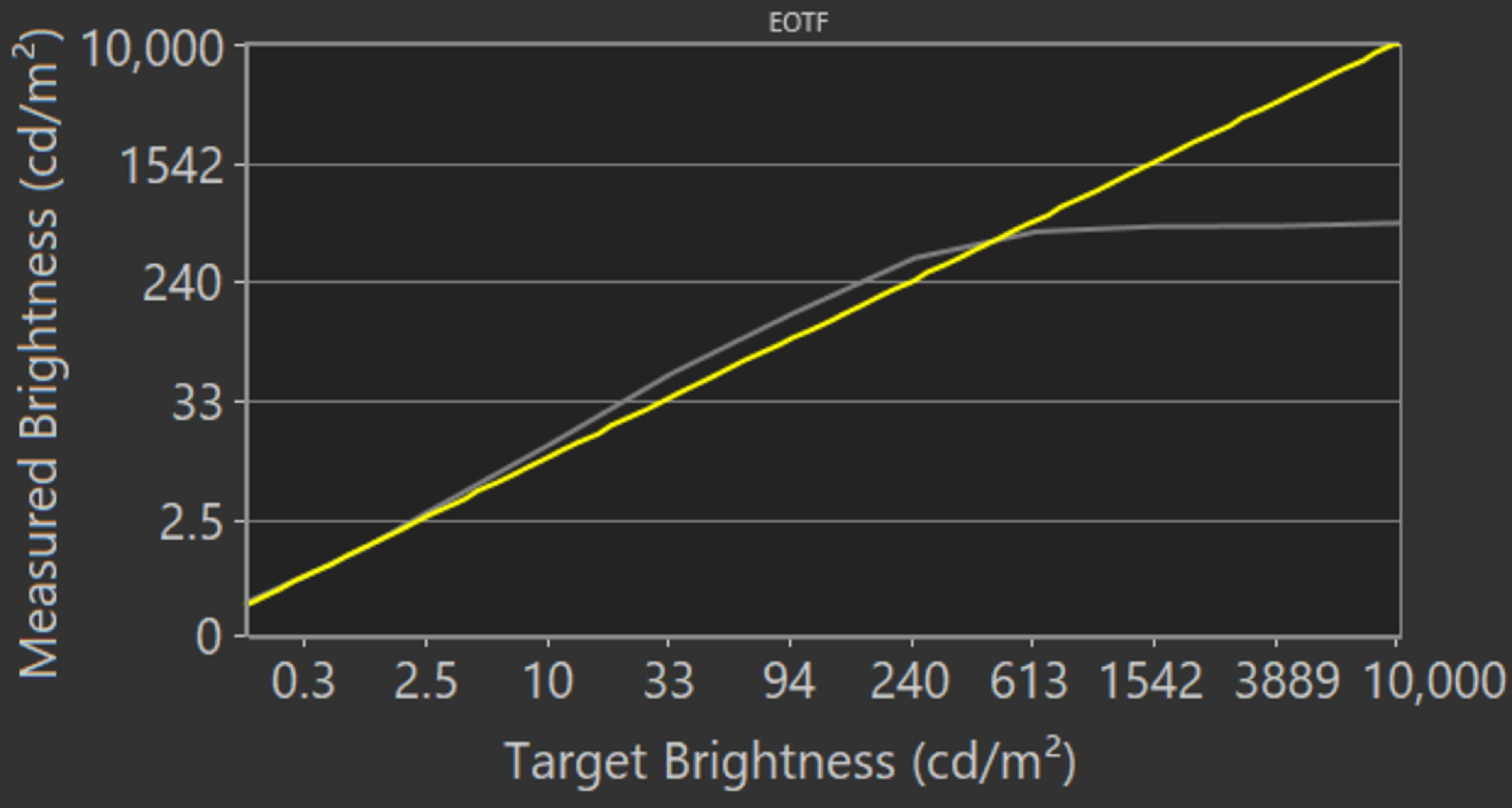
The LG G1 has decent HDR peak brightness. This is where the evo panel provides an improvement from the LG GX OLED. Although it's one of the brightest OLEDs available, the replacement model, the LG G2 OLED, is even brighter. It gets bright enough to make small highlights stand out, but once again, it has an aggressive ABL, so large areas are dimmer. The EOTF follows the target curve pretty well until there's a sharp roll off at its peak brightness, but some dark scenes are slightly too dark.
We tested the HDR brightness in the 'Cinema' HDR Picture Mode with OLED Pixel Brightness, Contrast, and Peak Brightness all at their max settings, with Color Temperature at '50' and all other image processing disabled. By setting Auto Dynamic Contrast to 'High' and enabling Dynamic Tone Mapping, you can get a slightly brighter image, as seen in this EOTF.
Once again, we measured the HDR brightness with the Peak Brightness setting disabled. The screen is dimmer, but there's still some variation, so we suggest leaving it on:
- Peak 2% Window: 433 cd/m²
- Peak 10% Window: 430 cd/m²
- Peak 25% Window: 425 cd/m²
- Peak 50% Window: 280 cd/m²
- Peak 100% Window: 166 cd/m²
- Sustained 2% Window: 410 cd/m²
- Sustained 10% Window: 406 cd/m²
- Sustained 25% Window: 402 cd/m²
- Sustained 50% Window: 267 cd/m²
- Sustained 100% Window: 160 cd/m²
for pictures & test results
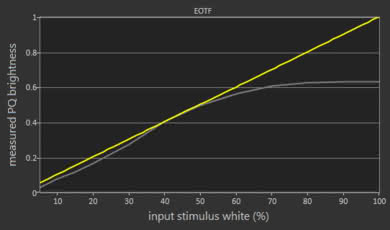
The LG G1's HDR brightness in Game Mode is okay. The real scene brightness is less than outside of Game Mode, but the visual difference is minimal. The EOTF is the same in Game Mode as outside of it.
We tested the brightness in the 'Game Optimizer' Picture Mode using the same settings as the regular HDR brightness test.
for pictures & test results

for pictures & test results

The LG G1 has excellent gray uniformity. There's minimal dirty screen effect in the center, and the entire screen looks uniform. Like other OLEDs, there are faint vertical lines in near-dark scenes, but you'll only notice them if you really look for them.
Note: A few owners have reported seeing a grid-like pattern on their TV in uniform scenes. It's usually not noticeable with real content, but this is a manufacturing defect; if you see it on yours, you should exchange it.
for pictures & test results

Since OLEDs can turn off individual pixels, the LG G1 has perfect black uniformity, and there's no blooming around bright objects.
for videos & test results

for pictures & test results

for pictures & test results

for pictures & test results

The LG 65G1 has wide viewing angles, so the image remains accurate when viewing from the side, great for wide seating arrangements.
for pictures & test results

for pictures & test results

for pictures & test results

The reflection handling on the LG G1 is fantastic. Even direct sunlight doesn't result in too much glare, but there's a purple tint.
for pictures & test results

for pictures & test results

for pictures & test results

The accuracy before any sort of calibration is impressive on the LG G1. Most colors are only slightly inaccurate, and white balance is great. Color temperature is on the cold side, but it's still excellent. Gamma doesn't follow the 2.2 target very well, and most scenes are darker than they should be. It's a significant improvement over the LG C1 OLED, but this varies between units, so it's likely we got a bad panel with the C1.
for pictures & test results

for pictures & test results

for pictures & test results

The LG G1 has fantastic accuracy after calibration. There are almost no virtual color or white balance inaccuracies, and gamma is perfect. Color temperature also improved and it's nearly spot-on with our 6500K target.
You can see our recommended settings here.
for pictures & test results

The LG G1 doesn't have any issues upscaling lower-resolution content like from DVDs.
for pictures & test results

720p content, like from cable boxes, is upscaled well.
for pictures & test results

The LG LG G1 displays 1080p content nearly as good as 4k content.


for pictures & test results

for pictures & test results

The LG G1 displays a very wide color gamut for HDR content. It has full coverage of the commonly-used DCI P3 color space, and coverage of the wider Rec. 2020 is also decent.
for pictures & test results

for pictures & test results

The color volume is decent, thanks to the wide color gamut. It displays dark colors very well because of the near-infinite contrast, but it has some trouble with really bright colors.
for pictures & test results

The gradient handling is great. It's a bit worse than other high-end TVs like the LG C1 OLED, and there's banding in darker colors, but it shouldn't be too noticeable in most content. Setting Smooth Gradation to 'Medium' or 'High' helps remove some of the banding in the test pattern and real content, but that comes at the cost of losing fine details.
for pictures & test results

There aren't any signs of temporary image retention, but this can vary between units. Also, this isn't indicative of the long-term burn-in that OLEDs may suffer.
Even though the LG G1 OLED is likely less prone to burn-in than older OLED panels, there's still a risk. OLED panel technology has significantly advanced since our real world burn-in test, which used 2017 models, so we don't really know just how likely it is that these TVs will experience burn-in. We'll be starting a new burn-in test shortly to try to determine how effective each of these new panel technologies are at reducing the risk of burn-in, so our estimated burn-in risk score may change.


for pictures & test results

The LG G1 OLED doesn't use Pulse Width Modulation to dim its backlight. The slight dip in brightness every 8ms corresponds to the 120Hz refresh rate.
for pictures & test results

for pictures & test results

There's an optional black frame insertion feature to help reduce any motion blur. You need to set OLED Motion Pro to 'High' for it to flicker at 60Hz, or 'Medium' or 'Low' for 120Hz flicker. Keep in mind that the BFI score is based on the flicker range and not the actual performance.
for pictures & test results

for pictures & test results

The LG G1 has a motion interpolation feature, also known as the 'Soap Opera Effect'. It can interpolate lower-frame rate content up to 120Hz. It looks good on our test pattern with only a bit of artifacting, but there are more noticeable artifacts in real content.
See here for the settings that control the motion interpolation feature.
Since the response time is near-instant, lower-frame rate content may stutter as each frame is held on longer. Enabling the motion interpolation feature can help.
The LG G1 automatically removes 24p judder from any source, and there aren't any settings needed for it, which is great for watching movies. However, there's judder when setting OLED Motion Pro to 'High', but it's judder-free on 'Low' or 'Medium'.
The LG G1 TV has a 120Hz panel with variable refresh rate (VRR) support to reduce screen tearing. It natively supports both HDMI Forum VRR and FreeSync and is G-SYNC compatible for those with NVIDIA graphics cards. You need to enable VRR & G-SYNC in the 'Game Optimizer' settings for HDMI Forum and G-SYNC to work, and as the name suggests, AMD FreeSync Premium for FreeSync.
Update 01/28/2022: We retested the input lag with the latest firmware (03.25.25). Most of our measurements are within the same ballpark as the original measurements, but the input lag outside of 'Game' mode increased significantly. The new results are more consistent with our other 2021 LG OLED reviews, like the LG C1 OLED.
The LG G1 has very low input lag as long as you're in the 'Game Optimizer' Picture Mode. LG introduced a new Prevent Input Delay setting that decreases the 60Hz input lag by about 3ms, but it doesn't affect 120Hz content. If you're going to use the TV as a PC monitor, make sure you're in Game Mode with the input label set to 'PC' for low input lag.
The TV doesn't have any issues displaying 4k content up to 120Hz. It also displays proper chroma 4:4:4 with any supported resolution to help deliver clear text when using it as a PC monitor. For it to do so, simply label the input you're using to 'PC' in the Home Dashboard. For full-bandwidth signals, set HDMI Deep Color to '4k'.
for pictures & test results

for pictures & test results

The LG G1 supports all common resolutions from either the PS5 or Xbox Series X. It has an Auto Low Latency Mode that automatically switches the TV into Game Mode when a game from a compatible device launches. After a firmware update (03.15.27), it supports 4k @ 120Hz gaming in Dolby Vision from the Xbox Series X, and FreeSync works too; without the update, you're limited to 4k @ 60Hz with Dolby Vision, and FreeSync doesn't work at the same time.


The LG G1 supports eARC, allowing it to send high-quality Dolby Atmos via TrueHD sound to a compatible receiver through a HDMI connection. To do so, set the HDMI Input Format to 'Bitstream', Digital Sound Output to 'Auto', and enable eARC Support in the Sound Settings.
for pictures & test results

The LG G1 has a good frequency response. Like the LG GX OLED, it produces more bass than most TVs, but you still need a dedicated subwoofer if you want the best bass possible. Other than that, it has a well-balanced sound profile and gets loud, so it's good for listening to dialogue even in noisy rooms.
for pictures & test results

The distortion handling is okay. There's some distortion at moderate listening levels, and it gets more noticeable at its max volume. However, it depends on the content, and not everyone may hear it.
for pictures & test results

The built-in webOS is easy-to-use, and it's redesigned for 2021 with a full home page instead of the banner in past years. We experienced some bugs where some settings weren't available until we enabled and disabled the Game Optimizer or VRR settings, but we don't expect this to be much of an issue for most people.
for pictures & test results

There are ads on the home page, and there's also a dedicated shop page for the advertised apps and products.
for pictures & test results

LG's app store has a wide selection, and the apps run smoothly.
for pictures & test results

The LG G1 comes with a redesigned Magic Remote has the same great features from the past model. You still get the point-and-press feature, like a computer mouse, and it has a mic for voice control. You can ask it to do different commands like open apps and search for content, but you can't ask it to change settings. Our remote has an NFC feature that allows you to tap your phone against the remote and cast content to the TV. However, we didn't get the NFC feature with the remote we received with the LG C1 OLED, so it's unclear which models come with it. If you have it, let us know; you'll know if it has it if there's the NFC logo on the glossy plastic.
for pictures & test results

There's a single bottom below the center of the LG G1 to control the inputs, volume, channels, and to power it On/Off.
for pictures & test results

- Remote (with 2x AA batteries)
- Slim wall-mount
- Wall mount screws (and other accessories)
- Mounting instructions
- User manuals
- IR blaster