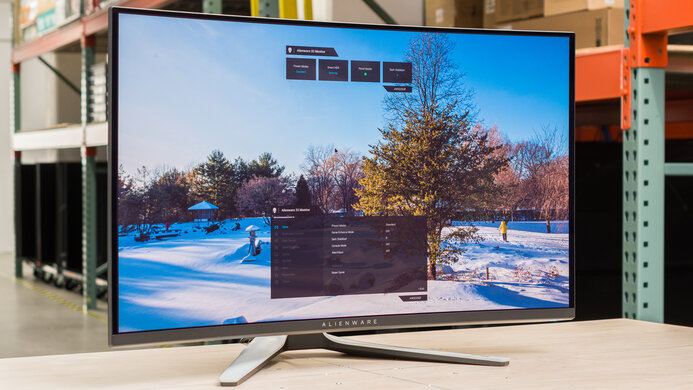
The Gigabyte AORUS AD27QD is a great 1440p, 144Hz gaming monitor. It has a great design, with RGB bias lighting, good ergonomics, and an easy-to-remove stand. It delivers good overall picture quality, but like most IPS monitors, it doesn't look as good in a dark room due to its low contrast ratio. This monitor has outstanding motion handling with very fast response time, a black frame insertion feature, and low input lag. Finally, it has a unique set of additional features that could give some gamers that extra little edge, including a unique active noise cancellation feature.
Our Verdict
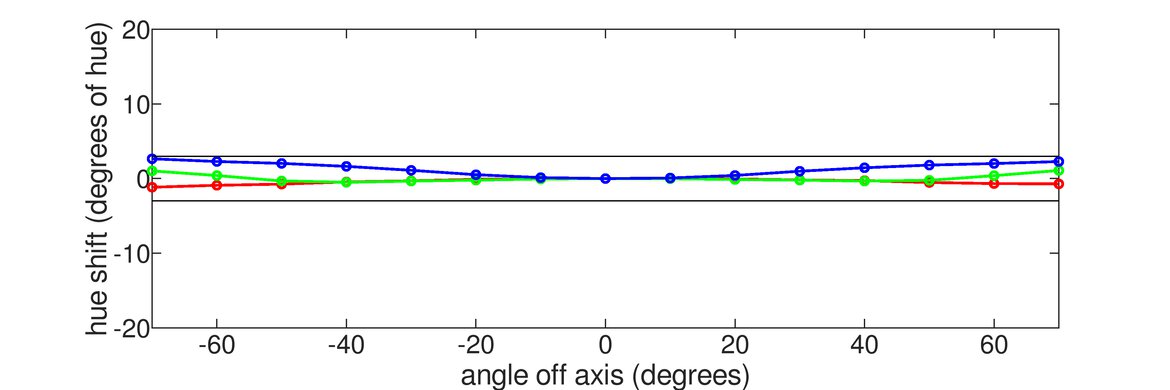
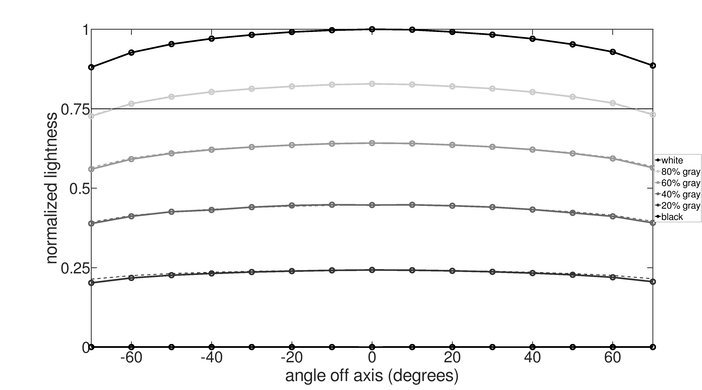
The Gigabyte AORUS AD27QD is a good monitor for most uses. It has wide viewing angles, good ergonomics, and great peak brightness. Gamers will appreciate the fast response time, FreeSync support, low input lag, and an impressive array of additional features to enhance your gaming experience. Unfortunately, it has a low contrast ratio and terrible black uniformity, but it has excellent out-of-box color accuracy.
- Great gaming features.
- Image remains accurate when viewed at an angle.
- Impressive additional features to enhance experience.
- Mediocre dark room performance.
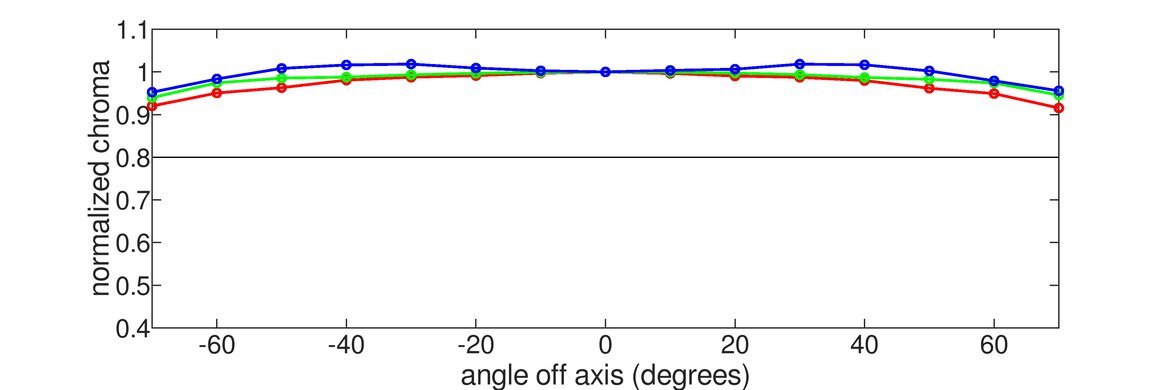
The Gigabyte AORUS AD27QD is a good office monitor. The 27 inch, 1440p screen offers plenty of space to open multiple windows at once, and the good ergonomics allow you to place the monitor how you like. It has great horizontal viewing angles for when you need to share your screen with others, but the vertical viewing angles are just decent, which is only a problem if someone's looking down at the monitor.
Great gaming monitor. The 144Hz Gigabyte AORUS AD27QD supports FreeSync variable refresh rate technology to reduce screen tearing, and it's compatible with newer NVIDIA graphics cards. The input lag is incredibly low and the quick response time produces clear motion. Unfortunately, it doesn't perform well in dark rooms due to its low contrast ratio, but it has great viewing angles.
Good monitor for multimedia. The image remains accurate when viewed at an angle, which is great for sharing the latest trends with a group of friends. The fast response time delivers clear motion, with very little blur. Unfortunately, the Gigabyte AORUS AD27QD isn't as well-suited for watching videos in a dark room though, as it has a mediocre contrast ratio and terrible black uniformity.
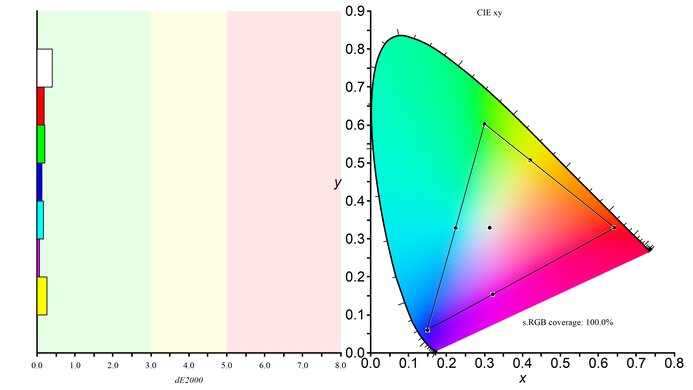
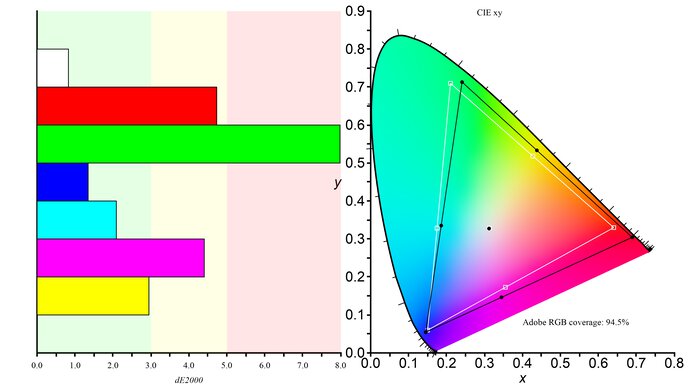
The Gigabyte AORUS AD27QD is good for media creation. It has an excellent SDR color gamut and great coverage of the wider Adobe RGB color space. The 27 inch screen and 1440p resolution allow you to see more of your work at once, so you spend less time scrolling around or zooming. Unfortunately, it has some color bleed that could cause issues for photo editing, but it has excellent out-of-box color accuracy.
The Gigabyte AORUS AD27QD is a decent monitor for HDR gaming. It has decent peak brightness in HDR, but small highlights in some scenes aren't as bright as they should be. It can display a wide color gamut, which is great, but it's limiting and doesn't add much to HDR. Unfortunately, it has a mediocre contrast ratio, terrible black uniformity, and there's no local dimming feature to further darken any blacks.
Changelog
- Updated Aug 28, 2020: Retested VRR input lag.
- Updated Aug 05, 2020: We rechecked our pre-calibration results, but no changes were necessary.
- Updated Feb 17, 2020: Converted to Test Bench 1.1.
- Updated Jul 12, 2019: The HDR input lag was erroneously tested at 144Hz, with 8-bit color. We have retested it at 120Hz with 10-bit color, and updated the review.
Check Price
Differences Between Sizes And Variants
We tested the 27 inch Gigabyte AORUS AD27QD, which is the only size available. Gigabyte produces a few other monitors, which you can see below.
| Model | Size | Panel | Resolution | Refresh Rate | Notes |
| AD27QD | 27" | IPS | 2560x1440 | 144 Hz | |
| CV27Q | 27" | VA | 2560x1440 | 165Hz | Supports DisplayPort 1.4 |
| CV27F | 27" | VA | 2560x1440 | 165Hz | |
| FI27Q | 27" | IPS | 2560x1440 | 165Hz | |
| FI27Q-P | 27" | IPS | 2560x1440 | 165Hz | Supports DisplayPort 1.4 |
| KD25F | 25" | TN | 1080p | 249Hz |
If someone comes across a different type of panel or if their Gigabyte AORUS AD27QD doesn't correspond to our review, let us know and we will update the review. Note that some tests, such as the gray uniformity, may vary between individual units.
The AD27QD we reviewed was manufactured in December 2018, and you can see the label here.
Popular Monitor Comparisons

The Gigabyte AORUS AD27QD is a great gaming monitor at an aggressive price and has some impressive additional features. See our recommendations for the best gaming monitors, the best 1440p 144Hz monitors, and the best 1440p gaming monitors.
The Gigabyte AORUS AD27QD is a bit better than the Acer Nitro VG271UP Pbmiipx. The AORUS has much better ergonomics, so it's easier to place it in an ideal viewing position. The AORUS also has many more additional features, including a unique active noise cancelling feature.
The LG 27GN850-B/27GN880-B and the Gigabyte AORUS AD27QD are two very similar monitors. The LG is slightly better for gaming because it has a quicker response time at its max refresh rate and 60Hz. However, the Gigabyte is better for office use because it has improved ergonomics and it gets brighter, so it's a better choice for well-lit rooms.
The Gigabyte AORUS AD27QD is a bit better than the BenQ EX2780Q. The AORUS has significantly better ergonomics, out-of-box color accuracy, and gradient performance. The AORUS also has an optional black frame insertion feature to help reduce motion blur and a host of extra features for gaming and productivity. However, black uniformity is much worse on the AORUS, as there's noticeable clouding and backlight bleed through the screen.
The Gigabyte AORUS FI27Q is slightly better than the Gigabyte AORUS AD27QD in most uses. As these two monitors have a nearly identical design and feature set, their performance is also very similar. The main difference is that the FI27Q has a much wider HDR color gamut, but its response time is slower than the AD27QD. The FI27Q has bad black uniformity, but it's still an improvement over the AD27QD.

We buy and test more than 30 monitors each year, all of which we purchase ourselves, without cherry-picked units or samples. We put a lot into each unbiased, straight-to-the-point review, and there's a whole process from purchasing to publishing, involving multiple teams and people. We do more than just use the monitor for a week; we use specialized, custom tools to measure various aspects and deliver objective, data-driven results. We also consider multiple factors before making any recommendations, including the monitor's cost, its performance compared to the competition, and whether it's easy to find.
Test Results
for pictures & test results


for pictures & test results







for videos & test results

for pictures & test results

for pictures & test results

for pictures & test results

for videos & test results

for pictures & test results
for pictures & test results
for pictures & test results









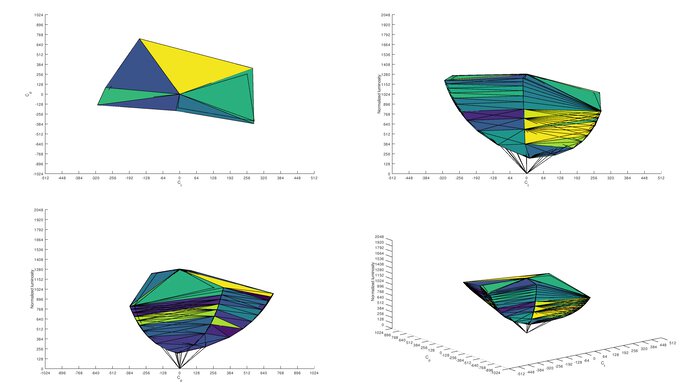
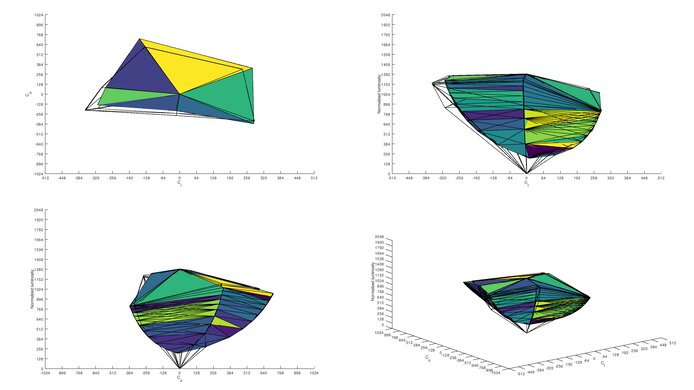
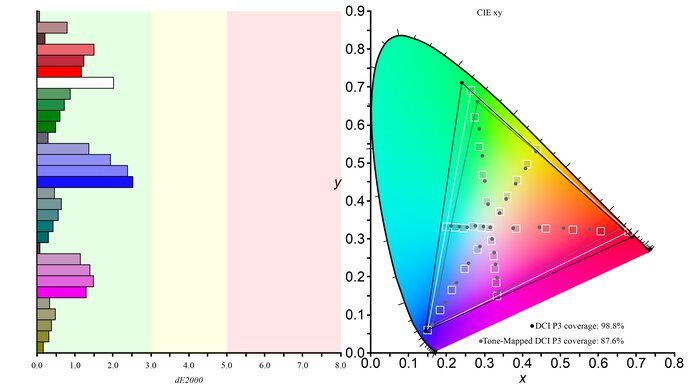
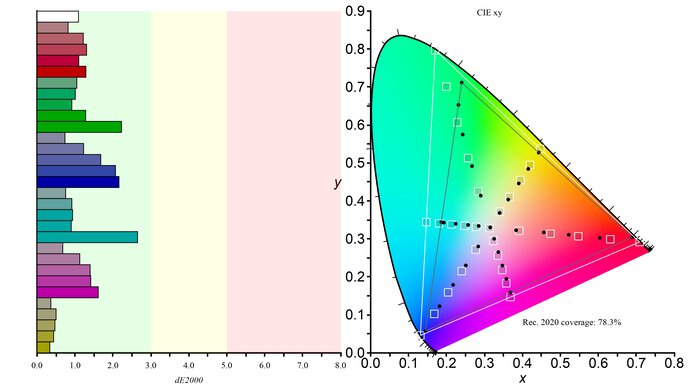


for pictures & test results