LG 38GL950G-B  Monitor Review

Reviewed Jul 20, 2020 at 08:25am
Retest Oct 19, 2020 at 04:25pm
Tested using Methodology v1.1 
LG 38GL950G-B
8.0
Mixed Usage 
7.9
Office 
8.4
Gaming 
7.9
Multimedia 
8.0
Media Creation 
7.2
HDR Gaming 
 0

The LG 38GL950G-B is a great ultrawide gaming monitor that features LG's NANO IPS technology. It's the largest member of the UltraGear lineup, sporting a 38-inch 21:9 screen to deliver an immersive gaming experience. Motion handling is superb thanks to its outstanding response time and 175Hz refresh rate, but it lacks an optional black frame insertion feature. It has exceptionally low input lag, it delivers a decent HDR experience, and it comes with a Picture-in-Picture mode that can be useful for streamers and multitaskers. Unfortunately, its contrast ratio is low and there's visible backlight bleed, so it's not the best option for dark rooms. Lastly, it has native G-SYNC support, FreeSync compatibility, and there's even some RGB lighting to set the mood.

How We Test Monitors

We buy and test more than 30 monitors each year, with units that we buy completely on our own, without any cherry-picked units or samples. We put a lot into each unbiased, straight-to-the-point review, and there's a whole process from purchasing to publishing, involving multiple teams and people. We do more than just use the monitor for a week; we use specialized and custom tools to measure various aspects with objective data-based results. We also consider multiple factors before making any recommendations, including the monitor's cost, its performance against the competition, and whether or not it's easy to find.

Our Verdict

8.0
Mixed Usage 

The LG 38GL950G is a very good monitor for most uses, even though it's primarily designed for gaming. Its large screen size feels incredibly immersive, and it provides plenty of screen space for productivity tasks. It has a fast response time, low input lag, and it supports variable refresh rate technology. It has an outstanding SDR color gamut for content creation and it comes with an sRGB mode that's impressively accurate. Unfortunately, it has bad ergonomics and it doesn't perform all that well in dark rooms due to its low contrast ratio.

Pros
  • High refresh rate.
  • Outstanding response time.
  • Low input lag.
Cons
  • Sub-par contrast ratio.
  • Bad ergonomics.
7.9
Office 

The LG 38GL950G is a good office monitor. Its large screen size provides plenty of screen real estate to have multiple windows opened at the same time. It gets bright enough to overcome glare, it has wide viewing angles, and text looks sharp thanks to its high pixel density. Unfortunately, it has bad ergonomics, as it only allows for height and tilt adjustments. On the upside, it has low input lag and the backlight is flicker-free.

Pros
  • Good viewing angles.
  • Impressive peak brightness.
  • Low input lag.
Cons
  • Sub-par contrast ratio.
  • Bad ergonomics.
8.4
Gaming 

The LG 38GL950G-B is a great gaming monitor. It has a 175Hz refresh rate, outstanding response time, and exceptionally low input lag. Its large screen provides an immersive gaming experience, and its high resolution delivers a sharp image. Sadly, it has a low contrast ratio that makes blacks look grayish and there's a lot of backlight bleed, making it less ideal for gaming in the dark. It supports G-SYNC to reduce screen tearing, and it's also compatible with FreeSync.

Pros
  • High refresh rate.
  • Outstanding response time.
  • Native G-SYNC support.
  • Low input lag.
Cons
  • Sub-par contrast ratio.
  • Mediocre black uniformity.
7.9
Multimedia 

The LG 38GL950G is a good monitor for media consumption. Its large 38-inch screen feels immersive, it has a high resolution, and it supports HDR. It lacks swivel adjustment, but you can still share content with others thanks to its wide viewing angles. It isn't the best option for dark room viewing, though, as its low contrast ratio makes blacks look gray and there's a lot of backlight bleed, which can be distracting.

Pros
  • Outstanding response time.
  • Good viewing angles.
  • Low input lag.
Cons
  • Sub-par contrast ratio.
  • Bad ergonomics.
  • Mediocre black uniformity.
8.0
Media Creation 

The LG 38GL950G is a good monitor for content creators. The 21:9 aspect ratio is great for those who need a lot of horizontal space. Images and text look sharp, it gets very bright, and it has wide viewing angles, so you can easily share your work with colleagues. It has excellent coverage of the Adobe RGB color space and superb gradient handling. It lacks swivel adjustment, and it can't rotate to portrait mode due to its ultrawide format.

Pros
  • Good viewing angles.
  • Impressive peak brightness.
  • Low input lag.
Cons
  • Sub-par contrast ratio.
  • Bad ergonomics.
  • Mediocre black uniformity.
7.2
HDR Gaming 

The LG 38GL950G is a decent monitor for gaming in HDR. It has low input lag, a fast response time, and it supports variable refresh rate to minimize screen tearing. It can display a wide color gamut, it has a decent HDR peak brightness, but sadly, no local dimming. Also, like most IPS panels, it has a low contrast ratio and mediocre black uniformity, so it isn't the best option for dark room gaming.

Pros
  • High refresh rate.
  • Outstanding response time.
  • Native G-SYNC support.
  • Low input lag.
Cons
  • Sub-par contrast ratio.
  • No local dimming.
  • Mediocre black uniformity.
  • 8.0
    Mixed Usage
  • 7.9
    Office
  • 8.4
    Gaming
  • 7.9
    Multimedia
  • 8.0
    Media Creation
  • 7.2
    HDR Gaming
  • Changelog

    1.  Updated Oct 19, 2020: Verified it has support for PIP/PBP modes.
    2.  Updated Sep 24, 2020: We've retested the HDR peak brightness and HDR color gamut using the latest firmware (version 1.20).
    3.  Updated Jul 20, 2020: Review published.
    4.  Updated Jul 16, 2020: Early access published.

    Check Price

    38"38GL950G-B
    SEE PRICE
    Amazon.com
    38"38GL950G-B
    SEE PRICE
    BestBuy.com
    38"38GL950G-B
    SEE PRICE
    Walmart.com
    38"38GL950G-B
    B&H
    38"38GL950G-B
    LG.com

    Differences Between Sizes And Variants

    We tested the LG 38GL950G-B and it's only available in a 38-inch size. It's the biggest monitor in LG's UltraGear Gaming monitor lineup, which includes over a dozen models in different configurations.

    If someone comes across a different type of panel or if their LG 38GL950G-B doesn't correspond to our review, let us know and we'll update the review. Note that some tests, such as the gray uniformity, may vary between individual units.

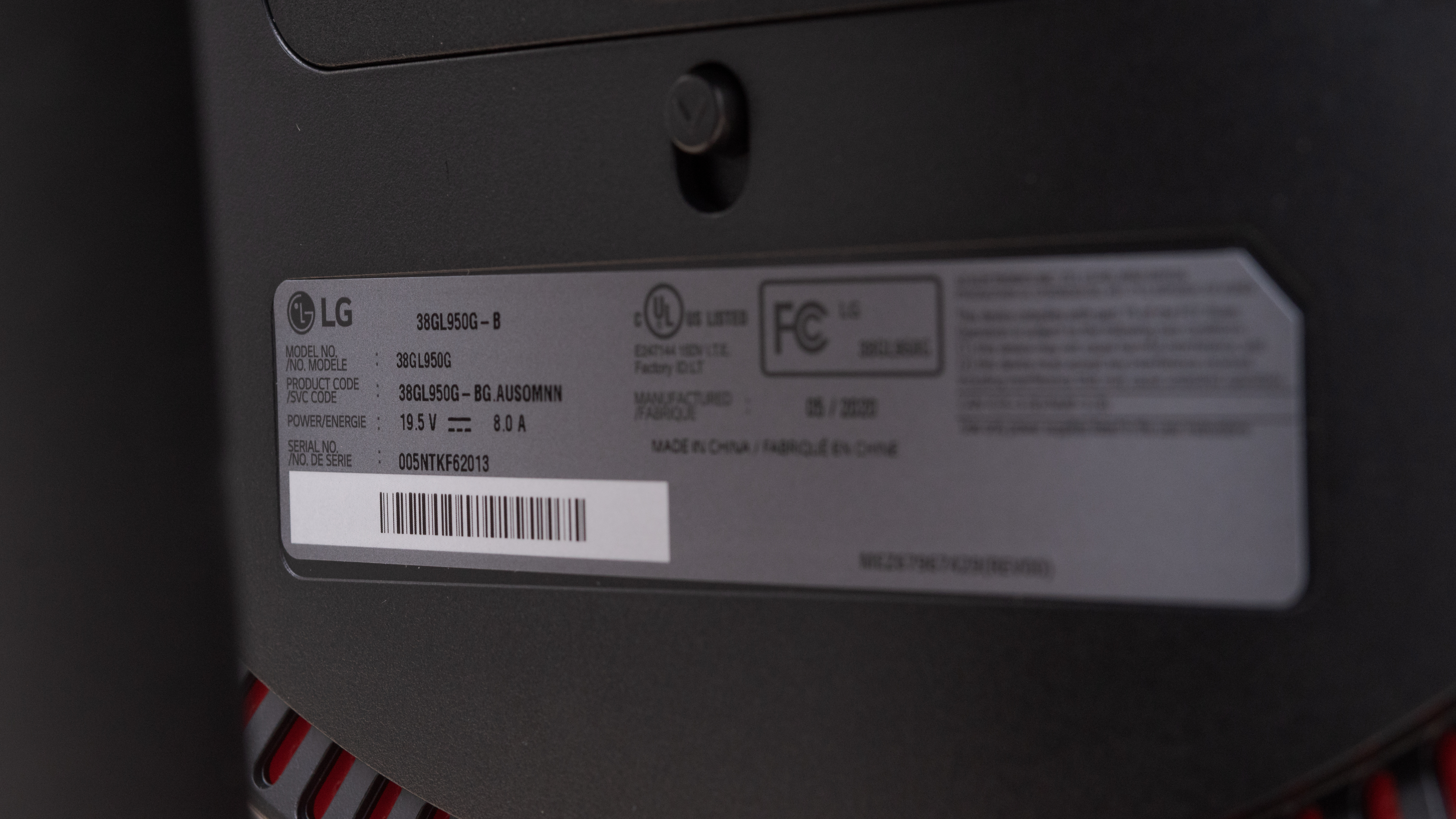
    Our unit of the LG 38GL950G-B was manufactured in May 2020; you can see the label here.

    Popular Monitor Comparisons

    The LG 38GL950G-B is a great ultrawide gaming monitor. It performs almost identically to its smaller sibling, the LG 34GN850-B, but it's significantly more expensive, placing it in the territory of large high-end TVs. For other options, you can also see our recommendations for the best gaming monitors, the best ultrawide gaming monitors, and the best 144Hz monitors.

    LG 38GN950-B

    The LG 38GN950-B is the successor to the LG 38GL950G-B. However, there's one key difference: the 38GN950-B has native FreeSync support instead of G-SYNC like its predecessor. That said, it's still certified as G-SYNC compatible. The other big change is that the 38GN950-B only overclocks up to 160Hz instead of 175Hz, although most people shouldn't feel any difference. The 38GN950-B has a wider color gamut and much higher peak brightness to deliver a better HDR experience. It has local dimming, which the 38GL950G-B lacks, but it performs terribly.

    Dell Alienware AW3821DW

    The LG 38GL950G-B and the Dell Alienware AW3821DW are two very good monitors. The LG is a bit better for gaming as its 144Hz refresh rate can be overclocked to 175Hz. The LG's response time is also much quicker, resulting in smoother motion. On the other hand, the Dell feels better-built and offers better ergonomics, including swivel adjustments, making it easier to place in an ideal viewing position.

    LG 38WN95C-W

    The LG 38WN95C-W and the LG 38GL950G-B are similar-performing monitors aimed at different uses. The 38WN95C-W is an office monitor that supports Thunderbolt 3 and has built-in speakers. It also gets brighter in HDR, displays a wider color gamut, and has better ergonomics. However, the 38GL950G-B is a gaming monitor with native G-SYNC support, a 175Hz refresh rate, and quicker response time at 60Hz.

    LG 34GN850-B

    For most uses, the LG 38GL950G-B and the LG 34GN850-B perform very similarly, with the 38GL950G-B being marginally better. The 38GL950G-B has a bigger screen, it gets brighter, and it has a higher max refresh rate. On the other hand, the 34GN850-B has a faster response time and a much better HDR color gamut.

    LG 34GK950F-B

    Overall, the LG 38GL950G-B is slightly better than the LG 34GK950F-B. The 38GL950G-B has a faster response time and its refresh rate can be overclocked up to 175Hz. It also has a higher peak brightness, a bigger screen, and it comes with a Picture-in-Picture mode. However, the 34GK950F-B has better viewing angles and a black frame insertion feature. The 38GL950G-B is a native G-SYNC monitor while the 34GK950F-B is FreeSync.

    Dell U3818DW

    Although the LG 38GL950G-B and the Dell U3818DW share the same screen size, aspect ratio, and resolution, the LG performs significantly better than the Dell for most uses. The LG has an outstanding response time, high refresh rate, and it supports VRR. Also, the LG gets brighter, it has lower input lag, and it supports HDR. However, the Dell has better ergonomics, wider viewing angles, and a much better color accuracy.

    Dell Alienware AW3420DW

    The LG 38GL950G-B is a better monitor than the Dell Alienware AW3420DW for most uses. The LG has a bigger screen, a higher refresh rate, and a faster response time. Additionally, the LG has a much higher peak brightness, wider viewing angles, and it supports HDR. However, the Dell has better ergonomics and a much better build quality.

    Samsung Odyssey G9 C49G95T

    The LG 38GL950G-B is better than the Samsung Odyssey G9 C49G95T overall; however, they're very different monitors. The LG has an IPS panel with much wider viewing angles, better color accuracy, and significantly faster response time. The Samsung has a VA panel, gets a lot brighter, and has a higher refresh rate. The Samsung has native FreeSync support, while the LG is a G-SYNC monitor.

    LG 34GP950G-B

    The LG 38GL950G-B and the LG 34GP950G-B are very similar overall. The 34GP950G-B has a slightly faster response time at the max refresh rate, and it's a bit better for HDR, with higher peak brightness and a wider color gamut. The 38GL950G-B is slightly better for office use, with a larger, higher resolution screen, and it supports picture in picture and picture by picture, so you can view two sources at once.

    Test Results

    perceptual testing image
    Sort:
    RATINGS
    Category:
    All
    Design
    Style
    Size38"
    CurvedYes
    Curve Radius2300R
    Weight (without stand)
    16.5 lbs (7.5 kg)
    Weight (with stand)
    21.8 lbs (9.9 kg)

    From the front, the 38GL950G is a simple-looking monitor and looks almost identical to other ultrawide monitors from LG's UltraGear Gaming monitor lineup, such as the LG 34GN850-B. It has very thin bezels on three sides and a thicker bottom bezel. The screen has a mild curve, which helps with immersion as well as visibility. The V-shaped stand is wide but the feet are thin. There are some red accents and the circular ring on the back of the monitor lights up. The RGB lighting can be customized using either the on-screen menu or LG's UltraGear Control Center software.

    Stand
    Width
    18.9" (48.0 cm)
    Depth
    11.3" (28.7 cm)

    The stand supports the monitor well and there's almost no wobble. The cylinder that attaches to the screen is metal, but the feet are plastic.

    4.5
    Ergonomics
    Height Adjustment
    4.3" (11.0 cm)
    Switch Portrait/LandscapeNo
    Swivel RangeNo swivel
    Tilt Range-15° to 5°

    The 38GL950G has bad ergonomics. It can't rotate to portrait mode due to its ultrawide format. There's no swivel adjustment and the tilt range is pretty narrow. If you want an ultrawide monitor with swivel range, then check out the Dell Alienware AW3821DW.

    Back
    Wall MountVESA 100x100

    The back of the monitor is plain except for the circular ring that lights up. Unfortunately, there's no cable management at all.

    Borders
    Borders
    0.4" (1.1 cm)

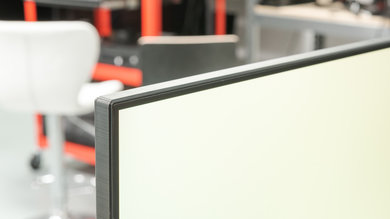
    The top and side bezels are very thin but the bottom bezel is a little bit thicker.

    Thickness
    Thickness (with stand)
    9.4" (24.0 cm)
    Thickness (without stand)
    4.6" (11.8 cm)

    The monitor is very thick due to its curvature and requires a deep desk when using it with the stand.

    7.5
    Build Quality

    The 38GL950G's build quality is good. It's mostly plastic except for the stand's trunk, which is metal. It feels very sturdy and there's almost no wobble at all.

    Picture Quality
    5.8
    Contrast
    Native Contrast
    917 : 1
    Contrast With Local Dimming
    N/A

    Like most IPS monitors, the 38GL950G-B has a sub-par contrast ratio. This makes blacks look more like gray, especially when viewed in a dark room.

    0.0
    Local Dimming
    Local Dimming
    No
    Backlight
    Edge

    The 38GL950G doesn't have a local dimming feature. The video above is provided for reference only.

    8.4
    SDR Peak Brightness
    SDR Real Scene
    445 cd/m²
    SDR Peak 2% Window
    464 cd/m²
    SDR Peak 10% Window
    465 cd/m²
    SDR Peak 25% Window
    466 cd/m²
    SDR Peak 50% Window
    466 cd/m²
    SDR Peak 100% Window
    466 cd/m²
    SDR Sustained 2% Window
    464 cd/m²
    SDR Sustained 10% Window
    465 cd/m²
    SDR Sustained 25% Window
    466 cd/m²
    SDR Sustained 50% Window
    466 cd/m²
    SDR Sustained 100% Window
    466 cd/m²
    SDR ABL
    0.000

    Impressive SDR peak brightness. It's extremely consistent across different content, and it's more than enough to fight glare in the brightest lighting conditions.

    7.2
    HDR Peak Brightness
    HDR Real Scene
    482 cd/m²
    HDR Peak 2% Window
    509 cd/m²
    HDR Peak 10% Window
    510 cd/m²
    HDR Peak 25% Window
    511 cd/m²
    HDR Peak 50% Window
    512 cd/m²
    HDR Peak 100% Window
    512 cd/m²
    HDR Sustained 2% Window
    509 cd/m²
    HDR Sustained 10% Window
    510 cd/m²
    HDR Sustained 25% Window
    511 cd/m²
    HDR Sustained 50% Window
    511 cd/m²
    HDR Sustained 100% Window
    511 cd/m²
    HDR ABL
    0.000

    Update 09/24/2020: We've retested the HDR peak brightness using the latest firmware (version 1.20). We measure a slightly higher peak brightness overall, increasing between 10cd/m² to 12cd/m² in most scenes.

    Decent HDR peak brightness. It's again very consistent when displaying different content. It's bright enough to deliver a fairly good HDR experience in video games, but not HDR movies. If you want a similar monitor that gets brighter in HDR, look into the LG 38WN95C-W.

    7.5
    Horizontal Viewing Angle
    Color Washout From Left
    42°
    Color Washout From Right
    43°
    Color Shift From Left
    50°
    Color Shift From Right
    53°
    Brightness Loss From Left
    46°
    Brightness Loss From Right
    48°
    Black Level Raise From Left
    70°
    Black Level Raise From Right
    32°
    Gamma Shift From Left
    39°
    Gamma Shift From Right
    36°

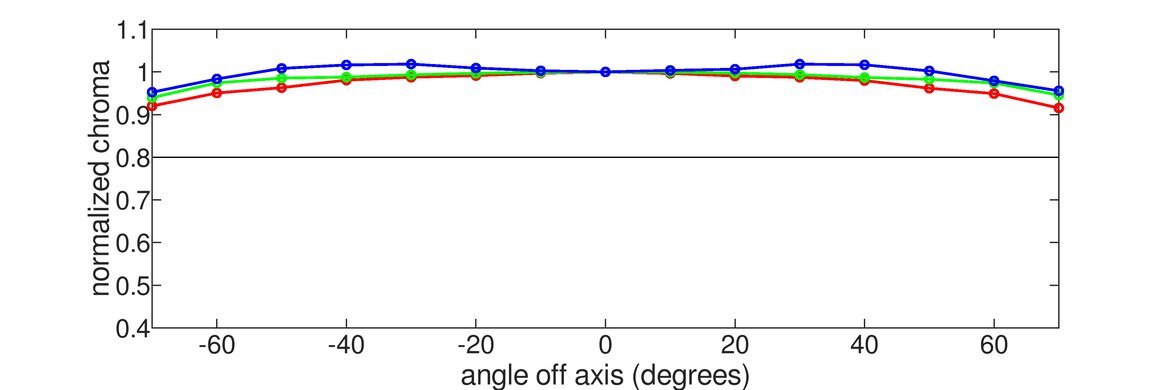
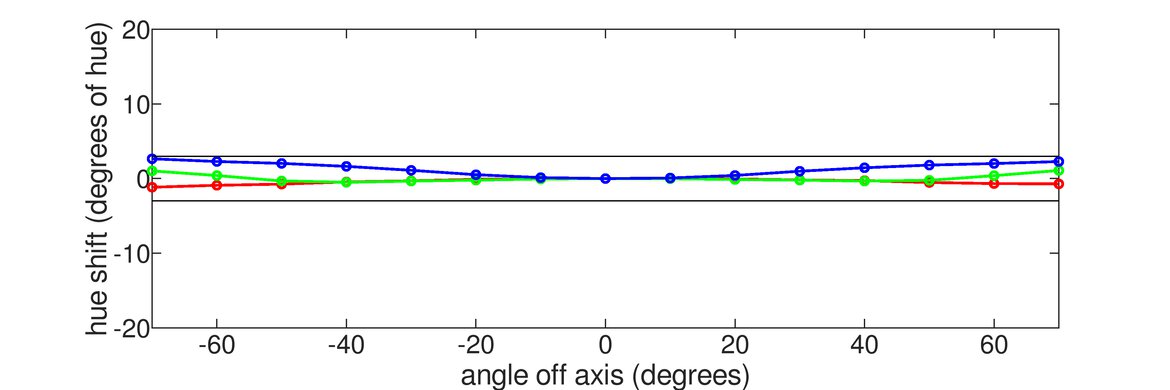
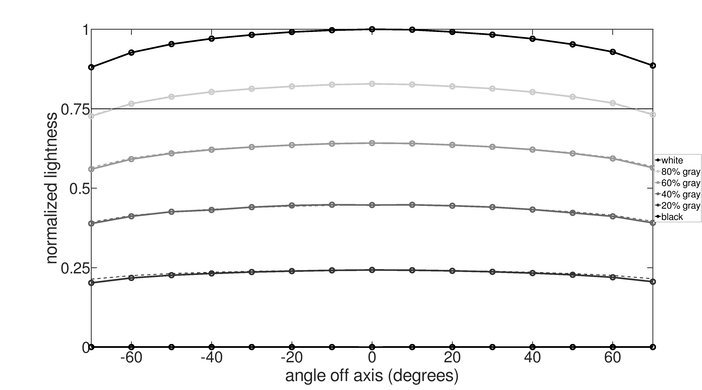
    The 38GL950G has good horizontal viewing angles. This is important for a screen this size, as it helps to prevent the image from degrading at the sides when sitting up close. Gamma shift happens rather quickly when moving off-center, but colors remain accurate until you reach moderate angles.

    7.2
    Vertical Viewing Angle
    Color Washout From Below
    32°
    Color Washout From Above
    32°
    Color Shift From Below
    39°
    Color Shift From Above
    39°
    Brightness Loss From Below
    34°
    Brightness Loss From Above
    34°
    Black Level Raise From Below
    70°
    Black Level Raise From Above
    70°
    Gamma Shift From Below
    44°
    Gamma Shift From Above
    39°

    Decent vertical viewing angles. The image remains accurate at the top and bottom edges unless you sit very close to the screen.

    8.6
    Gray Uniformity
    50% Std. Dev.
    3.858%
    50% DSE
    0.101%
    5% Std. Dev.
    0.633%
    5% DSE
    0.039%

    The 38GL950G-B has excellent gray uniformity. The corners are slightly darker, but this shouldn't be noticeable in normal content. There's very little dirty screen effect and uniformity is much better in dark scenes.

    6.3
    Black Uniformity
    Native Std. Dev.
    1.798%
    Std. Dev. w/ L.D.
    N/A

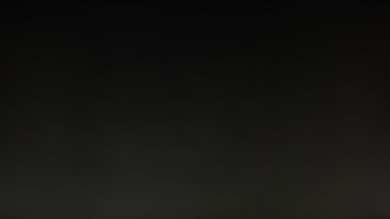
    Mediocre black uniformity. There's visible backlight bleed along the top and bottom edges of the screen. The whole screen looks more gray than black due to the monitor's low contrast ratio.

    8.4
    Pre Calibration
    Picture Mode
    sRGB
    Luminance
    202 cd/m²
    Luminance Settings
    32
    Contrast Setting
    70
    RGB Controls
    Default
    Gamma Setting
    Default
    Color Temperature
    6,311 K
    White Balance dE
    2.41
    Color dE
    1.86
    Gamma
    2.13

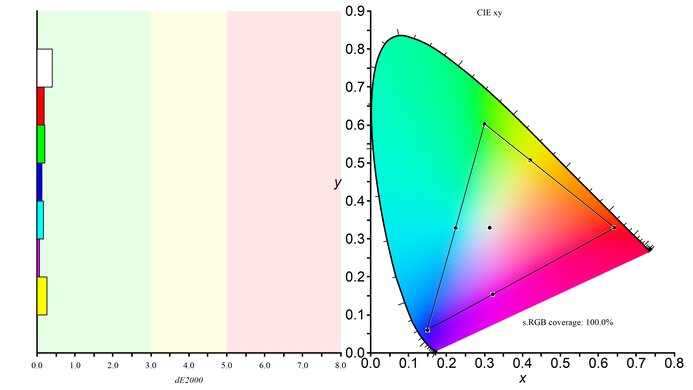
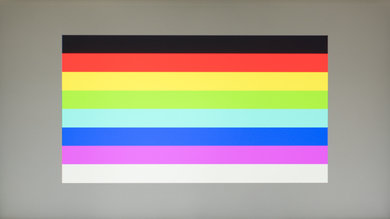
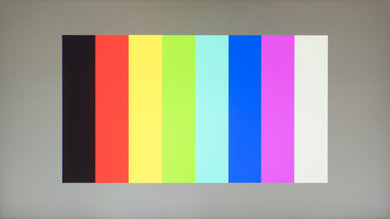
    Out of the box, the 38GL950G-B has an impressive color accuracy. The inaccuracies with most colors are difficult to notice without the aid of a colorimeter. White balance is only slightly off, and the color temperature leans on the warm side. The gamma follows the target curve reasonably well, but most scenes are too bright, and the sRGB mode doesn't allow any change to the gamma setting.

    9.8
    Post Calibration
    Picture Mode
    Gamer 1
    Luminance
    102 cd/m²
    Luminance Settings
    10
    Contrast Setting
    68
    RGB Controls
    49-48-56
    Gamma Setting
    Mode 2
    Color Temperature
    6,484 K
    White Balance dE
    0.47
    Color dE
    0.33
    Gamma
    2.18

    After calibration, the color accuracy is superb. There's still an issue with the color blue, which is normal for an LED monitor. The color temperature is much closer to our 6500k target, and gamma is better for the most part, except for very dark or very bright scenes.

    You can download our ICC profile calibration here. This is provided for reference only and shouldn't be used, as the calibration values vary per individual unit even for the same model due to manufacturing tolerances.

    9.3
    SDR Color Gamut
    sRGB xy
    99.4%
    Adobe RGB xy
    86.1%
    sRGB Picture Mode
    Gamer 1
    Adobe RGB Picture Mode
    Gamer 1

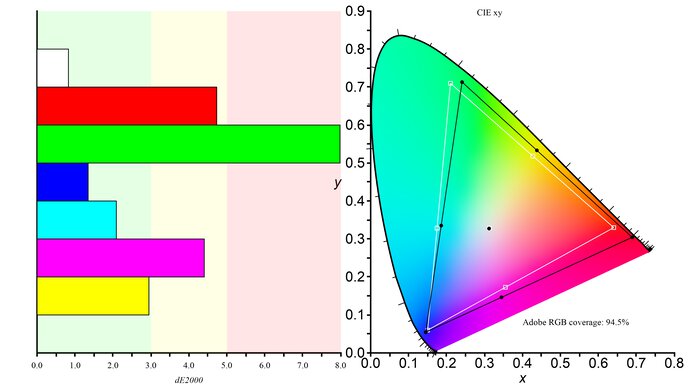
    The 38GL950G has an outstanding SDR color gamut. It covers the entire sRGB color space, which is used in most content, and it has excellent coverage of the Adobe RGB color space, used by most professional photo editors.

    9.4
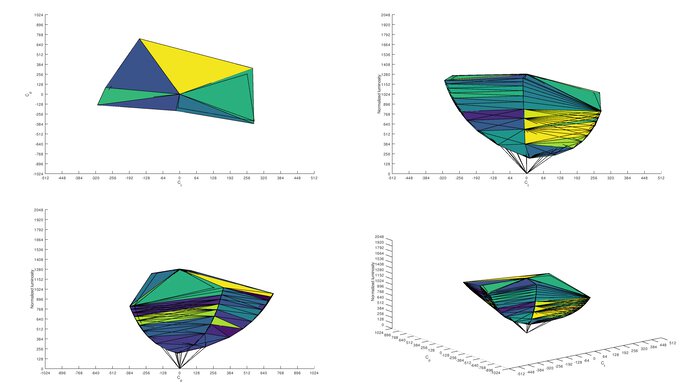
    SDR Color Volume
    sRGB In ICtCp
    97.1%
    Adobe RGB In ICtCp
    90.1%
    sRGB Picture Mode
    Gamer 1
    Adobe RGB Picture Mode
    Gamer 1

    Exceptional SDR color volume. It only has trouble displaying dark colors due to its low contrast ratio.

    7.7
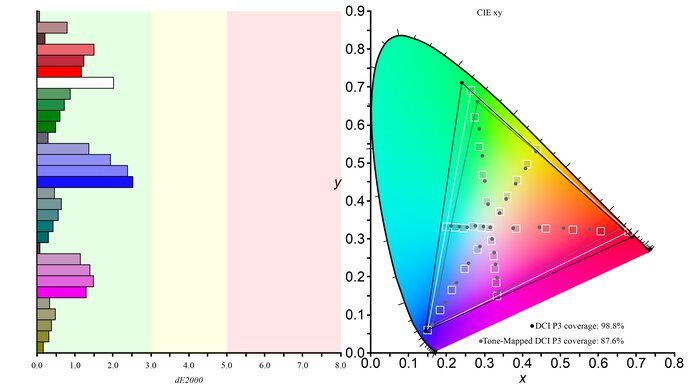
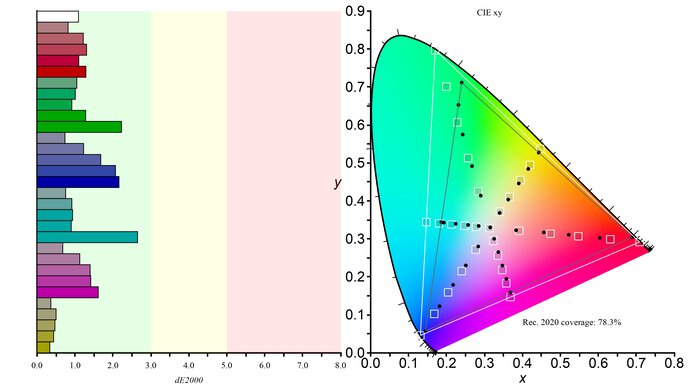
    HDR Color Gamut
    Wide Color Gamut
    Yes
    DCI P3 xy
    84.4%
    Rec. 2020 xy
    69.3%
    DCI P3 Picture Mode
    Gamer 1
    Rec. 2020 Picture Mode
    Gamer 1

    Update 09/24/2020: We've updated the monitor to the latest firmware (version 1.20) and retested the HDR color gamut. We measure a much higher DCI P3 coverage, increasing from 63.88% to 84.4%. The Rec.2020 number hasn't changed. The P3 coverage is still lower than the advertised 98%. This is due to the way that we measure DCI P3, as we measure it by sending a Rec. 2020 signal, but limit the colors to the DCI P3 primaries. This results in a lower, but arguably more accurate measurement.

    The 38GL950G-B's HDR color gamut is good. Coverage of the widely used DCI-P3 color space is great, and it has okay coverage of the wider Rec. 2020 color space. If you need a similar monitor with an even better color gamut, check out the LG 38GN950-B.

    7.4
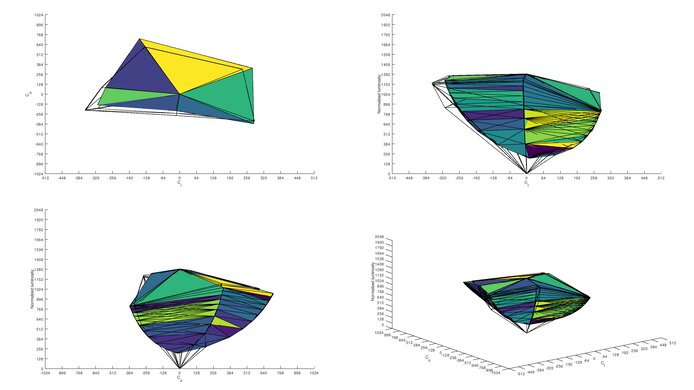
    HDR Color Volume
    DCI-P3 In ICtCp
    81.8%
    Rec. 2020 In ICtCp
    65.1%
    DCI P3 Picture Mode
    Gamer 1
    Rec. 2020 Picture Mode
    Gamer 1

    The 38GL950G-B's HDR color volume is mediocre. It's limited both by its low contrast ratio and its HDR color gamut.

    10
    Image Retention
    IR After 0 Min Recovery
    0.00%
    IR After 2 Min Recovery
    0.00%
    IR After 4 Min Recovery
    0.00%
    IR After 6 Min Recovery
    0.04%
    IR After 8 Min Recovery
    0.02%
    IR After 10 Min Recovery
    0.00%

    The 38GL950G doesn't exhibit any signs of temporary image retention.

    9.8
    Gradient
    Color Depth
    10 Bit

    Superb gradient handling. There's only some faint banding in the grays, which shouldn't be noticeable in normal content.

    10
    Color Bleed
    Pixel Row Error
    0.003%
    Pixel Column Error
    0.005%

    There's no visible color bleed on this monitor.

    7.3
    Reflections
    Screen Finish
    Matte
    Total Reflections
    5.8%
    Indirect Reflections
    3.4%
    Calculated Direct Reflections
    2.3%

    Decent reflection handling. Visibility should be fine in most rooms and the monitor's brightness can be increased to compensate when there's a lot of glare.

    7.5
    Text Clarity
    Pixel Type
    IPS
    Sub-Pixel Layout
    RGB

    Text clarity is good. Text looks sharper overall with ClearType enabled (top photo), especially diagonal lines, but some vertical lines look thinner.

    Motion
    9.3
    Response Time @ Max Refresh Rate
    Best Overdrive Setting
    Normal
    Rise / Fall Time
    4.5 ms
    Total Response Time
    8.5 ms
    Overshoot Error
    0.0%
    Dark Rise / Fall Time
    5.0 ms
    Dark Total Response Time
    9.4 ms
    Dark Overshoot Error
    0.0%

    Overdrive Setting Response Time Chart Response Time Tables Motion Blur Photo
    Off Chart Table Photo
    Normal Chart Table Photo
    Fast Chart Table Photo
    Faster Chart Table Photo

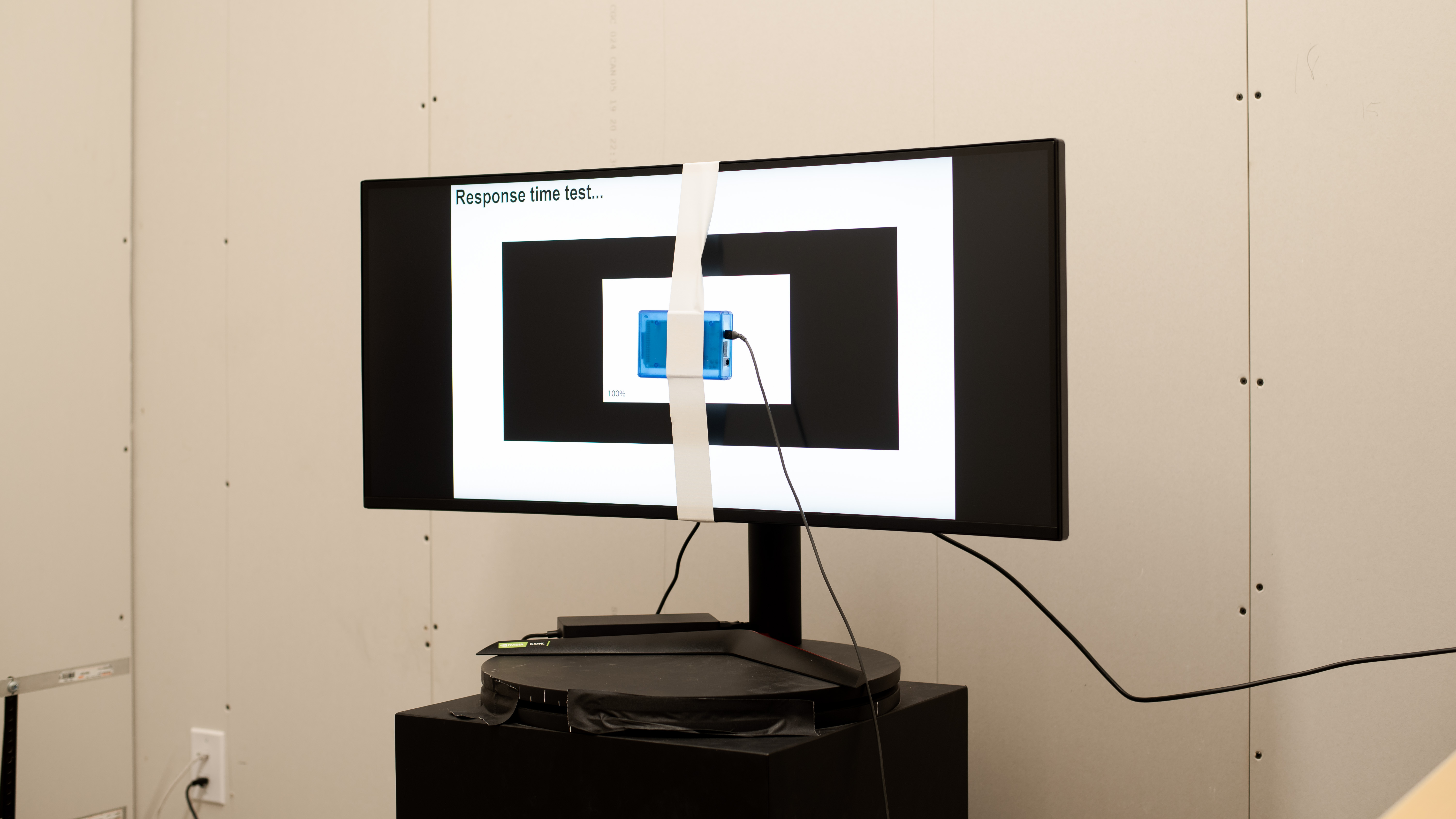
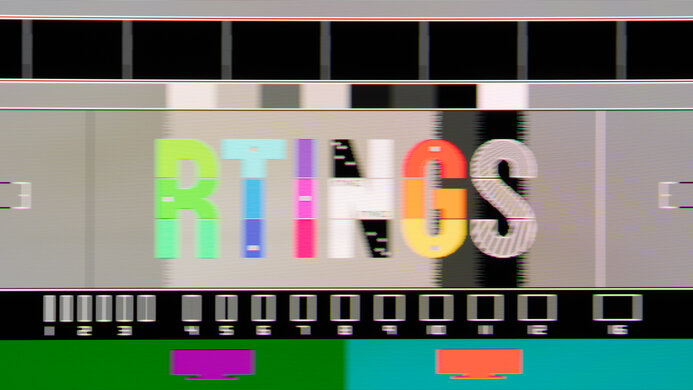
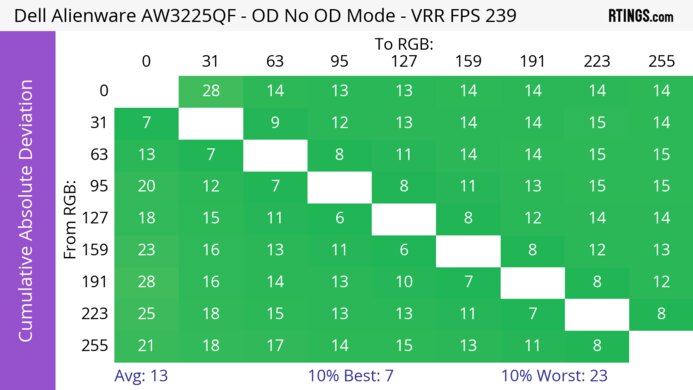
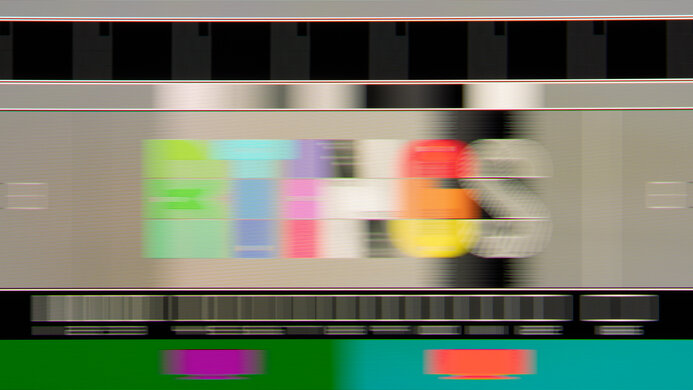
    The 38GL950G's response time when playing at its max refresh rate is outstanding, resulting in very little motion blur in fast-moving scenes. The recommended overdrive setting is 'Normal', which provides the best performance with no overshoot at all. The 'Fast' and 'Faster' settings cause a lot of overshoot, leading to visible inverse ghosting.

    The response time was measured in chroma 4:2:2 since the monitor can't display a full RGB color profile at a 175Hz refresh rate due to bandwidth limitations. The response time at 160Hz, which is the highest refresh rate we can get while keeping a full RGB color profile, is nearly identical or within margin of error.

    9.3
    Response Time @ 60Hz
    Best Overdrive Setting
    Normal
    Rise / Fall Time
    4.5 ms
    Total Response Time
    8.5 ms
    Overshoot Error
    0%
    Dark Rise / Fall Time
    5.0 ms
    Dark Total Response Time
    8.6 ms
    Dark Overshoot Error
    0.0%

    Overdrive Setting Response Time Chart Response Time Tables Motion Blur Photo
    Off Chart Table Photo
    Normal Chart Table Photo
    Fast Chart Table Photo
    Faster Chart Table Photo

    The response time at 60Hz is outstanding, and nearly identical to the response time at max refresh rate. The best overdrive setting is also 'Normal'.

    10
    Image Flicker
    Flicker-FreeYes
    PWM Dimming Frequency
    0 Hz

    The backlight is flicker-free, which can be helpful in reducing eye strain.

    0.0
    Black Frame Insertion (BFI)
    Black Frame Insertion (BFI)
    No BFI
    BFI Maximum Frequency
    N/A
    BFI Minimum Frequency
    N/A

    The 38GL950G-B doesn't have an optional black frame insertion feature.

    9.2
    Refresh Rate
    Variable Refresh Rate
    G-SYNC
    Native
    144 Hz
    Max Refresh Rate
    175 Hz
    Variable Refresh Rate
    Yes
    FreeSync
    Compatible (Tested)
    G-SYNC
    Yes (Native)
    VRR Maximum
    175 Hz
    VRR Minimum
    < 20 Hz
    VRR Supported ConnectorsDisplayPort

    The 38GL950G has a 144Hz native refresh rate that can be overclocked up to 175Hz; however, this can only be achieved over a DisplayPort connection, as the refresh rate over an HDMI connection is limited to 85Hz. G-SYNC is supported natively, and it's compatible with VESA Adaptive-Sync, HDMI Forum's VRR, and FreeSync.

    Inputs
    9.5
    Input Lag
    Native Resolution
    3.7 ms
    Native Resolution @ 60Hz
    12.2 ms
    Variable Refresh Rate
    4.7 ms
    Variable Refresh Rate @ 60Hz
    14.0 ms
    10 Bit HDR
    N/A
    Black Frame Insertion (BFI)
    N/A

    The 38GL950G has an exceptionally low input lag, and it's only slightly higher with VRR enabled. The input lag at max refresh rate is measured in chroma 4:2:2 mode, as the refresh rate is limited to 160Hz when using an RGB color profile. The input lag at 160Hz with RGB is 4ms, and 5.5ms with VRR enabled.

    Due to bandwidth limitations, we can only measure the input lag with HDR at 60Hz over an HDMI connection. The input lag at 60Hz with 12-bit HDR is 12.2ms. 10-bit HDR isn't available over HDMI and we currently lack the necessary tools to test the input lag with HDR over a DisplayPort connection.

    8.9
    Resolution And Size
    Native Resolution3840 x 1600
    Aspect Ratio21:9
    Megapixels6.1 MP
    Pixel Density
    111 PPI
    Screen Diagonal37.5"
    Screen Area498 in²

    The 38GL950G-B's large 38-inch screen provides an immersive gaming experience, and it's big enough to have multiple windows opened side by side for better multitasking. It's an uncommon resolution; the pixel density is about the same as a 34-inch, 3440 x 1440 screen. Do note that not all games support a 21:9 aspect ratio, so depending on the game, there might be black bars on the sides, or the image might be stretched to fit the screen.

    Inputs
    Total Inputs
    DisplayPort1 (DP 1.4)
    Mini DisplayPortNo
    HDMI1 (HDMI 2.0)
    DVINo
    VGANo
    DisplayPort OutNo
    USB2 (USB 3.0)
    USB CNo
    Analog Audio Out 3.5mm1
    Microphone In 3.5mmNo
    Digital Optical Audio OutNo
    Analog Audio Out RCANo
    Power SupplyExternal Brick
    Features
    Additional Features
    RGB Illumination
    Controllable
    Speakers
    No
    HDR10Yes
    Multiple Input Display
    PIP + PBP

    Update 10/19/2020: We verified that it has support for Picture-by-Picture and Picture-in-Picture modes. There's no option to control them through the on-screen display, but you need to download a software from LG's website.

    The 38GL950G has a few extra features. There's RGB lighting on the back on the monitor, which can be controlled either with the LG UltraGear Control Center software or using the on-screen menu. The on-screen menu only has a few preset lighting effects, so it's recommended to use the software for full customization options. There's Picture-in-Picture and Picture-by-Picture modes that let you display images from two sources at the same time, but you need to download LG's On Screen Control software to control them. You can also add a virtual crosshair for shooter games, an on-screen frame rate counter, and there's a 'reading' mode that suppresses blue light to help reduce eye strain.

    On-Screen Display (OSD)
    Controls

    There's a joystick to navigate the main on-screen menu and a clickable wheel to control the monitor's RGB lighting. Both are located at the center of the screen, below the LG branding.

    In The Box

    • Power supply
    • Power cord
    • DisplayPort cable
    • USB-A to USB-B cable
    • HDMI cable
    • User guide
    • Setup CD