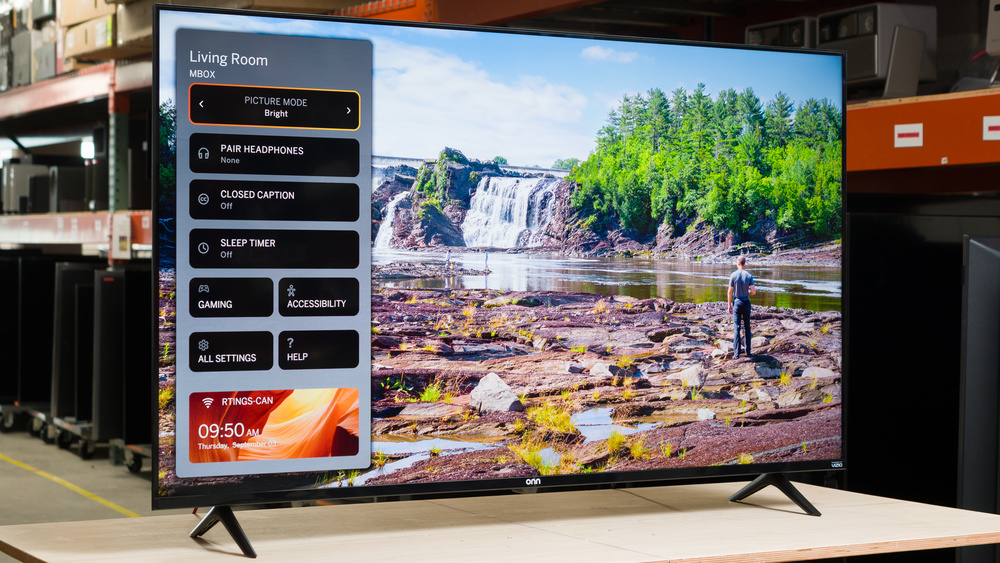
The onn. S4V1 is a cheap 4k TV that's exclusive to Walmart. It's a very basic TV, with a VA panel, no local dimming, and very few extra features. It has three HDMI ports that are limited to HDMI 2.0 bandwidth, so it's limited to a 60Hz refresh rate, but it still supports VRR to help reduce tearing. It's powered by the VIZIO OS smart interface, which has a modern design but an extremely limited selection of streaming apps. We bought and tested the 55-inch version, but it's also available in 43-, 50-, and 70-inch sizes.
Our Verdict
The onn. 4K UHD TV is a poor TV overall. It has limited versatility, as it doesn't look good in a room that's either overly bright or very dark. It's not very bright, and most colors are dull and muted, so most content isn't very vivid or lifelike. It has terrible motion handling, with an extremely slow response time that results in very blurry motion. This makes it a bad choice for gaming as well, as games don't look good overall. Its built-in smart interface has a limited selection of apps, no way to add new ones, and it's buggy.
No local dimming means dark scenes are washed out.
Not bright enough in SDR to overcome glare.
Movies look dim and dull.
Can't reduce the intensity of direct, mirror-like reflections.
The onn. 4K UHD TV is a poor TV for home theater use. It has a decent native contrast ratio, but it lacks local dimming, so black levels are always raised and the entire screen looks washed out. It's also not very bright, and colors aren't vivid, so most movies look dim and dull. It also has an extremely slow response time, so fast action is extremely blurry and hard to see clearly. It supports some advanced formats like HDR10+ and Dolby Vision, but its eARC feature doesn't work properly and limits all audio to 2 channels.
Excellent PQ EOTF tracking.
Fantastic black uniformity.
No local dimming means dark scenes are washed out.
Movies look dim and dull.
Colors are dull and muted.
Sub-par upscaling.
Can't clean up low-quality content.
Can't remove judder from 60p sources.
Audio passthrough feature limits all audio to 2 channels.
The onn. 4K UHD TV is a poor choice for a bright room. It's not very bright, and it has sub-par reflection handling, so glare from windows or lights facing the screen is incredibly distracting. Ambient light has no noticeable impact on contrast, but light colors are slightly washed out during the day.
Ambient light has no impact on black levels.
Not bright enough in SDR to overcome glare.
Can't reduce the intensity of direct, mirror-like reflections.
Ambient light has no impact on black levels.
The onn. 4K UHD TV is a disappointing TV for watching sports. It looks bad in a bright room due to its low peak brightness and limited reflection handling, so it's not great for afternoon games with a bunch of friends. The image degrades rapidly as you move to the sides, so it's not a good choice for a wide seating area, either. It also has an incredibly slow response time, so motion is blurry, and it's hard to make out the action.
Not bright enough in SDR to overcome glare.
Motion is incredibly blurry.
Can't reduce the intensity of direct, mirror-like reflections.
Can't clean up low-quality content.
Minor color artifacts in fast action.
The onn. 4K UHD TV is a bad TV for gaming. Although it has decent input lag, games don't feel responsive due to its incredibly slow response time. Motion is very blurry, with a long blur trail behind fast-moving objects. It supports VRR, but it's not very useful due to the TV's limited 60Hz refresh rate, and it doesn't support HDMI 2.1 bandwidth, so it can't take advantage of the latest gaming platforms.
Narrow VRR range.
Limited to a 60Hz refresh rate.
Motion is incredibly blurry.
The onn. 4K UHD TV has bad peak brightness. While it can handle a bit of glare, it's really best-suited for a dim or moderately lit room. It's not bright enough to deliver an impactful HDR experience, and most HDR content looks incredibly dim and flat.
Not bright enough in SDR to overcome glare.
Movies look dim and dull.
The onn. 4K UHD TV has disappointing black levels. It lacks a local dimming feature, so even though the panel has decent contrast, blacks are always raised and look washed out. On the other hand, it has fantastic black uniformity, so even though dark scenes are raised, they're even, with no distracting flashlighting from the backlight.
Fantastic black uniformity.
No local dimming means dark scenes are washed out.
The onn. 4K UHD TV has poor colors. It's not very accurate out of the box, with a noticeably warm color temperature, and it doesn't have any calibration settings to correct it. It can't display a wide range of colors, either, and even SDR content looks dull.
Colors are dull and muted.
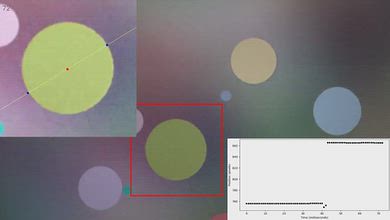
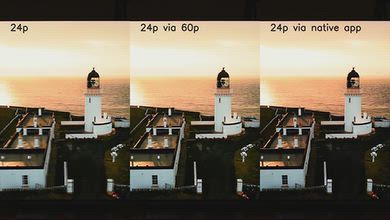
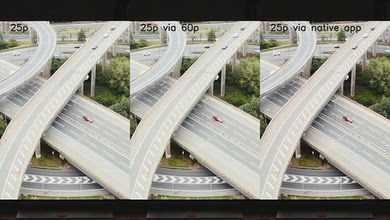
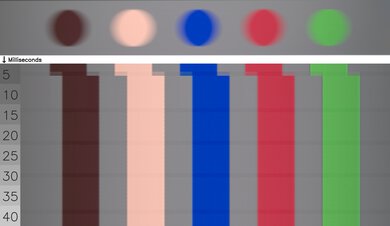
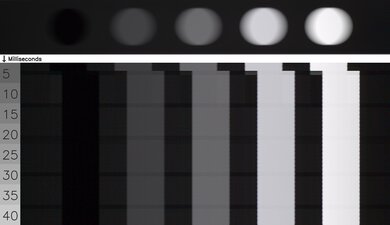
The onn. 4K UHD TV has mediocre motion handling when watching content. It removes judder from 24p external sources like a Blu-ray player or the native apps, but it can't remove judder from 25p sources or cable boxes. It has an incredibly slow response time, resulting in very blurry motion, but the good side of this is that there's relatively little stutter. Its response time is slightly uneven, though, so there are minor color artifacts in fast action.
No micro judder.
Minor color artifacts in fast action.
The onn. 4K UHD TV has bad responsiveness in Game mode. It has decent input lag and VRR support to reduce tearing, but it's limited to a 60Hz refresh rate, so VRR isn't very useful, and you'll still see screen tearing in most games. Its biggest issue is its incredibly high CAD, though. Motion is terribly blurry, and there's a long blur trail behind fast-moving objects.
Narrow VRR range.
Limited to a 60Hz refresh rate.
Motion is incredibly blurry.
Sub-par upscaling.
Note: We're in the process of improving our tests related to image processing, but this score should give you a general idea of how a TV performs overall with its image processing capabilities.
The onn. 4K UHD TV has mediocre image processing. It does very little to clean up low-quality streaming sources, so compression artifacts are very distracting. It doesn't upscale low-resolution content like DVDs well, either. It has excellent PQ EOTF tracking, so most content is displayed at the correct brightness level, within the limits of the TV's peak brightness. Unfortunately, due to its limited range of colors there's noticeable banding in most shades.
Sub-par upscaling.
Can't clean up low-quality content.
Performance Usages
Check Price
Differences Between Sizes And Variants
We bought and tested the 55-inch onn. S4V1, and these results also apply to the 43-, 50-, and 70-inch models. There are no known variants of this TV.
| Size | US Model |
|---|---|
| 43" | 43S4V1 |
| 50" | 50S4V1 |
| 55" | 55S4V1 |
| 70" | 70S4V1 |
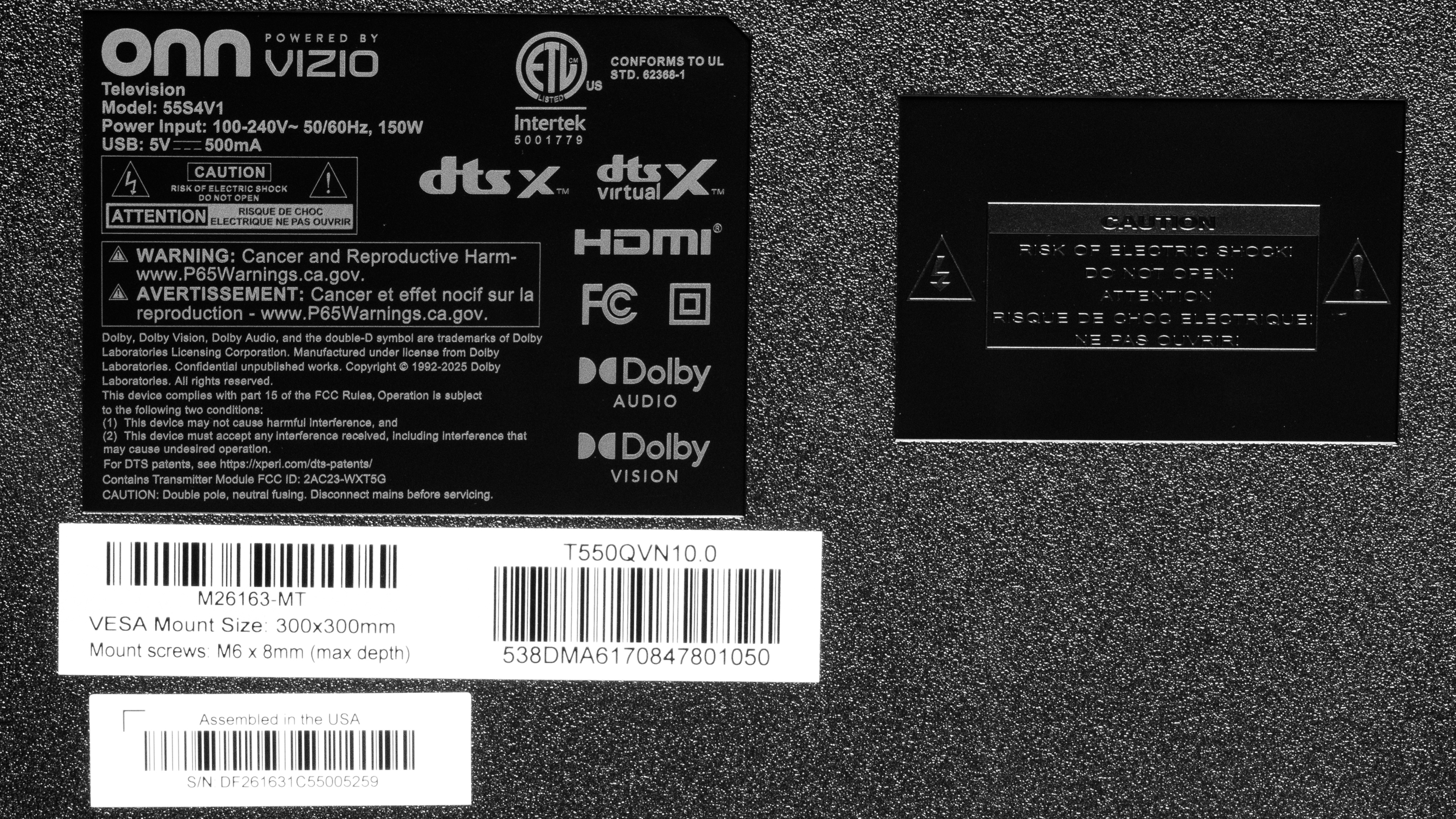
The label on our unit shows that it was made in the U.S.A., but no manufacturing date is listed.
Popular TV Comparisons
The onn. 4K UHD TV is a poor TV all-around, and it's one of the worst TVs on the market in 2026. It's a poor choice even for an extra TV in a secondary location, like a bedroom or office, and it's really not well-suited for most uses. Its terrible motion handling makes it a poor choice for gaming or anything with fast action, including action movies and sports. It also has disappointing smart features, with a limited selection of apps and a buggy smart interface. Overall, it's far worse than most other budget models, and most people shouldn't even consider it.
For more options, check out our recommendations for the best TVs under $500, the best small TVs, and the best TVs for gaming.
The Sony BRAVIA 2 II and the onn. S4V1 are both pretty bad TVs that most people should avoid, but the Sony is slightly better overall. The Sony has much better motion handling, with significantly less blur behind fast-moving objects, but it's still not great. The Sony also has a much better smart interface, with a significantly wider selection of apps.
The LG UA77 and the onn. S4V1 are both bad TVs that you shouldn't buy. The onn. has better contrast, but blacks are still raised and dark scenes are washed out. The LG is slightly brighter, and it has much better smart features with a much better selection of smart apps.
The LG QNED75B and the onn. S4V1 are both pretty bad TVs that most people should avoid, but the LG is slightly better. The LG has much better motion handling, with significantly less blur behind fast-moving objects, but it's still not great. It also has a much better smart platform, with a substantially better selection of apps.
The Samsung U8000H is a bit better than the onn. S4V1, but both TVs are bad overall. The Samsung has slightly better contrast and much smoother motion handling, with less blur behind fast-moving objects, but it's still not great. The Samsung also has a much better smart interface, with a significantly better selection of streaming apps.

We buy and test dozens of TVs yearly, taking an objective, data-driven approach to deliver results you can trust. Our testing process is complex, with hundreds of individual tests that take over a week to complete. Most of our tests use specially designed test patterns that mimic real content, but we also use the same sources you have at home to ensure our results match the real-world experience. We use two main tools for our testing: a Colorimetry Research CR-100 colorimeter and a CR-250 spectroradiometer.
Test Results
for pictures & test results

for pictures & test results

for pictures & test results

The onn. 4K UHD TV has bad peak brightness in HDR. It's not bright enough to deliver an impactful HDR experience. Small highlight details are dim, and bright scenes are dull and flat overall.
for pictures & test results

for pictures & test results

for pictures & test results

Switching to Game mode has no impact on the TV's peak brightness in HDR.
This TV has poor peak brightness in SDR. While it's bright enough that you can see the screen well in a dim or moderately lit room, it can't overcome any amount of glare from lights or windows facing the TV. You'll need to keep the blinds closed if you're watching it in a bright room.
for pictures & test results

Unfortunately, the TV has poor contrast. The panel itself has decent contrast, which helps maintain somewhat deep black levels. It lacks a local dimming feature, though, so blacks are always raised and washed out.
for pictures & test results

The TV doesn't have a local dimming feature, so there are no lighting zones. This means there's no blooming around bright elements against a dark background, but the entire image looks gray and washed out.
for videos & test results

This TV doesn't have a local dimming feature, so it can't adjust the backlight of individual zones to brighten up highlights without impacting the rest of the image. This means that there are no distracting flickers or brightness changes as bright highlights move across the screen.


for pictures & test results

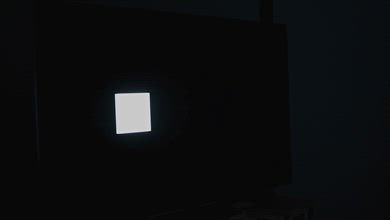
Thankfully, the TV has fantastic black uniformity. Although it lacks a local dimming feature, there's no obvious flashlighting or light leaking from the corners of the screen.
for pictures & test results

for pictures & test results

This TV has poor color volume in SDR. It can't display a wide range of colors in any color space, so most content looks dull, and colors that should be saturated are instead dull. It also struggles in lighter scenes, and colors are more washed out and closer to white the lighter the scene gets.
| Volume ΔE³ | DCI-P3 Coverage |
BT.2020 Coverage |
|---|---|---|
| L10 | 78.51% | 55.06% |
| L20 | 77.22% | 53.56% |
| L30 | 75.36% | 52.27% |
| L40 | 72.24% | 50.67% |
| L50 | 68.94% | 49.04% |
| L60 | 62.83% | 44.57% |
| L70 | 55.64% | 35.85% |
| L80 | 53.49% | 32.98% |
| L90 | 52.76% | 32.41% |
| L100 | 67.78% | 44.64% |
| Total | 62.75% | 42.00% |
for pictures & test results

for pictures & test results

Unfortunately, the TV has poor color volume in HDR. It can't display dark or light colors well due to its low contrast and limited peak brightness. It can't display a wide range of colors, either, and most HDR content looks dull.
for pictures & test results

for pictures & test results

for pictures & test results

The TV has okay accuracy before calibration. It has a very warm color temperature, with not enough blue in most shades. Most colors aren't displayed properly, and middle shades of gray are a bit off. Its gamma tracking is pretty close to 2.2, though, but most darker shades are slightly too dark.
for pictures & test results

for pictures & test results

for pictures & test results

Unfortunately, this TV lacks calibration controls, and it's not possible to improve its accuracy.
See our full settings.
for pictures & test results

for pictures & test results

The TV has okay accuracy in HDR out of the box. The color temperature is a bit too warm, and most content has a slightly red tint. It has terrible color mapping, and there are significant luminance errors in most colors. Its white balance is a bit better, but midtones are noticeably off.
for pictures & test results

for pictures & test results

This TV doesn't have any calibration settings, so it's impossible to fully calibrate it in HDR. There are a few basic picture quality settings that help improve its accuracy in HDR, but the exact setting likely varies between individual units.
for pictures & test results

The onn. S4V1 has excellent PQ EOTF tracking. Most content is displayed close to the brightness level intended by the content creator, up to its peak brightness. The TV clips everything above its peak brightness, so there's also a loss of fine details in bright scenes.
for pictures & test results

The TV's low-quality smoothing setting does almost nothing to reduce compression artifacts from low-quality streams. There's a very slight improvement, but it's barely noticeable.
for pictures & test results

Unfortunately, the TV has poor upscaling. There are noticeable upscaling artifacts even in simple scenes, and fine details are very hard to make out.
for pictures & test results
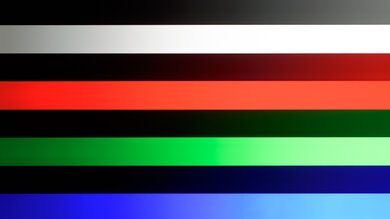
Unfortunately, the TV has sub-par gradient handling. Since it can't display the full range of colors in HDR, there's noticeable banding in all shades. It's especially bad in dark shades of gray, red, and green.
The TV has decent input lag. It's low enough that most people won't notice any additional delay in their actions, but more serious, competitive gamers will be disappointed.
This TV only supports a 60Hz refresh rate, even with a lower resolution. Chroma 4:4:4 is displayed properly, though, which helps with clear text from a PC.
The onn. S4V1 supports VRR to help reduce screen tearing when gaming. Unfortunately, it's not very useful, though, as the refresh rate range isn't wide enough to work with Low Framerate Compensation (LFC), so you'll see tearing if your framerate drops below 40Hz.
for pictures & test results
for pictures & test results

Unfortunately, the onn. 4K UHD TV has a terrible CAD at its max refresh rate of 60Hz. Fast motion in games is extremely blurry, and there's a lot of trail behind fast-moving objects. This makes it very difficult to make out fine details in games.
This TV doesn't support a 120Hz refresh rate.
for pictures & test results

for pictures & test results

The max refresh rate of this TV is 60Hz, so these results are the same as the Max Refresh Rate test.
for pictures & test results

This TV can't take full advantage of the PS5 or PS5 Pro, as it's limited to a 60Hz refresh rate and doesn't support HDMI 2.1 bandwidth. It automatically switches to Game mode when you start playing a game, though.
for pictures & test results

This TV can't take full advantage of the Xbox Series S|X, as it's limited to a 60Hz refresh rate and doesn't support HDMI 2.1 bandwidth. It automatically switches to Game mode when you start playing a game, though.
for videos & test results
for pictures & test results

for pictures & test results
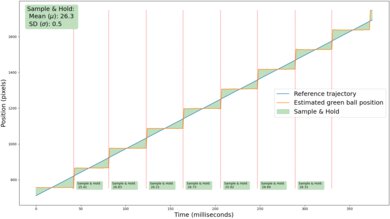
Thanks to the TV's extremely slow response time, there's barely any stutter. You might still see some in very slow, wide-panning shots, but it's minor.
This TV doesn't have a motion interpolation feature.
for pictures & test results
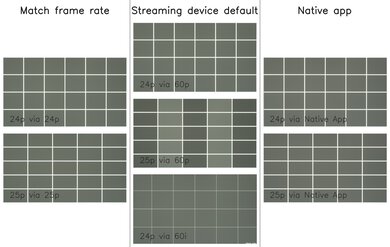
This TV can only remove judder from 24p sources and the native apps. It can't adjust its refresh rate to remove judder from external sources.


for pictures & test results

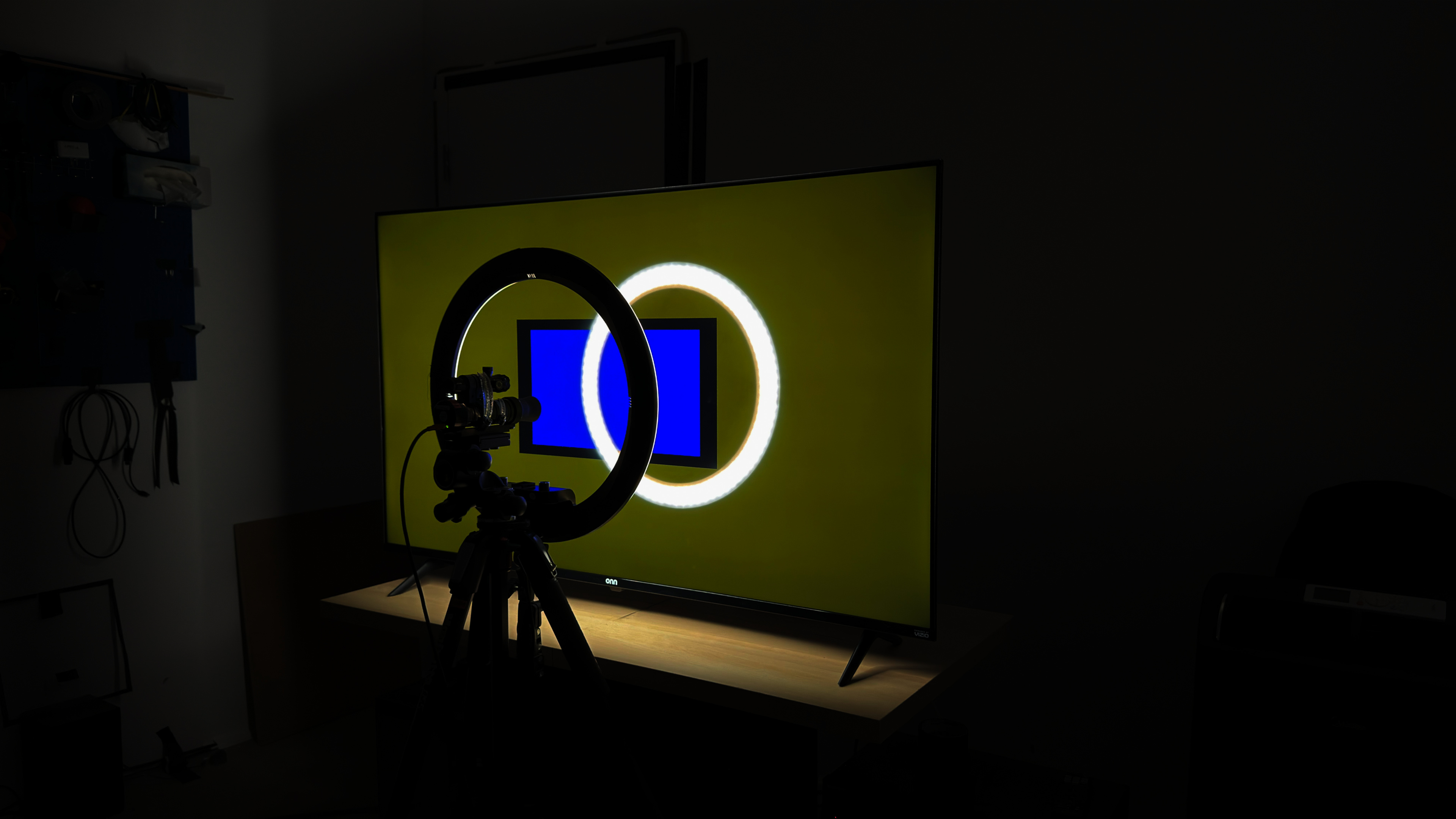
The TV uses pulse width modulation (PWM) to dim its backlight, which introduces flicker that can bother people who are sensitive to it. It flickers at moderate 480Hz in all picture modes, but it's flicker-free at max brightness.
This TV doesn't have an optional backlight strobing feature, which is commonly known as BFI.


for pictures & test results

Very bright colors are slightly washed out when watching this TV in a bright room.
for videos & test results
for pictures & test results

for pictures & test results

for pictures & test results

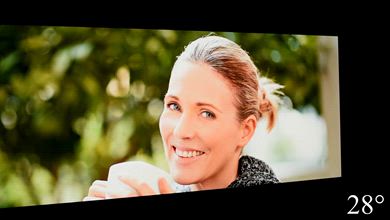
The onn. 4K UHD TV has a mediocre viewing angle. It's not well-suited for a wide seating area, as the image degrades rapidly from the sides.
for pictures & test results

for pictures & test results

The TV has sub-par uniformity. The center of the screen looks dirty and uneven, which is very noticeable when watching sports. The sides of the screen are also significantly darker than the center, which is more noticeable in any content. These issues aren't nearly as noticeable in dark scenes, though.
for pictures & test results

for pictures & test results

This TV uses a VA panel with a BGR subpixel layout. It doesn't affect picture quality but can cause issues with text clarity in some applications when using it as a PC monitor. The SPD shows that it doesn't use quantum dot technology or a KSF phosphor, which explains the limited color volume.
for pictures & test results

The TV has a very basic selection of inputs, with no high-bandwidth HDMI 2.1 ports, so you can't take advantage of modern gaming consoles.
Unfortunately, although the TV advertises eARC support and should support DTS and Dolby audio formats, neither format actually works. Any audio signal sent to the TV over HDMI is instead converted to 2 channel PCM.
for pictures & test results

The onn. 4K UHD TV has a very basic, cheap design, but it doesn't look terrible. It has thin bezels on three sides, and a thin gap between the bezels and first pixels.
for pictures & test results

The v-shaped feet feel cheap and don't support the TV very well. There's no alternate mounting position, either.
Footprint of the 55-inch stand: 39.6" x 10.2" x 3.1".
for pictures & test results

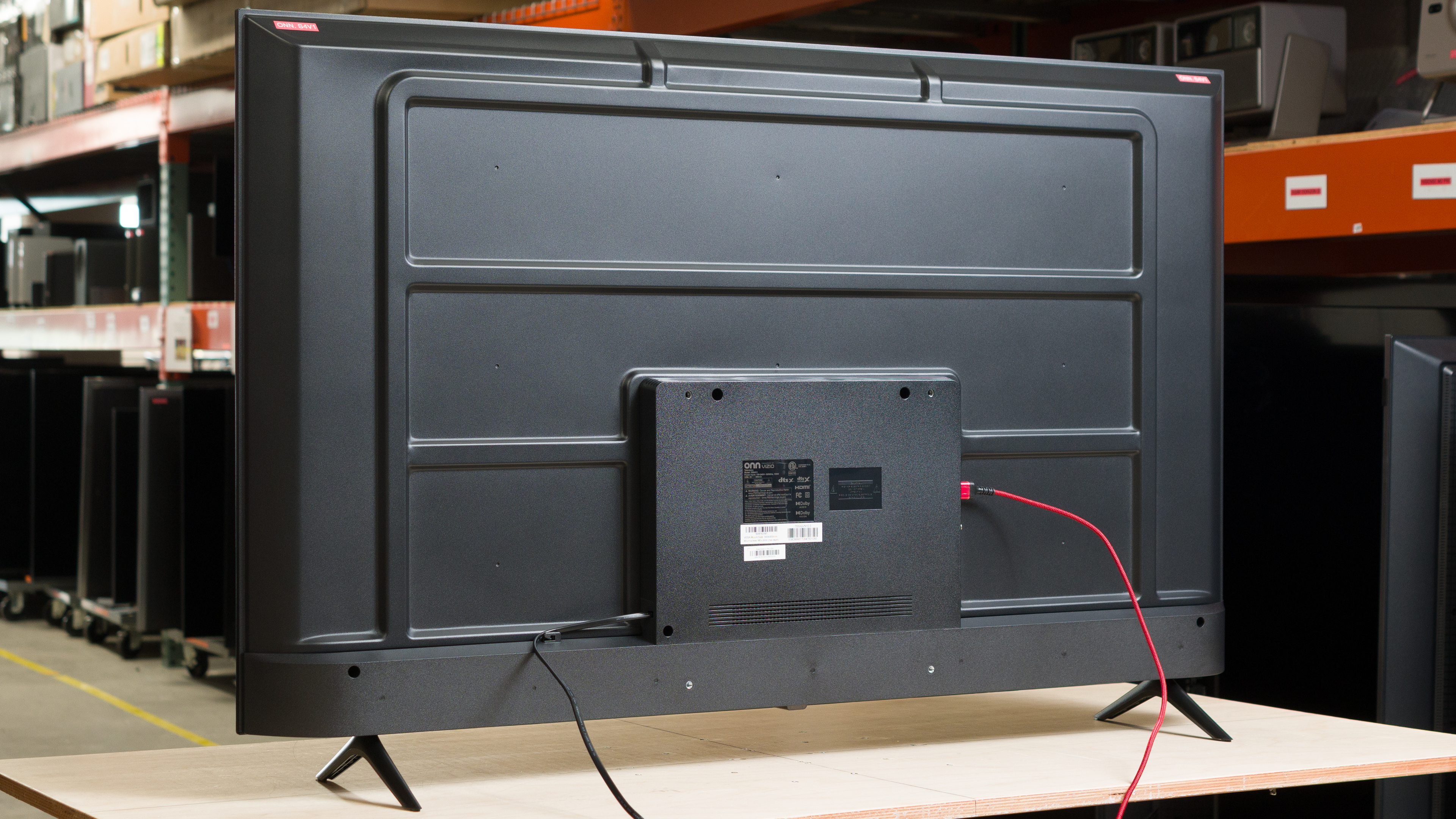
The back of the TV is very plain and cheap looking. The inputs are all housed in a central electronics box that makes it hard to reach them. There's nothing to help with cable management, either.


for pictures & test results

The TV has mediocre build quality. It's almost entirely made of cheap plastic, and it doesn't feel well made at all.
for pictures & test results

The onn. 4K UHD TV runs the VIZIO OS smart interface, which looks nice but has a very limited selection of streaming apps and no way to add new ones. It's also very buggy, and the settings menu in particular doesn't work properly and doesn't always show which options are selected.
for pictures & test results

Like all TVs, there are ads on the home screen. You can't disable them completely, although you can turn off targeted ads.


This TV was originally tested on version 86.910.19.2-1.
for pictures & test results

The TV's built-in speakers have poor sound quality. It can't get very loud at all, and it has a very poorly balanced sound profile, so dialogue is patchy and hard to understand at times.