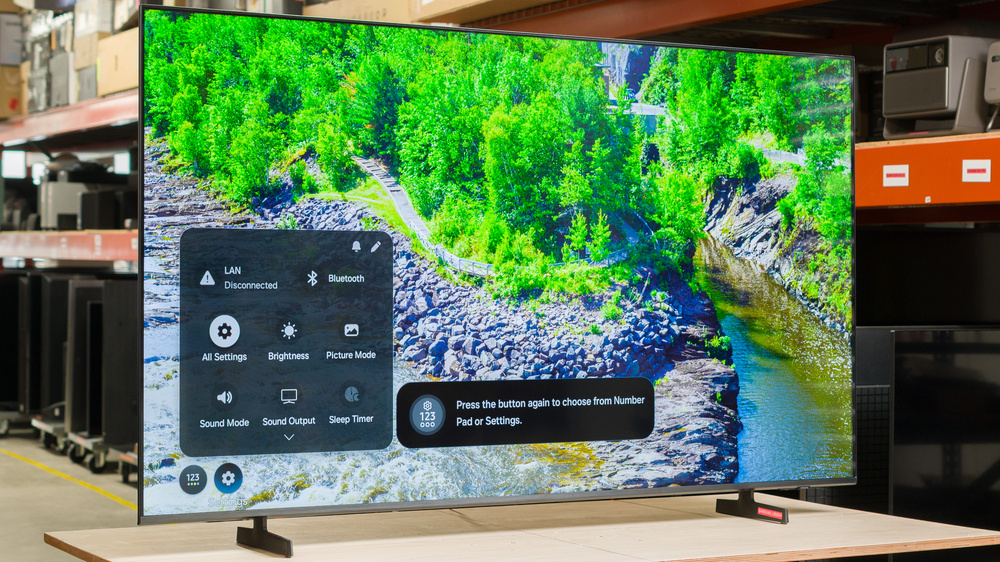
The Samsung U8000H is a very basic TV released in 2026. Sitting at the bottom of Samsung's 2026 TV lineup, it has very little to offer, with no advanced picture-enhancing features like quantum dots or local dimming and only basic gaming features. It's powered by Samsung's Crystal Processor 4k, and runs Samsung's proprietary Tizen OS smart interface, which has a huge selection of apps. We bought and tested the 65-inch version, but it's available in a wide range of sizes, from 43 up to 85 inches.
Our Verdict
The Samsung U8000H is a poor TV overall. It delivers a lackluster picture quality, with dull colors and low peak brightness, and blacks are always raised due to its low contrast ratio. It supports a few gaming features, but can't take advantage of the latest consoles or gaming PCs. It's best-suited for watching shows in a moderately-lit room, as it's not bright enough to overcome glare during the day.
Can't reduce the intensity of direct, mirror-like reflections.
Mediocre screen uniformity.
Image degrades when viewed from the sides.
The Samsung U8000H is a poor choice for a home theater. It doesn't look very good in a dark room due to its low contrast ratio and lack of a local dimming feature, so blacks are always raised, and dark scenes look washed out. It's not nearly bright enough to bring out details in movies, so they lack punch. It also has very limited colors, so most content looks dull and lifeless. It has just okay motion handling when watching content, and it can't remove judder from 60Hz sources like a cable TV box. Finally, it has limited format support, as it doesn't support Dolby Vision or DTS audio formats, which is disappointing for physical media collectors.
Mediocre screen uniformity.
Can't smooth out compression artifacts from low-quality streaming sources.
Too dim to deliver an impactful HDR experience.
No local dimming and low contrast.
Can't remove judder from any 60Hz sources.
Shadow details are raised in SDR.
The Samsung U8000H is sub-par for watching TV in a bright room. It's not bright enough to overcome glare from bright lights or windows opposite the TV, so even bright scenes can be hard to see clearly during the day. It also has poor reflection handling, making dark scenes even harder to see. Ambient light has no noticeable impact on color saturation or contrast, but both of these things are poor to begin with, so it doesn't really matter.
Ambient light has no impact on contrast or color saturation.
Can't reduce the intensity of direct, mirror-like reflections.
Not bright enough to overcome glare.
The Samsung U8000H is a sub-par TV for watching sports. It's not well-suited for a bright room, as it can't overcome glare from lights or windows opposite the TV. It also has a narrow viewing angle, making it unsuitable for a wide seating arrangement. It has sub-par uniformity, so uniform areas in the center of the screen look dirty, and motion is blurry. Finally, it has just okay image processing, and it can't do much to clean up low-quality feeds from cable sports channels or low-quality streaming services.
Can't reduce the intensity of direct, mirror-like reflections.
Mediocre screen uniformity.
Blurry motion.
Can't smooth out compression artifacts from low-quality streaming sources.
Image degrades when viewed from the sides.
The Samsung U8000H delivers a sub-par gaming experience. It has above-average input lag, even at its maximum refresh rate, so games don't feel very responsive. It also has very limited format support, with no HDMI 2.1 bandwidth, so it can't take full advantage of the latest consoles. Finally, it has poor motion handling when gaming, and fast action is blurry.
Game Mode has no impact on picture quality.
Blurry motion.
Narrow VRR range.
Limited to a 60Hz refresh rate with 4k signals.
Above average input lag.
This TV has decent expected reliability. As the LEDs are housed directly behind the LCD layer, they're less likely to overheat and fail than edge-lit models. There's also no possibility of burn-in or image retention, so the type of content you watch doesn't affect its lifetime. On the other hand, a single failed LED will likely cause the entire backlight to fail, so it's less reliable than TVs with full-array local dimming features.
No possibility of permanent burn-in.
The entire backlight can stop working if a single LED fails.
The Samsung U8000H has bad peak brightness. It's not bright enough to overcome glare in a bright room, so it's not suitable for a very bright room. When watching HDR, it's not nearly bright enough to deliver an impactful viewing experience, and small highlight details fall flat.
Too dim to deliver an impactful HDR experience.
Not bright enough to overcome glare.
The Samsung U8000H has poor black levels. Since it lacks local dimming, it relies entirely on the native contrast of the panel when displaying dark scenes. Thankfully, the native contrast is decent, so blacks aren't too raised, and it has good uniformity.
No local dimming and low contrast.
Shadow details are raised in SDR.
The Samsung U8000H has sub-par colors. It's not very accurate out of the box, with a noticeably cool color temperature before calibration. It can't display a wide range of colors, either, so while it supports HDR, it can't really display anything beyond SDR.
Colors are dull and muted.
Cold color temperature out of the box.
Can't display chroma 4:4:4 properly with 1080p @ 120Hz signals.
The Samsung U8000H has okay motion handling when watching content. It can't remove judder from any 60Hz sources like an older cable TV box or a streaming device with Match Frame Rate disabled, so motion is choppy and uneven. It has a very slow response time, so there's noticeable blur behind fast-moving objects. This also means that there's fairly little stutter in wide panning shots.
Extremely ineffective motion interpolation feature.
Can't remove judder from any 60Hz sources.
The Samsung U8000H has mediocre responsiveness when gaming. It has higher-than-usual input lag even at its highest refresh rate, so while it's fine for casual gaming, it's not well-suited for more demanding games. It also has a slow response time, so motion when gaming is very blurry.
Blurry motion.
Narrow VRR range.
Limited to a 60Hz refresh rate with 4k signals.
Above average input lag.
Note: We're in the process of improving our tests related to image processing, but this score should give you a general idea of how a TV performs overall with its image processing capabilities.
The Samsung U8000H has just alright image processing. It can't do much to clean up low-quality content like streaming services or cable TV channels, and low-resolution content like DVDs are visibly soft. It processes HDR content well, though, with excellent PQ EOTF tracking and okay gradient handling.
Excellent EOTF tracking.
Can't smooth out compression artifacts from low-quality streaming sources.
Shadow details are raised in SDR.
Can't display chroma 4:4:4 properly with 1080p @ 120Hz signals.
Performance Usages
Changelog
-
Updated Oct 23, 2026:
We bought and tested the onn. S4V1, and added a comparison in the Black Uniformity section of the review.
- Updated Oct 20, 2026: We converted this review to Test Bench 2.3.1. With this update, we've added a new Panel Reliability Risk Factors test, which breaks down the components used to assess a TV's expected reliability.
- Updated Oct 02, 2026: We converted this review to Test Bench 2.3. With this update, we've added a new Expected Reliability performance usage, a Lifetime Burn-In Potential test, and a new test box for the Longevity 3.0 test.
- Updated Sep 18, 2026: We converted this review to Test Bench 2.2.1, adding a new Dumb TV test for whether or not the TV can be used offline.
Check Price
Differences Between Sizes And Variants
We bought and tested the 65-inch Samsung U8000H, and these results are also valid for the 43, 50, 55, 58, 70, 75, and 85-inch models. All sizes offer the same picture quality and overall performance. Note that with Samsung TVs, the four letters after the short model code (FXZC in this case) vary between different retailers and regions, but there's no difference in performance.
Costco and Sam's Club sell a variant of this TV known as the Samsung U8000HD. This variant performs the same but comes with an extended warranty.
| Size | US Model |
| 43" | UN43U8000HFXZC |
| 50" | UN50U8000HFXZC |
| 55" | UN55U8000HFXZC |
| 58" | UN58U8000HFXZC |
| 65" | UN65U8000HFXZC |
| 70" | UN70U8000HFXZC |
| 75" | UN75U8000HFXZC |
| 85" | UN85U8000HFXZC |
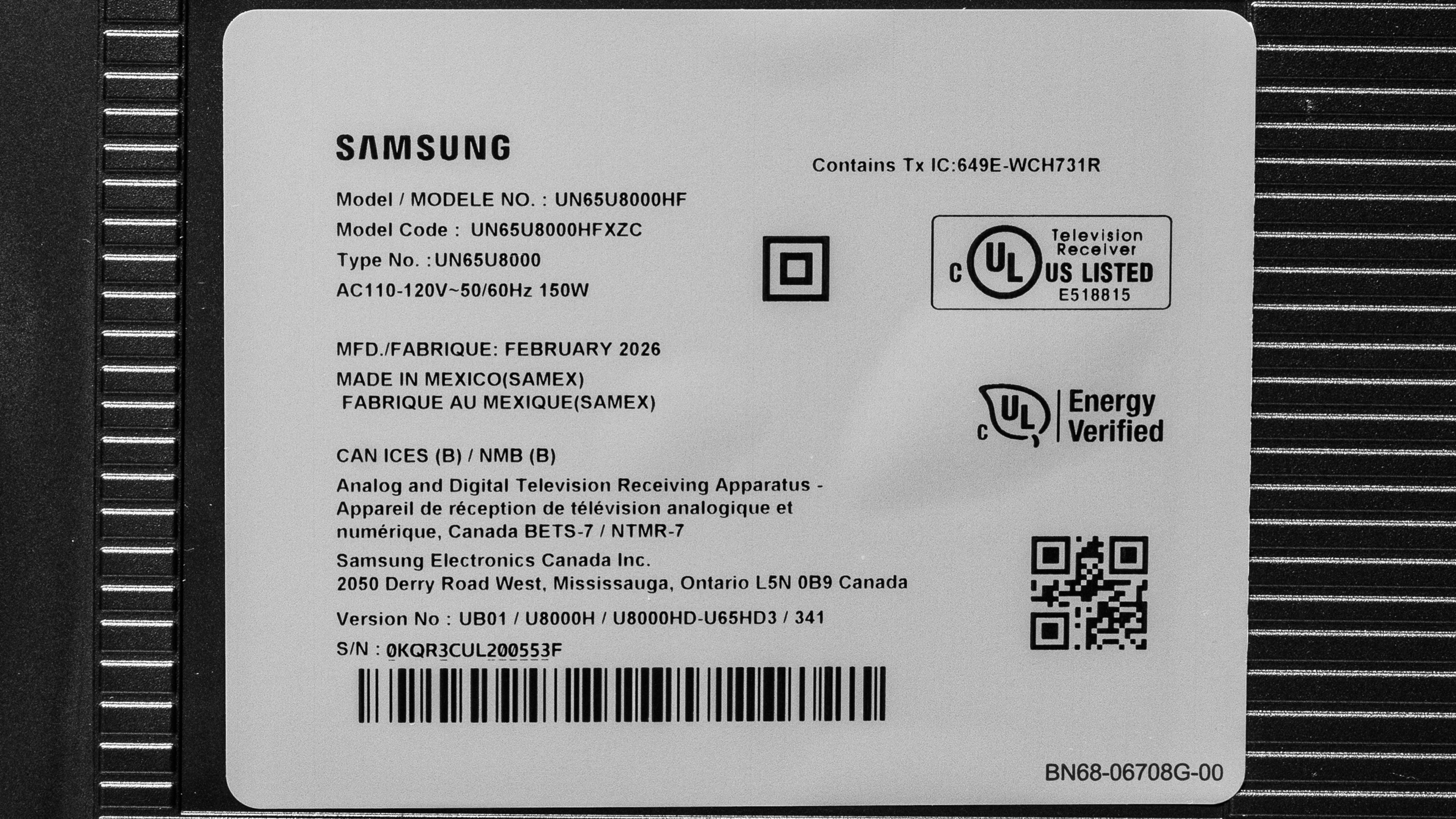
The label on our unit indicates that it was made in Mexico in February, 2026.
Popular TV Comparisons
The Samsung U8000H is a very basic TV that doesn't perform well, even considering its low price point, and most people shouldn't buy it. It has limited picture quality, with low peak brightness, poor color saturation, and very few picture-enhancing features. There are far better choices from other brands, like the TCL QM5K or the Vizio Mini LED Quantum 4K.
For more options, check out our recommendations for the best TVs under $1,000, the best 65-inch TVs, and the best TVs for gaming.
The Samsung M70H is slightly better than the Samsung U8000H. The M70H gets a touch brighter, it has slightly better contrast, and it has better colors. The U8000H is slightly better for gaming, though, as it supports a higher 120Hz refresh rate, but only at a lower 1080p resolution.
There are no significant differences between the Samsung U8000H and its predecessor, the Samsung U8000F. The newer model offers a higher 120Hz refresh rate, but only with a 1080p resolution instead of the TV's native 4k resolution. This makes the newer model slightly better for gaming.
The Samsung Q7F 2025 is only slightly better than the Samsung U8000H. The Q7F gets a bit brighter, so movies and shows look slightly more realistic, but it's still not bright enough to overcome glare in a bright room. The Q7F also has better contrast and looks better in a dark room. The U8000H, on the other hand, offers a 120Hz mode, but only if you decrease the resolution to 1080p.
The Samsung U8000H is very slightly better than the old Samsung U7900F, but the differences are very minor. The U8000H gets a bit brighter, so movies and shows look slightly better, but it's still not bright enough to overcome glare during the day. The U8000H is also slightly better for gaming, as it supports a 120Hz refresh rate, but only if you decrease the resolution to 1080p instead of the TV's native 4k.

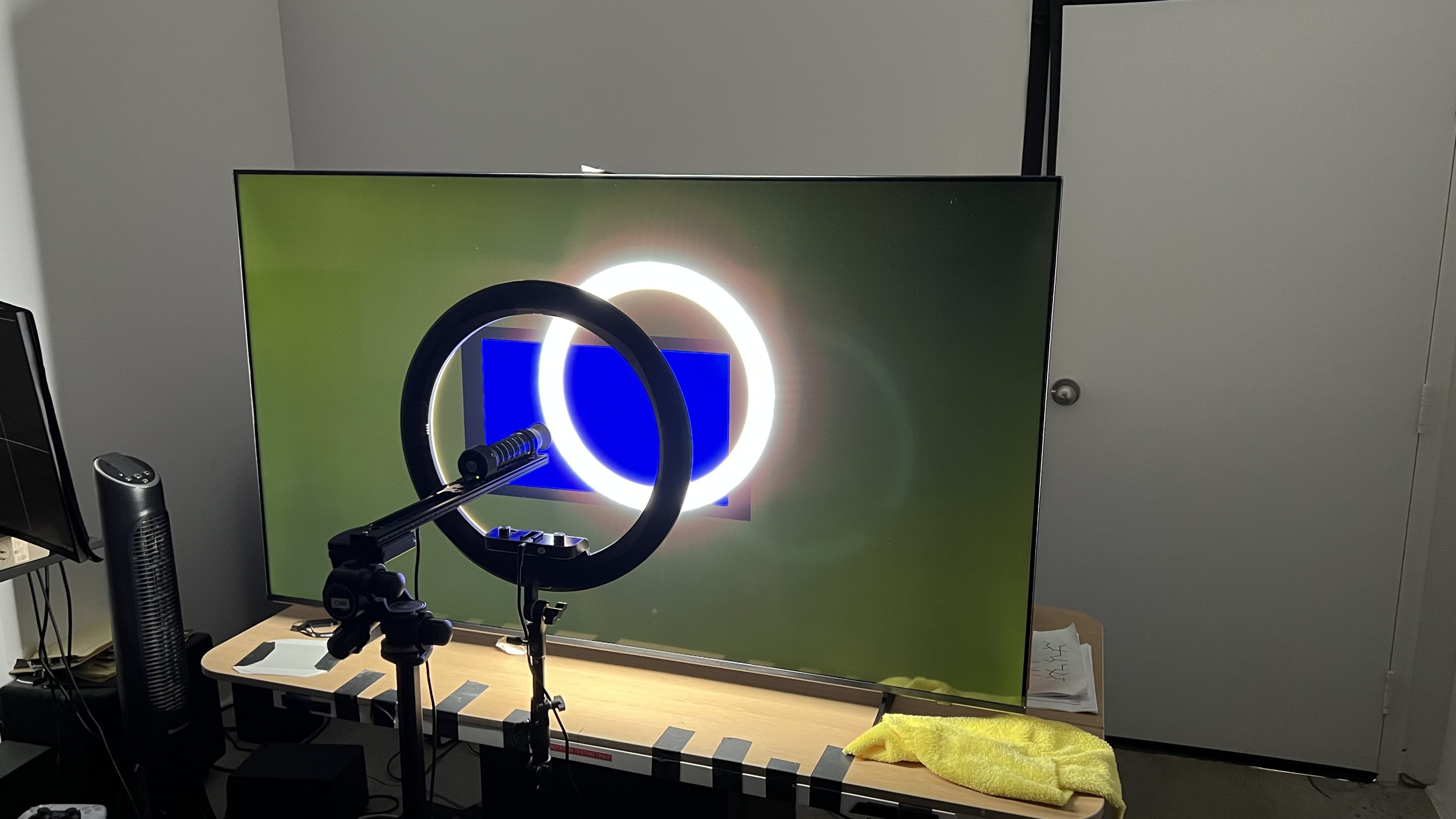
We buy and test dozens of TVs yearly, taking an objective, data-driven approach to deliver results you can trust. Our testing process is complex, with hundreds of individual tests that take over a week to complete. Most of our tests use specially designed test patterns that mimic real content, but we also use the same sources you have at home to ensure our results match the real-world experience. We use two main tools for our testing: a Colorimetry Research CR-100 colorimeter and a CR-250 spectroradiometer.
Test Results
for pictures & test results

for pictures & test results

for pictures & test results

The Samsung U8000H has bad peak brightness in HDR. It's not bright enough to deliver an impactful HDR experience. Small highlights don't stand out at all, and bright scenes are flat and dull.
for pictures & test results

for pictures & test results

for pictures & test results

The TV's peak brightness is the same when you switch to the low latency Game Mode. The TV processes scenes differently, though, so most content is a bit brighter than in FILMMAKER Mode.
The peak brightness in SDR is poor. It's not bright enough to overcome any significant glare during the day. It lacks a local dimming feature that can dim the screen by zone, but there's a global dimming feature, commonly called CE dimming, that dims the entire screen in very dark scenes.
for pictures & test results

The TV has poor contrast. The native contrast ratio of the panel is decent, but since it lacks local dimming, blacks are always raised, even in dark scenes.
for pictures & test results

There's no local dimming feature, so there are no lighting zones. This means there's no haloing around bright elements against a dark background or subtitles, but the entire image looks gray and washed out.
for videos & test results

This TV doesn't have a local dimming feature, so it can't adjust the backlight of individual zones to brighten up highlights without impacting the rest of the image. This means that there are no distracting flickers or brightness changes as bright highlights move between dimming zones.


for pictures & test results

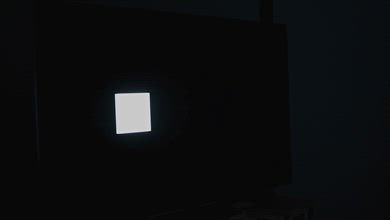
The black uniformity is good. There's more clouding throughout the screen than there is on competing models, like the onn. S4V1, but it's minor, and there's no excessive flashlighting. Unfortunately, there's no local dimming to reduce clouding.
for pictures & test results

for pictures & test results

The TV has sub-par color volume. It can't display the full range of colors in the CIELAB DCI-P3 color space, and it barely displays the full range of BT.709 colors used by most SDR content. It also struggles to maintain color saturation in lighter scenes.
| Volume ΔE³ | DCI-P3 Coverage |
BT.2020 Coverage |
|---|---|---|
| L10 | 80.64% | 57.10% |
| L20 | 80.18% | 56.00% |
| L30 | 79.41% | 55.44% |
| L40 | 76.90% | 54.36% |
| L50 | 74.45% | 53.06% |
| L60 | 69.42% | 49.24% |
| L70 | 64.67% | 41.67% |
| L80 | 64.34% | 39.67% |
| L90 | 63.92% | 39.27% |
| L100 | 70.93% | 47.73% |
| Total | 70.05% | 47.00% |
for pictures & test results

for pictures & test results

The HDR color volume of this TV is sub-par. Colors are flat and dull, with no pop to them at all. It can't display dark, saturated colors due to its low contrast ratio, and bright shades of blue are washed out in lighter scenes.
for pictures & test results

for pictures & test results

for pictures & test results

This TV has just okay accuracy in SDR before calibration. The most noticeable issue is its overly cold color temperature, and there's too much blue and green in most shades of gray. Gamma tracking is a bit of a mixed bag, as shadow details are crushed a bit but brighter areas are overly bright. Color mapping is pretty good, but saturated blues and reds are noticeably off and undersaturated.
for pictures & test results

for pictures & test results

for pictures & test results

The TV has excellent accuracy after calibration, but it's not perfect. The color temperature is a lot better, with a much more balanced, natural tone. It's still crushing shadow details, though, and it's impossible to correct it without severely reducing the TV's already-low contrast. Color accuracy is a bit better, but saturated reds and blues are still off.
You can see our full calibration settings here.
for pictures & test results

for pictures & test results

The TV's accuracy in HDR before calibration is mediocre. It has a noticeably cool color temperature, with too much blue in most shades of gray and not enough red. The white balance itself is decent, but shadow details are noticeably off. Colors are bad, though, and there are significant errors in both color mapping and luminance.
for pictures & test results

for pictures & test results

After calibration the TV has excellent HDR accuracy. The white balance and color temperature are much better, with just a few minor issues in midtones. Color mapping isn't much better, though.
for pictures & test results

The PQ EOTF tracking is excellent. There's a smooth roll off near the TV's peak brightness, which helps preserve gradation in bright content but limits how bright details can get. Near blacks are raised, though, due to the TV's lack of a local dimming feature and low contrast.
for pictures & test results

Unfortunately, the TV is completely ineffective at smoothing out low-quality content like most streaming services. There's no loss of fine details, but it can't reduce macro blocking and other compression artifacts at all.
for pictures & test results

This TV has just okay upscaling. The image is a bit soft overall, and fine details like text can be hard to make out.
for pictures & test results
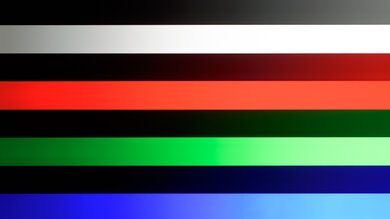
The Samsung U8000H has just alright gradient handling. There's some banding in all darker shades. Bright reds suffer the most, though, as it can't actually display the full gradient and reaches peak red saturation early.
The input lag is just okay, but it's a bit higher than most comparable models on the market like the TCL QM5K. It's low enough for casual games, but more experienced gamers might find it to be a bit sluggish.
This TV supports up to 4k @ 60Hz with proper chroma 4:4:4 for clear text from a PC. It also supports a higher 120Hz refresh rate, but only if you drop down to a 1080p resolution. 1080p @ 120Hz is only supported if you enable VRR, and chroma 4:4:4 isn't displayed properly in that mode, so text from a PC is blurry.
The Samsung U8000H supports VRR to help reduce screen tearing. Due to its low maximum 4k refresh rate, though, it's not very effective, as it doesn't work with sources that support Low Framerate Compensation (LFC). This means you'll still see tearing unless the frame rate is close to 60 and only fluctuating a bit.
for pictures & test results
for pictures & test results

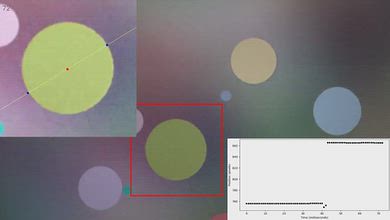
Unfortunately, this TV has a sub-par CAD at its maximum 4k refresh rate of 60Hz. Fast motion is very blurry due to the TV's very slow transition time. There's barely any overshoot or inverse ghosting, though.
This TV doesn't support a 120Hz refresh rate at its native resolution.
for pictures & test results

for pictures & test results

These results are the same as the max refresh rate, as this TV is limited to a 60Hz refresh rate at its native resolution.
for pictures & test results

This TV has alright compatibility with the PS5 or PS5 Pro. It supports up to 4k @ 60Hz or 1080p @ 120Hz, so you can run most games in either their performance or quality modes. It doesn't support 4k @ 120Hz gaming, though, so it can't take full advantage of either console.
for pictures & test results

This TV has alright compatibility with the Xbox Series consoles. It supports up to 1080p @ 120Hz or 4k @ 60Hz. It doesn't support high refresh rate gaming at its native 4k resolution, and it doesn't support Dolby Vision.
for videos & test results
for pictures & test results

for pictures & test results
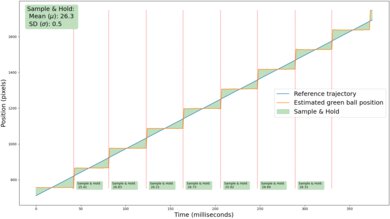
Thanks to its relatively slow response time when watching content, there's fairly little stutter. You might still notice a slight amount of stutter in very slow, wide-panning shots, but it's minor.
for videos & test results
for pictures & test results

for pictures & test results
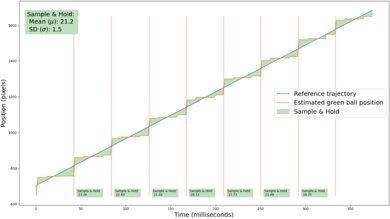
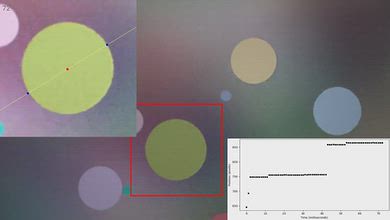
Unfortunately, this TV's motion interpolation feature is completely ineffective at reducing stutter. While it helps a bit in very simple scenes, even our test pattern is complex enough that the TV simply gives up trying to interpolate after a few frames. Enabling this feature also introduces judder on this TV, so motion is actually worse overall.
for pictures & test results
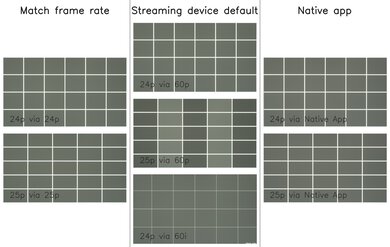
Unfortunately, this TV can't remove judder from any 60Hz sources, like a cable TV box or a streaming device with the Match Frame Rate feature disabled. Enabling any of the Picture Clarity settings also causes the TV to judder with any content, so motion isn't smooth.
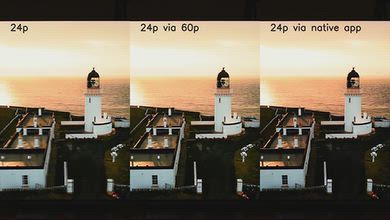
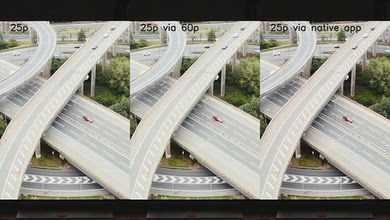


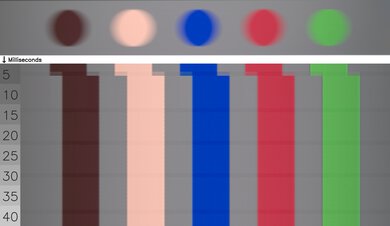
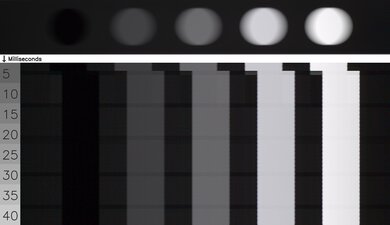
for pictures & test results

This TV uses pulse-width modulation (PWM) to dim its backlight, which introduces flicker that can bother people who are sensitive to it. It flickers at a moderately-high 480Hz at all backlight settings and in all picture modes. Enabling any Picture Clarity setting changes the flicker frequency to a far more noticeable 120Hz.
for pictures & test results
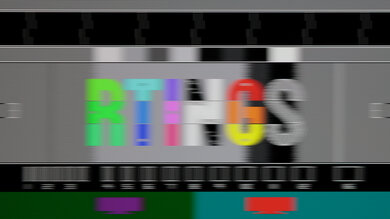
for pictures & test results
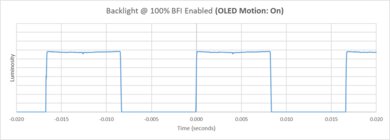
This TV has an optional backlight strobing feature, commonly known as black frame insertion. Unfortunately, the pulse timing is off, causing a noticeable double image in moving content.


for pictures & test results

for pictures & test results

Unfortunately, the total amount of reflected light off the screen is mediocre. There are noticeable diffraction artifacts around bright lights, and both direct and indirect reflections are very noticeable.
for pictures & test results

Ambient light has no significant impact on color saturation on this TV. Colors aren't very saturated even in a completely dark room.
for videos & test results
for pictures & test results

for pictures & test results

for pictures & test results

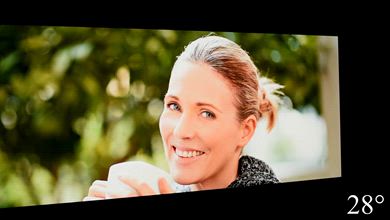
Unfortunately, this TV has a mediocre viewing angle. The image degrades rapidly as you move to the sides, so it's not a good choice for a wide seating arrangement.
for pictures & test results

for pictures & test results

The gray uniformity is mediocre. There's some distracting dirty screen effect in the center, but it's not terrible. The sides of the screen are significantly darker than the center, though, and this is noticeable in all content. It's a bit less noticeable in dark scenes, though.
for pictures & test results

for pictures & test results

This TV uses a BGR subpixel layout. It doesn't affect picture quality but can cause issues with text clarity in some applications when using it as a PC monitor. The SPD shows that it doesn't use quantum dot technology or a KSF phosphor, which explains the limited color volume.
Direct-lit LCD TVs like this one have a relatively low risk of experiencing most panel issues. It's highly unlikely that it'll experience permanent burn-in, so you don't have to worry about exposure to static elements. It's also not expected to dim over time. If an LED fails, though, there's a greater risk that it'll take out a large section of the backlight or even the entire thing at once. Like full-array models, it has a low chance of experiencing significant uniformity issues from the optical layer degrading that are common on edge-lit TVs.
for pictures & test results

for pictures & test results

The Samsung U8000H has a basic selection of inputs. The HDMI ports are limited to HDMI 2.0 bandwidth, so the TV can't take advantage of high-bandwidth devices like recent consoles or gaming PCs. The tuner is also limited to ATSC 1.0, so it can't receive 4k broadcasts over-the-air.
This TV supports most Dolby Digital audio formats. Unfortunately, it doesn't support DTS formats, which is disappointing, as many Blu-rays use DTS for their lossless audio tracks.
for pictures & test results

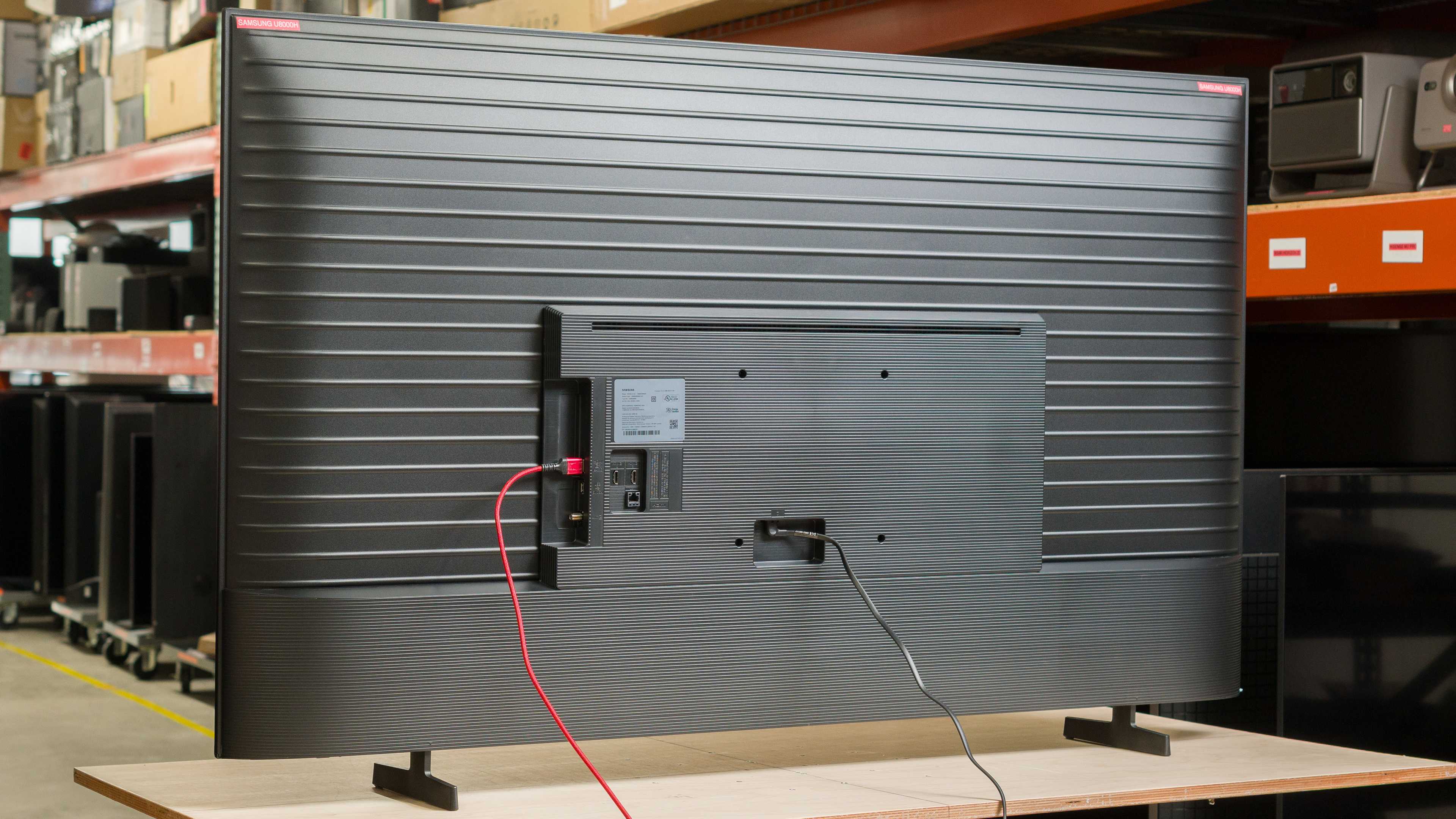
The Samsung U8000H has a pretty basic design, but it looks better than many competing budget models. It has very thin bezels that don't stand out at all, but there's a bit of dead space between the side bezels and the first pixels.
for pictures & test results

The blade feet are very basic, but support the TV well. There's no alternate placement, either, so you can't adjust them to fit a variety of table sizes.
Footprint of the 65-inch stand: 39.4" x 8.7" x 2.8".
for pictures & test results

The inputs are housed in a central electronics box. Unfortunately, two of the inputs face straight out the back of the TV, making it very difficult to connect straight HDMI cables if the TV is wall-mounted. Unfortunately, there's nothing to help with cable management.


for pictures & test results

The Samsung U8000H has mediocre build quality. It's a very basic TV primarily made of plastic, and it feels pretty cheap.
for pictures & test results

The included remote is simpler than the one that comes with higher-end Samsung TVs. It uses AAA batteries instead of rechargeable ones, and it doesn't have a solar panel on the back to recharge them.
for pictures & test results

The Samsung U8000H ships with the 2026 version of Samsung's proprietary Tizen OS. The interface is a bit slow at times.
for pictures & test results

Like most TVs, there are ads on the home screen. You can't disable them completely, although you can turn off targeted ads.

for pictures & test results

- Remote control
- AAA batteries
- Power cable
- User guides
This TV was originally tested with firmware version 1203.
for pictures & test results

The Samsung U8000H has a sub-par frequency response. It can't get very loud, and dialogue is muddy and uneven at max volume. It also has barely any deep bass response, with no thump or rumble. Voices are clear and easy to understand at moderate listening levels, though.