The Hisense A6H is an entry-level 4k TV in Hisense's 2022 lineup, and it's the replacement for 2021's Hisense A6G. It's a budget model that sits below Hisense's ULED series, which starts with the Hisense U6/U6H, and above smaller budget models like the Hisense A4H. Although it supports HDMI Forum VRR for gaming, it's still limited to a 60Hz refresh rate and doesn't support HDMI 2.1 bandwidth. It runs the Google TV 11 smart interface, which is fast and easy to use, and has a great selection of apps, including all major streaming services. It's been replaced in 2023 by the Costco exclusive Hisense A6/A65K, which uses a VA panel instead and offers a much wider color gamut thanks to the inclusion of a PFS phosphor coating.
Our Verdict
The Hisense A6H is an okay TV for mixed usage. It's best suited for watching movies or TV shows in a moderately-lit room. It has a low contrast ratio, sub-par black uniformity, and no local dimming feature, so it's not a good choice for watching movies or HDR content in a dark room. It's okay for gaming, as it has low input lag and variable refresh rate support, but its response time is just okay, so there's a bit of noticeable blur behind fast-moving objects. Finally, it's great for use as a PC monitor thanks to its wide viewing angle, so the image remains uniform even if you're sitting close to it, and it supports chroma 4:4:4, which is important for clear text from a PC.
- Lower resolution content is upscaled well.
- Image doesn't degrade significantly at an angle.
- Great selection of streaming apps.
- Mediocre contrast.
- No local dimming.
- Not bright enough to overcome glare.
The Hisense A6H is a decent TV for watching shows, as long as you're not in a bright room. It has a wide viewing angle, which is great if you have a wide seating arrangement, as the image doesn't degrade much, even when sitting to the side. Sadly, it's not well-suited for a bright room, as it has poor peak brightness and just decent reflection handling, so it doesn't handle glare well. On the other hand, the built-in Google TV smart interface has a huge selection of streaming services, and the TV upscales lower-resolution content well, which is great if you have a bunch of TV shows on DVD.
- Lower resolution content is upscaled well.
- Image doesn't degrade significantly at an angle.
- Great selection of streaming apps.
- Not bright enough to overcome glare.
The Hisense A6H is a decent TV for watching sports, as long as you're not in a bright room. It has a wide viewing angle, which is great for a wide seating arrangement, as the image doesn't degrade much, even when sitting to the side. It has an okay response time, but fast-motion is a bit blurry. It's unfortunately not well-suited for a bright viewing environment, as it can't get bright enough to overcome glare, although it has decent reflection handling.
- Lower resolution content is upscaled well.
- Image doesn't degrade significantly at an angle.
- Great selection of streaming apps.
- Not bright enough to overcome glare.
- Relatively slow response time.
The Hisense A6H is an okay TV for gaming. It has superbly low input lag, ensuring your actions are in sync with what you see on the screen, and it supports HDMI Forum variable refresh rate technology (VRR), which helps reduce screen tearing. It has an okay response time, but there's a bit of blur behind fast-moving objects. Sadly, it's limited to a 60Hz refresh rate, so it's not ideal for PS5 or Xbox Series X gamers, as it doesn't support 4k @ 120Hz high refresh rate gaming.
- Low input lag.
- No local dimming.
- Sub-par black uniformity.
- Relatively slow response time.
The Hisense A6H is a sub-par choice for watching HDR movies in a dark room. It has a mediocre contrast ratio, sub-par black uniformity, and no local dimming feature, so blacks look gray and patchy in a dark room. It also has bad peak brightness in HDR, so bright highlights don't stand out. It has an okay color gamut in HDR, but it can't display a wide color gamut and has disappointing color volume, so HDR content looks dull overall.
- Very little stutter.
- Mediocre contrast.
- Bad HDR peak brightness.
- No local dimming.
- Sub-par black uniformity.
The Hisense A6H is okay for gaming in HDR. It has low input lag and support for HDMI Forum variable refresh rate technology, ensuring a responsive, nearly tear-free gaming experience. It has just an okay response time, though, with more blur than high-end TVs. It doesn't look very good in a dark room, as it has mediocre contrast, sub-par black uniformity, and no local dimming feature to improve either of them. Finally, it can't get very bright in HDR and has disappointing HDR color volume, so HDR content looks dull.
- Low input lag.
- Mediocre contrast.
- Bad HDR peak brightness.
- No local dimming.
- Sub-par black uniformity.
- Relatively slow response time.
The Hisense A6H is a great TV for use as a PC monitor. It has a great viewing angle and good uniformity, ensuring the screen remains uniform, even at the sides, when you're sitting close to the TV. It supports chroma 4:4:4, which is essential for clear text from a PC. It has very low input lag, ensuring a smooth desktop experience, but it has just an okay response time, so there's noticeable blur behind fast-moving objects. It has decent reflection handling, but due to its poor peak brightness, it's not well-suited for bright viewing environments.
- Image doesn't degrade significantly at an angle.
- Low input lag.
- Chroma 4:4:4 is displayed properly for clear text.
- Relatively slow response time.
Changelog
-
Updated Nov 19, 2024:
Unfortunately, the backlight has completely failed, and this TV has been removed from the Accelerated Longevity Test.
-
Updated Oct 30, 2024:
We bought and tested the Hisense A6N and added a mention in the Contrast section.
- Updated Sep 11, 2024: We uploaded the latest brightness measurements and uniformity photos for the Accelerated Longevity Test.
- Updated Jul 17, 2024: We uploaded the latest brightness measurements and uniformity photos for the Accelerated Longevity Test.
Check Price
Differences Between Sizes And Variants
We tested the 65-inch Hisense A6H, and our results are also valid for the 43-inch, 55-inch, and 75-inch models. The 50-inch model is slightly different, as it uses a different panel type from the 65-inch we've tested. This results in much better contrast and dark room performance but a worse viewing angle. There are also minor differences in the inputs between the 43, 50, and 55-inch models and the 65 and 75-inch models. The smaller sizes have three HDMI inputs, but they have a full-sized composite input with dedicated audio and video ports. The larger sizes have four HDMI ports but require an adapter for composite inputs, which you can buy separately.
In Canada, this model is known as the Hisense A68H and also comes in a 58-inch model. There's also a minor variant known as the A65H, which is sold in a few stores. Both of these variants perform the same as the A6H.
| Size | US Model | Canada Model | Panel Type | HDMI Ports |
|---|---|---|---|---|
| 43" | Hisense 43A6H | 43A68H | IPS | 3 |
| 50" | Hisense 50A6H | 50A68H | VA | 3 |
| 55" | Hisense 55A6H | 55A68H | IPS | 3 |
| 58" | - | 58A68H | IPS | 3 |
| 65" | Hisense 65A6H | 65A68H | IPS | 4 |
| 75" | Hisense 75A6H | 75A68H | IPS | 4 |
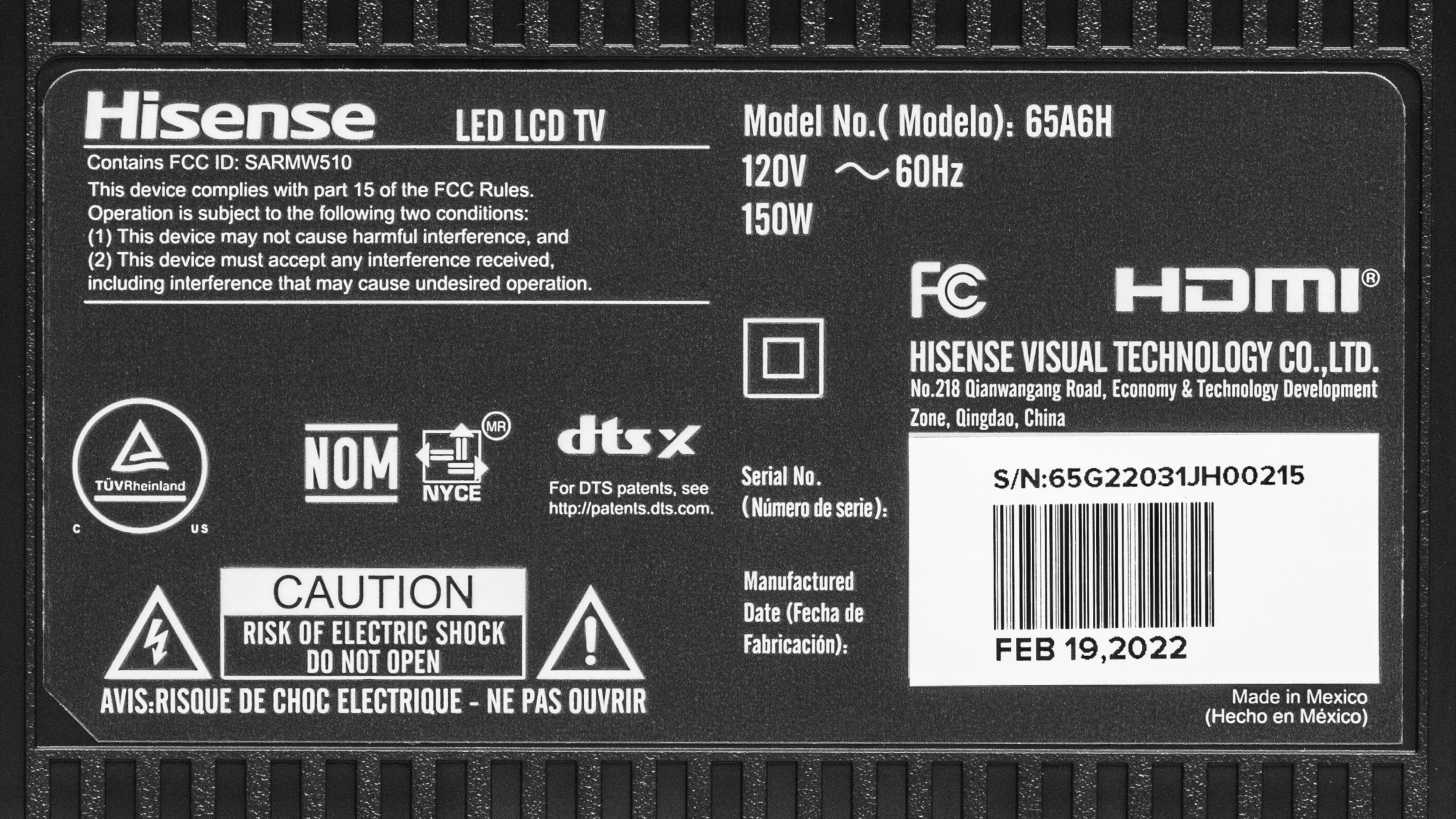
The unit we tested was manufactured in February 2022, and you can see the label here.
Popular TV Comparisons
The Hisense A65H is an okay budget TV, but it has limited features and disappointing picture quality, especially if you're in a dark room. It's an okay choice for a secondary display in a bedroom or office, but there are much better options available for about the same price.
See our recommendations for the best 4k TVs, the best 55-inch TVs, and the best 4k gaming TVs.
The Hisense A6H and Toshiba C350 Series 2023 are very similar TVs overall and are of similar quality. They both have terrible contrast, but the Toshiba's is a bit better overall. The Toshiba also gets a bit brighter, so it looks better than the Hisense in any brightness setting. The Hisense has better upscaling capabilities, so it's better at cleaning up low-resolution content, and it can remove 24p judder from more sources than the Toshiba, making it a bit better for watching low-resolution movies or TV shows.
The Hisense U6G is significantly better than the Hisense A6H in almost every way. The U6G delivers much better picture quality, with deeper blacks and brighter highlights in HDR. The U6G looks much better in a bright room, thanks to its higher peak brightness and better reflection handling. HDR looks better thanks to its decent full-array local dimming feature and higher HDR brightness, so bright highlights stand out and look closer to the content creator's intent.
The Samsung TU7000 is slightly better than the Hisense A6H for most users. The Samsung has a much higher contrast ratio, resulting in deeper blacks in a dark room and better uniformity. On the other hand, the Hisense has a wider viewing angle, so it's a slightly better choice if you always watch TV with the lights on and have a wide seating arrangement.
The Hisense A65K is significantly better than its predecessor, the Hisense A6H. The A65K looks better in dark rooms thanks to its significantly higher contrast ratio and better black uniformity. It's also a lot brighter in both SDR and HDR, so it can handle more glare in a bright room. Finally, the A65K has a much wider color gamut and supports more advanced gaming features like VRR.

We buy and test dozens of TVs yearly, taking an objective, data-driven approach to deliver results you can trust. Our testing process is complex, with hundreds of individual tests that take over a week to complete. Most of our tests use specially designed test patterns that mimic real content, but we also use the same sources you have at home to ensure our results match the real-world experience. We use two main tools for our testing: a Colorimetry Research CR-100 colorimeter and a CR-250 spectroradiometer.
Test Results
Older Test Bench: We tested this product using an older TV test methodology before a major update. Some of the test results below aren't directly comparable with other TVs. Learn more
for pictures & test results

The TV has a surprisingly premium design for a budget TV, with very thin bezels on three sides and a matte grey finish.
for pictures & test results
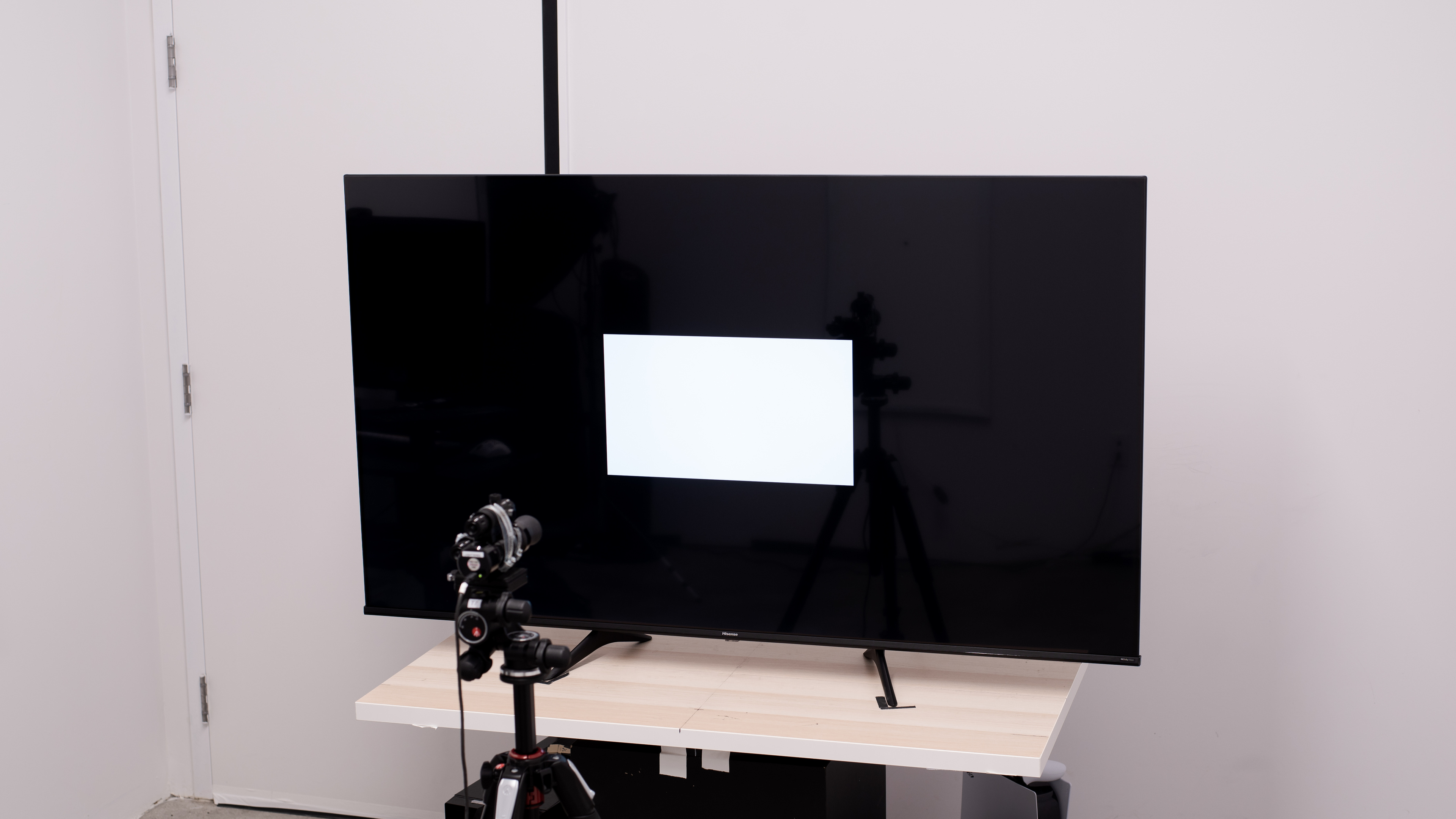
Unfortunately, the backlight on our Hisense A6H completely failed just before the Month 22 data collection cycle. It's been removed from the test.
for pictures & test results

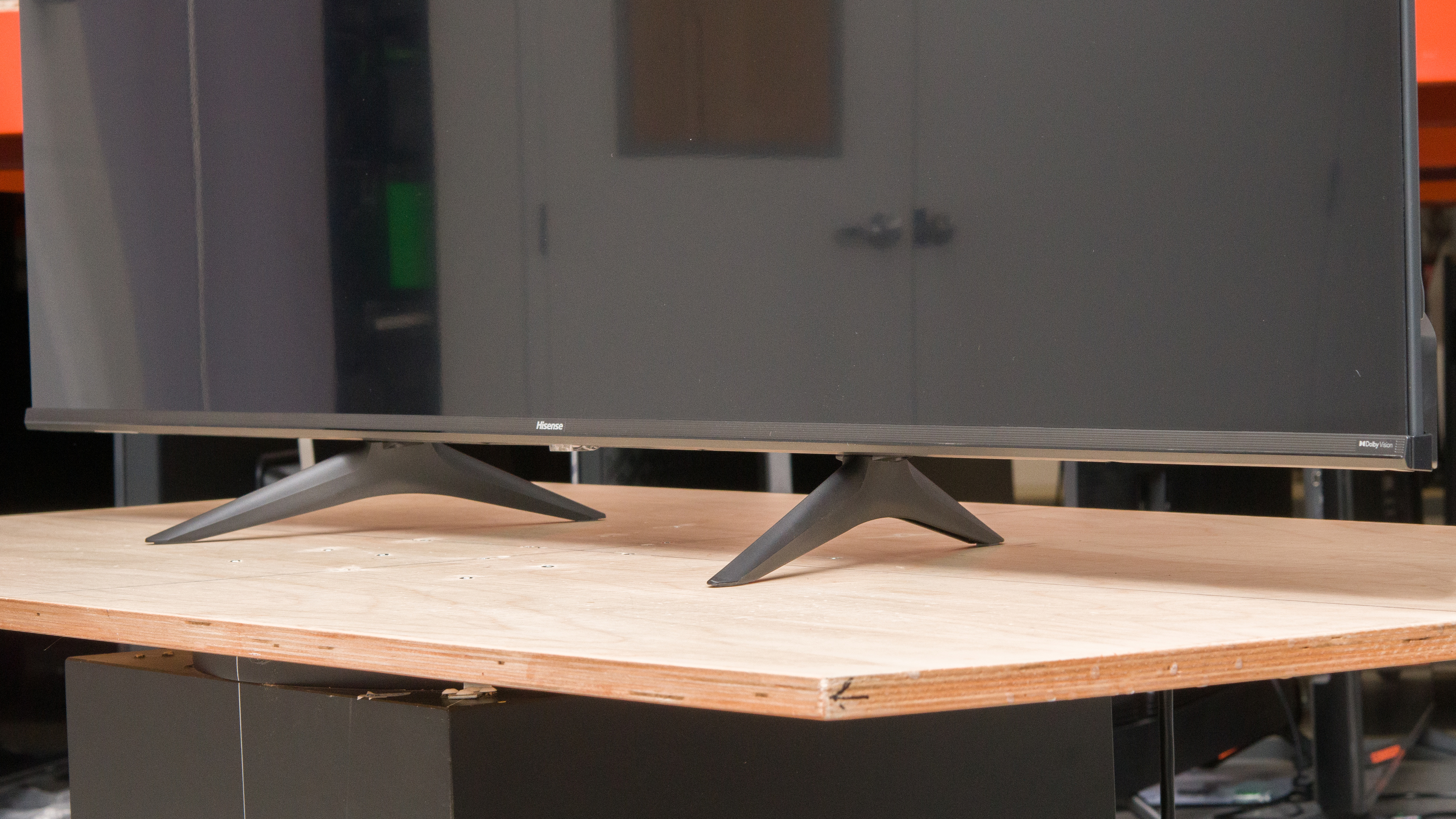
The V-shaped feet are nearly identical to the Hisense A6G. The feet are wide-set, but the 65 and 75-inch models have an alternate position for the feet that takes up less space. The 43, 50, and 55-inch models can only be set up as seen in the picture above, with the feet in the wide position.
Footprint of the 65-inch model as shown: 50.1" x 12".
The alternate position, as shown here, has a footprint of 25.5" x 12". Regardless of which configuration you choose, the TV sits 3.1 inches above the table, so most soundbars fit in front of it without blocking the screen.
for pictures & test results

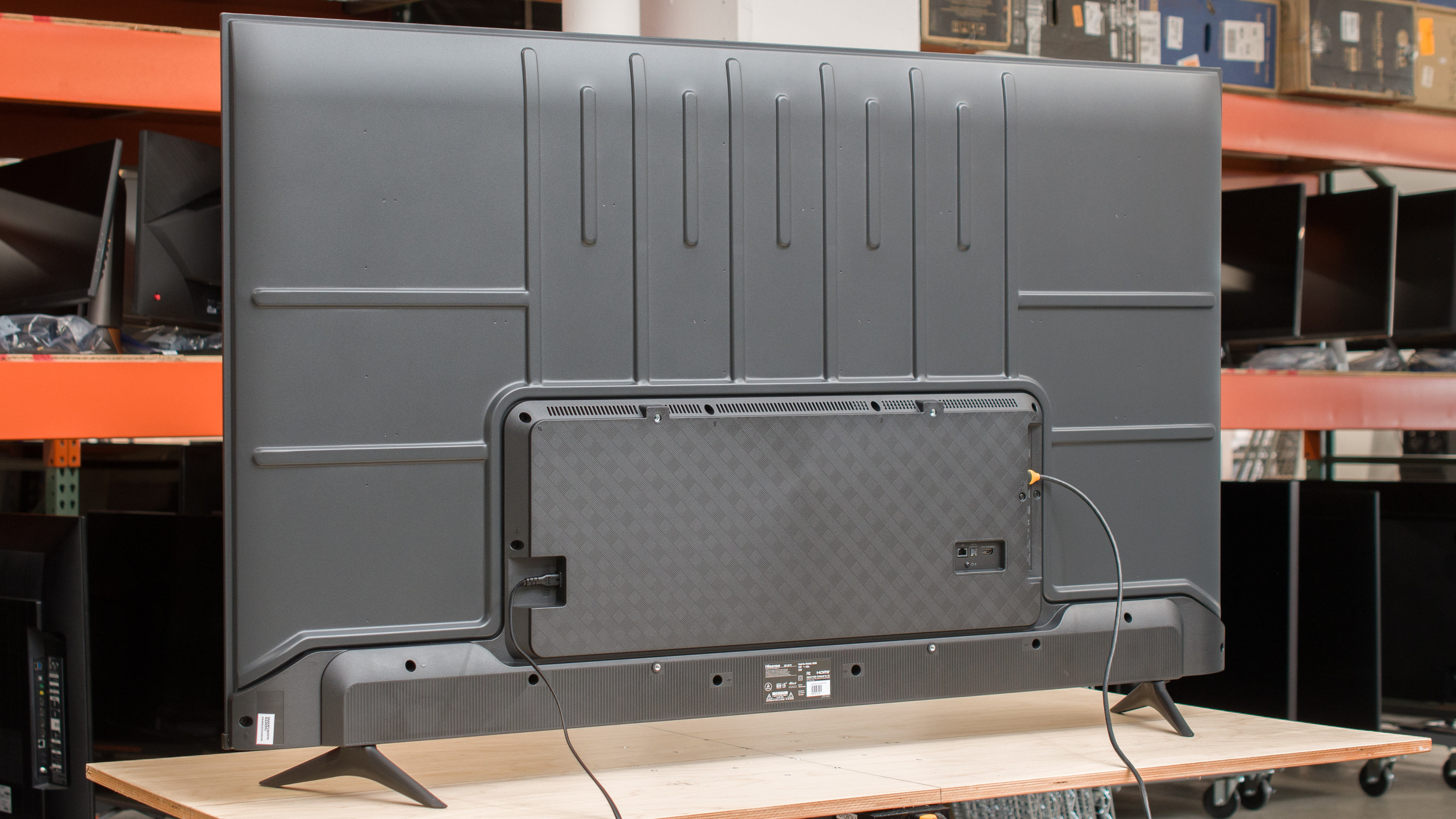
The inputs are housed in a central electronics box, so they're difficult to access if you wall-mount the TV. Sadly, there isn't much in the way of cable management.


for pictures & test results

Overall, the TV has decent build quality. There's a lot of flex on the plastic electronics box that is on the back of the TV, but it doesn't cause any issues. The plastic piece that makes up the front bottom border is a bit flimsy, but again, it's not worrying.
for pictures & test results

The Hisense A65H has a mediocre contrast ratio, so blacks look gray in a dark room. Sadly, there's no local dimming feature, so it can't produce deep blacks in brighter scenes. Note that the 50-inch model has much better contrast, so it has deeper and inkier blacks in a dark room. If you prefer something that has a high contrast on all its models, consider the Vizio M6 Series Quantum 2022 or the newer equivalent to this model, the Hisense A6N.
for pictures & test results

This TV doesn't have a local dimming feature, so there's no blooming around bright objects or subtitles in dark scenes. But as the TV can't brighten highlights without impacting the rest of the image, dark scenes look washed out.
for videos & test results

This TV doesn't have a local dimming feature, so it can't adjust the backlight of individual zones to brighten up highlights without impacting the rest of the image. But this means that there's no distracting flicker or brightness changes as bright highlights move between zones.



for pictures & test results

for pictures & test results

for pictures & test results

Unfortunately, the TV has bad peak brightness in HDR. It doesn't get bright enough to deliver a true cinematic HDR experience, as bright highlights don't stand out nor look very realistic.
These measurements are after calibrating the HDR white point with the following settings:
- Picture Mode: HDR Theater
- Backlight: Max
- Color Temperature: Low
The 'HDR Standard' Picture Mode with the 'Medium' Color Temperature is a bit brighter, reaching a peak of 311 cd/m² with a 50% window, but it's not a noticeable difference.
for pictures & test results

for pictures & test results

for pictures & test results

Switching to Game Mode does not impact the TV's HDR peak brightness: it's still bad overall.
These measurements are after calibrating the HDR white point with the following settings:
- Picture Mode: HDR Game
- Backlight: Max
- Color Temperature: Low
for pictures & test results

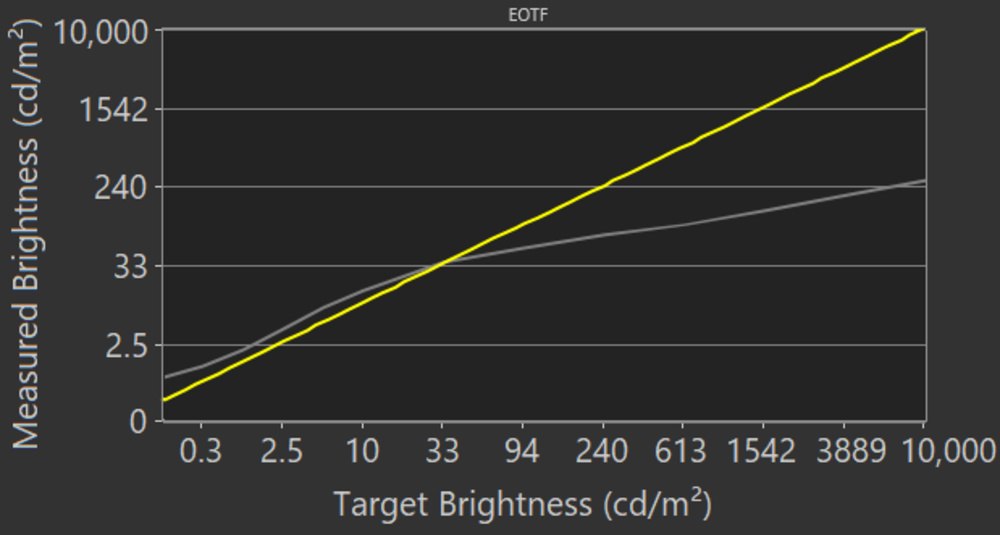
The TV has decent PQ EOTF Tracking. Dark scenes are over-brightened, and everything above about 30 cd/m² is way too dark, as the TV rolls the peak brightness off to try and preserve details. Unfortunately, 'FILMMAKER MODE' has the same issues and doesn't track the EOTF well, either.
Unfortunately, the TV has poor peak brightness in SDR. It's bright enough to handle a moderate amount of natural light, but it's a bad choice for a bright room, as it can't get bright enough to overcome glare. There's no variation in brightness with different scenes, though, which is great. If you'd prefer a brighter TV, check out the Toshiba C350 Series 2023.
These measurements are after calibration with the following settings:
- Picture Mode:: Theater Night
- Backlight: Max
Changing the Picture Mode to 'Standard' and setting the Color Temperature to 'Medium' results in a much brighter image, reaching a peak of 315 cd/m² with a 25% window, but it's not as accurate.
for pictures & test results

for pictures & test results

The TV has an okay HDR color gamut but can't display a wide color gamut for HDR content. It has very good coverage of the more commonly used DCI-P3 color space but can't display the full range of reds or greens. It's significantly worse than this TV's successor, the Hisense A6/A65K, which uses a PFS phosphor coating to achieve a much wider color gamut.
for pictures & test results

for pictures & test results

The Hisense A65H Series has disappointing color volume. It's limited by the narrow color gamut, and due to the low contrast ratio, it can't display dark saturated colors.
for pictures & test results

for pictures & test results

for pictures & test results

The Hisense A6H TV has excellent SDR accuracy out of the box. There are a few minor issues with the white balance and color accuracy, especially in saturated greens and reds, but it's not noticeable. The color temperature is very close to the 6500K target. Gamma is close to the 2.2 target we use for a moderately lit room, but dark scenes are over-brightened a bit.
for pictures & test results

for pictures & test results

for pictures & test results

Unfortunately, the Hisense A65H TV is very difficult to calibrate, and there's little benefit to it as the TV's accuracy is excellent pre-calibration, and calibration barely improves on it. The oversaturated greens and reds are toned down a bit, but other than that, not much has improved.
You can see our full calibration settings here.
for pictures & test results

for pictures & test results

The TV has good gray uniformity. The four sections of the screen near the corners are noticeably darker than the center, which is distracting when watching sports or anything displaying large areas of a uniform color. Near-dark scenes are significantly better, but there's still some slight cloudiness and backlight bleed.
for pictures & test results

The TV has sub-par black uniformity. The screen is cloudy throughout due to the low contrast ratio, and there's noticeable backlight bleed in multiple spots. Sadly, there's no local dimming feature to improve it. The 50-inch model has much better black uniformity thanks to its VA-type panel and higher native contrast.
for videos & test results

for pictures & test results

for pictures & test results

for pictures & test results

The Hisense A65H has a great viewing angle, which is great if you have a wide seating arrangement or like to move around with the TV on. The image fades if you're at a moderate angle, but there's very little shift in color accuracy, and it looks better at an angle than the LG NANO75 2022.
for pictures & test results

for pictures & test results

for pictures & test results

The TV has decent reflection handling. The semi-gloss coating reduces the intensity of direct reflections a bit. Sadly, since this TV can't get very bright after calibration, it's not recommended for a bright room, as it can't get bright enough to overcome glare despite the decent anti-reflective coating.
for pictures & test results

The TV has decent gradient handling. There's noticeable banding in areas of similar color, and it's especially noticeable in dark greens, grays, reds, and blues. Unfortunately, there's no Smooth Gradation feature to smooth out banding, and the two noise reduction features don't help to improve this.
for pictures & test results

Unfortunately, this TV's processing with low-quality content is limited. It doesn't smooth out macro-blocking and pixelization well at all.
for pictures & test results

The TV has good sharpness processing. Fine details in upscaled content are preserved well, and fine lines are straight and detailed without oversharpening. These results are with Sharpness set to '10'.
for pictures & test results

Most sizes of the Hisense A65H use a standard RGB subpixel layout. The 50-inch model has a BGR subpixel layout. It's only important if you're planning on using the TV as a PC monitor, as the more common BGR subpixel layout reduces text clarity. You can read more about this here.
for pictures & test results

for pictures & test results

The TV has an okay response time. Most transitions are slow, resulting in more noticeable motion blur, but there's almost no overshoot, which is great. Unfortunately, the low-frequency backlight flicker causes a noticeable image duplication.
for pictures & test results

Unfortunately, the backlight flickers at a low frequency with anything below the max backlight setting. This flicker causes a noticeable image duplication, and it can cause headaches and eye strain if you're sensitive to flicker. Luckily, as this TV is dim, you can run it at its max backlight setting to avoid this.
There's no backlight-strobing feature, commonly known as black frame insertion, on the Hisense A6. It always flickers at a fixed frequency unless you have the backlight at max. This low-frequency flicker acts similarly to a BFI feature and helps reduce persistence blur, but it also causes a noticeable image duplication.
for pictures & test results

The Hisense 65A65H has an optional motion interpolation feature to improve the appearance of motion. It has limited processing capabilities, as expected for a budget model. It smooths out motion a bit in relatively slow action scenes, but in fast scenes, there are noticeable artifacts. In really busy scenes, it'll stop trying to interpolate, which is distracting due to the sudden change in frame rate.
Thanks to this TV's relatively slow response time, there's relatively little stutter when watching movies or other low frame rate content. It's still noticeable a bit in slow panning shots, but it's good overall.
The TV automatically removes judder from 24p sources like a Blu-ray player or streaming device with a Match Frame Rate feature, like an Apple TV, as well as from the native apps. It does so automatically, so you don't have to enable the motion interpolation feature to enjoy a judder-free movie experience. Sadly, like most TVs with 60Hz panels, it can't remove judder from 60Hz sources like most cable boxes.
The Hisense A65H supports a variable refresh rate feature, which is great for gaming. However, it's only compatible with the HDMI Forum VRR implementation. The refresh rate range is narrow, so its usefulness is limited. It doesn't support low framerate compensation, so you'll see tearing if your game's frame rate drops below 48Hz.
The TV has superbly low input lag, resulting in a very responsive gaming or desktop experience if you're using it as a PC monitor.
The TV supports most common resolutions, but only at 60Hz. 1440p is supported, but you have to force it either through a custom resolution on a PC or by manually setting the resolution on some game consoles. Chroma 4:4:4 is displayed properly with all supported formats, which is essential for clear text if you're using it as a PC monitor.
for pictures & test results

Unfortunately, the TV can't take full advantage of the PS5 due to its limited 60Hz refresh rate and lack of HDMI 2.1 bandwidth. As such, it's best suited for gamers who prefer the 'Graphics' preset in their games and not competitive gamers who prefer 'Performance' presets with higher frame rates. VRR works well with the PS5 as the TV supports HDMI Forum VRR.
for pictures & test results

The TV can't take full advantage of the Xbox Series S|X consoles due to its limited 60Hz refresh rate and lack of HDMI 2.1 bandwidth. This makes it a better choice for more casual gamers who prefer immersive graphics over higher frame rates. VRR works well as the TV supports HDMI Forum VRR.
Unlike the higher-end Hisense ULED TVs, like the Hisense U7H or Hisense U8/U8H, this TV has no HDMI 2.1 bandwidth ports. Unfortunately, it doesn't support ATSC 3.0, so you can't stream 4k channels over the air with an antenna.


The 43, 50, and 55-inch models only have three HDMI inputs, but they gain a full composite input, while the 65 and 75-inch models require an adapter for composite inputs (sold separately).
The Hisense A6H supports eARC, allowing you to pass high-quality, uncompressed audio to a compatible receiver through an HDMI cable.
for pictures & test results

Unfortunately, the TV has a disappointing frequency response. The low-frequency extension (LFE) is very high, and there's almost no low bass response. The frequency response isn't well balanced above the LFE, either, so dialogue is a bit muddy, and there's no room correction feature. On the plus side, it gets loud, and there's just a bit of compression at max volume.
for pictures & test results

The Hisense A6H has very little distortion; even at max volume, it's not noticeable.
for pictures & test results

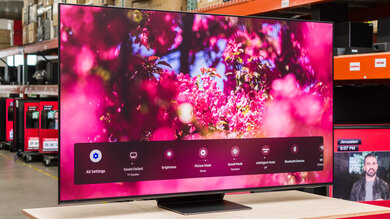
The TV is one of the first TVs on the market to run the updated Google TV 11 smart interface. It's very similar to previous Google TV versions, with a slightly refined interface and a few new accessibility features. It's fast and fairly easy to use.
for pictures & test results

Unfortunately, like most TVs, there are ads throughout the interface. You can opt out of suggested content, which is great, and you can limit ad-tracking, but this just limits the type of ads you'll see, not the number of ads.
for pictures & test results

The Google Play Store has a great selection of streaming apps, and all major streaming services are available.
for pictures & test results

The TV's remote is pretty simple, with no number buttons and six sponsored buttons that vary between regions. It has a built-in mic for voice control, and you can use voice commands to change inputs or launch apps, but you can't use it to change settings on the TV.
for pictures & test results

A button below the TV's branding is used to turn the TV on/off or change inputs.
for pictures & test results

- Remote
- 2x AAA batteries
- Power cable
- User manual