
Our Verdict
Decent TV for mixed usage. The NU7100 is best suited for dark room viewing, as the screen is ineffective at overcoming glare. It has a great low input lag perfect for gaming, but poor color volume and a limited color gamut, so HDR content doesn't pop as it should. Unfortunately, the viewing angles aren't very wide.
- Excellent low input lag.
- Good uniformity.
- Limited HDR capabilities.
- Picture quality degrades when viewed at an angle.
The NU7100 is decent for watching movies. It has incredible dark room performance thanks to its amazing contrast ratio and outstanding black uniformity, but unfortunately, there's no local dimming feature to further darken any scenes. The gray uniformity is good too, so fast-moving content looks good, but sadly it can't remove judder from lower frame rate content.
Okay for watching TV shows. The NU7100 has okay reflection handling and decent peak brightness, so it performs well in average-lit rooms. Unfortunately, the viewing angles are quite poor, so the image loses accuracy when viewed from the side. On the upside, it displays 720p content, such as from a cable box, well with no obvious artifacts.
Decent TV for sports. The NU7100 55" has minor dirty screen effect, but it shouldn't be too noticeable. Decent motion handling, but some people might notice some persistence with fast motion.
Great TV for gaming, mainly due to the exceptionally low input lag. The NU7100 has a decent response time, but faster games might suffer from some motion blur.
The NU7100 is decent for watching movies in HDR. It isn't very bright and is best suited for dark room viewing. It has a limited color gamut and poor color volume so HDR content won't pop as much as the content creators intended.
The NU7100 is good for HDR gaming. It has excellent low input lag and a decent response time. It isn't very bright and has a limited color gamut and volume so HDR games don't pop as much as they should.
The NU7100 is good for use as a PC Monitor. It has exceptionally low input lag and chroma 4:4:4 is properly supported. Unfortunately, the viewing angle isn't very wide.
Changelog
- Updated May 21, 2020: Converted to Test Bench 1.5.
- Updated Feb 21, 2020: Converted to Test Bench 1.4.
- Updated Feb 28, 2019: Converted to Test Bench 1.3.
- Updated Jun 15, 2018: The TV's picture settings have been reset and the contrast ratio has been remeasured at a higher value of 5397:1. It is likely that the calibration raised black levels slightly, reducing the native contrast ratio. The new measurement is in-line with other Samsung TVs like the NU7300.
Check Price
Differences Between Sizes And Variants
We tested the 55" (UN55NU7100) version FA01. For the most part, we expect our review to be valid for the other sizes of this model.
If someone comes across a different type of panel or if their Samsung NU7100 doesn't correspond to our review, let us know and we will update the review.
| Size | Model | US | UK | Europe |
| 40" | UN40NU7100 | UN40NU7100FXZA | UE40NU7120KXXU | UE40NU7190UXZG |
| 43" | UN43NU7100 | UN43NU7100FXZA | UE43NU7120KXXU | UE43NU7190UXZG |
| 49" | UN49NU7100 | N/A | UE49NU7100KXXU | UE49NU7170UXZG |
| 50" | UN50NU7100 | UN50NU7100FXZA | N/A | N/A |
| 55" | UN55NU7100 | UN55NU7100FXZA | UE55NU7100KXXU | UE55NU7170UXZG |
| 65" | UN65NU7100 | UN65NU7100FXZA | UE65NU7100KXXU | UE65NU7170UXZG |
| 75" | UN75NU7100 | UN75NU7100FXZA | UE75NU7100KXXU | UE75NU7170UXZG |
Update 09/24/2018: We found the TV under a different model name, NU7200, at Walmart. We expect the TV to perform the same. If someone comes across any differences, let us know and we'll update the review.
Update 01/03/2019: We have received a report that at least one of the 43" variants is available in VA and IPS variants. At least version 03 of the UE43NU7120 has an IPS panel, as shown by this user-submitted image.
Update 01/25/2019: We have received a second confirmation of a 43" NU7170 with an IPS panel. The unit was purchased in Russia, and the panel is listed as version BC07.
Popular TV Comparisons

The Samsung NU7100 is a versatile entry-level 4k TV with decent picture quality. There are better TVs out there in the same price range. Check our recommendations for the best smart TVs and the best cheap TVs.
The Samsung MU8000 is a better TV than the Samsung NU7100. The Samsung MU8000 has much better motion handling as it has a judder removal feature and better response time which is great for movies and video games and has better local dimming which improves blacks and picture quality when you watch a movie in a dark room. On the other hand, the Samsung NU7100 has somewhat better black uniformity which is good when watching HDR movies and a bit better input lag when sent 4k @ 60Hz + HDR signal for HDR gaming.
The Samsung NU7100 and the Samsung RU7100 both have very similar performance. The RU7100 has a slightly faster response time which is great if you watch sports, and a much lower input lag which is great for those who play video games. The NU7100, on the other hand, can deliver more uniform blacks.
The Samsung NU8000 is much better than the Samsung NU7100. The NU8000 is much brighter with all types of content. Motion is smoother as it can remove 24p judder from almost all sources, and the faster response time means less motion blur. The NU8000 also has some advanced gaming features, including automatic low latency mode and support for a variable refresh rate.
The TCL S517 and the Samsung NU7100 both have very similar performance. The Samsung NU7100 has better black uniformity and a lower input lag, which is great if you play video games. The NU7100 also has a better gray uniformity, which is great if you watch a lot of sports. The TCL S517 can remove 24p judder from older content and has a wide color gamut that helps it display vivid colors.

We buy and test dozens of TVs yearly, taking an objective, data-driven approach to deliver results you can trust. Our testing process is complex, with hundreds of individual tests that take over a week to complete. Most of our tests use specially designed test patterns that mimic real content, but we also use the same sources you have at home to ensure our results match the real-world experience. We use two main tools for our testing: a Colorimetry Research CR-100 colorimeter and a CR-250 spectroradiometer.
Test Results
Older Test Bench: We tested this product using an older TV test methodology before a major update. Some of the test results below aren't directly comparable with other TVs. Learn more
for pictures & test results

The NU7100 has a fantastic style, similar to the higher-end Samsung NU8000, although it uses the same legs as the Samsung Q8FN/Q8/Q8F QLED 2018. It has a simple, modern design with a flat back so it doesn't stick out too much when wall-mounted.
for pictures & test results

The stand is modern and sturdy. It's wide enough to fit a soundbar in front.
Footprint of the 55" TV stand: 37.2" x 10.3"
for pictures & test results

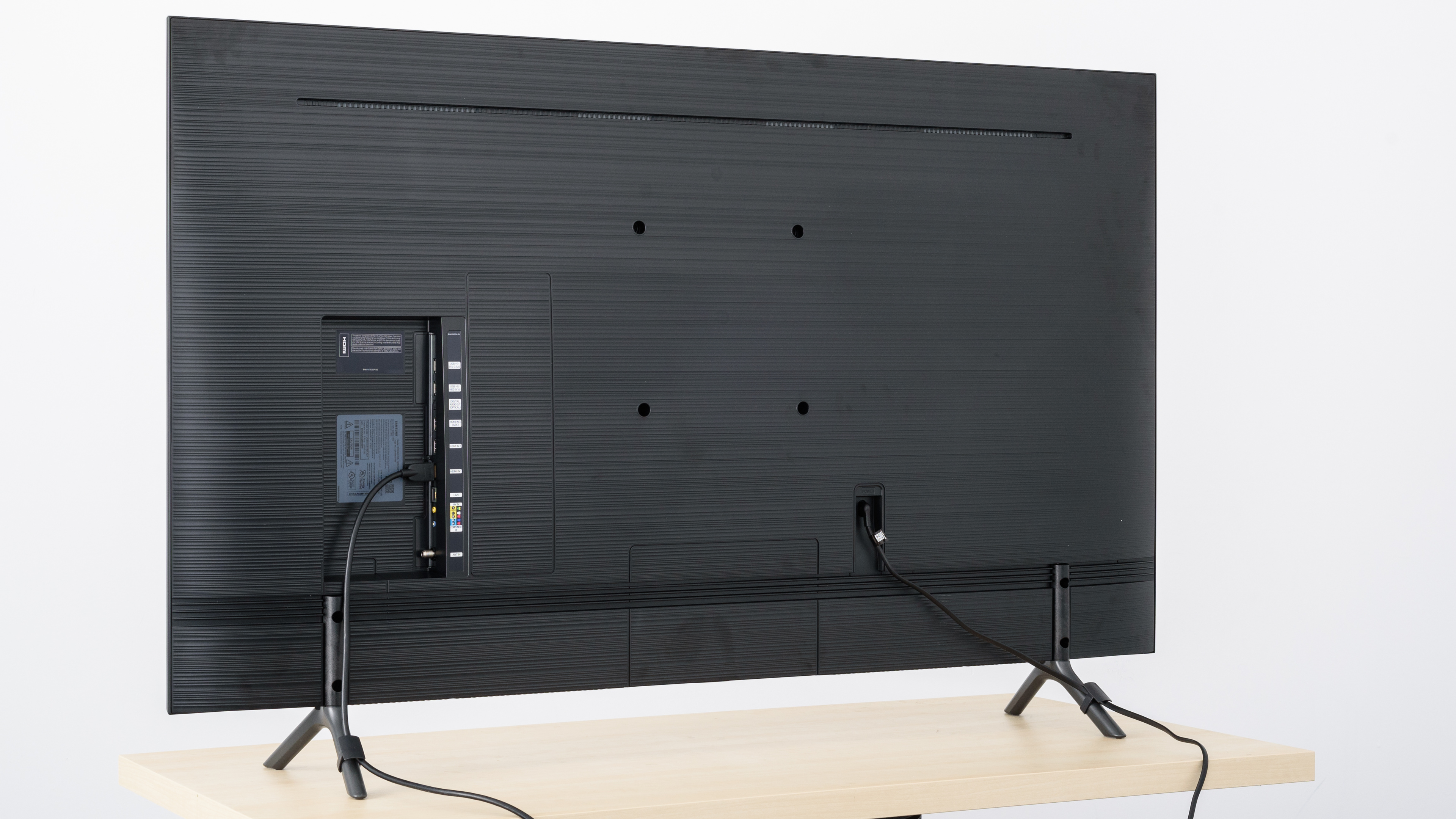
The back of the TV has the same textured finish found on the NU8000. There are a few cable management tracks that span the entire width of the back of the TV. The TV comes with two clips that attach to the stand legs to also assist with cable management.
for pictures & test results

The borders of the NU7100 55" are simple, with a textured plastic finish, and have average thickness.

for pictures & test results

The build quality is okay. It feels solid even though it's almost entirely made from plastic.
for pictures & test results

The contrast on the TV is great and in-line with other Samsung TVs like the NU7300. This is good for producing deep dark scenes.
Update 06/15/2018: We've reset the TV and retested the native contrast ratio, and it's a bit higher. The calibration likely raised the black levels slightly, lowering the previously measured contrast ratio.
for videos & test results

The NU7100 doesn't have a local dimming feature. The above video is provided for reference only.
Disappointing HDR peak brightness. It has trouble making small highlights bright, as seen in the 'HDR Peak 2% Window' test. Besides that, it remains fairly consistent across different content, although it's not very bright. This TV struggles to make highlights pop and display vivid colors. An IPS TV with similar HDR peak brightness is the LG UK6300.
for pictures & test results

for pictures & test results

The NU7100 55" has good gray uniformity. It's visibly darker around the edges of the screen but is a lot less dark in the center. This means there's no dirty screen effect, which will please most sports fans. The screen is much more uniform in darker scenes.
for videos & test results

for pictures & test results

for pictures & test results

for pictures & test results

This TV has a poor viewing angle, but it's better than 2017's MU6300. The black levels shift dramatically when viewing even slightly off-center.
for pictures & test results

The NU7100 has excellent black uniformity, similar to the 2017 MU6300 and is one of the best among the LED TVs we've tested. There aren't any clouding issues, and black looks very uniform. As a result, dark scenes in movies look great.



for pictures & test results

for pictures & test results

for pictures & test results

The NU7100 has okay out-of-box color accuracy, although some people may notice that most colors are still inaccurate. The gamma curve doesn't follow the target well and scenes will appear brighter than they should. The color temperature is slightly warmer than the target of 6500K, so most colors will have a red/yellow tint to them.
Update 04/12/2019: This TV was incorrectly measured with Brightness +2 instead of at 0. This only has a small impact on the results (slightly dimmer dark scenes below about 30 IRE), so we don't plan to retest it.
for pictures & test results

for pictures & test results

for pictures & test results

The color accuracy post-calibration is nearly perfect. The white balance dE and color dE both significantly improved from pre-calibration, so most colors appear as they should. The gamma curve follows the target well, although some dark scenes will be brighter than normal. The color temperature is only slightly off the target, but most people won't notice any red/yellow tint.
See our recommended settings here.
for pictures & test results

This TV displays older 480p content well, without any issues or obvious artifacts.
for pictures & test results

720p input is displayed properly without any obvious scaling artifacts.
for pictures & test results

1080p content, like from a non-4k Blu-ray or game console, is displayed well and looks almost as good as native 4k content.


for pictures & test results

for pictures & test results

for pictures & test results

The NU7100 only supports a standard color gamut and is best suited for SDR content. Like the 2017 MU6500, red and green fall quite short of their HDR targets.
The 'Movie' Picture mode is the most accurate, but it doesn't follow our PQ curve. The brightness rolls off gradually as the TV gets closer to its peak brightness. The PC and Game EOTFs are very similar to 'Movie', but also don't follow our target very closely.
for pictures & test results

for pictures & test results

Disappointing color volume, mainly due to the limited color gamut of the TV. It's unable to produce deep, dark colors, and it's limited in its ability to produce bright, saturated colors like those in a sunset or bright outdoor scene.
for pictures & test results

The TV displays our test pattern well, but in real-world tests, there are small points of banding in large areas of similar color.
for pictures & test results

There's no temporary image retention on the NU7100.
We don't expect the TV to experience burn-in, as the VA panel in our long-term test appears immune.
for pictures & test results

for pictures & test results

Decent response time. In dark scenes like our 20% test slide, the 100% transition is very slow and there's some motion trail.
It's slightly worse than the MU6300, and similar to the MU7000. While it isn't bad, competing TVs from other brands like the LG UK6300 offer better motion performance.
Most of the blur in the above photo is due to duplications caused by the backlight flicker.
Similar to the Q8FN, the flicker varies depending on settings.
for pictures & test results

This TV uses PWM to dim the backlight except when at 100%. It flickers at a high frequency (240Hz), but due to pwm at lower brightness levels, the flicker becomes more noticeable. It's an improvement over the MU6300 with its 120Hz flicker, but it's still not as good as the Sony X850F.
When Auto Motion Plus is enabled with the slider set to 0, the backlight flickers at 120Hz, as seen here. This creates a duplicated motion trail similar to when motion interpolation is enabled.
Similar to the Q8FN, the flicker varies depending on settings. There's almost no flicker in 'Movie' mode with the backlight at 100% and 'Auto Motion Plus' set to Custom.
for pictures & test results

for pictures & test results

There's an excellent black frame insertion feature to help reduce motion blur, which reduces flicker to 60Hz. To turn it on, you need to set Auto Motion Plus to 'Custom' and enable LED Clear Motion. The NU7100 can keep the flicker at 120Hz when in Game Mode, which can help with the appearance of motion. This is automatically enabled when in Game Mode.
Like the Q8FN, the flicker changes according to the settings.
for pictures & test results

The NU7100 can interpolate 30 fps content up to 60 fps. Known as the 'Soap Opera Effect,' this helps smooth out motion, but not everyone enjoys it.
By setting Auto Motion Plus to 'Custom' and adjusting the Judder Reduction to your liking, you can interpolate lower frame rate content. The frequency of the flicker depends on its settings.
The NU7100 is great at displaying content without stutter, even for low frame rate movies. The higher response time helps the transition between frames appear smoother.
The TV can't remove judder from 24 fps content played through a 60p/i cable box, or from native 24 fps content played from a Blu-ray. Most people aren't very sensitive to judder and won't see it.
The NU7100 doesn't support any of the variable refresh rate technologies like AMD's FreeSync. This was tested with an Xbox One S and with a Radeon RX 580.
Excellent low input lag. When Game mode is activated, the TV bypasses all processing. This is among the best input lags of any TV, better than the MU6300, and almost as good as the LG UK6300.
When the input label is set to PC, the input lag is automatically the lowest possible. There's no benefit to activating Game mode within PC mode.
It supports most of the common resolutions without any issues. It doesn't support 1440p.
4k @ 60Hz with 4:4:4 or 4:2:2 chroma is only supported when HDMI UHD Color is enabled from the External Device Manager settings menu.

The TV includes breakout adapters for a composite or component connection. There's a shared connection on these and as such, it's impossible to connect a component and composite connection at the same time.
Like other 2018 Samsung TVs, this TV doesn't support DTS passthrough. This shouldn't be an issue as most content has both. For the audio return channel to work, Anynet+ (HDMI-CEC) must be enabled from the settings menu.
The NU7100 doesn't support 5 GHz wifi.
for pictures & test results

The frequency response is about average. LFE (low-frequency extension) is at 80Hz, which is above average. This means this TV won't produce any thump or rumble but will have a decent amount of punch to its bass. The response above the LFE is quite flat and well-balanced, which results in clear and understandable dialogue. However, since it doesn't have a room correction system, it wasn't able to remove the modes of our test room around 200Hz. Additionally, this TV gets decently loud, but may not be loud enough for large and noisy environments.
for pictures & test results

There's a decent amount of distortion on the speakers of this TV. There's some noticeable total harmonic distortion (THD) at moderate listening levels, and it really increases when the TV is at its max volume.
for pictures & test results

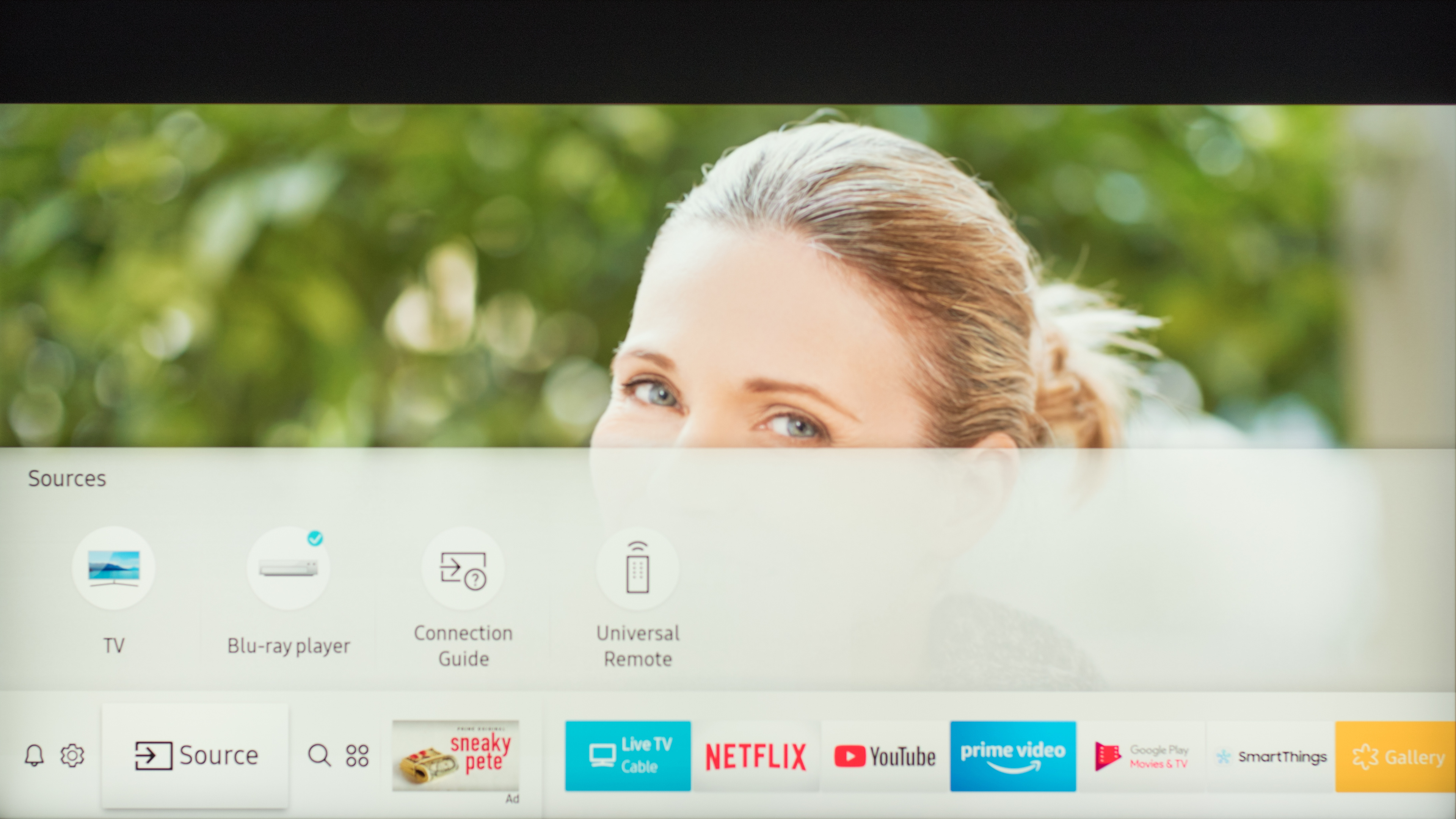
The interface is similar to that of the NU8000 but lacks some of the more advanced features, including the Bixby voice assistance. It's easy to navigate, with a simplistic but modern design.
On the NU7100, there are very few animations. The interface is generally smooth, without much lag. When using an external device, the interface remains fluid, but when accessing the menus from within an app it would lag at times.
Like all Samsung TVs, there are ads. There's no option to disable them or to opt-out of ad tracking. During our testing there were ads, but we were unable to take a picture of them. They appear similar to the ads seen on the NU8000
for pictures & test results

Fantastic apps and features on the Samsung NU7100. There are a ton of apps available on Samsung's App Store, with a few common ones already downloaded on the TV. Unfortunately, navigating through the menus isn't very smooth.
for pictures & test results

This Samsung comes with a very basic remote. The buttons cover most of the basic functions, including inputs, quick access to the settings menu, and a picture size button to control the upscaling options for lower-resolution content.




for pictures & test results

- Remote
- Batteries
- Quick Setup Guide
- User Manual
- Composite breakout cable
- Component breakout cable
- VESA spacers
- Power cable: 61.5"