
The Sony X950G is an impressive 4k TV with great picture quality. It can display deep blacks in a dark room thanks to the high native contrast ratio and full array local dimming support. It can get very bright and delivers great HDR performance full of bright, vivid highlights. It has excellent motion handling, due to a nearly-instantaneous response time that makes the image look crisp and leaves fast-moving objects with very little blur trail. The input lag is very low, which makes it an excellent choice for gamers that are looking for a very responsive TV. Unfortunately, just like most VA panels, it has narrow viewing angles and those seated on the side will not experience the same great picture quality.
We've tested the 55" model of the X950G, which doesn't incorporate the 'X-Wide Angle' technology; we expect the 75" and 85" to have better viewing angles at the expense of contrast ratio.
Our Verdict
The Sony X950G is a great TV for mixed usage. It's an all-around TV that delivers great performance with anything you throw at it. It has deep blacks that make movies look great, and fast response time so sports action looks crisp. You can enjoy it in any room regardless of brightness, as it can get very bright to fight glare, but it can also produce deep blacks in a dark room. Finally, it has a low input lag which makes it very responsive for gaming.
- Outstanding peak brightness.
- Amazing out-of-the-box color accuracy.
- Great motion handling.
- Poor viewing angles.
The Sony X950G is an impressive TV for watching movies. It can deliver deep blacks in a dark room thanks to the high native contrast ratio, great black uniformity, and local dimming support. Lower-resolution content is upscaled well with no visible artifacts, and the TV can remove judder from all 24p sources.
The Sony X950G is a great TV for watching TV shows. It can get very bright and can fight glare. At the same time, it has excellent reflection handling so you don't have to worry about the configuration of the lights in your room. The smart interface is great and will facilitate your navigation through the various TV options.
The Sony X950G is a very good TV for watching sports. Fast-moving scenes look great, with almost no blur trail, and there's very little dirty screen effect that can be distracting. However, it's not the best TV for watching a big game with a big group of people, as the viewing angles are rather poor, causing the image to look washed out. On the upside, this TV is well-suited for bright rooms due to its outstanding peak brightness and great reflection handling.
The Sony X950G is an excellent TV for playing video games. It has an exceptionally low input lag that makes gaming feel very responsive, and its fast response time keeps the picture looking clear, with minimal motion blur. Sadly, there's no support for FreeSync variable refresh rate and it doesn't have an 'Auto Low Latency Mode' either.
The X950G is an impressive TV for watching HDR movies. It delivers images with deep uniform blacks and rich colors. It can get very bright and can produce highlights that pop offering you a very good HDR movie experience, although it might not always reach the brightness levels intended by the content creator.
The X950G is an excellent TV for playing HDR games. Its high refresh rate, fast response time, and low input lag result in a smooth and responsive gaming experience, but there's no support for variable refresh rate technology. HDR games look amazing thanks to its wide color gamut and exceptional peak brightness, and the TV's high contrast ratio and impressive black uniformity make it a great TV for late-night gaming in the dark.
The X950G is an excellent TV for use as a monitor. It can display chroma 4:4:4 properly, which is important for text clarity, and there's no risk of permanent burn-in with static user interfaces. Its low input lag makes the desktop experience feel responsive, but viewing angles may be an issue if you want to do some co-op gaming or if you tend to sit fairly close to the screen.
Changelog
- Updated Jul 07, 2020: The operating system has been updated to Android 9.0.
- Updated Jun 25, 2020: We retested the input lag, and found that it's not affected by the game mode bug we found on the X800H.
- Updated May 21, 2020: Converted to Test Bench 1.5.
- Updated Feb 21, 2020: Converted to Test Bench 1.4.
Check Price
Differences Between Sizes And Variants
Update 05/25/2019: The XG90 has a 120Hz panel, not a 60Hz panel.
We tested the 55" Sony X950G (XBR55X950G), and for the most part, we expect our review to be valid for the 65" (XBR65X950G) as well. The 75'' (XBR75X950G) and the 85'' (XBR85X950G) models have Sony's new 'X-Wide Angle' technology, which improves viewing angles at the expense of lower contrast ratio. As we have not tested those models, we can not be sure how they perform in contrast and viewing angles, and our only insight comes from the results of the Sony Z9F, which incorporates this technology.
The European variant of the TV is also known as the XG9505, and we expect it to offer the same performance. There's also a 49" XG90 (XG9005 or KD-49XG9005) variant in Europe which we expect to have similar performance.
If someone comes across a different type of panel or if their Sony X950G doesn't correspond to our review, let us know and we will update the review. Note that some tests such as the gray uniformity may vary between individual units.
| Size | US Model | EU Model | 'X-Wide Angle' |
| 55" | XBR55X950G | KD-55XG9505 | No |
| 65" | XBR65X950G | KD-65XG9505 | No |
| 75" | XBR75X950G | KD-75XG9505 | Yes |
| 85" | XBR85X950G | KD-85XG9505 | Yes |
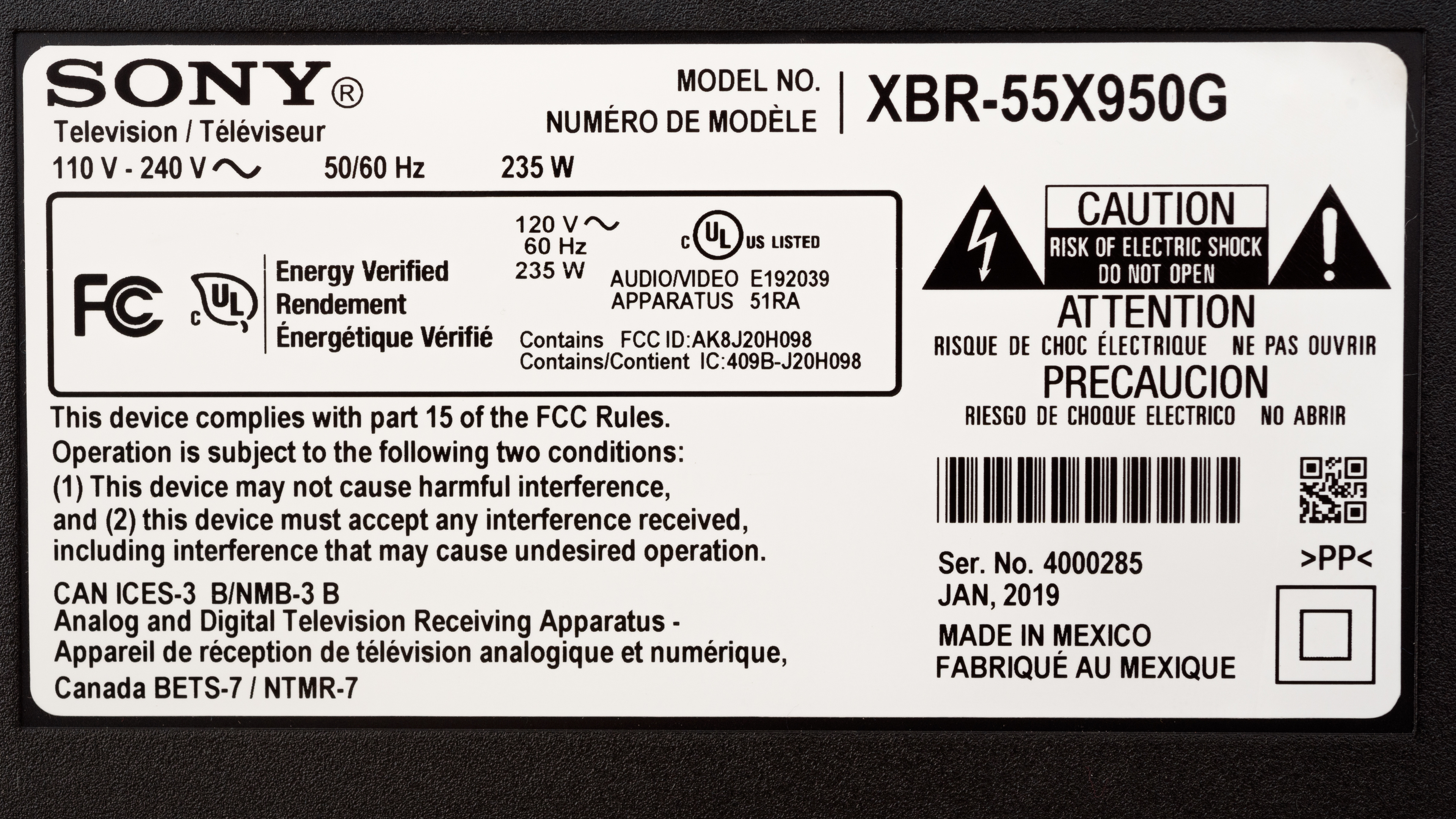
The 55" X950G we tested was manufactured in Jan. 2019.
Popular TV Comparisons

The Sony X950G is a great TV, with great picture quality and some welcomed improvements over the 2018 models. Compared to other TVs on the market, it has one of the best out-of-the-box color accuracy. For other options, see our recommendations for the best TVs, the best HDR gaming TVs, and the best smart TVs.
Overall, the Sony X950H is a little bit better than its predecessor, the Sony X950G. They have near-identical features and perform similarly when it comes to motion handling, but the X950H has a better color gamut, significantly better reflection handling, and its local dimming is also improved. That said, the X950G gets brighter and it's more color accurate out of the box. Black and gray uniformity are better on the X950H, although it could be due to manufacturing tolerances.
The Sony X950G and the LG SM9500 have different panels, each with their advantages and disadvantages. The Sony has a better dark room performance but the image loses accuracy if you move off-axis. The LG is better enjoyed in a dim or a bright room where blacks don't matter as much, but on the upside, the image remains accurate for wider angles off-center, so it can accommodate a much wider seating arrangement. The 75" and 85" Sony X950G have wider viewing angles at the expense of contrast ratio.
The Sony X95J is a bit better than the Sony X950G. The X95J has a much better local dimming feature and better viewing angles. It's also a bit better for gaming, as it supports HDMI 2.1 and has VRR support after a firmware update. The X950G, on the other hand, has better contrast and better black uniformity.
The Sony X900H and the Sony X950G have nearly identical overall performance. The X900H has better local dimming, better screen uniformity, and its input lag is lower. However, the X950G gets brighter in SDR and HDR, and it has much better reflection handling.

We buy and test dozens of TVs yearly, taking an objective, data-driven approach to deliver results you can trust. Our testing process is complex, with hundreds of individual tests that take over a week to complete. Most of our tests use specially designed test patterns that mimic real content, but we also use the same sources you have at home to ensure our results match the real-world experience. We use two main tools for our testing: a Colorimetry Research CR-100 colorimeter and a CR-250 spectroradiometer.
Test Results
Older Test Bench: This product has been tested using an older TV test methodology, before amajor update. Some of the test results below aren't directly comparable with other TVs. Learn more
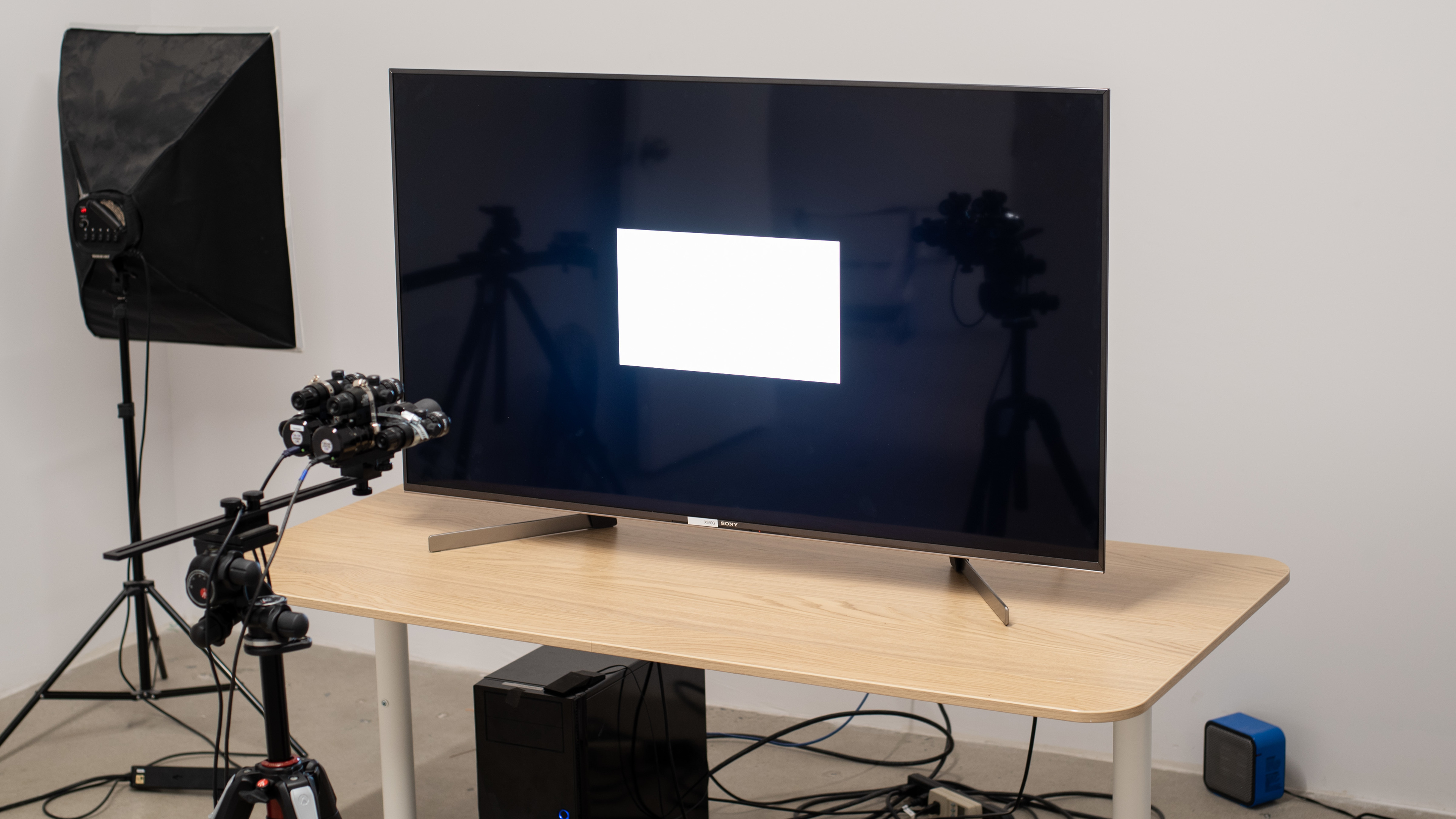
The Sony X950G is an upper mid-range TV, and a small upgrade to last year's very popular X900F. In Sony's lineup, it sits between the X900F and the high-end Sony Z9F and Sony A8G. The X950G's chief competitors are the Samsung Q70R, the LG SM9000, and the Vizio P Series Quantum 2019.
for pictures & test results

The Sony X950G has an excellent design. It has an understated aesthetic, with thin bezels and a plain-looking stand. The stand is fairly large and extends to the front of the TV, so you'll need a larger table if you also have a soundbar.
for pictures & test results

Update 06/21/2019: A reader has informed us that the legs on the 85" model are reversible.
The stand is a mix of metal and plastic, and the backs of the legs are hollow, which serve as cable management. With the exception of the 85" model, the legs aren't reversible. The TV is well-supported and there's almost no wobble at all.
Footprint of the 55" TV stand: 40.0’’ x 10.6’’
for pictures & test results

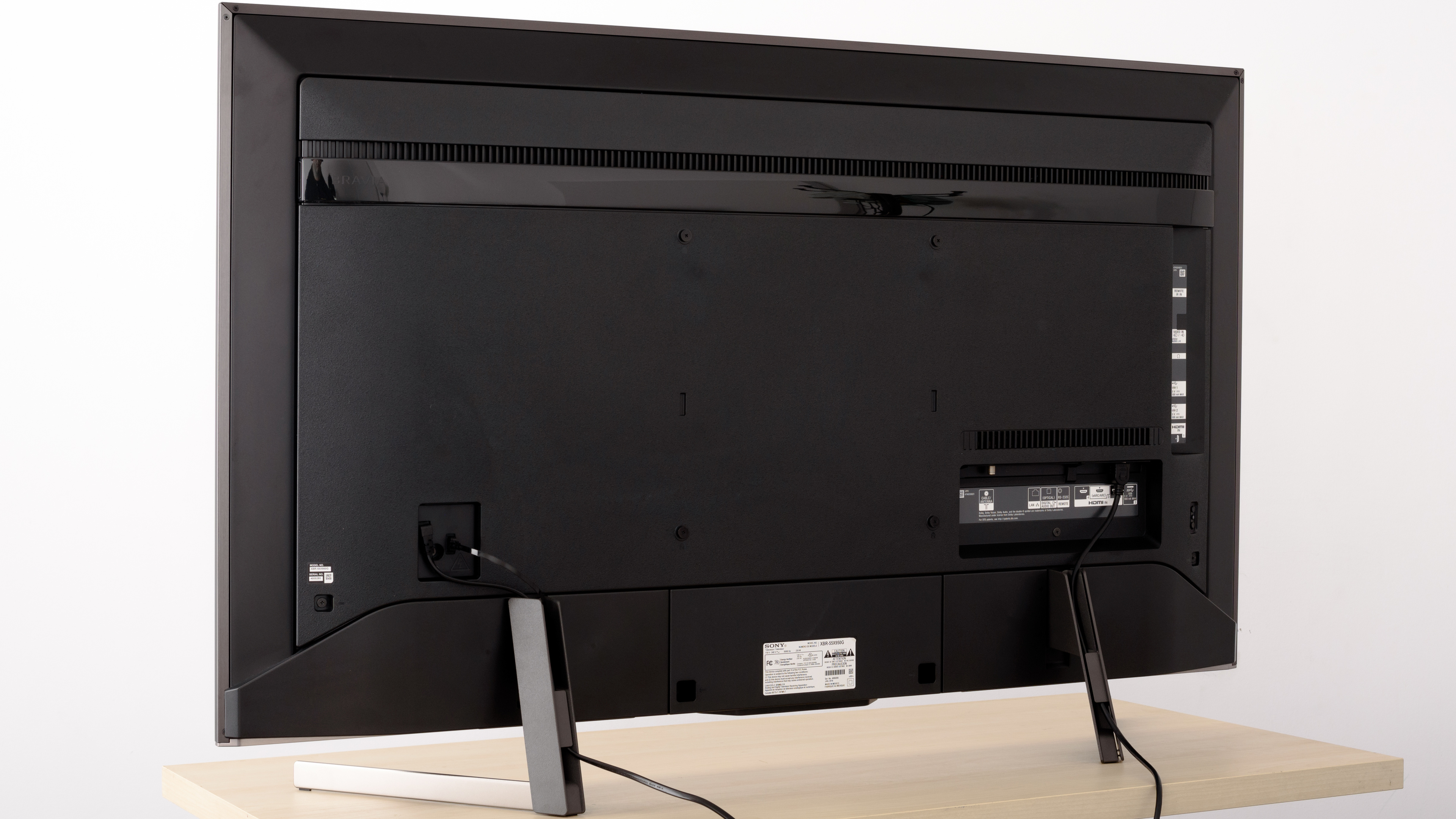
The back of the TV is mainly plastic. There are downward-facing as well as side-facing ports. The downward-facing ports may be difficult to reach if you wall-mount the TV. There's cable management built into the back of the stand.
for pictures & test results

The X950G has very thin bezels. They're plain and don't stand out much.
for pictures & test results

The Sony XBR55X950G has an average uniform thickness. It won't protrude much if wall-mounted.
for pictures & test results

The build quality is great. The TV is solid without any gaps or loose ends. It feels very robust and sturdy, and we don't expect any issues with it.
for pictures & test results

The X950G has an excellent native contrast ratio and it's slightly better when local dimming is enabled. This is great for dark room viewing, as blacks appear deep and inky instead of looking like gray.
The 75’’ and 85’’ models have the new 'X-Wide Angle' technology that enhances viewing angles at the expense of contrast ratio, as we saw on the Z9F. We expect those models to have a lower native contrast ratio.
for videos & test results

The Sony X950G has a decent local dimming feature. When viewed in the dark, it's easy to discern each local dimming zone when a bright object crosses from one zone to the next. There's also some blooming around subtitles, if it bothers you, you can adjust the Local Dimming or disable it.
For our side-by-side comparison, Auto Local Dimming was set to 'High,' and X-tended Dynamic Range was set to 'High.'
The Sony X950G has excellent SDR peak brightness, better than the X900F, but not as good as the Z9F. The brightness varies depending on the scene, and this might become bothersome for some people. Nonetheless, the fluctuation isn't as evident as it is on Vizio P Series Quantum, and it can be removed entirely by disabling X-tended Dynamic Range.
We performed our measurements after calibration with Picture mode set to ‘Custom,’ Local dimming set to ‘High,’ and X-tended Dynamic Range set to 'High.'
The menu option that controls the brightness is Brightness.
Update 04/18/2019: There are some brightness issues playing Dolby Vision content from an external source on the X950G and X900F. Find out more here.
This TV has remarkable HDR peak brightness, very close to the Sony Z9F and the Vizio P Series Quantum, and slightly better than the Samsung Q9FN. Just as in the case of SDR, the HDR peak brightness varies significantly depending on the scene, and this could bother some people.
If you find HDR content too dim, you can raise the Contrast and Gamma to your liking. If it's still too dim, increase the Contrast Enhancer setting to your liking.
We performed our measurements without calibration with Picture mode set to ‘Custom,’ Color Temp set to ‘Expert 2,’ Local dimming set to ‘High,’ and X-tended Dynamic Range set to 'High.'
for pictures & test results

for pictures & test results

The Sony XBR55X950G has decent gray uniformity. There's vignetting at all corners of the screen, but the center is fairly uniform, with almost no dirty screen effect. In very dark scenes, the uniformity is significantly better.
for videos & test results

for pictures & test results

for pictures & test results

for pictures & test results

Viewing angles are sub-par, though this is expected of most VA panels. Black level rise and gamma shift happen fairly quickly when you move off-center.
In the larger 75’’ and 85’’ models Sony has added the 'X-Wide Angle' technology that we initially saw on the Z9F to help improve viewing angles. We expect these models to behave like the Z9F, where the viewing angles are better than most VA TVs, but not as good as most IPS TVs, at the expense of lower contrast ratio. This is explained here.
If you want better viewing angles, check out the Sony X950H.
for pictures & test results

for pictures & test results

The X950G has very good black uniformity, slightly better than the X900F. With local dimming disabled, there's very little clouding across the screen. With local dimming enabled, there's slightly noticeable clouding around the test cross.



for pictures & test results

for pictures & test results

for pictures & test results

The X950G has remarkable out-of-the-box color accuracy. Most inaccuracies are difficult to spot without the aid of a colorimeter. The color temperature is almost spot on the 6500K target, and the gamma follows our curve very well, so most scenes are displayed at the correct brightness. The Picture Mode that gave us those great results is ‘Custom.’
for pictures & test results

for pictures & test results

for pictures & test results

After calibration, color accuracy is nearly perfect. There's still some inaccuracy with the color blue, but that's typical of LED TVs. Calibration was performed in the 'Custom' Picture Mode.
You can see our recommended settings here.
for pictures & test results

480p digital content looks good, with no obvious upscaling artifacts or oversharpening.
for pictures & test results

720p content looks good and is displayed without any issues.
for pictures & test results

1080p content from Blu-rays or older game consoles looks great. Sony, just like most other brands, has abandoned the nearest neighbor upscaling on this TV.


for pictures & test results

for pictures & test results

for pictures & test results

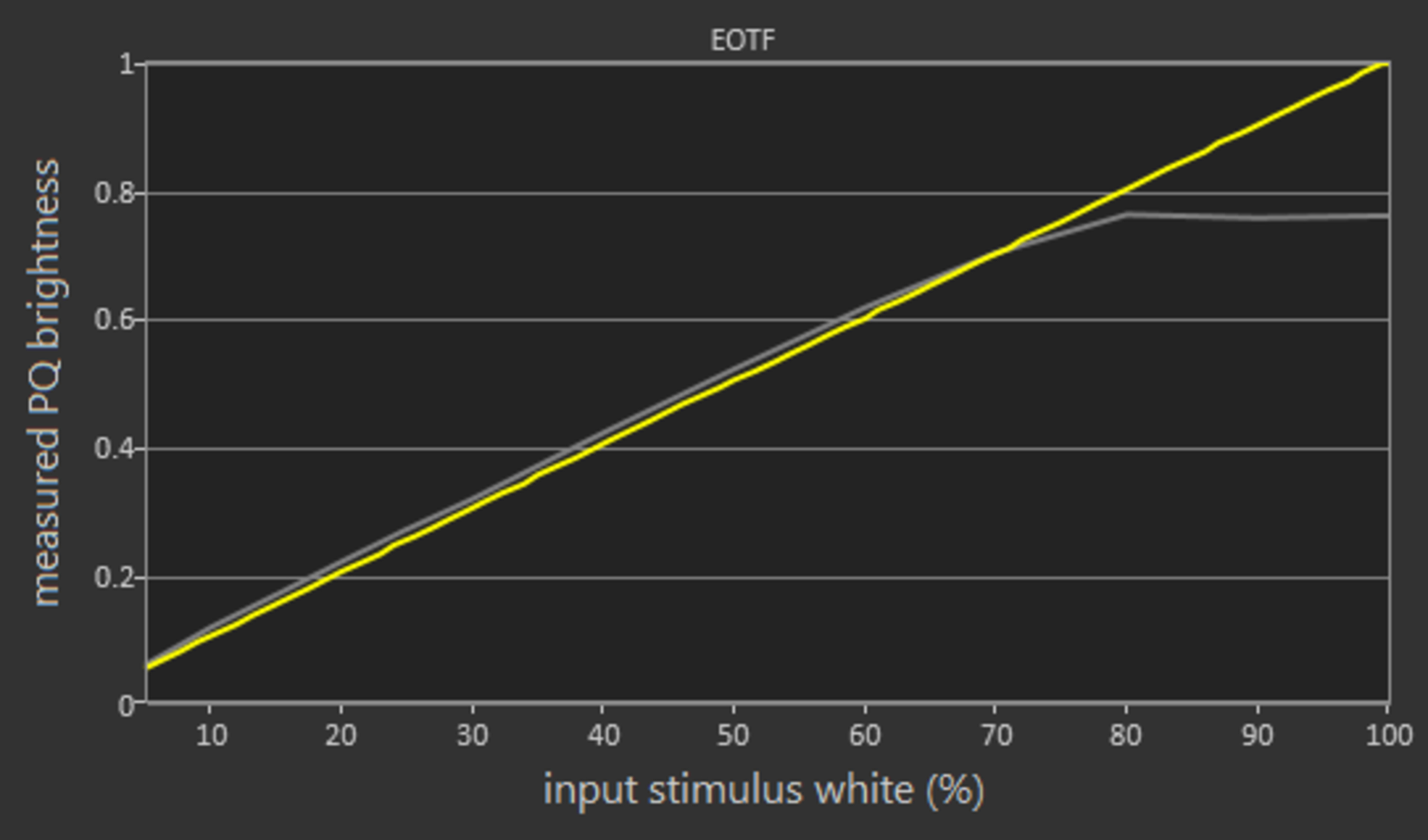
The X950G has a very good, wide color gamut. The EOTF follows the input stimulus almost perfectly, but flattens abruptly at the TV's peak brightness. This might cause some clipping in very bright scenes. The Game EOTF also follows the curve perfectly, which is great.
If you find HDR content too dim, set the Contrast and Gamma to their maximum values. If this does not fix things, then you can try setting Contrast Enhancer to 'High' to boost the brightness across all scenes.
You can see our recommended settings for HDR here.
for pictures & test results

for pictures & test results

This TV has decent color volume. DCI P3 coverage is good, but unfortunately, it can't produce saturated colors well and can't fill out the entire gamut well. Coverage of the Rec 2020 color space is only mediocre.
for pictures & test results

The X950G has excellent gradient performance. There's a little bit of banding when displaying dark green and gray. If this bothers you, setting Smooth Gradation to ‘Low’ can help, but it can cause some loss of fine details in certain scenes.
for pictures & test results

There's no risk of temporary image retention on this TV.
We don't expect VA panels to experience permanent image retention, as the VA panel in our long-term test appears immune.
for pictures & test results

for pictures & test results

The Sony X950G has an exceptional response time, resulting in clear images with very little blur trail behind fast-moving objects. There's a bit of overshoot in the 0%-20% transition, which can cause some artifacts in very dark scenes.

for pictures & test results

for pictures & test results

Just like the Sony Z9F and the X900F, the X950G can reduce the flicker frequency of the backlight to 120Hz, so as to reduce motion blur. To do this set Motionflow to 'custom,' and adjust the Clearness slider to your liking.
Sony's 'X-Motion Clarity ' feature is also implemented on this model. The feature aims at producing a clearer picture without significant loss in brightness. You can read about it here. Also, here you can see the effect of the various Clearness settings on the backlight.
for pictures & test results

for pictures & test results

The Sony X950G can interpolate lower fps content up to 120Hz. This will introduce some Soap Opera Effect, which might bother some people. At 120Hz, you might notice some artifacts, but in general, Sony has one of the best interpolation implementations. Also, if there's too much motion, the TV will stop interpolating, avoiding the creation of artifacts.
To enable interpolation, set Motionflow to 'Custom,' adjust Smoothness to your liking, and Clearness to 'Min' if you do not want BFI. Cinemotion had to be set to 'Auto' for 30p to interpolate.
Just like most TVs with a fast response time, the X950G will have stutter. This will mostly be noticeable in slow panning shots in 24p movies and might bother some people. You can use motion interpolation to mitigate this.
The Sony X950G can remove judder from all 24p sources just like the Z9F or the X900F. The TV can remove judder from a 24p source, like a Blu-ray player, automatically and there's no need for any additional settings. To remove judder from sources like a cable box or native apps, you must set Motionflow to 'Custom,' Smoothness to 'Min,' and CineMotion to 'Auto.'
The Sony X950G has an excellent 120Hz refresh rate but doesn't support any variable refresh rate technologies like FreeSync.
The Sony X950G has an outstanding low input lag when in 'Game' mode, and it remains low across all supported resolutions. Both Game mode and Graphics mode have the same low input lag and both support proper chroma 4:4:4.
The X950G, just like the Z9F, supports HDMI 2.0 full bandwidth on all 4 HDMI ports. Most common resolutions and refresh rates are supported, except 1440p @ 120Hz, which might disappoint Xbox One owners.



Update 01/07/2020: DTS passthrough is working over a standard ARC connection as well as optical. It was discovered that system sounds must be disabled for it to work.
The X950G supports eARC, which allows uncompressed high-quality audio like Dolby Atmos via TrueHD and DTS:X via DTS-HD to be sent over an HDMI connection.
for pictures & test results

The frequency response is mediocre. The LFE (low-frequency extension) of 101Hz is a sign of a bass that can not deliver thump, rumble, or punch, which is important if you enjoy bass-heavy movies or video games rich in sound effects. However, the spike at around 200Hz slightly compensates for this, making the sound just a little fuller. Above 200Hz, the response is better, producing clear and intelligible dialogue, but it's lacking a bit of airiness and brilliance due to the dip above 10KHz. The X950G can get decently loud without producing too much compression or pumping artifacts.
for pictures & test results

The distortion performance is poor. The overall amount of THD produced at 80dB SPL is within decent limits but becomes excessive after the 4.5kHz area. Just like most Sony TVs, there's a jump in THD under maximum load, however, this is not very noticeable with normal content.
for pictures & test results

Update 07/07/2020: The operating system has been updated to Android 9.0. There are some minor changes to the user interface, and support has been added for Apple AirPlay and Dolby Atmos via the TV's speakers.
The Android TV interface is easy to understand and to use. There aren't any serious issues and it runs smoothly. The new customizable quick menu is a welcome addition.

for pictures & test results

Update 04/09/2019: Google has pushed an update to some Sony TVs that run the Android Oreo update. This update adds a row of Google Sponsored Content in the second row of the home page. Unlike the existing sponsored content, this row cannot be remove normally from the Customize Channels menu menu. There's a workaround though, which is available here.
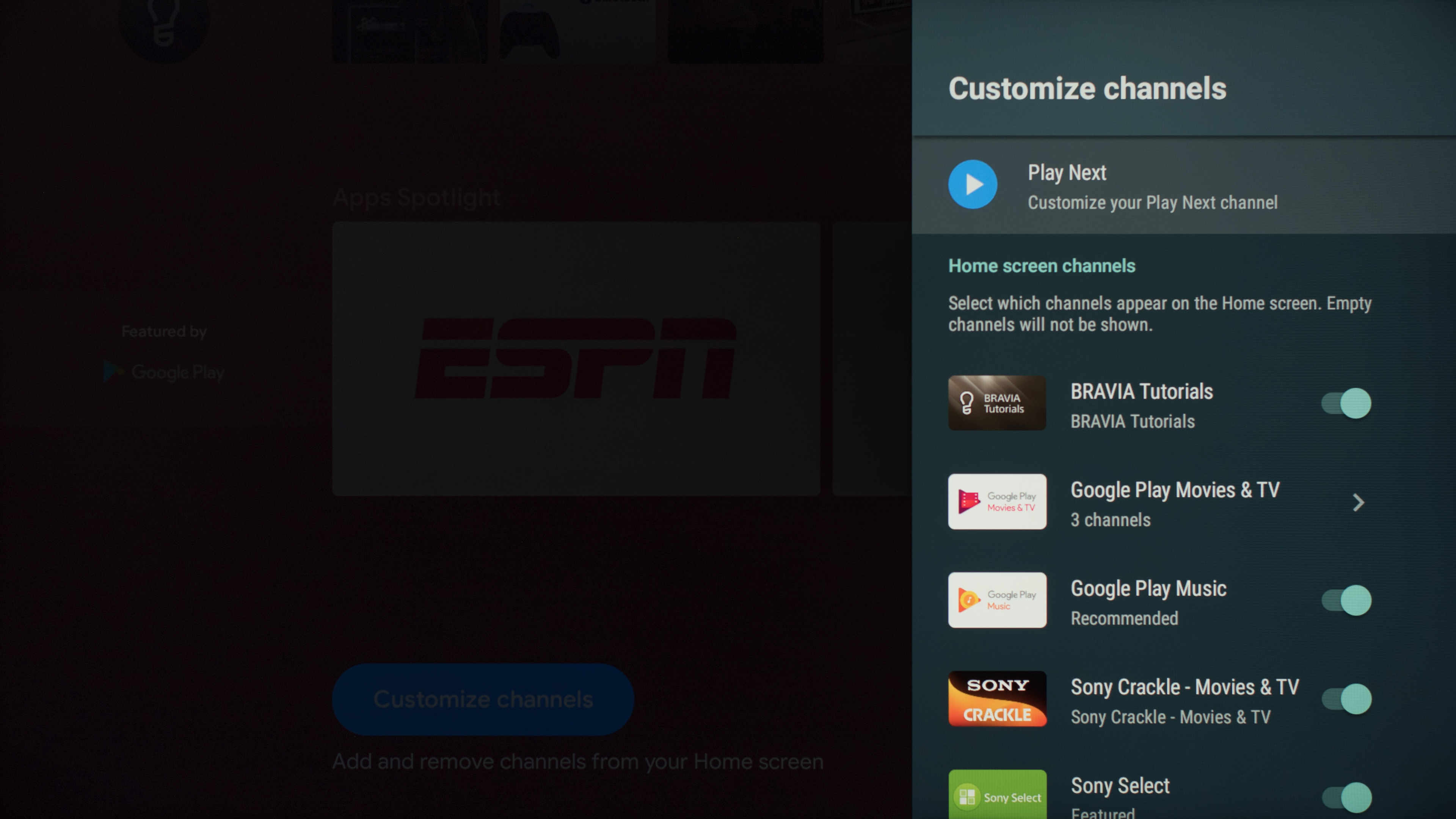
for pictures & test results

The Google Play Store has a large number of apps and the most popular apps come pre-installed.
Unlike the X900F, high bandwidth/resolution videos on YouTube play smoothly. There's a bug with YouTube in that the color space has to be adjusted for HDR YouTube videos. This color space setting remains unchanged when you switch to SDR videos, so you must remember to adjust it manually each time.
for pictures & test results

The X950G comes with a large remote control. Although it has a brushed metallic finish, it's mainly made out of plastic. There are shortcuts for popular streaming services like Netflix, and Google Play Movies, and the remote work well with the new quick menu.
There's a button to access the Google Assistant, which you can use to control the TV, launch apps, or ask simple questions such as the weather or time. However, the assistant can't perform searches for specific content within another app like Netflix.
for pictures & test results

The controls are located on the back of the TV, at the bottom right corner. There are three buttons that let you turn the TV On/Off, change channels, inputs, and volume.
for pictures & test results

- Instruction manual
- Batteries
- Remote
- Setup Guide