The Vizio P Series Quantum is an excellent LED LCD TV, especially when viewed in a dark room. It has great picture quality in both SDR and HDR thanks to the wide color gamut, very high peak brightness, and great local dimming feature. Motion handling is also excellent, as very little blur is visible when watching fast paced content and the TV can perform black frame insertion when gaming to clear up fast motion. Input lag is also low, which is excellent. It isn't perfect though as banding is visible in gradients, the gray uniformity could be better and the image degrades rapidly when viewed at an angle.
Note that this is a different TV to the Vizio P Series 2018, and is the highest-end model from Vizio in 2018.
Our Verdict
Excellent TV overall. The screen is very bright and good at overcoming glare in a bright room, but still has the deep contrast ratio and black uniformity needed for dark room viewing. The viewing angles are a limiting factor, as the image quality degrades at an angle. Motion handling is great thanks to the fast response time and the TV feels responsive due to the excellent low input lag for gaming. The Vizio Quantum is great for any usage.
- Produces extremely bright HDR highlights
- Low input lag for gamers
- Excellent motion handling
- Image loses accuracy when viewed at an angle
Excellent TV for watching movies in a dark room. The native contrast is excellent at producing deep blacks, and with local dimming enabled it is even better. Low frame rate content does stutter a bit due to the fast response time, so there isn't much blur to smooth between frames.
Great TV for watching TV in a bright room. The Quantum is bright enough to overcome glare in a bright room and has excellent reflection handling. Unfortunately, the viewing angles are limited, so it isn't as good for watching TV while sat off to the side.
Good TV for watching sports in a bright room. It has excellent reflection handling and is able to get extremely bright to overcome glare. The response time is excellent, and fast motion looks great with no noticeable motion trail. The viewing angles are limited so it isn't as good for watching with a large group of friends.
Superb TV for playing video games. It has excellent low input lag, and a dedicated port for even lower input lag on lower bandwidth or SDR consoles. The response time is excellent, and fast motion looks great, with very little blur. It doesn't support automatically changing to game mode or variable refresh rate, unlike the high-end Samsung TVs.
Excellent TV for watching movies in HDR in a dark room. The excellent native contrast ratio and great local dimming produce nearly perfect blacks. The Vizio P-Series Quantum is extremely bright in HDR, and small highlights in some scenes will really pop. It also supports Dolby Vision, so you can get the best quality possible. Colors pop thanks to the wide color gamut and great color volume.
Remarkable TV for gaming with an HDR console like a PS4 or Xbox One X. The input lag is very low, good for competitive gaming. Motion is smooth and crisp thanks to the fast response times. The high contrast ratio is perfect for late night gaming. Unfortunately, it does not support newer gaming technologies like VRR or auto low latency, unlike the top tier Samsung TVs. It supports an excellent wide color gamut and can produce very bright highlights to make HDR content pop.
Excellent TV for use as a PC Monitor. It has excellent low input and supports most of the common resolutions, but unfortunately, it does not support 1440p. The viewing angles are bad, so when viewed from up close the sides appear non-uniform. There is no risk of burn-in or image retention which is great. Motion is crisp and smooth and it reacts quickly to a moving mouse pointer thanks to the fast response time.
Changelog
- Updated May 21, 2020: Converted to Test Bench 1.5.
- Updated Feb 21, 2020: Converted to Test Bench 1.4.
- Updated Aug 02, 2019: We have retested the gradient performance with the latest firmware, and found it to be roughly in the same ballpark. The score and measurements have been updated.
- Updated Jul 08, 2019: We retested the backlight flicker, and found that the flicker frequency has decreased to a much more noticeable 120Hz. The scores have been updated.
Check Price
Differences Between Sizes And Variants
We tested the 65" P-Series Quantum (PQ65-F1), which is the only size available in this line.
| Size | Model | LCD Type | Clear Action | Real Refresh Rate | Local Dimming Zones |
| 65" | PQ65-F1 | VA | 960 | 120 Hz | 192 |
Popular TV Comparisons

The Vizio Quantum is an excellent mixed-usage TV that outperforms many pricier models. See our recommendations for the best TVs.
The Vizio P Series Quantum 2018 is somewhat better than the Sony X950G. The Vizio has better local dimming and a higher contrast ratio, which, along with the wider color gamut, is great for movies and HDR content, especially in a dark room. Also, the Vizio has a faster response time and slightly crisper fast-moving content. On the other hand, the Sony X950G has better smart features, which is great if you use them often.
The Vizio P Series Quantum X 2019 and the Vizio P Series Quantum 2018 are nearly identical. The Quantum X has a slightly wider color gamut. The Quantum X has nearly double the local dimming zones, and although the overall performance is similar, the new model has less noticeable blooming around bright objects. Any other differences between them can larger be attributed to panel variance, and do not necessarily represent a real difference.
The Vizio P Series Quantum 2018 is better than the Vizio P Series Quantum 2019. The P Series Quantum 2018 is a higher-end model than the 2019 version, despite the similar name. The 2018 model is significantly brighter, has better contrast, and has better reflection handling.
The Vizio P Series Quantum 2018 is much better than the Vizio M Series Quantum 2019. The P Series is significantly brighter, has better reflection handling, a faster response time, and it has an optional motion interpolation feature.

We buy and test dozens of TVs yearly, taking an objective, data-driven approach to deliver results you can trust. Our testing process is complex, with hundreds of individual tests that take over a week to complete. Most of our tests use specially designed test patterns that mimic real content, but we also use the same sources you have at home to ensure our results match the real-world experience. We use two main tools for our testing: a Colorimetry Research CR-100 colorimeter and a CR-250 spectroradiometer.
Test Results
Older Test Bench: We tested this product using an older TV test methodology before a major update. Some of the test results below aren't directly comparable with other TVs. Learn more
for pictures & test results

The design of the Vizio P Series Quantum is very good. The stand has a metallic finish and closely resembles the non-quantum version and the Vizio P Series 2017. The legs are nearly the full width of the TV, so a large stand is needed. Unfortunately, there is no cable management.
for pictures & test results

The stand is very similar to the standard Vizio P Series. It supports the TV well and there is very little wobble.
Footprint of the 65" model TV stand: 50.8" x 11.7"
for pictures & test results

The back of the Vizio Quantum is quite plain, very similar to the Vizio P Series. The connections and controls are both on the same side, and inputs face downwards and to the side. Although the controls are at the rear of the TV, they are easily accessible when wall mounted due to their large size. There is no cable management.
for pictures & test results

The borders and bezel are very thin. There is a slight gap between the inside edge of the bezel and the start of the LCD panel.
for pictures & test results

The maximum thickness is identical to the Vizio P Series 2018. The TV is of nearly uniform thickness and will sit almost flush when VESA mounted.
for pictures & test results

The build quality is very good. There are no obvious gaps or areas that appear prone to breakage. The TV is sturdy and feels well built.
for pictures & test results

The Vizio P Series Quantum has an excellent native contrast ratio, even with local dimming off. The Local Dimming setting that was the most effective at boosting the contrast ratio was 'Medium', as when it was set to 'High' the contrast ratio was measured to be 9273:1.
The native contrast ratio is one of the highest we've measured up to now, a bit higher than the Samsung Q8FN, whereas the contrast ratio with local dimming enabled ranks second right behind the Samsung Q9FN.
for videos & test results

The local dimming of the Vizio Quantum is great. The TV has 192 zones and is able to effectively boost highlights. In a side-by-side comparison with the Z9D the P Series Quantum is worse though, as rapidly changing small areas of the backlight produce more noticeable blooming.
When compared to the Samsung Q9FN, some people may prefer the local dimming performance of either TV. We can see in this side-by-side comparison that the Q9FN (top left) loses details in particularly challenging scenes, whereas the P Series Quantum (top right) is better at keeping these small highlights. This does result in deeper blacks on the Q9FN, but at the expense of details. The Vizio P Series 2018 (bottom left) also retains details but with a raised black level due to the fewer number of zones. The LG C8 (bottom right) shows the ideal performance with perfect blacks.
If you enjoy local dimming and don't mind some variation in screen brightness or blooming, then set local dimming to 'Medium'. This does increase the overall brightness of the image though, and can result in distracting blooming around bright objects. If you prefer a less aggressive local dimming implementation or find the brightness too high after decreasing the 'Backlight' then set it to 'Low', or disable local dimming completely if you don't like the changes in brightness.
Update 01/02/2019: The name for Vizio's local dimming feature has been renamed from Xtreme Black Engine Pro to Active Full Array.
Update 07/16/2019: Text updated to clarify settings.
The Vizio PQ65-F1 is extremely bright. Real scene peak brightness is the highest we have measured so far, brighter even than the Sony X930E and Z9D. The TV can easily overcome glare in a bright room.
These peak brightness numbers were measured with the local dimming setting of 'Medium'.
The Vizio Quantum is one of the brightest TVs we have tested so far in HDR, very similar to the Sony Z9D and X930E. Small highlights in some scenes really stand out in HDR. Even with large bright scenes the TV is extremely bright.
These peak brightness numbers were measured with the local dimming setting of 'Medium'.
for pictures & test results

for pictures & test results

Overall good gray uniformity. At high brightness or when viewed at an angle, there is more obvious banding and dark zones on the screen, as shown here.
With dark grays, the uniformity is also good and issues aren't really noticeable in dark scenes.
for videos & test results

for pictures & test results

for pictures & test results

for pictures & test results

The viewing angles on the Vizio P Series Quantum are bad. The brightness stays constant longer but the contrast still swings higher at even slight angles.
There is a feature called 'Enhanced Viewing Angle'. During our test, however, it wasn't effective. Our measurements of the LCD layer remained almost exactly the same whether activated or not, and it changes the sub-pixel dimming which reduces the color resolution. You can see a video of the viewing angle with this option enabled here.
for pictures & test results

for pictures & test results

Excellent black uniformity, which combined with the excellent native contrast ratio makes for excellent dark room viewing. Like the contrast ratio, the black uniformity with local dimming was measured on 'Medium'.
for pictures & test results

for pictures & test results

for pictures & test results

The Vizio P Series Quantum has excellent reflection handling, far better than the Vizio P Series. Direct lights are dimmed significantly and are not diffused across the screen. This is a great TV for watching TV shows in a bright room.
Here you can see a side-by-side comparison picture for the reflection handling of the P Series Quantum, the Samsung Q9FN, the Sony Z9D and the LG C8. The C8 isn't reflecting the softbox, and so isn't directly comparable.
The Quantum is easily able to overcome glare even in a very bright setting, and as such, is one of the best outdoor TVs we've tested. Note that since this TV wasn't meant for outdoor installation, so it is important to properly protect it from the elements with a proper enclosure.
for pictures & test results

for pictures & test results

for pictures & test results

Out of the box, the Vizio PQ65-F1 has good accuracy. Both color and white balance dE are low enough that most people won't notice much of a difference. The gamma is a bit high, and the color temperature is too warm at 6000 K, but this is easily corrected.
for pictures & test results

for pictures & test results

for pictures & test results

After calibration the color and white balance dE is very low. The gamma follows our target of 2.2 perfectly, and the color temperature is almost perfect.
Like other Vizio TVs, calibration is very easy to do with the available Smartcast app.
You can see our recommended settings here.
for pictures & test results

Upscaling of low quality content such as DVDs appears the same as the P Series 2018 and is a bit more blocky than other TVs. This is noticeable when comparing the performance of the Samsung Q9FN (here) to the Vizio P Series Quantum (here).
for pictures & test results

720p content such as cable is also upscaled slightly worse than other TVs. This is the same as the P Series 2018.
for pictures & test results

1080p content like from an older game console or Blu-ray player looks good without any oversharpening or artifacts.

for pictures & test results

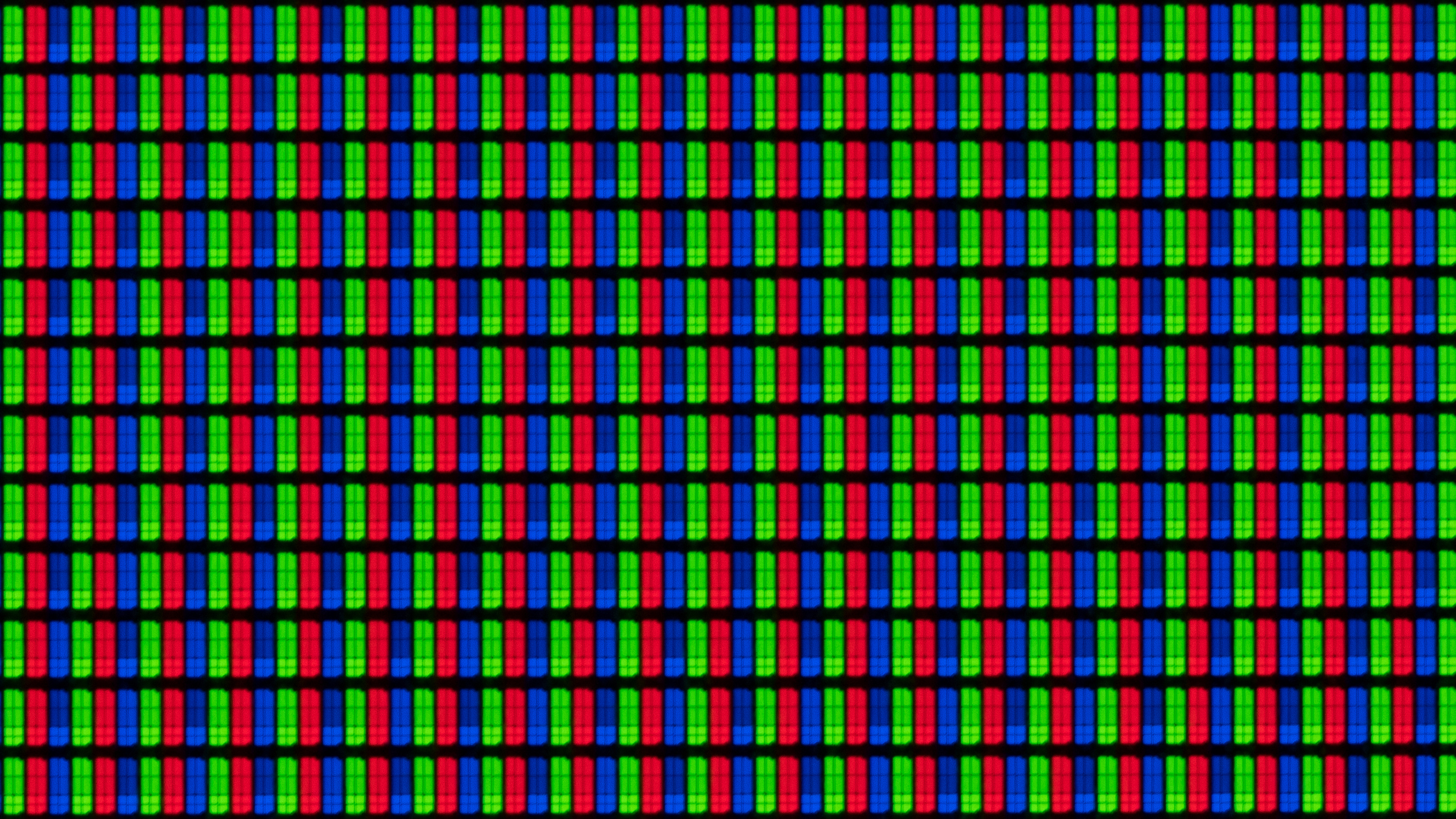
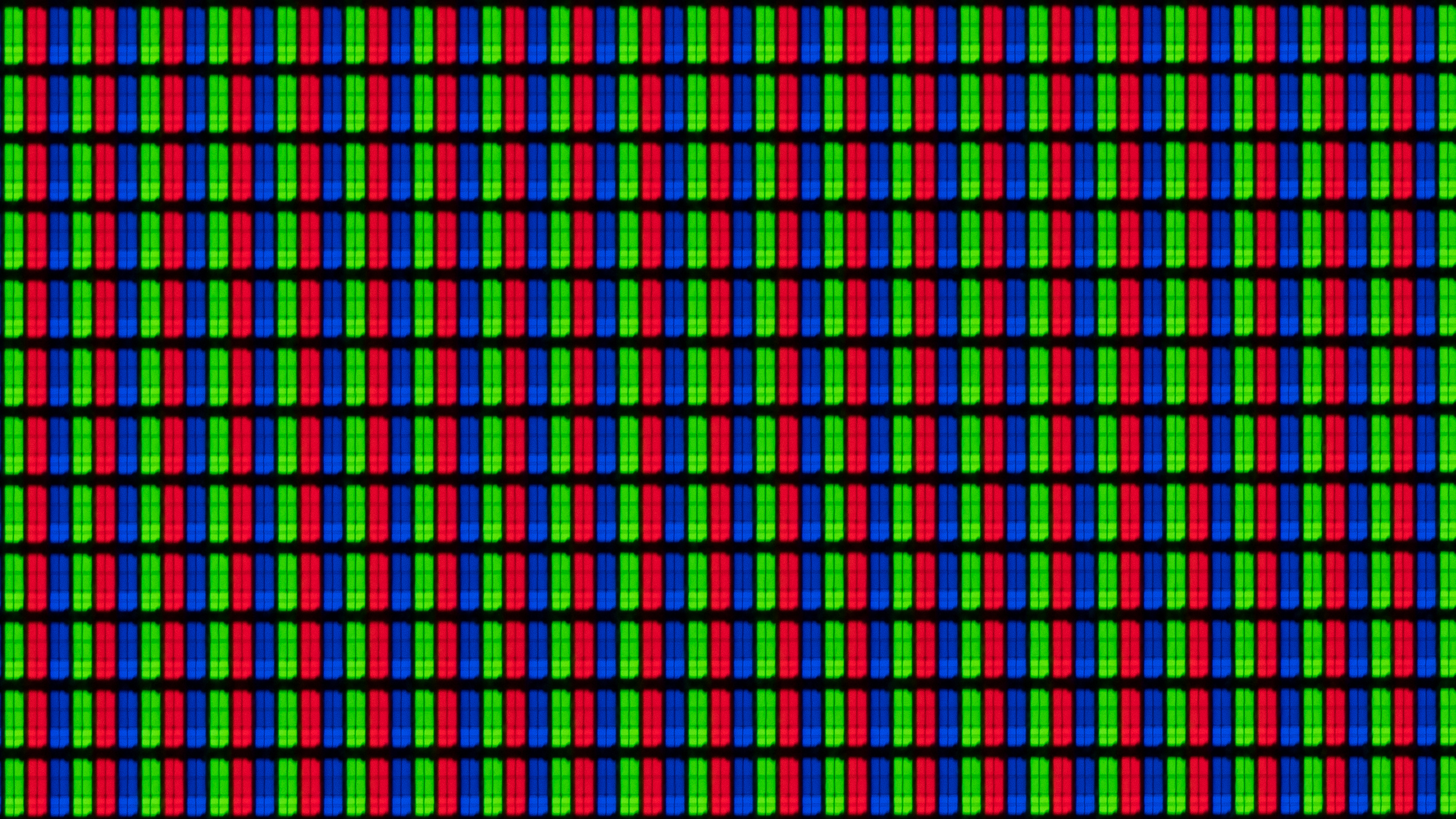
The pixel structure of the Vizio P Series Quantum is the same as the other Vizio TVs we have tested in 2018. It does, however, include a feature to enhance the viewing angle although in our test it did not work well. This adjusts the sub-pixel dimming and results in less color details. You can see a comparison of the pixels with the function on vs off. When enabled, a checkerboard like pattern appears which looks similar to the TCL 6 Series visible here.
for pictures & test results

for pictures & test results

for pictures & test results

The Vizio P Series Quantum has an excellent wide color gamut. It produces a wider color gamut than the Vizio P Series, and nearly identical to the Samsung Q8FN and Q9FN.
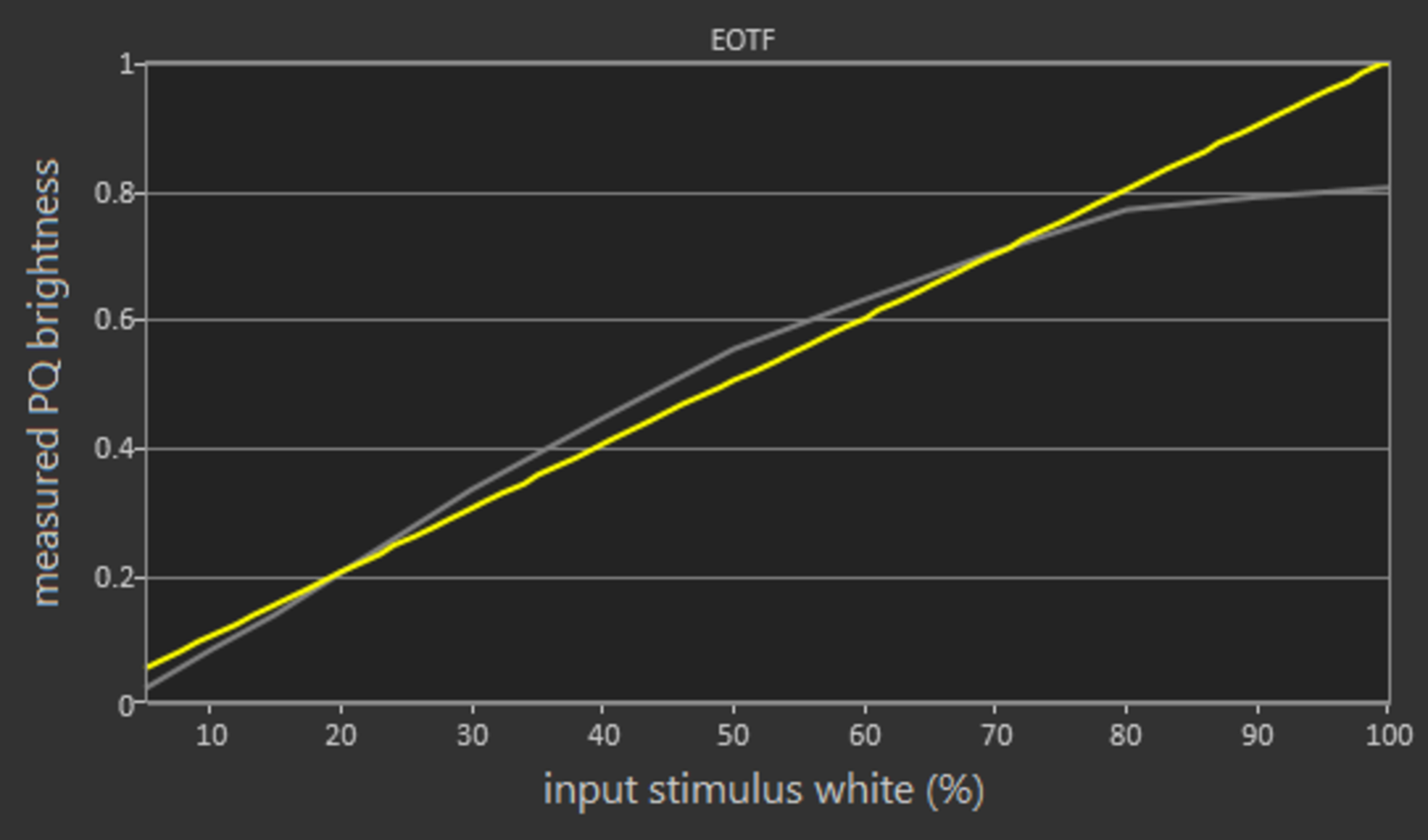
In the Calibrated Dark Picture Mode, the EOTF curve follows our input stimulus very closely, but some scenes are too dark. At peak brightness the TV rolls off sharply. The PC and Game EOTF curves follow the input stimulus closely, but some dark scenes are over-darkened. Game mode was tested with the 'Calibrated Dark' Picture Mode, with low latency enabled.
Note that when in HDR, adjusting the 'Backlight' setting affects the PQ curve tracking. Increasing the 'Backlight' past the default of 50 for HDR content results in a brighter overall image, which is great for those in a brighter room.
for pictures & test results

for pictures & test results

The Vizio P Series Quantum has very good color volume. It performs much better than the P Series 2018, with better coverage of the entire color gamut. Colors are brighter and closer to the peak brightness of the TV. Overall performance is very similar to that of the Samsung Q9FN.
for pictures & test results

Update 08/02/2019: We have retested the P Series Quantum with the latest firmware, and found that the gradient performance is within the same ballpark. The measurements and score have been updated.
Very similar gradient performance to the P Series 2018. There is some banding in all dark colors though.
Banding can be reduced in low resolution content by enabling the Reduce Noise feature, although this can cause some loss of fine details.
In the following images you can see how banding changes as we vary the brightness level in our test scene from the movie the Martian. While this is interesting behavior, this change in the gradient doesn't affect normal viewing.
for pictures & test results

There is no temporary image retention on the P-Series Quantum, even immediately after our 10 minute test.
We don't expect VA panels to experience permanent image retention, as the VA panel in our long-term test appears immune.
for pictures & test results

for pictures & test results

Update 07/08/2019: We retested the flicker frequency of the TV, and found that it is now flickering at 120Hz. This change probably occured in a firmware update over the past year. Note that the above motion blur photo was taken before the update.
The Vizio PQ65-F1 has an excellent fast response time, and there is very little motion blur. Most of the blur in the image is due to 60p persistence. There is overshoot in most transitions, which could cause some color artifacts, but most people won't notice this due to the fast response time.
for pictures & test results

Update 07/08/2019: We have retested the backlight flicker, and found that the flicker frequency has decreased to 120Hz. This is much more noticeable, and may bother some people. We don't know when exactly this change occured, but we expect that it was in one of the firmware updates over the past year.
There is flicker at all backlight settings other than 100. Given the high flicker frequency, the duplications are less noticeable than the TCL R617 or the P Series 2017.
for pictures & test results

for pictures & test results

The Vizio P Series Quantum can lower the flicker frequency as low as 60 Hz, even when Game Low Latency is enabled. The TV counteracts the brightness loss due to flicker by increasing the amplitude of the backlight peaks, but on full-screen white the maximum brightness with the black frame insertion feature enabled is about 375 nits. This should be great for most gamers.
for pictures & test results

for pictures & test results

The Vizio P Series Quantum can interpolate 30 and 60 fps content up to 120 Hz. Motion can be smoother when this is enabled, but some people may be bothered by the effect. The algorithms are more aggressive than on similar TVs. In places where most TVs would stop interpolating, the Quantum continues and there are more noticeable artifacts.
30p content can be interpolated by adjusting the Reduce Judder slider. 60p interpolation is enabled by adjusting the Reduce Blur setting. In either case, if the amount of artifacts can be reduced by adjusting the setting. Lower values of each slider result in a less-strong soap opera effect but also result in fewer artifacts.
Due to the long frame hold time of 24p content, some stutter is noticeable, especially with wide-panning shots. Most people won't notice this.
The Vizio P Series Quantum can always remove judder from 24p content, even with Film Mode disabled. It can not remove judder from 24p content embedded in a 60p/i source, like from a cable box.
The Vizio PQ65-F1 does not support Freesync or HDMI 2.1's VRR. For a TV which supports this feature, see the Samsung Q9FN.
HDMI port 5 is a low bandwidth port that doesn't support HDR, but has much lower input lag than the other ports, making it excellent for SDR gaming. We conducted all tests on HDMI ports 1 and 5. Port 5 has much lower lag for all resolutions that it can support, including 4k @ 60 Hz @ 4:2:0.
Chroma 4:4:4 only shown properly in Computer mode.
| Test | HDMI 1 | 5 |
| 1080p @ 60 Hz | 27.0 | 15.6 |
| + HDR | 27.1 | N/A |
| out of game mode | 146.0 | 82.2 |
| 1080p @ 120 Hz | 30.0 | 10.6 |
| 4k @ 60 Hz | 27.1 | 15.4 |
| + HDR | 27.6 | N/A |
| + 4:4:4 | 26.9 | N/A |
| + 4:4:4 + 8 bit HDR | 26.9 | N/A |
| out of game mode | 135.5 | 82.2 |
| with interpolation | 138.1 | 76.3 |
Great support for a wide range of different resolutions and refresh rates. HDMI ports 1-4 differ from the game low latency port on HDMI 5. Ports 1-4 support all common formats including chroma 4:4:4 and 4:2:2, but only when 'Full UHD Color' is enabled for the port being used. 4:4:4 color is only shown properly when the TV is set to Computer mode. Sharpness at 0 means no added sharpness. It is automatically greyed out in Computer mode.
HDMI Port 5 supports a 4k @ 60 Hz input, but only at 4:2:0. It does not support 4:2:2 or 4:4:4 because it does not have the necessary bandwidth. It also doesn't support HDR.


The inputs are identical to the Vizio P Series 2018. There is an analog audio out for wireless headphones, as well as an antenna input.
Update 11/14/2019: Vizio has added support for HDR10+ on many 2019 and 2018 models. We are in the process of updating our TVs and will update our reviews shortly.
HDMI port 5 is a lower bandwidth port designed for lower input lag.
To output DTS over the optical connection we had to manually set the audio to 'Bitstream'. Like Samsung TVs, CEC must be enabled for the audio return channel to work.
for pictures & test results

The frequency response of the Quantum is average-at-best. The LFE (low-frequency extension) of 120Hz means that this TV won't produce any thump or rumble, and won't have much punch to its bass either. So it won't be ideal for bass-heavy content like video games or action movies. However, the response above the LFE point is decently balanced resulting in clear and intelligible dialog, which is slightly better than the P Series 2018. Also, this TV gets loud enough for most situations but there will be some pumping and compression artifacts under heavier loads.
for pictures & test results

The distortion performance is good. The overall amount of harmonic distortion produced is within good limits, and there is not a big jump in THD under heavier loads either. Compared to the P Series 2018, the Quantum model seems to produce less distortion in the higher frequencies, but this won't be noticeable to most in real-life situations.
for pictures & test results

The interface of the Vizio P Quantum is decent. It is well organized and easy to navigate, but some tabs are very slow to load and there can be significant lag.
Update 11/15/2018: Vizio has added a 'WatchFree' input via a firmware update. This uses the free Pluto TV service on the backend, and is well integrated.
Like all Vizio TVs we have reviewed, there are no ads on the main page, but there is a banner showing suggested content that can't be disabled.
for pictures & test results

The Vizio P Series Quantum comes with 19 preloaded apps:
Netflix, Prime Video, Crackle, VUDU, iHeart Radio, YouTube, Newsy, Dove channel, Curiosity stream, Con TV, Pluto TV, TG, Haystack TV, Xumo, Plex, Fandango Now, NBC, YouTube TV and Hulu. Note that the preloaded apps vary depending on region.
There is no app store and no possibility to install your own apps. Additional apps have to be cast from your mobile device to the TV instead.
for pictures & test results

Disappointingly, the Vizio PQ65-F1 comes with the same basic remote as the standard P Series 2018. There is a good selection of controls, as well as six quick access buttons for specific apps.
The remote does not have voice control, but you can connect a Google Home or Amazon Alexa and control the TV from that, including the ability to turn the TV on or off.
The remote requires line of sight.
for pictures & test results

There are three buttons on the right hand side of the TV on the back:
- Power
- Input
- Volume Up/Down
for pictures & test results

- Batteries
- Remote
- Manual
- 61" Power Cable