
The TCL 5 Series 2020 is a mid-range TV in TCL's 2020 lineup and a good upgrade over its predecessor, the TCL 5 Series/S525 2019. The TCL S535 is a QLED TV that displays an excellent wide color gamut for HDR content, but it doesn't get bright enough in HDR to deliver a true HDR experience. Its VA panel has an exceptional contrast ratio, so it displays deep blacks when viewed in the dark. It has a full-array local dimming feature that improves the contrast a bit and performs fairly well overall. Sadly, it has narrow viewing angles, so you quickly lose image accuracy when viewing from the side. Unlike the TCL 6 Series/R635 2020 QLED, it doesn't have variable refresh rate (VRR) support and is limited to a 60Hz panel, but it has a good response time and incredibly low input lag. Although it has decent reflection handling, it doesn't get bright enough to combat glare. On the upside, it removes 24p judder from any source, which is rare for a 60Hz TV. This TV has been replaced in 2022 by the TCL 5 Series/S555 2022 QLED.
Our Verdict
The TCL S535 is a good overall TV. With a VA panel, it has an exceptional contrast ratio that displays deep blacks, making it a great choice for watching movies. Despite not having many extra gaming features like VRR support, it's a great gaming TV because it has an incredibly low input lag and a quick response time. Unfortunately, it isn't the best for watching shows or sports with a large group of people because it has narrow viewing angles. Lastly, it displays a wide color gamut for HDR content but doesn't get bright enough in HDR to bring out highlights.
- Exceptional contrast ratio.
- Decent full-array local dimming feature.
- Incredibly low input lag.
- Displays wide color gamut.
- Narrow viewing angles.
- Doesn't get very bright.
- No VRR support.
The TCL 5 Series 2020 is impressive for watching movies. It has an exceptional contrast ratio, displaying deep blacks. It has a full-array local dimming feature that performs fairly well and there isn't much blooming around bright objects. This TV upscales 1080p content without any issues and it removes 24p judder from any source, which is rare for a 60Hz TV. Sadly, because it has a quick response time, lower-frame rate content may appear to stutter at times.
- Exceptional contrast ratio.
- Removes 24p judder from any source.
- Decent full-array local dimming feature.
- Lower frame rate content may appear to stutter.
The TCL 5 Series 2020 is decent for TV shows. It doesn't have any issues upscaling lower-resolution content, such as from cable boxes. Even though it has decent reflection handling, it's not the best choice for a well-lit room as it doesn't get very bright. Also, it has narrow viewing angles, so it's not ideal for watching your favorite show with the entire family.
- Upscales lower-resolution content well.
- Decent reflection handling.
- Narrow viewing angles.
- Doesn't get very bright.
The TCL 5 Series QLED is decent for sports. Motion looks good because of its quick response time that results in minimal motion blur, and it has a Black Frame Insertion feature. However, it has narrow viewing angles, so you don't get the same accurate image when viewing from the side. It doesn't perform well in well-lit rooms as it doesn't get bright, but the reflection handling is decent.
- Decent reflection handling.
- Very good response time.
- Narrow viewing angles.
- Doesn't get very bright.
The TCL 5 Series is great for gaming. It has an incredibly low input lag, quick response time, and a Black Frame Insertion feature to help reduce motion blur. Sadly, it's limited to a 60Hz refresh rate and doesn't support any VRR technology. It's great for dark-room gaming because of its exceptional contrast ratio and good black uniformity, but it doesn't get very bright, so it's not the best for gaming in bright rooms.
- Exceptional contrast ratio.
- Very good response time.
- Incredibly low input lag.
- Black Frame Insertion feature.
- Doesn't get very bright.
- No VRR support.
The TCL 5 Series 2020 is good for HDR movies. It displays a wide color gamut for HDR content, but doesn't get bright enough to truly bring out highlights. It has an exceptional contrast ratio and decent full-array local dimming feature that helps further deepen any blacks. Also, it can remove 24p judder from any source, which helps with the appearance of motion.
- Exceptional contrast ratio.
- Decent full-array local dimming feature.
- Displays wide color gamut.
- Lower frame rate content may appear to stutter.
- Doesn't get very bright.
The TCL 5 Series 2020 is good for HDR gaming, mainly due to its great gaming performance. It has a very good response time and incredibly low input lag, but it doesn't support any VRR technology. It displays an excellent wide color gamut for HDR content, but it doesn't get bright enough to make highlights pop the way they should.
- Exceptional contrast ratio.
- Incredibly low input lag.
- Displays wide color gamut.
- Doesn't get very bright.
- No VRR support.
The TCL S535 is a good choice to use as a PC monitor. It has a very low input lag to provide a responsive desktop experience, and fast-moving content looks smooth thanks to the quick response time. It displays chroma 4:4:4, which is important for reading text clearly. Sadly, it has narrow viewing angles and the edges of the screen may appear inaccurate if you sit too close.
- Incredibly low input lag.
- Displays chroma 4:4:4.
- Narrow viewing angles.
- Doesn't get very bright.
Changelog
- Updated Sep 26, 2025: We uploaded the latest brightness measurements and uniformity photos for the Accelerated Longevity Test.
- Updated Jul 08, 2025: We uploaded the latest brightness measurements and uniformity photos for the Accelerated Longevity Test.
- Updated Apr 17, 2025: We uploaded the latest brightness measurements and uniformity photos for the Accelerated Longevity Test.
- Updated Feb 11, 2025: We uploaded the latest brightness measurements and uniformity photos for the Accelerated Longevity Test.
Check Price
Differences Between Sizes And Variants
We tested the 55 inch TCL 5 Series QLED (55S535), and for the most part, we expect our review to be valid for the 50 inch, 65 inch, and 75 inch sizes too. There's also a 65 inch variant sold only at Walmart, known as the 65S531. We expect our review to be valid for that model as well. TCL's lineup outside of North America is very different, so we're not aware of any equivalents outside Canada and the United States.
| Size | US | Canada | Dimming Zones | VESA Mount |
| 50" | 50S535 | 50S535-CA | 40 | 200x200 |
| 55" | 55S535 | 55S535-CA | 48 | 300x200 |
| 65" | 65S535 | 65S535-CA | 56 | 400x200 |
| 75" | 75S535 | 75S535-CA | 80 | 400x200 |
If someone comes across a different type of panel or if their TCL 5 Series doesn't correspond to our review, let us know and we will update the review. Note that some tests, such as gray uniformity, may vary between individual units.
You can see the label for our unit here.
Popular TV Comparisons
The TCL 5 Series 2020 is a good overall TV and it offers great value for its price. It displays a much wider color gamut than other TVs in its price range, such as the Hisense H8G, but it's outperformed but some newer budget models, like the Hisense U6G. Although some slightly more expensive options perform better overall, such as the TCL 6 Series/R635 2020 or the Hisense H9G, most people should be happy with this TV. Also see our recommendations for the best TVs, the best 55 inch TVs, and the best budget TVs.
The TCL S535 is a big improvement over its predecessor, the TCL S525. The S535 has a full-array local dimming feature, it displays a much wider color gamut, it has a Black Frame Insertion feature, and it's better built. However, the S525 gets a bit brighter, and it has better out-of-the-box color accuracy, but this may vary between units.
The TCL S555 is much better than the model it replaces, the TCL S535. The S555 is significantly brighter, so it can handle more glare in a bright room, and HDR content stands out better. The S555 is also better for gaming, as it supports a variable refresh rate feature to reduce tearing in games.
The TCL S535 and the Hisense U6GR are good TVs that have Roku built in. The Hisense is better for bright rooms because it gets brighter and has better reflection handling. It also has VRR support, which the TCL doesn't have, which helps reduce screen tearing in games. However, the TCL has better motion handling because it has a quicker response time. It has more settings to improve the appearance of motion, like a motion interpolation feature and the ability to remove judder from 60p/i sources. It also doesn't have issues upscaling 480p content the way the Hisense has, so it's better for watching DVDs.
The TCL S535 and the TCL S546 are both good TVs. The S546 is an upgraded version of the S535, and while it gets better in some areas, it gets worse in others. The S546 gets brighter, making it a better choice for daytime viewing, and it has VRR support, which the S535 doesn't have. The S546 also supports both Dolby Vision and HDR10+, while the S535 only supports Dolby Vision. One area where the S535 is better is with the local dimming because the one on the S546 causes more blooming. Another main difference is that the S535 uses Roku TV as its smart OS while the S546 has Google TV, and while they have some differences, both OS are great.

We buy and test dozens of TVs yearly, taking an objective, data-driven approach to deliver results you can trust. Our testing process is complex, with hundreds of individual tests that take over a week to complete. Most of our tests use specially designed test patterns that mimic real content, but we also use the same sources you have at home to ensure our results match the real-world experience. We use two main tools for our testing: a Colorimetry Research CR-100 colorimeter and a CR-250 spectroradiometer.
Test Results
Older Test Bench: We tested this product using an older TV test methodology before a major update. Some of the test results below aren't directly comparable with other TVs. Learn more
for pictures & test results

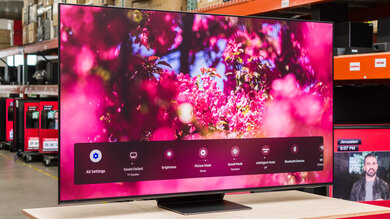
The TCL 5 Series has a good design. It's an improvement over the TCL 5 Series/S525 2019 because it has thin bezels and a new design on the back. This TV also has new feet that include cable management, which is a nice addition. It's made out of metal and plastic, but it doesn't have the same premium look as the TCL 6 Series/R635 2020 QLED.
for pictures & test results

The stand is as wide as the TV itself, so you need a large table to place it on. The legs feel a bit flimsy, but they hold the TV well and there isn't much wobble. You can't place the feet in a reverse position either.
Footprint of the 55" stand: 47.1" x 11.5"
for pictures & test results

The back of the TV is mostly made out of metal, except the part where the inputs are housed in is plastic. Cable management is serviced through the feet.

for pictures & test results

This TV is somewhat thick. The bottom part where the inputs are stands out a bit, so the TV sticks out when wall-mounted.
for pictures & test results

The build quality is decent. The TCL 5 Series is a well-built TV overall and feels solid. The top half of the back is made out of thin metal that feels fairly solid, but flexes a bit. The bottom half is plastic and feels cheap. The stand is a bit flimsy too, but it holds the TV well.
for pictures & test results

The TCL 5 Series has an exceptional contrast ratio. It displays deep blacks when viewed in the dark. The full-array local dimming feature improves the contrast a bit. Note that contrast may vary between units.
The SDR peak brightness is mediocre, and significantly worse than the Hisense U6G and the TCL 5 Series/S555 2022 QLED. This TV's brightness doesn't remain consistent across different content, as very small and very large areas don't get as bright. For the most part, it doesn't get bright enough to combat glare. The newer model of this TV, the TCL 5 Series/S546 2021 QLED, gets much brighter.
We measured the peak brightness after calibration, in the 'Movie' Picture Mode with Local Contrast set to 'High', Gamma set to '2.2', and Backlight at max.
If you don't care about image accuracy and want the brightest image possible, use the 'Normal' Picture Mode with Backlight at max.
for videos & test results

for videos & test results

for videos & test results

Update 07/16/2021: We uploaded the real content local dimming videos.
New to the TCL 5 Series compared to the TCL 5 Series/S525 2019 is a full-array local dimming feature and it performs fairly well. It raises the black level, which causes the image to appear a bit brighter and black backgrounds to appear closer to gray, but it also helps the screen look more uniform. There isn't any black crush, so small light sources pop well, such as in a star field.
There's only a bit of blooming in our test pattern and it's not very noticeable in real content. Subtitles don't get very bright and there's a lot less blooming than the TCL 6 Series/R635 2020 QLED. Fast-moving objects transition between zones quickly and there's a bit of blur trail behind fast-moving objects in our test pattern. However, it's not distracting and it's hardly visible in real content.
We tested local dimming with Local Contrast set to 'High'. Also, the larger variants have more dimming zones, so they may perform better.



for pictures & test results

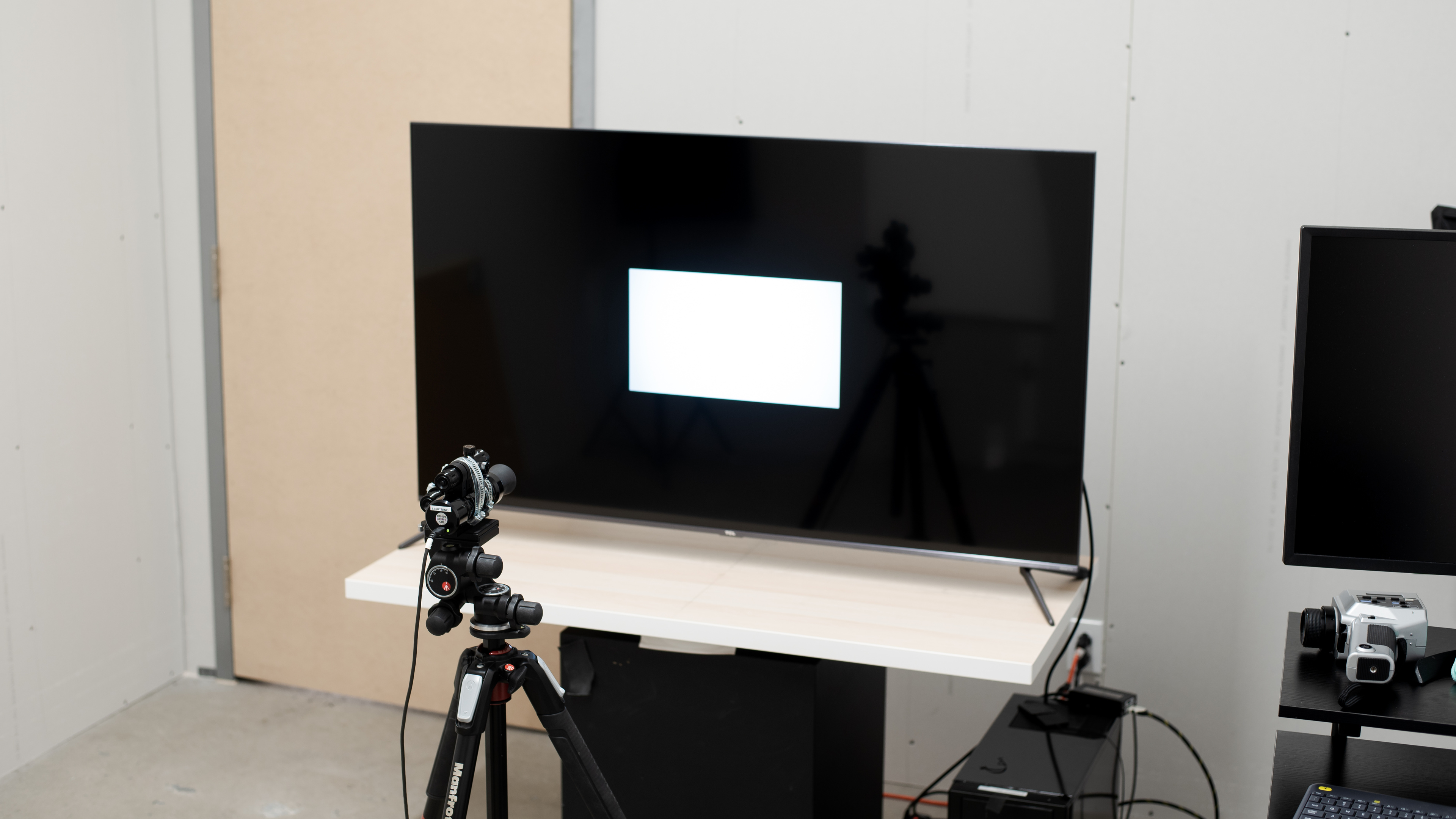
The TCL S535 has poor HDR peak brightness. It only gets a bit brighter in HDR than in SDR and it's not nearly as bright as the TCL 6 Series/R635 2020 QLED. Once again, its brightness doesn't remain consistent with different content.
We measured the peak brightness in the 'Dark HDR' Picture Mode with Local Contrast set to 'High', Gamma set to '2.2', and both Contrast and Backlight at their max.
If you want the brightest image possible and don't care about image accuracy, use the 'Normal HDR' Picture Mode with Local Contrast on 'High' and Backlight at its max.
for pictures & test results
for pictures & test results

for pictures & test results

The gray uniformity is okay, but this may vary between units. The edges of the screen are visibly darker and there's dirty screen effect in the center, which may be distracting when watching sports. In near-dark scenes, the screen is more uniform, but there's vignetting in the corners.
for pictures & test results

for pictures & test results

Black uniformity is good, but this may vary between units. There's a bit of backlight bleed and clouding throughout, but there's no blooming around the center cross. With local dimming, there's less backlight bleed but more blooming around the cross.
for videos & test results

for pictures & test results

for pictures & test results

for pictures & test results

The viewing angles are poor, which is expected from a TV with a VA panel. You quickly lose image accuracy when viewing from the side, so it's not suggested if you have a wide seating arrangement.
for pictures & test results

for pictures & test results

for pictures & test results

The TCL S535 has decent reflection handling. It performs well in moderately-lit rooms. However, if you place it opposite a window, the reflections may become too distracting. If you prefer something with better reflection handling, then check out the Hisense U6GR.
for pictures & test results

for pictures & test results

for pictures & test results

The out-of-the-box color accuracy is great, but this may vary between units. Most colors and shades of gray are accurate, except the color temperature is a bit warm, giving the image a red/yellow tint. Gamma follows the target almost perfectly, so most scenes are displayed at their correct brightness.
for pictures & test results

for pictures & test results

for pictures & test results

The TCL S535 has remarkable accuracy after calibration. Except for cyan, most colors are accurate and the color temperature is extremely close to the 6500K target.
In order to calibrate this TV, you have to download the Roku app on your mobile device and connect it to your TV.
You can see our recommended settings here.
for pictures & test results

480p content looks great, with no obvious issues.
for pictures & test results

720p content, like from cable TV, looks great.
for pictures & test results

1080p content looks excellent, almost as good as native 4k content.


for pictures & test results

for pictures & test results

The TCL S535 has an excellent color gamut. It's a QLED TV that displays a really wide color gamut for HDR content, and it's a significant improvement over the TCL 5 Series/S525 2019. It has outstanding coverage of the commonly-used DCI P3 color space and good coverage of the wider Rec. 2020.
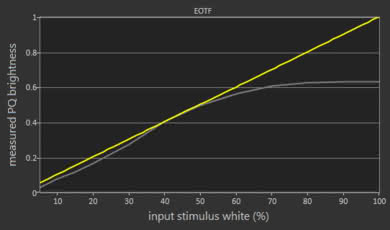
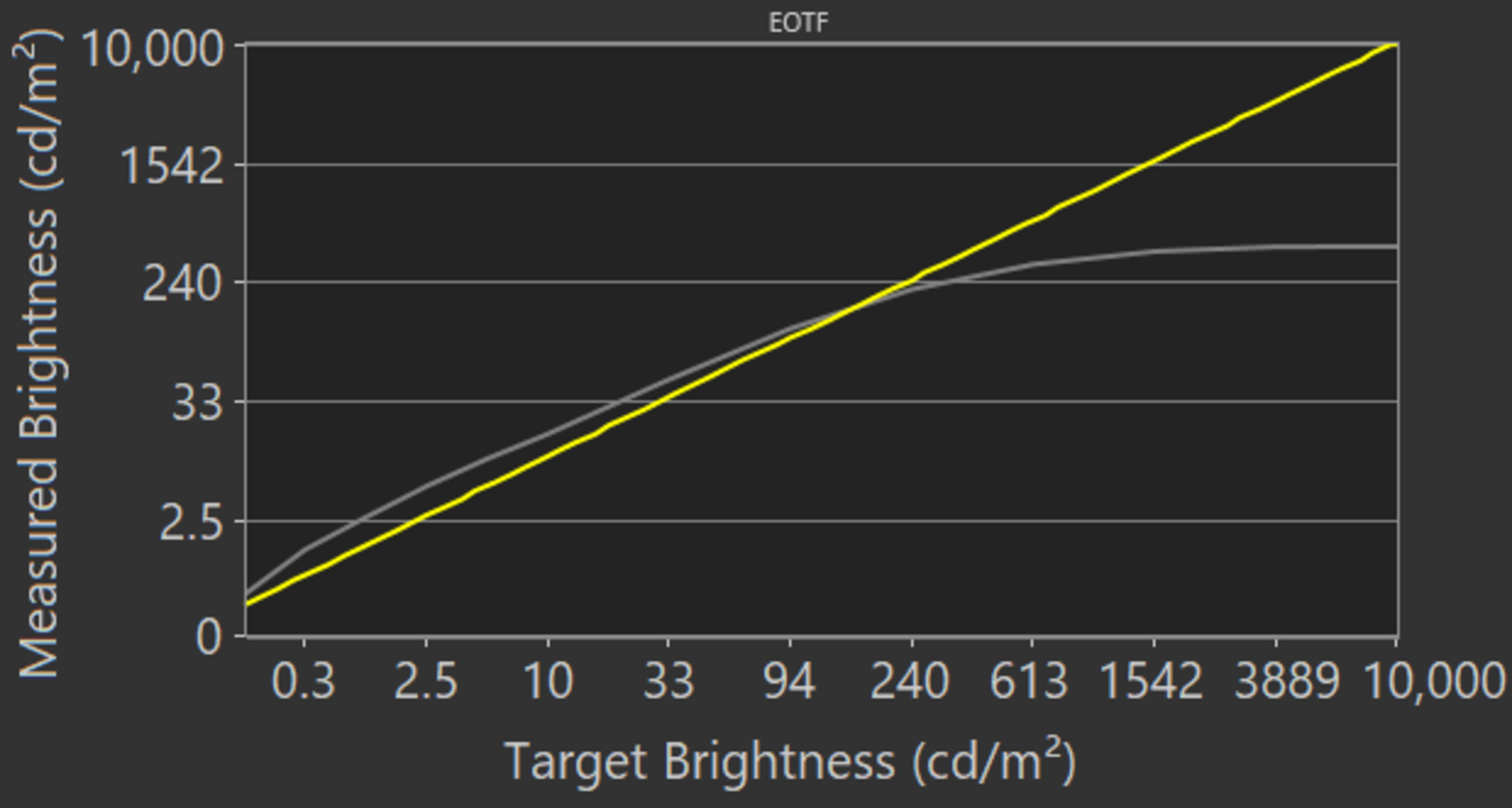
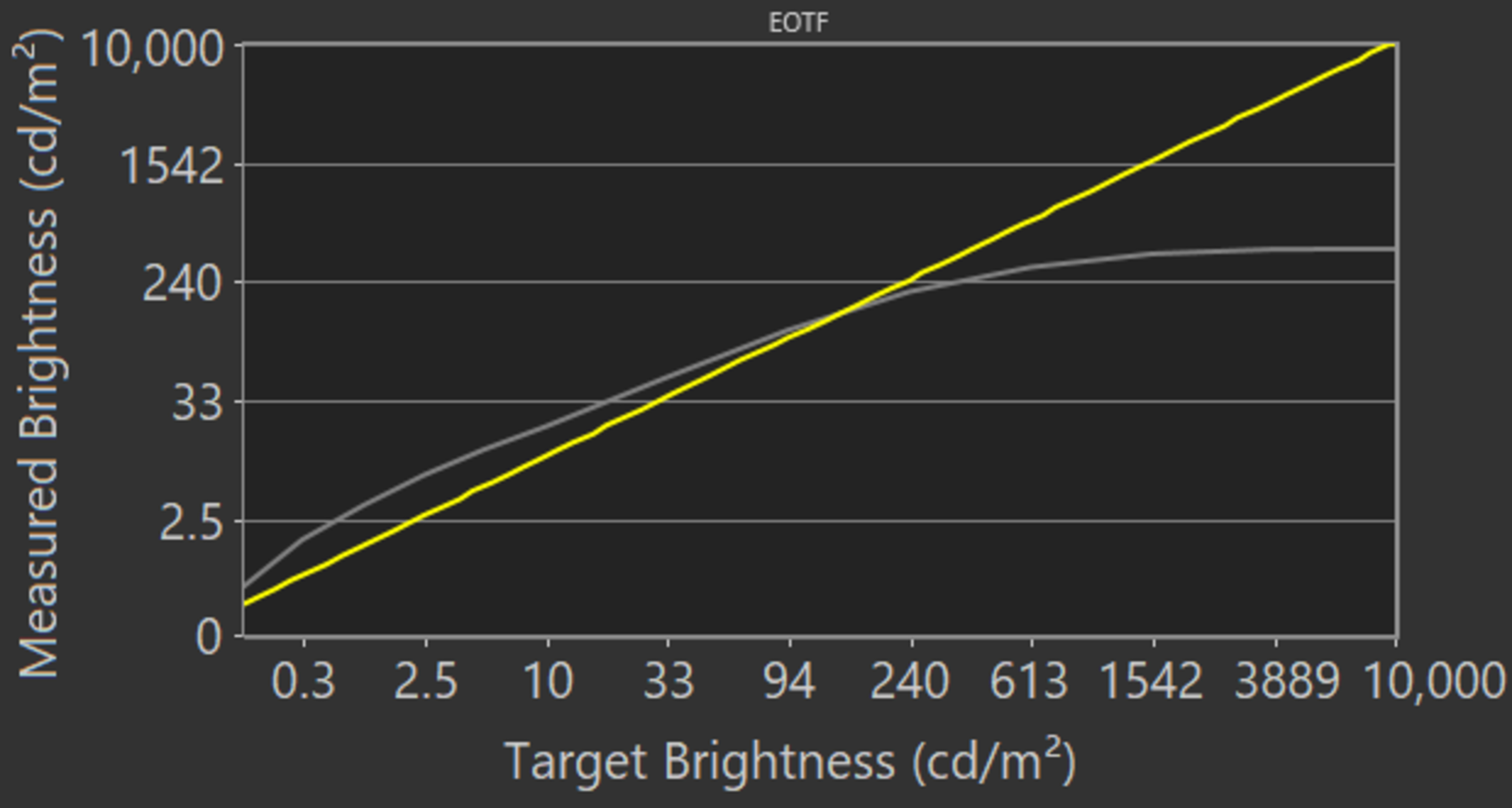
The EOTF follows the target curve almost perfectly until it rolls off at its peak brightness. The image is a bit brighter in 'Game' mode, as you can see the EOTF here.
If you find HDR too dim, use the 'Dark HDR' Picture Mode, set Contrast and Backlight to their max, and Local Contrast to 'Medium'. It makes the image a bit brighter, as you can see in this EOTF. Setting Local Contrast to 'Medium' results in a higher EOTF than setting it to 'High', but we got a max brightness of 397 cd/m² with 'Medium' versus 414 cd/m² with 'High'.
for pictures & test results

for pictures & test results

This TV has good color volume. It displays deep, saturated colors well due to its exceptional contrast. However, it fails to display bright blues, which is typical of an LCD TV.
for pictures & test results

The TCL 55S535 has impressive gradient handling, much better than the TCL 6 Series/R635 2020 QLED. There's some banding with grays and darker colors, but overall, it shouldn't be noticeable with most content. Sadly, the Noise Reduction setting doesn't improve the gradient handling at all.
for pictures & test results

This TV shows no signs of temporary image retention, but this may vary between units.
We don't expect VA panels to experience permanent image retention, as the VA panel in our long-term test appears immune.
for pictures & test results

for pictures & test results

The response time is very good. It's a bit slow with darker transitions, which may lead to some motion blur, but there's no overshoot. Overall, fast-moving content on this TV looks smooth.
for pictures & test results

This TV uses Pulse Width Modulation (PWM) to dim its backlight at all brightness levels. The high flicker frequency shouldn't bother most people.
for pictures & test results

for pictures & test results

There's a Black Frame Insertion (BFI) feature to help reduce motion blur. It reduces the flicker frequency to 60Hz and doesn't dim the screen much. However, it may cause some image duplication, as seen in the photo above. To enable the BFI, simply turn on LED Motion Clarity.
for pictures & test results

The TCL 5 Series can interpolate motion up to 60fps, which is known as the 'Soap Opera Effect'. It doesn't look good with real content because it seems as if it's not doing much. It smooths out slower-moving content a bit, but it seems to stop when the scene gets too busy.
See the settings for the motion interpolation feature here.
Due to the TV's quick response time, there's some stutter with lower-frame rate content because each frame is held longer.
This TV can remove 24p judder from any source, such as native apps, which is rare for a 60Hz TV. Enable Natural Cinema to remove judder.
Unlike the TCL 6 Series/R635 2020 QLED, the TCL S535 doesn't support any variable refresh rate technology. If you want a similar TV that supports variable refresh rate technology, check out the Vizio M7 Series Quantum 2020.
This TV has an incredibly low input lag, and it's much better than the TCL 6 Series/R635 2020 QLED. It slightly increases at 1080p compared to 4k, but this shouldn't make much of a difference when gaming. It has an 'Auto Low Latency Mode' that automatically switches the TV into 'Game' mode when a game is launched from a compatible device, and you don't need to turn on any settings for it to work.
If you want to use this TV as a computer monitor, the TV automatically switches into 'PC' mode to ensure a low input lag. Just enable HDMI 2.0 for it to work.
Update 02/15/2021: We previously indicated that 1440p @ 60Hz is supported natively, which is wrong. It supports it, but only through a forced resolution.
This TV supports most common resolutions at 60Hz. It displays proper chroma 4:4:4, which is important for reading text if you use it as a PC monitor. However, it displays chroma 4:4:4 only with a 1080p or 4k resolution, as the text looks fuzzy with a 1440p resolution.
To achieve full bandwidth, set the HDMI Mode setting to 'HDMI 2.0'.
for pictures & test results

for pictures & test results


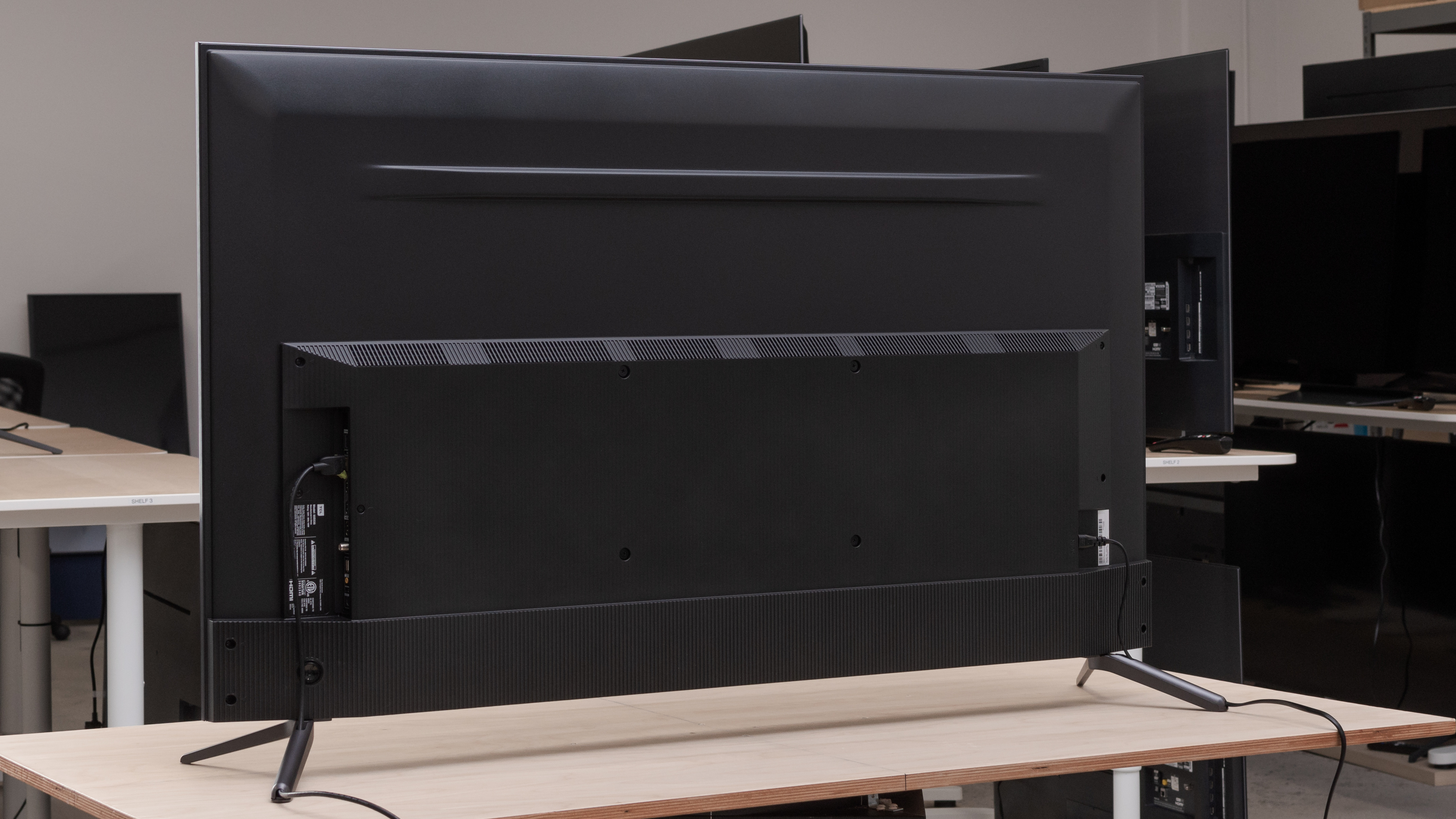
The Composite In input needs an adapter, but unlike the TCL 5 Series/S525 2019, this TV doesn't come with one.
The TCL 5 Series has eARC support, which allows you to send uncompressed, high-quality audio through an HDMI connection. For it to work, enable S/PDIF in the 'Audio' settings page, and set eARC to 'Auto Detect.'
for pictures & test results

The built-in speakers' frequency response is just okay. It doesn't produce much bass, so you should get a soundbar to get the best sound experience possible. It has a fairly well-balanced sound profile overall and it gets loud enough for noisy environments.
for pictures & test results

The distortion performance is mediocre. There's not much distortion at moderate listening levels, but it increases significantly at its max volume. However, distortion may change depending on the content, and most people may not hear it.
for pictures & test results

This TV runs on Roku OS, which is user-friendly and operates very smoothly.
for pictures & test results

Unfortunately, like all Roku TVs we've tested, there are large ads on the home screen and they can't be disabled.
for pictures & test results

Roku's app store has a great selection of apps you can download.
for pictures & test results

Update 10/29/2020: We used the voice control through the mobile app. The remote doesn't have a microphone for voice control.
The TCL 5 Series has the same Roku remote that comes with most TCL TVs. It's small, simple, and it comes with shortcut buttons to popular streaming services. However, it doesn't have voice control and you can only use voice control through the Roku app on your mobile device. It can be a hit or miss at times, as we could search for specific content in apps, but when we asked it to change the backlight setting, it changed the volume instead.
for pictures & test results

There's a single button on the back of the TV that controls the power and inputs.
for pictures & test results

- Remote (with 2x AAA batteries)
- Power cable (Not shown)
- Manual