The TCL 6 Series 2018 is also known as the R615 or R617 depending on the manufacturer variant.
Our Verdict
Very good TV for mixed usage. The R617 is a versatile TV that's good for pretty much everything. There are some gray uniformity issues, which makes it a less good choice for sports due to the dirty screen effect, and the image degrades rapidly when viewed at an angle, which is bad for those with wide seating.
- Very bright in HDR and SDR.
- Excellent low input lag for gaming.
- Good local dimming and native contrast produce deep blacks.
- Picture quality degrades at an angle.
- Uniformity could be better.
Great TV for watching movies in a dark room. The TCL 6 Series has an excellent native contrast ratio, and the local dimming feature is decent for dimming darker areas of the screen. There may be some issues with uniformity, depending on your specific panel.
Good TV for watching TV in a brightly lit room. The R617 is able to get very bright and can overcome most glare, but the reflection handling isn't as good as high-end TVs, so some direct glare might be bothersome. The picture quality also degrades rapidly when viewed at an angle, which is bad for those with wide seating.
The TCL R617 is a good TV for watching sports. It has a great response time that makes fast-moving motion look clear. This TV can get really bright and it does a decent job with reflection handling, so you can still place it in a bright room. The gray uniformity is mediocre, so there's visible dirty screen effect that you'll notice when watching sports. Additionally, the viewing angles are poor, so it's not a good TV to watch with a big group of people.
The 55R617 is amazing for playing video games. Gamers will enjoy the incredibly low input lag and great response time, plus it has a black frame insertion feature to help reduce motion blur. This TV has a great contrast ratio, resulting in deep blacks if you game in the dark. Unfortunately, if you're looking for an immersive gaming experience, the sound quality is disappointing. However, this TV displays 1080p content, such as from older consoles, almost as well as 4k content.
Great TV for watching HDR movies. The TCL 6 Series gets very bright in HDR, and the excellent native contrast and decent local dimming make for a good dark room viewing experience. It also has a good wide color gamut, but it isn't as wide as higher-end TVs.
Impressive TV for HDR gaming. The R617 has excellent low input lag in game mode, and it has a great response time so games are free of annoying trails. The native contrast and good color gamut help games look their best. It doesn't support a 120Hz input, so some gamers might be disappointed.
Good TV for use as a PC monitor. The 6 Series 2018 supports chroma 4:4:4 when in PC mode, so text looks sharp and clear. It has low input lag and a good response time which keeps it responsive. The viewing angle is quite limited, so if sitting too close, the edges of the screen might fade and lose detail. There are also many reports of uniformity issues, so using it for web browsing might be a problem for some people.
Changelog
- Updated May 21, 2020: Converted to Test Bench 1.5.
- Updated Feb 21, 2020: Converted to Test Bench 1.4.
- Updated Feb 28, 2019: Converted to Test Bench 1.3.
- Updated Jan 09, 2019: We retested the DTS passthrough with the new firmware and now it works properly. The corresponding review section has been updated.
Check Price
Differences Between Sizes And Variants
We tested the 55" (55R617). For the most part, we expect our review to be valid for the 65" version (65R617) as well. We have received wide reports of issues with gray uniformity. While we expect our results to be representative of most people's experience, results may vary.
If someone comes across a different type of panel or if their TCL R617 doesn't correspond to our review, let us know and we will update the review.
The variant found at Bestbuy (55R615) is the same TV, but it has a simpler IR remote that requires line-of-sight and doesn't have the voice control feature.
Warehouse outlets will sell the R613, which is identical to the R617 including the voice remote, but still doesn't include the private listening feature of the P607.
| Size | Model | Best Buy Variant | Warehouse Variant |
| 55" | 55R617 | 55R615 | 55R613 |
| 65" | 65R617 | 65R615 | 65R613 |
| 75" | 75R617 | 75R615 | - |
In Europe, the TCL models are completely different and do not directly correspond with the U.S. models.
Update 01/07/2019: TCL has released a 75" model. It has more local dimming zones, but we expect it to perform about the same. Note that some initial reports indicated that it had a 120Hz panel, but we've received confirmation from multiple owners that this isn't the case. Some retailers incorrectly indicate that the 75" model is a 2019 model. It shouldn't be confused with the TCL 6 Series 2019 R625; they aren't the same model.
Popular TV Comparisons

The TCL 6 Series is a great, versatile TV that offers excellent value. It outperforms most of the competition in the same price bracket and is the best Roku TV we've tested so far. See also our recommendations for the best TVs under $1,000.
The TCL 6 Series 2018 is somewhat better than the TCL P Series/P607 2017. The TCL 6 Series has a motion interpolation feature, which will please the soap opera effect fans, and a slightly better SDR peak brightness, which is great if you watch TV shows in a brighter room. The 6 Series also has better black frame insertion (BFI) that clears the image blur in fast action. On the other hand, the TCL P607 has slightly better contrast, which is great if you watch movies in a dark room, and a lower input lag to please those who play video games.
The TCL 6 Series 2018 and the LG UM7300 use different panel technologies, each with their strengths and weaknesses. The TCL is better for watching movies or gaming in a dark room, as it has much better contrast, a full array local dimming feature, and an optional black frame insertion feature. The UM7300, on the other hand, is better suited for watching sports or TV shows in a bright room with wide seating.
The TCL 6 Series 2018 is much better than the Samsung NU6900. The TCL is much brighter, has a slightly faster response time, and can remove judder from all sources. The TCL also has a full-array local dimming feature, which helps improve dark room performance, although it isn't very effective.
The TCL 6 Series 2018 is much better than the Sony X750F. The TCL has better blacks and better HDR performance due to the high native contrast ratio and local dimming support. It also has better brightness and a wide color gamut, and in HDR, it can make highlights pop. It has lower input lag, which is important if you play games or use the TV as a PC monitor. On the other hand, the Sony has better viewing angles and is more suitable for wide seating arrangements.

We buy and test dozens of TVs yearly, taking an objective, data-driven approach to deliver results you can trust. Our testing process is complex, with hundreds of individual tests that take over a week to complete. Most of our tests use specially designed test patterns that mimic real content, but we also use the same sources you have at home to ensure our results match the real-world experience. We use two main tools for our testing: a Colorimetry Research CR-100 colorimeter and a CR-250 spectroradiometer.
Test Results
Older Test Bench: We tested this product using an older TV test methodology before a major update. Some of the test results below aren't directly comparable with other TVs. Learn more
for pictures & test results

The R617 has a simple design, but it looks a bit bulky mainly because of its thick bezels. It looks like other TCL TVs we've tested, and overall it feels like it has a solid build to it. The stand is very wide, so you'll need a big table to hold it, but it supports the TV well.
for pictures & test results

Like most TCLs, the TCL 6 Series has a stand that is nearly the full width of the TV. You'll need a very wide table to put it on. It's made of metal and feels strong and sturdy. This change in material is a nice departure from the plastic feel of older TCL models.
Footprint of the 55" TV stand: 47.8" x 10.6"
The legs can also be reversed, in which case the stand measures 28.5" x 10.6".
for pictures & test results

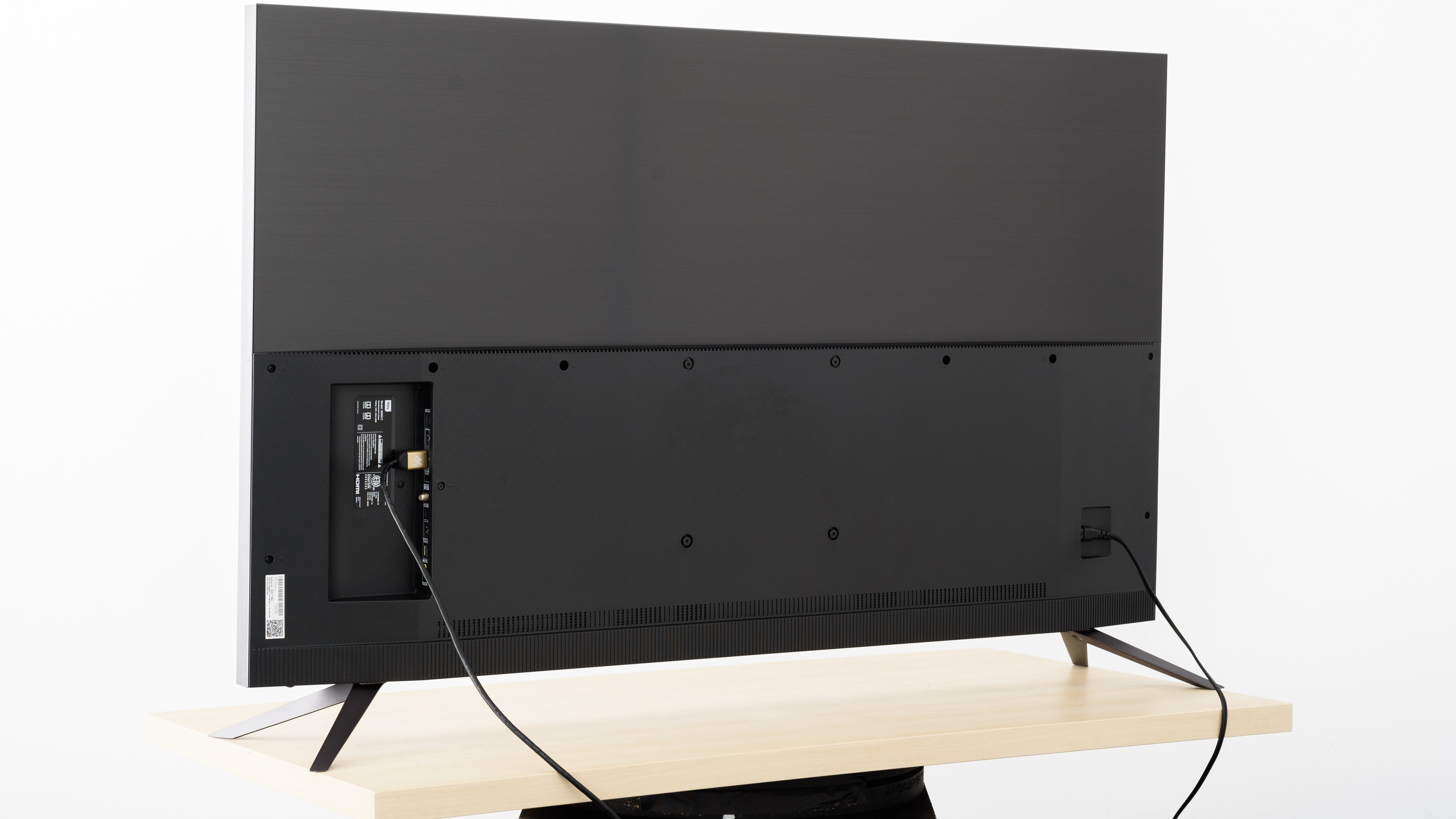
The rear of the TV is simple. The top half is metallic and the body is plastic.
There's no cable management, so it can look a bit messy for those who enjoy clean setups with hidden cables.
for pictures & test results

The borders of the TCL 6 Series look decent. They're metallic and have the same finish as the stand legs.
for pictures & test results

The TCL 6 Series is comprised of two sections: the electronics compartment, and the panel section which is square and has a bulky feel to it. Even though the overall thickness isn't bad, it'll stick out a little if wall-mounted.
for pictures & test results

Decent build quality that feels solid and the TV doesn't have any loose parts on it. Its successor, the TCL 6 Series/R625 2019 has improved build quality.
We have received many reports of varying gray uniformity issues between units, which may be indicative of the build quality or quality control.
for pictures & test results

As is the case with most VA panels, the 6 Series 2018 has a fantastic contrast ratio. The R617 is able to produce deep, inky blacks when viewed in dark rooms.
The local dimming feature further improves the contrast ratio, making it a great choice for dark room viewing.
for videos & test results

The local dimming on the TCL R615/617 series is decent, and it can produce deeper dark scenes which is very noticeable especially when viewed in a dark room.
On the other hand, there's some obvious clouding around the moving objects. This is because of the inherent limitations of FALD technology and should not worry most people.
Update: The text has been updated to better explain why we see some clouding.
Great SDR peak brightness; it performs well in a bright room. The TV boosts the bright sections of the screen when other areas are dimmer. This is shown by how the smaller window tests are brighter than the larger ones.
This is an improvement from 2017's TCL P605/607 and it's much better than the brightness of competing TVs like the Samsung NU7100 and Vizio M Series 2017. It's also a bit brighter than the newer TCL 6 Series 2019 R625.
The TCL 6 Series has great HDR peak brightness. Bright highlights in HDR content will be shown fairly bright, very close to the level of 1000-4000 cd/m² they're intended to be.
Overall, the HDR brightness is much better than the TCL P605/607 which is great.
for pictures & test results

for pictures & test results

Mediocre gray uniformity on the 55R617. There's clear darkening around all four corners and there's visible dirty screen effect, which is noticeable with fast-moving objects. Even during dark scenes, the black isn't uniform across the screen. However, this result varies between units.
for videos & test results

for pictures & test results

for pictures & test results

for pictures & test results

The viewing angle is poor. Blacks and colors shift rapidly as you move away from the front, and the brightness drops quickly as the angle increases a few degrees.
As with most TCLs we've reviewed, it's most suitable for a narrow viewing environment.
The Sony X720E is a better choice for a wide viewing angle.
for pictures & test results

for pictures & test results

The black uniformity of the TCL 6 Series is good. Although there's some clouding in the native black uniformity, the performance improves when local dimming is enabled. This only reduces clouding around the test cross.
for pictures & test results

for pictures & test results

for pictures & test results

The R617 has a semi-gloss finish that works well in diffusing reflections across the screen. However, when viewed in a bright room, the reflections may be somewhat distracting especially if the source is facing the TV.
This model has better reflection handling than the newer TCL R625.
for pictures & test results

for pictures & test results

for pictures & test results

Good color accuracy pre-calibration. Most of the colors on the TCL R617 still appear fairly accurate, but because the color temperature is below the target, most colors will be closer to red and yellow. The gamma curve follows the target really well, so most scenes should appear at their correct brightness.
for pictures & test results

for pictures & test results

for pictures & test results

As is the case with most TVs, the R617 has near-perfect color accuracy post-calibration. With the exception of the color blue, most colors are extremely accurate. The gamma curve is exactly at the 2.2 target, but the color temperature wasn't able to fully reach its target, so some colors are still closer to red/yellow.
See our recommended settings here.
for pictures & test results

Lower resolution 480p content looks good and is displayed without any obvious issues.
for pictures & test results

720p content is displayed well, without any issues.
for pictures & test results

1080p content like Blu-rays and non-4k games looks almost as good as native 4k.
for pictures & test results

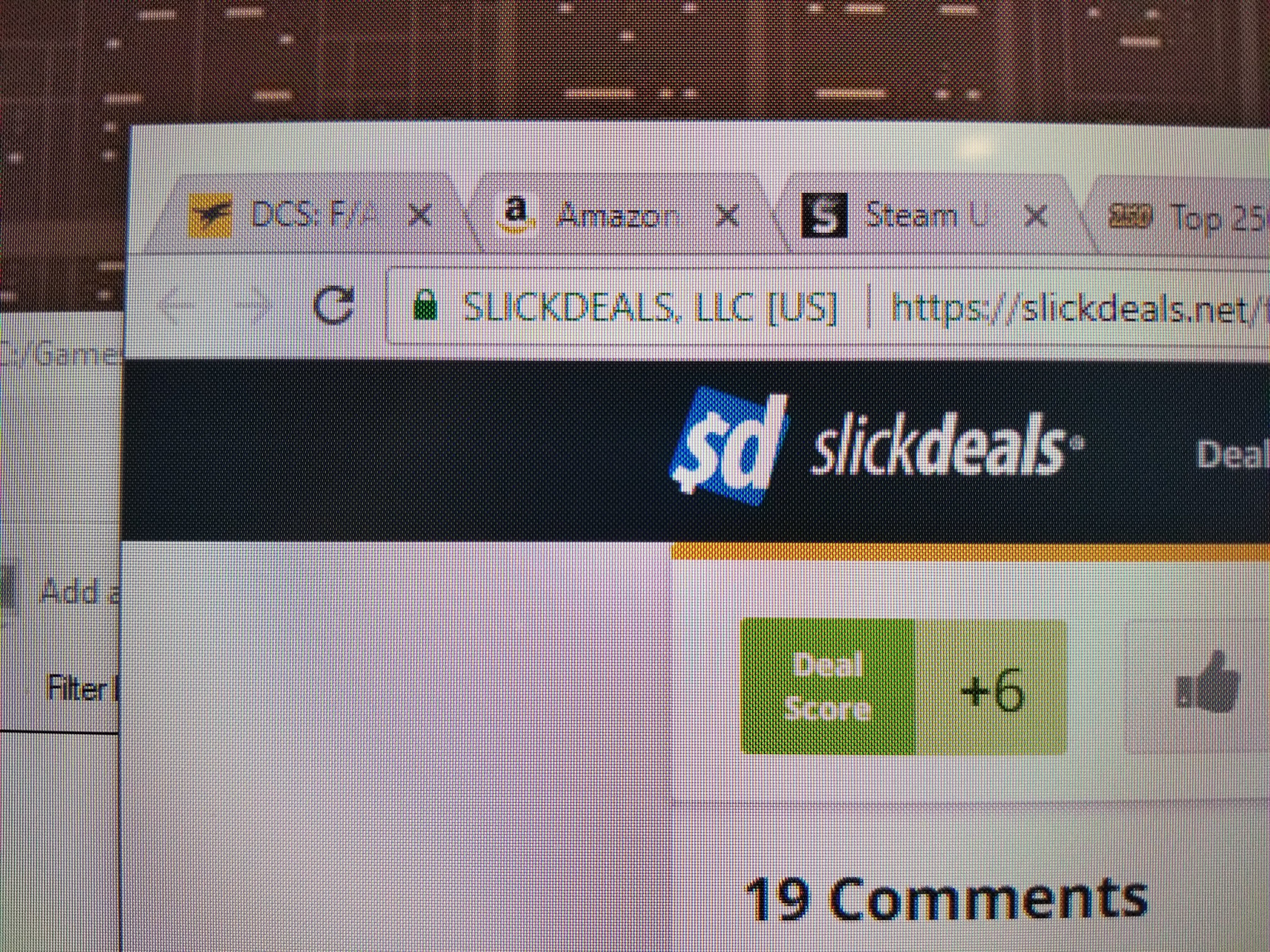
There are some artifacts visible with 4k content due to the sub-pixel dimming. This performs similarly to the P607 (see here), but shouldn't be an issue for most people and is mostly noticeable when used as a PC monitor.
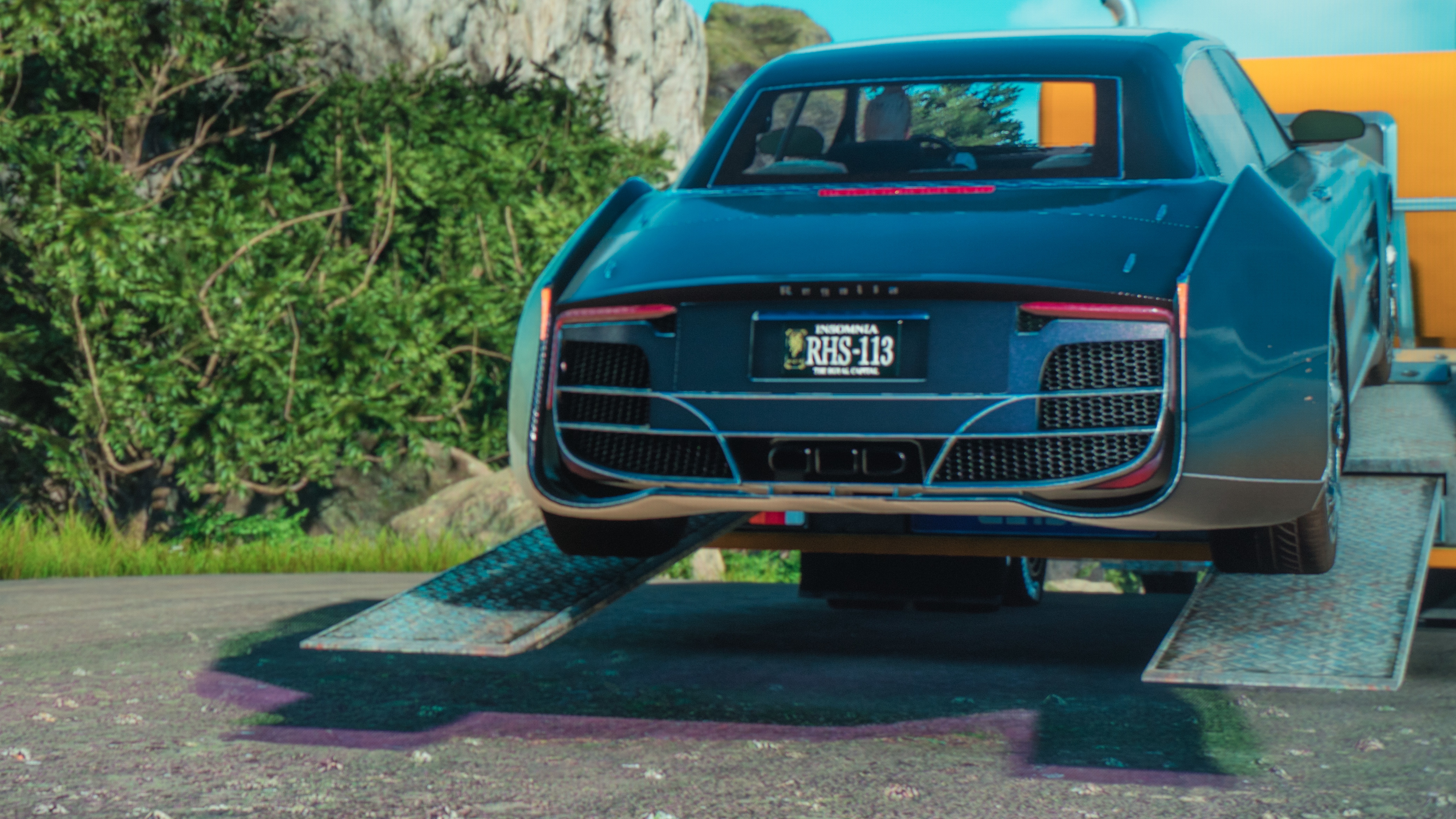
This type of dithering is uncommon, and is only seen on some TCL TVs, including the S517 and R617. Most people won't notice it much, but occasionally it causes artifacts when it interferes with spatial dithering in games such as this green or purple shadow. (Note: the images are from the S517, but we expect them to be the same on the 6 Series.)
Update 29/05/2018: We've received a report that the 49" S515/S517 has similar crosshatching to the S405, as seen here, and we expect this to be the same in the R615/R617. This will bother some people especially when used as a PC Monitor.
for pictures & test results

The pixel structure is quite different from the P607, but there are still artifacts visible with native 4k content as seen in the 4k input box.
for pictures & test results

for pictures & test results

for pictures & test results

The TCL 6 Series 2018 has a good color gamut, but it's slightly worse than the P607. It supports a wide color gamut, but it isn't as wide as other HDR TVs. HDR will look good, but bright outdoor scenes will lack some detail due to the TV's limited green reproduction.
Note that for this test, a PC was used as a pattern generator. Like many other TCL TVs, the TV detects the PC from the AVI infoframe and automatically switches to a PC mode which behaves a little bit differently. Using an HDFury Integral to mask the AVI infoframe results in a color gamut in the same ballpark, but slightly lower at around 65.8% Rec. 2020 uv.
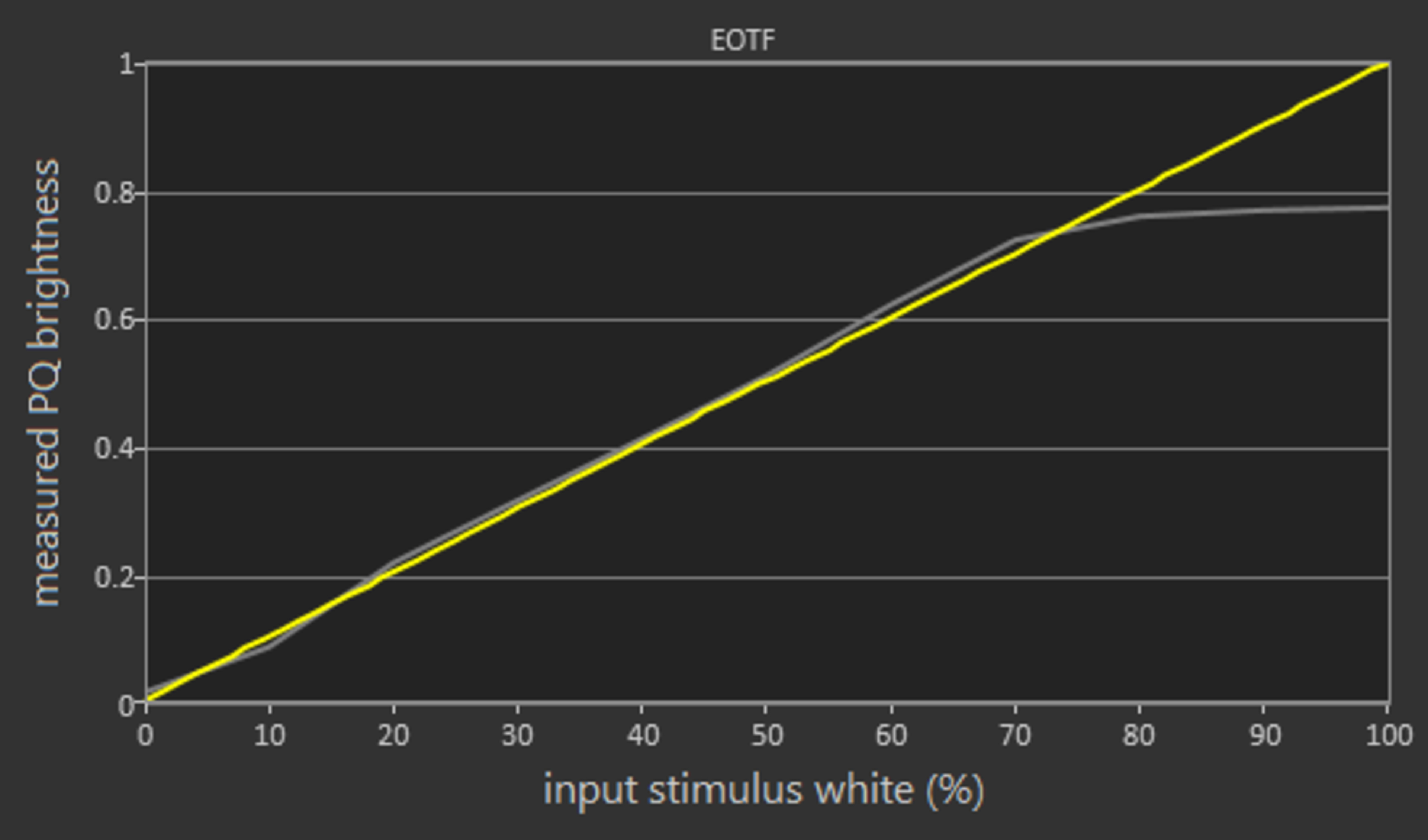
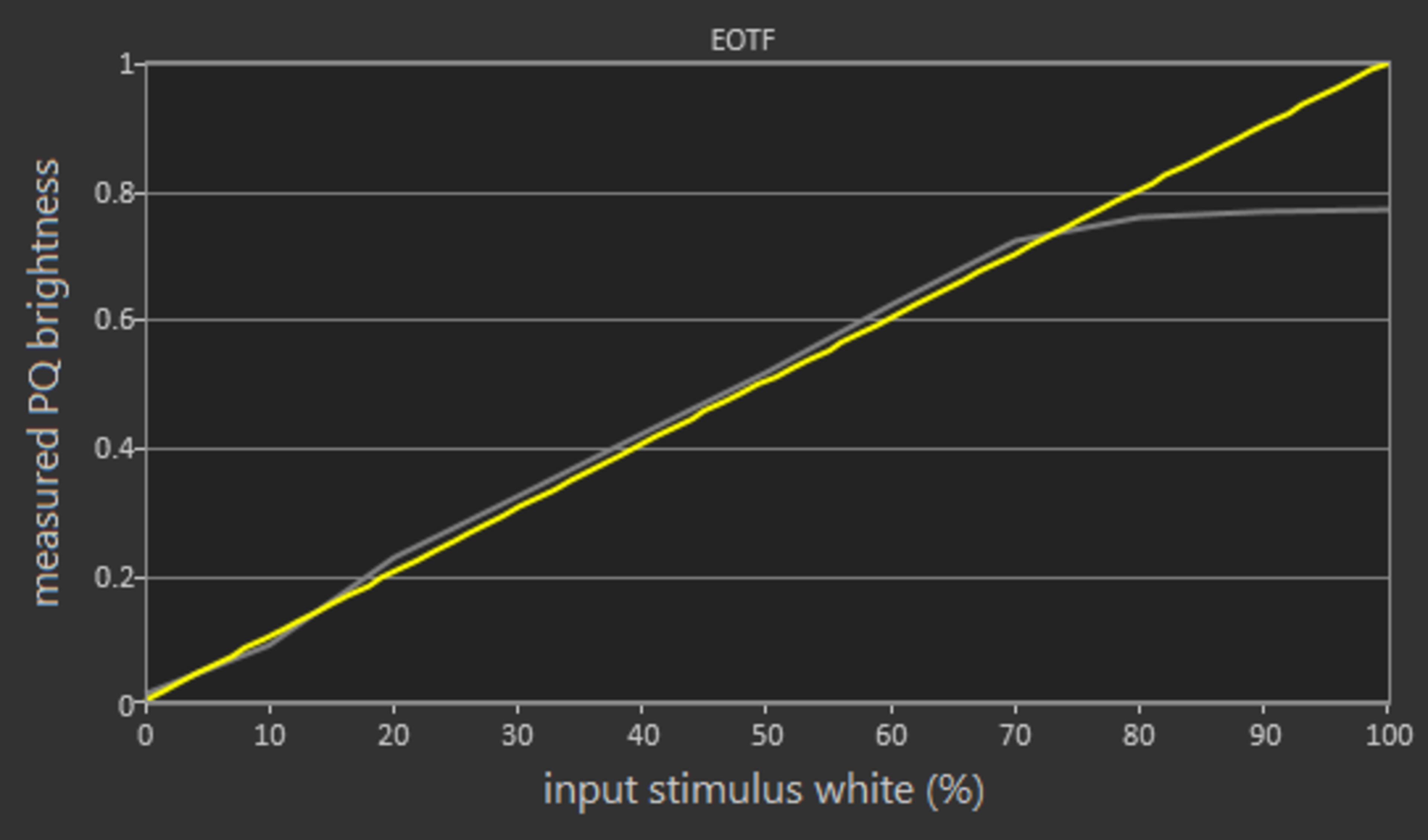
The TV's Movie EOTF curve follows our input stimulus almost perfectly, but it rolls off sharply as it hits the TV's peak brightness. The PC and Game EOTFs are nearly identical, which is great.
for pictures & test results

for pictures & test results

The 55R617 has decent color volume. In the P3 volume, it covers the gamut well; this is a great improvement over the TCL P607. In both color volumes, the darker colors aren't displayed very well, and blues don't get very bright.
for pictures & test results

Good gradient performance on the TCL 6 Series 2018. There's some small banding in dark red, dark green, and dark gray, but nothing major and this shouldn't be a problem.
for pictures & test results

There's no image retention on this TV. As always, this is good news for gamers and PC users who might use this TV as a monitor.
We don't expect VA panels to experience permanent image retention, as the VA panel in our long-term test appears immune.


for pictures & test results

There's a backlight flicker on the R617, but it flickers at 480Hz, which is barely noticeable. This is a significant improvement over the 120Hz flicker on the TCL P Series/P607 2017. The TV mainly dims the backlight through PWM, although there's some amplitude dimming as well.
for pictures & test results

for pictures & test results

The R617 has an optional black frame insertion feature that can adjust the backlight flicker to help clear up motion by introducing flicker.
This can be enabled by going to Options->Advanced Picture Settings and turning LED Motion Clarity On.
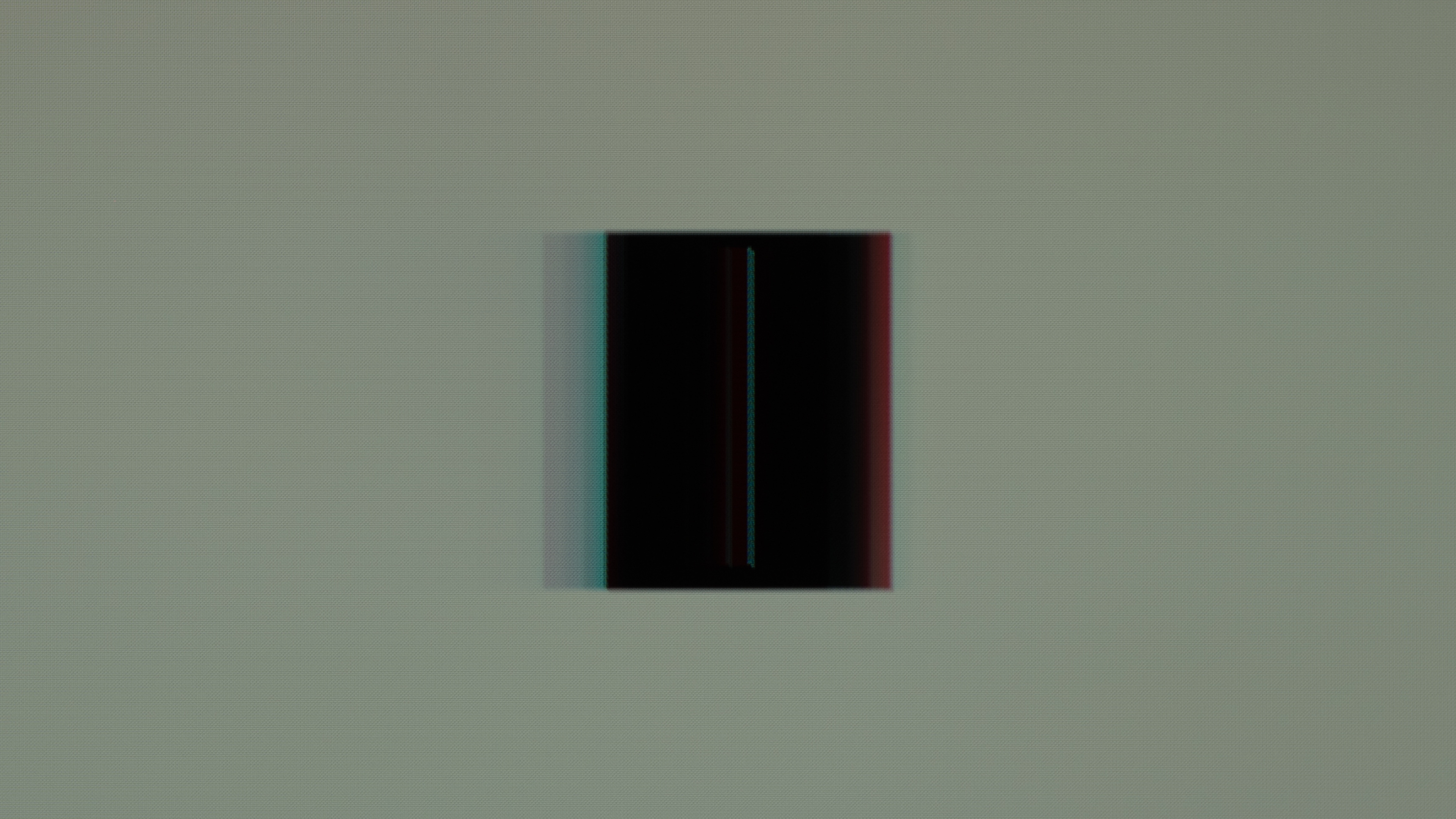
The TV can flicker as low as 60Hz, even in game mode, but there are some strange results. It appears to flicker each color individually, resulting in visible duplications of different colors, as seen here. This is also noticeable when moving around with BFI enabled.
for pictures & test results

The TV can interpolate lower frame rate content as high as 60 fps. Motion can look a little strange to some people when enabled, this is commonly known as the Soap Opera Effect. This doesn't work when connected to a PC, and there's no way to bypass this as this TCL automatically detects when it's connected to a PC.
Motion interpolation is a new feature on the TCL R617, and it can be enabled by going to the Advanced Picture Settings menu, and setting Action Smoothing to either Off, Low, Medium, or High.
The R617 can display most content without stutter, but there's some noticeable stutter when playing 24p content - like Blu-ray movies. This is mostly noticeable in wide-panning shots.
The TV is judder free when playing native 24p content from a Blu-ray player. To remove judder from other sources, Natural cinema must be enabled in the Advanced Picture Settings menu. This is a significant improvement over all other TCL TVs we've reviewed.
The TCL 6 Series doesn't support any of the Variable Refresh Rate technologies like AMD FreeSync. We tested on a PC with an AMD Radeon RX 580.
Update 10/16/2020: We've received reports that Auto Low Latency Mode (ALLM) is now available on this TV. Unfortunately, we no longer have it, so we can't confirm this information.
The R617 has excellent low input lag, as long as Game Mode is enabled. With Game Mode disabled, input lag is extremely high. 1080p and 4k input lag are very similar. The TV is a 60Hz panel, as such 120Hz input is not supported.
For use as a PC monitor, the TV automatically detects when it's connected to a PC. If it doesn't automatically detect it, changing the input label to Computer will enable PC Mode. For the lowest input lag in PC mode, Game Mode must also be enabled.
The TV supports most resolutions without issue. For use as a PC Monitor, PC mode must be enabled; either by the TV's auto-detection or by changing the input label to Computer. The TV must be in PC mode for chroma 4:4:4 to work.
for pictures & test results

All of the inputs are directed out of the side. There's an included mini break out cable for composite input, but no component input.
Unlike the P607, there's no headphone output on the remote. To connect headphones, the audio output on the side of the TV is the only option.
Update 06/15/2020: We've received reports that this TV now supports HLG. Unfortunately, we're not able to confirm it, as we don't have it any more.
Update 06/05/2018: To support HDR on HDMI ports connected to an Xbox One, the HDMI ports must be manually set to HDMI 2.0 as the Auto setting won't automatically switch to HDMI 2.0 due to a detection issue.
Update 01/09/2019: We retested the DTS passthrough with the new firmware and now it works properly.
For the audio return channel to work, CEC must be enabled in Settings -> System -> Control other devices (CEC) -> ARC (HDMI 3).
For 5.1 passthrough on the ARC, the Audio Mode must be set to Auto in the Settings -> Audio menu, with S/PDIF and ARC set to "Dolby D, DTS". With other settings no sound was getting passed through to our receiver, not even stereo PCM.
The R617 supports ARC audio passthrough with HDMI 3. You can connect 5.1 Dolby Digital or DTS through it. Unfortunately, it doesn't have eARC support.
for pictures & test results

The frequency response is sub-par. The LFE (Low-frequency extension) is at 143Hz, which means this TV won't produce any thump or rumble, and not a lot of body and punch either. The response above the TV's LFE is relatively well-balanced, which is important for producing clear dialogue. However, since this TV doesn't have a room correction system, it wasn't able to remove the mode of our test room around 200Hz. Additionally, it gets loud enough for most situations, and doesn't produce an excessive amount of compression artifacts under heavier loads.
for pictures & test results

The distortion performance is about average. The overall amount of harmonic distortion is within good limits at 80dB SPL, but slightly elevated at max volume. This TV also produces high amounts of intermodulation distortion, which could translate to a less transparent treble. Both the effect will be subtle and won't be noticeable to most users.
for pictures & test results

The interface is easy to use and smooth. There are no serious performance issues or dropped frames.
for pictures & test results

There are ads on the home menu, and there's no way to disable them. During our testing, we were presented with ads for other Roku devices compared to the suggested content ads that were present on previous TCL TVs.
for pictures & test results

The R617 has a wide selection of available apps through the built-in Roku smart interface. There are also hundreds of streaming channels available, many of them free. The built-in apps are able to play pretty much everything. It's one of the best smart TVs we've tested in 2018.
for pictures & test results

The remote included with the TV doesn't use IR, so it doesn't require line of sight. Unlike the enhanced remote included with the P607, the R617 doesn't have an audio output on the remote. With the removal of this feature, the remote is quite a bit lighter and thinner than the P607 remote.
The basic remote on the R615 requires line-of-sight to the TV, and doesn't have voice control options.
for pictures & test results

There's a single button at the front of the R617, and through it you can control the power or change inputs.