The Samsung Odyssey G7 C32G75T is a 240Hz, 1440p gaming monitor. It's part of Samsung's 2020 Odyssey gaming lineup, and it's one of few monitors available in two sizes: 27 and 32 inches, which we tested. It has a 240Hz refresh rate with native FreeSync VRR support to reduce screen tearing. It's also G-SYNC compatible if you want to use it with an NVIDIA graphics card. It has a 1000R curve that helps bring the edges of the screen within your field of vision, and it has a VA panel with edge-lit local dimming, but unlike some of Samsung's models that came out after this one, like the Samsung Odyssey Neo G7 S32BG75, it doesn't have Mini LED backlighting.
Our Verdict
The Samsung Odyssey G7 is good for PC gaming. It has a native 240Hz refresh rate, FreeSync support, and is compatible with NVIDIA's G-SYNC VRR. It has low input lag for a responsive feel with VRR enabled, and it has a consistently fast response time across its VRR range, but there's still some blur with fast-moving objects. The biggest downside is that it has distracting VRR flicker in dark scenes with changing frame rates. On the plus side, it delivers good picture quality with deep blacks, but it has a terrible local dimming feature that causes blooming around bright objects.
- Consistently fast response time at any refresh rate.
- Native FreeSync support and G-SYNC compatibility.
- Great native contrast ratio.
- Low input lag with VRR enabled.
- Noticeable VRR flicker with changing frame rates.
- Fast-moving objects still have smearing.
- Terrible local dimming feature.
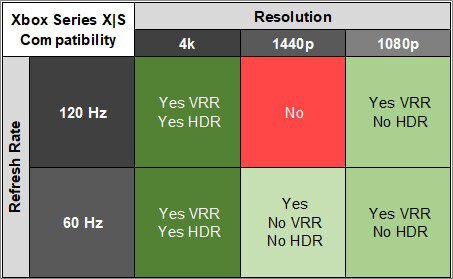
The Samsung Odyssey G7 is okay for console gaming. It lacks HDMI 2.1 bandwidth to take full advantage of the PS5 and Xbox Series X|S, but it still provides a good gaming experience with low input lag and a fast enough response time at any refresh rate. It has a high native contrast ratio, so blacks look deep while gaming in dark rooms, but it has a terrible local dimming feature, resulting in blooming around bright objects.
- Consistently fast response time at any refresh rate.
- Great native contrast ratio.
- Low input lag with VRR enabled.
- Fast-moving objects still have smearing.
- Terrible local dimming feature.
- No HDMI 2.1 bandwidth.
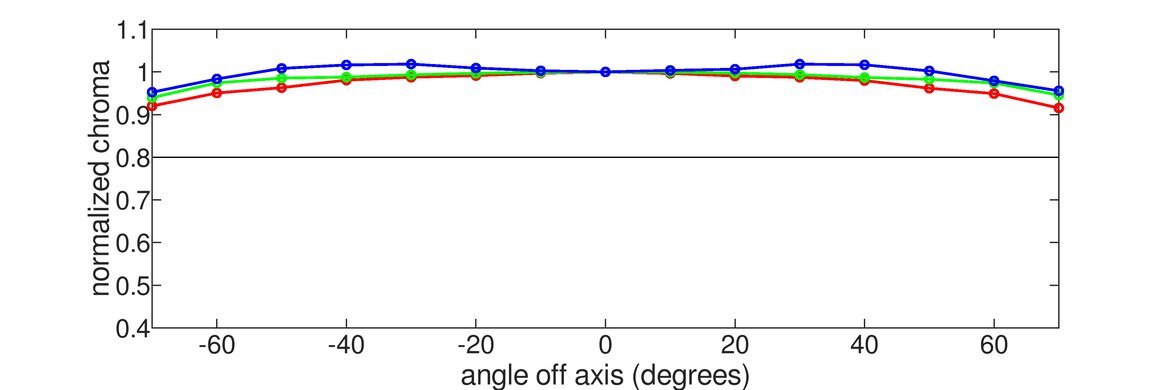
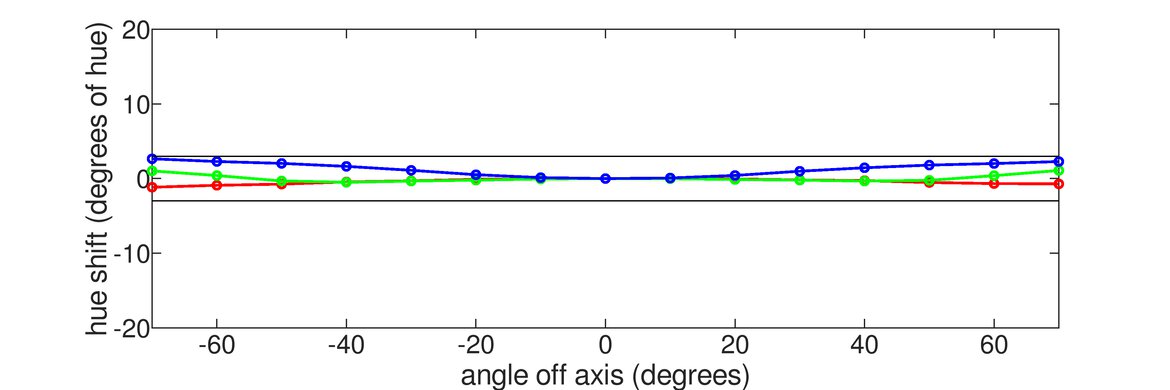
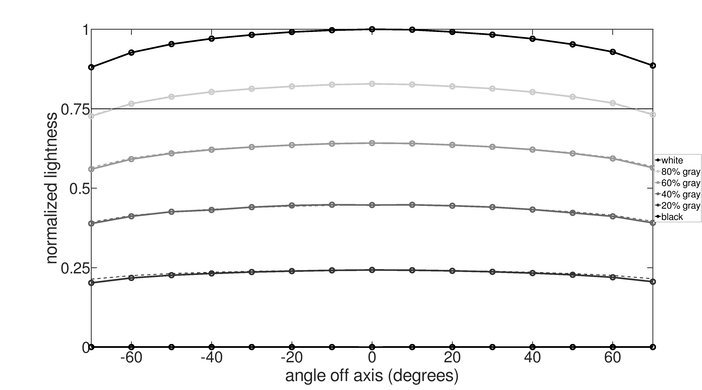
The Samsung Odyssey G7 is good for office use. It has a large 32-inch screen with a 1440p resolution, giving you enough screen space to multitask. Sadly, because of its VA panel, it has narrow viewing angles, which isn't ideal for sharing your screen with others. On the upside, it gets bright enough to combat glare, and it has very good reflection handling.
- Very good reflection handling.
- Bright enough to fight glare.
- Good text clarity.
- Narrow viewing angles.
The Samsung Odyssey G7 is decent for media creation. Its 32-inch screen allows you to open multiple windows at once for multitasking. However, the screen's aggressive curve may not be to everyone's liking while photo or video editing. The curve helps bring the edges within your field of vision, but with its narrow viewing angles, it isn't ideal for sharing your screen with others. Lastly, it has good picture quality with a high native contrast ratio, but you need to calibrate it for the best accuracy.
- Great native contrast ratio.
- Very good reflection handling.
- Good text clarity.
- Narrow viewing angles.
- Needs full calibration for best accuracy.
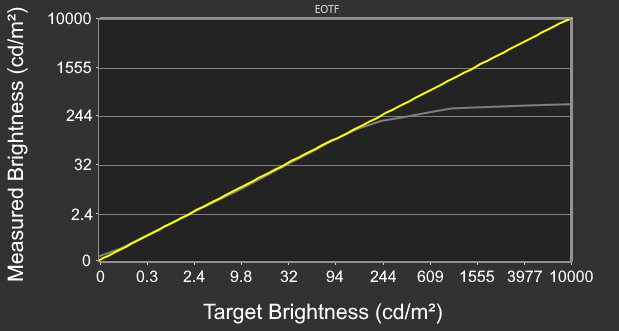
The Samsung Odyssey G7 has decent brightness. It gets bright enough to fight glare in well-lit rooms, and it also makes small highlights stand out a bit in HDR. However, it can't maintain that brightness with larger highlights in HDR.
- Bright enough to fight glare.
- Small highlights pop in HDR.
- Limited HDR brightness with larger highlights.
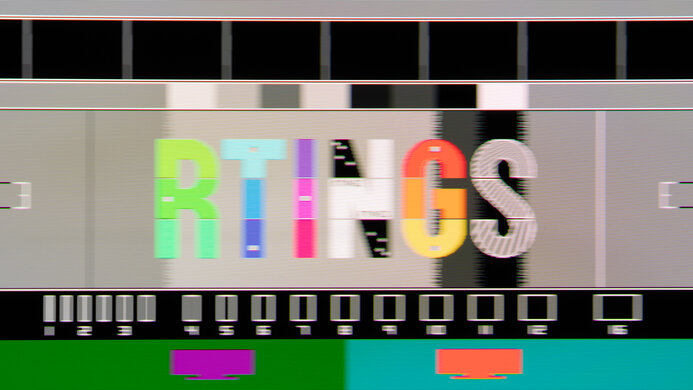
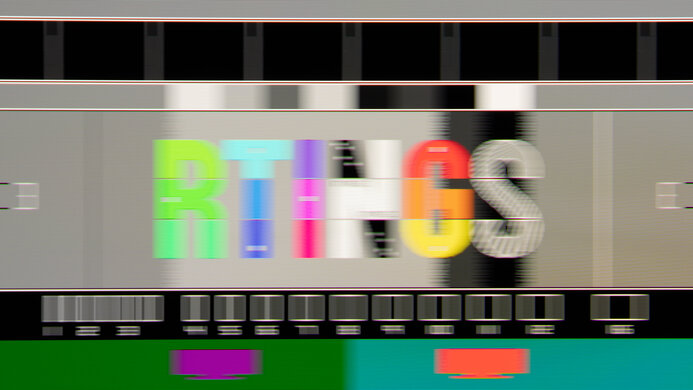
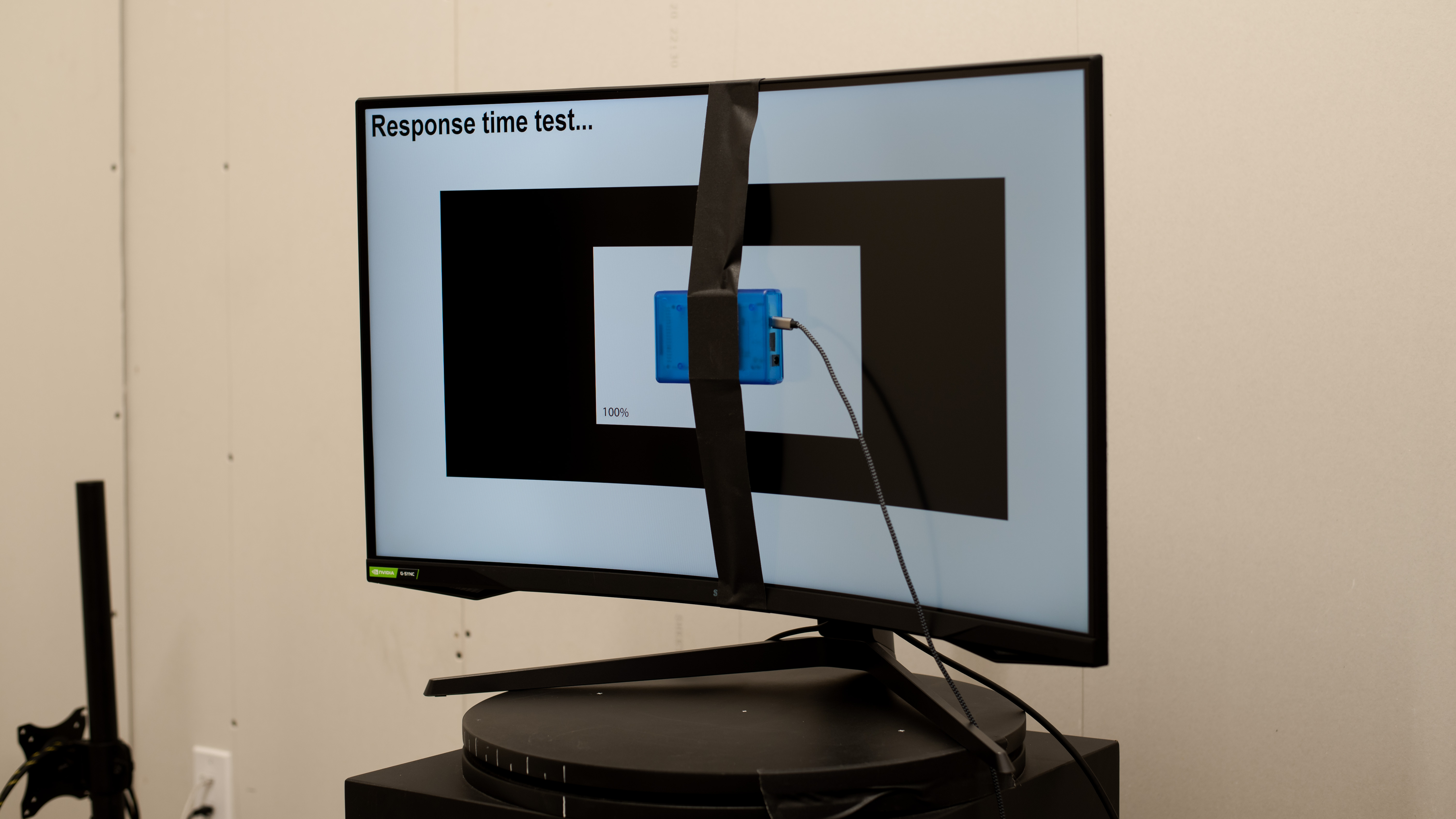
The Samsung Odyssey G7 has a great response time. It's consistent across its refresh rate range, but there's still some blur and smearing with fast-moving objects.
- Consistently fast response time at any refresh rate.
- Fast-moving objects still have smearing.
The Samsung Odyssey G7 has mediocre HDR picture quality. While it has a high native contrast ratio to display deep blacks, it has a terrible local dimming feature that causes blooming, and it fails to make colors look vivid.
- Great native contrast ratio.
- Terrible local dimming feature.
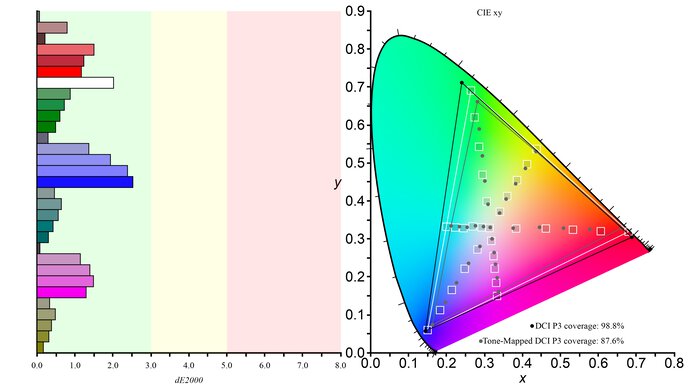
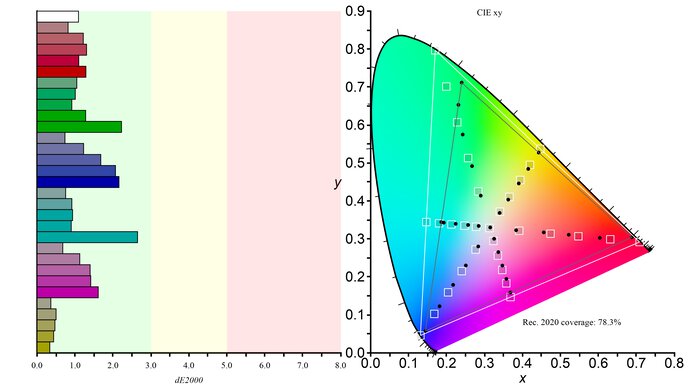
The Samsung Odyssey G7 has good SDR picture quality. It displays a wide range of colors, and it has a great native contrast ratio, so blacks are deep and inky next to bright highlights.
- Great native contrast ratio.
The Samsung Odyssey G7 has great color accuracy. While its dedicated sRGB mode has good accuracy before calibration, you still need to calibrate it for the best accuracy.
- Good accuracy in sRGB mode.
- Needs full calibration for best accuracy.
Performance Usages
Changelog
- Updated Feb 21, 2025: We've converted this review to Test Bench 2.0.1. This includes a new test result for DisplayPort 2.1 Transmission Bandwidth.
- Updated Jul 03, 2024: Clarified in the Variants section that the results are with firmware 1016.1.
- Updated May 27, 2024: Updated text throughout the review according to Test Bench 2.0, mainly in the Verdict and Motion sections.
- Updated May 24, 2024: Corrected the recommended overdrive setting in CAD @ 60Hz to reflect that enabling VRR results in the best motion handling.
Check Price
Differences Between Sizes And Variants
We tested the 32-inch Samsung Odyssey G7, and the results are also valid for the 27-inch model, known as the Samsung Odyssey G7 27. It's part of the 2020 Odyssey lineup. There's a newer Samsung Odyssey Neo G7 S32BG75 in Samsung's 2022 lineup, but it's a different monitor with a higher resolution.
| Name | Size(s) | US Model | Short Model Code | Refresh Rate | Resolution |
|---|---|---|---|---|---|
| Samsung Odyssey G7 27 | 27" | LC27G75TQSNXZA | C27G75T | 240Hz | 2560x1440 |
| Samsung Odyssey G7 32 | 32" | LC32G75TQSNXZA | C32G75T | 240Hz | 2560x1440 |
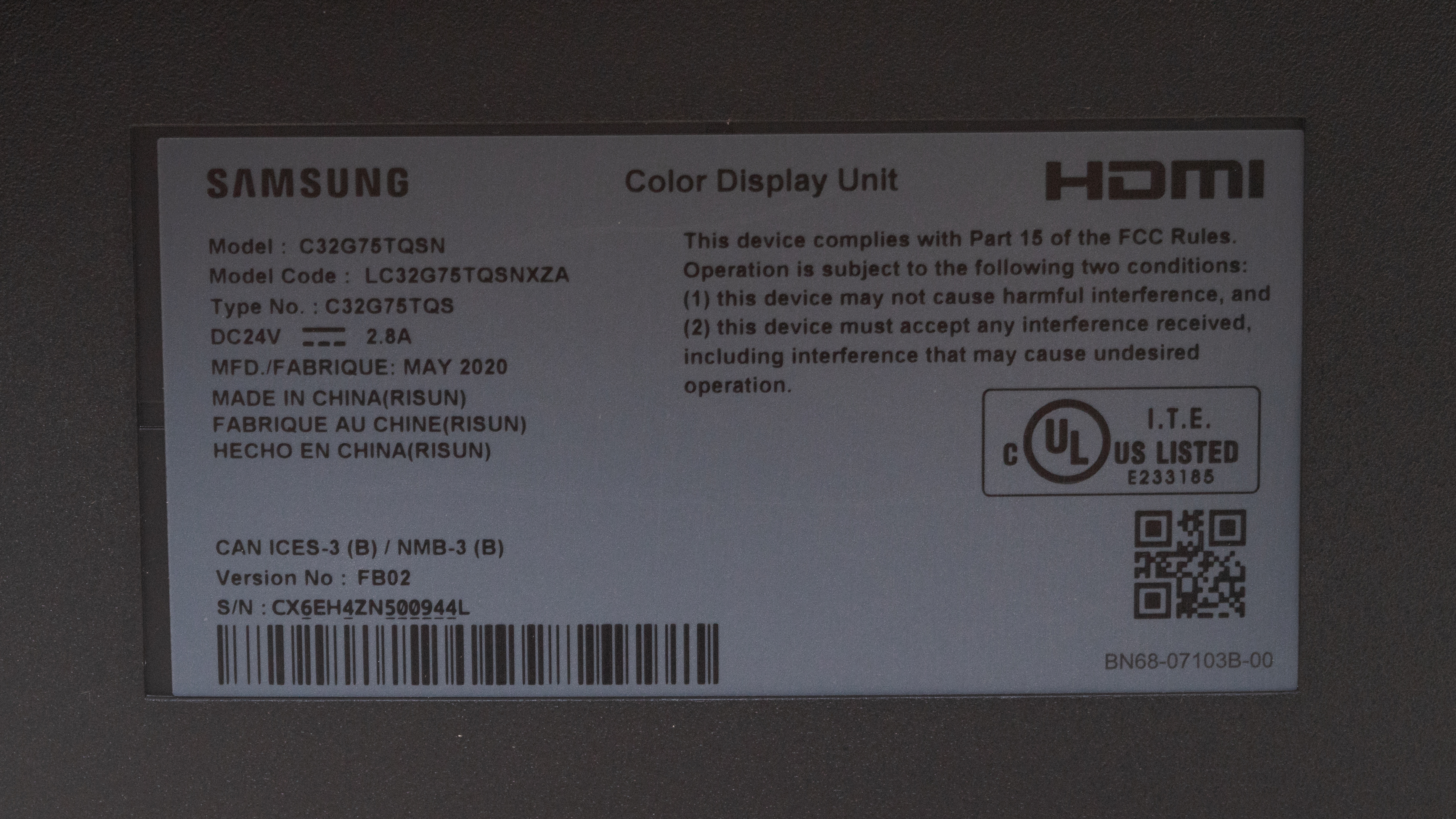
Our unit was manufactured in May 2020; you can see the label here. The latest results are with firmware 1016.1.
Popular Monitor Comparisons
The Samsung Odyssey G7 is a good PC gaming monitor that combines a high 240Hz refresh rate with a 1440p resolution. It also has good dark room performance, but its picture quality isn't as good as newer Samsung monitors like the Samsung Odyssey Neo G7 S32BG75. Also, there are many bugs with it, and monitors like the Gigabyte M27Q X and the Dell Alienware AW2723DF offer nearly the same gaming performance for a cheaper cost, so unless you really want a monitor with a VA panel, there are better options.
Also, make sure to check out our recommendations for the best curved gaming monitors, the best 240Hz monitors, and the best 1440p monitors.
The Samsung Odyssey G7 C32G75T and the MSI Optix MAG274QRF-QD are both gaming monitors that are different in a few ways. The Samsung uses a VA panel and is available in a 27-inch or 32-inch size, while the MSI uses an IPS panel and is only available in a 27-inch. If you want better dark room performance, go with the Samsung because it can produce much deeper blacks. It has a higher refresh rate as well. The MSI isn't as good for dark rooms due to its IPS panel's mediocre contrast, but it provides wider viewing angles and has USB-C input.
The Samsung Odyssey G7 C32G75T and the Gigabyte M32U are both decent gaming monitors, but the better one depends a bit on your personal preferences. The Samsung uses a VA panel, which is better for a dark room. The Gigabyte has an IPS panel, which is best for a brighter viewing environment. The Gigabyte also has better viewing angles and supports HDMI 2.1, so it's a better choice for Sony PS5 or Xbox Series S|X gamers.
The Samsung Odyssey G7 C32G75T is much better than the Dell S3222DGM. The Samsung supports HDR and has a faster refresh rate and a faster response time, so motion looks clearer with less noticeable blur. The Samsung also has a more versatile black frame insertion feature, and the stand has better ergonomics with a better height adjustment and can rotate to portrait orientation and swivel.
In name, the Samsung Odyssey G7 S28AG70 is an updated version of the Samsung Odyssey G7 C32G75T, but they're different types of monitors. The S28AG70 is a flat 4k monitor with a 28-inch screen, while the C32G75T is a curved 1440p model available in 27 and 32 inches. The S28AG70 has an IPS panel with wide viewing angles, and the C32G75T has a VA panel with better contrast. In terms of picture quality, the C32G75T is better in a few areas as it gets brighter and has better reflection handling, and even though it has a quicker overall response time, the S28AG70 has better motion handling because there's less black smearing.

We buy and test more than 30 monitors each year, all of which we purchase ourselves, without cherry-picked units or samples. We put a lot into each unbiased, straight-to-the-point review, and there's a whole process from purchasing to publishing, involving multiple teams and people. We do more than just use the monitor for a week; we use specialized, custom tools to measure various aspects and deliver objective, data-driven results. We also consider multiple factors before making any recommendations, including the monitor's cost, its performance compared to the competition, and whether it's easy to find.
Test Results






for pictures & test results





for pictures & test results
for videos & test results

for pictures & test results

for pictures & test results

for pictures & test results

for videos & test results

for pictures & test results
for pictures & test results
for pictures & test results


for pictures & test results

for pictures & test results

for pictures & test results

for pictures & test results

for pictures & test results

for pictures & test results