The Samsung QN90B QLED is a premium 4k TV that replaces the Samsung QN90A and is available in 43 to 85-inch sizes. This TV is part of Samsung's 2022 lineup, sitting between the Samsung QN85B and the Samsung QN95B. The QN95B is a similar TV with a One Connect box but a different processor. The QN90B features Samsung's Neo Quantum Processor 4k, and it uses Mini LED backlighting with over 900 dimming zones on larger sizes.
This TV comes with Samsung's proprietary Tizen OS smart interface, which offers a large selection of apps and games. The smart system has a few useful features, like the ability to control other smart devices and support for video calls with a compatible webcam. Besides that, it has gaming features you'd expect to find in a high-end TV, like variable refresh rate (VRR) support and HDMI 2.1 bandwidth, and the 43 and 50-inch sizes even have a 144Hz refresh rate.
Our Verdict
The Samsung QN90B is an impressive TV for most uses. It's great for watching TV shows or sports in a bright room thanks to its high peak brightness and superb reflection handling. It also upscales lower-resolution content well, which is important if your shows and sports aren't in 4k. It delivers an impactful HDR experience in a dark room thanks to its great contrast, impressive local dimming feature, and exceptional peak brightness in HDR, but it doesn't track the target PQ EOTF well. It also delivers an excellent gaming experience with low input lag, a fast pixel response time, and a slew of great gaming features. It's a fantastic choice for use as a PC monitor, as it supports most common resolutions, and chroma 4:4:4 is displayed properly, essential for clear text.
- Bright enough to overcome glare in a bright room.
- Image remains consistent at an angle.
- Easy-to-use smart interface with a great selection of apps.
- Some noticeable stutter in slow-panning shots.
The Samsung QN90B is great for watching TV shows in a bright room. It has fantastic peak brightness and superb reflection handling, so glare isn't an issue in bright rooms. It also has a wide viewing angle, so the image remains consistent from the side, which is great if you have a wide seating arrangement or like to move around with the TV on. The Tizen OS smart interface has a great selection of additional apps, so you're sure to find your favorite ones. Finally, it upscales lower-resolution content well, which is great if you have a collection of older TV shows on DVD.
- Bright enough to overcome glare in a bright room.
- Image remains consistent at an angle.
- Easy-to-use smart interface with a great selection of apps.
- Upscales lower resolution content well.
- Some dirty screen effect.
The Samsung QN90B is an impressive TV for watching sports in a bright room. It has fantastic peak brightness and superb reflection handling, meaning it can easily overcome glare in a bright room. It also has a good viewing angle, so the image remains consistent from the side if you have a wide seating arrangement. It has a quick pixel response time, so fast-moving objects, like players, look clear, and it's easy to make out the action. It even upscales lower-resolution content well, so sports from cable boxes look sharp. Unfortunately, although it has decent gray uniformity overall, there's a bit of distracting dirty screen effect in the center of the screen.
- Bright enough to overcome glare in a bright room.
- Image remains consistent at an angle.
- Fast response time.
- Easy-to-use smart interface with a great selection of apps.
- Some dirty screen effect.
The Samsung QN90B delivers an excellent gaming experience. It has fantastic low input lag, ensuring your actions feel responsive with little delay. It also has an excellent response time, resulting in very little blur behind fast-moving objects. All four of its HDMI ports support HDMI 2.1 bandwidth, and it's fully compatible with everything the Xbox Series X and PS5 have to offer, including VRR support. Unfortunately, there's a bit of blooming in Game Mode when you have local dimming enabled.
- Great contrast and an impressive local dimming feature.
- Fast response time.
- Exceptionally low input lag.
- Supports all three VRR formats.
- Some blooming in Game Mode with local dimming.
The Samsung QN90B is a great TV for watching movies in a dark room. It has a great contrast ratio, and thanks to its impressive Mini LED local dimming feature, blacks look dark and uniform in a dark room. It gets exceptionally bright in HDR, so small highlights stand out incredibly well. It also has an excellent HDR color gamut and fantastic color volume, so HDR content looks vivid and lifelike. However, there are some downsides, as it doesn't track the PQ EOTF well, meaning the image appears brighter than the creator intended. It also has some issues with macro-blocking in low-quality content, like in compressed movies from streaming services.
- Great contrast and an impressive local dimming feature.
- Fantastic peak brightness in HDR.
- Completely judder-free from all sources.
- Easy-to-use smart interface with a great selection of apps.
- Doesn't support Dolby Vision or DTS.
- Some noticeable stutter in slow-panning shots.
- Doesn't track the PQ EOTF properly; most scenes are brighter than expected.
The Samsung QN90B is an excellent TV for gaming in HDR. It delivers an excellent gaming experience with low input lag, a fast response time, and a slew of great gaming features, including HDMI 2.1 bandwidth and VRR support. HDR content looks incredible thanks to its exceptional peak brightness in HDR and great contrast, but its local dimming feature results in some blooming in Game Mode. It doesn't track the PQ EOTF properly, so most scenes are brighter than expected. On the plus side, bright highlights in games stand out well, and even large, bright scenes look good.
- Great contrast and an impressive local dimming feature.
- Fantastic peak brightness in HDR.
- Fast response time.
- Exceptionally low input lag.
- Supports all three VRR formats.
- Some blooming in Game Mode with local dimming.
- Doesn't track the PQ EOTF properly; most scenes are brighter than expected.
The Samsung QN90B is a fantastic choice for use as a PC monitor. It displays most chroma 4:4:4 signals properly, which is essential for good text clarity. It even has HDMI 2.1 bandwidth to take advantage of high-end graphics cards. It has a good viewing angle, ensuring the sides of the screen remain consistent when you sit close to the TV. It also has very low input lag, so it feels responsive when you're moving your mouse, and it has a quick response time, so there's very little blur behind fast-moving objects. Finally, it has fantastic peak brightness and superb reflection handling, so you don't have to worry about glare in a bright room.
- Chroma 4:4:4 is displayed properly.
- Image remains consistent at an angle.
- Fast response time.
- Exceptionally low input lag.
- Some dirty screen effect.
Changelog
- Updated Sep 26, 2025: We uploaded the latest brightness measurements and uniformity photos for the Accelerated Longevity Test.
- Updated Jul 08, 2025: We uploaded the latest brightness measurements and uniformity photos for the Accelerated Longevity Test.
- Updated Apr 17, 2025: We uploaded the latest brightness measurements and uniformity photos for the Accelerated Longevity Test.
- Updated Feb 11, 2025: We uploaded the latest brightness measurements and uniformity photos for the Accelerated Longevity Test.
Check Price
Differences Between Sizes And Variants
We tested the 65-inch QN90B, and the results are also valid for the 55-inch (Samsung 55QN90B), 75-inch (Samsung 75QN90B), and 85-inch (Samsung 85QN90B). It's also available in 43-inch and 50-inch models, but they're a bit different as they support a higher refresh rate and have different screen coating; we tested the 43-inch model as a monitor. Note that with Samsung TVs, the six letters after the short model code (AAFXZA in this case) vary between specific retailers and regions and even between different retailers. The warehouse variant sold at Costco and other retailers is known as the Samsung QN90BD. There are no differences between the QN90BD and the QN90B, but the warehouse model comes with a five-year warranty.
| Size | US Model | Short Model Code | Warehouse Variant | Refresh Rate | Ultra Viewing Angle Layer | Anti-Reflective Coating | Dimming Zones |
|---|---|---|---|---|---|---|---|
| 43" | QN43QN90BAFXZA | QN43QN90B | 43QN90BD | 144Hz | No | No | Unknown |
| 50" | QN50QN90BAFXZA | QN50QN90B | 50QN90BD | 144Hz | No | No | Unknown |
| 55" | QN55QN90BAFXZA | QN55QN90B | 55QN90BD | 120Hz | Yes | Yes | Unknown |
| 65" | QN65QN90BAFXZA | QN65QN90B | 65QN90BD | 120Hz | Yes | Yes | 720 |
| 75" | QN75QN90BAFXZA | QN75QN90B | 75QN90BD | 120Hz | Yes | Yes | ~900 |
| 85" | QN85QN90BAFXZA | QN85QN90B | 85QN90BD | 120Hz | Yes | Yes | 1320 |
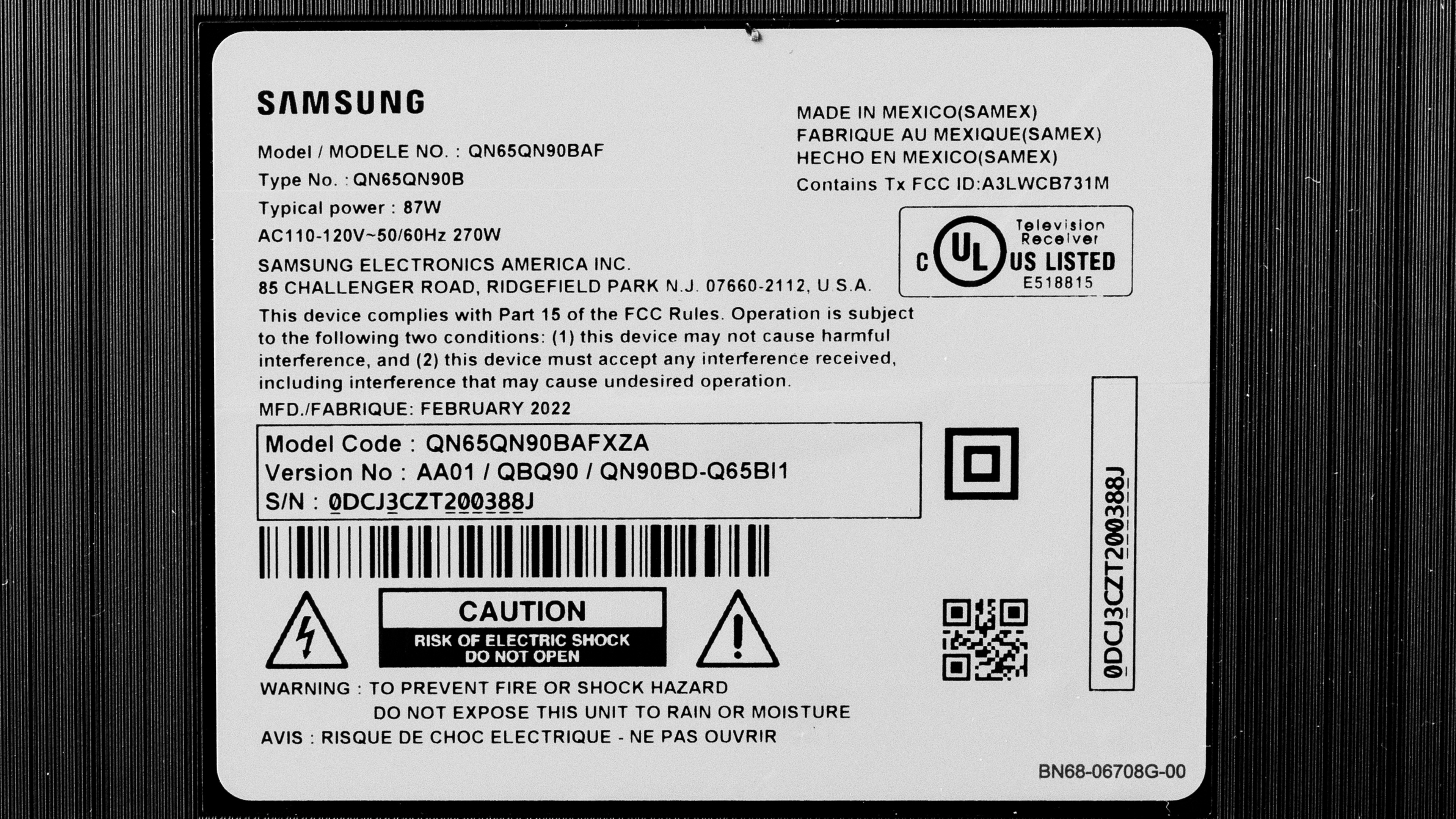
Our unit was manufactured in February 2022, and you can see the label here.
Popular TV Comparisons
The Samsung QN90B is an excellent TV overall, and it's one of the best 4k TVs with an LED backlight on the market. It's incredibly bright and versatile and fits well in almost any viewing environment. It also has an impressive selection of smart features and gaming features, so it's a great choice for pretty much anyone. While it's a fantastic high-end LED TV, it's still somewhat expensive, so if you're on a tighter budget and don't need the best performance, a mid-range TV like the Hisense U8/U8H is still a great alternative.
For more options, check out our recommendations for the best TVs, the best QLED TVs, and the best 4k gaming TVs.
The Samsung QN90C is the replacement model for the Samsung QN90B, and they each have their strengths and weaknesses. The QN90C has better tone mapping and tracks the PQ EOTF better, so HDR content looks much better, despite the QN90B's better measurements on some aspects of picture quality. The QN90C also uses a different panel type that natively has a wider viewing angle without needing additional filters, so there's no Ultra Wide Viewing Angle layer. It results in a slightly smaller viewing angle on the QN90C, but there's no distracting rainbow smearing from overhead lights.
The Hisense U8H and the Samsung QN90B deliver very similar picture quality overall, but the Samsung is a bit better overall. The Hisense has better native contrast, and it displays content closer to what the content creator intended. On the other hand, the Samsung TV has much better processing overall, so upscaled content looks a bit better, and there's less banding in areas of similar color. Thanks to its wide-angle filter, the Samsung is a much better choice for a wide seating arrangement, as the image remains consistent when viewed from the sides.
The Samsung QN90B is very similar to its predecessor, the Samsung QN90A. The QN90B has a wider viewing angle but worse black uniformity and more noticeable blooming in dark scenes. Small highlights in HDR content in dark scenes are significantly brighter on the QN90B, so they pop more.
The Samsung QN90B is a bit better than the Samsung Q90/Q90T QLED. The newer QN90B is a lot brighter, and it has better contrast with local dimming. The QN90B is also better for gaming, as all four of its HDMI ports support HDMI 2.1 bandwidth, meaning you can take full advantage of multiple consoles.

We buy and test dozens of TVs yearly, taking an objective, data-driven approach to deliver results you can trust. Our testing process is complex, with hundreds of individual tests that take over a week to complete. Most of our tests use specially designed test patterns that mimic real content, but we also use the same sources you have at home to ensure our results match the real-world experience. We use two main tools for our testing: a Colorimetry Research CR-100 colorimeter and a CR-250 spectroradiometer.
Test Results
Older Test Bench: We tested this product using an older TV test methodology before a major update. Some of the test results below aren't directly comparable with other TVs. Learn more
for pictures & test results

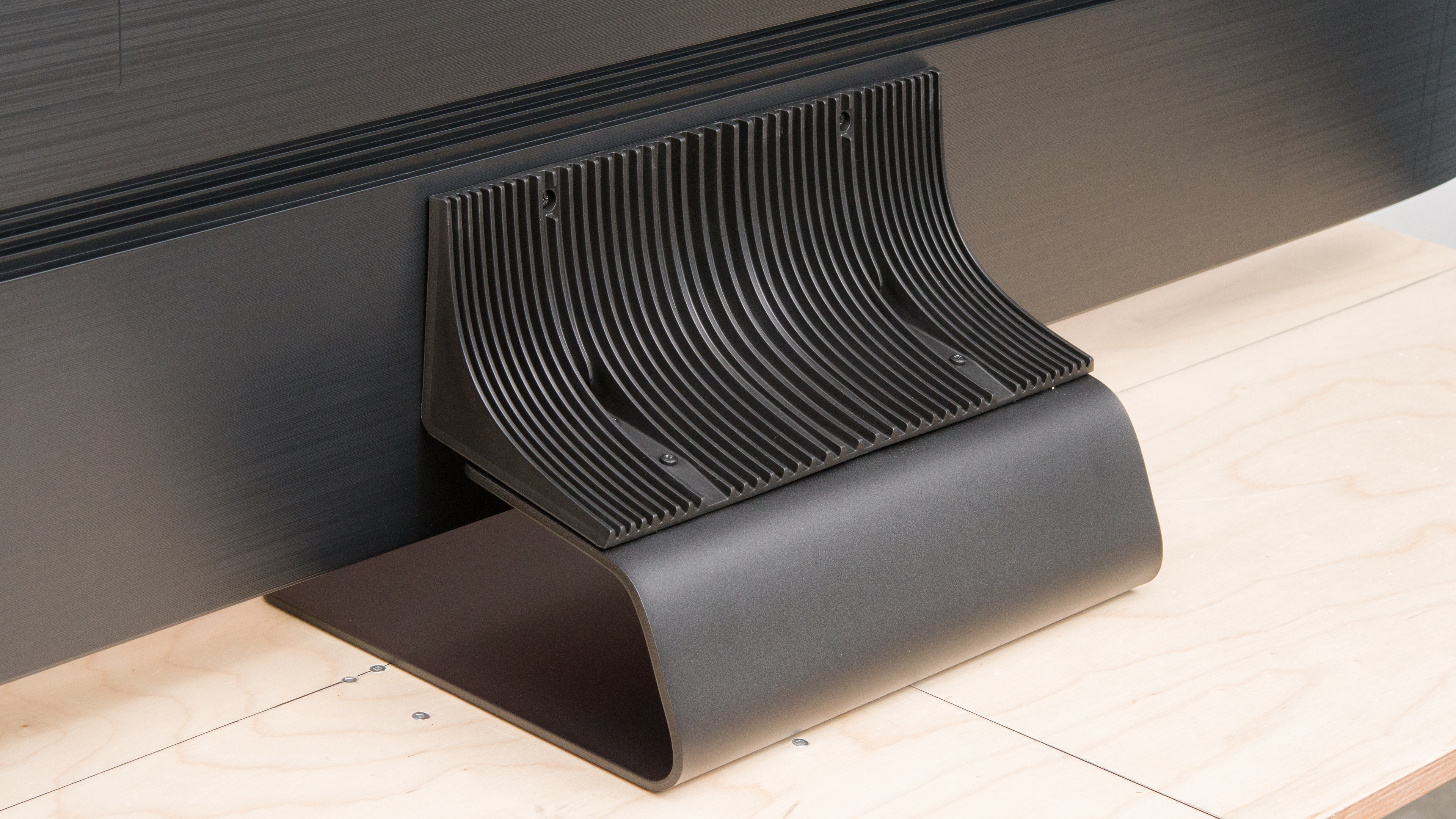
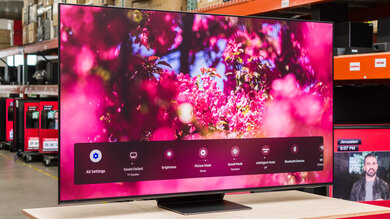
The Samsung QN90B has a modern, sleek design, with incredibly thin bezels and a slim stand. The heavy central stand looks great and takes up very little space, but it doesn't prevent all wobble.
for pictures & test results

The center-mounted stand is quite heavy but small, so it doesn't take up a lot of space on your table. Due to the relatively small size of the stand, the TV tends to wobble easily.
Footprint of the stand on the 65-inch model: 13.3" x 11.2". The stand lifts the TV about 2.5 inches above the table, so some thinner soundbars fit in front of it without blocking the screen.
for pictures & test results

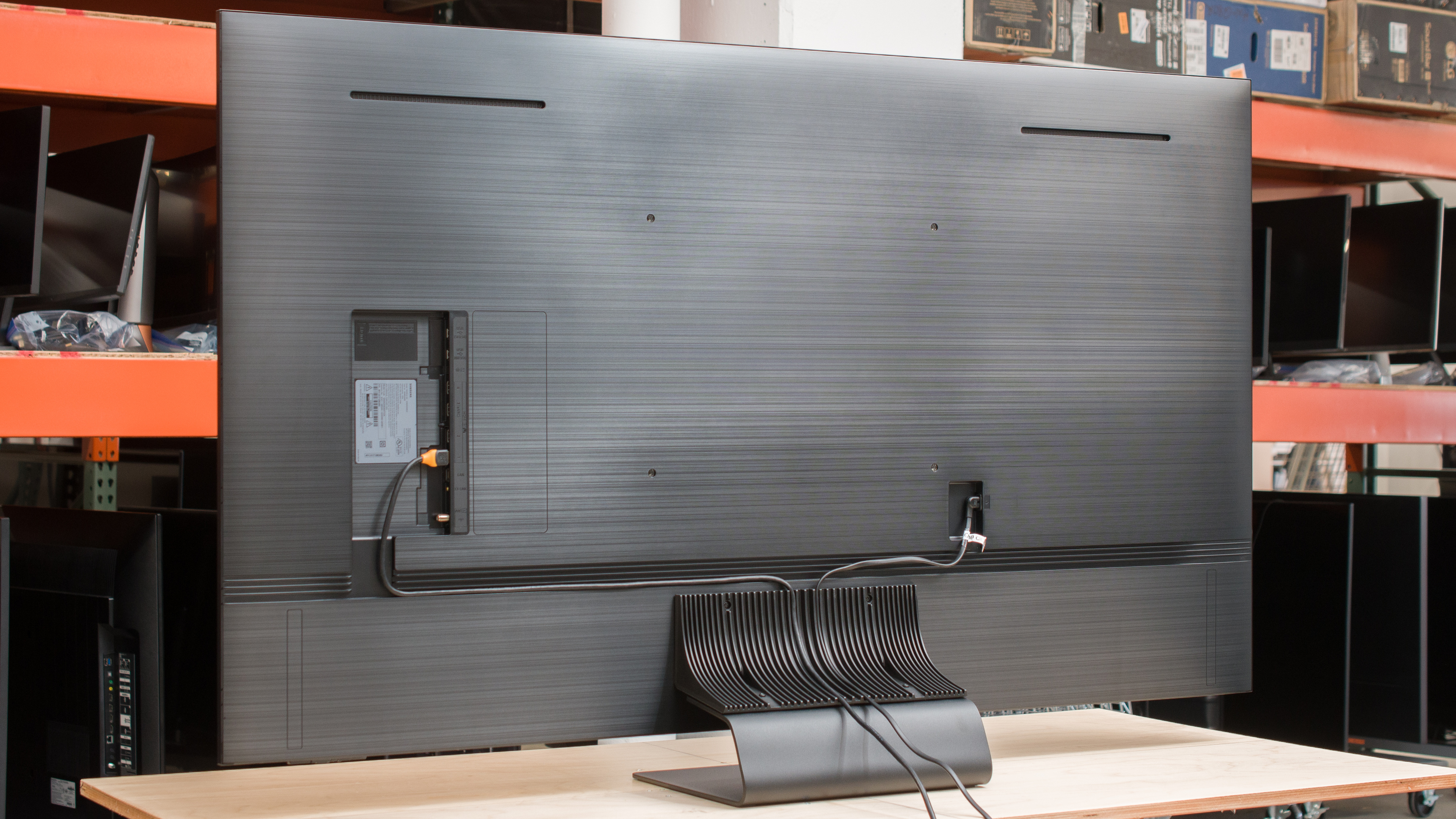
The back of the TV is mainly plastic, with fine horizontal etched lines that give off a brushed aluminum look. There are tracks along the back and the stand (see here), which help with cable management, but you won't be able to use those if you wall-mount the TV. Unlike the Samsung QN95B, which uses an external input box known as the One Connect box, the inputs are in the back of the TV. This means they're difficult to access if you wall-mount the TV with a fixed bracket.


for pictures & test results

The build quality is fantastic. The base is metal and quite solid, and the materials used feel premium. The back panel is mainly plastic and flexes easily, but this isn't unusual and doesn't cause any issues. The stand is extremely heavy, but due to its small size, it doesn't support the TV very well, so the screen wobbles easily.
for pictures & test results

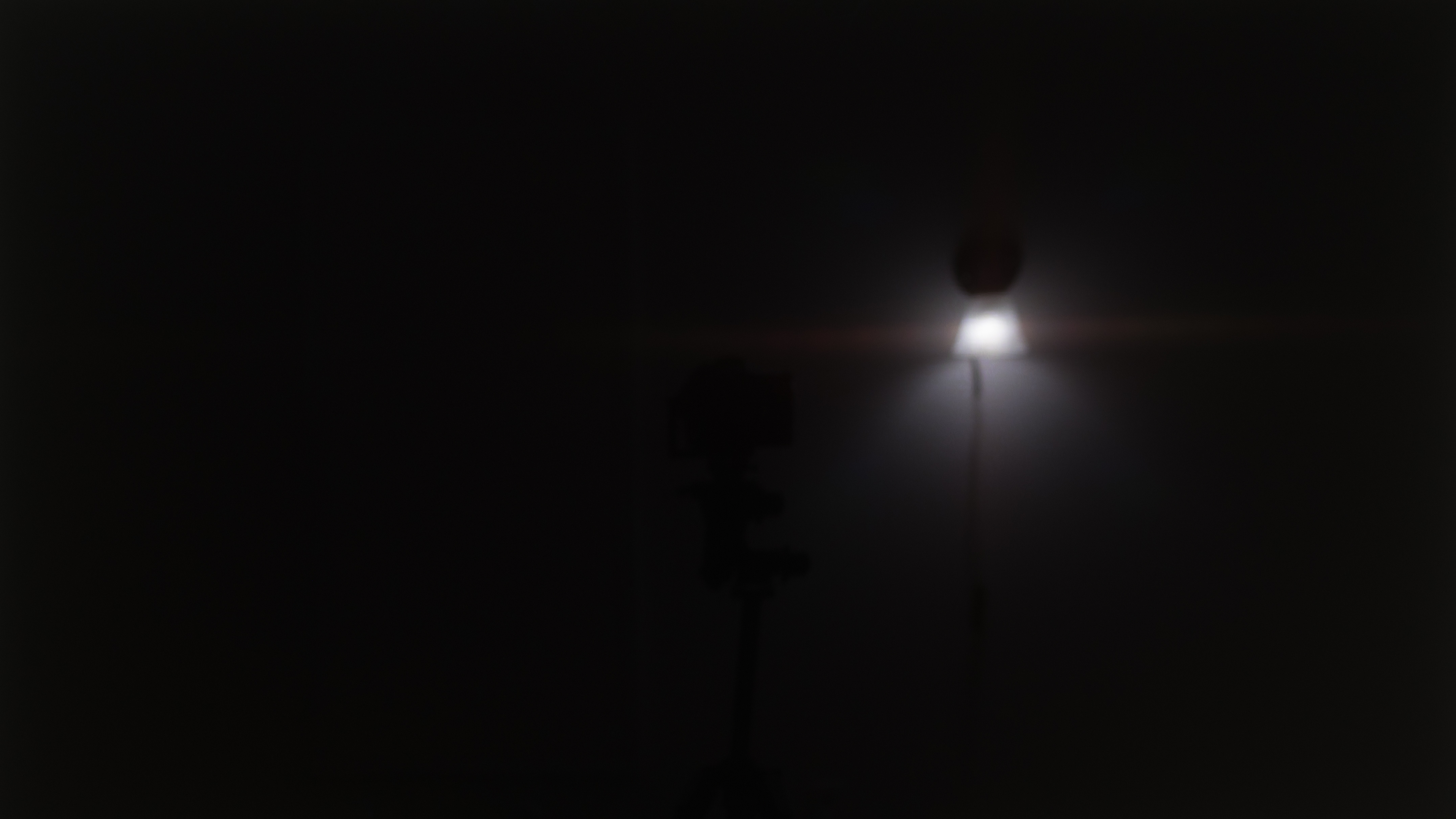
The Samsung QN90B has an excellent contrast ratio. With Local Dimming on 'High,' it displays deep and inky blacks next to bright highlights in dark rooms. You can only disable Local Dimming in PC mode through the service menu, which we did for this test, but considering it has a low contrast ratio without local dimming, there isn't a reason for you to do this. Check out the newer Samsung QN90D if you want a similar TV with better contrast.
for pictures & test results

There isn't too much blooming around bright objects in dark scenes, like subtitles, but it's still there with the local dimming feature enabled.
for videos & test results

The transition between dimming zones is decent, but it isn't as good as you'd expect from a high-end TV. The local dimming algorithm can't keep up well with fast-moving objects transitioning between dimming zones. While this isn't noticeable with most content, it can get distracting with fast-moving objects on dark backgrounds, as the leading edge is darker and the trailing edge has a bit of a halo effect.
for pictures & test results

for videos & test results

for videos & test results

Unfortunately, like most Samsung TVs, the local dimming feature in Game Mode seems to be spreading highlights out over a greater number of zones, so there's a bit more noticeable blooming compared to outside of Game Mode. The processing is also slightly slower, so zone transitions are more noticeable. However, it's mainly due to the increased blooming.
for pictures & test results

for pictures & test results

for pictures & test results

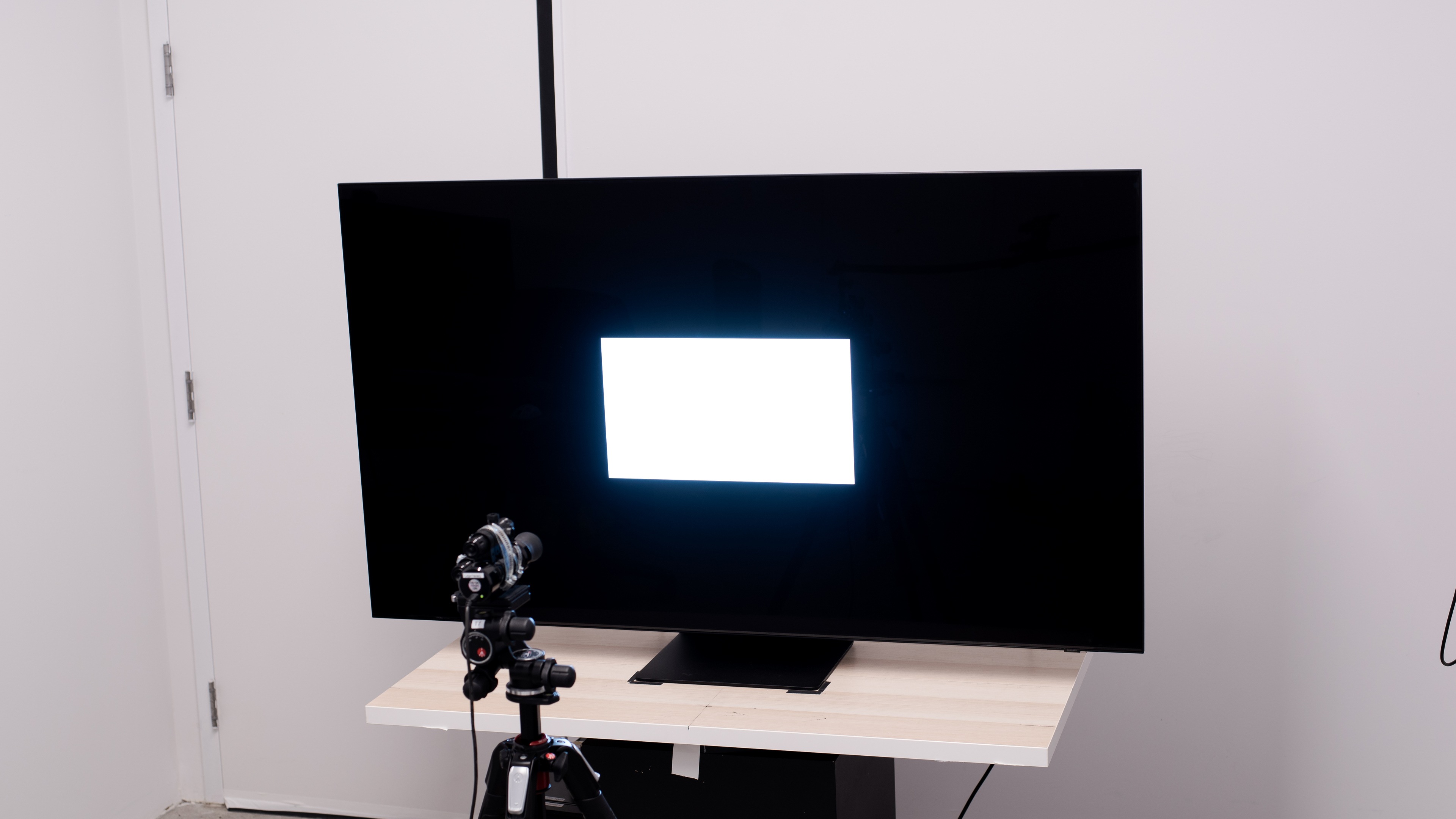
The Samsung QN90B is exceptionally bright in HDR. Small specular highlights are incredibly bright, so fine details stand out in any scene. Large, bright scenes are significantly dimmer because of the somewhat aggressive Automatic Brightness Limiter (ABL), but they're still bright enough for a good HDR experience. The display's brightness doesn't fade the longer highlights stay on the screen, which is great. These results are from after calibrating the HDR white point with the following settings:
- Picture Mode: Movie
- Brightness: Max
- Contrast: Max
- Local Dimming: High
- Color Tone: Warm2
The 'Dynamic' Picture Mode is even brighter, reaching a peak brightness of 3,126 cd/m² with a 10% window, but it can't maintain those brightness levels, and the brightness decreases after a few seconds.
for pictures & test results

for pictures & test results

for pictures & test results

The HDR brightness in Game Mode is fantastic. While it doesn't get as bright as outside of it, it's still bright enough to make highlights pop in HDR for a satisfying HDR experience. These results are from after calibrating the HDR white point with these settings:
- Picture Mode: Game
- Brightness: Max
- Contrast: Max
- Local Dimming: High
- Color Tone: Warm2
- HDR10+ Gaming: Basic
- Color Space: Auto
for pictures & test results

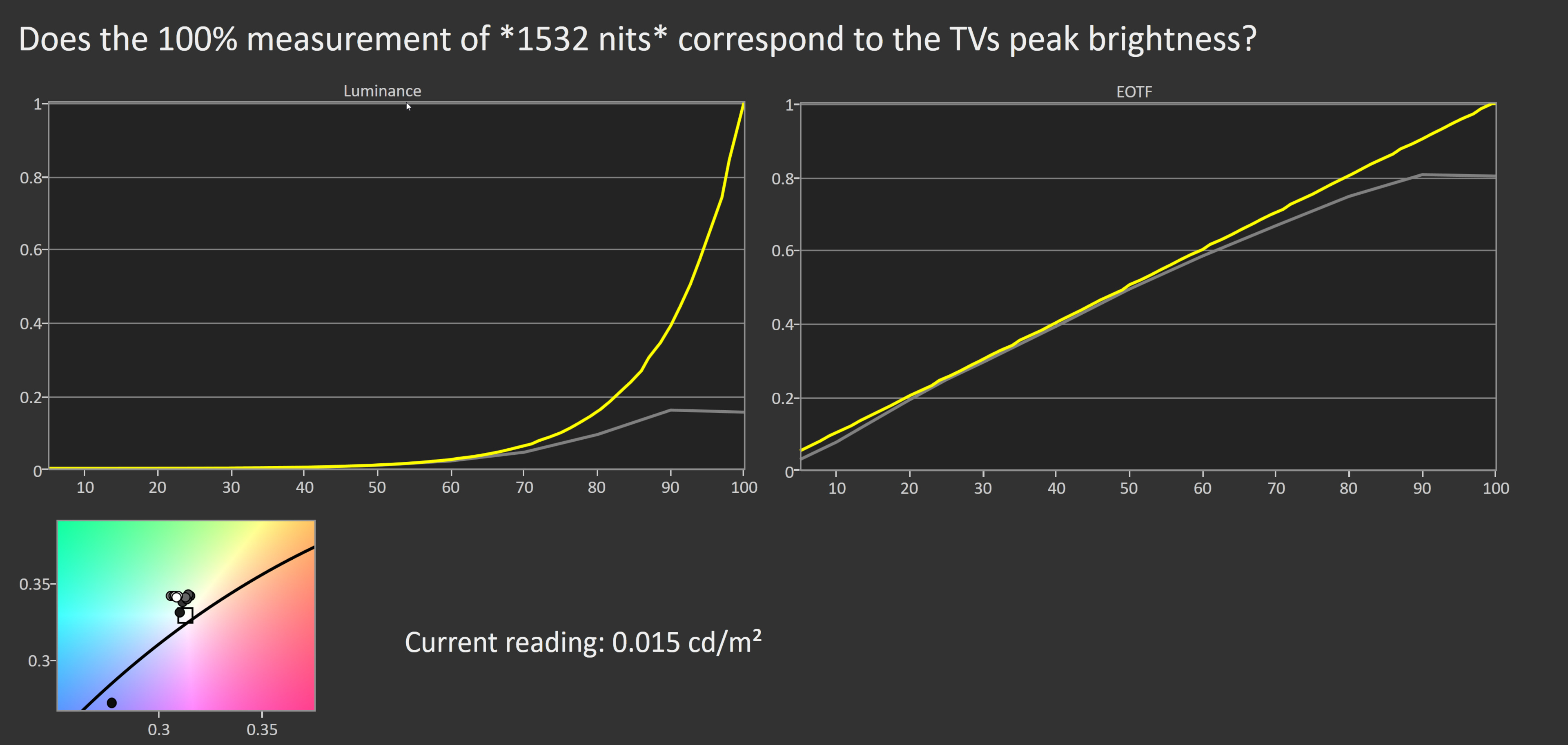
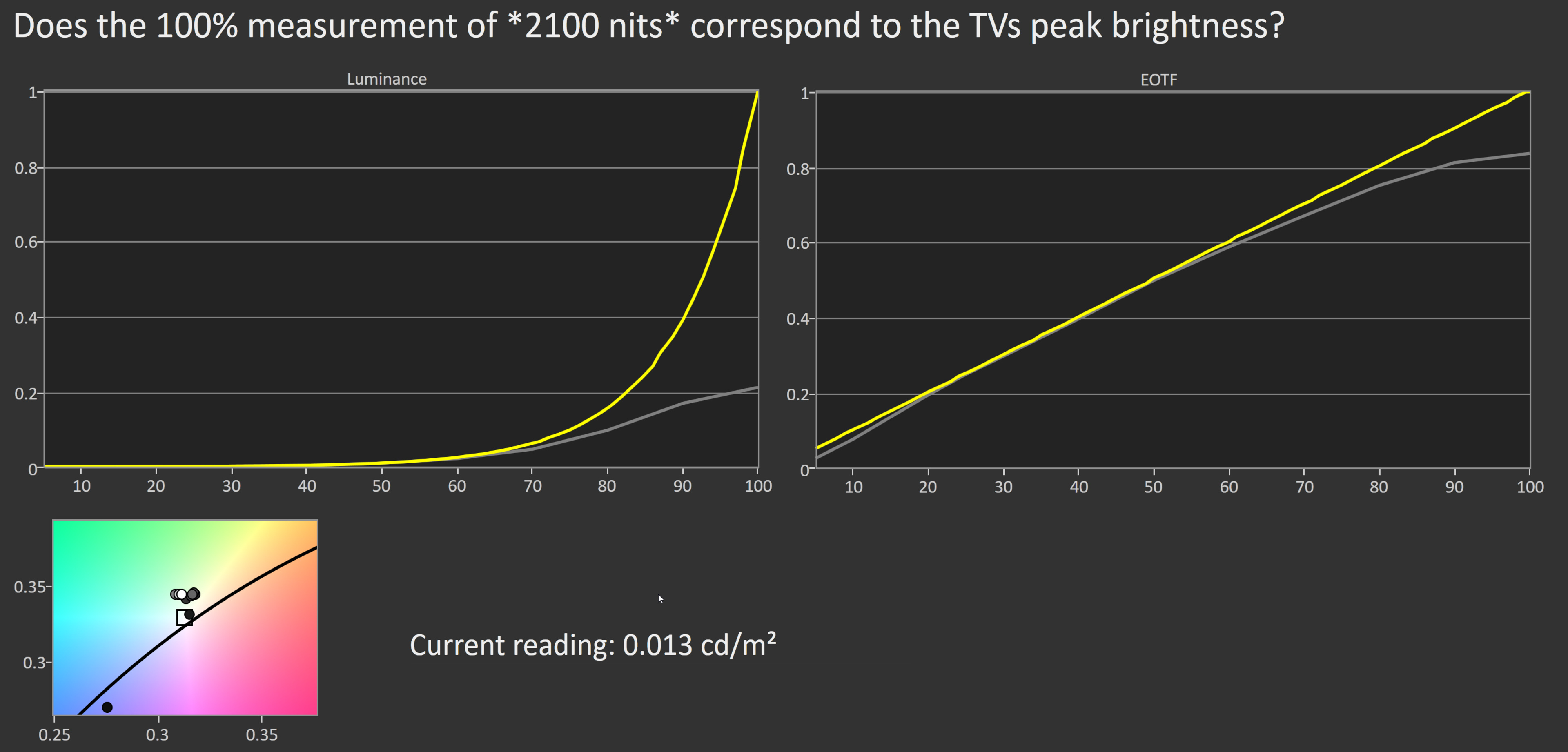
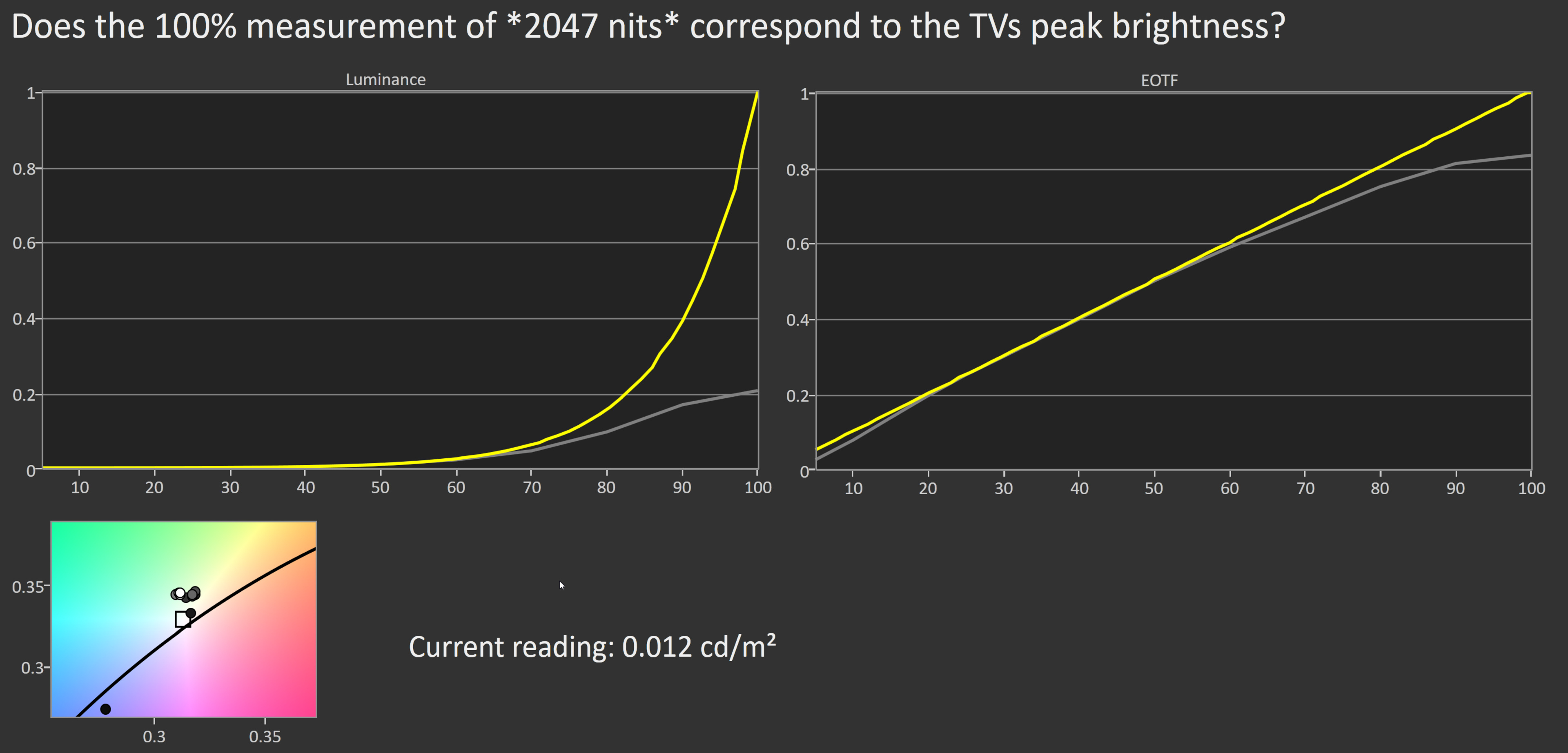
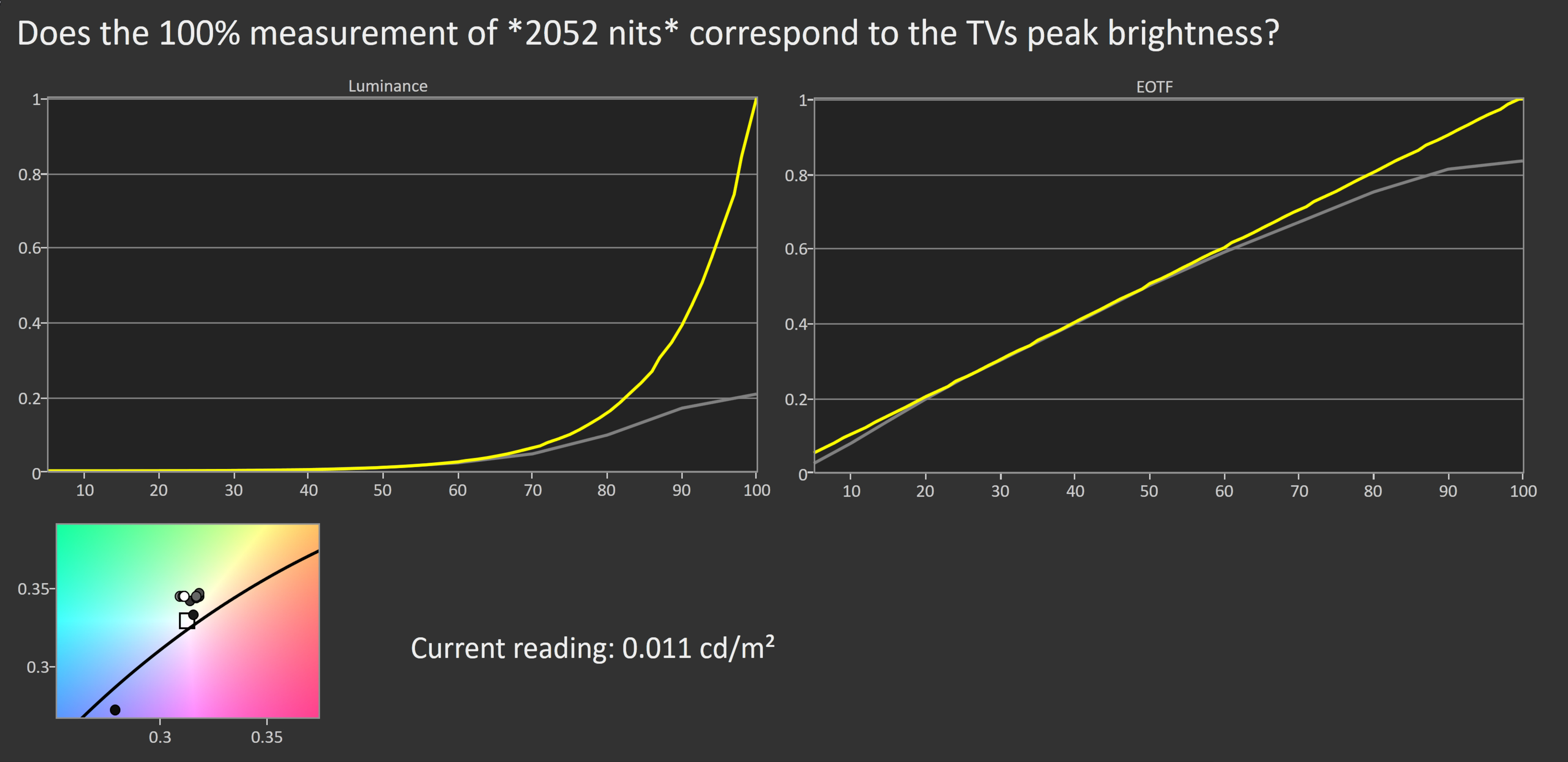
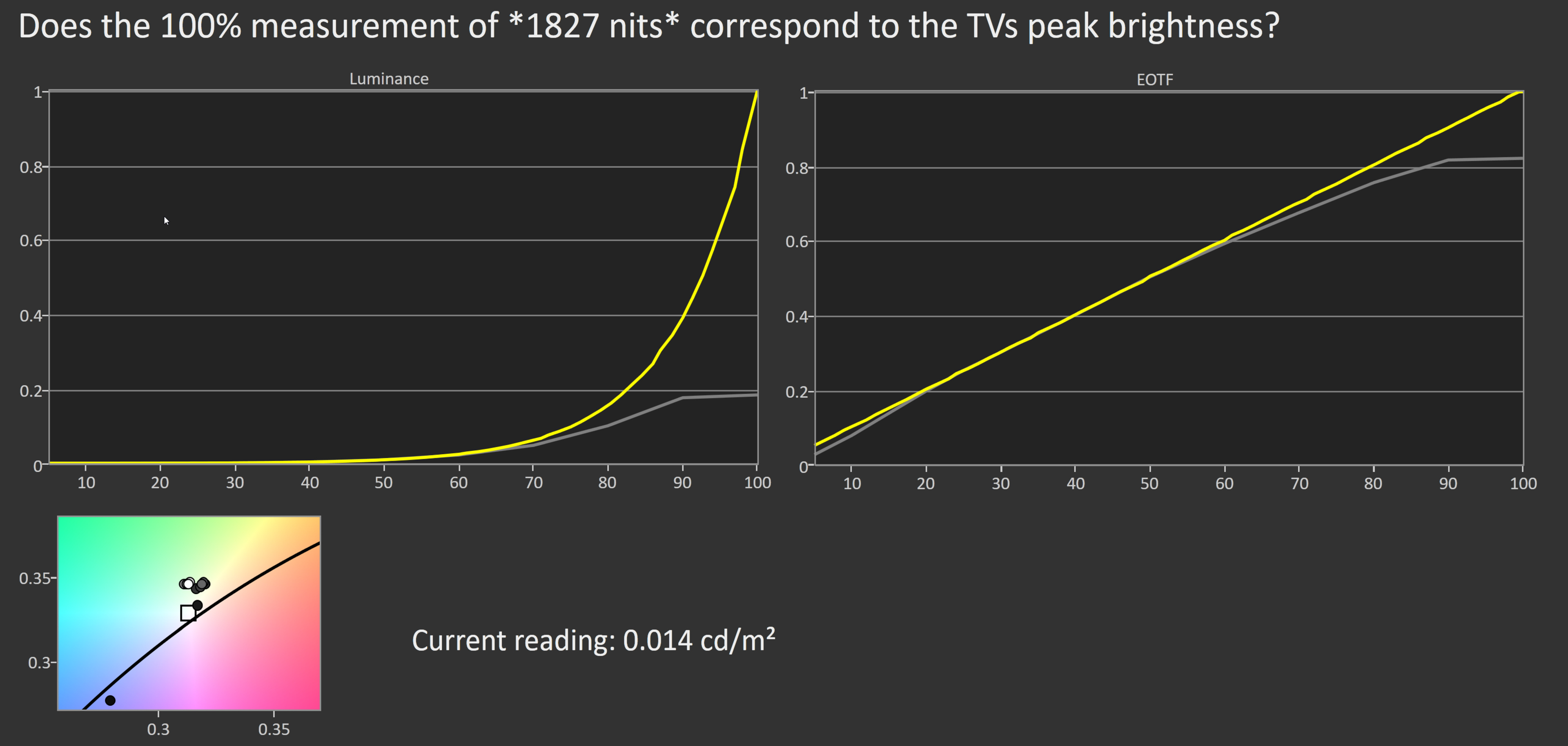
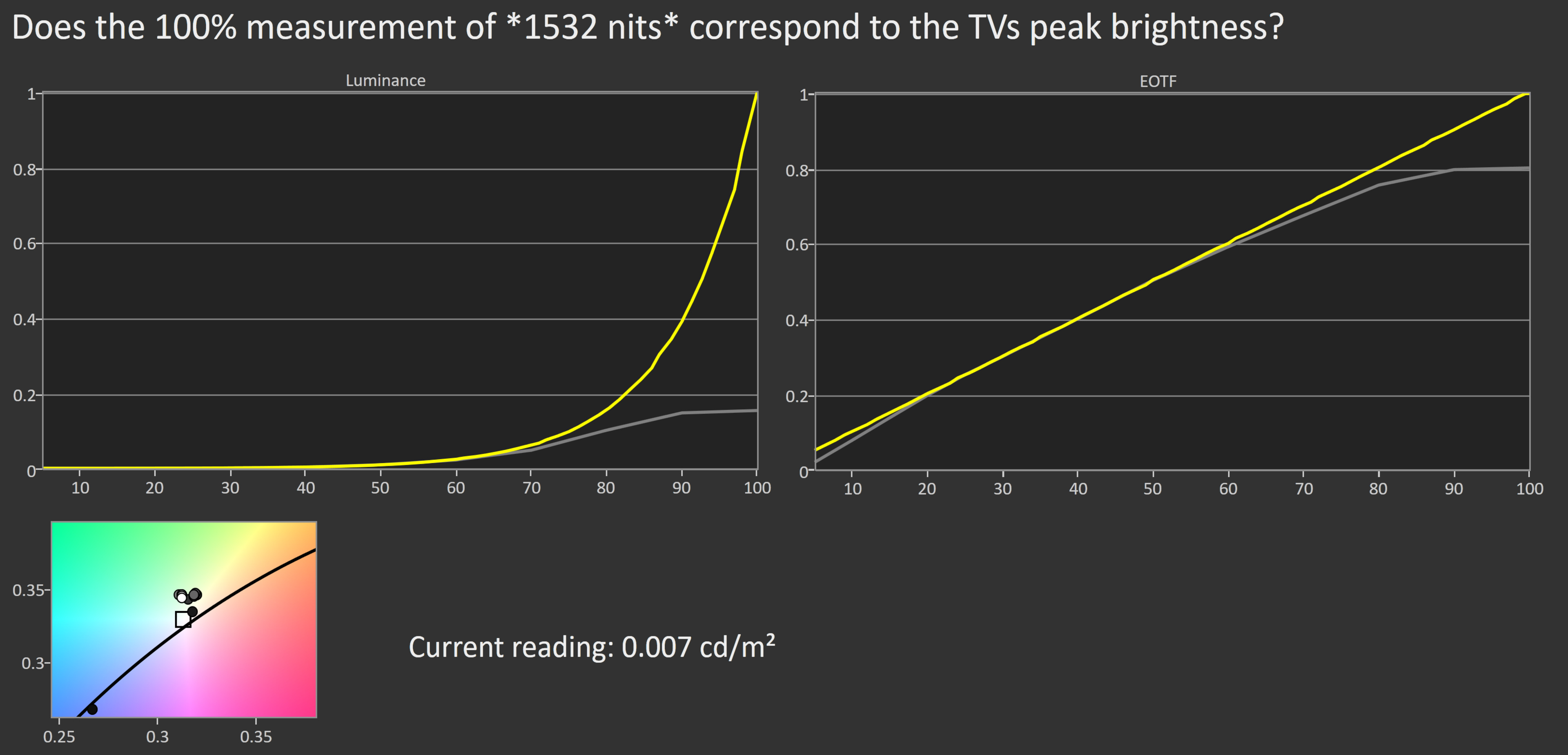
Unfortunately, the Samsung QN90B QLED doesn't track the PQ EOTF properly, and most scenes appear significantly brighter than the content creator intended. There's also a very sharp cutoff at the TV's peak brightness, which causes bright white highlights to clip, so fine details are lost. It also behaves differently with different content, as content mastered at 4,000 cd/m² starts to roll off at lower peak brightness, and the TV's tone mapping kicks in earlier than with 1,000 and 600 cd/m² content.
There's some concern that some Samsung TVs detect when they're being calibrated or tested for a review and adjust the output to be more accurate. We measured the PQ EOTF with different window sizes and found that although it tracks the PQ EOTF accurately with more standard window sizes, it doesn't track accurately with real content.
PQ EOTF charts with different window sizes:
The EOTF performs similarly in Game Mode, but it gets even brighter than the target EOTF. You can try enabling Game HDR to get better PQ EOTF tracking, but it's still too bright.
This TV has fantastic peak brightness in SDR. It's bright enough to overcome glare in any room, even if you have a lot of windows or lights. Like in HDR, large, bright areas are dimmer due to its ABL, which means that some content, like sports, is dimmer, but it's still incredibly bright.
These measurements are from after calibration, in the 'Movie' Picture Mode with Brightness at its max, Local Dimming on 'High', and the Color Tone set to 'Warm2'.
for pictures & test results

for pictures & test results

This TV has an excellent color gamut. It has fantastic coverage of the DCI-P3 color space used by most current HDR content, so images look vivid and lifelike. It has decent coverage of the wider Rec. 2020 color space, and the tone mapping is good, ensuring fine details are preserved and easy to see in areas of vibrant, saturated color.
for pictures & test results

for pictures & test results

The color volume is fantastic. Most colors are displayed well at various brightness levels, and colors are just as bright as pure white. Thanks to its high contrast ratio, dark saturated colors are displayed well, but it isn't as good as an OLED.
for pictures & test results

for pictures & test results

for pictures & test results

The Samsung QN90B has good accuracy before calibration. Colors have excellent accuracy overall, but some colors are still off. The color temperature is on the warm side, but it isn't bad enough to be noticeable. The white balance is okay, but brighter shades of gray are off. Gamma is close to the 2.2 target for a moderately lit room, but bright scenes are a bit too bright.
for pictures & test results

for pictures & test results

for pictures & test results

This TV is easy to calibrate and has fantastic accuracy after calibration. All issues are fixed, except bright scenes are slightly too dark now.
You can see our full calibration settings here.
for pictures & test results

for pictures & test results

The Samsung QN90B has decent gray uniformity overall. There are a few patchy spots near the center, which is a bit distracting when watching sports. The sides of the screen are also a bit darker than the center, but this isn't very noticeable with normal content. Gray uniformity in near-black scenes is much better, with no noticeable issues.
for pictures & test results

for pictures & test results

This TV has amazing black uniformity with Local Dimming on 'High'. It displays deep blacks, but there's still some blooming around bright objects on dark backgrounds. Although you can only disable Local Dimming through the service menu, we still did so for testing, and black uniformity is worse with it off as blacks look blue and there's clouding throughout.
for videos & test results

for pictures & test results

for pictures & test results

for pictures & test results

The Samsung QN90B has a good viewing angle. It's great if you have a wide seating arrangement or like to move around with the TV on, as the image remains consistent at an angle. The 43-inch and 50-inch models lack Samsung's Ultra Viewing Angle Layer, so they have a worse viewing angle. You can see the viewing angle of the 43-inch model here.
for pictures & test results

for pictures & test results

for pictures & test results

The Samsung QN90B Neo QLED TV has superb reflection handling. The glossy coating significantly reduces the intensity of direct reflections, so glare isn't as distracting. Sadly, like other TVs with the Ultra Viewing Angle layer, there's a rainbow-like effect that scatters across the screen, but the 43 and 50-inch models don't have this layer and don't have this rainbow-like issue, as you can see here. The replacement model in Samsung's 2023 lineup, the Samsung QN90C, doesn't have the same rainbow smearing on it.
for pictures & test results

This TV has excellent gradient handling. You won't notice any banding with most content besides some minor banding in dark blues and greens.
for pictures & test results

The TV struggles with smoothing out low-quality content, like streaming sources that use compression. It loses details, and there's macro-blocking in dark areas, which is disappointing for a high-end TV.
for pictures & test results

The Samsung QN90B upscales low-resolution content well, like if you're watching DVDs or cable TV. Some text can look blurry, but for the most part, it keeps details well. The recommended settings are with Picture Clarity off and Sharpness at '5'.
for pictures & test results

The Samsung QN90B QLED TV uses a BGR sub-pixel layout, negatively impacting how it displays text when using the TV as a PC monitor. You can read more about that here. The pixels look a bit blurry due to the 'Ultra Viewing Angle' layer.
for pictures & test results

for pictures & test results

The Samsung QN90B has an excellent pixel response time. Most transitions are extremely quick, resulting in a short blur trail behind fast-moving objects. There's still some noticeable persistence blur, and there's overshoot in some dark transitions. This causes some inverse ghosting, but it isn't very noticeable.
for pictures & test results

This TV uses pulse width modulation (PWM) to dim its backlight, and the flicker frequency varies between picture modes and with certain settings. In 'Movie' mode, with the backlight set between '46' and the max of '50', the backlight flickers at 120Hz. However, it increases to 960Hz with a backlight setting below '46'. The flicker frequency drops to 120Hz in the 'Dynamic', 'Natural', 'Standard', and 'Filmmaker' Picture Modes, or if you enable the Game Mode or Picture Clarity settings. This low flicker frequency can cause headaches if you're sensitive to flicker, and it also causes image duplications with 60Hz content.
for pictures & test results

for pictures & test results

The Samsung QN90B Neo QLED has an optional backlight strobing feature, commonly known as BFI. This feature reduces persistence blur caused by the TV's fast response time. It works at both 60Hz and 120Hz, but the timing is a bit off, causing a duplicated image.
for pictures & test results

for pictures & test results

This TV has a feature to increase the frame rate of low-frame-rate content up to 120Hz. It's okay overall on this TV, but it looks best in slow-paced scenes. In busy scenes with a lot of action, it doesn't look very good, and there are a lot of artifacts. Unlike some TVs, which stop interpolating when they can't keep up, this one keeps going, so there are more and more artifacts in busy scenes. Even the smaller sizes, like the 43-inch QN90B, support motion interpolation with 30 fps and 60 fps content and perform like the larger sizes.
Due to this TV's quick pixel response time, low frame rate content, like movies, appears to stutter. It's mainly noticeable in slow panning shots. If this bothers you, the optional motion interpolation or backlight strobing features can help, but those features create other issues, so there's no perfect solution.
This TV automatically removes judder from all sources; no additional settings are needed. It's great for watching movies, as motion appears smooth.
The Samsung QN90B is compatible with all three variable refresh rate formats and works across a very wide refresh rate range. Low Frame Rate Compensation (LFC) automatically engages at low refresh rates, multiplying frames to ensure a tear-free gaming experience even at very low frame rates. Note that the 43-inch and 50-inch models have a max refresh rate of 144Hz. You can read the review of the 43-inch model as a monitor here.
The Samsung QN90B has very low input lag in Game Mode. This results in a very responsive gaming experience, ensuring your actions align with what you see on screen. If you're a fan of motion interpolation, Samsung's Game Motion Plus feature allows you to interpolate low frame rate games, improving motion clarity without adding much input lag. With the setting at its max, there's higher input lag than with it disabled, but it's still good for casual gamers.
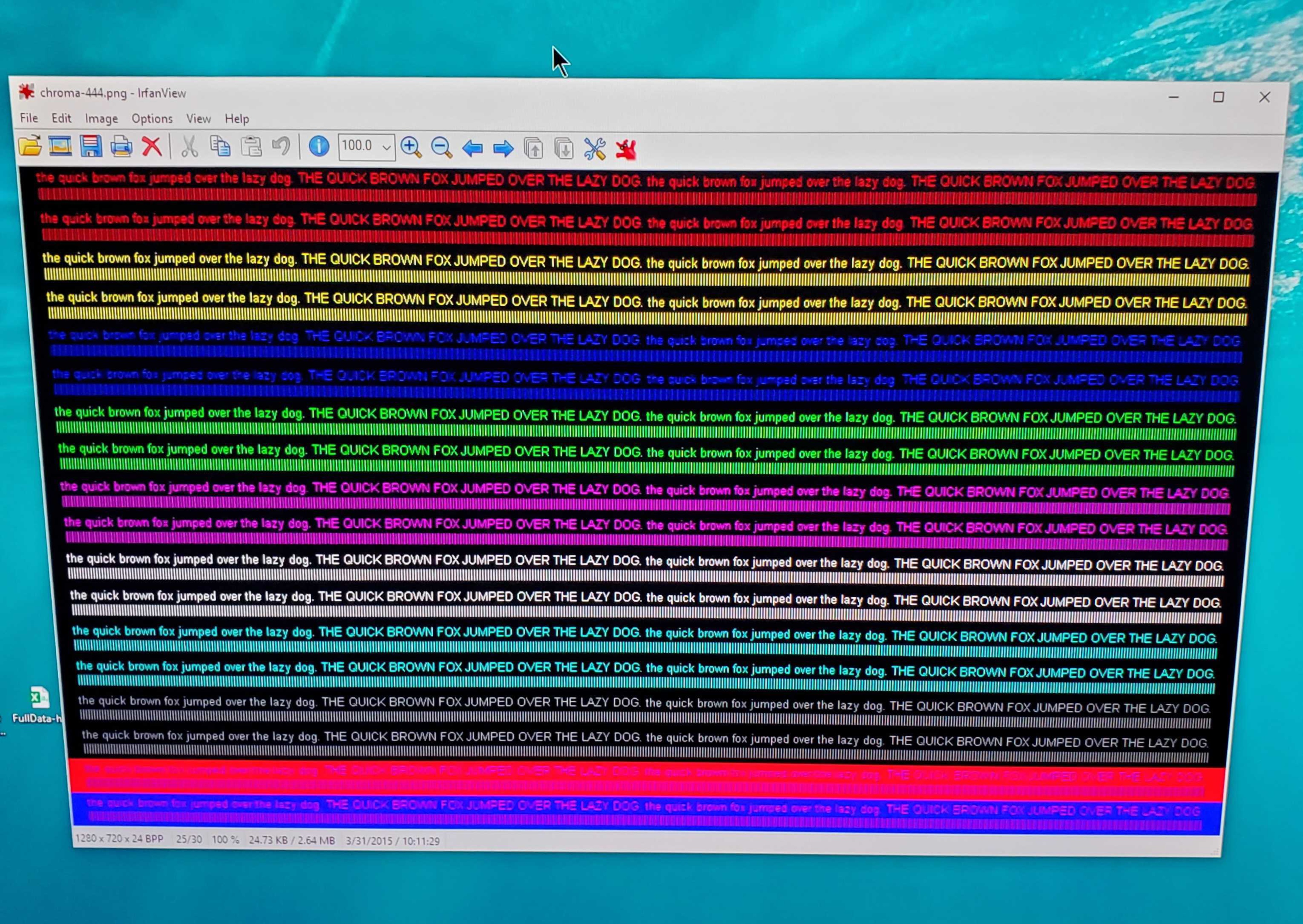
This TV supports all common resolutions up to 4k @ 120Hz. Except for 1440p @ 120Hz, all supported formats display chroma 4:4:4 signals properly, which is essential for clear text from a PC. 4k @ 120Hz signals are displayed properly, with no resolution-halving or other issues.
for pictures & test results

The Samsung QN90B is fully compatible with the PS5, as there are no issues. It also works with Sony's variable refresh rate feature on the console.
for pictures & test results

There aren't any compatibility issues with the Xbox Series X|S.
Unlike the 2021 Samsung TVs, this one supports HDMI 2.1 bandwidth on all four HDMI ports. It's great, as it gives you the flexibility to connect multiple high-bandwidth devices, like if you have both the PS5 and Xbox Series X. Unfortunately, it doesn't support Dolby Vision, which is a common HDR format, but it supports the similar, yet less common, HDR10+ format.


The Samsung QN90B supports eARC, allowing it to pass uncompressed high-quality audio from a connected source to your soundbar or home theater system. Sadly, it doesn't support DTS formats, which is disappointing, as many UHD Blu-rays use DTS for their lossless audio tracks. If you want a TV supporting DTS, check out the Sony X90K/X90CK.
for pictures & test results

This TV has a decent frequency response. The low-frequency extension, or LFE, is high, so it can't produce much thump or rumble, but this is normal for TVs. The frequency response above the LFE is well-balanced at moderate listening levels. However, there's a noticeable dip in the treble range at max volume, making dialogue harder to understand. It has an optional room correction feature, which was enabled for these measurements.
for pictures & test results

The Samsung QN90B has decent distortion performance. There's very little harmonic distortion in the treble range at a moderate listening level, but it increases slightly at max volume.
for pictures & test results

The 2022 version of Tizen OS is fast and easy to use. The interface now fills the entire screen instead of the bar that appeared in the previous version. It makes it easier to find your favorite content.
Unfortunately, like most TVs on the market, there are ads throughout the interface, and there's no option to disable them completely. They're not always present, though; there weren't any when we took photos of the interface.
for pictures & test results

The included apps cover most of the common streaming services, and a great selection of additional apps is available in Samsung's app store. It's also compatible with Google Duo, which supports video calls with up to 32 people by connecting a compatible webcam to the TV.
for pictures & test results

The remote is slim and easy to use but has a limited selection of buttons, so you have to change most things through menus on the TV. There are four quick-access buttons for the most popular streaming services; unfortunately, there's no way to remap these to your favorites. You can recharge the remote via a solar panel on the back or with a USB-C cable (sold separately).
The Samsung QN90B is compatible with multiple voice assistants, including Bixby, Google Assistant, and Alexa, but you have to use the remote as it doesn't have a hands-free mode. Voice controls work well and allow you to launch apps, change inputs, or adjust certain settings.
for pictures & test results

The controls are beneath the Samsung branding on the bottom right side of the TV. A single button lets you power the TV on/off and change channels, volume, and inputs.