Note: The 85" model has a VA panel, and though we haven't tested it, we'd expect it to look much better in a dark room, but have worse viewing angles.
Our Verdict
The Sony X850G is a good TV for mixed usage. It's a great choice for sports, TV shows, or video games thanks to its fairly wide viewing angles and fast response time. Unfortunately, due to its IPS panel, its contrast and black uniformity are poor, so it may not be the best for watching movies in dark rooms, as blacks will appear gray and cloudy. On the bright side, it can get decently bright for HDR content, and it has a fairly wide color gamut, so HDR content should look good, though it may not pop quite as much as the creator intended.
- Excellent low input lag.
- Image remains accurate at an angle.
- Disappointing contrast ratio.
- Bad black uniformity.
The Sony X850G is a mediocre TV for watching movies. Due to its IPS panel, it has a disappointing contrast ratio, and in dark rooms blacks will appear gray and cloudy. It's worth noting that the 85" model of this TV uses a VA panel, so we'd expect it to perform better in this regard. It also doesn't have a local dimming feature to help with its black levels.
The Sony X850G is a great TV for watching TV shows. It has excellent reflection handling so even in bright rooms, glare shouldn't be too much of an issue. The viewing angles are also quite decent, so you should still get a fairly accurate image if you watch TV from the side, or while walking around.
The Sony X850G is a great TV for watching sports. Thanks to its IPS panel, it has decently wide viewing angles, so a large group of friends can all watch the game at the same time and still get the same accurate image. It also has an excellent fast response time, so fast-moving objects should look clear and have very little blur.
The Sony X850G is an impressive TV for playing video games. It has a very fast response time, so motion should look clear with very little blur, and its superbly low input lag means that you shouldn't notice any delay. Unfortunately, while this TV has a 120Hz panel, it doesn't accept a 120Hz input over HDMI, and it doesn't support any variable refresh rate technologies, like FreeSync.
The Sony X850G is mediocre for watching HDR movies. Its poor contrast and black uniformity means that while watching movies in a dark room, blacks will appear gray and cloudy. It also can't get quite bright enough for HDR content to really pop. On the bright side, this TV has a fairly wide color gamut, which will help HDR content look closer to the way the creator intended.
The Sony X850G is a good TV for HDR gaming thanks to its great gaming performance. Unfortunately, its HDR performance is only acceptable, partly due to the fact that the screen can't get quite bright enough for HDR to really shine. On the bright side, its fairly wide color gamut will help HDR content look closer to the way the creator intended.
The Sony X850G is an excellent TV to use as a PC monitor. It can properly display chroma 4:4:4 when in 'Game' or 'Graphics' mode, which is important for text to appear clear when using a TV as a monitor. It has extremely low input lag and fast response time, which is great if you game from your PC, and when in 'Graphics' mode, the TV switches to nearest-neighbor upscaling, which prevents upscaled content from looking too soft.
Changelog
- Updated Jul 07, 2020: The operating system has been updated to Android 9.0.
- Updated May 21, 2020: Converted to Test Bench 1.5.
- Updated Feb 21, 2020: Converted to Test Bench 1.4.
- Updated Aug 02, 2019: Review published.
Check Price
Differences Between Sizes And Variants
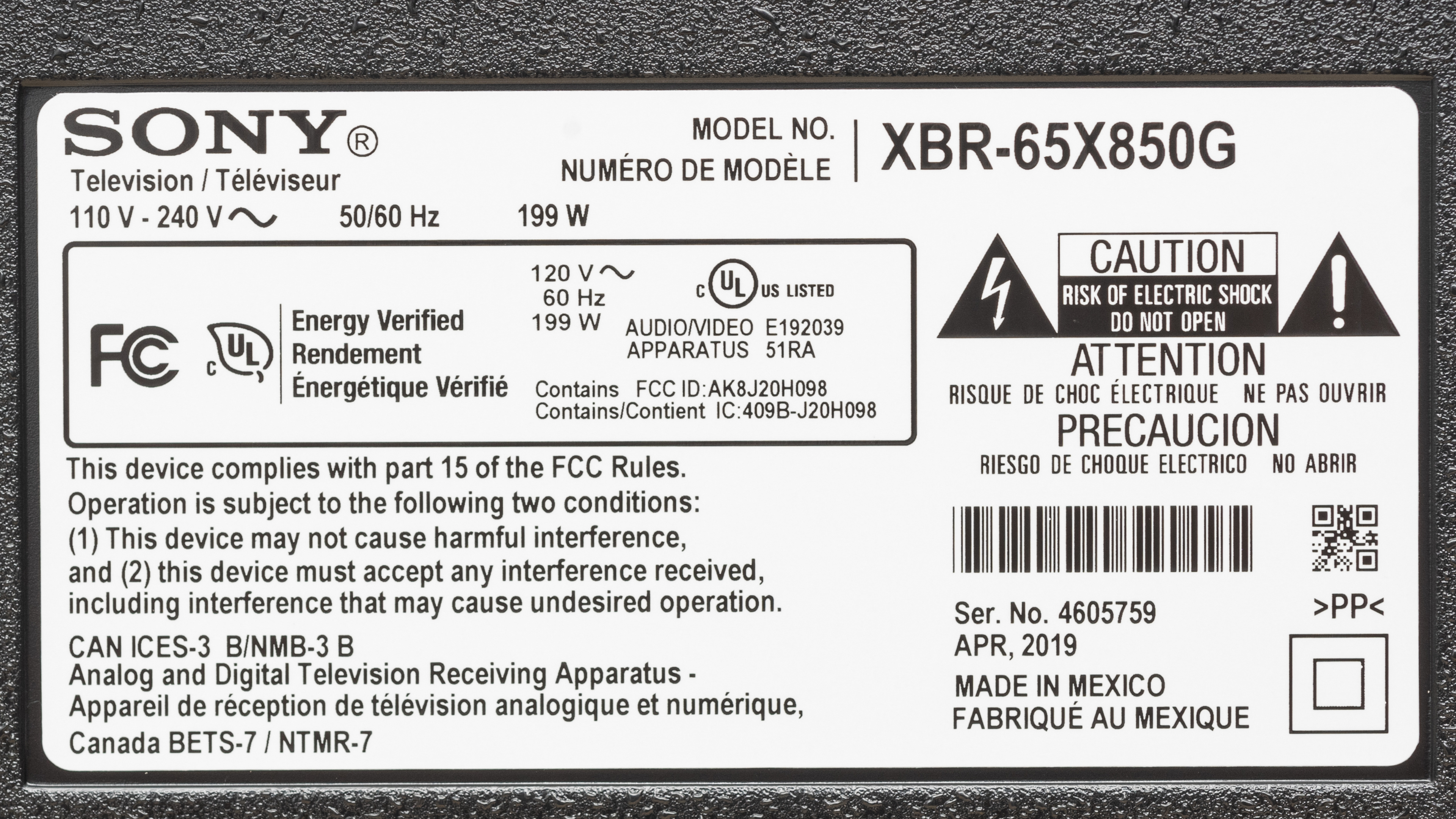
We tested the 65" X850G (XBR-65X850G), and we expect our results to be valid for the 55" (XBR-55X850G) and 75" (XBR-75X850G) models as well. The 85" (XBR-85X850G) has a VA panel, so some results will be different, including contrast, black uniformity, and viewing angles.
If someone comes across a different type of panel or if their Sony X850G doesn't correspond to our review, let us know and we will update the review. Note that some tests such as the gray uniformity may vary between individual units.
| Size | US Model | Full Model Code | Alternative Name | EU Model | Notes |
| 55" | XBR55X850G | XBR55X850G/C | XBR-55X850G | KD-55XG8* | |
| 65" | XBR65X850G | XBR65X850G/C | XBR-65X850G | KD-65XG8* | |
| 75" | XBR75X850G | XBR75X850G/C | XBR-75X850G | KD-75XG8* | |
| 85" | XBR85X850G | XBR85X850G/C | XBR-85X850G | KD-85XG8* | VA panel |
Note: The European model is available in multiple variants, as the XG8505, XG8596, and XG8796. We don't know if there is any difference between them.
The X850G we reviewed was manufactured in April 2019.
Popular TV Comparisons

The X850G is a basic 4k TV with decent performance. See our recommendations for the best TVs, the best smart TVs, and the best sounding TVs.
The Samsung RU8000 and the Sony X850G use different panel types, each with advantages and disadvantages. The Samsung has much better dark room performance thanks to its VA panel, but the image loses accuracy when viewed from the side. It also has a lower input lag and is equipped with gaming features like VRR support that should please gamers. The Sony is a better choice if you regularly watch TV from the side and can handle reflections a little better.
There are very few differences between the Sony X850F and the Sony X850G. The 2019 X850G has much lower input lag, and it supports eARC. Other than that, these two TVs perform very similarly.
The Sony X900F and the Sony X850G use different panel types, each with their own strengths and weaknesses, but the X900F is much better overall. The X900F uses a VA panel, and delivers much better dark-room performance, and it has a decent local dimming feature. The X900F has a faster response time, and supports 1080p and 1440p @ 120Hz inputs. The X850G doesn't look as good in a dark room, but it has a better viewing angle. The 85" X850G has a VA panel, though, and likely performs closer to the X900F.
The Samsung Q60R performs similarly to the Sony X850G. The Q60 has much better contrast and black levels, thanks to its VA panel; it has a faster response time and an easier-to-use smart interface. On the other hand, the Sony X850G has much wider viewing angles thanks to its IPS panel, looks and feels more premium and better-built, and has a slightly higher peak brightness.

We buy and test dozens of TVs yearly, taking an objective, data-driven approach to deliver results you can trust. Our testing process is complex, with hundreds of individual tests that take over a week to complete. Most of our tests use specially designed test patterns that mimic real content, but we also use the same sources you have at home to ensure our results match the real-world experience. We use two main tools for our testing: a Colorimetry Research CR-100 colorimeter and a CR-250 spectroradiometer.
Test Results
Older Test Bench: We tested this product using an older TV test methodology before a major update. Some of the test results below aren't directly comparable with other TVs. Learn more
The Sony X850G is the direct replacement of the 2018 Sony X850F. It sits between the Sony X800G and the Sony X900F in the 2019 lineup, and is more of a budget model for Sony. Its main competitors are IPS TVs like the Sony X800G, the LG UM7300, and VA TVs like the Samsung RU8000, TCL 6 Series/R617, and the Hisense H8F. The 2021 model, the Sony X85J, uses a VA panel instead of an IPS.
for pictures & test results

This TV has a very basic design, and it looks very similar to the X850F. The body is very thin, but is almost entirely made of plastic and feels a bit cheap in some places. The TV uses two feet instead of a center stand, so you may need a slightly larger table, depending on the size of your TV.
for pictures & test results

The stand supports the TV well, and there's very little wobble. The feet themselves are quite small, but they require a fairly large table, as they are near the ends of the TV.
Footprint of the 65" stand: 41.2" x 12.5".
for pictures & test results

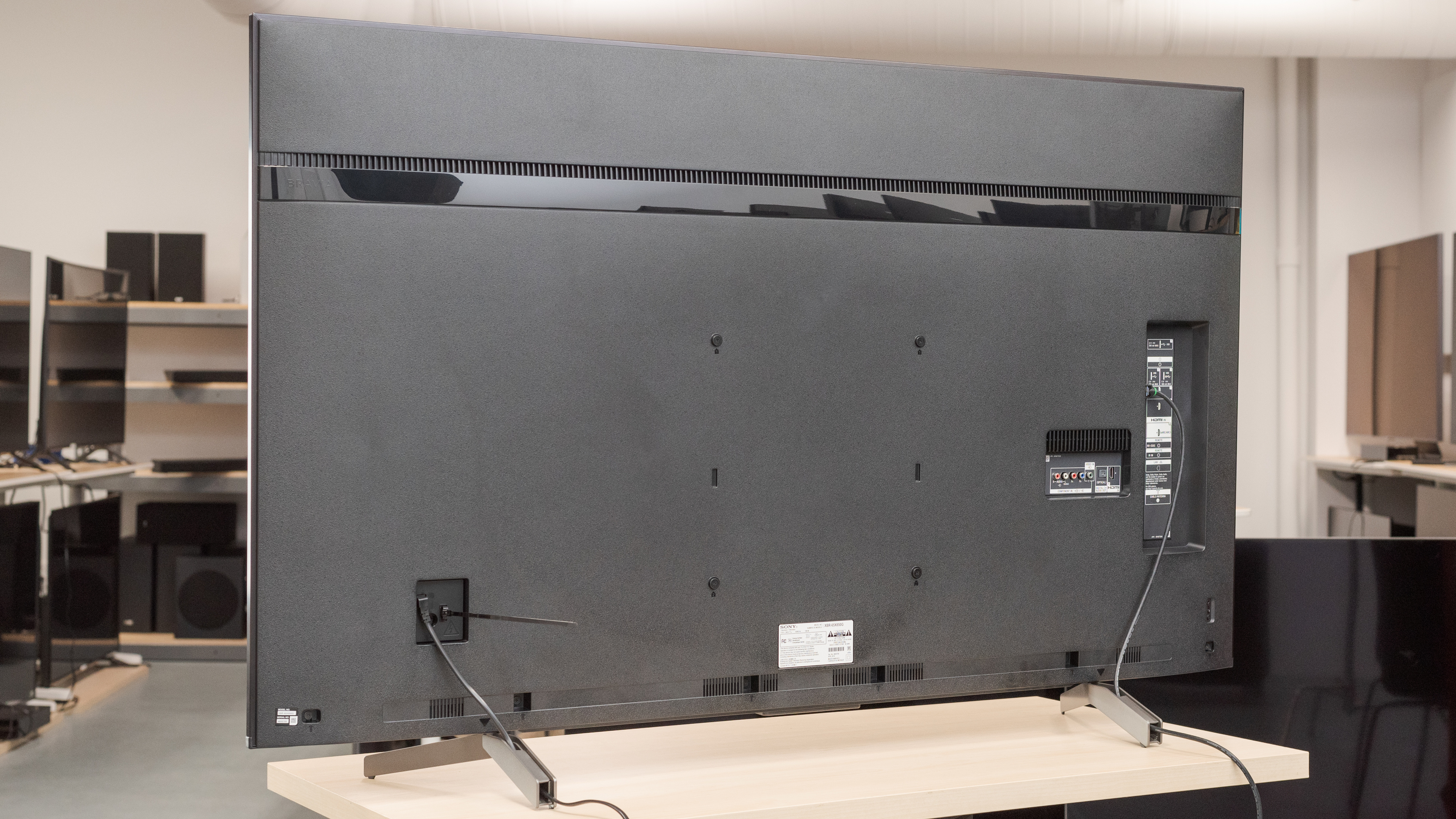
The back of the TV is very basic, and is made of plastic. The panels have some flex to them, but we don't expect this to cause any issues. The back of the feet can be used for very basic cable management.
for pictures & test results

The borders are of average thickness and don't stand out much.
for pictures & test results

This TV is very thin, much thinner than the Sony X800G, and it looks great wall-mounted.
for pictures & test results

Overall, the X850G has decent build quality. The body of the TV is almost entirely made of plastic, and there's some flex to the back panel, but there are no obvious issues or areas of concern.
for pictures & test results

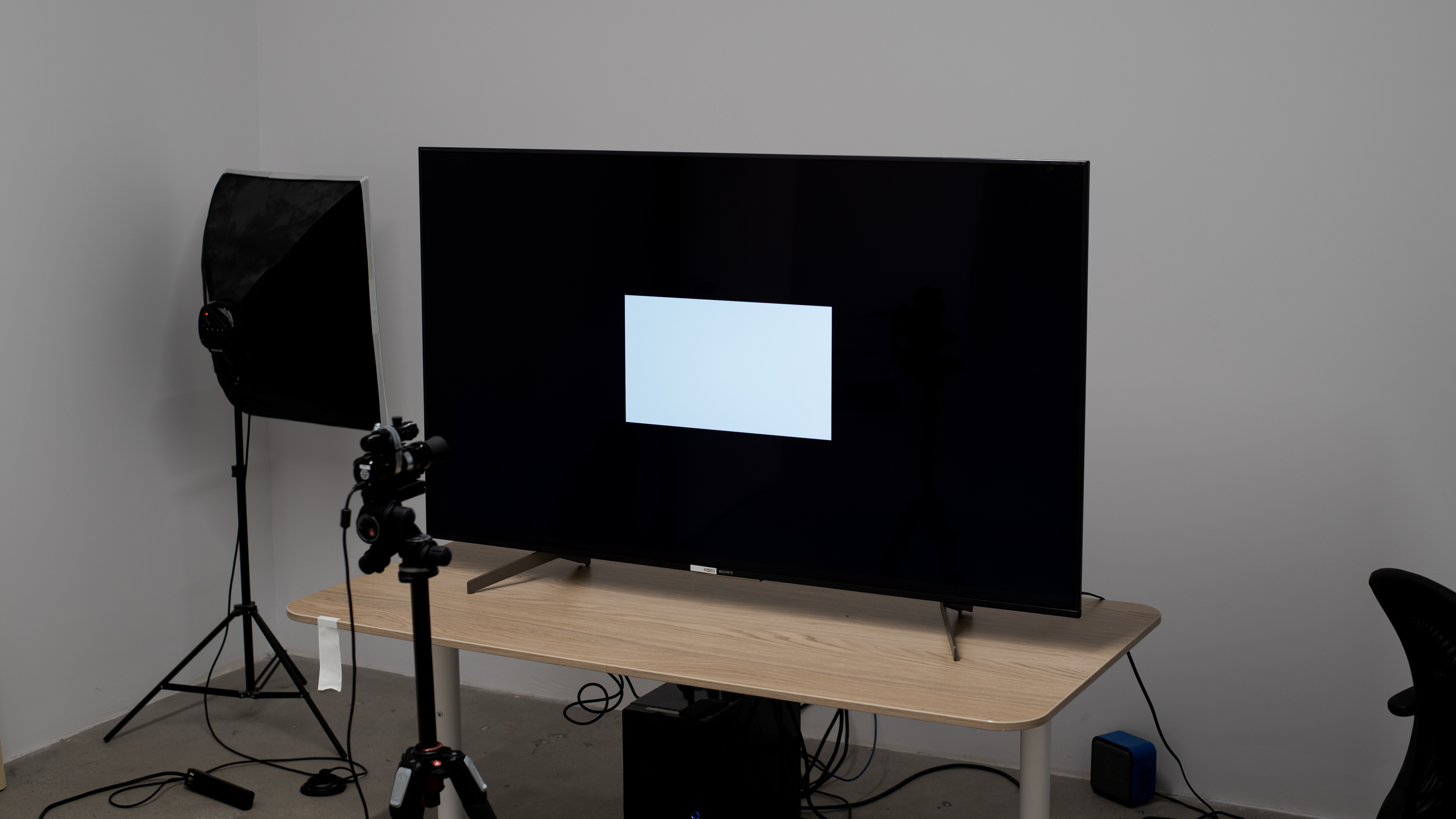
This TV has a disappointing contrast ratio, worse than any recent TV, including the Sony X800G. Blacks look gray, especially when watching TV in a dark room. If you're looking for a Sony TV with an IPS panel but improved contrast ratio, then check out the Sony X800H.
Note: The 85" model (XBR-85X850G) has a VA panel, and though we haven't tested it, we'd expect its contrast to be much better. The 2021 model of this TV, the Sony X85J, uses a VA panel and has much better contrast as well.
for videos & test results

This TV doesn't have a local dimming feature. The above video is for reference only. If you want local dimming, then check out the Sony X900H.
Great peak brightness in SDR, with no variation in brightness with different content, which is great. We measured the peak brightness after calibration, with the 'Custom' Picture Mode and the 'Expert 1' Color temperature.
Unfortunately, there are no brighter picture modes. Enabling Adv. contrast enhancer increases the peak brightness a tiny bit, but not enough to make a noticeable difference.
Decent peak brightness in HDR. Small bright highlights in some scenes stand out, but not enough to show off the content creator's intent.
We measured the peak brightness with no calibration settings, with the 'Cinema' Picture Mode and the Color temperature set to 'Expert 2'.
Unlike most TVs, these settings are the most accurate and the brightest. The 'Vivid' picture mode has a lower peak brightness.
for pictures & test results

for pictures & test results

Very good gray uniformity. There isn't much variation in the center of the screen, but there's noticeable vignetting, and the sides of the screen are a bit darker. In near-dark scenes, the uniformity is significantly better.
for videos & test results

for pictures & test results

for pictures & test results

for pictures & test results

Decent viewing angles. At very wide angles the image starts to appear washed out, but colors only shift at extremely wide angles. Colors appear washed out at moderate angles, but this shouldn't be an issue for most people.
Note: The 85" model (XBR-85X850G) has a VA panel, so while we haven't tested it, we'd expected it to have worse viewing angles.
for pictures & test results

This TV has bad black uniformity, worse than the X800G. There is significant clouding throughout the entire screen, and the LEDs can be seen bleeding through the bottom edge.
Note: Though we haven't tested it, the 85" model (XBR-85X850G) has a VA panel, and we'd expect its black uniformity to be significantly better.
for pictures & test results

for pictures & test results

for pictures & test results

Excellent reflection handling. There's still some noticeable glare, as the screen finish isn't able to completely diffuse bright lights, but in most rooms there shouldn't be any issues.
for pictures & test results

for pictures & test results

for pictures & test results

With our pre-calibration settings, this TV has mediocre accuracy. There are noticeable errors in many colors, as well as brighter shades of gray. Gamma is too low, tracking closer to 2.0, so most scenes are too bright, and the color temperature is a bit too warm.
for pictures & test results

for pictures & test results

for pictures & test results

After calibration, this TV has excellent accuracy, but it's still a bit worse than most TVs. There are still inaccuracies in some colors, especially reds, that some people might notice. Gamma follows much closer to 2.2, and the white balance is nearly perfect.
You can see our recommended settings here.
for pictures & test results

480p content, like DVD movies, looks great, with no obvious upscaling artifacts.
for pictures & test results

720p content, including cable TV stations, looks great, with no significant issues.
for pictures & test results

1080p content, including Blu-rays, looks almost as good as native 4k content. When the 'Graphics' Picture Mode is used with 1080p content, the TV switches to nearest-neighbor upscaling, which some people prefer for computer use.
for pictures & test results

4k content is displayed perfectly, with no dithering or sub-pixel artifacts.
for pictures & test results

Like the Sony X850F, this TV uses an IPS panel.
for pictures & test results

for pictures & test results

for pictures & test results

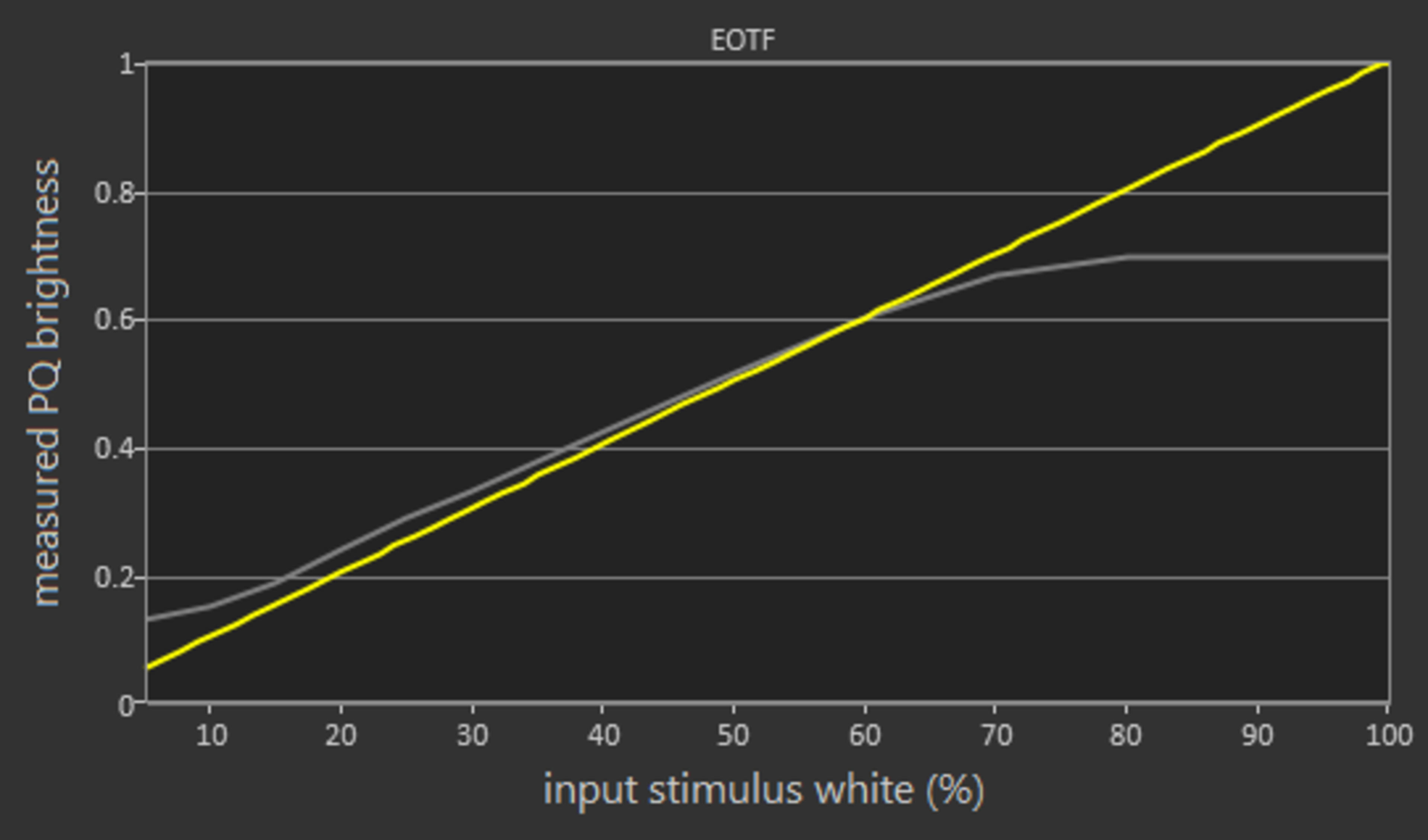
The Sony X850G can display a wide color gamut, and has great coverage of the DCI-P3 color gamut used by most 4k UHD Blu-rays. The EOTF follows the PQ Curve closely for the most part, but dark scenes are over-brightened. The TV starts tone mapping near its peak brightness, but unfortunately, whites mastered above about 1500 cd/m² are clipped, causing a loss of some bright details.
The PC Mode EOTF is nearly identical, but some scenes are over-brightened.
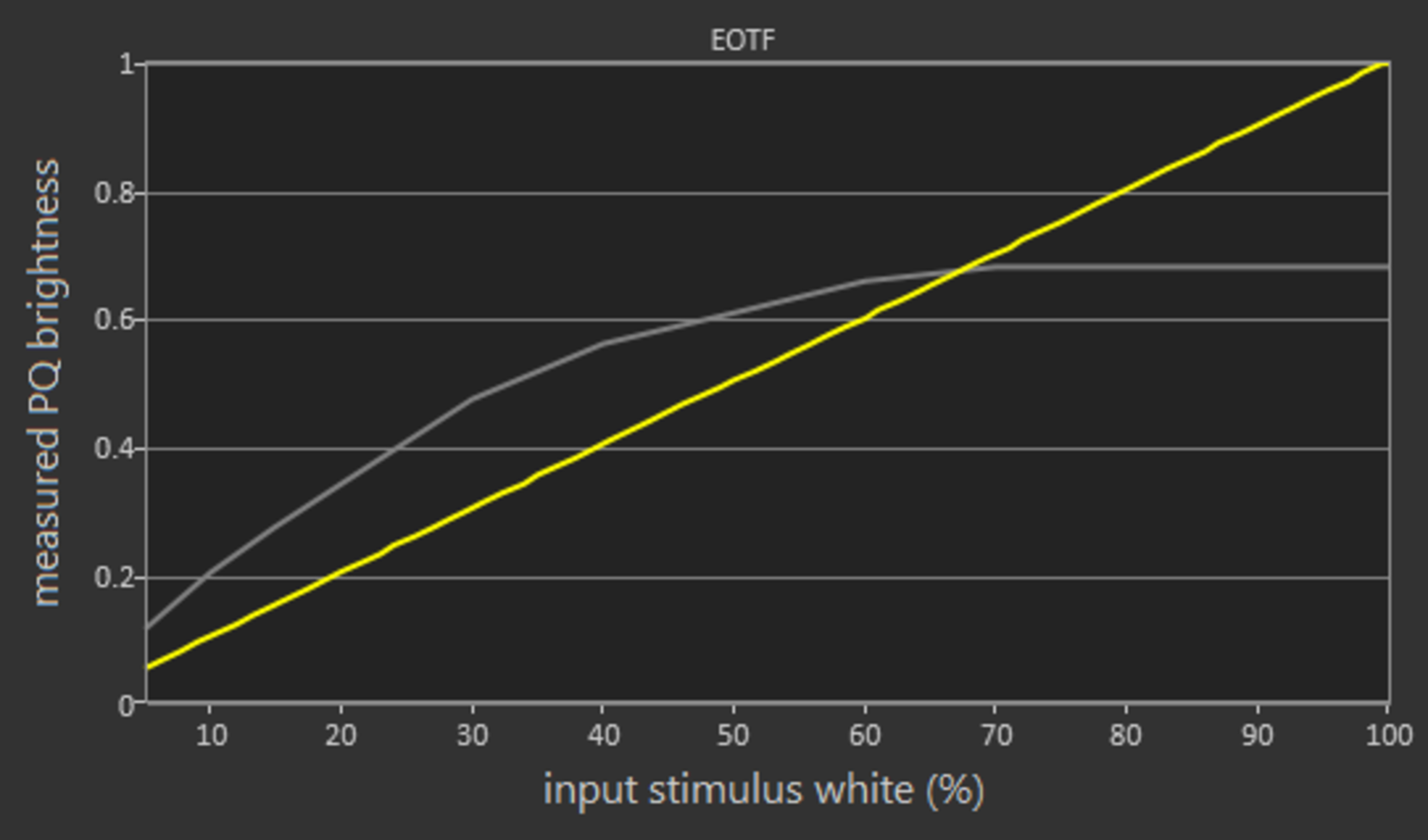
If you find HDR content too dark, setting the Color Temp to 'Expert 2', Contrast to 'Max', Gamma to 'Max', and Adv. contrast enhancer to 'High' results in a noticeably brighter image, as shown in this EOTF. Unfortunately, the peak brightness remains unchanged, and whites are clipped above about 400 cd/m².
for pictures & test results

for pictures & test results

The color volume of this TV is mediocre, as it's limited by its low contrast ratio, and is slightly restricted by its color gamut.
Note: Though we haven't tested it, the 85" model (XBR-85X850G) has a VA panel, so we'd expect it to have slightly better color volume.
for pictures & test results

The Sony X850G has excellent gradient handling. There's some slight banding in all shades, but this shouldn't be noticeable with most content.
for pictures & test results

There's only minor temporary image retention immediately after displaying our high-contrast static test image for 10 minutes, and it disappears almost immediately.
Although some IPS panels can suffer from temporary image retention, this doesn't appear to be permanent, as seen in our long-term test.


for pictures & test results

The backlight is completely flicker-free, which is great. There is some noise at low backlight levels, but this isn't noticeable, and the backlight never turns completely off.
for pictures & test results

for pictures & test results

This TV has an optional black frame insertion feature that improves the appearance of motion, but it can only flicker at 120Hz, which isn't ideal as it causes noticeable duplications with 60Hz content.
To enable this feature on the X850G, set Motionflow to 'Custom', and adjust the Clearness setting to your liking.
for pictures & test results

for pictures & test results

Even though this TV only accepts 60Hz signals, it can interpolate lower frame rate content to increase the frame rate as high as 120Hz. Like most TVs, there are some artifacts with higher settings, and this introduces an effect known as the Soap Opera Effect, which may bother some people.
See our recommended settings here.
The relatively fast response time of this TV results in some noticeable stutter when watching 24p movies. This is especially noticeable with slow, panning shots.
This TV can remove judder from all sources, which is great. Movies played from 24p sources, like a Blu-ray player, are always judder-free. When watching movies played from a 60p/i source, like a cable box, Motionflow has to be set to 'Custom', with both sliders set to 'Min' and CineMotion set to 'Auto'.
The Sony X850G has a native 120Hz panel, but doesn't support any advanced variable refresh rate technologies, like FreeSync.
This TV has outstanding low input lag, better than any recent Sony TV we've tested, including the higher-end Sony X950G.
The Sony X850G has a native 120Hz panel, but it can't display a 120Hz signal from 1080p or 1440p sources. It can display chroma 4:4:4 properly, which is important for clear text when connected to a PC, but only in the 'Game' or 'Graphics' picture mode. Like many other Sony TVs, when in the 'Graphics' mode, the TV switches to nearest-neighbor upscaling when sent a 1080p signal.


The Sony X850G supports HDR10 and Dolby Vision but doesn't support HDR10+.
Update 01/07/2020: DTS passthrough is working over a standard ARC connection as well as optical. It was discovered that system sounds must be disabled for it to work.
The Sony X850G supports eARC.
for pictures & test results

The speakers on this TV have an alright frequency response. The low-frequency extension (LFE) is high, so there's no thump or rumble to its bass, and it has only a bit of punch. Above the LFE, the frequency response is more balanced, resulting in clear dialog, but it lacks a bit of airiness due to the dip around 10kHz. This TV can get pretty loud, but it does produce a bit of pumping at peak volume.
for pictures & test results

This TV has poor distortion performance. The total amount of harmonic distortion is very high, and it increases significantly higher at maximum volume.
for pictures & test results

Update 07/07/2020: The operating system has been updated to Android 9.0. There are some minor changes to the user interface, and support has been added for Apple AirPlay and Dolby Atmos via the TV's speakers.
The interface is very well-organized and easy to use. It's also very smooth, but we experienced a few crashes during our testing.
Unfortunately, there are ads and suggested content on this TV. The suggested content can be disabled, but there's no direct option to disable the ads. There's a workaround, though, as described here.
for pictures & test results

The Android TV interface has a massive selection of apps through the included Google Play Store. The built-in apps work great, and cover the majority of the most common streaming services.
for pictures & test results

The included remote is very similar to the one included with the Sony X950G, but with a black finish instead of silver. It's the upgraded 2019 Sony remote with Bluetooth connectivity, so you don't need direct line-of-sight to the TV for most functions. The remote also has a built-in microphone, and once it's been paired to the TV it can be used for voice control.
for pictures & test results

The physical controls are located on the back, right-hand side of the TV. Like most TVs, they're basic, and allow for only basic control of the TV's functions.