
The Sony X950H is Sony's flagship 4k LED LCD TV for 2020. It's an impressive TV for most uses. It delivers great picture quality, with great contrast, excellent peak brightness in SDR, and a good full array local dimming feature. It also has excellent peak brightness in HDR, so small highlights stand out. It also has great motion handling, with an impressive response time and a fast 120Hz refresh rate. Unlike the 2021 models, it runs the older Android TV interface instead of Google TV, but it still has a great selection of streaming apps and an easy-to-use, fast interface. It has low input lag, which is great for gaming. However, sadly, it doesn't support any of the advanced gaming features found on some of the newer models, like variable refresh rate support or HDMI 2.1 support for 4k @ 120Hz gaming.
Our Verdict
The Sony X950H is great for most uses. It's well-suited for watching movies in a dark room or shows in a bright room, as it has a great contrast ratio that allows it to produce deep blacks, and its excellent peak brightness can easily overcome glare. It delivers a great HDR experience and upscales lower resolution content from cable TV well. It has a fast response time and low input lag, but there are no advanced gaming features like VRR. It can display chroma 4:4:4 and is immune to permanent burn-in, making it a very good choice for use as a PC monitor.
- Great contrast ratio results in deep blacks.
- Gets very bright to combat glare.
- Upscales lower resolution content well.
- Outstanding reflection handling.
- Image degrades at an angle.
The Sony X950H is great for watching movies. It performs very well in dark rooms thanks to its great contrast ratio, full-array local dimming, and outstanding black uniformity. It upscales lower resolution movies well and can remove judder from all sources. However, low frame rate content like movies can appear to stutter due to the TV's fast response time.
- Great contrast ratio results in deep blacks.
- Removes judder from all sources.
- Upscales lower resolution content well.
- Stutters a bit in low frame rate content.
The Sony X950H is great for watching TV shows. It provides good visibility in bright environments, as it can fight glare easily and it handles reflections well. Lower resolution content from cable TV is upscaled well and without any issues, and there's no risk of permanent burn-in even if you watch the same program all day long. The downside is the TV's mediocre viewing angles, which makes it harder to watch while walking around doing chores.
- Gets very bright to combat glare.
- Upscales lower resolution content well.
- Outstanding reflection handling.
- Image degrades at an angle.
The Sony X950H is very good for watching sports. Thanks to its high peak brightness and outstanding reflection handling, the TV is easily visible in the brightest lighting conditions. There's almost no dirty screen effect, and the TV upscales lower resolution content like cable sports well. Despite having Sony's 'X-Wide Angle' layer, the viewing angles are mediocre, so it's not the most ideal for watching a big game with a large group of people.
- Great response time.
- Gets very bright to combat glare.
- Upscales lower resolution content well.
- Outstanding reflection handling.
- Image degrades at an angle.
The Sony X950H is great for gaming. Its high contrast ratio and outstanding black uniformity make it a good choice for dark room gaming. It has a fast 120Hz refresh rate, and a great response time, so fast-moving objects are clear, with little blur behind fast-moving objects. It also has low input lag, resulting in a responsive gaming experience. Sadly, it doesn't support any advanced gaming features like HDMI 2.1 or variable refresh rate.
- Great contrast ratio results in deep blacks.
- Great response time.
- Fantastic low input lag.
- No advanced gaming features like VRR or HDMI 2.1.
The Sony X950H is great for watching movies in HDR. It has a high contrast ratio that allows it to produce deep blacks, and it has a full-array local dimming feature to improve black level. It has an impressive color gamut and high peak brightness to deliver HDR content with vibrant colors and bright highlights. Black uniformity on our unit is outstanding, so there's no distracting backlight bleed in dark scenes. That said, uniformity can vary between units.
- Great contrast ratio results in deep blacks.
- Good full-array local dimming.
- Removes judder from all sources.
- Excellent HDR brightness.
- Stutters a bit in low frame rate content.
The Sony X950H is good for gaming in HDR. It has a fast response time that results in very little motion blur, and it delivers a great HDR experience thanks to its high peak brightness and wide color gamut. Its input lag is low, even in 10-bit HDR mode. Sadly, it doesn't support VRR to reduce screen tearing.
- Great contrast ratio results in deep blacks.
- Good full-array local dimming.
- Great response time.
- Excellent HDR brightness.
- Fantastic low input lag.
- No advanced gaming features like VRR or HDMI 2.1.
The Sony X950H is very good for use as a PC monitor. It has low input lag and fast response time, resulting in a responsive desktop experience. It supports chroma 4:4:4 at all resolutions, and its VA panel is immune to permanent burn-in. However, its viewing angles are mediocre, so the edges of the screen may look inaccurate if you sit up close.
- Great response time.
- Gets very bright to combat glare.
- Outstanding reflection handling.
- Fantastic low input lag.
- No advanced gaming features like VRR or HDMI 2.1.
- Image degrades at an angle.
Changelog
- Updated Sep 26, 2025: We uploaded the latest brightness measurements and uniformity photos for the Accelerated Longevity Test.
- Updated Jul 08, 2025: We uploaded the latest brightness measurements and uniformity photos for the Accelerated Longevity Test.
- Updated Apr 17, 2025: We uploaded the latest brightness measurements and uniformity photos for the Accelerated Longevity Test.
- Updated Feb 11, 2025: We uploaded the latest brightness measurements and uniformity photos for the Accelerated Longevity Test.
Check Price
Differences Between Sizes And Variants
We tested the 55 inch Sony X950H (XBR55X950H), and for the most part, we expect our review to be valid for the 65 inch, 75 inch, and the 85 inch models. Note that the 49 inch variant doesn't have Sony's 'X-Wide Angle' layer to improve viewing angles, so it's expected to have a higher contrast ratio. There are also other differences, such as the borders, speaker configuration, and location of inputs, as some of the HDMI ports on the 49 inch variant are downward-facing. In Europe, this TV is known as the XH9505, and we expect it to offer the same performance.
If someone comes across a different type of panel or their Sony X950H doesn't correspond to our review, let us know, and we'll update the review. Note that some tests, like the gray uniformity, may vary between individual units.
| Size | North America Model | EU Model | 'X-Wide Angle' |
|---|---|---|---|
| 49" | XBR49X950H | KD-49XH9505 | No |
| 55" | XBR55X950H | KD-55XH9505 | Yes |
| 65" | XBR65X950H | KD-65XH9505 | Yes |
| 75" | XBR75X950H | KD-75XH9505 | Yes |
| 85" | XBR85X950H | KD-85XH9505 | Yes |
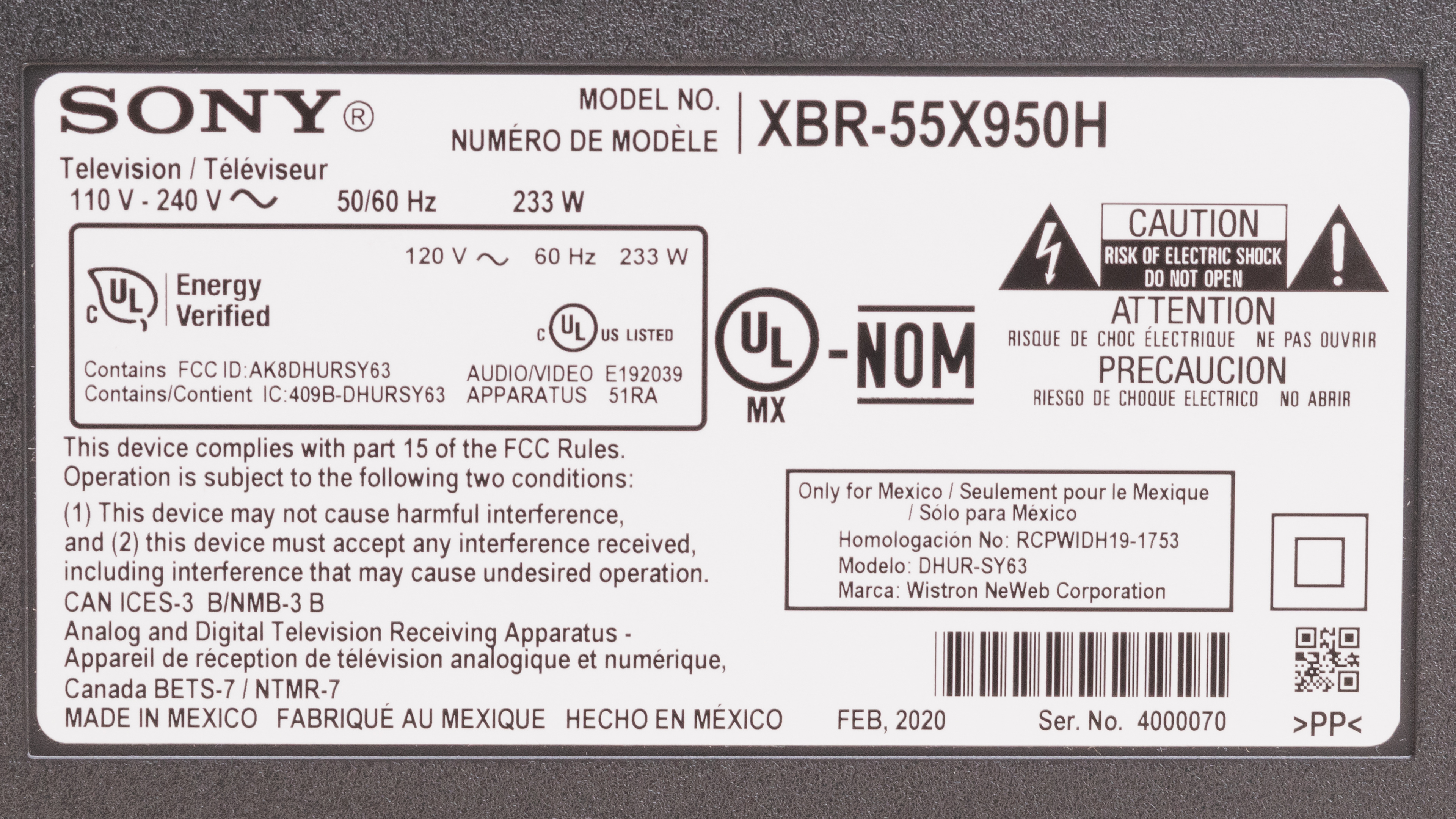
Our unit of the Sony X950H was manufactured in February 2020, you can see the label here.
Popular TV Comparisons

The Sony X950H is a great TV for most uses. It has impressive motion handling, and it delivers an excellent HDR experience. However, it doesn't perform as well for gaming due to its slightly higher input lag and lack of variable refresh rate.
For other options, check out our recommendations for the best TVs, the best 4k HDR TVs, and the best 4k gaming TVs.
The Sony X90J and the Sony X950H have a lot in common, but they're also different in a few aspects. While both TVs use a VA panel, the X90J has a better contrast ratio to display deeper blacks. This is because the X950H has the 'X-Wide Angle' layer to improve its viewing angles but at the cost of a lower contrast ratio. The X950H has a better color gamut and gets a lot brighter, bright enough to deliver a true cinematic HDR experience. For gaming, the X90J is a better choice because it has HDMI 2.1 support and can display a 4k @ 120Hz signal. The X90J also has VRR support after a firmware update.
The Sony X950H is slightly better than the Sony X900H overall. The X950H has better viewing angles, reflection handling, and it delivers a better HDR experience, as it has a better HDR color gamut and it can get brighter. However, the X900H has a higher contrast ratio since it doesn't have the 'X-Wide Angle' layer, and it has a lower input lag. Also, the X900H has more gaming features like HDMI 2.1 inputs and VRR support.
Overall, the Sony X950H is a little bit better than its predecessor, the Sony X950G. They have near-identical features and perform similarly when it comes to motion handling, but the X950H has a better color gamut, significantly better reflection handling, and its local dimming is also improved. That said, the X950G gets brighter and it's more color accurate out of the box. Black and gray uniformity are better on the X950H, although it could be due to manufacturing tolerances.
For most uses, the Sony X950H performs better than the Sony X900F. The X950H has a better local dimming feature, wider viewing angles, and a better reflection handling. Input lag is much lower on the X950H, but the X900F has a higher contrast ratio and a faster response time.

We buy and test dozens of TVs yearly, taking an objective, data-driven approach to deliver results you can trust. Our testing process is complex, with hundreds of individual tests that take over a week to complete. Most of our tests use specially designed test patterns that mimic real content, but we also use the same sources you have at home to ensure our results match the real-world experience. We use two main tools for our testing: a Colorimetry Research CR-100 colorimeter and a CR-250 spectroradiometer.
Test Results
Older Test Bench: This product has been tested using an older TV test methodology, before amajor update. Some of the test results below aren't directly comparable with other TVs. Learn more

for pictures & test results

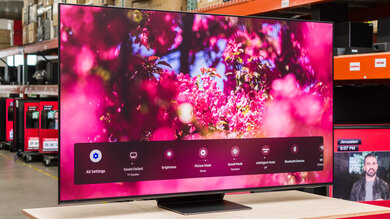
The Sony X950H has a simple, yet outstanding design, with thin bezels and minimal branding. Although the feet look thin, they're fully metal and support the TV well. We have them set as wide as possible, but you can move them inwards to accommodate smaller tables.
for pictures & test results

The stand is fully metal and supports the TV well, allowing very little wobble. There are two possible positions for the feet. We set up ours at the wide position, but you can set them up at the narrow position if you have a smaller table. The feet are also interchangeable, so you don't have to worry about putting them on the wrong side.
The stand on the 49" variant is different; it's similar to the one on the Sony X950G.
Footprint of the 55 inch stand at the wide position: 47.8" x 12.3"
Footprint of the 55 inch stand at the narrow position: 32.1" x 12.3"
for pictures & test results

The back of the TV is fairly plain and made of plastic. It has a horizontal brushed texture, and the inputs are facing sideways, making them easier to access when wall-mounted. There are two clips included in the box to tie the cables to the feet, which serve as cable management.
The 49 inch variant has some downward-facing HDMI ports.

for pictures & test results

The TV is of moderate thickness and doesn't protrude much when wall-mounted. Our unit leans backward a tiny bit; however, this varies between units.
for pictures & test results

The Sony X950H has a great build quality. Although it's mostly plastic, it feels well-built, and there's no flex on the back panel, except the area where the inputs are located. The metal stand supports the TV well, and there's very little wobble.
for pictures & test results

The Sony X950H has a great native contrast ratio, and it gets slightly better when local dimming is enabled. However, it's lower than what we would expect of a VA panel due to Sony's 'X-Wide Angle' layer, which improves viewing angles at the expense of lower contrast. That said, blacks still look deep, making it a good choice for dark room viewing. Note that the contrast ratio can vary between units.
The 49 inch variant of this TV doesn't have the 'X-Wide Angle' layer and is expected to have a higher contrast ratio.
If you want a TV with a higher contrast ratio, check out the Vizio P Series Quantum X 2020.
The Sony X950H has excellent peak brightness in SDR. It's plenty bright enough to overcome glare in any indoor setting, even if you have a lot of natural light. Unfortunately, there's some variation in peak brightness with different scenes, but it's not very noticeable with most content. If you want an even brighter TV for outdoor use, check out the Samsung The Terrace.
We measured the SDR peak brightness after calibration, using the 'Custom' Picture Mode, with Local Dimming set to 'High', and X-tended Dynamic Range set to 'High'.
If you don't mind losing image accuracy, you can get a brighter image by setting the Picture Mode to 'Vivid', Local Dimming to 'High', X-tended Dynamic Range to 'High', and Contrast to max. We achieved a peak brightness of 1145 cd/m² in the 10% window with these settings.
for videos & test results

for videos & test results

for videos & test results

This TV has a good full-array local dimming feature. In normal content, there's more dimming than blooming around bright objects, but not to the point of crushing small highlights or losing detail. Highlights don't stand out as much and are handled a bit more evenly. While there's still some blooming, it's much better handled than on the Sony Z9F, but not as good as the replacement Sony X95J. If you want something with better local dimming, then check out the Sony X95K.



for pictures & test results

This TV has excellent peak brightness in HDR. It's bright enough for small highlights to really stand out, and it delivers an impactful cinematic experience in HDR, even in very bright scenes. The TV tracks the EOTF properly, so all scenes are displayed at the correct brightness, but it cuts off sharply at the TV's peak brightness, which can cause a loss off fine details in some scenes.
We measured the HDR peak brightness before calibration, using the 'Custom' Picture Mode, 'Expert 2' Color Temperature, and with X-tended Dynamic Range set to 'High'.
If you want a brighter image and don't mind losing accuracy, set the Picture Mode to 'Vivid', Local Dimming to 'High', X-Tended Dynamic Range to 'High', and Contrast to max. We achieved a peak brightness of 1185 cd/m² in the 10% window with these settings.
for pictures & test results
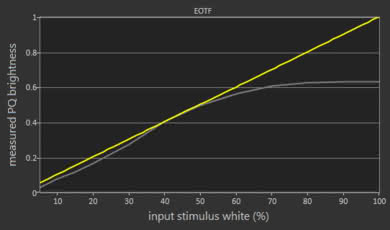
The Sony X950H has excellent peak brightness in HDR Game Mode, but it's not quite as bright as out of Game Mode. Small highlights stand out well, and there's little variation in peak brightness with different content. The EOTF is nearly identical to 'Custom', with the same sharp cutoff near the TV's peak brightness.
for pictures & test results

for pictures & test results

The Sony X950H we bought has good gray uniformity, but this can vary between individual units. The corners of the screen are significantly darker than the center, but there's just a bit of dirty screen effect, which is great for sports fans. Near-dark scenes look much better, with almost no noticeable issues.
for pictures & test results

for pictures & test results

Our unit of the Sony X950H has outstanding black uniformity; however, this can vary between individual units. Without local dimming, the entire image looks more grayish, and there's a little bit of blooming around the test cross. With local dimming enabled, uniformity is significantly better, but the blooming is much more noticeable.
for videos & test results

for pictures & test results

for pictures & test results

for pictures & test results

This TV has a mediocre viewing angle, as expected for a VA panel. Despite having Sony's 'X-Wide Angle' layer to improve viewing angles, gamma shift still happens fairly quickly when moving off-center. It's okay for most rooms, but not for large rooms with wide seating arrangements.
The 49 inch variant of this TV doesn't have the 'X-Wide Angle' layer and is expected to have worse viewing angles.
for pictures & test results

for pictures & test results

for pictures & test results

This TV has outstanding reflection handling. It has a glossy finish that significantly reduces direct reflections, but the X-Wide Viewing Angle filter causes significant rainbow smearing that can be distracting.
for pictures & test results

for pictures & test results

for pictures & test results

The Sony X950H that we bought has excellent accuracy out-of-the-box. It can vary between individual units, but Sony TVs usually have excellent accuracy. The white balance is excellent, and the overall color accuracy is great, but there are some noticeable issues with certain colors, including blues and greens. The color temperature is very close to our 6500K target.
for pictures & test results

for pictures & test results

for pictures & test results

After calibration, the Sony X950H's color accuracy is exceptional. White balance and gamma are nearly perfect, with only a slight dip in the gamma causing bright scenes to be over-brightened. There's still some inaccuracy with the color blue, which is typical for LED TVs.
You can see our recommended settings here.
for pictures & test results

480p content like DVDs looks good, and we didn't notice any visible artifacts.
for pictures & test results

720p content, like cable TV, is upscaled without any issues.
for pictures & test results

1080p content looks good, and there are no noticeable upscaling artifacts.
for pictures & test results

The Sony X950H displays native 4k content perfectly.
for pictures & test results

The pixels are blurry due to the TV's 'X-Wide Angle' layer. It's very likely that the layer also affects red and green sub-pixels more, as they appear doubled while the blue sub-pixel remains clear.
for pictures & test results

for pictures & test results

The Sony X950H has a great HDR color gamut. It has outstanding coverage of the DCI P3 color space used in most HDR content; however, coverage of the wider Rec. 2020 is just okay.
for pictures & test results

for pictures & test results

This TV has great color volume. It fills out most of its gamut in the DCI P3 color space, and it can display dark saturated colors well. Bright colors are just as bright as pure whites, which is great.
for pictures & test results

Like most Sony TVs, the Sony X950H has excellent gradient handling. There's a bit of banding in darker shades of all colors, although it's most noticeable in greens and grays. Enabling Smooth Gradation can remove most of it, but it can cause the loss of some fine details in high-quality content.
for pictures & test results

The Sony X950H shows no sign of temporary image retention, but this can vary between individual units.
We don't expect VA panels to experience permanent image retention, as the VA panel in our long-term test appears immune.
for pictures & test results

for pictures & test results

The Sony X950H has an impressive response time overall, resulting in clear motion with little blur behind fast-moving objects. Like most TVs with VA panels, transitions in dark scenes are much slower, resulting in noticeable black smearing, but there's very little overshoot.
for pictures & test results

The Sony X950H uses pulse width modulation (PWM) at all backlight levels, but the flicker frequency is high enough that it shouldn't bother most people. The "Standard", "Vivid", and "Cinema" modes flicker at 120Hz by default, but this is because Motionflow is enabled by default in those modes. Disabling it resets the flicker to 720Hz.
for pictures & test results

for pictures & test results

The Sony X950H has an optional backlight strobing feature, commonly known as black frame insertion, to reduce motion blur.
for pictures & test results

for pictures & test results

The Sony X950H has a motion interpolation feature that can interpolate lower frame rate content up to 120 fps. It handles most content well, but we noticed significant artifacts in busy scenes. It seems like the TV keeps trying to interpolate frames, even when it can't keep up, whereas many other TVs would simply stop interpolating.
Since this TV has a relatively fast response time, there's some noticeable stutter in slow panning content. The motion interpolation feature can help reduce stutter if this bothers you.
This TV can remove judder from all sources.
Unfortunately, the Sony X950H doesn't support any variable refresh rate technologies. If you want a similar TV with VRR support, check out the Samsung Q80/Q80T QLED.
The Sony X950H has fantastic low input lag when in 'Game' or 'Graphics' mode. It's responsive enough for most casual gamers, but it's a bit too high for competitive gaming. While you can use motion interpolation for gaming, it increases the input lag significantly and isn't recommended.
If you want lower input lag for gaming, check out the Sony X900H.
Even though the Sony X950H has a 120Hz refresh rate, it can only achieve 120Hz at a 1080p resolution, so 1440p and 4k content are limited to 60Hz. It displays chroma 4:4:4 signals properly, which is important for clear text from a PC. If you want a TV that can display a 4k @ 120Hz signal, check out the Sony X90J or the Sony X95J.
for pictures & test results

for pictures & test results

The Sony X950H can't take full advantage of the newest consoles, as it doesn't support HDMI 2.1. It doesn't support any advanced gaming features, like variable refresh rate technology, either. It doesn't support the industry standard automatic low latency mode (ALLM), but we found that it uses a Sony-proprietary form of ALLM, which only works with the PS4 or PS5.
Unfortunately, this TV doesn't support HDMI 2.1. If you want a TV that supports HDMI 2.1, check out the Samsung Q70/Q70A QLED.

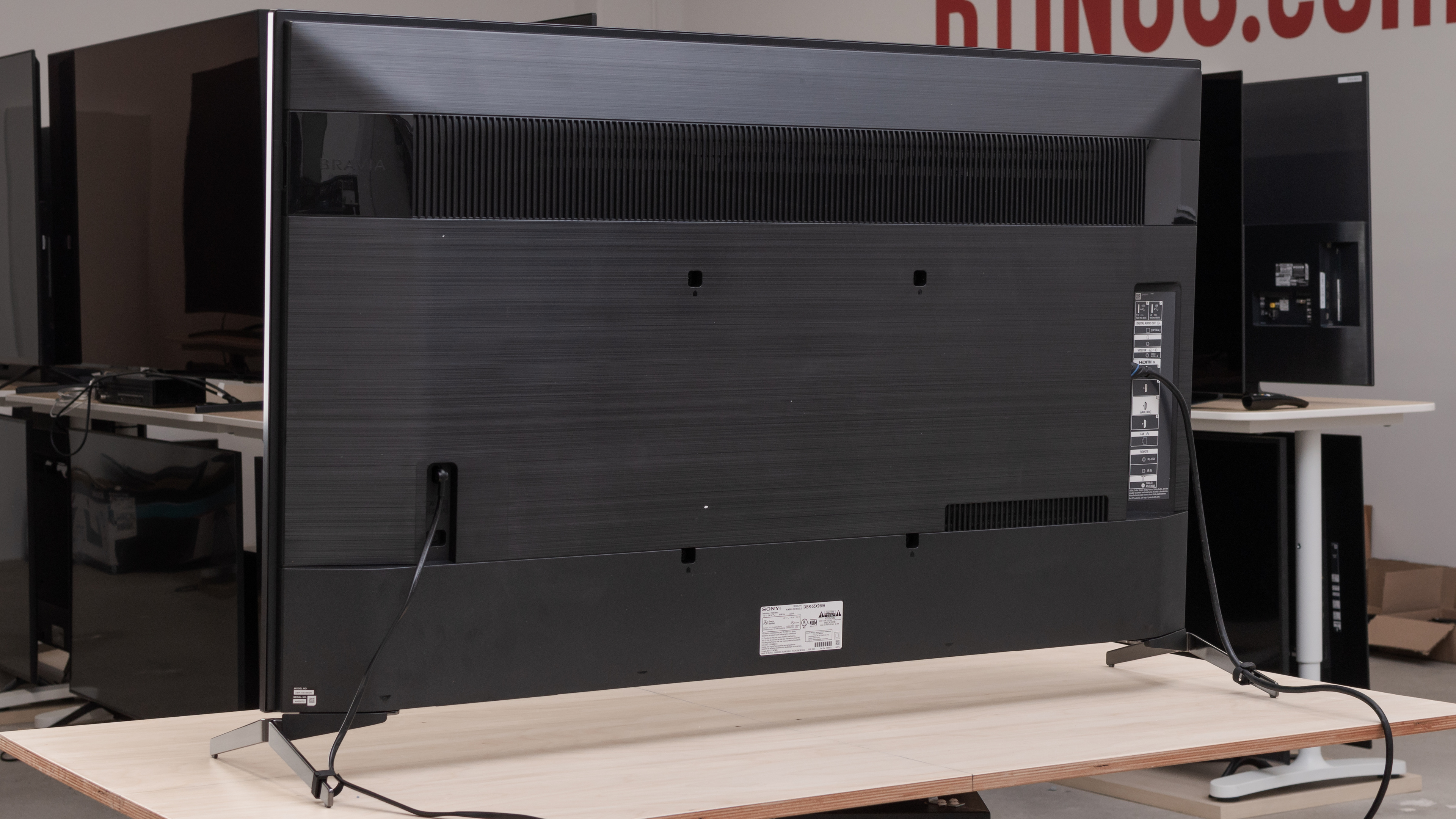
There are two USB inputs on the TV, one of which is a USB 3.0 port.
The Sony X950H supports eARC, allowing it to pass high-quality audio like Dolby Atmos via TrueHD and DTS:X via DTS-HD over an HDMI connection. To use it, set eARC to 'Auto', and Passthrough mode to 'Auto' for DTS to work.
for pictures & test results

The Sony X950H's frequency response is good. It's relatively well-balanced and gets very loud, but there's a bit of compression when playing near max volume. It doesn't have much bass extension, so it can't produce a thumping, rumbling sound. There's a room correction feature to tune the sound according to your room's acoustics, and it's performed using the built-in microphone on the remote control.
for pictures & test results

This TV has sub-par distortion performance. Although the TV sounds clean at moderate volume levels, there's a significant amount of distortion when playing near max volume. That said, it depends largely on the content, and some people may not hear it.
for pictures & test results

The Sony X950H runs the Android TV interface, which is pretty easy to use and has a great selection of additional apps.
Unfortunately, like most TVs on the market, there are ads on the Sony X950H. They're not always there, though, and there's at least an option to disable most of the suggested content.
for pictures & test results

The Google Play Store received a makeover. The interface is clean, there's a large selection of apps, and it runs very smoothly. Casting is supported, and the built-in media app can play most common file types.
for pictures & test results

The remote control is nearly identical to the one that comes with the Sony X950G, except it's now black instead of silver. There are shortcuts to Google Play and Netflix, and there's a built-in microphone, which you can use for voice control and the TV's room correction feature. As an Android TV, voice control is handled by the Google Assistant. It can perform most searches and commands, but it can't change some of the TV's settings like the brightness.
for pictures & test results

Unlike the Sony X950G's three-button controls, there's now a single button located in the middle of the TV, below the Sony branding. You can use it to turn the TV On/Off, change the channel, adjust the volume, and change the input source. A short press lets you navigate the on-screen menu, while a long press selects the highlighted option.
for pictures & test results

- Remote control
- Power cable
- Wall-mount spacers
- 2x AAA batteries
- Cable management clips
- User guide