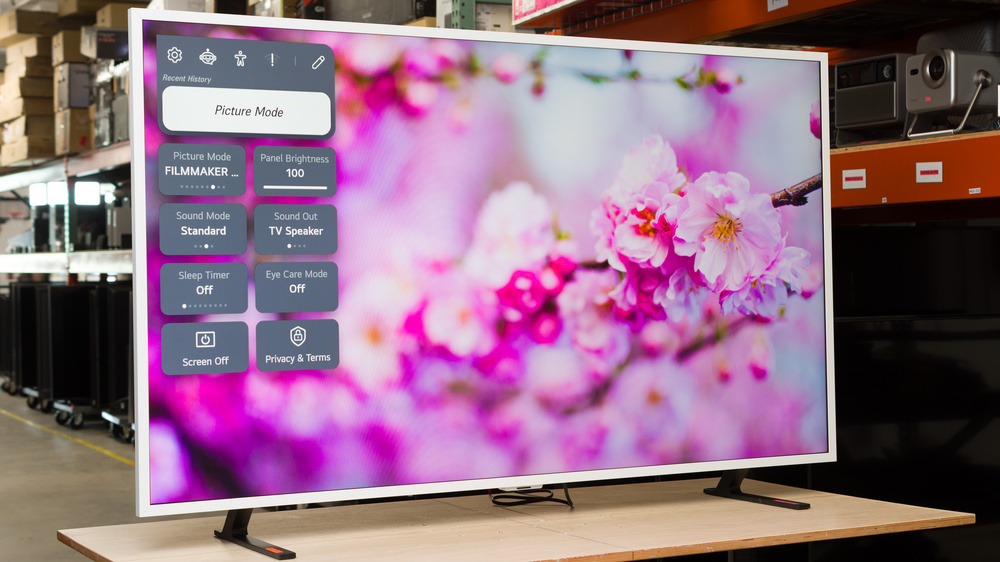
The LG Gallery 2026, also known as the LX7B, is LG's first entry into the increasingly popular Art TV market. With user-replaceable bezels, it's designed to blend in with your living room and display artwork when you're not watching TV, so your TV looks like a piece of art instead of just a black box on the wall. It's a very basic TV, with no support for higher refresh rates or HDMI 2.1 bandwidth, but it does support VRR and basic gaming features. It's powered by the Alpha 7 AI Processor 4K Gen9, and runs the same webOS smart platform as the rest of LG's lineup. We bought and tested the 65-inch version, and it's also available in a smaller 55-inch size.
Our Verdict
The LG Gallery is a disappointing TV overall. It delivers very limited picture quality, with low peak brightness, poor contrast, and no local dimming feature. It's not bright enough to either overcome glare or deliver an impactful viewing experience, and most movies look flat and dull. It also has a limited selection of features, and it can't take advantage of the latest gaming consoles. Finally, its processing features are limited, so it doesn't handle low-quality streaming content or low-resolution content on DVDs well.
Matte coating significantly reduces glare.
Accurate image out of the box in SDR.
Poor contrast and no local dimming means dark scenes are washed out.
Not bright enough in SDR to overcome glare.
Colors are dull and muted.
Motion is very blurry.
The LG LX7B is a sub-par TV for home theater use. It doesn't look very good in a dark room due to its low contrast ratio and lack of local dimming. It can't deliver an impactful HDR experience, either, due to its low peak brightness and dull colors. It has limited format support, too, and unlike most LG TVs, it doesn't support Dolby Vision. Finally, it has mediocre motion handling, as it can't remove judder from 60Hz sources like a cable box, there's noticeable stutter in slow-panning shots, and motion is blurry in fast action.
Good low-quality content smoothing.
Poor contrast and no local dimming means dark scenes are washed out.
Not bright enough to deliver an impactful movie-watching experience.
Colors are dull and muted.
Can't remove judder from 60Hz sources.
Noticeable stutter in slow panning shots.
The LG Gallery TV is an okay choice for a bright room. On the one hand, it has an excellent anti-reflective coating, so direct reflections are barely visible on the screen. On the other hand, it's not very bright, so it can't overcome a lot of glare if you have a really bright room. Overall, it's best-suited for a moderately-lit room without too much light.
Matte coating significantly reduces glare.
Not bright enough in SDR to overcome glare.
The LG LX7B is a mediocre TV for watching sports. It has poor uniformity, with a noticeably patchy screen in the center. It's not bright enough for watch parties with a group of friends, as it can't overcome glare, and its narrow viewing angle makes it a poor choice for a wide seating arrangement. It also has limited processing, and although it does a good job cleaning up low-quality cable streams, there's also a loss of fine details. Finally, it has a mediocre motion handle, with a slow response time that results in blurry motion.
Good low-quality content smoothing.
Matte coating significantly reduces glare.
Not bright enough in SDR to overcome glare.
Motion is very blurry.
The LG Gallery TV delivers a disappointing gaming experience. Although it has fairly low input lag, it has sub-par responsiveness in Game Optimizer mode due to its limited refresh rate and lack of advanced gaming features. It supports VRR, but the feature isn't very useful due to its narrow refresh rate range. It also lacks HDMI 2.1 bandwidth, so it can't take full advantage of the latest gaming consoles. On the flip side, switching to the dedicated gaming mode has no negative impact on picture quality.
Low input lag.
Narrow VRR range.
Limited to a 60Hz refresh rate.
Motion is very blurry.
This TV has decent expected reliability. As the LEDs are housed directly behind the LCD layer, they're less likely to overheat and fail than edge-lit models. There's also no possibility of burn-in or image retention, so the type of content you watch doesn't affect its lifetime. On the other hand, a single failed LED will likely cause the entire backlight to fail, so it's less reliable than TVs with full-array local dimming features.
No possibility of permanent burn-in.
The entire backlight can stop working if a single LED fails.
The LG LX7B has poor brightness. It can't get bright enough to overcome bright lights in daytime viewing, so it's not well-suited for a bright room. In HDR, it's not bright enough to bring out small details in movies and shows properly, so HDR content looks flat and dull overall.
Not bright enough in SDR to overcome glare.
Not bright enough to deliver an impactful movie-watching experience.
The LG Gallery TV has poor black levels. It has an okay native contrast ratio, but it lacks a local dimming feature, so blacks are always raised. It has decent black uniformity, with just a bit of clouding in dark scenes.
Poor contrast and no local dimming means dark scenes are washed out.
The LG LX7B has okay colors. It has great accuracy out of the box in SDR, with just a slightly cool color temperature that most people won't notice. Colors in SDR are displayed well for the most part, but they're not very bright or vibrant, and it struggles to display bright colors in lighter scenes. Unfortunately, it struggles more in HDR, as it can't display wider color spaces very well, and it has sub-par accuracy out of the box.
Accurate image out of the box in SDR.
Colors are dull and muted.
The LG Gallery TV has mediocre motion handling when watching content. It can't remove judder from sources locked at 60Hz, like an older cable box, so motion isn't fluid. Motion is blurry and uneven, and despite its slow response time, there's some noticeable stutter in slow-panning shots.
No micro judder.
Can't remove judder from 60Hz sources.
Noticeable stutter in slow panning shots.
The LG LX7B has sub-par responsiveness when gaming. It's mostly held back by its low 60Hz refresh rate, resulting in higher input lag than more advanced models. It also has a very high CAD, resulting in blurry motion in fast action. While it supports VRR, again, the low maximum refresh rate limits the usefulness of this feature, and in practice, it doesn't do much to improve your gaming experience.
Low input lag.
Narrow VRR range.
Limited to a 60Hz refresh rate.
Motion is very blurry.
Note: We're in the process of improving our tests related to image processing, but this score should give you a general idea of how a TV performs overall with its image processing capabilities.
The LG Gallery TV has just okay image processing. It does a good job of smoothing out low-quality content like most streaming services, but there's some loss of fine details. It doesn't upscale lower-resolution content like DVDs very well, though. With HDR content, the processing is just okay, as it doesn't track the intended brightness levels properly, and there's some noticeable banding in darker shades.
Good low-quality content smoothing.
Can't upscale DVDs well.
Performance Usages
Changelog
- Updated Oct 02, 2026: We converted this review to Test Bench 2.3. With this update, we've added a new Expected Reliability performance usage, a Lifetime Burn-In Potential test, and a new test box for the Longevity 3.0 test.
- Updated Sep 18, 2026: We converted this review to Test Bench 2.2.1, adding a new Dumb TV test for whether or not the TV can be used offline.
-
Updated Jul 21, 2026:
We added more details on the art mode to the Interface section of the review.
- Updated Jul 21, 2026: Review published.
Check Price
Differences Between Sizes And Variants
We bought and tested the 65-inch LG LXBPUA Gallery TV, and these results are also valid for the 55-inch version. There are no other sizes available, and there's no difference between the two sizes.
| Size | US Model |
|---|---|
| 55" | LG 55LX7BPUA |
| 65" | LG 65LXBPUA |
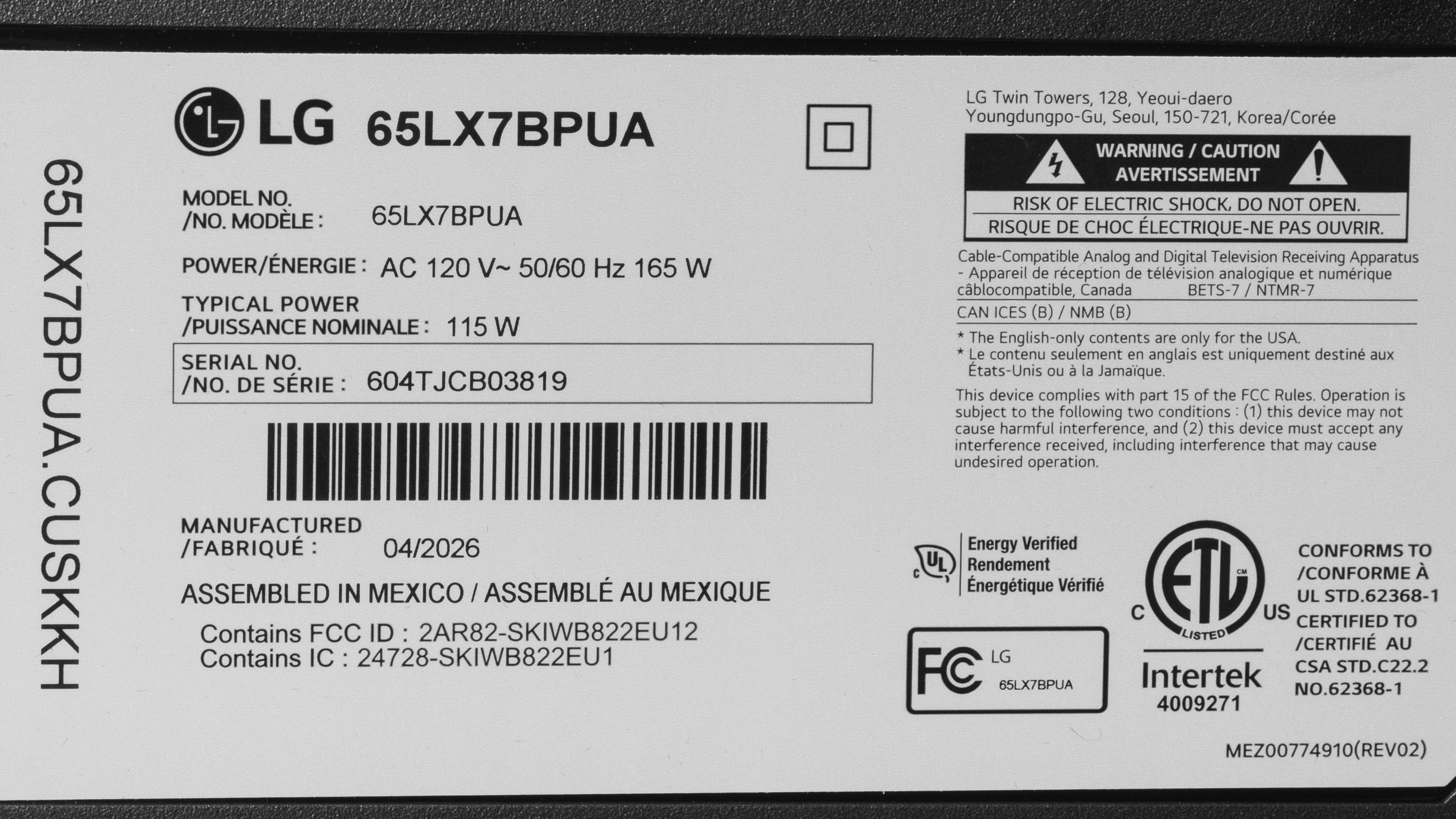
The unit we bought was made in Mexico in April, 2026, according to the label.
Popular TV Comparisons
LG's first foray into the Art TV market is very disappointing, offering worse picture quality and fewer extra features than the competing models like the Amazon Ember Artline 2026, Hisense CanvasTV 2026, and Samsung The Frame 2026. It's also very expensive for the performance it delivers, and you can get a far better TV for the same price if you don't really need the Art TV features, like the TCL QM7L.
See our recommendations for the best 4k TVs, the best budget TVs, and the best frame TVs.
The Samsung The Frame Pro 2026 is a much better TV than the LG Gallery 2026. The Samsung delivers a much more enjoyable experience overall, with significantly higher peak brightness, better contrast, and much better accuracy in HDR. Movies are more vivid, and the TV delivers a more impactful viewing experience, especially if you're watching in the evening in a dimly lit room.
The Hisense CanvasTV 2026 is a much better TV than the LG Gallery TV. The Hisense delivers substantially better picture quality, with much higher peak brightness that allows it to overcome more glare in daytime viewing. The Hisense isn't as accurate out of the box, though, and most content has a bit of a blue tint to it. Finally, the Hisense can remove judder from almost all sources, so motion is smoother and more fluid when watching content.
The Samsung The Frame 2026 is a much better TV than the LG Gallery 2026. The Samsung delivers significantly better picture quality, with higher peak brightness and better contrast, so movies are more vivid and impactful overall. The Samsung also maintains its picture quality better during the day. Finally, the Samsung can remove judder from almost all sources, so motion is smoother and more fluid when watching content.
The TCL NXTVISION and the LG Gallery 2026 are very similar TVs overall, with no clear winner between the two. The LG is more accurate out of the box in SDR, as the TCL has a slightly pink tint with the default settings. The TCL, on the other hand, has better motion handling when watching content, and it can remove judder from more content, resulting in smoother motion overall.

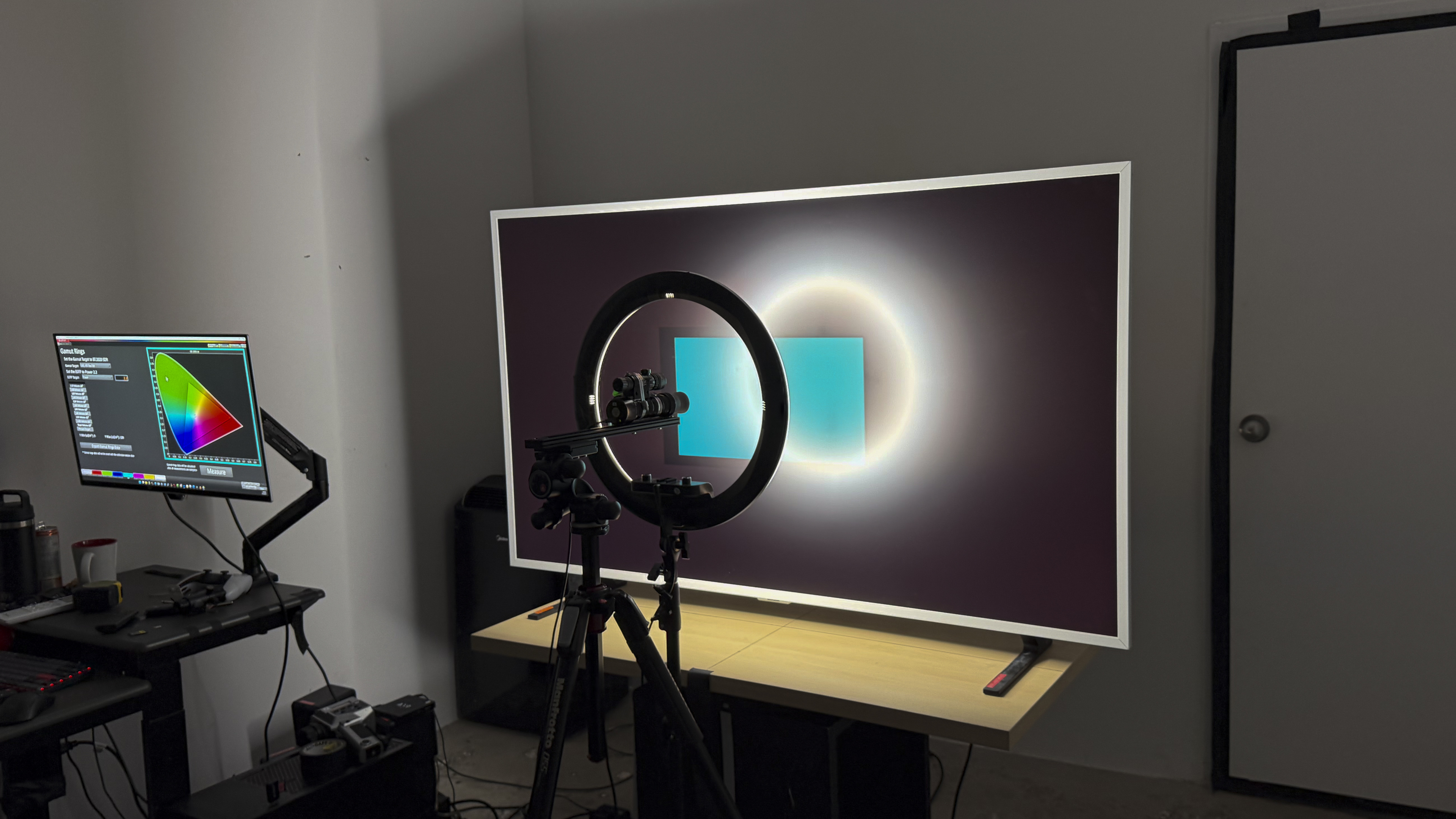
We buy and test dozens of TVs yearly, taking an objective, data-driven approach to deliver results you can trust. Our testing process is complex, with hundreds of individual tests that take over a week to complete. Most of our tests use specially designed test patterns that mimic real content, but we also use the same sources you have at home to ensure our results match the real-world experience. We use two main tools for our testing: a Colorimetry Research CR-100 colorimeter and a CR-250 spectroradiometer.
Test Results
for pictures & test results

for pictures & test results

for pictures & test results

The LG Gallery TV has bad peak brightness in HDR. It's not bright enough to bring out bright highlight details at all, and bright scenes are dull and flat. Overall, it simply doesn't deliver an impactful HDR experience with any content.
These settings are with the most accurate, post-calibration settings, with Dynamic Tone Mapping disabled. Enabling this setting doesn't increase the peak brightness at all.
- Hallway Lights: 220 cd/m²
- Yellow Skyscraper: 270 cd/m²
- Landscape Pool: 120 cd/m²
for pictures & test results

for pictures & test results

for pictures & test results

The TV is slightly brighter in Game Optimizer, but it's not a significant difference. It's still nowhere near bright enough to deliver an impactful HDR experience.
These settings are with the most accurate, post-calibration settings in Game Optimizer, with Dynamic Tone Mapping disabled. Enabling this setting doesn't increase the peak brightness of the TV, but does increase the brightness of some details in certain scenes.
- Hallway Lights: 292 cd/m²
- Yellow Skyscraper: 329 cd/m²
- Landscape Pool: 219 cd/m²
This TV's peak brightness in SDR is sub-par. It's bright enough to handle some glare in moderately-lit rooms, but can't overcome bright lights or open windows on sunny days.
The TV is considerably dimmer when it's in the Gallery+ mode, reaching a maximum peak brightness of only 84 cd/m².
for pictures & test results

The LG Gallery TV has poor contrast, and it doesn't have a local dimming feature to improve it. Blacks are always raised, causing dark scenes to look washed out.
for pictures & test results

There's no local dimming feature, so there are no lighting zones. This means there's no haloing around bright elements against a dark background or subtitles, but the entire image looks gray and washed out.
for videos & test results

This TV doesn't have a local dimming feature, so it can't adjust the backlight of individual zones to brighten up highlights without impacting the rest of the image. This means that there are no distracting flickers or brightness changes as bright highlights move between dimming zones.


for pictures & test results

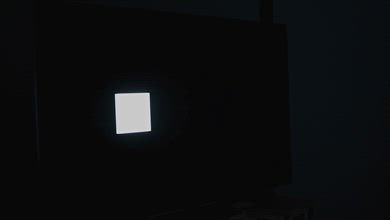
The black uniformity of this TV is decent. There's no local dimming feature, so it's entirely dependent on the native contrast of the panel. There's some minor clouding throughout the screen, but it's not bad.
for pictures & test results

for pictures & test results

The color volume on the LG LX7B is okay. Most SDR content is displayed well, but it can't display the full range of reds and greens in content mastered in the DCI-P3 color space. Its coverage of the wider BT.2020 color space is disappointing. Colors are also slightly washed out in lighter scenes.
| Volume ΔE³ | DCI-P3 Coverage |
BT.2020 Coverage |
|---|---|---|
| L10 | 88.43% | 66.72% |
| L20 | 89.54% | 66.52% |
| L30 | 88.67% | 65.99% |
| L40 | 86.81% | 65.91% |
| L50 | 84.83% | 64.66% |
| L60 | 82.07% | 60.29% |
| L70 | 78.34% | 50.48% |
| L80 | 77.83% | 47.99% |
| L90 | 78.05% | 48.42% |
| L100 | 82.16% | 59.80% |
| Total | 82.09% | 57.11% |
for pictures & test results

for pictures & test results

The LG Gallery TV has mediocre color volume in HDR. It can't display a wide range of colors in HDR, so most content is dull and lifeless. There's also a noticeable loss of saturation in brighter content, and it can't display dark, saturated content well due to its low contrast ratio.
for pictures & test results

for pictures & test results

for pictures & test results

The pre-calibration accuracy on this TV in SDR is great. The only noticeable issue is the slightly cool color temperature, but other than that, the errors are very minor and not noticeable. There's a bit too much blue and green in all shades of gray, but again, it's very minor, and most people won't notice it.
for pictures & test results

for pictures & test results

for pictures & test results

This TV is easy to calibrate in SDR and looks nearly perfect after. There are no noticeable issues at all.
See our full calibration settings.
for pictures & test results

for pictures & test results

This TV has sub-par HDR accuracy before calibration. The white balance is a bit off, but not too bad, with just a bit too much blue in most shades. The color temperature, on the other hand, is extremely cool, and the TV has a very noticeable blue tint in HDR. HDR color mapping is actually pretty good overall, but there are significant luminance errors.
for pictures & test results

for pictures & test results

Unfortunately, even after a full calibration, the HDR accuracy on this TV is still just okay. The color temperature is better, but still noticeably cold, and the luminance errors in most colors are still there. The white balance didn't improve much, either.
for pictures & test results

The PQ EOTF tracking on the LG LX7B is mediocre. Near-black shadow details are considerably raised by the TV's low contrast ratio, and brighter mid-tones are slightly dimmer than they should be. There's also a fairly sharp cutoff near the TV's peak brightness, which causes a loss of details in bright parts of the scene.
for pictures & test results

This TV does a good job cleaning up low-quality content like most streaming services or older cable TV channels. It smooths out issues like macro blocking and posterization well, but there's some loss of fine details in the process.
for pictures & test results

This TV does a mediocre job upscaling low-resolution content like DVDs. The image is noticeably soft, and fine details like text are hard to make out.
for pictures & test results
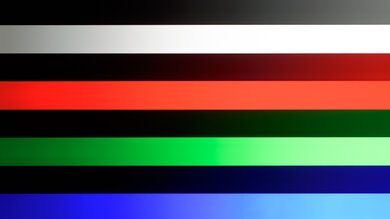
The HDR gradient handling on this TV is decent. There's some slight banding in darker shades of gray, green, and blue, but everything else looks great.
The input lag on this TV is decent. It's fairly responsive when gaming, but it's limited by the low max refresh rate of 60Hz. The input lag outside of Game Optimizer is considerably higher, so navigating menus on external players feels sluggish.
The LG LX7B supports all common resolutions up to 4k @ 60Hz. Unfortunately, it doesn't support any higher refresh rates, even at a lower resolution. It displays chroma 4:4:4 properly with any signal, which is important for reading clear text from a PC.
The LG Gallery TV supports VRR to help reduce screen tearing. Unfortunately, it's not very useful, as the refresh rate range isn't wide enough to work with Low Framerate Compensation (LFC), so you'll see tearing if your framerate drops below 48Hz. It'll help when the framerate isn't perfectly stable, but in most games, you'll see tearing in busier scenes.
for pictures & test results
for pictures & test results

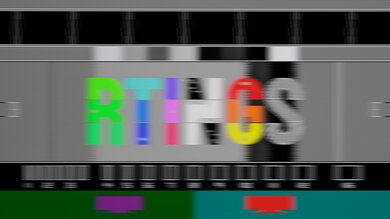
Unfortunately, the TV's CAD at its max refresh rate of 60Hz is poor. Motion is incredibly blurry in almost all scenes, but it's slightly better in bright areas. There's some minor overshoot in shadow details that causes low levels of inverse ghosting, but it's not too bad.
This TV doesn't support a 120Hz refresh rate.
for pictures & test results

for pictures & test results

The maximum refresh rate supported by this TV is 60Hz, so these results are identical to the Max Refresh Rate test.
for pictures & test results

The LG LX7B is a 60Hz TV, so it only supports 4k @ 60Hz on the P55 and can't take full advantage of the PS5 Pro. It has Auto Low Latency Mode (ALLM), so it'll automatically switch to Game Optimizer when it detects a game being played, which gives you the lowest possible input lag for games.
for pictures & test results

This TV only supports 4k @ 60Hz Xbox Series consoles. It has Auto Low Latency Mode (ALLM), so it'll automatically switch to Game Optimizer when it detects a game being played, which gives you the lowest possible input lag for games. It doesn't support Dolby Vision.
for videos & test results
for pictures & test results

for pictures & test results
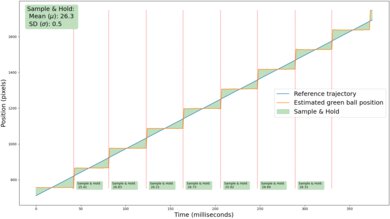
Despite the TV's slow response time, there's still some noticeable stutter when watching content. It's especially noticeable in slow-panning shots.
for videos & test results
for pictures & test results

for pictures & test results
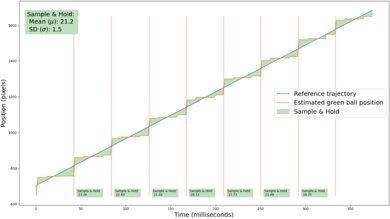
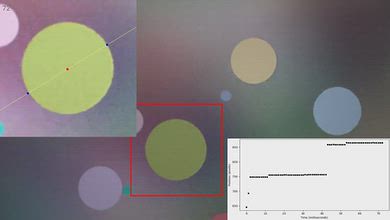
Unfortunately, the TV's motion interpolation is largely ineffective at reducing stutter in slow-panning shots. While it reduces the frame hold time slightly, the feature is incredibly inconsistent, creating an uneven number of intermediate frames. This results in choppy, uneven motion, even with low levels of interpolation.
for pictures & test results
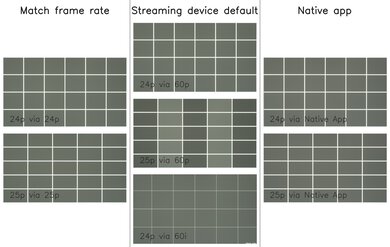
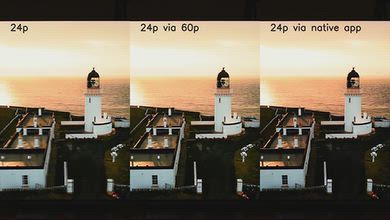
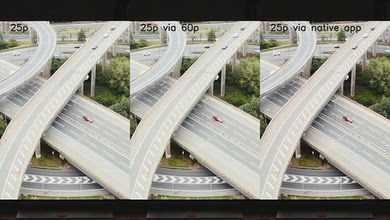
This TV can only remove judder from content played at a native 24p/25p rate or from the native apps. It can't detect and reverse a 3:2 pulldown from content sent via a 60p signal, like an older cable box or a streaming device with the match frame rate feature disabled. This results in uneven motion from those sources, as some frames are held on the screen longer than others.
for pictures & test results

for pictures & test results

Unfortunately, the TV's response time when watching content is bad. Motion is incredibly blurry, especially in faster action scenes or when watching sports.
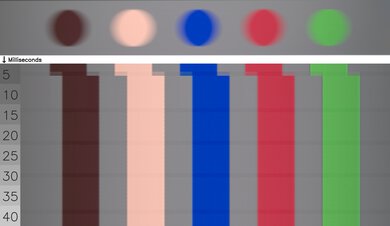
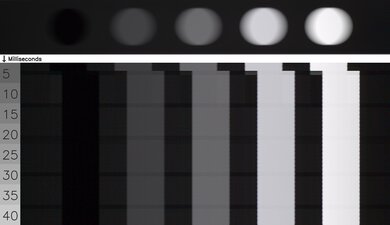
for pictures & test results

This TV uses pulse-width modulation, also known as PWM, to adjust the backlight intensity. It flickers at a very low frequency, which can make both people sensitive to it and causes noticeable image duplication. This flicker is present at all backlight levels, in all picture modes.
There's no optional backlight strobing feature on this TV. It always flickers at 120Hz.


for pictures & test results

for pictures & test results

The total amount of reflected light off the screen is decent. It handles direct reflections fairly well, and there are no diffraction artifacts like rainbow smearing.
for pictures & test results

Low-luminance colors are noticeably washed when watching this TV in a bright room.
for videos & test results

for pictures & test results

for pictures & test results

for pictures & test results

This TV's viewing angle is okay. Colors remain relatively stable even when you move to the sides, but contrast rises quickly, and the image appears washed out. This makes it an unsuitable TV for a wide seating area.
for pictures & test results

for pictures & test results

The gray uniformity of the LG LX7 is just okay. The screen is noticeably patchy, with a bright spot in the center and dark patches surrounding it. This is noticeable in all content, but especially when watching sports.
for pictures & test results

for pictures & test results

The TV uses a KSF phosphor coating to produce red light, with high peaks on reds and blues. This model does have good separation between colors, giving it solid color purity. It uses a VA panel, but with an RGB subpixel layout, which helps when displaying text from a PC.
TVs with LCD panels, like this one, are immune to permanent burn-in.
for pictures & test results

for pictures & test results

This TV has only a basic selection of inputs, with three HDMI 2.0 ports, an ATSC 1.0 tuner, and two USB ports. It supports optical audio out and eARC for audio connectivity.
This TV supports eARC, which allows it to pass uncompressed high-quality audio from a connected source to your home theater system or soundbar. Unfortunately, it doesn't support any DTS formats commonly used on Blu-rays.
Unlike higher-end LG TVs, this one doesn't support Dolby Vision.
for pictures & test results

This TV has a fairly basic design. Like other Art-style TVs, the bezels around the screen can be replaced to match your decor. The bezels have a uniform thickness on all four sides, which means they're a bit thicker than most other TVs, but it still looks good.
for pictures & test results

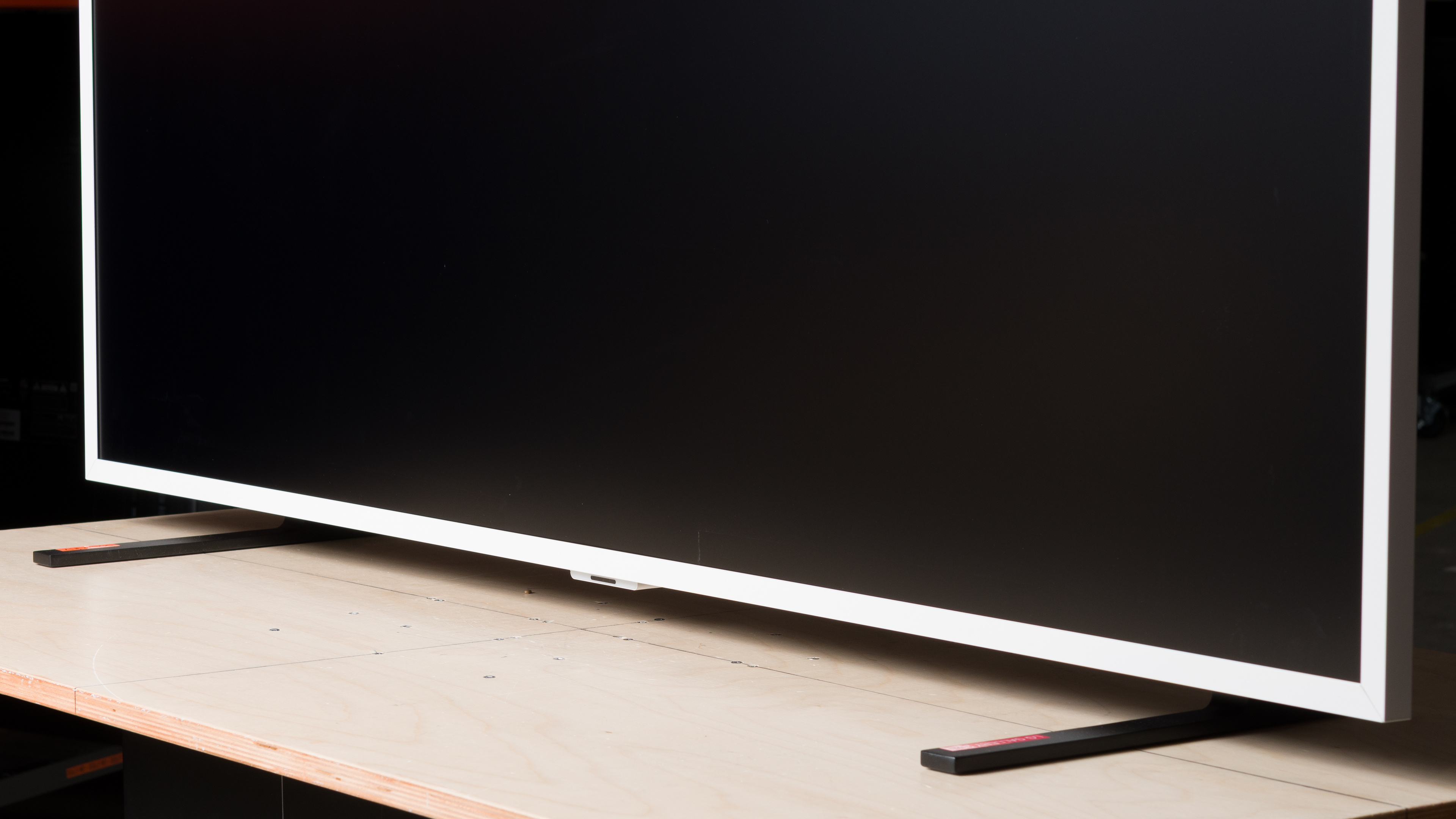
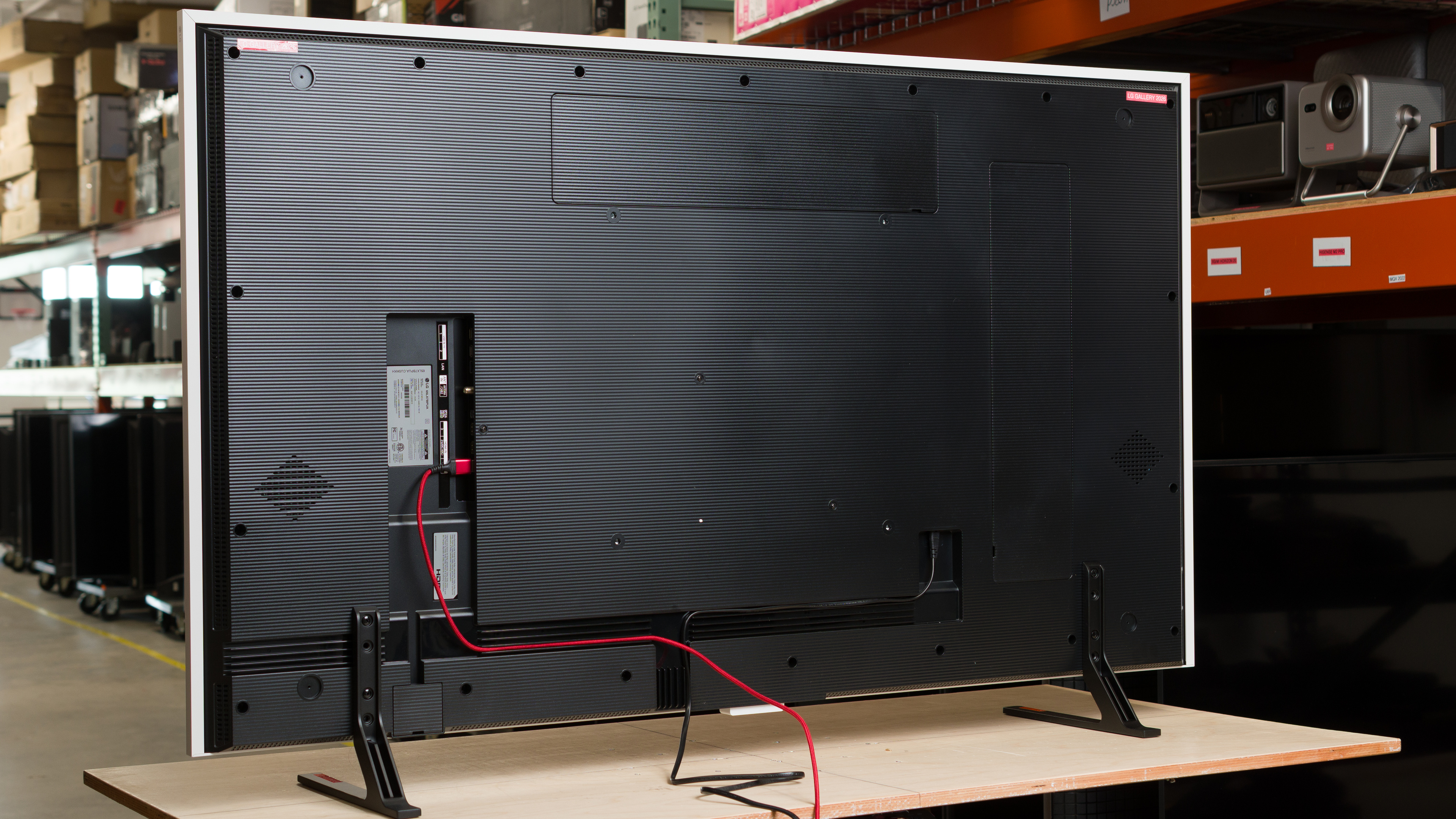
The blade-style feet support the TV well and can be placed in either the high position shown in the review or in a lower position.
Footprint of the 65-inch stand: 43.1" x 12.4".
The stand lifts the screen about 3.8 inches above the table in the high position, leaving room for any soundbar to fit without blocking the screen. In the low position, it lifts the screen about 2.3 inches above the table instead.
for pictures & test results

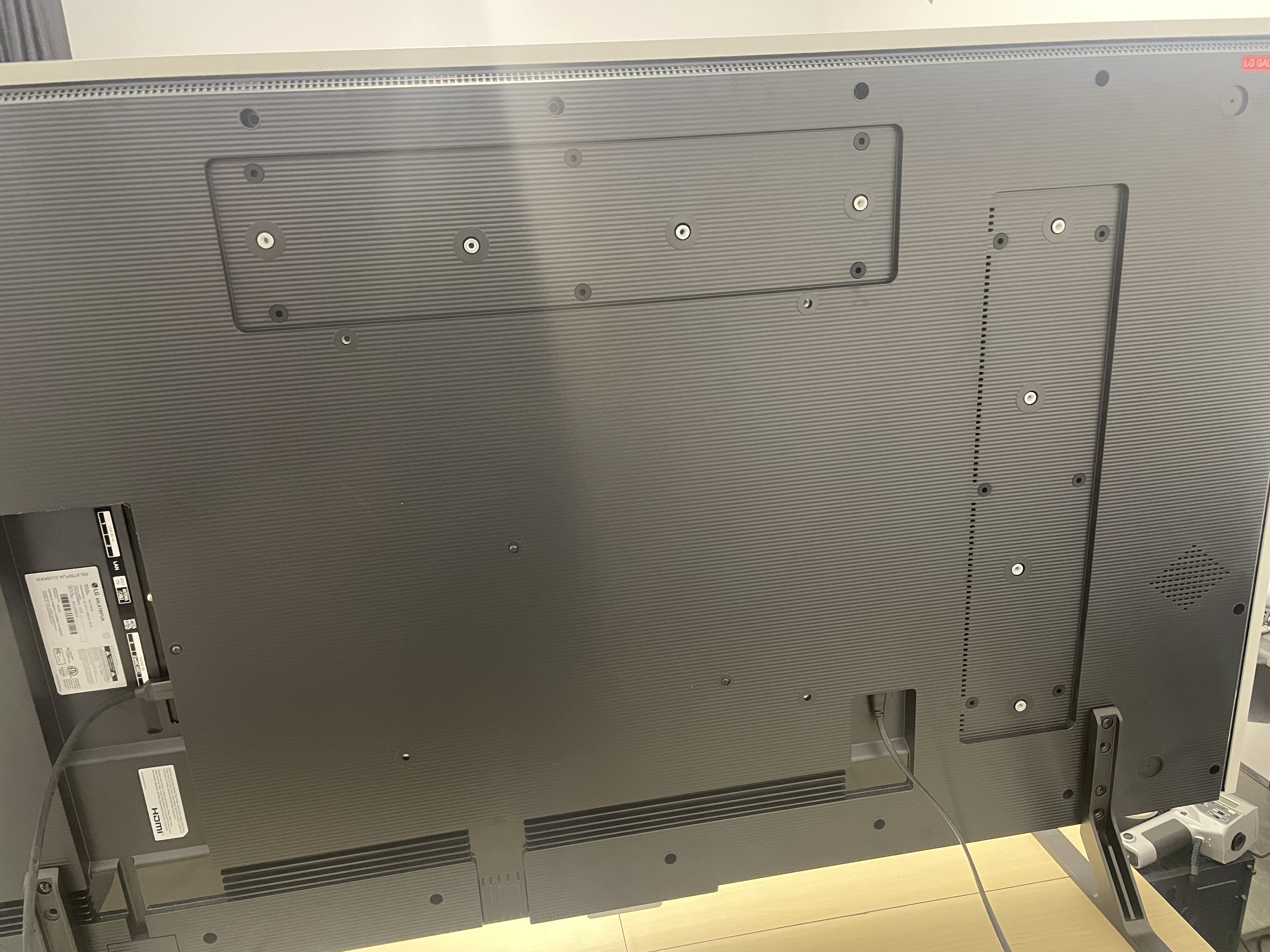
There's a nice textured pattern on the back that gives the TV a more premium look. The inputs are very hard to reach, but there are grooves in the back to help with cable management.
The TV is designed to be wall-mounted with the included slim wall mount, which can be installed either horizontally or vertically. It's also compatible with a standard VESA mount if you want to use your own mount, instead.


for pictures & test results

The LG Gallery TV has excellent build quality. The stand is entirely made of metal and supports the TV well. The bezels are also made of metal and feel premium, and the TV is well-built overall with no obvious issues.

for pictures & test results

The LG Gallery TV ships with webOS26, LG's proprietary smart interface. As this TV is part of LG's Re:New program, it'll eventually receive software updates to newer versions of webOS for the next few years.
The LG Gallery app lets you display artwork when the TV isn't actively being watched. It offers both free and paid subscription tiers, with a good selection of artwork on both plans. You can also use it to display your own images from a USB key. Like the Amazon Ember Artline 2026 TV, it also offers an AI-powered image generation feature.
for pictures & test results

Unfortunately, like almost all TVs on the market, the smart interface contains ads, and you can't disable them.

for pictures & test results

- Mounting hardware
- Remote
- Wall mount template
- Power cable
The TV was initially tested with firmware version 43.11.87.
for pictures & test results

This TV has a poor frequency response. It's not very loud, and there are noticeable compression artifacts at max volume. Voices sound a bit muddy overall, and with very little deep-bass response, there's no thump or rumble.