The TCL RM9L is a flagship TV in TCL's 2026 lineup released alongside the TCL X11L. Unlike the X11L, though, it features RGB Mini LED backlighting, a first for TCL, and it sits above the TCL RM8L. It's packed with the same great selection of features you'd expect to find in a flagship TCL TV, including an ATSC 3.0 NEXTGEN TV tuner for 4k over-the-air broadcasts, four HDMI 2.1 inputs, and an impressive array of smart features powered by Google TV 14. It also has a great selection of gaming features, including a high 144Hz refresh rate that can be boosted to 288Hz by dropping the resolution. We bought and tested the 85-inch model, but it's also available in a 98- and 115-inch size.
Our Verdict
The TCL RM9L is an excellent TV for most uses. It looks great in a wide variety of room setups, including both bright and dark rooms. It's great for gaming, too, with fairly clear motion, low input lag, and a great selection of gaming features. There are some noticeable accuracy issues, though, as it has a noticeably cool color temperature out of the box, and most content is over-brightened.
Very deep and uniform blacks with almost no haloing around highlights or subtitles.
Outstanding peak brightness.
Colors are bright and vibrant.
Sub-par accuracy out of the box gives the TV a blue tint.
Image degrades from the sides.
Glossy coating does little to reduce direct reflections.
The TCL RM9L delivers an excellent home theater experience. It looks great in a dark room thanks to its high contrast ratio and effective local dimming feature. Blacks are deep and uniform with minimal haloing around bright highlights or subtitles. Colors are bright and vibrant, and bright details in movies stand out incredibly well. It also has fantastic format support, with eARC audio passthrough that works with all common audio formats and support for Dolby Vision and HDR10+ video, and it'll eventually support Dolby Vision 2, making it future-proof.
Very deep and uniform blacks with almost no haloing around highlights or subtitles.
Colors are bright and vibrant.
Small highlight details stand out well.
Removes judder from most content.
Only a bit of stutter in slow-panning shots.
Sub-par accuracy out of the box gives the TV a blue tint.
Whites can take on a tint from surrounding colors.
Over-brightens most content.
The TCL RM9L is an excellent choice for use in a bright room. It's bright enough to easily overcome glare during the day, so bright lights aren't very distracting. Its glossy coating doesn't do much to reduce the intensity of direct reflections, though, so they can be a bit distracting, and dark scenes are hard to see during the day. Ambient light has no noticeable impact on perceived contrast or color volume, though.
Outstanding peak brightness.
Colors are bright and vibrant.
Sub-par accuracy out of the box gives the TV a blue tint.
Whites can take on a tint from surrounding colors.
Glossy coating does little to reduce direct reflections.
The TCL RM9L delivers a great experience when watching sports. It's incredibly bright, so you don't have to worry about glare when watching TV during the day. Colors are incredibly bright and vibrant, but the RGB backlight causes some noticeable color cross-talk that can cause whites to take on an extra tint from nearby colors. There's very little dirty screen effect in the center, which is great, but the sides are a bit darker than the rest. It also has a narrow viewing angle, so it's not a good choice for a wide seating area, as the image fades as you move to the sides.
Outstanding peak brightness.
Colors are bright and vibrant.
Excellent upscaling.
Does a great job of cleaning up artifacts in low-quality content.
Sub-par accuracy out of the box gives the TV a blue tint.
Whites can take on a tint from surrounding colors.
Image degrades from the sides.
Glossy coating does little to reduce direct reflections.
The TCL RM9L delivers a great gaming experience. It supports a high refresh rate, especially for PC gamers who choose to lower their resolution for smoother motion, and it supports VRR to reduce tearing. It also has four full-bandwidth HDMI inputs, so you can take full advantage of multiple consoles and still have room to throw in a gaming PC. It also delivers fantastic picture quality when gaming, and switching to the lowest-latency Game Mode has no impact on contrast. Most real scenes are dimmer with the accurate settings in this mode, but there are simple ways to correct this without impacting picture quality too much.
Very deep and uniform blacks with almost no haloing around highlights or subtitles.
Small highlight details stand out well.
Impressive selection of gaming features.
Sub-par accuracy out of the box gives the TV a blue tint.
Whites can take on a tint from surrounding colors.
Slightly higher input lag than most competing models.
This TV has great expected reliability. Similar to direct-lit models, since the LEDs are housed directly behind the LCD layer, they're less likely to overheat and fail than edge-lit models. There's also no possibility of burn-in or image retention, so the type of content you watch doesn't affect its lifespan. Unlike direct-lit models, the LEDs are grouped together in zones, so a single failed LED will usually cause only one zone to fail, not the entire backlight.
No possibility of permanent burn-in.
Single LED failures affect only a single zone, not the entire backlight.
The TCL RM9L has impressive peak brightness. Its bright enough to easily overcome glare during the day, even in very bright content like sports. It's also bright enough to deliver a very impactful HDR experience, as small details stand out incredibly well and bright scenes are vibrant and lifelike. Unfortunately, it can't maintain its high brightness for long, though, and very bright content can dim over time.
Outstanding peak brightness.
Small highlight details stand out well.
The TCL RM9L has excellent black levels. The native contrast of the panel is decent, and it's fairly uniform, with no obvious flashlighting or backlight bleed. The local dimming feature is highly effective at boosting contrast, though, and blacks are very deep and uniform with it enabled. There's very little haloing around bright highlights or subtitles.
Very deep and uniform blacks with almost no haloing around highlights or subtitles.
The TCL RM9L has great colors. Its RGB Mini LED backlight delivers incredibly bright and vibrant colors, but it also causes noticeable color cross talk, especially when white objects have saturated colors nearby. Unfortunately, it has sub-par accuracy out of the box, with a noticeably cool color temperature and some white balance issues.
Colors are bright and vibrant.
Sub-par accuracy out of the box gives the TV a blue tint.
Whites can take on a tint from surrounding colors.
The TCL RM9L has great motion handling when watching content. It removes judder from most content, ensuring a smooth frame cadence, and there's just a bit of stutter in slow-panning shots. It has a good response time when watching sports and fast action scenes, with only minimal blur behind fast-moving objects. The response time is also fairly even, with only a few very minor transition artifacts.
Removes judder from most content.
No micro-judder.
Only a bit of stutter in slow-panning shots.
The TCL RM9L delivers decent responsiveness when gaming. It has relatively low input lag, especially at higher refresh rates, but it's a bit higher than usual at 60Hz, which may disappoint console gamers. It has okay CAD at the max refresh rate, so motion is fairly clear with just a short blur trail behind fast-moving objects. There's no significant overshoot or inverse ghosting.
Impressive selection of gaming features.
Barely any banding in gradients.
Slightly higher input lag than most competing models.
Note: We're in the process of improving our tests related to image processing, but this score should give you a general idea of how a TV performs overall with its image processing capabilities.
The TCL RM9L has good image processing. It does a very good job cleaning up low-quality content like most streaming services, so compression artifacts aren't as distracting and there's very little loss of fine details. It also does an excellent job upscaling low resolution feeds like cable TV. It has excellent gradient handling, so you'll see very little banding in areas of similar color, but sadly, it doesn't respect creative intent when watching movies in HDR, and most content is significantly brighter than it should be.
Excellent upscaling.
Does a great job of cleaning up artifacts in low-quality content.
Over-brightens most content.
Performance Usages
Changelog
- Updated Oct 02, 2026: We converted this review to Test Bench 2.3. With this update, we've added a new Expected Reliability performance usage, a Lifetime Burn-In Potential test, and a new test box for the Longevity 3.0 test.
- Updated Sep 18, 2026: We converted this review to Test Bench 2.2.1, adding a new Dumb TV test for whether or not the TV can be used offline.
- Updated Sep 04, 2026: Review published.
- Updated Sep 03, 2026: Early access published.
Check Price
Differences Between Sizes And Variants
We bought and tested the 85-inch TCL R95L. It's also available in a 98-inch and 115-inch size; however, due to significant differences in the number of advertised zones and the peak brightness of each model, this review is only valid for the 85-inch size.
| Size | Model | Dimming Zones | Advertised Peak Brightness |
|---|---|---|---|
| 85" | TCL 85RM9L | 2,912 (8,736 color zones) | Up to 4,000 nits |
| 98" | TCL 98RM9L | 3,840 (11,520 color zones) | Up to 6,000 nits |
| 115" | TCL 115RM9L | 5,616 (16,848 color zones) | Up to 9,000 nits |
The label on the unit we bought indicates that it was made in Mexico in April, 2026.
Popular TV Comparisons
The TCL RM9L is an excellent TV overall, with fantastic colors thanks to the inclusion of an RGB Mini LED backlight. It's one of the best RGB Mini LED TVs available in 2026, but it still suffers from color cross talk issues that plague every model on the market that uses this new technology. It offers higher peak brightness and a few extra perks over competing models from other brands, like the Sony BRAVIA 7 II or the Samsung R95H, but it's held back by its limited selection of sizes and extremely high price point. Like all RGB Mini LED TVs on the market, though, most people are better off getting a standard Mini LED model or even an OLED, depending on their viewing conditions.
For more options, check out our recommendations for the best TVs, the best gaming TVs, and the best RGB Mini LED TVs.
The TCL X11L is a bit better than the TCL RM9L. These TVs use different underlying technologies, as the RM9L relies on an RGB Mini LED backlight, whereas the X11L uses an improved type of Quantum Dots that TCL calls SQD. There are some noticeable benefits to SQD, as RGB backlights cause color cross-talk in some scenes, like when whites are close to other saturated colors. The X11L doesn't have this issue, and it maintains its color volume better across all scenes.
The TCL QM8L is a bit better than the TCL RM9L for most people. The QM8L is significantly more accurate out of the box in SDR, with a more natural color temperature. The QM8L also doesn't have any of the color cross-talk issues caused by the RGB backlight on the RM9L, and it maintains its color volume across all scenes.
The TCL RM9L is better than the Hisense UR9SG. The TCL's local dimming feature is more effective, resulting in more uniform blacks across the screen, with less haloing around bright highlights or subtitles. On the other hand, the Hisense gets brighter in very bright content, like when watching sports, so it can handle a bit more glare during the day.
Although they're not available in the same sizes, if you're looking for a TV around 85 inches, the Samsung S95H OLED is the far better choice than the TCL RM9L. The S95H delivers much better picture quality, with deeper, more uniform blacks, and no color cross-talk. The S95H also has much better reflection handling, so dim scenes are easier to see during the day, and motion is much sharper, with no distracting blur behind fast-moving objects.

We buy and test dozens of TVs yearly, taking an objective, data-driven approach to deliver results you can trust. Our testing process is complex, with hundreds of individual tests that take over a week to complete. Most of our tests use specially designed test patterns that mimic real content, but we also use the same sources you have at home to ensure our results match the real-world experience. We use two main tools for our testing: a Colorimetry Research CR-100 colorimeter and a CR-250 spectroradiometer.
Test Results
for pictures & test results

for pictures & test results

for pictures & test results

The TCL RM9L is incredibly bright in HDR. While small details aren't technically anywhere near as bright as they are on the TCL X11L, it's still bright enough to display nearly all HDR content perfectly. Small, bright details like a glint of sunlight reflecting off a car or the bright flicker of a flame are incredibly bright and stand out well, and very bright scenes are incredibly vivid.
Unfortunately, it can't sustain these bright highlights for very long. While this isn't noticeable in most real content, it results in a marked decrease in brightness in sustained bright scenes.
The posted results are with Dynamic Tone Mapping (DTM) disabled with Peak Brightness set to 'Boost'. Here are additional measurements with it set to each of its three settings.
| Filmmaker Mode (cd/m²) | ||
|---|---|---|
| Detail | Hallway | 1,503 |
| Cityscape | 1,268 | |
| Landscape | 642 | |
| Balanced | Hallway | 1,513 |
| Cityscape | 1,333 | |
| Landscape | 767 | |
| Brightness Priority | Hallway | 1,473 |
| Cityscape | 1,326 | |
| Landscape | 544 |
for pictures & test results

for pictures & test results

for pictures & test results

The TV delivers excellent peak brightness when gaming in HDR. Unfortunately, most real content is significantly dimmer when you switch to Game Mode with the most accurate settings, mainly due to differences in its PQ EOTF tracking.
The posted results are with Dynamic Tone Mapping (DTM) disabled with Peak Brightness set to 'Boost'. Here are additional measurements with it set to each of its three settings.
| Game Mode (cd/m²) | ||
|---|---|---|
| Detail | Hallway | 1,478 |
| Cityscape | 1,289 | |
| Landscape | 649 | |
| Balanced | Hallway | 1,495 |
| Cityscape | 1,332 | |
| Landscape | 762 | |
| Brightness Priority | Hallway | 1,443 |
| Cityscape | 1,385 | |
| Landscape | 907 |
The TV's peak brightness in SDR is fantastic. It can easily overcome glare during the day, even in a very bright room. Unfortunately, the TV can't maintain its high peak brightness for very long, and there's a noticeable drop in brightness with small highlights. This isn't as noticeable when more of the scene is bright at once, like when watching sports.
for pictures & test results

The TCL RM9L has fantastic contrast. Blacks are incredibly deep, even when bright highlights are visible in the scene. The native contrast of the panel is also decent, which helps in more difficult scenes when the local dimming can't keep up.
for pictures & test results

The zone precision is excellent. There's only minimal haloing around bright parts of the scene or with subtitles visible on a dark background.
for videos & test results

The zone transitions on this TV are excellent. It keeps up with fast-moving objects well, so there's very little flicker as objects move between zones. Note that the zone count refers to the total number of RGB triplets, whereas TCL's advertising counts each red, green, and blue diode separately.



for pictures & test results

for pictures & test results

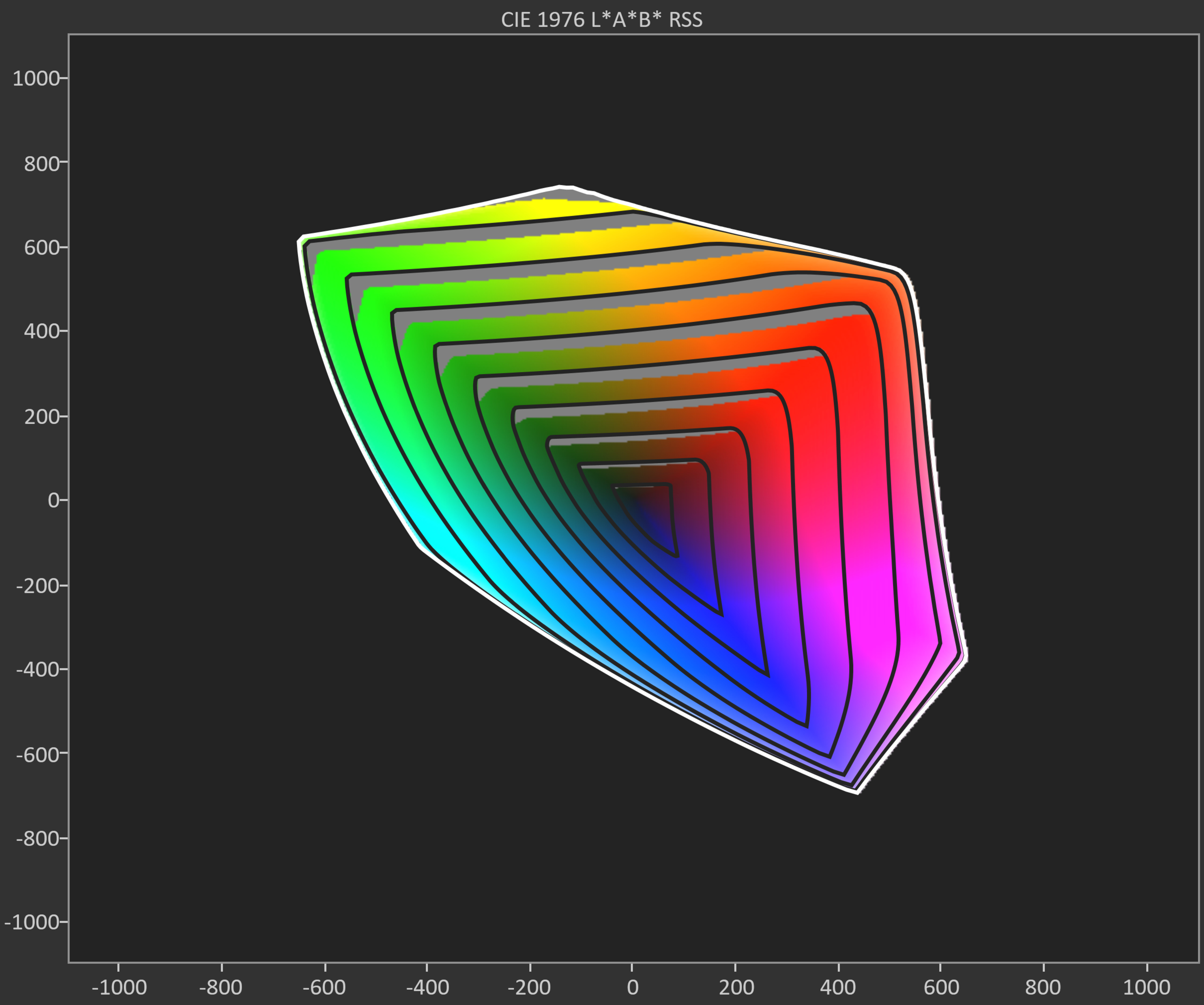
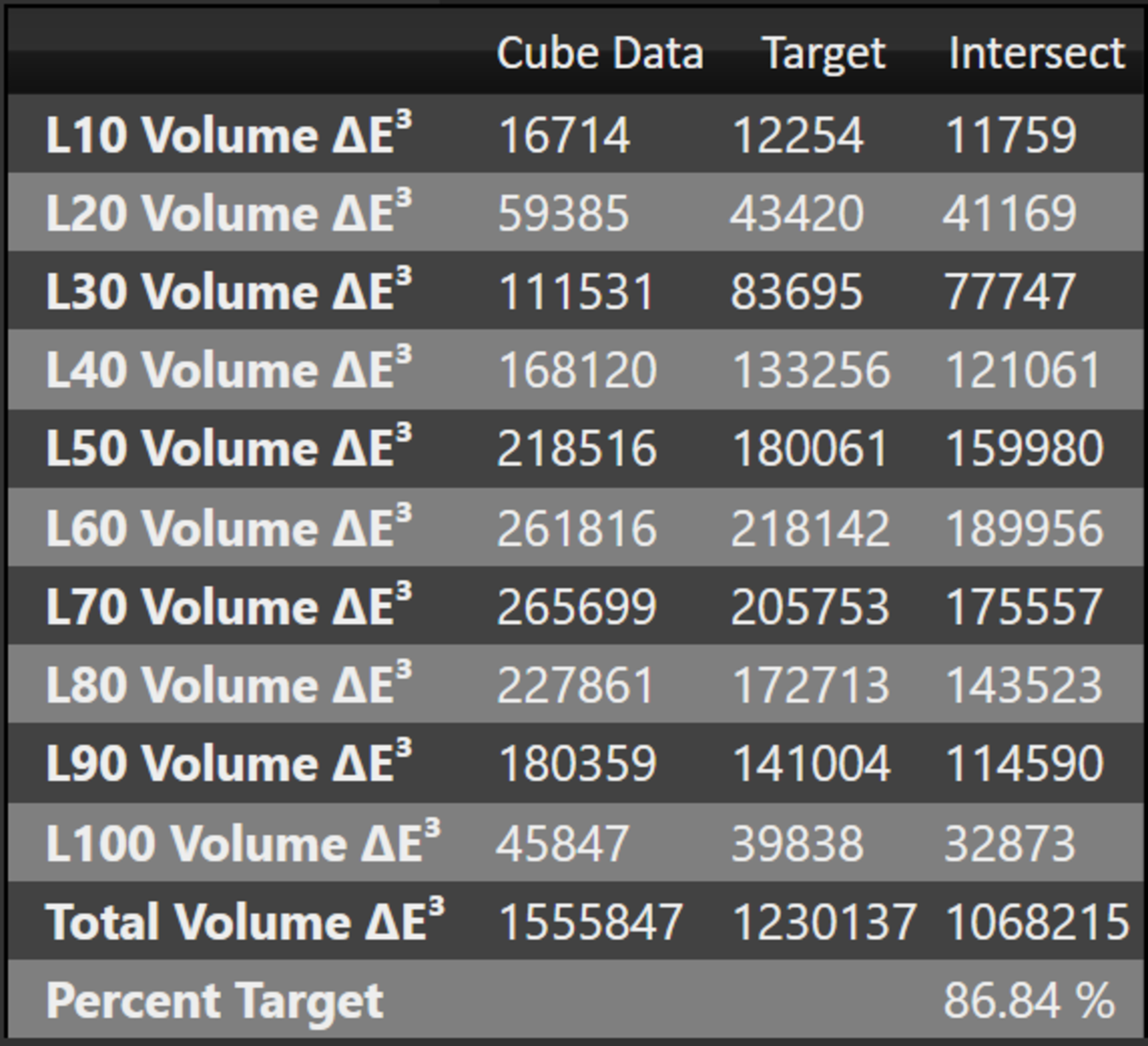
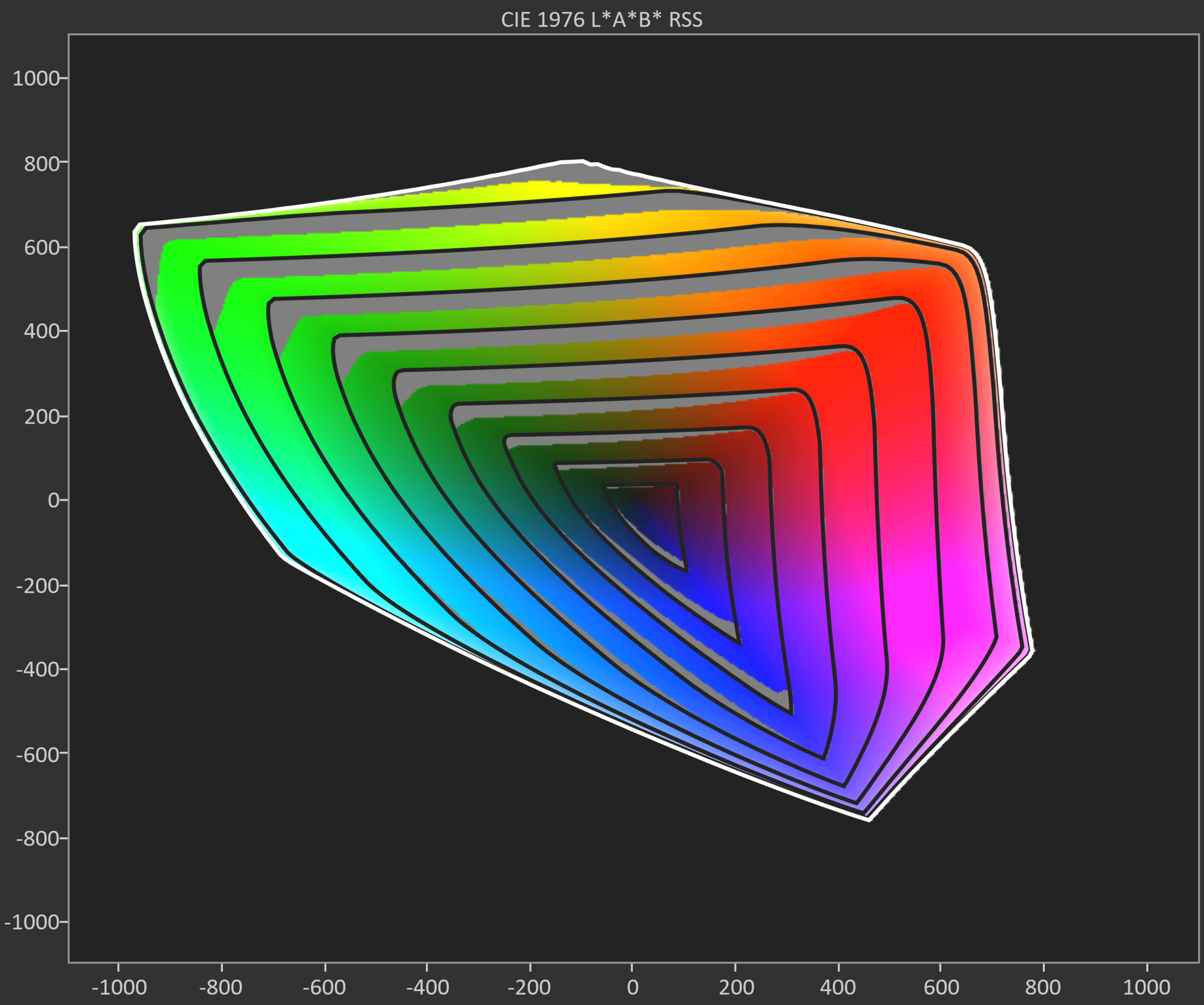
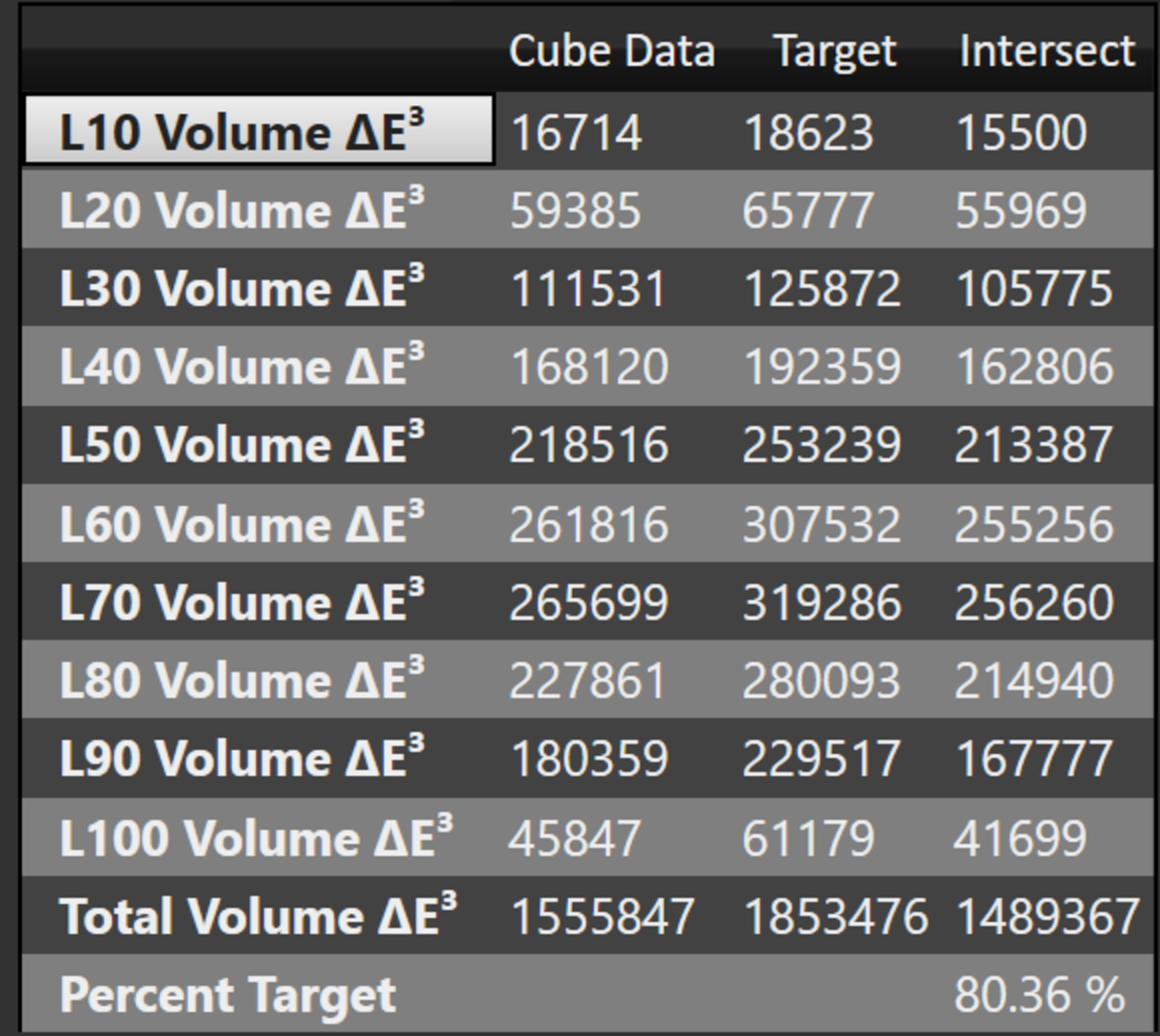
The TCL RM9L has excellent color volume in SDR. It displays most of the DCI-P3 color space, but it struggles slightly with lighter scenes and can't display the full range of red or green. it also has excellent coverage of the wider BT.2020 color space, but it's a bit spotty, and coverage is lower in very light scenes.
These numbers represent the best-case scenario for the TV, as they're measured in a way that allows the RGB backlight to use only one or two diodes at a time. With real content, the backlight will often have to use all three diodes at once and will perform more like a white backlight. We took additional measurements with local dimming disabled in order to measure the color volume when the backlight is white.
These additional measurements with a white backlight show the worst possible color volume that you'll notice, and it's still excellent. With real content, the actual color volume will be somewhere between the white results above and the posted results below. This change in color volume between scenes isn't noticeable at all, though.
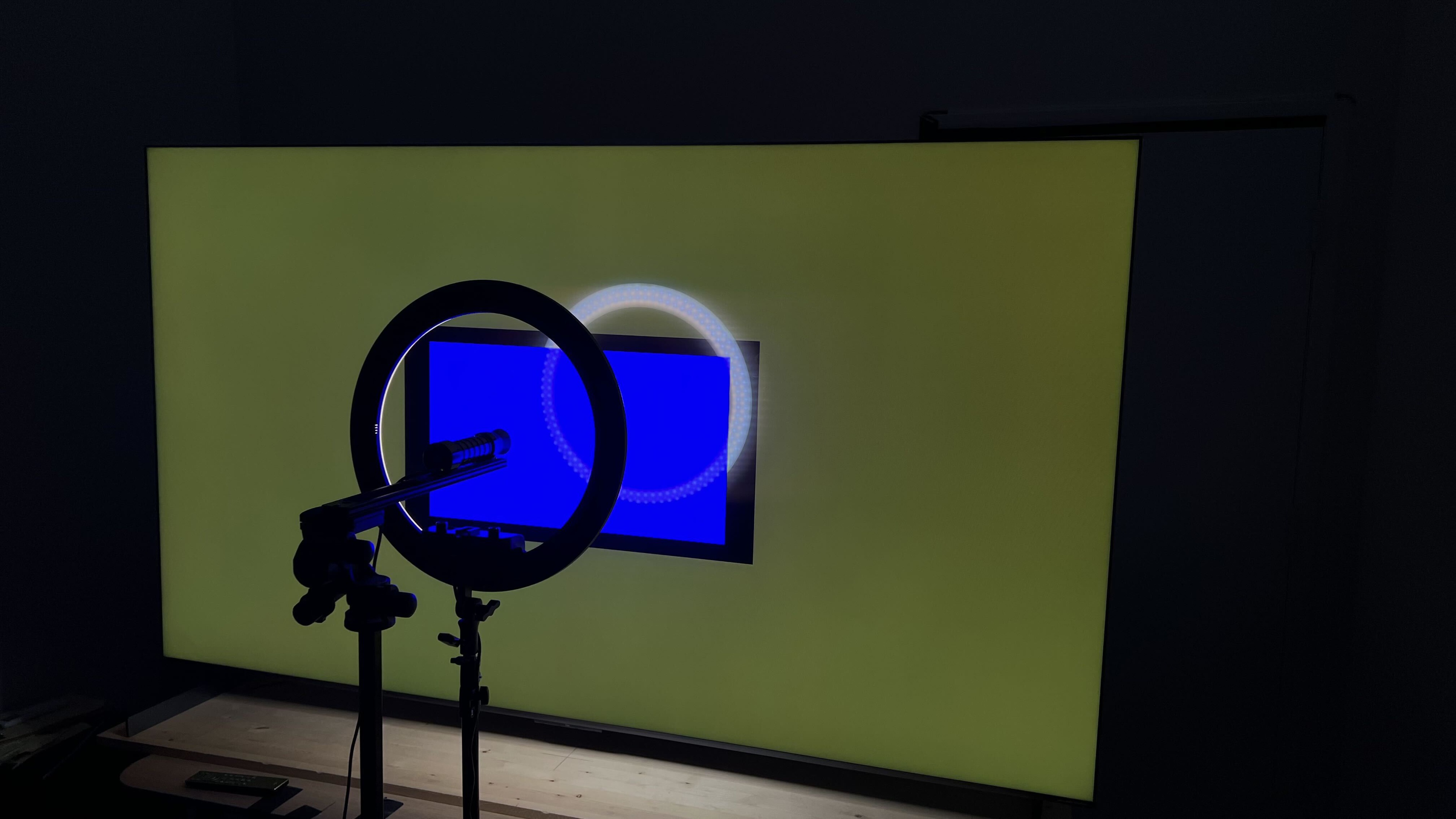
Like the Samsung R95H and Hisense UR9SG, though, there's noticeable color cross-talk in some scenes, especially when a wide object is close to a very saturated one. This can be especially noticeable in sports, where the white lines of the playing field can take on a green tint. A custom video pattern shows this issue well, but keep in mind that this is meant to showcase it, and it doesn't usually look this bad with real content.
| Volume ΔE³ | DCI-P3 Coverage |
BT.2020 Coverage |
|---|---|---|
| L10 | 98.79% | 86.89% |
| L20 | 98.09% | 88.34% |
| L30 | 97.07% | 87.92% |
| L40 | 95.89% | 89.45% |
| L50 | 94.62% | 90.08% |
| L60 | 93.46% | 89.65% |
| L70 | 92.12% | 87.63% |
| L80 | 90.75% | 84.93% |
| L90 | 89.65% | 81.20% |
| L100 | 91.15% | 76.32% |
| Total | 93.24% | 86.95% |
for pictures & test results

for pictures & test results

The HDR color volume is fantastic. It displays most of the DCI-P3 and BT.2020 color spaces well, with fantastic shadow details and bright colors. Colors aren't washed out in very bright scenes, and it's mainly limited by its incomplete color gamut in either color space.
for pictures & test results

for pictures & test results

for pictures & test results

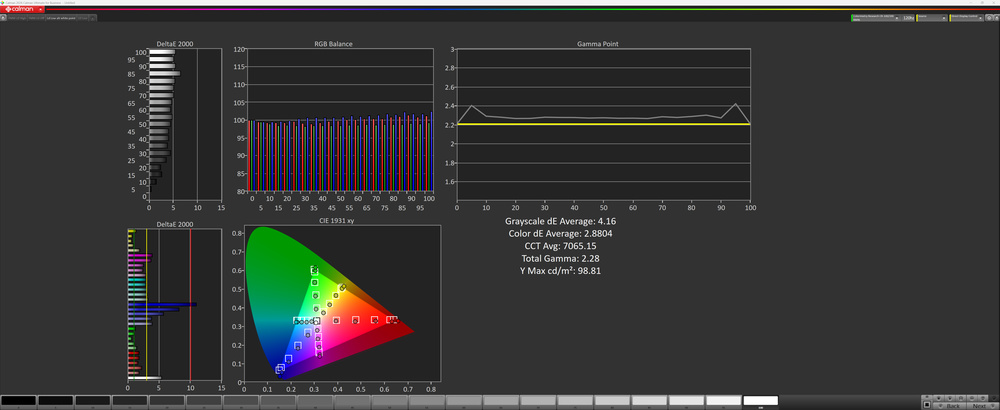
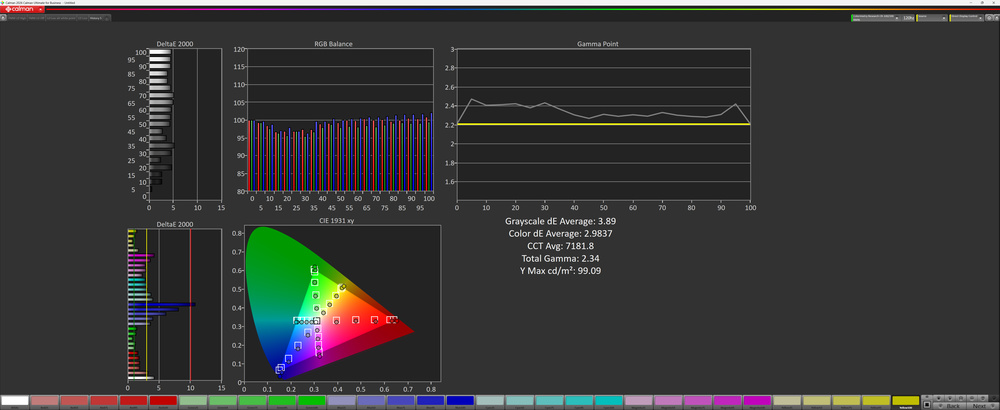
Unfortunately, the TCL RM9L has sub-par color accuracy before calibration. Blues are overrepresented in almost all shades, and the average color temperature is very cool. The white balance is poor, with noticeable grayscale errors in almost all content, and gamma tracks closer to 2.4 in shadow details, so those appear a bit darker than they should be. Finally, most colors look okay, but blues are noticeably oversaturated.
Note that, unlike our usual process, the pre-calibration results on this TV are with local dimming enabled. This is because disabling it forces the backlight to white instead, and doesn't represent how most people will use the TV.
for pictures & test results

for pictures & test results

for pictures & test results

The TV has excellent accuracy after calibration. The white balance is nearly perfect, and the cold color temperature is gone. Color accuracy is great overall, but there are still a few noticeable issues, especially with saturated blues. Unfortunately, it's a bit tricky to calibrate, though, as the local dimming feature and menus interfere with the measurements, so you have to close out everything with every change you make.
The posted results for this TV are after calibrating it to a D65 white point with the CIE 1931 CMF for consistency with our other reviews. However, due to its narrow spectral peaks and very wide color gamut, this is likely going to cause significant metamerism. If you're calibrating this display at home, TCL recommends using the CIE 170-2:2015 CMF instead, with an alternate white point target of (0.309, 0.324) instead of D65. We didn't calibrate to that target, but took pre-calibration measurements with local dimming on 'low' and 'high'.
You can see our full calibration settings here.
for pictures & test results

for pictures & test results

The pre-calibration accuracy in HDR is okay. The white balance is very off, especially in shadow details and brighter highlights, and like with SDR, the color temperature is too cool. It has good color mapping, though, with just some minor issues with blues.


for pictures & test results

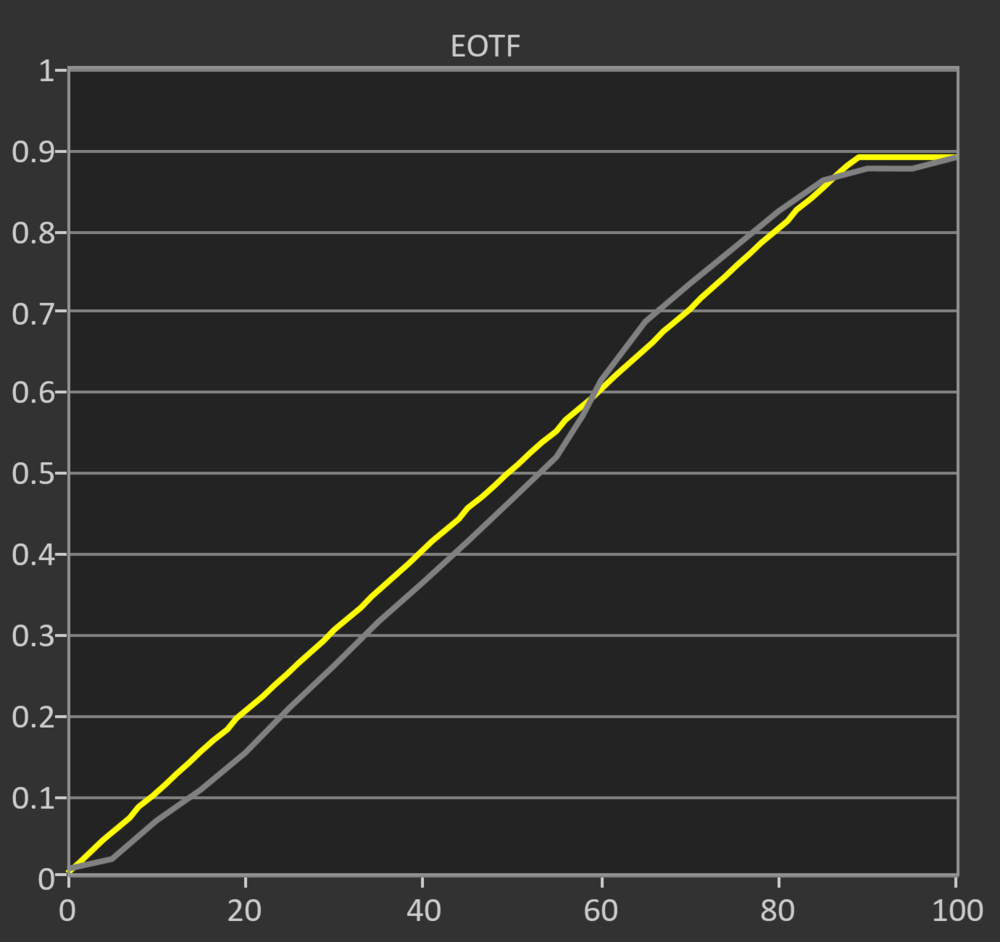
Unfortunately, the TCL RM9L has poor PQ EOTF tracking. Shadow details are displayed well, just slightly crushed, but almost all midtones are significantly brighter than they should be. Bright scenes are also pushed way brighter than they should be, and the cutoff at the TV's peak brightness is very uneven.
Switching to Game Mode improves the PQ EOTF tracking a bit. It brings the whole curve down, so dark scenes and shadow details are even darker than before, but now bright scenes and midtones aren't over-brightened as much.
for pictures & test results

The TCL RM9L has very good low-quality content smoothing. It does a great job reducing macroblocking and pixelization from low-quality streams, but there's some loss of fine details that gives the image a slightly waxy look.
for pictures & test results

The TV has excellent upscaling. Fine details are easy to make out, and the image is very clear.
for pictures & test results
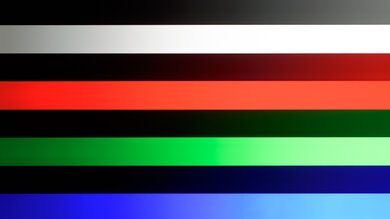
The TCL RM9L has excellent gradient handling. There's very minor banding in some content, but it's barely noticeable.
The TCL QM9L has good input lag. The 60Hz input lag is slightly higher than most comparable models, but still low enough for a decently responsive gaming experience. It feels much more responsive at higher refresh rates. The input lag with a 1080p signal varies depending on the refresh rate:
| 1080p Refresh Rate | Input Lag |
| 60Hz | 18.5 ms |
| 120Hz | 9.9 ms |
| 144Hz | 8.6 ms |
| 240Hz | 6.0 ms |
| 288Hz | 5.0 ms |
The TV supports all common resolutions up to 4k @ 144Hz on all of its HDMI ports. It also supports up to 288Hz with 1080p and 1440p signals. All supported formats also support proper chroma 4:4:4, which is needed for clear text from a desktop PC.
The TCL RM9L supports all types of variable refresh rate (VRR) technology to reduce screen tearing. It works well with any source, and it works with Low Framerate Compensation (LFC), ensuring your games remain nearly tear-free even when your frame rate drops very low.
for pictures & test results
for pictures & test results

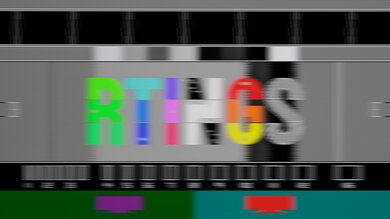
The TCL RM9L has an okay CAD at the max 4k refresh rate of 144Hz. There's no noticeable overshoot or inverse ghosting, but longer transitions, like from a dark to a bright shade or vice-versa, are a bit sluggish, resulting in a slight blur trail behind fast-moving objects. Transitions within midtones are significantly faster.


for pictures & test results

The TV is fully compatible with everything the PS5 and PS5 Pro have to offer, like 1440p @ 120Hz and 4k @ 120Hz, as well as HDMI Forum VRR. It also supports Auto Low Latency Mode, so you don't have to worry about manually switching to Game Master to get the lowest input lag.
for pictures & test results

The TV is fully compatible with everything the Xbox Series X|S offers, including 1440p @ 120Hz, 4k @ 120Hz, HDMI Forum VRR, FreeSync Premium Pro, and Dolby Vision gaming. It also supports Auto Low Latency Mode, so you don't have to manually switch to Game Master to get the lowest input lag.

for videos & test results
for pictures & test results

for pictures & test results
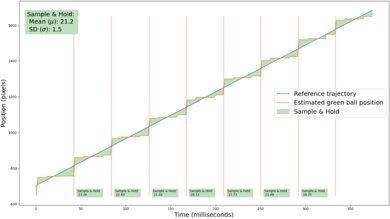
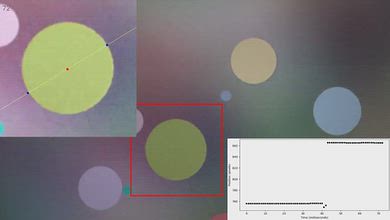
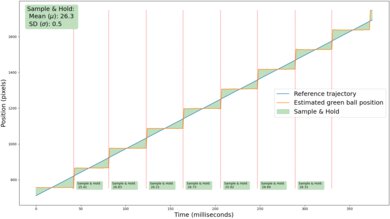
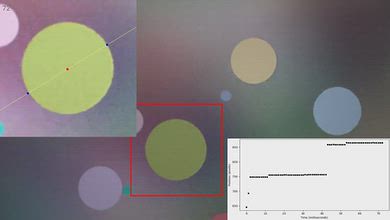
Adding low levels of interpolation does a good job reducing stutter in slow-panning shots. The higher frame rate reduces the frame hold time, and it's very consistent, with very little variation in frame times.
for pictures & test results
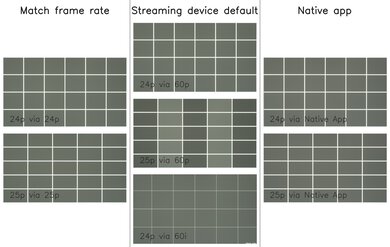
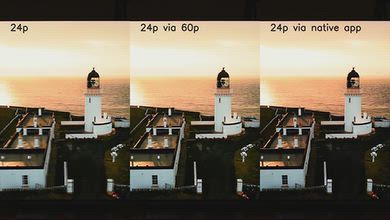
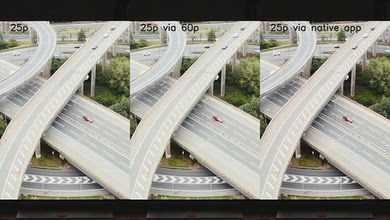
The TCL RM9L is nearly judder-free with all content. The frame timing isn't quite perfect with 25p content, like many European shows and movies, but it's not too bad. It's only an issue with 60p sources like a cable box or streaming device that isn't set to match the content's frame rate.
for pictures & test results

for pictures & test results

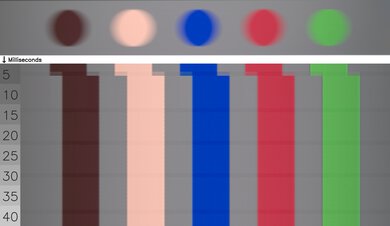
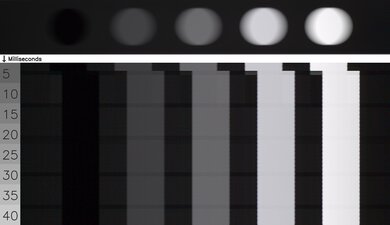
The TV has a good response time when watching content. Fast action is fairly clear, but it's a bit sluggish when changing from a bright shade to a dark one.
for pictures & test results

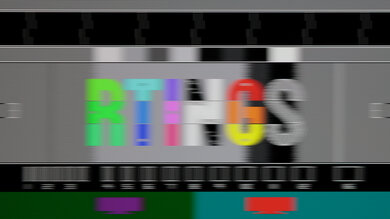
The backlight combines DC dimming with a very high-frequency flicker pattern. It's not true PWM and is far less noticeable in person.
for pictures & test results
for pictures & test results
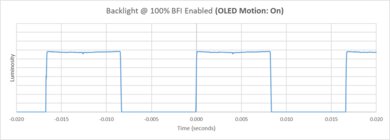
The TCL RM9L has an optional backlight strobing feature, commonly known as black frame insertion. It only flickers at 120Hz, though.


for pictures & test results

for pictures & test results

The total amount of reflected light is good. Indirect reflections aren't very noticeable, and direct reflections are significantly reduced in intensity, so you don't have to worry about glare. There are noticeable diffraction artifacts, including a slight rainbow smear around bright lights, but it's not too bad.
for pictures & test results

Ambient light has no noticeable impact on color saturation.
for videos & test results
for pictures & test results

for pictures & test results

for pictures & test results

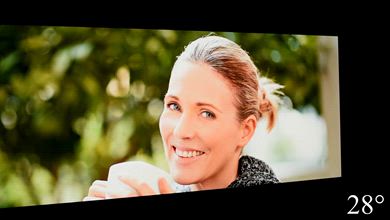
The TCL RM9L has a mediocre viewing angle. Colors washout gradually as you move to the sides, and there's a slightly red color shift at a wide angle. Overall, it's not a great choice for a wide seating area.
for pictures & test results

for pictures & test results

The gray uniformity is just okay. There's relatively little dirty screen effect in the center, which is great for sports fans. The sides of the screen are noticeably darker, though, which is a bit distracting in any content.
for pictures & test results

for pictures & test results

The TCL RM9L uses a new RGB Mini LED backlight with a WHVA 2.0 panel. the new backlight is mainly designed to increase color volume. Instead of a traditional blue backlight with quantum dot color converters, it uses separate red, green, and blue LEDs to produce light.
There are high peaks on reds, blues, and greens, and there's excellent separation between them, giving the TV great color purity. It uses an RGB subpixel arrangement, which helps with text clarity when used with a PC.
TVs with LCD panels, like this one, are immune to permanent burn-in.
for pictures & test results

for pictures & test results

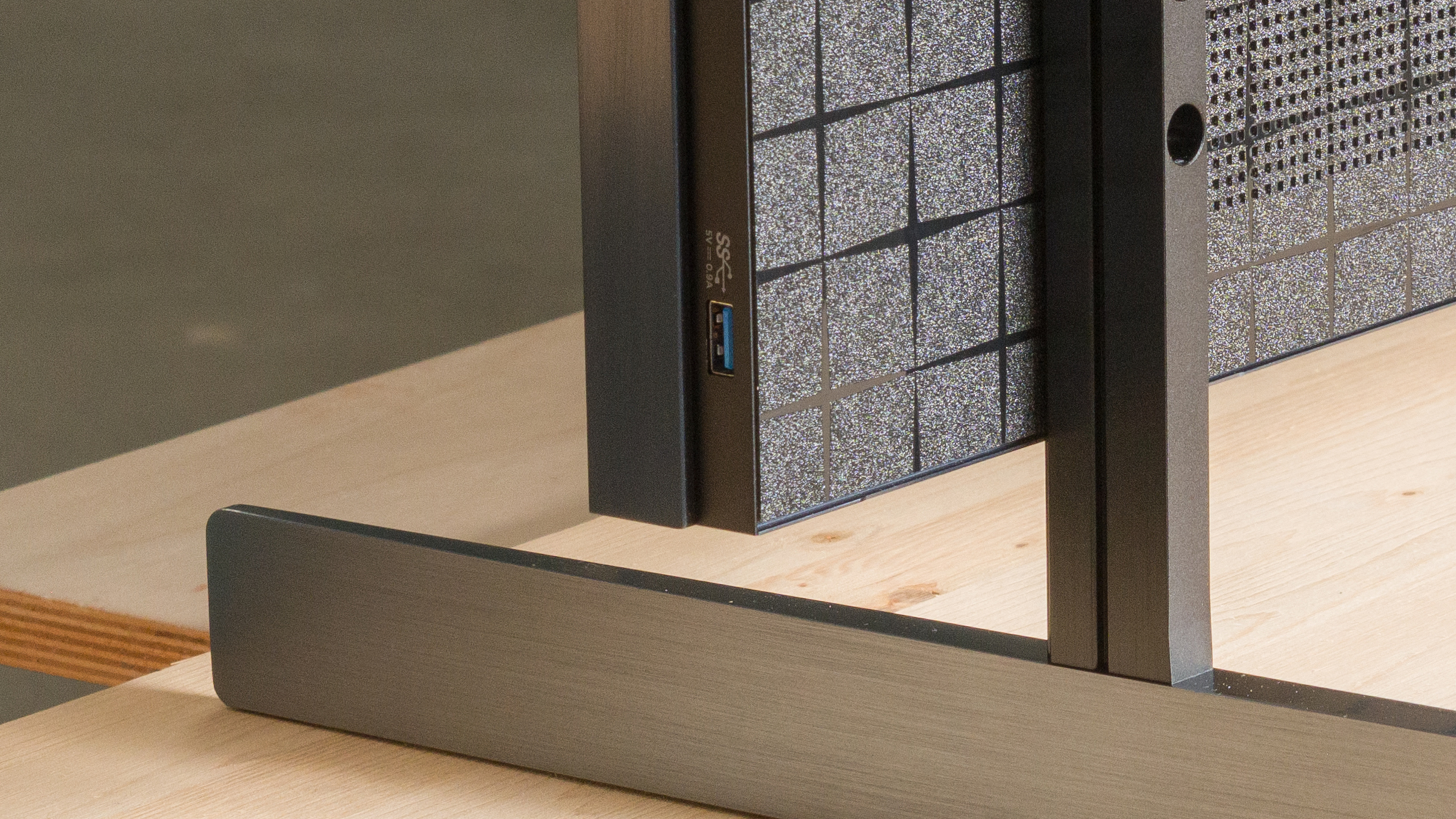
The TCL RM9L features four full-bandwidth HDMI 2.1 ports. There's also an additional USB port on the side bezel of the TV for quick access.
The TV supports eARC, which lets you pass high-quality, uncompressed audio to a compatible receiver or soundbar through an HDMI cable. It supports all major audio formats, so you don't have to worry about compatibility with external sources.
This TV is also expected to support Dolby Vision 2 with a future firmware update.
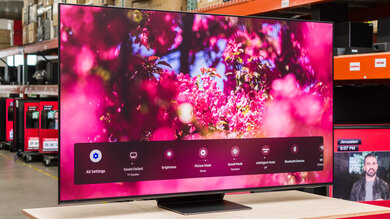

for pictures & test results

The stand consists of two blade-style feet placed at opposite ends of the TV. There's no alternative position, so you'll need a wide table if you're not wall-mounting it, but they can be mounted in either a high or low position.
Footprint of the 85-inch stand: 67.6" x 15.0" x 3.7" (high position), or 2.5" (low position).
for pictures & test results

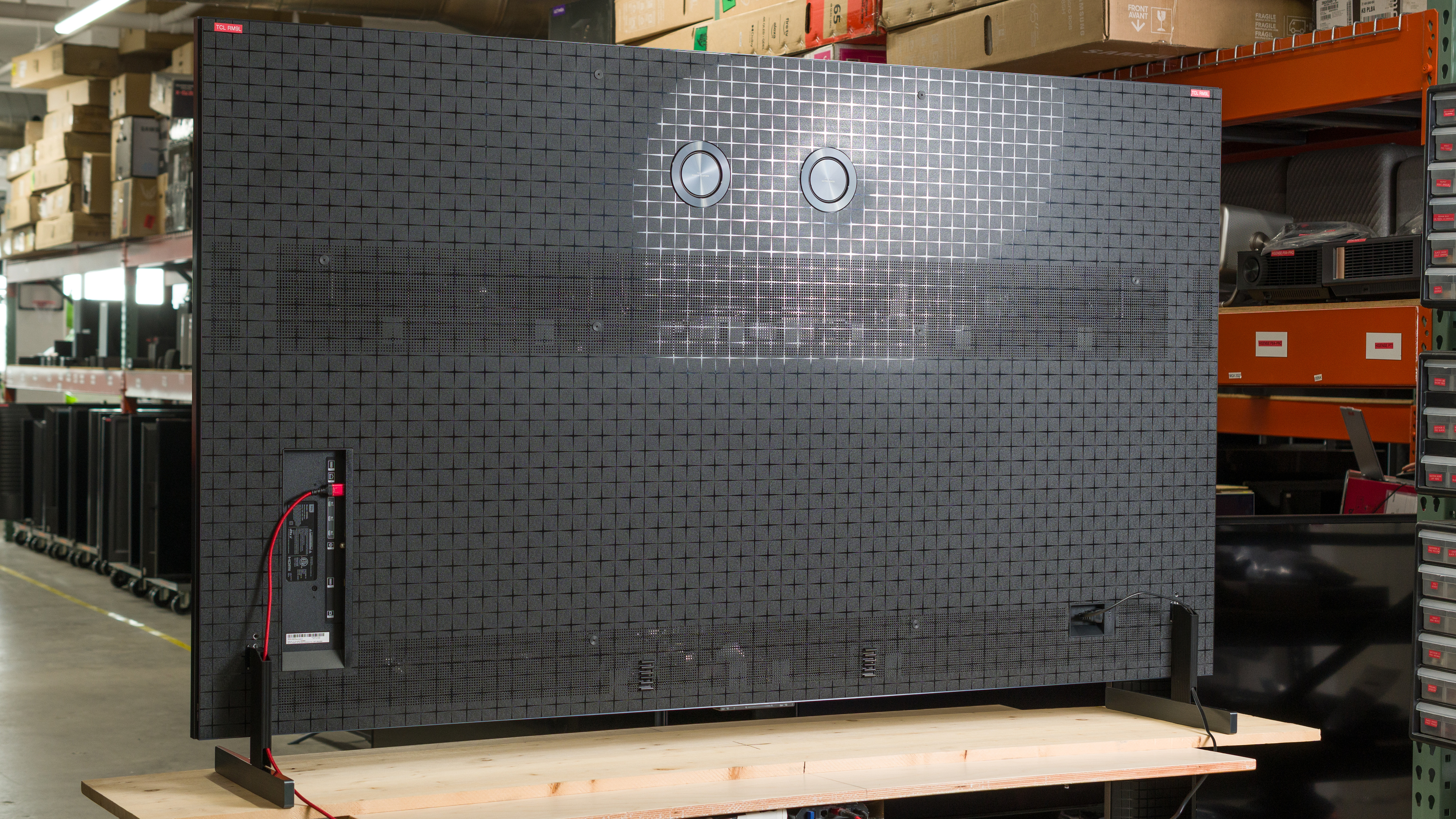
The back of the TV has a very nice textured pattern that looks premium. There are cable guides along the back of the TV and a notch in the stand to help with cable management. The speakers on the back aren't as nice as the ones on the TCL X11L, though, and they don't have a copper finish.


for pictures & test results

The TCL RM9L has great build quality. It's pretty solid for the most part, but the back panel isn't the most solid.
for pictures & test results

The remote has a few additional buttons, including a new programmable button. There's also a new button on the side of the remote to quickly change picture settings, and a separate brightness slider.
for pictures & test results

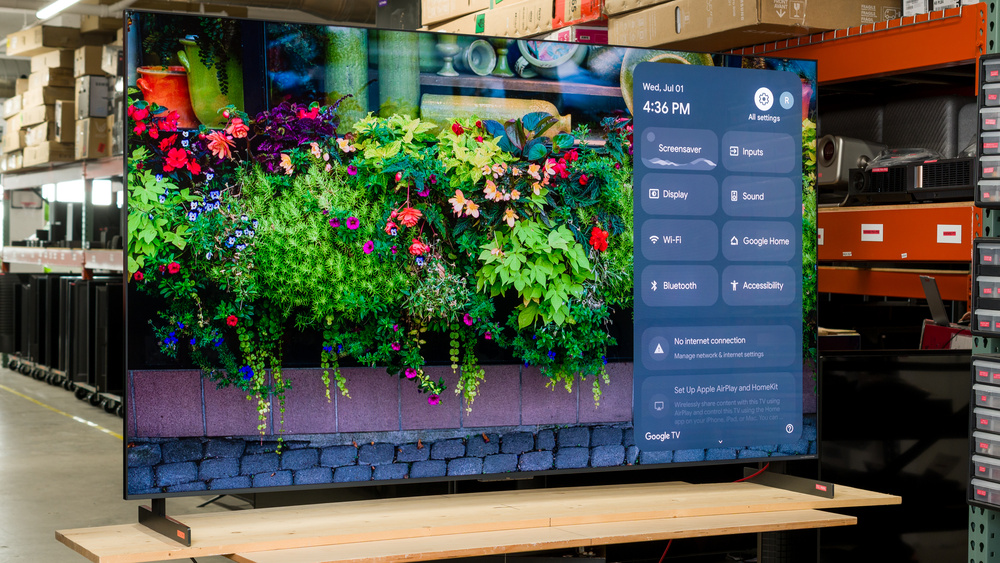
The TV runs the Google TV 14 smart interface, which has a massive selection of streaming apps and supports modern features like multiple user profiles.
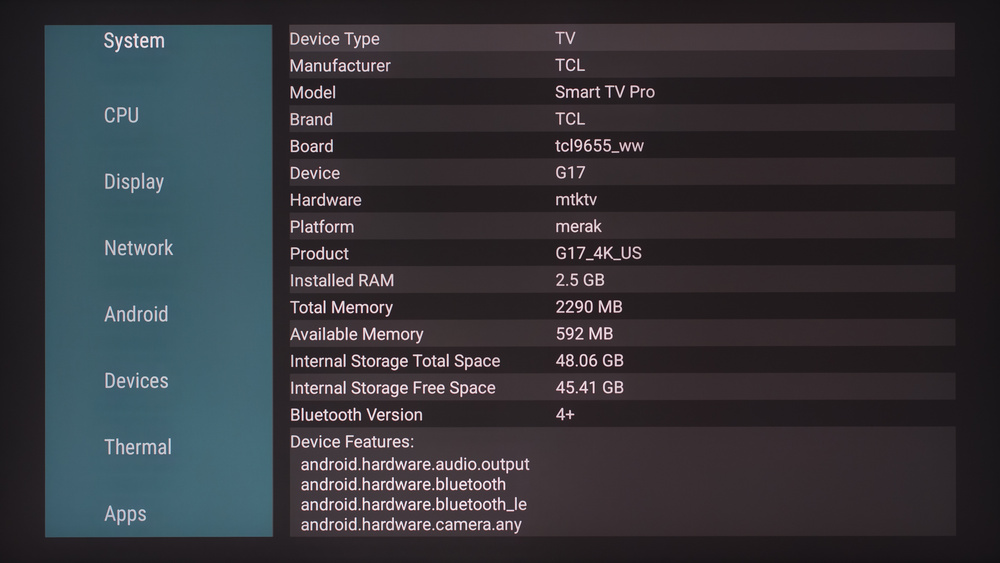
Running the AIDA64 app on the TV confirms that it's powered by the new MediaTek Pentonic 800 chipset, with 2.5GB of RAM and 48GB of internal memory.
for pictures & test results

Unfortunately, like most TVs, the interface contains ads. You can opt out of personalized ads, but this doesn't change the number of ads you'll see; they just won't be personalized to match your search and viewing history.
You have the option to set up the TV using the 'Basic Google TV' option, which gets rid of ads but prevents you from using most of the TV's smart features.

for pictures & test results

- Setup guide
- Remote
- 2x AAA batteries
- Power cable
The TV was originally tested on firmware V8-0015T01-LF1V101
for pictures & test results

Unfortunately, the TCL RM9L has a sub-par frequency response. It has a very uneven frequency response, so dialogue can be a bit uneven at times, and like all TVs there's very little deep bass. It can't get very loud, either, but at least there's very little compression at max volume.