The TCL 4 Series/S455 2022, or the TCL 4 Series for short, is an entry-level 4k TV released in 2022. It runs the Roku smart interface, which is very simple and easy to use but not as polished as more advanced TV smart interfaces like LG's webOS or Samsung's Tizen OS. As an entry-level TV, it's pretty basic, with no advanced gaming features like VRR or HDMI 2.1 bandwidth. It also has very limited picture and motion processing, with no advanced features like motion interpolation. It's been replaced in 2023 by the TCL S450R, which is available with either the Roku smart interface or the Google TV interface on the TCL S4/S450G.
Our Verdict
The TCL 4 Series Roku TV is okay overall. It's a decent TV for watching movies in a dark room thanks to its high contrast ratio and incredible black uniformity. It doesn't look as good in a bright room or if you have a wide seating arrangement, as it's not very bright and has a narrow viewing angle. These issues also limit its versatility for use as a PC monitor. It delivers a decent gaming experience, but mainly due to its low input lag, as it lacks any advanced gaming features. Finally, it technically supports HDR but doesn't deliver an impactful HDR experience, as it's not very bright and doesn't display a wide color gamut.
- Fantastic native contrast results in deep blacks.
- Decent reflection handling.
- Low peak brightness.
- Colors aren't displayed properly, even after calibration.
The TCL 4 Series 2022 is mediocre for watching shows during the day. The built-in Roku smart interface has a great selection of streaming apps, including many free services, so you're sure to find your favorite shows. Sadly, even though it has decent reflection handling, it's not very bright, so it's best suited for a moderately lit or dark room, as glare from windows or bright lights is distracting. It also has a narrow viewing angle, so it's not a good choice for a wide seating arrangement, as the image degrades at an angle. Unfortunately, it can't upscale or smooth out low-quality or low-resolution content properly, so older shows or anything streaming from a low-bandwidth streaming service is blocky and not very sharp.
- Decent reflection handling.
- Great selection of streaming apps.
- Poor low-resolution signal processing.
- Low peak brightness.
- Image degrades when viewed at an angle.
- Colors aren't displayed properly, even after calibration.
The TCL S455 TV is mediocre for watching sports in a bright room. It has decent reflection handling, but it's not very bright, so glare is distracting in a bright room. It also has a narrow viewing angle, so it's not a good choice for a wide seating arrangement, as the image degrades when viewed at an angle. Unfortunately, it's not very loud, so it's not a good choice for watching the big game with a large group of friends unless you have a separate speaker system or soundbar. It also has just okay gray uniformity, and there's noticeable dirty screen effect in the center, which is distracting when watching sports.
- Decent reflection handling.
- Poor low-resolution signal processing.
- Low peak brightness.
- Image degrades when viewed at an angle.
- Colors aren't displayed properly, even after calibration.
- Distracting dirty screen effect.
The TCL 4 Series S455 is a decent TV for gaming. It has incredibly low input lag, which helps it deliver a very responsive gaming experience. It also has a decent response time, so there's just a bit of blur behind fast-moving objects. Sadly, it lacks advanced gaming features like HDMI 2.1 bandwidth or variable refresh rate support, so it's best suited for casual gamers who prefer fancy visuals over high performance, as it doesn't support 4k @ 120Hz gaming from the latest consoles.
- Fantastic native contrast results in deep blacks.
- Incredibly low input lag.
- Poor low-resolution signal processing.
- Low peak brightness.
- No extra gaming features.
- Colors aren't displayed properly, even after calibration.
The TCL 4 Series Roku TV is an alright TV for watching movies in HDR in a dark room. It has fantastic contrast and incredible black uniformity, delivering deep uniform blacks in a dark room, but it lacks a local dimming feature to improve the appearance of bright highlights. Sadly, HDR adds very little overall, as it's not bright enough for bright highlights to stand out the way the content creator intended, and it doesn't display a wide color gamut, so HDR content looks dull overall.
- Fantastic native contrast results in deep blacks.
- Removes judder from 24p sources and the native apps.
- Incredible black uniformity.
- No local dimming.
- Low peak brightness.
- Can't display a wide color gamut.
- Colors aren't displayed properly, even after calibration.
The TCL 4 Series Roku TV is an okay TV for gaming in HDR, but mainly due to its decent gaming experience. It has incredibly low input lag, ensuring it delivers a responsive gaming experience, and it has a decent response time, with just a bit of blur behind fast-moving objects. Unfortunately, it lacks advanced gaming features like 4k @ 120Hz support or variable refresh rate support. Although it technically supports gaming in HDR, this is almost nothing overall, as it's not bright enough for bright highlights to pop, and it doesn't display a wide color gamut.
- Fantastic native contrast results in deep blacks.
- Incredibly low input lag.
- No local dimming.
- Low peak brightness.
- No extra gaming features.
- Can't display a wide color gamut.
- Colors aren't displayed properly, even after calibration.
The TCL 4 Series Roku TV is a decent TV for use as a PC monitor. It has incredibly low input lag and a decent response time, so your cursor movements are smooth and responsive. It displays chroma 4:4:4 signals properly to help with text clarity. On the other hand, it has decent reflection handling but mediocre peak brightness, so it's best suited for a moderately-lit or dark room. The image degrades at an angle, so it's important not to sit too close to it, or the sides of the screen will degrade.
- Decent reflection handling.
- Incredibly low input lag.
- Displays chroma 4:4:4 properly for clear text.
- Low peak brightness.
- Colors aren't displayed properly, even after calibration.
- Distracting dirty screen effect.
Changelog
- Updated Sep 26, 2025: We uploaded the latest brightness measurements and uniformity photos for the Accelerated Longevity Test.
- Updated Jul 08, 2025: We uploaded the latest brightness measurements and uniformity photos for the Accelerated Longevity Test.
- Updated Apr 17, 2025: We uploaded the latest brightness measurements and uniformity photos for the Accelerated Longevity Test.
- Updated Feb 11, 2025: We uploaded the latest brightness measurements and uniformity photos for the Accelerated Longevity Test.
Check Price
Differences Between Sizes And Variants
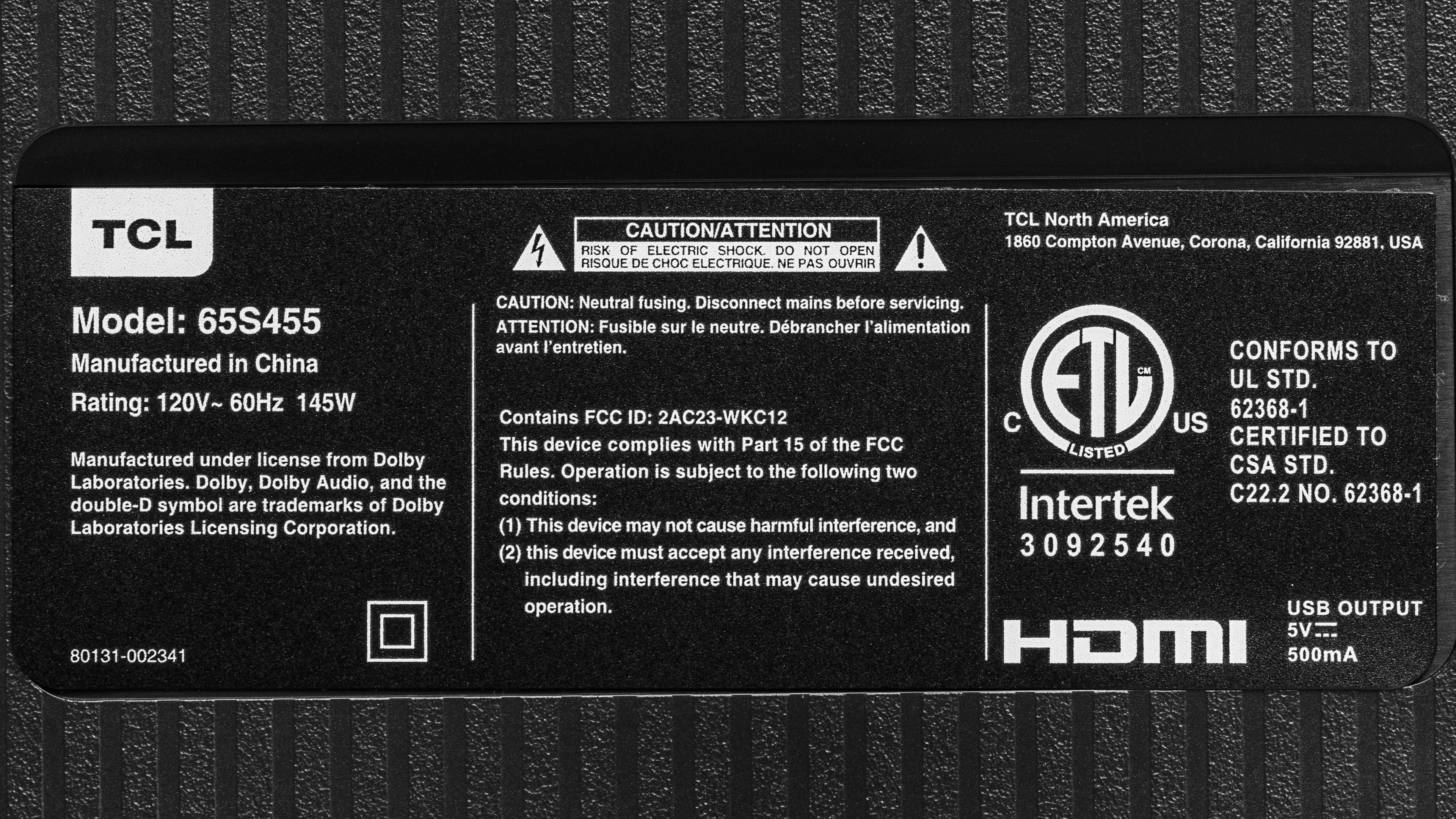
We bought and tested the 65-inch TCL 4 Series Roku TV, and these results are also valid for the 43, 50, 55, 75, and 85-inch models. There's a Black Friday variant of this TV known as the TCL S45, which performs the same as this TV. This TV is also sold as the TCL S451 and the TCL S453, but not all sizes are available on all three variants. These three models perform the same, but the S453 variant comes with a three-year warranty instead of the 1-year warranty on the other models.
Unfortunately, TCL releases different lineups in different regions, so this specific model isn't sold outside of North America.
| Size | Black Friday Variant | S451 Model Number | S453 Model Number | S455 Model Number |
| 43" | - | TCL 43S451 | 43S453 | 43S455 |
| 50" | 50S45 | TCL 50S451 | 50S453 | 50S455 |
| 55" | - | TCL 55S451 | 55S453 | 55S455 |
| 58" | - | - | - | 58S455 |
| 65" | - | TCL 65S451 | 65S453 | 65S455 |
| 75" | 75S45 | TCL 75S451 | 75S453 | 75S455 |
| 85" | - | TCL 85S451 | - | 85S455 |
You can see the label for our unit here.
Popular TV Comparisons
The TCL 4 Series Roku TV is an okay entry-level 4k TV. Compared to 2023 models, it delivers okay picture quality, but there are better options for gaming in this price range, like the Hisense U6/U6K or the TCL Q6/Q650G QLED.
See our recommendations for the best budget TVs, the best small TVs, and the best Roku TVs.
The TCL 4 Series/S455 2022 and the Amazon Fire TV Omni Series are very similar overall. The TCL is a slightly better choice for a darker room, as it has better black uniformity, with less cloudiness in dark scenes. The Amazon, on the other hand, gets a bit brighter, so it can handle a brighter room slightly better.
The TCL 4 Series/S455 2022 is a bit better than the TCL 4 Series/S435 2020. The 2022 version looks a bit better in a dark room, as it has much better black uniformity, with less cloudiness in dark scenes. The 2022 version also gets a bit brighter, and it supports eARC instead of just ARC, allowing you to pass high-quality lossless audio signals through to your connected soundbar or home theater receiver.
The Hisense U6G is significantly better than the TCL 4 Series/S455 2022. HDR looks much better on the Hisense, as it gets significantly brighter, and its full array local dimming feature helps it deliver bright highlights that stand out. The Hisense also has a much wider color gamut, so HDR content looks more vivid and lifelike. The Hisense is also brighter in SDR, so it can handle more glare in a bright room.
The TCL 4 Series/S455 2022 and the Samsung TU7000 are very similar overall. The TCL is a bit more versatile, as it has more HDMI inputs than the Samsung so you can connect more devices. Both TVs deliver similar picture quality and motion handling, but the TCL can remove judder from 24p sources, like a Blu-ray player, so it's a bit better for movie lovers. On the other hand, the Samsung sounds better, so if you want to watch shows without a soundbar or separate speaker system, the Samsung is a bit better.

We buy and test dozens of TVs yearly, taking an objective, data-driven approach to deliver results you can trust. Our testing process is complex, with hundreds of individual tests that take over a week to complete. Most of our tests use specially designed test patterns that mimic real content, but we also use the same sources you have at home to ensure our results match the real-world experience. We use two main tools for our testing: a Colorimetry Research CR-100 colorimeter and a CR-250 spectroradiometer.
Test Results
Older Test Bench: We tested this product using an older TV test methodology before a major update. Some of the test results below aren't directly comparable with other TVs. Learn more
for pictures & test results

The overall design is pretty basic; it looks good but isn't very premium. It has thin bezels on three sides, but there's a bit of dead space between the side bezels and the first pixels, which is a bit distracting.
for pictures & test results

The V-shaped feet are wide-set, so they take up a lot of space, and you'll need a large cabinet for the larger sizes if you're not planning on wall-mounting it.
Footprint of the 65-inch model: 50.8" x 11.6". The feet lift the TV about 2.6" above the table, so most soundbars don't fit without blocking the IR receiver for the remote and part of the screen.
for pictures & test results

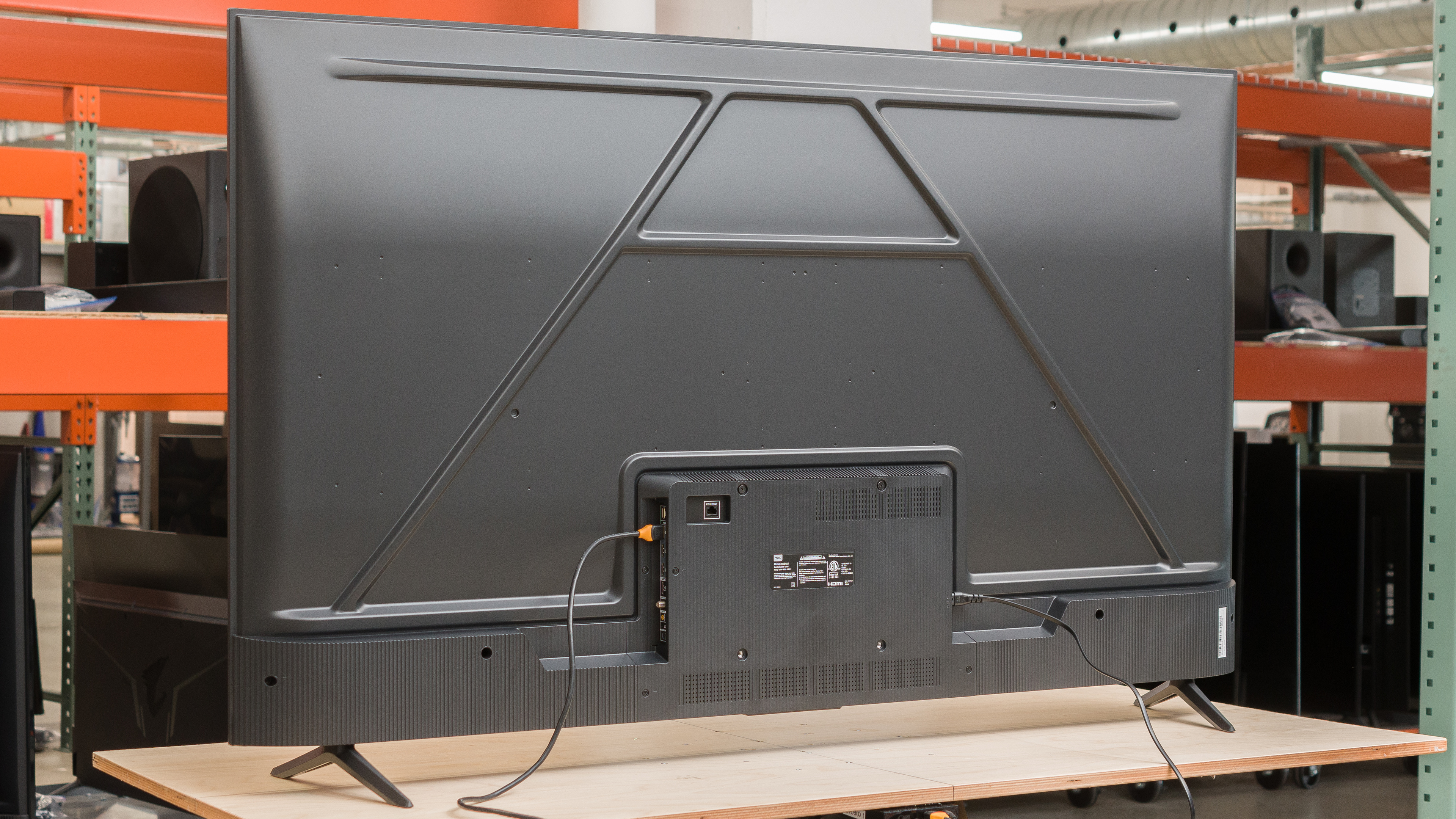
The inputs face to the side, but they're housed in a central electronics box, making them difficult to access if you wall-mount the TV. There's no cable management at all.


for pictures & test results

The build quality is just okay. It's built using basic materials and cheap plastic, so even though there are no serious issues with it, it doesn't feel very solid overall.
for pictures & test results

The TCL 4 Series Roku TV has fantastic native contrast, but it lacks a local dimming feature to improve its dynamic range. Overall, simple scenes that are fairly dim look good with deep, uniform blacks. When there are mixed scenes with bright highlights and dark areas, black levels are raised considerably, and dark areas look washed out.
for pictures & test results

This TV doesn't have a local dimming feature, so there's no blooming around bright objects or subtitles in dark scenes.
for videos & test results

This TV doesn't have a local dimming feature, so it can't adjust the backlight of individual zones to brighten up highlights without impacting the rest of the image. But this means that there's no distracting flicker or brightness changes as bright highlights move between zones.



for pictures & test results

for pictures & test results

for pictures & test results

Unfortunately, this TV has poor peak brightness in HDR. It's not bright enough to deliver an impactful HDR experience, as bright highlights don't stand out or look very realistic.
These measurements are after calibrating the HDR white point with the following settings:
- Picture Mode: Dark HDR
- TV Brightness: Brighter
- Brightness: 100
- Contrast: 100
- Color Temperature: Warm
for pictures & test results

for pictures & test results

for pictures & test results

There's no noticeable difference in brightness between the regular HDR peak brightness measurements and the peak brightness in 'Game' Mode.
These measurements are after calibrating the HDR white point with the following settings:
- Picture Mode: Dark HDR
- Game Mode: On
- TV Brightness: Brighter
- Brightness: 100
- Contrast: 100
- Color Temperature: Warm
for pictures & test results

The TCL 4 Series Roku TV tracks the PQ EOTF incredibly well. Near blacks are boosted a bit, causing a loss of fine shadow details, but midtones display properly. Bright scenes are cut off, unfortunately, as the TV clips bright highlights, causing a loss of fine details.
This TV has mediocre peak brightness in SDR. It's bright enough to overcome glare in most moderately lit rooms, but not if you have a lot of windows or bright lights. There's no variation in peak brightness with different scenes.
These measurements are after calibration with the following settings:
- Picture Mode: Movie
- Brightness: 100
- Contrast: 100
- Color Temperature: Warm
- Gamut: 2.2
for pictures & test results

for pictures & test results

The TCL 4 Series Roku TV has a fair color gamut in HDR. It has good coverage of the DCI-P3 color space used by most current HDR content, so most content is displayed properly and looks realistic. Coverage of the wider Rec. 2020 color space is disappointing, though, as it can't display a wide color gamut and tone maps more aggressively, meaning content mastered in this color space appears dull, and there's a loss of fine detail in scenes that contain highly saturated colors. If you want a budget-friendly TV that displays a wide range of colors, look into the Vizio M6 Series Quantum 2022.
for pictures & test results

for pictures & test results

This TV has mediocre color volume. It's mainly limited by its incomplete color gamut in both DCI-P3 and Rec. 2020, but due to its low peak brightness, colors aren't very bright. Despite its high contrast ratio, it can't display dark, saturated colors very well.
for pictures & test results

for pictures & test results

for pictures & test results

The TCL 4 Series Roku TV has just okay accuracy in SDR before calibration. The white balance is excellent, with no noticeable issues, and gamma is close to the 2.2 target, but most scenes are a bit too bright. Unfortunately, color accuracy is bad, with noticeable issues in every color. Colors are noticeably off, even with most real content.
for pictures & test results

for pictures & test results

for pictures & test results

This TV has excellent accuracy after calibration, but it's worse than most similar TVs. The white balance is easy to calibrate and looks fantastic after calibration. There are no noticeable issues with shades of gray, and gamma follows the 2.2 target perfectly. The color temperature is perfect. Unfortunately, colors are still noticeably off, and the TV can't display them properly. These issues make it nearly impossible to improve color accuracy on this TV.
You can see the full calibration settings for this TV here.
for pictures & test results

for pictures & test results

The gray uniformity is just okay. There's significant vignetting, as the corners are much darker than the center. There's also a disappointing amount of dirty screen effect in the center, which is distracting when watching sports or displaying anything with large areas of uniform color.
for pictures & test results

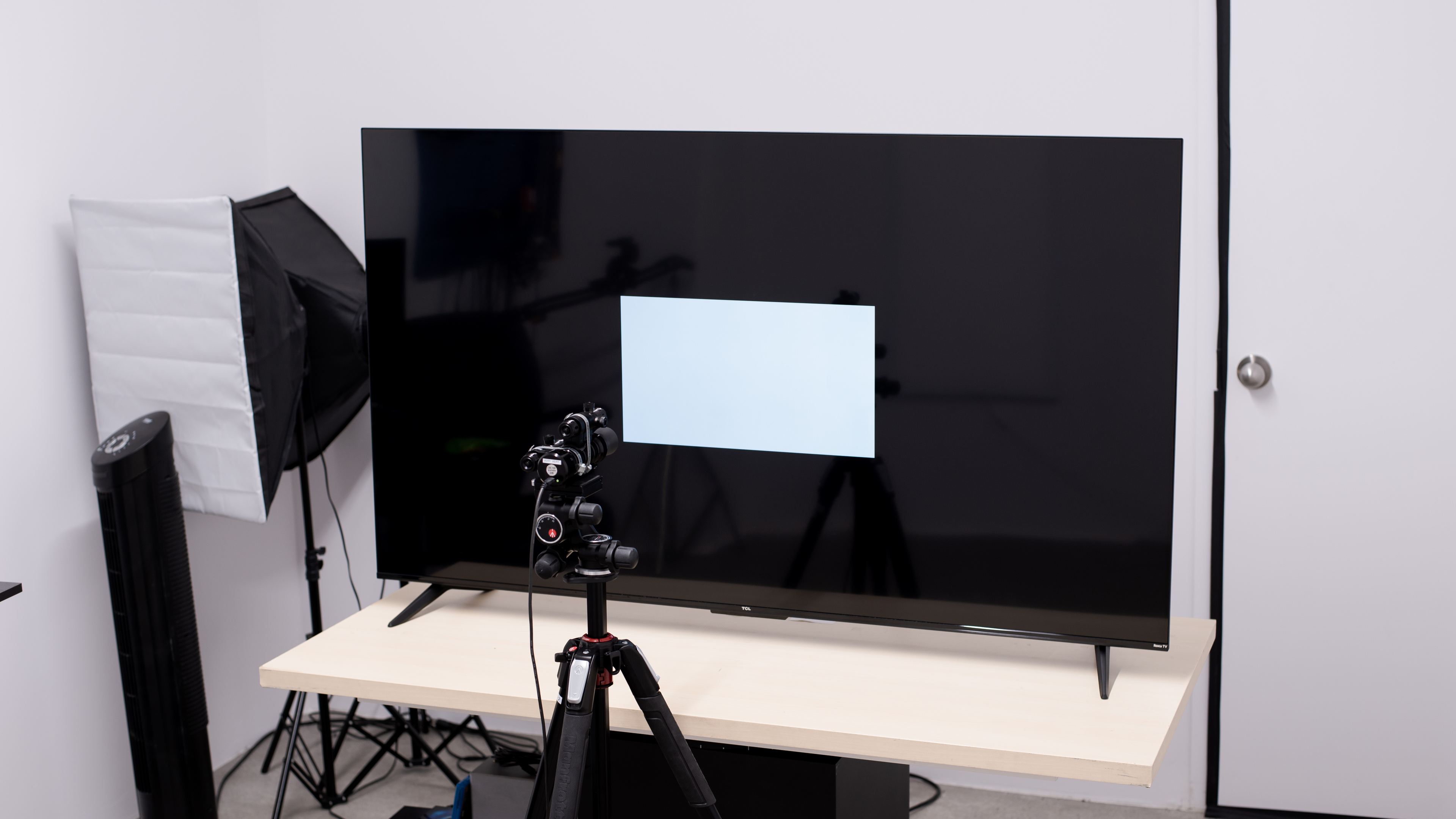
The black uniformity on this TV is incredible. There are no signs of backlight bleed, and the background around the test cross is extremely uniform, with no bright or warm spots.
for videos & test results

for pictures & test results

for pictures & test results

for pictures & test results

Unfortunately, the TCL 4 Series Roku TV has a disappointing viewing angle, so it's not ideal for a wide seating arrangement, as anyone sitting off-center will see a washed-out image. There's also a significant color shift when looking at the screen off-center, so it's not ideal for use as a PC monitor, as the sides of the screen shift in color. If you're looking for a comparable TV with a better viewing angle, look at the LG UR9000.
for pictures & test results

for pictures & test results

for pictures & test results

The reflection handling is decent. The semi-gloss coating reduces the intensity of direct reflections a bit, but they're still noticeable, so it's not ideal for use in a bright room.
for pictures & test results

The TCL 4 Series Roku TV has good gradient handling in HDR. There's some noticeable banding in all shades, and it's worse in shades of gray, green, and blue, but it's not too bad.
for pictures & test results

Unfortunately, this TV has poor low-quality content smoothing. Even with all processing settings enabled, macro-blocking and pixelization are still very noticeable. On the other hand, fine details are still preserved well.
for pictures & test results

This TV can't upscale low-resolution content very well. Even with the best settings, the image is a bit soft overall, and hardcoded text is a bit blurry.
The optimal sharpness settings for low-resolution or low-bitrate content, with no over-sharpening, are as follows:
- Sharpness: 30
for pictures & test results

This TV uses a BGR subpixel layout, which is fine for video content and games. Unfortunately, this reduces text clarity if you plan on using the TV as a PC monitor, but there are ways to work around it, so it's not a dealbreaker. You can read more about this here.
for pictures & test results

for pictures & test results

The TCL 4 Series Roku TV has a decent response time. Transitions to and from dark shades are significantly longer than bright shades, causing a long trail behind fast-moving objects with darker shades. Brighter shades look a bit better overall, and there's no overshoot in any transition, which is great.
for pictures & test results

Unfortunately, this TV isn't always flicker-free. The exact setting depends on the picture mode you're using, but a brightness setting of 18/100 or lower with the 'Movie' Picture Mode causes it to flicker at a low frequency. This flicker causes distracting duplications in motion and can cause headaches in people sensitive to flicker. Thankfully, this is pretty dim, corresponding to a brightness of about 90 cd/m², which is too dim for most viewing environments, so it's not really an issue. If you're particularly sensitive to flicker, check out the Samsung CU7000/CU7000D, a comparable TV with much better performance in this regard.
There's no backlight-strobing feature, commonly known as black frame insertion, on this TV. It always flickers at a fixed frequency unless you have the backlight above about 18/100. This low-frequency flicker acts similarly to a BFI feature and helps reduce persistence blur, but it also causes a noticeable image duplication.
This TV doesn't have an optional motion interpolation feature.
Due to the relatively slow response time, there's very little stutter when watching movies or other low frame rate content. It's still a bit noticeable in slow panning shots, but it's better than most TVs.
This TV automatically removes judder from 24p sources, including Blu-ray players and streaming sticks with a Match Frame Rate feature or from the native apps. Sadly, it doesn't remove judder from devices that send a 60Hz signal, including most cable boxes.
This TV is limited to a fixed 60Hz refresh rate. It doesn't have a variable refresh rate feature, so you'll see more tearing in games.
The input lag is incredibly low, delivering a smooth, responsive gaming or desktop experience if you're using it as a PC monitor.
Most common resolutions are supported, but only at 60Hz. 1440p is supported, but you have to force it either through a custom resolution on a PC or by manually setting the resolution on some game consoles. Chroma 4:4:4 signals are displayed properly with 1080p or 4k signals but not with 1440p signals. This is essential for clear text from a PC.
for pictures & test results

This TV doesn't support everything the PS5 has to offer, as it's limited to a 60Hz refresh rate, and it doesn't support a variable refresh rate. It automatically switches to the low input lag 'Game' mode, as long as you have Auto Low Latency Mode enabled for the input you're using.
for pictures & test results

The TCL 4 Series Roku TV can't take full advantage of the Xbox Series S|X, as it's limited to a 60Hz refresh rate and doesn't support a variable refresh rate. It automatically switches to the low input lag 'Game' mode, as long as you have Auto Low Latency Mode enabled for the input you're using.
Unfortunately, the HDMI ports are limited to HDMI 2.0 bandwidth, and the tuner is limited to ATSC 1.0, so you can't stream 4k content over the air.


This TV supports eARC, allowing you to pass high-quality, uncompressed audio to a compatible receiver through an HDMI cable. Unfortunately, it doesn't support DTS audio formats, which is disappointing, as many Blu-rays use DTS for their main audio track. If you plan to watch Blu-ray movies, connecting your player directly to your audio receiver or soundbar is best.
for pictures & test results

Unfortunately, the TCL 4 Series Roku TV has a sub-par frequency response. The low-frequency extension (LFE) is very high, so there's very little thump or rumble in its bass. The frequency response isn't well balanced above the LFE, either, so dialogue is a bit muddy, and there's no room correction feature. It doesn't get very loud, either, so it's not a good choice for a noisy environment.
for pictures & test results

This TV has decent distortion performance. There's a bit of noticeable distortion in dialogue, but it doesn't increase much at max volume.
for pictures & test results

This TV runs the Roku TV smart interface, which is very simple, with fewer animations and a simpler user interface than you'll get with more premium TVs. It's very fast, though, and easy to use.
for pictures & test results

Unfortunately, like all Roku devices and most TVs on the market, there are large ads on the home page. You can opt out of suggested content and personalized ads, but this doesn't change the number of ads you see; they'll just be less personalized.
for pictures & test results

The Roku app store has a great selection of apps you can download, and they run smoothly for the most part.
for pictures & test results

This TV comes with the same basic remote as all recent Roku TVs. There's no mic for voice control on the remote itself, but you can use voice control through the Roku app on your phone. It allows you to change inputs, launch apps, and search for content. The app also features a private listening feature, which lets you transfer audio from the native apps to your phone's speaker or connected headphones. Many of the advanced picture settings are only available through the Roku companion app.
for pictures & test results

There's a single button below the TCL branding on the bottom bezel that you can use to change inputs or power the TV on/off.