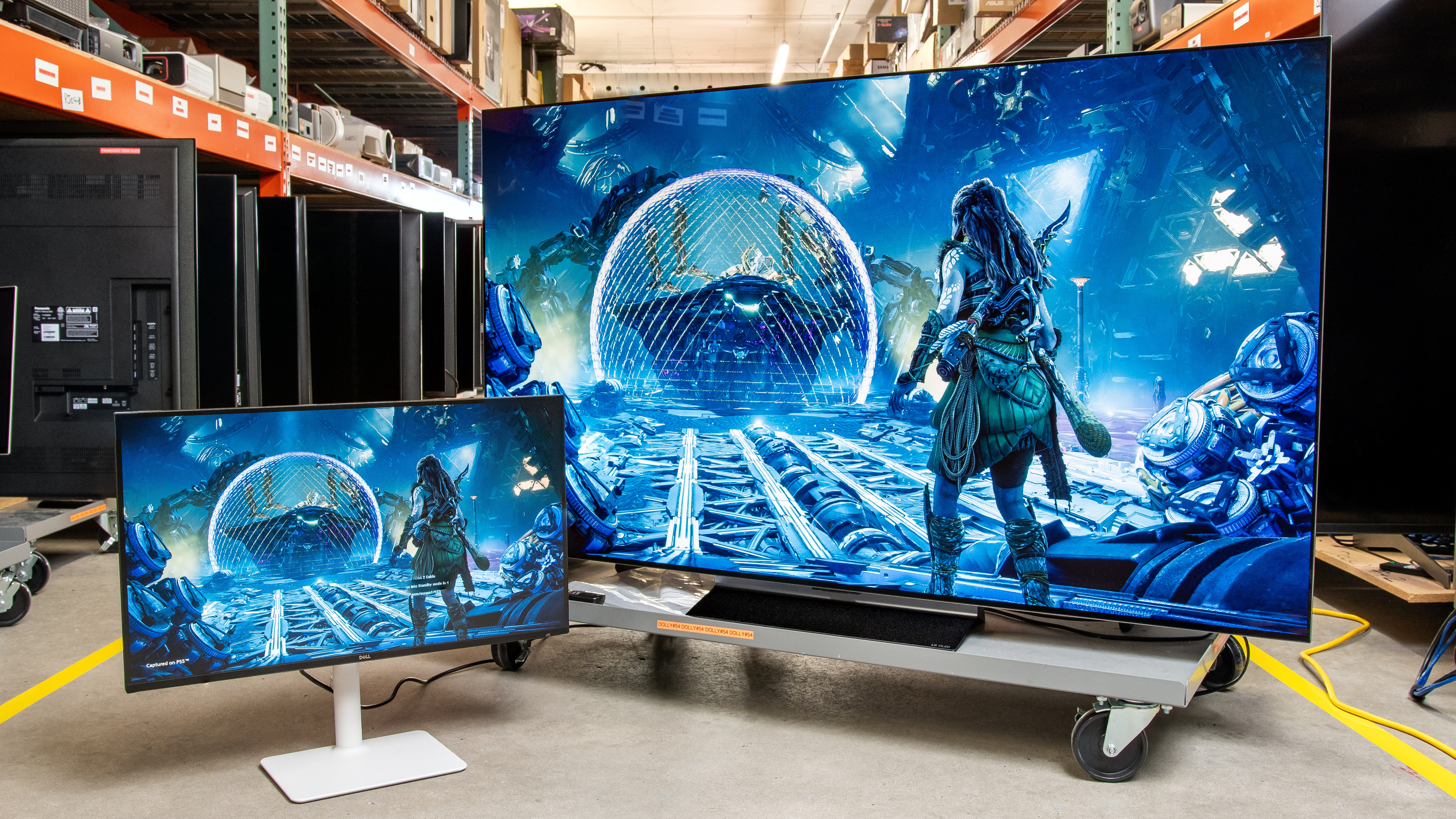
When comparing a monitor vs TV for gaming, they both can be fantastic choices, but they each have their pros and cons. Generally speaking, monitors are superior for PC gaming as they support high refresh rates and many have dedicated gaming features, including crosshairs and sniper modes. On the other hand, TVs are better choices if you want a big screen and need something that you'll also use for watching content, such as movies or shows, as they have superior processing capabilities.
Monitors and TVs are available at a wide range of prices, offering options for every budget. With that said, there's no perfect choice, and choosing one over the other really comes down to your personal needs and preferences.
We've tested over 370 monitors since 2017 and over 500 TVs since 2013. If you want to learn more, you can also check out how we test monitors and how we test TVs. However, please note that we test each product category using different methods and benchmarks, so the scores for TVs and monitors aren't directly comparable.
Market For TVs And Monitors: Sizes, Resolutions, And Refresh Rates
The market for TVs and monitors is quite distinct, so they don't directly compete with each other. TVs all have the same 16:9 aspect ratio and are available in a wide range of sizes, with some being over 100 inches. The most common TV sizes are 55, 65, and 75 inches. Choosing the right size for your needs depends on how far you sit away from the screen, as you need a bigger screen for a further viewing distance.
Besides size, almost all modern TVs have a 4k resolution, although some models offer a higher 8k resolution. In terms of refresh rates, the most common on modern TVs are still 60Hz and 120Hz, but we're starting to see more TVs with higher refresh rates, including 144Hz, 165Hz, and even some that reach up to 288Hz with a lower 1080p resolution, like the TCL QM9K.
The monitor market differs significantly because there's a lot more variability in specs between monitors, like with the aspect ratio. For example, there are ultrawide monitors with a 21:9 aspect ratio, which offer more horizontal screen space than standard 16:9 monitors. Even within that class of monitors, there are 21:9 ultrawides with different resolutions and sizes, like how the 45-inch LG 45GX950A-B has a 5120x2160 resolution, while the 34-inch Dell Alienware AW3425DW has a 3440x1440 resolution.
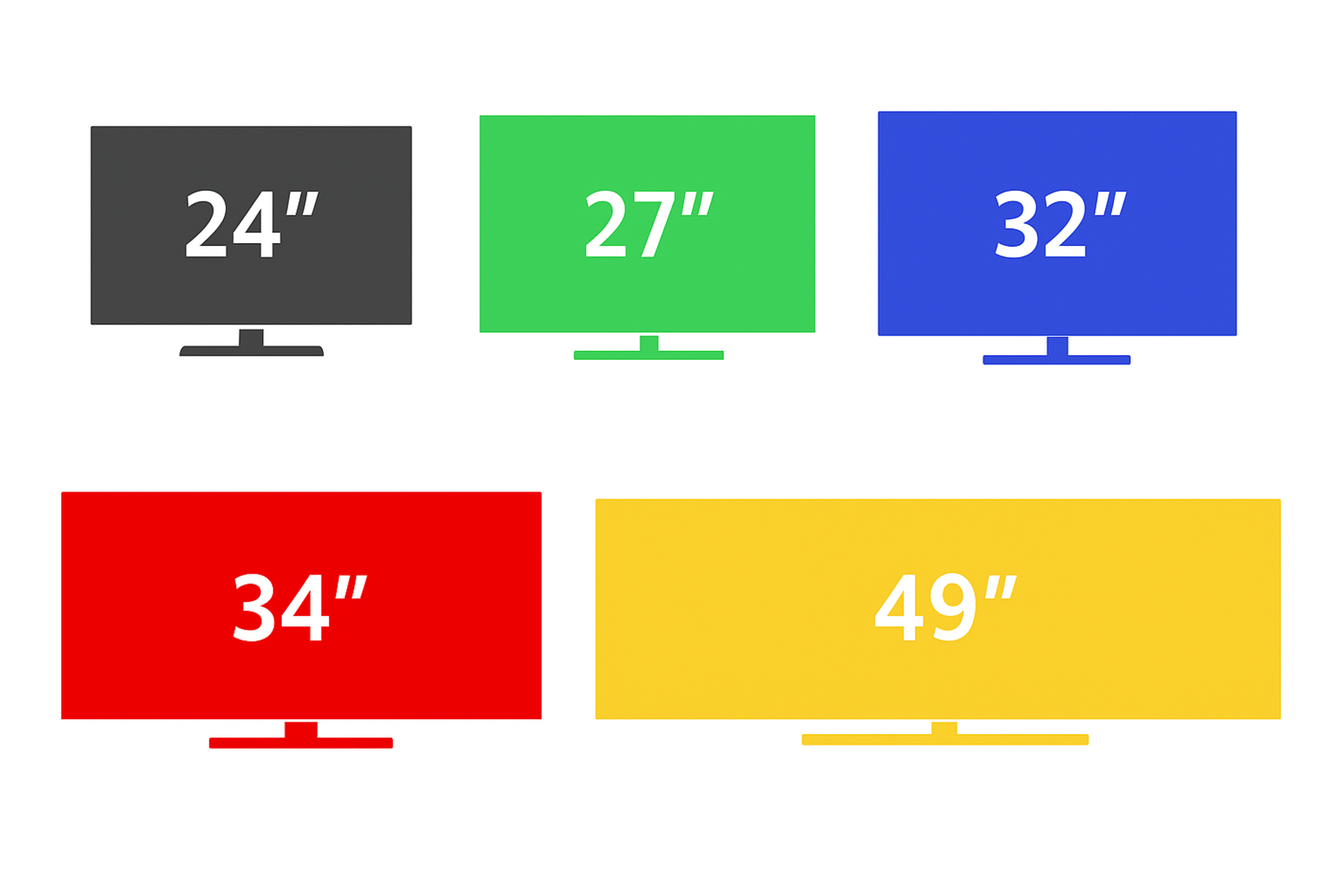
Monitors are available in a wide range of sizes, from 24 to 49 inches, with the most common being 27 and 32 inches. Almost every size class has models available in different resolutions, offering numerous options to choose from. For example, 27-inch monitors are available with 1080p, 1440p, 4k, or 5k resolutions, so even once you've decided which size you want to get, you also need to think about the resolution. Your viewing distance does impact this, as you may prefer a smaller screen with a higher resolution if you sit close, but unlike with TVs, choosing the right size and resolution is more about personal preference and needs.
Lastly, the biggest difference with monitors in terms of specs is their higher refresh rates to take advantage of gaming PCs that maintain high frame rates. Some models reach 500Hz, with the most popular high-end gaming options being between 240Hz to 360Hz.
Overall, there are so many different TVs and monitors out there with various specs, so it's hard to generalize when comparing a monitor vs TV. That said, TVs are meant for people looking for a large display for their living room while sitting at a distance, and monitors are designed for people sitting close to them and using a PC. However, both types can be great choices for console and PC gaming, so below, we'll break down the main differences between TVs and monitors for gamers.
Differences Between TVs And Monitors For Gaming
There are many factors that impact a display's gaming performance, including its response time, input lag, and refresh rate. Even the display's panel type affects its performance, as there are panels, like OLEDs, that are far superior for gaming than others. As such, any comparisons between TVs and monitors for gaming ultimately come down to generalizations, and they don't guarantee that all monitors are better than all TVs for gaming, and vice versa.
Ultimately, when considering a new TV or monitor, it's essential to evaluate its individual gaming performance before making a purchase. If you want specific model recommendations, check out our recommendations for the best gaming monitors and the best gaming TVs.
Gaming Performance
Generally speaking, monitors have a slight edge in terms of pure gaming performance, as they are primarily designed for this purpose. Their biggest advantage is their higher refresh rates, which result in a smoother and more responsive experience compared to TVs with lower refresh rates.
Motion Handling
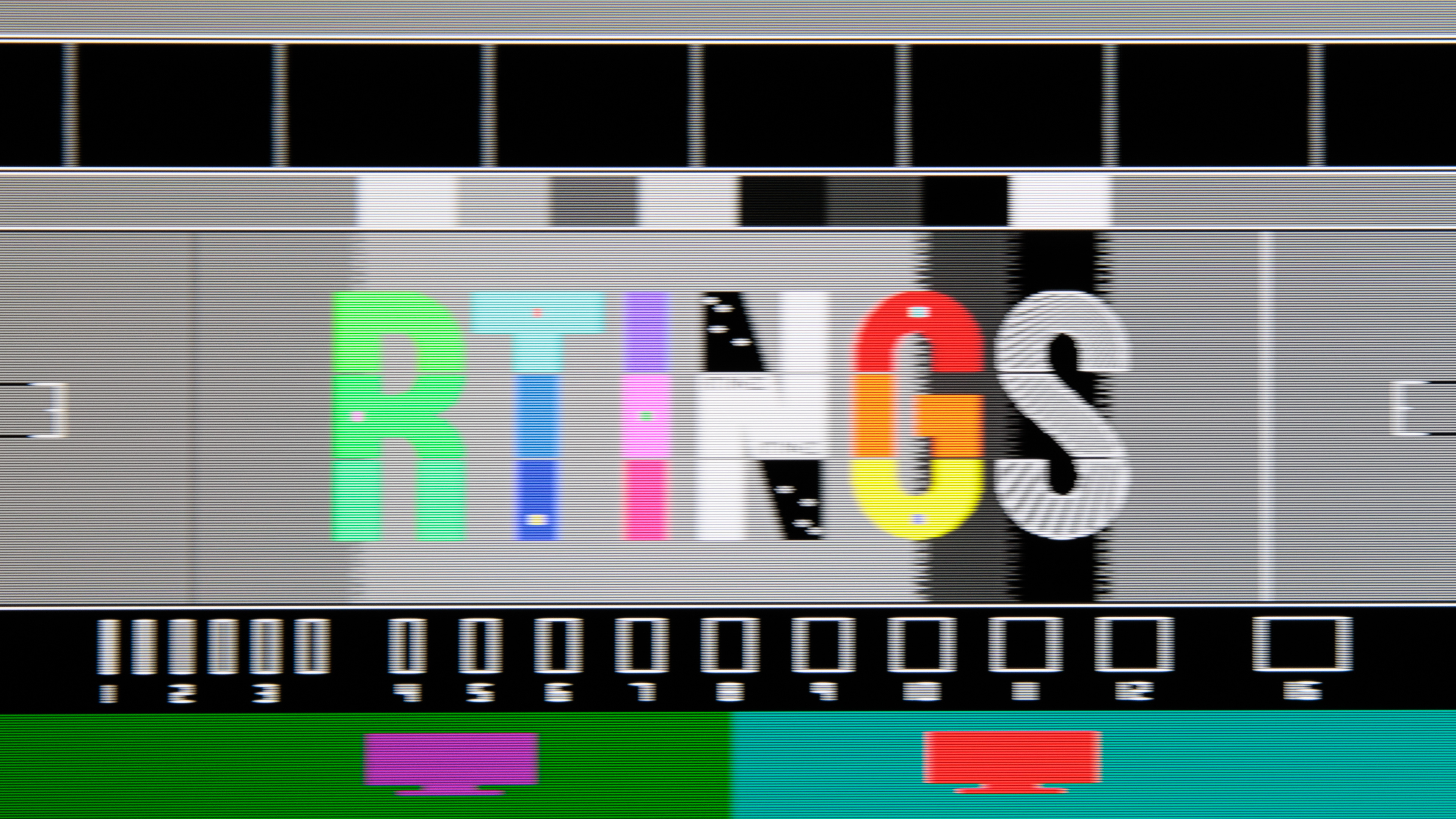
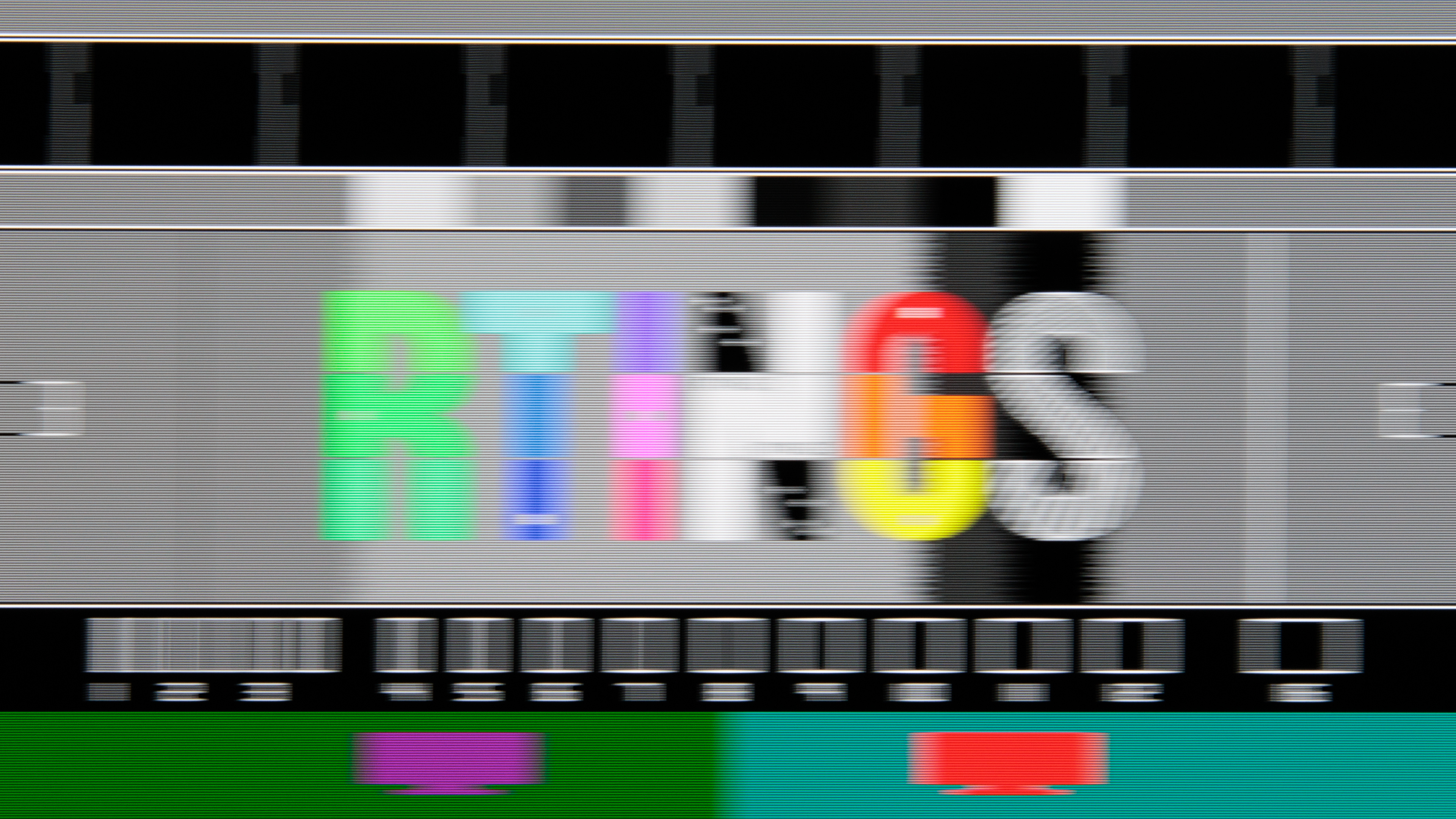
A display's motion handling is influenced by several factors, including its response time and refresh rate. The response time varies between models and panel types; however, OLED TVs and monitors typically have near-instantaneous response times. With that in mind, below you can see an example of an OLED TV and monitor that each have a near-instantaneous response time, but different refresh rates. It's clear that motion looks a lot better on the LG monitor at its max refresh rate at 480Hz, even if it has the same near-instantaneous response time as the TV. However, when comparing both at 120Hz, the differences are minimal. So, when comparing a TV and monitor with the same refresh rate, the display's response time is the more important factor.
| TV - 120Hz | Monitor - 480Hz | Monitor - 120Hz |
|---|---|---|
 |
 |
 |
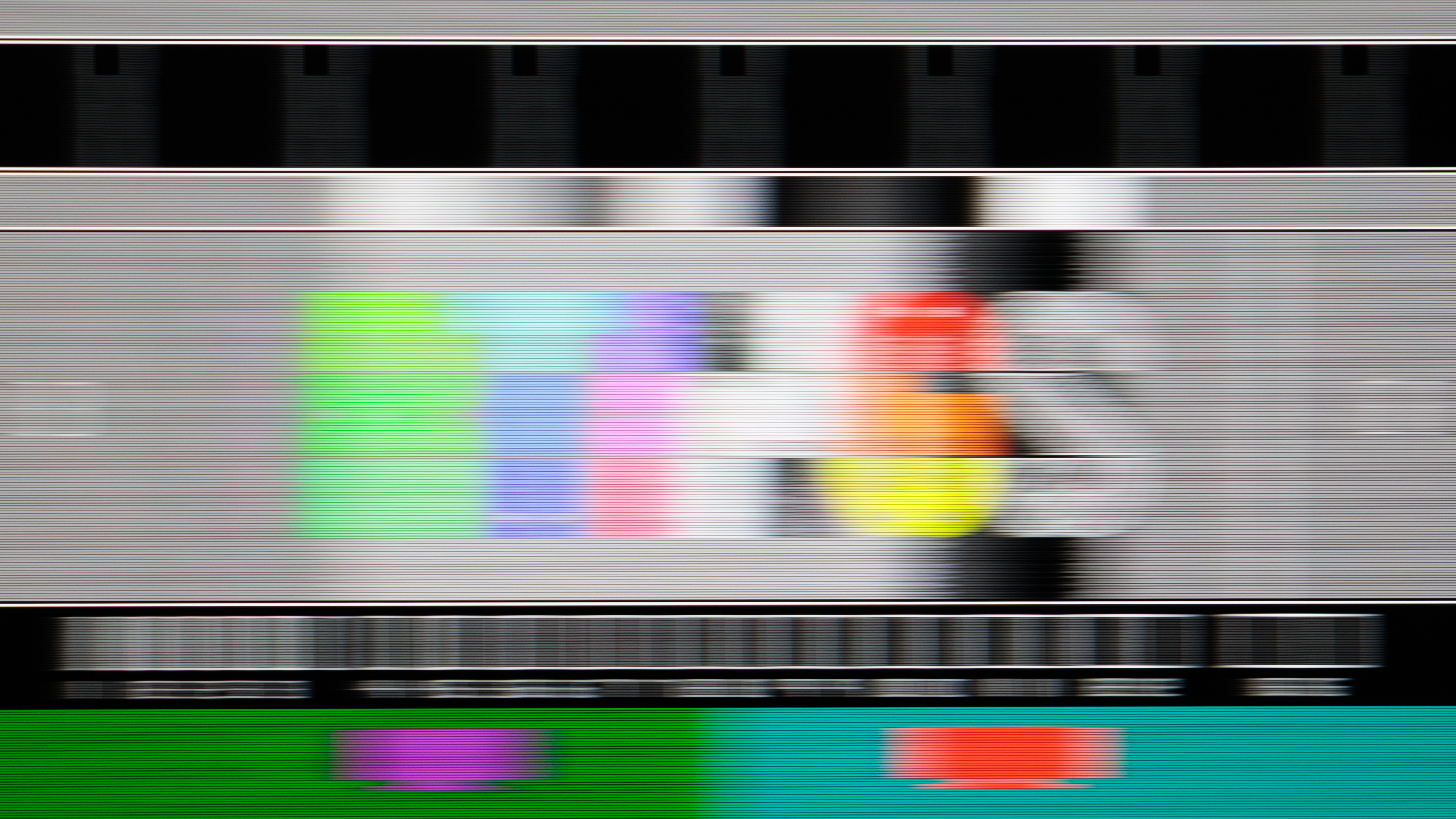
Although OLEDs have a near-instantaneous response time, performance varies between models with other panel types, like IPS and VA. The biggest downside to VA panels is their tendency to smudge black with dark objects, whereas IPS displays generally exhibit better motion handling. Many entry-level TVs utilize VA panels with mediocre motion handling, while there are also more affordable IPS monitors that offer at least decent motion handling. You can see this difference between VA and IPS TVs and monitors at 60Hz. That said, motion performance varies on a case-by-case basis.
| IPS | VA |
|---|---|
 |
 |
 |
 |
Winner: Monitor due to higher refresh rates, but it varies between models.
Responsiveness
One of the biggest advantages that monitors have for gaming is their lower input lag. As they lack advanced processors like TVs, they can process a signal quickly and display it within a few milliseconds. We measure the input lag as part of our monitor and TV testing, including at 60Hz, 120Hz, and the display's max refresh rate. We're able to compare the average input lag between each display type by using data from 190 TVs and 134 monitors that we've tested, which you can see below. Note that we're using the 4k @ 60Hz and 4k @ 120Hz results for TVs, and monitors are tested at their native resolution, so these displays aren't performing any upscaling. We did not include the results at the displays' max refresh rates either, as they all have different max refresh rates.
| TVs | Monitors |
|---|---|
|
Average 60Hz: 12.4 ms Average 120Hz: 6.8 ms |
Average 60Hz: 11.7 ms Average 120Hz: 5.5 ms |
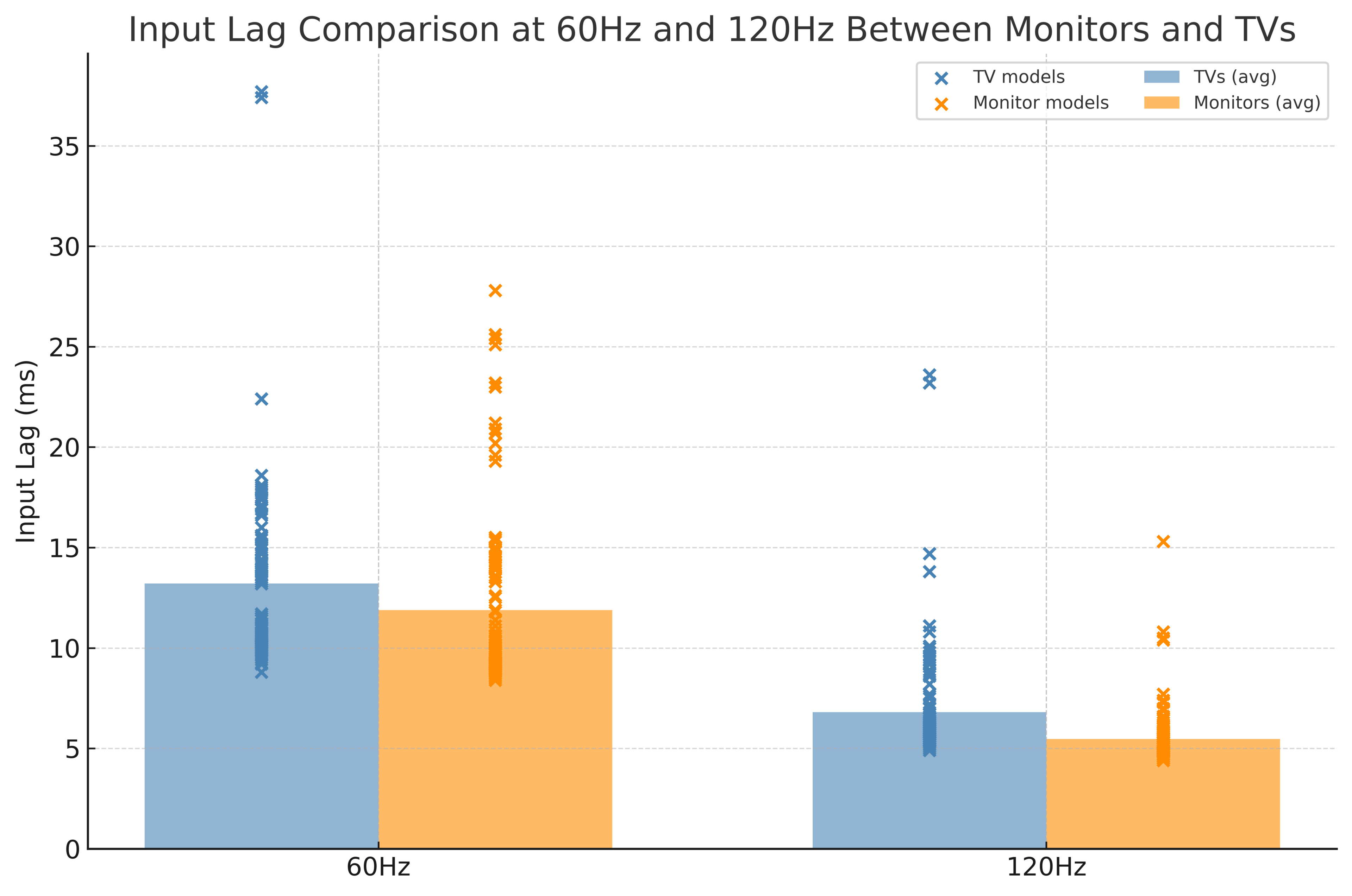
Examining the data, it's clear that monitors have lower input lag at 60Hz and 120Hz. There's also less spread among monitors, so the worst monitors have lower input lag than the worst TVs. The input lag is even higher when gaming at higher refresh rates, too. That said, it's essential to note that there are TVs with lower input lag than monitors, so these numbers represent an average.
Another advantage of monitors is that they tend to have low input lag in any of their picture modes. This isn't the case with TVs, which only get low input lag in their game picture modes. Outside of game mode, the input lag is excessively high for gaming on almost any TV. Most TVs feature Auto Low Latency Mode (ALLM), which automatically switches the TV into game mode when a PC or gaming console is used, eliminating the need to manually switch the picture mode to achieve low input lag.
Winner: Monitors.
Variable Refresh Rate
Modern monitors and TVs support most common variable refresh rate (VRR) formats, including FreeSync, G-SYNC Compatibility, and HDMI Forum VRR, so neither has a true advantage. That said, there are monitors that NVIDIA certifies in their native G-SYNC and G-SYNC Ultimate tiers. They unlock extra features with NVIDIA graphics cards, but these monitors are uncommon.
Winner: Tied.
Console Compatibility
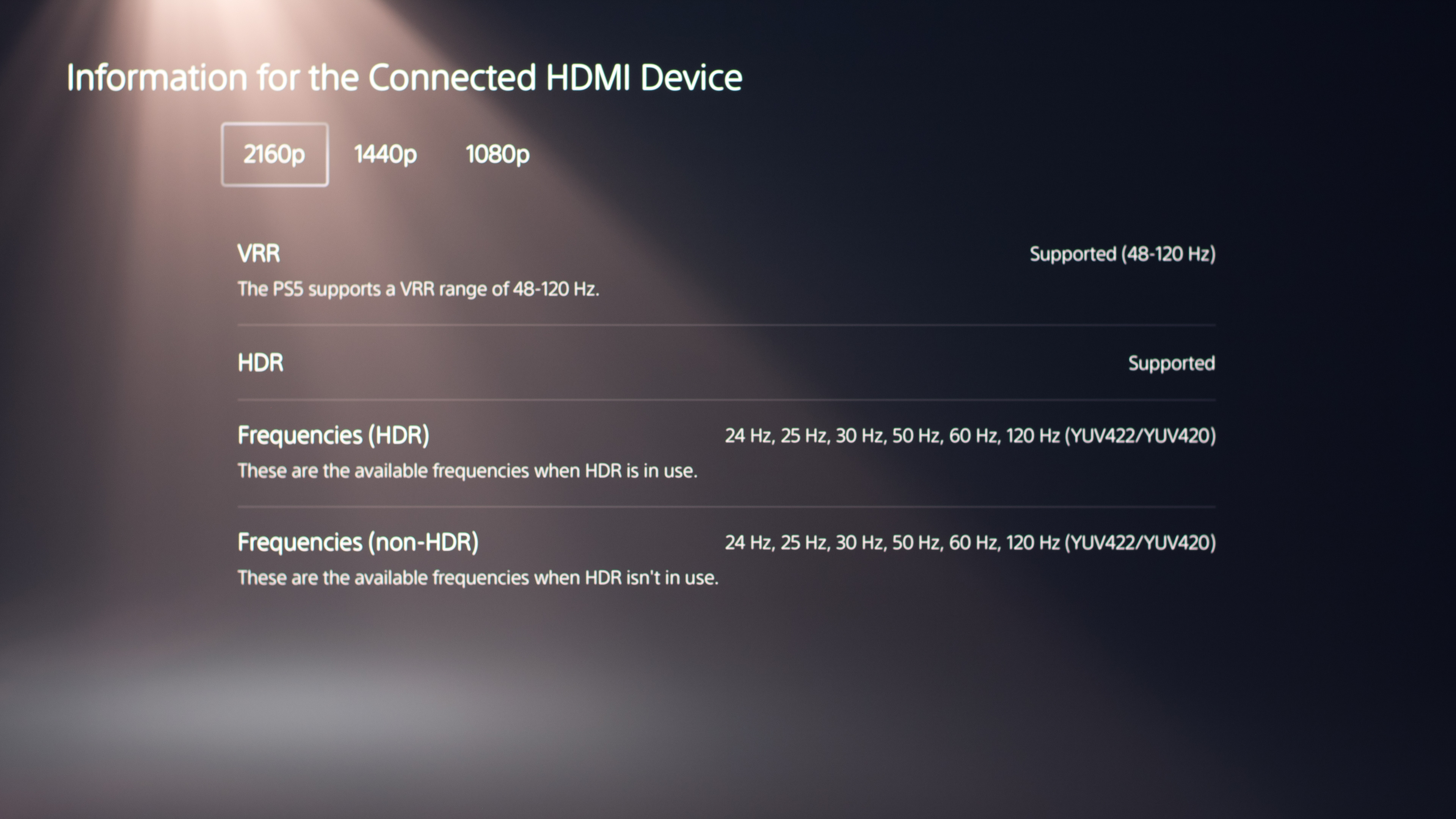
Modern TVs and monitors are well-suited for use with current-generation gaming consoles, such as the PS5, PS5 Pro, and Xbox Series X|S. As long as the monitor or TV supports HDMI 2.1 bandwidth, it should support 4k signals up to 120Hz with gaming consoles, barring any unexpected issues. HDMI 2.1 support is quite common on monitors and TVs these days: at the time of writing this article, 72 monitors we've tested support HDMI 2.1, and 123 TVs support it. One thing to keep in mind is that there are 1440p monitors with HDMI 2.1 bandwidth that support 4k @ 120Hz signals, but they do this by downscaling 4k signals, so images aren't as detailed as native 4k signals. Monitors and TVs without HDMI 2.1 bandwidth can't take full advantage of these consoles.
One thing to keep in mind is that many TVs support Dolby Vision with an Xbox, which is something only a handful of monitors support.
 |
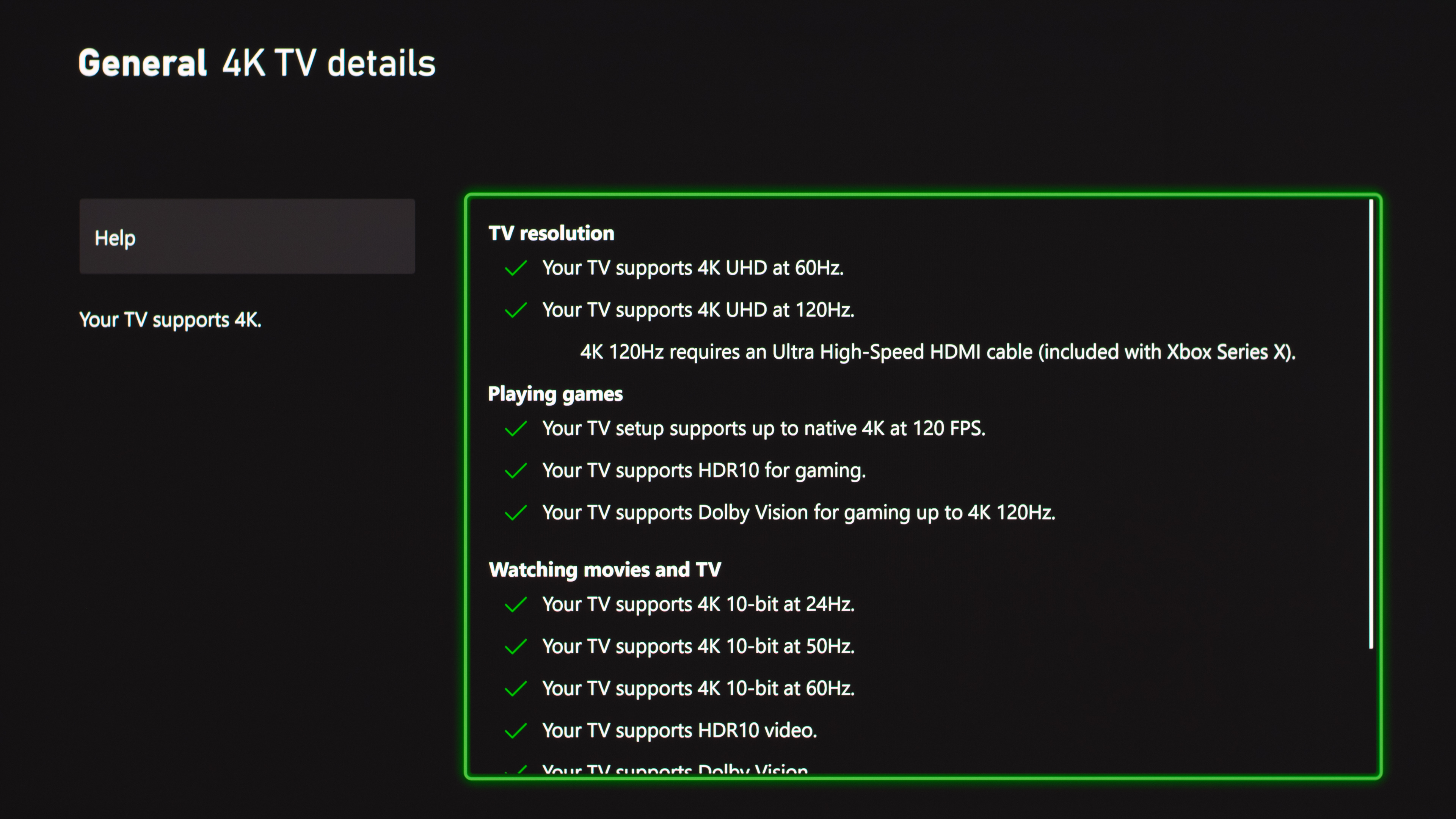 |
Winner: Tied, with a slight edge to TVs due to Dolby Vision on an Xbox.
Picture Quality
For the most part, the picture quality of a display depends on the panel type, and both TVs and monitors are available in different panel types, including OLED. As such, it's challenging to generalize whether TVs or monitors have better picture quality, as OLED monitors often surpass the picture quality of VA and IPS TVs, and vice versa. Though high-end OLED TVs tend to look better than high-end OLED monitors, as they get brighter. For example, the LG G5 OLED reaches over 2,400 cd/m2 with small highlights, while the brightest OLED monitor at the time of writing this article, the Sony INZONE M10S, hits just under 1,300 cd/m2. There are also more Mini LED TVs available than Mini LED monitors, so you get more choices if you want these bright TVs. However, these differences ultimately come down to market availability rather than display limitations.
Image Clarity
As monitors have smaller screens, they have higher pixel density, meaning there are more pixels for each square inch of the display. For example, a 4k, 27-inch monitor has a pixel density of 163 pixels per inch (PPI), whereas a 4k, 65-inch TV has 68 PPI. Even lower-resolution monitors, like 27-inch and ultrawide 1440p displays, have higher pixel density than larger TVs. While you won't notice this difference from a distance, it becomes much more noticeable up close, such as when the display is on a desk. This is where monitors have the biggest advantage, as text and images appear much sharper, which is particularly helpful when playing games with a lot of text.
Below you can see examples of text clarity on a 27-inch monitor versus a 42-inch TV, each with a 4k resolution. Keep in mind that other factors, such as the subpixel structure, also impact text clarity. However, these photos provide a general idea of what the text looks like on each display.
| Monitor (166 PPI) | TV (105 PPI) |
|---|---|
 |
 |
Another thing to note is that monitors support chroma 4:4:4 subsampling for sharp text clarity from PCs. Some TVs don't support this uncompressed signal, resulting in blurrier text, but the majority of TVs do.
Winner: Monitors.
Image Processing
The greatest strength of TVs when it comes to picture quality is the processing, as they're designed to make the picture look as good as possible, whereas a monitor displays whatever the source tells them. This is mainly useful for watching lower-resolution or lower-quality content when you aren't gaming, but many TVs disable their processing features in their game modes, so you don't benefit as much from this extra processing while gaming.
The built-in processors in TVs are significantly better at upscaling lower-resolution content than those in monitors. Below you can see that upscaled 480p content looks much clearer on a TV than on a monitor, especially with text. However, if your graphics card upscales your game's resolution, such as when using Deep Learning Super Sampling, then you won't see these artifacts on the monitor.
| Monitor | TV |
|---|---|
 |
 |
TVs are also much better at smoothing out artifacts from low-quality sources, like streaming services. There are still TVs that struggle with this type of processing, though, as some have macro-blocking in dark scenes. While this doesn't make a difference for gaming, it's something to consider if you want an all-in-one display for gaming and watching content. Another advantage in this regard is that most TVs support advanced HDR formats, like Dolby Vision and HDR10+. Although there are a handful of monitors that support Dolby Vision, they still have room to grow before reaching widespread support on TVs.

TVs generally work better with processing HDR, as high-end TVs tend to have much better PQ EOTF tracking than high-end monitors, but this is something that varies between models. Some monitors also have trouble with tone mapping in HDR, particularly with Windows HDR.
Overall, the processing on TVs gives them an edge over monitors, providing a smoother image, especially during game cutscenes or when watching content.
Winner: TVs.
Screen Coating
Lastly, monitors and TVs are available with different types of screen coatings, including matte and glossy. The majority of TVs are glossy or semi-glossy, whereas most monitors are matte, but there are still matte TVs and glossy monitors out there. While these differences stem from the market of each product type, and there isn't one coating that's truly better than others, they still affect the way you perceive the image. Matte coatings have less mirror-like reflections, which is why monitors mainly have them to combat glare in well-lit rooms or office spaces. The downside of matte coatings is that the image looks less clear. Glossy coatings solve that issue, but instead have more reflections coming straight off the screen. As many TVs use these glossy coatings, it's best to avoid placing them opposite a sunny window.
Below you can see examples of comparable matte and glossy monitors and TVs. Although the TVs do have better overall reflection handling as they reduce more glare, you can still see the distinct characteristics of each coating type.
| Matte | Glossy |
 |
 |
 |
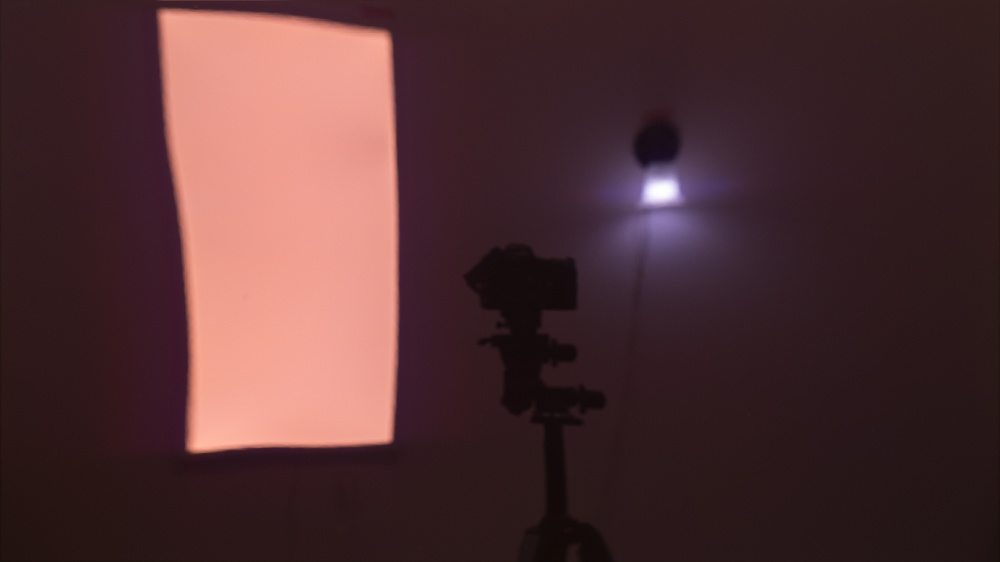 |
Winner: Tied. As you can now find TVs and monitors with each panel type, there's no clear winner here. That said, there are limited options available if you prefer a matte TV or a glossy monitor, which may impact your buying decision.
Features
There are a number of features that differ between monitors and TVs. While most won't affect your gaming performance directly, they still impact your experience using the TV or monitor.
Inputs & KVM Switches
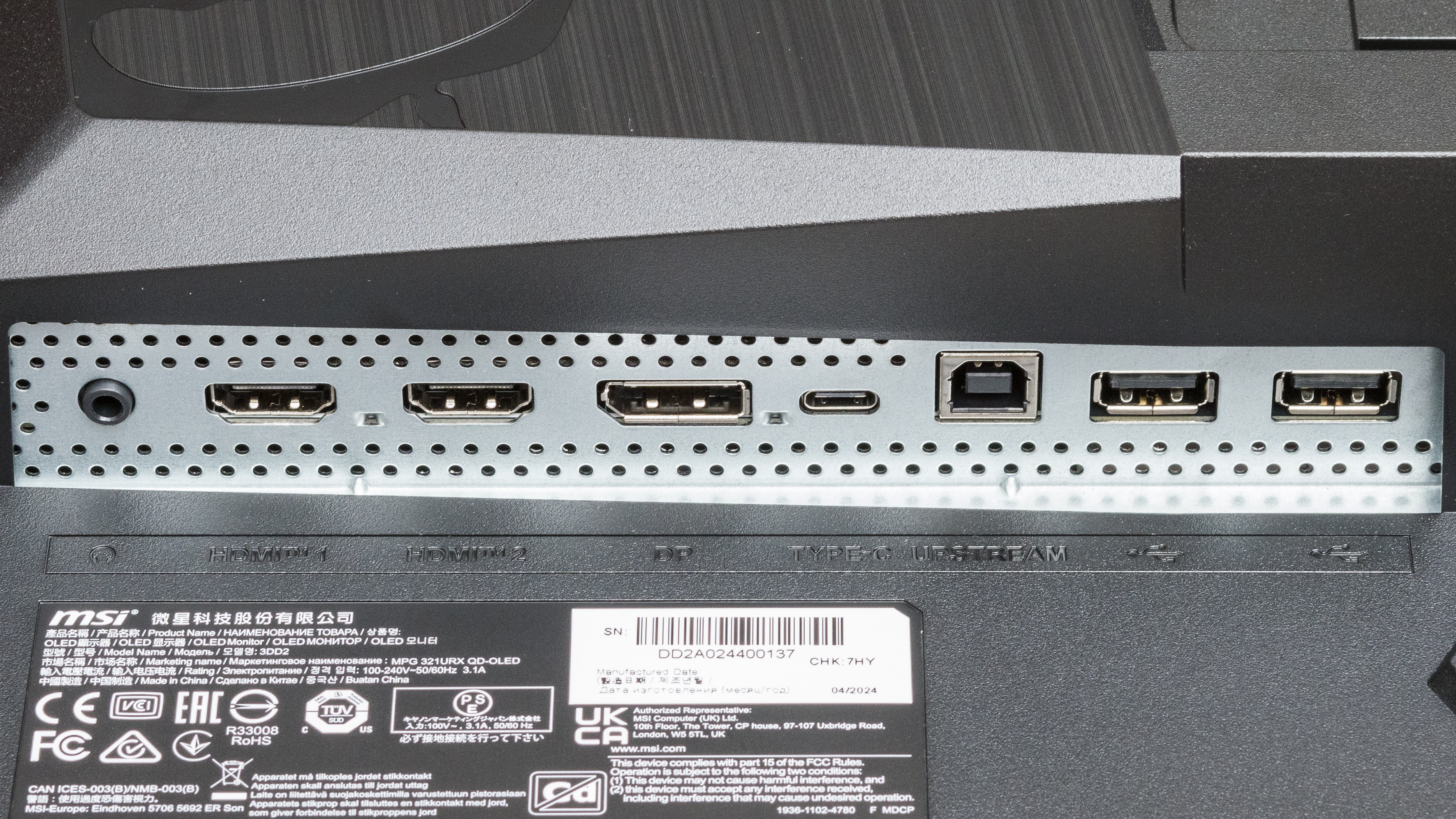
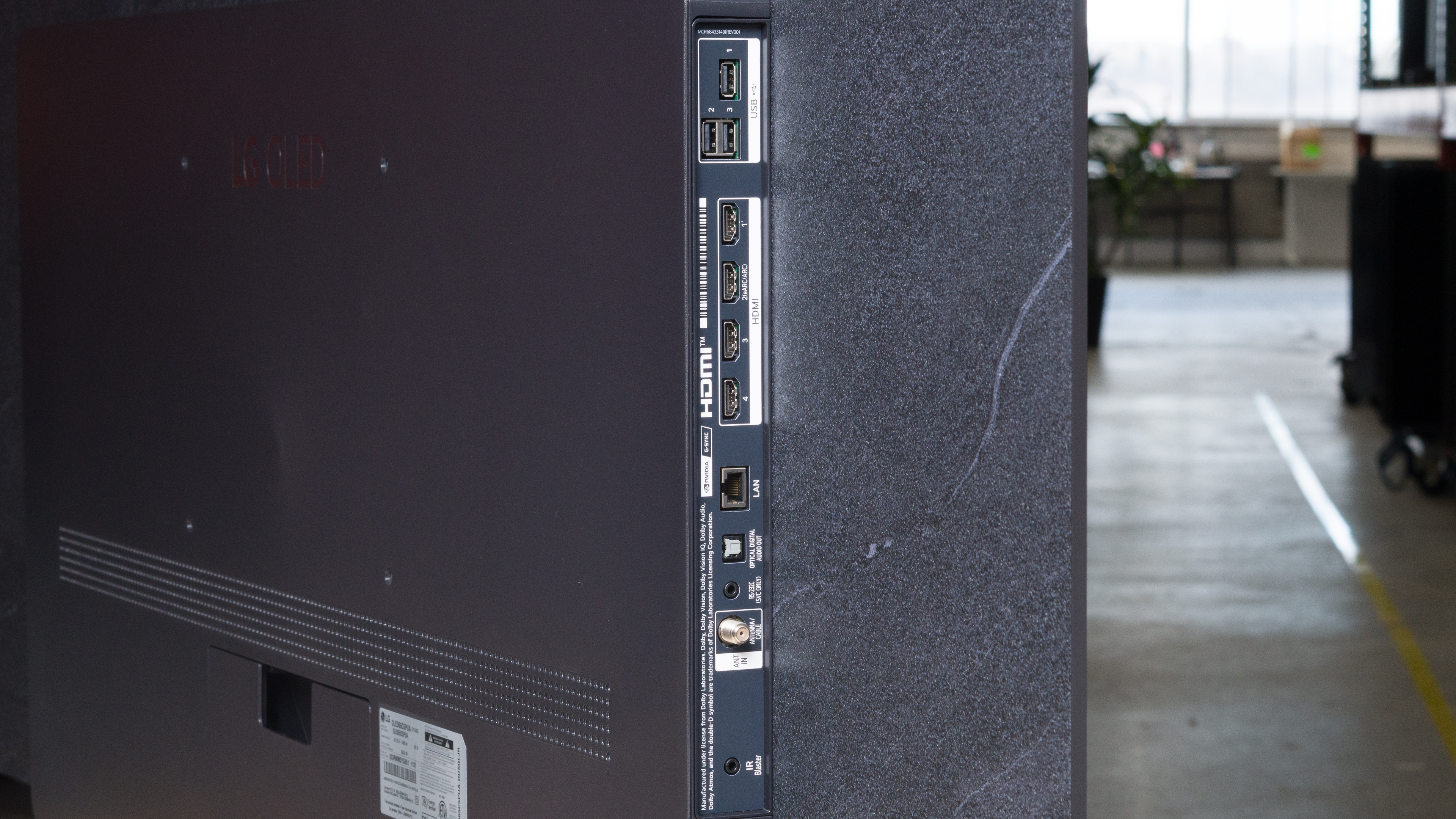
The inputs available on TVs and monitors are different. Monitors have DisplayPort inputs, which TVs typically don't have, and they often include USB hubs with upstream capability, allowing you to connect your peripherals to the monitor and use them on your computer. Some monitors even have KVM switches, so you can use the same devices on two sources.
Some TVs have USB ports, but you can only use them directly with the TV and its smart system, and not your computer. On the other hand, they include different ports, like tuners, digital optical audio outputs, and LAN ports. TVs also support ARC/eARC audio passthrough to send audio from sources connected to the TV to a receiver. Some monitors have these too, but they're rare.
| Inputs on a monitor | Inputs on a TV |
|---|---|
 |
 |
Ergonomic Stands
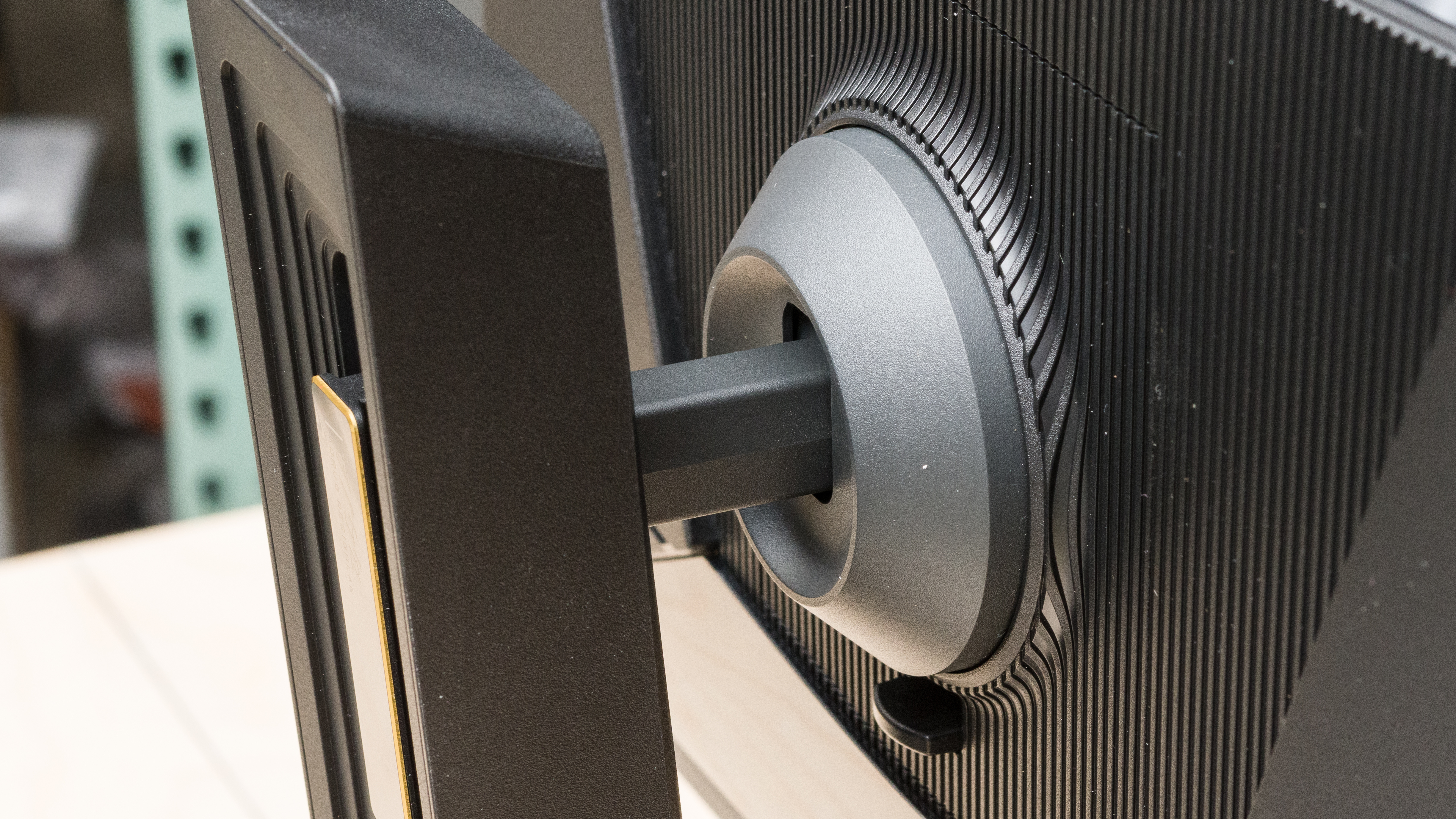
Monitors come with adjustable stands, with many of them offering a wide range of ergonomic adjustments. These help if you want to place the screen in your preferred viewing position, or if you need to share the screen with a friend sitting next to you. TVs don't typically come with ergonomic stands, so you'll need to purchase a third-party mount if you want one.
Smart Operating Systems
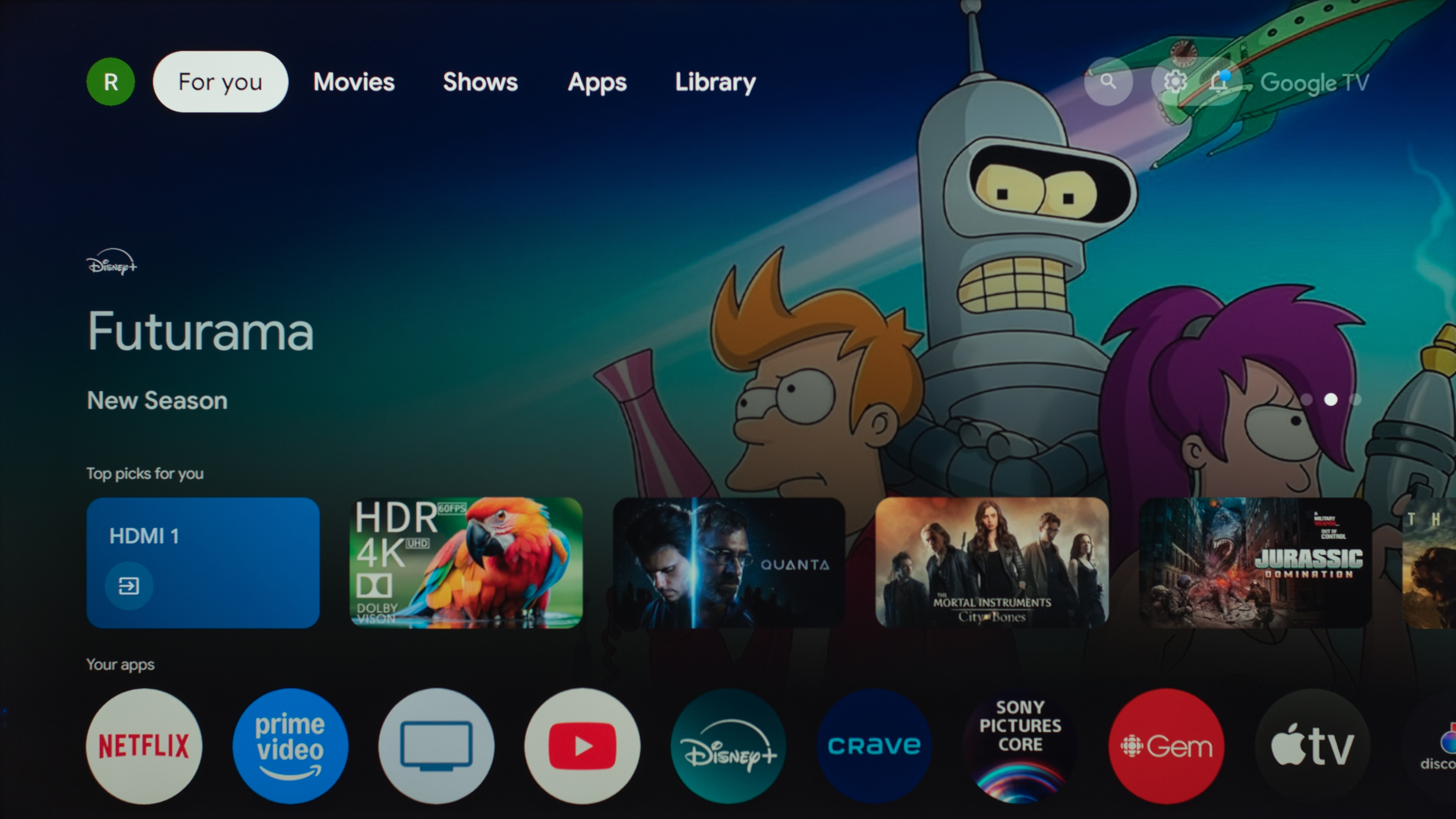
TVs include built-in smart systems, and while there are some monitors with these, they're rare. Although you don't need to use the smart OS for gaming, it's useful for watching content without needing an external source.
Crosshairs
Monitors have crosshairs that your games' anti-cheat tools won't detect, which many TVs don't have, but some still do. These can help when playing FPS games, and some monitors also include sniper modes that zoom in on a part of the screen. For example, the Gigabyte M27Q X has a typical crosshair and an Eagle Eye mode:
| Crosshair | Eagle Eye |
|---|---|
 |
 |
What To Get For Gaming? Monitor vs TV
The debate between a PC monitor vs TV for gaming is close. Both display types share many of the same strengths, and ultimately, any given model's performance depends on many factors, including its panel type. There are all kinds of TVs and monitors you can get at various price points, so there are many things you need to think about before narrowing down your search to one specific product or model.
That said, monitors still have the advantage in terms of pure gaming performance, thanks to their higher refresh rates and lower input lag. Consider getting a monitor if you have a gaming PC and want to take full advantage of it by gaming at high refresh rates. Another reason to get a monitor is if you want to sit close to the screen and see sharp text and images, or if you need a display for browsing the web or working.
On the other hand, TVs outperform when it comes to overall picture quality, particularly when gaming in HDR. They're also better choices if you want a big screen for an immersive feel or if you sit at a distance. Of course, you should get a TV if you want to watch movies or shows when you aren't gaming, as their processors and built-in smart systems give them an advantage for this.
The battle between TVs and monitors is more open when it comes to console gaming, as both can be great options for this purpose. In that case, choose one depending on how far you plan to sit away from the display: a monitor if you want to sit close, such as at a desk, and a TV if you want to sit further away, like on a couch.
For more specific recommendations, check out our monitor buying guides and our TV buying guides.
Conclusion
If you're comparing a computer monitor vs TV for gaming, they're both fantastic as the best displays have sharp motion, low input lag, and great picture quality. However, there are a few key differences that set them apart, such as higher refresh rates and lower input lag, which make them ideal for competitive gaming. On the other hand, TVs are meant to deliver the best picture quality, so they have processors that can smooth out banding and upscaling artifacts, which monitors can't do as well. Ultimately, the gaming performance of TVs and monitors varies significantly between models, making it difficult to declare one display type superior for gaming. That said, considering your needs, such as how far you'll be sitting away from the screen and what you'll use it for beyond gaming, is a good place to start when looking for a new display.